# Duo SSO
## Overview
Panther supports integrating with [Duo](https://duo.com/) as a SAML provider to enable logging in to the Panther Console via SSO.
For more information on features, terminology, and limitations of SSO integrations with the Panther Console, see [Identity & Access Integrations](https://docs.panther.com/~/changes/15ann7vKLltCCAGHtdQr/system-configuration/saml).
## How to configure SAML SSO to the Panther Console with Duo
### Prerequisites
As is [outlined in Duo's documentation](https://duo.com/docs/sso-panther#configure-single-sign-on), before configuring SSO with Duo, you'll need to:
* [Enable Single Sign-On for your Duo account](https://duo.com/docs/sso#enable-duo-single-sign-on#enable-duo-single-sign-on)
* [Configure a working authentication source in Duo](https://duo.com/docs/sso#configure-your-authentication-source)
### Obtain the Duo SSO parameters from Panther
1. Log in to the Panther Console.
2. Click the gear icon in the upper right. In the dropdown menu, click **General**.
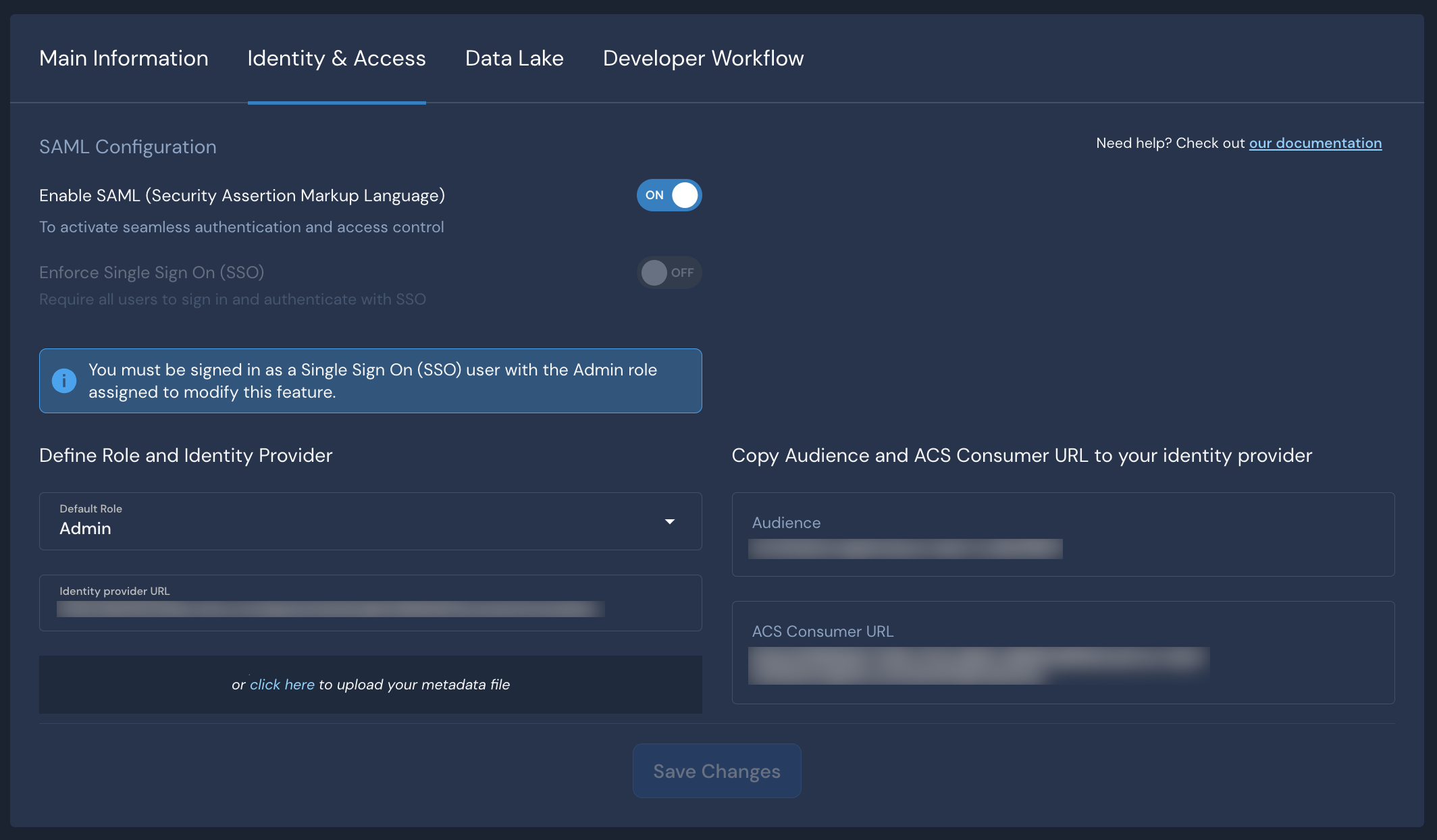
3. Click the **Identity & Access** tab.
Keep this browser window open, as you will need the **Audience** and **ACS URL** values in the next steps.
### Create the Duo app
1. Follow [these Duo instructions to create your Panther application in Duo](https://duo.com/docs/sso-panther#create-the-panther-application-in-duo).
2. In the **Service Provider** section of the application configuration in Duo, enter the **Audience** and **ACS URL** values you surfaced in Panther in the [previous section](#obtain-the-duo-sso-parameters-from-panther).\

3. Still in the Duo Admin Panel, scroll to the bottom of the page, and click **Save**.
Keep this Duo Admin Panel browser window open, as you will need the **Identity provider URL** value in the next steps.
### Configure Duo SAML in Panther
1. Navigate back to the [SAML configuration](#obtain-the-duo-sso-parameters-from-panther) you started earlier in this documentation.
2. Next to **Enable SAML**, set the toggle to **ON**.
3. In the **Default Role** field, choose the Panther role that your new users will be assigned by default when they first log in via SSO.
4. Return to the Duo Admin Panel. Copy the **Identity provider URL** value and paste it into the **Identity Provider URL** field in the Panther Console.
5. Click **Save Changes**.
To test your setup, go to your Panther sign-in page and click **Login with SSO**.