# Overview

Panther is a cloud-native, code-driven detection and response platform

Panther is a cloud-native SIEM featuring detections-as-code and advanced search, with a number of natively supported log sources and alert destinations. Ingest terabytes of security events per day into a structured data lake in Panther to power real-time detections and investigations.

<div data-full-width="false"><figure><img src="/files/OEZ52HBNCMSIusn4tKS4" alt="A diagram showing how Panther works: It ingests, parses, and normalizes security logs, detects anomalies with rules, then alerts your team of suspicious activity. At the bottom of the diagram is a &#x22;Long-term retention&#x22; box, showing that data is stored in Snowflake or Databricks and queryable."><figcaption></figcaption></figure></div>

## Explore Panther features

<table data-view="cards"><thead><tr><th></th><th></th><th></th><th></th><th></th><th data-hidden data-card-cover data-type="files"></th><th data-hidden data-card-target data-type="content-ref"></th></tr></thead><tbody><tr><td><p><strong>Start using Panther</strong></p><hr></td><td><a href="/pages/-MXJ6kV7_heNtszLGGJ0">Quick Start</a></td><td><a href="/pages/Omm1Tc6IOVoFjURMFdck">Onboarding Guide</a></td><td></td><td></td><td><a href="/files/Pd1BISXTVVDd7a9fnub6">/files/Pd1BISXTVVDd7a9fnub6</a></td><td></td></tr><tr><td><p><strong>Data ingestion</strong></p><hr></td><td><a href="/pages/-MXJ6kVSFwkC04XZbGr6">Supported Log Sources</a></td><td><a href="/pages/-MXJ6kVvvq9ZtpwVKiez">Custom Log Sources</a></td><td><a href="/pages/g2lr2h6HsVHD2RHTfQkB">Ingestion Filters</a></td><td><a href="/pages/MgkHhAxna809ROR4PoX8">Field Discovery</a></td><td><a href="/files/7pD1p4mJSbSaWjLkCmvD">/files/7pD1p4mJSbSaWjLkCmvD</a></td><td><a href="/pages/-MXJ6kV9PAknoCFL2tZj">/pages/-MXJ6kV9PAknoCFL2tZj</a></td></tr><tr><td><p><strong>Detections</strong></p><hr></td><td><a href="/pages/Llo60aL3NlER1L6J4aVV">Panther-managed Detections</a></td><td><a href="/pages/jxLtrKat6hfEtvoi9djx">Python Detections</a></td><td><a href="/pages/1ESO3qIILfsaEk2fYpTH">Derived Detections</a></td><td></td><td><a href="/files/ANo5PDiSde72p4VMXcGH">/files/ANo5PDiSde72p4VMXcGH</a></td><td><a href="/pages/-MXJ6kW-lb1AWtcL3zLa">/pages/-MXJ6kW-lb1AWtcL3zLa</a></td></tr><tr><td><p><strong>Alerts</strong></p><hr></td><td><a href="/pages/-MXJ6kX-irZH1VNvHhzy">Alert Destinations</a></td><td><a href="/pages/N129mafRvyvmoCrtUWHs#ai-alert-triage">AI Alert Triage</a></td><td><a href="/pages/r6SgUJJa83knNiPNTo2L">Assigning and Managing Alerts</a></td><td></td><td><a href="/files/3upLjiQEafLRjvwbah3L">/files/3upLjiQEafLRjvwbah3L</a></td><td><a href="/pages/N129mafRvyvmoCrtUWHs">/pages/N129mafRvyvmoCrtUWHs</a></td></tr><tr><td><p><strong>Investigations</strong></p><hr></td><td><a href="/pages/9HsNKWNw4fLpY8XosJDc">Search</a></td><td><a href="/pages/-MXJ6kXBaGv0_-UJsur7">Standard Fields</a></td><td><a href="/pages/-MXJ6kXF1mEem7G5KPSO">Saved &#x26; Scheduled Searches</a></td><td></td><td><a href="/files/X66sKLxAmFpEz3UZEUmh">/files/X66sKLxAmFpEz3UZEUmh</a></td><td><a href="/pages/-MXJ6kXAC15TaoXyA9vo">/pages/-MXJ6kXAC15TaoXyA9vo</a></td></tr><tr><td><p><strong>Data enrichment</strong></p><hr></td><td><a href="/pages/tFgsEB9K2WdlOrmVxhWp">Custom Enrichments</a></td><td><a href="/pages/qV9BG5oX1GQaVnNayX4U#panther-managed-enrichments">Panther-managed Enrichments</a></td><td></td><td></td><td><a href="/files/t2CQBAbaZT8u0CET1UcG">/files/t2CQBAbaZT8u0CET1UcG</a></td><td><a href="/pages/qV9BG5oX1GQaVnNayX4U">/pages/qV9BG5oX1GQaVnNayX4U</a></td></tr><tr><td><p><strong>Developer tools</strong></p><hr></td><td><a href="/pages/T3j0alFWSVR9uyiLVI6o">Panther API</a></td><td><a href="/pages/-MXJ6kW9IxoWufVHAMt1">Panther Analysis Tool</a></td><td><a href="/pages/joY9r3B0pAfRUGfe4y3P">CI/CD for Panther Content</a></td><td><a href="/pages/t2eNKSEOovyUDS3Bes1X">Converting Sigma Rules</a></td><td><a href="/files/t72X62KVyShmCAUBYwyJ">/files/t72X62KVyShmCAUBYwyJ</a></td><td><a href="/pages/YoOjIsASbXOjH4M0CTbW">/pages/YoOjIsASbXOjH4M0CTbW</a></td></tr></tbody></table>

## Get started

* Want to learn more about Panther? Visit our [website](https://panther.com/).
* Interested in a demo? Fill out [this form](https://panther.com/product/request-a-demo/).
* Have a brand-new Panther account? Check out [Quick Start](/quick-start).
* Ready to start detecting threats? Follow the [Onboarding Guide](/quick-start/onboarding-guide).


# Quick Start

Get started with your new Panther account

Get started with Panther [by requesting a demo!](https://panther.com/product/request-a-demo/)

## Overview

Welcome to Panther!

This guide will walk you through your initial login to the Panther Console, as well as how to invite additional users. Once you've completed these steps, head to the [Onboarding Guide](/quick-start/onboarding-guide) for full onboarding instructions.

### Getting started with key Panther features

{% embed url="<https://youtu.be/c_zNZqmAGSM>" %}

### Using Panther

You can manage your account and workflows in the Panther Console or using Panther Developer Workflows.

#### Panther Console

The Panther Console is Panther's web interface, where users can interact with their Panther instance. You can navigate the Panther Console via the left-hand navigation panel or press **⌘ (command) + K** at any time to search and jump straight to relevant documentation.

For a preview of the Panther Console, check out the [Overview video](#overview-video) above.

#### Panther Developer Workflows

Panther Developer Workflows are non-Console workflows you can use to interact with your Panther account, including [CI/CD](/panther-developer-workflows/detections-repo/ci-cd/deployment-workflows/circle-ci), [API](/panther-developer-workflows/api), [Terraform](/panther-developer-workflows/terraform), [pantherlog](/panther-developer-workflows/pantherlog) and the [Panther Analysis Tool (PAT)](/panther-developer-workflows/detections-repo/pat#using-the-panther-analysis-tool).

### Glossary

Panther's [Glossary](/resources/help/glossary) introduces common cloud-native, security, and Panther-specific terminology. Refer to the Glossary for extra context and clarity on terms found throughout this documentation.

## Getting started in Panther

### Initial Panther login

After your Panther instance has been provisioned, you can access your Panther Console.

Once your account has been provisioned, you will receive an invitation email from `no-reply@verificationemail.com` with the subject line **Welcome to Panther!** that contains your temporary Panther Console login credentials. If you don't see this email, be sure to check your spam folder or [reach out to your Panther Support team](/resources/help#contact-panther-support).

After you have logged in to the Console with these provided credentials, you will need to update your password and set up multi-factor authentication.

Panther requires a strong password:

* Password must contain at least 12 characters
* Password must contain at least 1 uppercase character
* Password must contain at least 1 lowercase character
* Password must contain at least 1 symbol
* Password must contain at least 1 number

<figure><img src="/files/Wv4UqVYllGv7JMod7VQx" alt="The Panther Console&#x27;s login screen"><figcaption></figcaption></figure>

### Inviting users

After you have successfully logged in, you can invite more users to the platform by navigating to **Settings** > **Access & Authentication** > **User Management**.

We strongly recommend having at least two users with [Admin role](/system-configuration/rbac) set up. This will help your organization regain access to the Panther Console if needed.

You can also [set up a Single Sign-On (SSO) provider](/system-configuration/saml), and optionally [enforce its use](/system-configuration/saml#how-to-enforce-sso).

It is also recommended to routinely audit the users who have access to your Panther Console.

## Next step: Start using Panther

Once you've logged in to the Panther Console, it's time to onboard data sources, set up detections, and configure alert destinations. Learn how to complete these tasks in the [Onboarding Guide](/quick-start/onboarding-guide).


# Onboarding Guide

Set up your Panther environment

## Overview

Onboarding in Panther includes setting up log sources, detections, and alert destinations, as well as familiarizing yourself with search tools and optionally enabling enrichment capabilities. This guide explains how to complete each of these tasks.

If you need help while onboarding, please reach out to your Panther support team.

## Prerequisite

* You have successfully logged in to your Panther Console.

## Step 1: Onboard log sources

The first step in configuring your Panther environment is to onboard log sources, which provide data to Panther to analyze and store. After identifying valuable sources, you'll onboard each one.

### Step 1.1: Identify log sources to onboard

Consider the log-emitting systems in your environment that you'd like to monitor for security. It's recommended to onboard enough sources to come close to your allowed ingest volume. You can use [log filtering](/data-onboarding/ingestion-filters) if you would only like to ingest *some* logs from a certain source into Panther.

If you need some ideas of where to get started, review the [Supported Logs](/data-onboarding/supported-logs) list. You can also onboard completely [custom sources](https://docs.panther.com/data-onboarding/custom-log-types).

### Step 1.2: Onboard each log source

For each of the log sources you've identified as wanting to ingest:

* If the log source is one of Panther's [supported sources](#supported-logs), onboard it by following the instructions on its documentation page.
* If the log source is not one of Panther's [supported sources](#supported-logs):

{% hint style="info" %}
If the source is high-volume (emits at least one GB per hour) and/or its [payload size exceeds the HTTP payload limit](/data-onboarding/data-transports/http#payload-requirements), skip to the next step.
{% endhint %}

1. If the source is able to emit event webhooks:
   1. Onboard the source by following the [HTTP Source creation instructions](/data-onboarding/data-transports/http#how-to-set-up-an-http-log-source-in-panther).
   2. Follow the [instructions to infer a custom schema from HTTP data received in Panther](/data-onboarding/custom-log-types#http-data-received-in-panther).
2. If the source is not able to emit event webhooks but can export events to an S3 bucket:
   1. Onboard the source by following the [S3 Source creation instructions](/data-onboarding/data-transports/aws/s3#how-to-pull-logs-from-aws-s3-buckets-into-panther).
   2. Follow the instructions to infer a custom schema in one of the following ways:
      * [From S3 data received in Panther](/data-onboarding/custom-log-types#s3-data-received-in-panther)
      * [From historical S3 data](/data-onboarding/custom-log-types#historical-s3-data)
3. If the source is not able to emit event webhooks nor export events to an S3 bucket, but can export events to one of the other [Data Transport](/data-onboarding/data-transports) locations Panther can pull from, e.g., [Google Cloud Storage](/data-onboarding/data-transports/google) or [Azure Blob Storage](/data-onboarding/data-transports/azure/blob-storage):
   1. Define a custom schema in one of the following ways:
      * [Inferring from sample logs in the Console](/data-onboarding/custom-log-types#sample-logs)
      * [Inferring using pantherlog `infer`](/panther-developer-workflows/pantherlog#infer-generate-a-schema-from-json-log-samples)
      * [Creating one manually in the Console](/data-onboarding/custom-log-types#manually)
   2. Onboard the source by following the instructions within the [documentation for your chosen Data Transport](/data-onboarding/data-transports).
4. If the source is not able to emit event webhooks nor export events to any of Panther's [Data Transport](/data-onboarding/data-transports) sources, see Panther's [Data Pipeline Tools](/data-onboarding/data-pipeline-tools) guides or reach out to your Panther support team for assistance in connecting your data to Panther.

These Step 1.2 instructions are also represented in the flow chart below:

<div data-full-width="false"><figure><img src="/files/lA9aYhMVdbv78SLT2O1C" alt="This flow chart diagram shows how to onboard a given log source depending on characteristics of the source, like whether it can emit webhook events or export events to S3."><figcaption></figcaption></figure></div>

### (Optional) Step 1.3: Onboard AWS account(s) for Cloud Security Scanning

If you use AWS as a cloud provider, you can use Panther's [Cloud Security Scanning](/cloud-scanning) feature to monitor the configurations of your cloud resources.

* If you'd like to use Cloud Security Scanning, [onboard one or more AWS accounts by following these instructions](/cloud-scanning#onboarding-a-cloud-account-in-the-panther-console).

{% hint style="info" %}
**Log sources: Go further**

* Learn how to [monitor the health of your log sources](/data-onboarding/monitoring-log-sources).
* Learn about [field discovery](/data-onboarding/field-discovery).
* If you created any [custom schemas](/data-onboarding/custom-log-types#how-to-define-a-custom-schema), designate fields as [Indicator Fields](/search/panther-fields#indicator-fields) to enable cross-log search and detections.
  {% endhint %}

## Step 2: Create or enable detections

Now that your data is flowing into Panther, it's time to configure detections. First, you'll choose whether to manage detection content in the Panther Console or CLI workflow. Then, for each source, you'll enable Panther-managed detections or create your own.

After you have created or enabled detections, alerts for matches will be visible in your Panther Console and queryable via the Panther API—but you will not receive alerts in external applications until you complete the [next step](#step-3-configure-alert-destinations), to set up alert destinations.

### Step 2.1: Choose the Console or CLI workflow for detection management

Decide whether you'd like to manage detection content in the Panther Console or in the CLI workflow (performing uploads using the [Panther Analysis Tool \[PAT\]](/panther-developer-workflows/detections-repo/pat), perhaps in a [CI/CD](/panther-developer-workflows/detections-repo/ci-cd) pipeline). Detection content includes detection packs and individual detections (rules, scheduled rules, and policies), as well as data models, global helpers, lookup tables, saved searches, and scheduled searches. Managing detection content in both the Console and CLI workflows is unsupported.

You might choose to use the CLI workflow if your team is comfortable using git, command line tools, and CI/CD pipelines. Otherwise, it's recommended to use the Panther Console.

{% hint style="info" %}
Panther's [Simple Detections](/detections#simple-detections) functionality aims to eventually integrate the Console and CLI workflows. Currently, if your team uses the CLI workflow to manage detection content, the changes made to detections using the [Simple Detection builder](/detections/rules/simple-detection-builder) in the Console will still be overwritten on next upload (except for [Inline Filters](/detections/rules/inline-filters) created in the Console, which will be preserved).
{% endhint %}

### Step 2.2: Create or enable rules and scheduled rules for each log source

For each log source you onboarded to Panther in the previous step, you will enable Panther-managed detections or create your own. If the source is one of Panther's [Supported Logs](/data-onboarding/supported-logs), follow the [Supported logs section below](#supported-logs). Otherwise, follow the [Custom logs section](#custom-logs).

#### Supported logs

* If the source is one of Panther's [Supported Logs](/data-onboarding/supported-logs):
  * Enable a Panther-managed Detection Pack for the source. See the instructions below for enabling a Detection Pack in the Panther Console and in the CLI workflow.
  * If you already enabled a Detection Pack for this log source during onboarding (on the final "Success!" page), move on to the next log source.

{% tabs %}
{% tab title="Console" %}
**Enable a Panther-managed Detection Pack in the Console**

* Follow [these instructions to enable a Panther-managed Detection Pack](https://docs.panther.com/detections/panther-managed/packs#enabling-and-disabling-detection-packs) for the source.

Go further:

* Learn [how to customize a Panther-managed detection](/detections/panther-managed#how-to-customize-a-panther-managed-detection).
* Create additional, custom detections for this source.
  {% endtab %}

{% tab title="CLI" %}
**Enable a Panther-managed Detection Pack in the CLI workflow**

1. If you have not done so already, [follow these instructions](https://docs.panther.com/panther-developer-workflows/ci-cd/detections-repo) to clone or fork the [panther-analysis repository](https://github.com/panther-labs/panther-analysis/tree/master) of detections.
2. Within the [rules directory of your copy of the panther-analysis repository](https://github.com/panther-labs/panther-analysis/tree/master/rules), locate the directory for this source, which contains Panther-managed rules and (possibly) scheduled rules.
3. For each Panther-managed rule and scheduled rule that you would like to enable, in the detection's corresponding YAML file, set:

   ```yaml
   Enabled: True
   ```
4. If there are any rules or scheduled rules in the source's directory that you would not like enabled, in the detection's corresponding YAML file, set:

   ```yaml
   Enabled: False
   ```
5. Upload your detections to Panther manually using [PAT](/panther-developer-workflows/detections-repo/pat), or [configure your CI/CD pipeline](/panther-developer-workflows/detections-repo/ci-cd) to upload detection content with PAT.

Go further:

* Create additional, custom detections for this source.
  {% endtab %}
  {% endtabs %}

#### Custom logs

* If the source is a custom log source:
  * Create your own detections. See the instructions below for creating detections in the Panther Console and in the CLI workflow. While creating detections:
    * Consider leveraging Panther-managed [helper functions](/detections/rules/python/globals), or creating your own.
    * Create [tests](/detections/testing).

{% tabs %}
{% tab title="Console" %}
**Create rules and scheduled rules in the Console**

* Create one or more rules for the log source.
  * [To create a Python rule, follow these instructions](/detections/rules/python#creating-a-rule-in-python-in-the-console).
  * [To use the Simple Detection builder, follow these instructions.](/detections/rules/simple-detection-builder#how-to-create-a-rule-in-the-simple-detection-builder)
* If necessary, create one or more Scheduled Rules for the log source by [following these instructions](/detections/rules/python#creating-a-scheduled-rule-in-python-in-the-console).
  {% endtab %}

{% tab title="CLI" %}
**Create rules and scheduled rules in the CLI workflow**

1. If you have not done so already, [follow these instructions](https://docs.panther.com/panther-developer-workflows/ci-cd/detections-repo) to clone or fork the [panther-analysis repository](https://github.com/panther-labs/panther-analysis/tree/master) of Python detections.
2. Write one or more rules for the log source:
   * [To write a Python rule, follow these instructions](/detections/rules/python#creating-a-rule-in-python-in-the-cli-workflow).
   * [To write a Simple Detection rule, follow these instructions](/detections/rules/writing-simple-detections#how-to-create-a-simple-detection-rule-in-yaml).
3. If necessary, write one or more Scheduled Rules for the log source by [following these instructions](/detections/rules/python#creating-a-scheduled-rule-in-python-in-the-cli-workflow).
4. Upload your detections to Panther manually using [PAT](/panther-developer-workflows/detections-repo/pat), or [configure your CI/CD pipeline](/panther-developer-workflows/detections-repo/ci-cd) to upload detection content with PAT.
   {% endtab %}
   {% endtabs %}

### (Optional) Step 2.3: Create or enable policies for each Cloud Security Scanning account

If you onboarded one or more AWS accounts for [Cloud Security Scanning](/cloud-scanning), enable Panther-managed policies, or create your own.

{% tabs %}
{% tab title="Console" %}
**Enable Panther-managed Policies in the Console**

* Enable the [Panther Core AWS Pack](https://github.com/panther-labs/panther-analysis/blob/13e49e6589b1160928ec85678884da0e72e986f3/packs/aws.yml) in the Panther Console. Note that in addition to Policies, this pack includes rules, helpers, and data models.
  * [See instructions for enabling Packs in the Console here](/detections/panther-managed/packs#enabling-and-disabling-detection-packs).

**Create Policies in the Console**

* To create Policies in the Console, [follow these instructions](/detections/policies#how-to-write-policies-in-the-panther-console).
  {% endtab %}

{% tab title="CLI" %}
**Enable Panther-managed Policies in the CLI workflow**

* If you have not done so already, [follow these instructions](https://docs.panther.com/panther-developer-workflows/ci-cd/detections-repo) to clone or fork the [panther-analysis repository](https://github.com/panther-labs/panther-analysis/tree/master) of Python detections.
* Within the [policies directory of your copy of the panther-analysis repository](https://github.com/panther-labs/panther-analysis/tree/master/policies), identify the directories of interest to you, i.e., the directories covering AWS resources you are interested in monitoring.
* In each directory of interest, for each Panther-managed policy that you would like to enable, set the following in the detection's corresponding YAML file:

  ```yaml
  Enabled: True
  ```
* In each directory of interest, if there are any policies in the directory that you would not like enabled, set the following in the detection's corresponding YAML file:

  ```yaml
  Enabled: False
  ```
* Upload your detections to Panther manually using [PAT](/panther-developer-workflows/detections-repo/pat), or [configure your CI/CD pipeline](/panther-developer-workflows/detections-repo/ci-cd) to upload detection content with PAT.

**Create Policies in the CLI workflow**

* To write Policies in the CLI workflow, [follow these instructions](/detections/policies#how-to-write-a-policy).
  {% endtab %}
  {% endtabs %}

{% hint style="info" %}
**Detections: Go further**

* If you are using the CLI workflow, [configure your CI/CD pipeline to upload to Panther](/panther-developer-workflows/detections-repo/ci-cd).
* Use [Data Replay](/detections/testing/data-replay) to check that your detections match when expected.
* If you onboarded an AWS account for Cloud Security Scanning, set up [real-time monitoring](/cloud-scanning#real-time-monitoring).
  {% endhint %}

## Step 3: Configure alert destinations

Set up [alert destinations](/alerts/destinations) to receive alerts in locations outside of your Panther Console.

### Step 3.1: Identify where you want to receive Panther alerts

Where is the best place for your team to receive Panther alerts? Does it make sense to configure multiple destinations, and route alerts of different [severities](/detections/rules#alert-severity) to different locations?

If you need some ideas to get started, check out the list of supported destinations on the [Alert Destinations](/alerts/destinations) page. You can also create [custom destinations](https://docs.panther.com/alerts/destinations#setting-up-destinations-that-are-not-natively-supported).

### Step 3.2: Set up destinations

For each alert destination you'd like to set up:

* If the destination is one of the [destinations natively supported by Panther](/alerts/destinations), follow the setup instructions specific to that destination.
* If the destination is not natively supported by Panther:
  * If the destination can receive HTTP `POST` requests containing a `JSON` payload, follow the [instructions to use a Custom Webhook Destination](/alerts/destinations/custom_webhook).
  * Alternatively, consider polling the Panther API for new alerts on a schedule. [Learn more about this option here](/alerts/destinations#panther-api).

### Step 3.3: Ensure at least one destination is receiving System Errors

System Errors notify users when some part of their Panther workflow is not functioning correctly, such as log sources turning unhealthy or alerts failing to deliver. Learn more about System Errors on [System Health Notifications](/system-configuration/notifications/system-errors).

When setting up each alert destination, you'll select the **Alert Types** sent to that destination, shown below. It's strongly recommended to configure at least one alert destination to receive System Errors.

<figure><img src="/files/EglXv9Vkjr2dpMBmZsOU" alt=""><figcaption></figcaption></figure>

{% hint style="info" %}
**Alert destinations: Go further**

* Learn how to triage alerts in Panther on [Assigning and Managing Alerts](/alerts/alert-management).
  {% endhint %}

## Step 4: Learn how to use search tools

Before it's time to investigate a security incident, you'll want to be comfortable using Panther's [search tools](/search).

* Practice creating filters and executing a search in the [Search](/search/search-tool) tool.
* If you are comfortable writing SQL, practice running queries in [Data Explorer](/search/data-explorer).
  * See example queries in [Data Explorer SQL Search Examples](/search/data-explorer/example-queries).

{% hint style="info" %}
**Search: Go further**

* [Create a Scheduled Search](/search/scheduled-searches#how-to-create-a-scheduled-search), on top of which you can create a [Scheduled Rule](/detections/rules#how-to-write-scheduled-rules).
  {% endhint %}

## (Optional) Step 5: Set up Enrichment

Panther's [Enrichment](/enrichment) features can add useful context to log events, enabling you to write higher fidelity detections and generate more informative alerts. These features include:

* Panther-managed enrichments like [IPinfo](/enrichment/ipinfo), [Tor Exit Nodes](/enrichment/tor-exit-nodes), and [Anomali ThreatStream](/enrichment/anomali-threatstream)
* Log source pullers such as [Google Workspace Profiles](/enrichment/google-workspace) and [Okta Profiles](/enrichment/okta)
* [Custom enrichments](/enrichment/custom) containing your own data

For each of the above features, determine whether you would like to enable them, and if so, follow the set up instructions on their respective pages.


# Data Sources & Transports

Onboard your data sources into Panther to normalize and retain logs

## Overview

Panther offers built-in integrations for common data sources and data mapping for custom log sources. This page describes available [data source options](#data-sources-and-transports), how to [monitor log source ingestion and health](#monitoring-log-sources), how to [request support for a new log source](#request-support-for-a-log-source), and how to [configure an Event Threshold alarm](#configuring-event-threshold-alarms).

For information on ingesting Panther Console audit logs, see the [Panther Audit Logs](/data-onboarding/supported-logs/panther-audit-logs) page.

#### Video overview

{% embed url="<https://youtu.be/gvicWMuE-eY>" %}

## Data Sources & Transports

### Data Transports

You can create an HTTP (webhook) source, or leverage cloud services like S3 buckets, CloudWatch, SQS, SNS, Azure Blob Storage, or Google Cloud Storage (GCS) to push data to Panther. For more information, see [Data Transports](https://docs.panther.com/data-onboarding/data-transports).

### Supported logs

Panther supports pulling logs from vendors via direct integrations that query the API and via AWS EventBridge. In addition, Panther supports pushing logs to common Data Transport sources to ingest logs that have supported schemas but not a direct API integration. For a full list of supported vendors, see the [Supported Logs](https://docs.panther.com/data-onboarding/supported-logs) page.

#### Cloud accounts

In addition to onboarding AWS as a log source to configure Detections and receive alerts, we recommend configuring Cloud Security Scanning for your AWS account. Cloud Security Scanning works by scanning AWS accounts, modeling the Resources within them, and using Policies to detect misconfigurations. For more information, see [Cloud Security Scanning](https://docs.panther.com/cloud-scanning).

### Custom logs

Panther allows you to generate a custom schema if you have a log type that is not yet supported. Panther gives you the ability to build custom schemas, which inform Panther how to parse events correctly. For more information, see [Custom Logs.](https://docs.panther.com/data-onboarding/custom-log-types)

### Monitoring log sources

When your log source is onboarded in Panther, you can monitor its individual data processing metrics and health within the log source's operations page, attach new schemas, and view raw data associated with the log source. You can also monitor overall log source ingestion metrics on the Log Source Overview page. For more information, see [Monitoring Log Sources](https://docs.panther.com/data-onboarding/monitoring-log-sources).

### Ingestion filtering

Ingestion filters let you define conditions under which incoming data should be dropped—i.e., not ingested into Panther. This dropped data will not contribute to your ingestion quota. These filters can be useful, then, to partially ingest high-volume logs that may have previously been cost-prohibitive when connected with Panther.

For more information, see [Ingestion Filters](/data-onboarding/ingestion-filters).

## Configuring event threshold alarms

On the final step of configuring your log source with Panther, you have the option to create an alarm in case the source does not process any events within a configurable period of time. For example, if you configure the threshold to 15 minutes, then you will receive an alert if no events are processed in 15 minutes.

For instructions, see [Configuring log drop-off alarms for log sources](/system-configuration/notifications/system-errors#configuring-log-drop-offs-alarms-for-log-sources).

## Request support for a log source

If you do not see the log source you want within the list at **Integrations > Log Sources**, you can request support of a new log source:

1. Log in to your Panther Console.
2. Navigate to **Log Sources**.
3. Click **Create New.**
4. Scroll to the bottom of the page and click the **Request it here** hyperlink.\
   ![](/files/15W5OwWW0GnlFtsunHsg)
5. Enter the Log Source name you want to request and the use case it will address.
6. Click **Create Request**.

## Deleting a log source

If you no longer want to collect logs from a particular log source, you can delete it in the Panther Console or using the Panther API.

After you delete a log source, all events that have already been collected by that source will remain accessible in your Data Lake (meaning they can be queried with [Data Explorer](/search/data-explorer) and [Search](/search/search-tool)).

To delete a log source:

{% tabs %}
{% tab title="Panther Console" %}

1. In the left-hand navigation bar of your Panther Console, click **Log Sources**.
2. In the table of log sources, locate the one you would like to delete. On the right side of its row, click the three dots icon.
3. Click **Delete**.\
   ![An arrow is drawn from a three dots icon to a "Delete" value in a pop-up menu.](/files/8KspC9RatQZYTM413H6T)
4. In the pop-up confirmation modal, click **Yes, Delete**.
   {% endtab %}

{% tab title="Panther API" %}

* Use the `DeleteSource` mutation in the [Panther GraphQL API](/panther-developer-workflows/api/graphql/log-source#deleting-a-log-source).
  {% endtab %}
  {% endtabs %}

## Data ingestion size limit

Panther can ingest events up to 15 MB.

If a log event larger than 15 MB is sent to Panther, it will be skipped and not ingested. If it is being ingested from S3, CloudWatch, GCS, or Azure Blob Storage, the entire file will be dropped and a [System Error will be generated](/system-configuration/notifications/system-errors#s3-getobject-error-notifications).

## IP addresses Panther uses to pull data

The IP address Panther uses to fetch your data depends on the nature of the log source:

| Type of log source                                                                                                                                                                                                                                                                                                                                                                                                            | IP address Panther uses to pull data                                                                                                                                                                                                                                                                |
| ----------------------------------------------------------------------------------------------------------------------------------------------------------------------------------------------------------------------------------------------------------------------------------------------------------------------------------------------------------------------------------------------------------------------------- | --------------------------------------------------------------------------------------------------------------------------------------------------------------------------------------------------------------------------------------------------------------------------------------------------- |
| [Supported Logs](/data-onboarding/supported-logs) source that is an "API puller"—i.e., whose API Panther polls                                                                                                                                                                                                                                                                                                                | Your Panther Console [gateway public IP](https://docs.panther.com/system-configuration#main-info-and-preferences).                                                                                                                                                                                  |
| <ul><li><p><a href="/pages/-MXJ6kVSFwkC04XZbGr6">Supported Logs</a> source that either:</p><ul><li>Is an <a href="https://docs.panther.com/data-onboarding/supported-logs/aws">AWS Log Source</a>​</li><li>Uses an AWS storage location (e.g., S3 or SQS)</li></ul></li><li>​<a href="/pages/-MXJ6kVvvq9ZtpwVKiez">Custom Logs</a> source that uses an <a href="/pages/o94Kf7m5Tq8YXozodNDA">AWS Data Transport</a></li></ul> | An IP address within the [AWS IP address space](https://docs.aws.amazon.com/vpc/latest/userguide/aws-ip-ranges.html).                                                                                                                                                                               |
| [Supported Logs](/data-onboarding/supported-logs) source that uses a GCS storage location OR a [Custom Logs](/data-onboarding/custom-log-types) source that uses a [GCS Data Transport](/data-onboarding/data-transports/google)                                                                                                                                                                                              | An IP address within the [AWS IP address space](https://docs.aws.amazon.com/vpc/latest/userguide/aws-ip-ranges.html). (To request that Panther limit the IP to your Panther Console [gateway public IP](https://docs.panther.com/system-configuration#main-info-and-preferences), contact Support.) |
| [Supported Logs](/data-onboarding/supported-logs) source that uses an Azure storage location OR a [Custom Logs](/data-onboarding/custom-log-types) source that uses an [Azure Data Transport](/data-onboarding/data-transports/azure)                                                                                                                                                                                         | An IP address within the [AWS IP address space](https://docs.aws.amazon.com/vpc/latest/userguide/aws-ip-ranges.html). (To request that Panther limit the IP to your Panther Console [gateway public IP](https://docs.panther.com/system-configuration#main-info-and-preferences), contact Support.) |

## Troubleshooting Data Sources and Transports

Visit the Panther Knowledge Base to [view articles about data sources and transports](https://help.panther.com/Data_Sources) that answer frequently asked questions and help you resolve common errors and issues.


# Supported Logs

Panther supports 100+ security log types across 50+ different categories

## Overview

Panther has native schema support for each of the [sources listed below](#panther-supported-log-sources), with different supported methods to ingest data depending on the log source.

If you would like to ingest logs from a source not listed as Panther-supported, you can either define your own [Custom Log](/data-onboarding/custom-log-types) source or [request support of a new log source](/data-onboarding#request).

For information on tracking logged activity within your Panther instance, please see [Panther Audit Logs](/data-onboarding/supported-logs/panther-audit-logs).

View all [Panther-supported log sources in the list below](#panther-supported-log-sources) or in your Panther Console, by navigating to the **Log Sources** > **Add New Source** page. There, you can browse sources in the grid or use the search bar to find a source:

<figure><img src="/files/zuyw3a8Hj7E1FTDojvtO" alt="The heading reads, &#x22;What type of logs do you want to monitor with this source?&#x22; and below it is a circled search bar."><figcaption></figcaption></figure>

## Working with Panther-managed schemas

For each Panther-supported log source, Panther produces and maintains associated log schemas. You can find the schemas associated to each source on the source's documentation page.

Certain Panther-managed schemas have [field discovery](/data-onboarding/field-discovery) enabled. To verify whether field discovery is enabled for a specific schema, see [Verifying field discovery is enabled](/data-onboarding/field-discovery#verifying-field-discovery-is-enabled).

### Testing a Panther-managed schema

{% hint style="info" %}
The log files can be compressed using the following formats:

* gzip
* zstd (without dictionary)
  {% endhint %}

If you'd like to validate that a Panther-managed schema will parse your logs correctly, you can test sample logs against the Panther-managed schema (just like you can test logs against a custom schema). Follow the steps below:

1. In the left-hand navigation bar of your Panther Console, click **Schemas**.
2. Click on the name of a schema labeled `PANTHER MANAGED`**.**
3. In the upper-right corner, click **Test Schema**.
4. Choose **Upload Sample file** or **Paste sample event(s)**.
5. After uploading your sample(s), in the upper-right corner, click **Run Test**.

<figure><img src="/files/21bctwKUrbj0ygcojfeV" alt="There is a slide-out panel titled &#x22;Test schema against sample logs&#x22; and a circled &#x22;Run Test&#x22; button."><figcaption></figcaption></figure>

### Cloning a Panther-managed schema

It is not possible to edit a Panther-managed schema. Instead, you can clone the schema to create a copy of it, which you can edit. To clone a schema:

1. In the left-hand navigation bar of your Panther Console, click **Schemas**.
2. Click on the name of a schema in the list.
3. In the upper-right corner of the schema's details page, click **Clone**.

For information on editing a custom schema, see the [Custom Logs documentation](/data-onboarding/custom-log-types#editing-a-custom-schema).

## Troubleshooting supported logs

Visit the Panther Knowledge Base to [view articles about supported log sources](https://help.panther.com/Data_Sources/Supported_Logs) that answer frequently asked questions and help you resolve common errors and issues.


# 1Password Logs

Panther supports pulling logs directly from 1Password

## Overview

Panther fetches 1Password event logs via the [1Password Events API](https://support.1password.com/events-api-reference/) every one minute. Panther is specifically monitoring the following 1Password events:

* Sign-in attempts from a user's 1Password account
* Items in shared vaults that have been modified, accessed, or used
* Audit events from the Activity Log

Panther will ingest 1Password events generated while a device was offline.

{% hint style="info" %}
There could be a delay of up to one day from when an action causing a [OnePassword.ItemUsage](#onepassword.itemusage) event occurs to when the log is ingested into Panther. Panther pulls events as soon as they are available, however some devices sync to 1Password only once or twice per day.
{% endhint %}

## How to onboard 1Password logs to Panther

To set up 1Password as a log source in Panther, you'll need to generate an access token in your 1Password account, then configure the 1Password log source in Panther.

### Step 1: Generate an Access Token in 1Password

1. [Sign in](https://start.1password.com/signin) to your 1Password account, then click **Integrations** in the sidebar.
2. Click **Directory** at the top of the page.
3. Scroll down to the "Events Reporting" section then click **Panther**.\ <img src="/files/pzMXb2wMWjlw4qzxQowE" alt="In the &#x22;Events Reporting&#x22; section in 1Password, there is a tile labeled Panther. In the image, there is a red square around it." data-size="original">
4. Enter a **System Name** for the integration, then click **Add Integration**.
5. Enter a name for the bearer token and choose token expiration.
6. Select the event types your token will have access to:
   * Sign-in attempts
     * Select this option if you plan to ingest [OnePassword.SignInAttempt](#onepassword.signinattempt) events into Panther.
   * Item usage events
     * Select this option if you plan to ingest [OnePassword.ItemUsage](#onepassword.itemusage) events into Panther.
   * Audit events
     * Select this option if you plan to ingest [OnePassword.AuditEvent](#onepassword.auditevent) events into Panther.
7. Click **Issue Token** to generate the access token key.
   * For additional information on issuing or revoking 1Password bearer tokens, see [1Password's documentation](https://support.1password.com/events-reporting/#appendix-issue-or-revoke-bearer-tokens).
8. Click **Save in 1Password** and choose which vault to save your token to.
9. Click **View Integration Details** to view the token.
   * You will need this token in the next steps.

### Step 2: Create a new 1Password log source in Panther

1. In the left-hand navigation bar of your Panther Console, click **Log Sources**.
2. Click **Create New.**
3. Search for “1Password,” then click its tile.
4. In the slide-out panel, click **Start Setup**.
5. On the next screen, enter a name for the source e.g. `My 1Password logs`.
6. Click **Setup.**
7. On the **Credentials** page, fill in the form:
   * Paste the **access token key** from your 1Password account into the Access Token field.
   * Select the region and plan of your 1Password account.
8. Click **Setup**. You will be directed to a success screen:\\
   <figure><img src="/files/lJCvylZLzgzxBKPB2fyE" alt="The success screen reads, &#x22;Everything looks good! Panther will now automatically pull &#x26; process logs from your account&#x22;" width="281"><figcaption></figcaption></figure>

   * You can optionally enable one or more [Detection Packs](https://docs.panther.com/detections/panther-managed/packs).
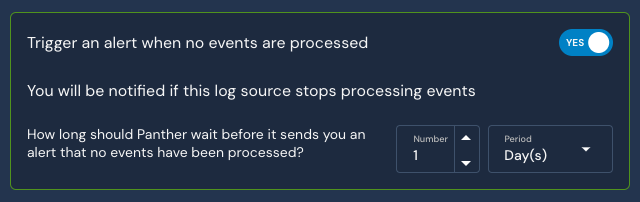
   * The **Trigger an alert when no events are processed** setting defaults to **YES**. We recommend leaving this enabled, as you will be alerted if data stops flowing from the log source after a certain period of time. The timeframe is configurable, with a default of 24 hours.\\

     <figure><img src="/files/Qjs5L2RqoxDEnhUcjTYh" alt="The &#x22;Trigger an alert when no events are processed&#x22; toggle is set to YES. The &#x22;How long should Panther wait before it sends you an alert that no events have been processed&#x22; setting is set to 1 Day" width="320"><figcaption></figcaption></figure>

{% hint style="warning" %}
**Note:** By default, 1Password logs do not contain human-readable values for objects such as vaults and login credentials. Please [see our guide about using Lookup Tables](https://docs.panther.com/guides/using-lookup-tables-1password-uuids) to translate 1Password's Universally Unique Identifier (UUID) values into human-readable names.
{% endhint %}

## Panther-Built Detections

See Panther's built in [rules for 1Password in panther-analysis in Github](https://github.com/panther-labs/panther-analysis/tree/master/rules/onepassword_rules).

## Supported log types

### OnePassword.ItemUsage

These are 1Password item usage events. For more information, see the [1Password Events API reference documentation](https://developer.1password.com/docs/events-api/reference/#item-usage).

```yaml
schema: OnePassword.ItemUsage
parser:
    native:
        name: OnePassword.ItemUsage
description: OnePassword Item usage
referenceURL: https://support.1password.com/events-api-reference/#item-usage
fields:
    - name: uuid
      required: true
      description: The UUID of the event.
      type: string
    - name: timestamp
      required: true
      description: The date and time of the event in rfc3339 standard format.
      type: timestamp
      timeFormats:
        - rfc3339
      isEventTime: true
    - name: used_version
      description: The version of the item that was accessed.
      type: bigint
    - name: vault_uuid
      description: The UUID of the vault the item is in.
      type: string
    - name: item_uuid
      description: The UUID of the item that was accessed.
      type: string
    - name: action
      description: Details about how the item was used. Actions are only captured from client apps using 1Password 8.4.0 or later.
      type: string
    - name: user
      description: The user object that accessed the item.
      type: object
      fields:
        - name: uuid
          description: The UUID of the user that accessed the item or attempted to sign in to the account.
          type: string
        - name: name
          description: The name of the user, hydrated at the time the event was generated.
          type: string
        - name: email
          description: The email address of the user, hydrated at the time the event was generated.
          type: string
          indicators:
            - email
    - name: client
      description: The client object used to accessed the item.
      type: object
      fields:
        - name: app_name
          description: The name of the 1Password app the item was accessed from.
          type: string
        - name: app_version
          description: The version number of the app.
          type: string
        - name: platform_name
          description: The name of the platform the item was accessed from.
          type: string
        - name: platform_version
          description: The version of the browser or computer where 1Password is installed, or the CPU of the machine where the 1Password command-line tool is installed.
          type: string
        - name: os_name
          description: The name of the operating system the item was accessed from.
          type: string
        - name: os_version
          description: The version of the operating system the item was accessed from.
          type: string
        - name: ip_address
          description: The IP address the item was accessed from.
          type: string
          indicators:
            - ip
```

### OnePassword.SignInAttempt

These are 1Password sign-in attempts. For more information, see the [1Password Events API reference documentation](https://developer.1password.com/docs/events-api/reference/#sign-in-attempts).

```yaml
schema: OnePassword.SignInAttempt
parser:
    native:
        name: OnePassword.SignInAttempt
description: OnePassword SignIn attempts
referenceURL: https://support.1password.com/events-api-reference/#sign-in-attempts
fields:
    - name: uuid
      required: true
      description: The UUID of the event.
      type: string
    - name: session_uuid
      description: The UUID of the session that created the event.
      type: string
    - name: timestamp
      required: true
      description: The date and time of the event in rfc3339 standard format.
      type: timestamp
      timeFormats:
        - rfc3339
      isEventTime: true
    - name: category
      description: The category of the sign-in attempt.
      type: string
    - name: type
      description: The type details of the sign-in attempt.
      type: string
    - name: country
      description: The country code of from where the event happened.
      type: string
    - name: details
      description: Additional information about the sign-in attempt, such as any firewall rules that prevent a user from signing in.
      type: object
      fields:
        - name: value
          description: The country, continent, or IP address of the sign-in attempt
          type: string
    - name: target_user
      description: The user object attempted sign-in.
      type: object
      fields:
        - name: uuid
          description: The UUID of the user that accessed the item or attempted to sign in to the account.
          type: string
        - name: name
          description: The name of the user, hydrated at the time the event was generated.
          type: string
        - name: email
          description: The email address of the user, hydrated at the time the event was generated.
          type: string
          indicators:
            - email
    - name: client
      description: The client object used fpr sign-in attempt
      type: object
      fields:
        - name: app_name
          description: The name of the 1Password app the item was accessed from.
          type: string
        - name: app_version
          description: The version number of the app.
          type: string
        - name: platform_name
          description: The name of the platform the item was accessed from.
          type: string
        - name: platform_version
          description: The version of the browser or computer where 1Password is installed, or the CPU of the machine where the 1Password command-line tool is installed.
          type: string
        - name: os_name
          description: The name of the operating system the item was accessed from.
          type: string
        - name: os_version
          description: The version of the operating system the item was accessed from.
          type: string
        - name: ip_address
          description: The IP address the item was accessed from.
          type: string
          indicators:
            - ip
    - name: location
      description: The location of where the event happened.
      type: object
      fields:
        - name: country
          description: The country code of where the event happened.
          type: string
        - name: region
          description: The region code of where the event happened.
          type: string
        - name: city
          description: The city code of where the event happened.
          type: string
        - name: longitude
          description: The longitude of where the event happened.
          type: float
        - name: latitude
          description: The latitude of where the event happened.
          type: float
```

### OnePassword.AuditEvent

These are 1Password audit events from the Activity Log. For more information, see the [1Password Events Reporting audit events documentation](https://developer.1password.com/docs/events-api/audit-events/).

```yaml
schema: OnePassword.AuditEvent
description: OnePassword Audit events
referenceURL: https://developer.1password.com/docs/events-api/audit-events/
fields:
    - name: uuid
      required: true
      description: The UUID of the event.
      type: string
    - name: timestamp
      required: true
      description: The date and time of the event in rfc3339 standard format.
      type: timestamp
      timeFormats:
        - rfc3339
      isEventTime: true
    - name: actor_uuid
      description: ActorUUID field.
      type: string
      indicators:
        - actor_id
    - name: actor_details
      description: The details of the team member that performed the action.
      type: object
      fields:
        - name: uuid
          description: The team member uuid.
          type: string
          indicators:
            - actor_id
        - name: name
          description: The team member name.
          type: string
          indicators:
            - username
        - name: email
          description: The team member email.
          type: string
          indicators:
            - email
    - name: action
      required: true
      description: The action that was performed.
      type: string
    - name: object_type
      required: true
      description: The type of object that was affected by the event.
      type: string
    - name: object_uuid
      description: The UUID of the object that was affected by the event.
      type: string
    - name: object_details
      description: The details of the team member that was affected by the event. This property is only returned for events where the object of the action is a team member.
      type: object
      fields:
        - name: uuid
          description: The team member uuid.
          type: string
          indicators:
            - actor_id
        - name: name
          description: The team member name.
          type: string
          indicators:
            - username
        - name: email
          description: The team member email.
          type: string
          indicators:
            - email
    - name: aux_id
      description: The id of additional information about the activity.
      type: bigint
    - name: aux_uuid
      description: The UUID of additional information about the activity.
      type: string
    - name: aux_details
      description: The details of the team member who relates to the additional information about the activity. This property is only returned for events where the additional information about an activity relates to a team member.
      type: object
      fields:
        - name: uuid
          description: The team member uuid.
          type: string
          indicators:
            - actor_id
        - name: name
          description: The team member name.
          type: string
          indicators:
            - username
        - name: email
          description: The team member email.
          type: string
          indicators:
            - email
    - name: aux_info
      description: The additional information about the activity.
      type: string
    - name: session
      description: The session information gathered about the client.
      type: object
      fields:
        - name: uuid
          description: The UUID of the session that created the event.
          type: string
        - name: login_time
          description: The date and time of the session login.
          type: timestamp
        - name: device_uuid
          description: The UUID of the login device.
          type: string
        - name: ip
          description: The IP address of the login device.
          type: string
          indicators:
            - ip
    - name: location
      description: The location object of from where the event happened.
      type: object
      fields:
        - name: country
          description: The country code of where the event happened.
          type: string
        - name: region
          description: The region code of where the event happened.
          type: string
        - name: city
          description: The city code of where the event happened.
          type: string
        - name: longitude
          description: The longitude of where the event happened.
          type: float
        - name: latitude
          description: The latitude of where the event happened.
          type: float
```


# Anthropic Claude Code Telemetry (Beta)

Monitor Claude Code usage, cost, and tool activity via OpenTelemetry (OTLP)

## Overview

{% hint style="info" %}
Claude Code Telemetry log ingestion is in open beta starting with Panther version 1.127 and is available to all customers. Please share any bug reports and feature requests with your Panther support team.
{% endhint %}

Claude Code is Anthropic's agentic command-line coding tool. When telemetry is enabled, it exports usage data through OpenTelemetry (OTel), including sessions, token and cost usage, tool activity, permission decisions, and API/auth events.

Panther ingests Claude Code's OTLP log events in real time, normalizes them through the `Anthropic.ClaudeTelemetry` schema, and enables security and platform teams to monitor adoption, spend, and risky activity across their developer fleet.

## Prerequisites

* Claude Code installed and configured.
* Administrator access to your Claude Code organization (to deploy managed settings).

## How to onboard Claude Code telemetry to Panther

### Step 1: Create an OTLP log source in Panther

1. In the left-hand navigation bar of your Panther Console, click **Log Sources**.
2. Click **Create New**.
3. Search for "Claude Code" and click its tile.
4. On the **Configure** page, provide:
   * **Source Name**: Enter a descriptive name like `Claude Code Telemetry`.
   * **Schemas**: The `Anthropic.ClaudeTelemetry` schema will be automatically selected.
5. In the **Authentication** section:
   * **Auth method**: Bearer (pre-selected for OTLP sources).
   * **Bearer Token**: Generate and securely copy the bearer token value.
6. Click **Setup**.
7. Note the **OTLP Endpoint URL** from the success screen — you'll need this for Claude Code configuration.

### Step 2: Configure Claude Code telemetry via managed settings

The recommended way to enable Claude Code telemetry across your developer fleet is through the Claude Code [managed settings](https://code.claude.com/docs/en/monitoring-usage#quick-start) file. As an administrator, navigate to **Organization Settings** > **Claude Code** > **Managed settings** in your Claude organization and deploy a configuration like the following:

```json
{
  "env": {
    "CLAUDE_CODE_ENABLE_TELEMETRY": "1",
    "OTEL_LOGS_EXPORTER": "otlp",
    "OTEL_EXPORTER_OTLP_LOGS_PROTOCOL": "http/json",
    "OTEL_EXPORTER_OTLP_LOGS_ENDPOINT": "<your_panther_otlp_endpoint_url>",
    "OTEL_EXPORTER_OTLP_HEADERS": "Authorization=Bearer <your_bearer_token>"
  }
}
```

Replace `<your_panther_otlp_endpoint_url>` and `<your_bearer_token>` with the values from Step 1.

Managed settings are pushed centrally to every Claude Code installation in your organization, giving you a single, auditable place to control telemetry. See [Claude Code settings precedence](https://code.claude.com/docs/en/monitoring-usage#quick-start) for how managed settings interact with user-level configuration.

#### Alternative: per-user environment variables

For local testing or installations not yet covered by managed settings, the same configuration can be applied as shell environment variables:

```bash
export CLAUDE_CODE_ENABLE_TELEMETRY=1
export OTEL_LOGS_EXPORTER=otlp
export OTEL_EXPORTER_OTLP_LOGS_PROTOCOL=http/json
export OTEL_EXPORTER_OTLP_LOGS_ENDPOINT=<your_panther_otlp_endpoint_url>
export OTEL_EXPORTER_OTLP_HEADERS="Authorization=Bearer <your_bearer_token>"
```

#### Privacy controls

Claude Code provides granular privacy controls. Set these in the same `env` block (managed settings) or as environment variables:

* **`OTEL_LOG_USER_PROMPTS=1`**: Includes actual prompt content in telemetry (redacted by default).
* **`OTEL_LOG_TOOL_DETAILS=1`**: Includes detailed tool parameters, hook configurations, and error details.
* **`OTEL_LOG_RAW_API_BODIES=file:<directory>`**: Logs full API request/response bodies to files in the given directory.

### Step 3: Test the integration

1. From a machine that has received the managed settings (or your local shell with the env vars set), run Claude Code:

   ```bash
   claude "Hello, can you help me write a simple Python script?"
   ```
2. In the Panther Console, navigate to your Claude Code log source and verify:
   * **Source Status** shows as "Healthy".
   * Recent events appear in the **Events** section.
   * Event processing is working correctly.

## Supported log types

### Anthropic.ClaudeTelemetry

```yaml
schema: Anthropic.ClaudeTelemetry
description: |
  Claude Code/Cowork telemetry events, emitted by the tool. The populated
  attribute set depends on the event type (`attributes.event_name`); see the
  Claude Code monitoring docs for the per-event details.
referenceURL: https://code.claude.com/docs/en/monitoring-usage
fields:
  - name: timeUnixNano
    required: true
    description: Event time, nanoseconds since the UNIX epoch.
    type: timestamp
    timeFormats:
      - unix_ns
    isEventTime: true
  - name: observedTimeUnixNano
    description: Time the event was observed, nanoseconds since the UNIX epoch.
    type: timestamp
    timeFormats:
      - unix_ns
  - name: body
    required: true
    description: The fully-qualified event name, e.g. "claude_code.user_prompt".
    type: string
  - name: droppedAttributesCount
    description: Number of attributes dropped due to limits.
    type: bigint
  - name: attributes
    description: |
      Event attributes. The populated subset depends on the event type
      (`attributes.event_name`); see the Claude Code monitoring docs for the
      per-event attribute lists.
    type: object
    fields:
      # --- Standard attributes (present on every event when available) ---
      - name: event_name
        description: Short event name, e.g. "user_prompt", "tool_result", "api_request".
        type: string
      - name: event_timestamp
        description: Event timestamp (ISO 8601 / RFC3339).
        type: timestamp
        timeFormats:
          - rfc3339
      - name: event_sequence
        description: Monotonically increasing counter ordering events within a session.
        type: bigint
      - name: session_id
        description: Unique session identifier (from session.id).
        type: string
        indicators:
          - trace_id
      - name: prompt_id
        description: UUID correlating a user prompt with all events it triggers (from prompt.id).
        type: string
        indicators:
          - trace_id
      - name: app_version
        description: Claude Code version (from app.version).
        type: string
      - name: app_entrypoint
        description: How the session was launched, e.g. cli, sdk-cli, sdk-ts, sdk-py, claude-vscode (from app.entrypoint).
        type: string
      - name: organization_id
        description: Organization UUID when authenticated (from organization.id).
        type: string
      - name: user_id
        description: Random anonymous per-machine identifier (from user.id).
        type: string
        indicators:
          - actor_id
      - name: user_account_id
        description: Account ID in Anthropic admin-API tagged format, e.g. user_01... (from user.account_id).
        type: string
      - name: user_account_uuid
        description: Account UUID when authenticated (from user.account_uuid).
        type: string
      - name: user_email
        description: User email when authenticated via OAuth (from user.email).
        type: string
        indicators:
          - email
      - name: terminal_type
        description: Terminal type, e.g. iTerm.app, vscode, cursor, tmux (from terminal.type).
        type: string
      - name: workspace_host_paths
        description: Host workspace directories selected in the desktop app (from workspace.host_paths).
        type: array
        element:
          type: string
      # --- user_prompt ---
      - name: prompt
        description: Prompt content. Redacted unless OTEL_LOG_USER_PROMPTS=1.
        type: string
      - name: prompt_length
        description: Length of the prompt.
        type: bigint
      - name: command_name
        description: Command name when the prompt invokes one (e.g. compact); custom/plugin/mcp collapse unless OTEL_LOG_TOOL_DETAILS=1.
        type: string
      - name: command_source
        description: Origin of the command, one of builtin, custom, mcp.
        type: string
      # --- tool_result / tool_decision ---
      - name: tool_name
        description: Name of the tool, e.g. Read, Edit, Write, Bash.
        type: string
      - name: tool_use_id
        description: Unique identifier for this tool invocation; matches the tool_use_id passed to hooks.
        type: string
      - name: success
        description: Whether the operation succeeded ("true"/"false"). Used by tool_result, auth, at_mention, compaction.
        type: boolean
      - name: duration_ms
        description: Duration in milliseconds. Used by tool_result, api_request, api_error, mcp_server_connection, compaction.
        type: bigint
      - name: error_type
        description: Error category string when a tool failed, e.g. "Error:ENOENT", "ShellError".
        type: string
      - name: decision
        description: Permission decision, "accept" or "reject" (tool_decision).
        type: string
      - name: decision_type
        description: Resolved decision type; always "accept" on tool_result.
        type: string
      - name: decision_source
        description: Where the permission decision came from, e.g. config, hook, user_permanent, user_temporary, user_abort, user_reject.
        type: string
      - name: source
        description: Where the tool_decision came from (config, hook, user_permanent, user_temporary, user_abort, user_reject).
        type: string
      - name: mcp_server_scope
        description: MCP server scope identifier (for MCP tools).
        type: string
      - name: tool_input_size_bytes
        description: Size of the JSON-serialized tool input in bytes.
        type: bigint
      - name: tool_result_size_bytes
        description: Size of the tool result in bytes.
        type: bigint
      - name: tool_parameters
        description: JSON string of tool-specific parameters (when OTEL_LOG_TOOL_DETAILS=1).
        type: json
        isEmbeddedJSON: true
      - name: tool_input
        description: JSON-serialized tool arguments (when OTEL_LOG_TOOL_DETAILS=1).
        type: json
        isEmbeddedJSON: true
      # --- api_request / api_error / api_refusal / api_retries_exhausted ---
      - name: model
        description: Model used, e.g. claude-sonnet-4-6.
        type: string
      - name: cost_usd
        description: Estimated cost in USD (api_request).
        type: float
      - name: cost_usd_micros
        description: Estimated cost in USD millionths (api_request).
        type: bigint
      - name: input_tokens
        description: Number of input tokens.
        type: bigint
      - name: output_tokens
        description: Number of output tokens.
        type: bigint
      - name: cache_read_tokens
        description: Number of tokens read from cache.
        type: bigint
      - name: cache_creation_tokens
        description: Number of tokens used for cache creation.
        type: bigint
      - name: request_id
        description: Anthropic API request id from the response request-id header, e.g. req_011...
        type: string
      - name: speed
        description: '"fast" or "normal", indicating whether fast mode was active.'
        type: string
      - name: query_source
        description: Subsystem that issued the request, e.g. repl_main_thread, compact, or a subagent name.
        type: string
      - name: effort
        description: Effort level applied to the request, e.g. low, medium, high, xhigh, max.
        type: string
      - name: error
        description: Error message (api_error, api_retries_exhausted, compaction, mcp_server_connection when OTEL_LOG_TOOL_DETAILS=1).
        type: string
      - name: status_code
        description: HTTP status code. Number on api_error/api_retries_exhausted, string on auth.
        type: bigint
      - name: attempt
        description: Total number of attempts made including the initial request (api_error).
        type: bigint
      - name: total_attempts
        description: Total number of attempts made (api_retries_exhausted).
        type: bigint
      - name: total_retry_duration_ms
        description: Total wall-clock time across all attempts (api_retries_exhausted).
        type: bigint
      - name: server_fallback_hop
        description: "True when the API's server-side model fallback already retried this refusal on a different model, so the user did not see it; false when the request ended in a refusal (api_refusal)."
        type: boolean
      - name: has_category
        description: True when the API response carried a stop_details.category (cyber, bio, frontier_llm, reasoning_extraction); absent when server_fallback_hop is true (api_refusal).
        type: boolean
      - name: has_explanation
        description: True when the API response carried a stop_details.explanation; absent when server_fallback_hop is true (api_refusal).
        type: boolean
      - name: category
        description: The stop_details.category value, one of cyber, bio, frontier_llm, reasoning_extraction; only present when OTEL_LOG_TOOL_DETAILS=1 and has_category is true (api_refusal).
        type: string
      - name: agent_name
        description: Agent attribution for the request (from agent.name).
        type: string
      - name: skill_name
        description: Skill attribution / activated skill name (from skill.name).
        type: string
      - name: skill_source
        description: Where a skill was loaded from, e.g. bundled, userSettings, projectSettings, plugin (from skill.source).
        type: string
      - name: skill_kind
        description: '"workflow" when the skill is a workflow skill (from skill.kind).'
        type: string
      - name: invocation_trigger
        description: How a skill was triggered, e.g. user-slash, claude-proactive, nested-skill.
        type: string
      - name: plugin_name
        description: Plugin name; "third-party" for third-party plugins unless OTEL_LOG_TOOL_DETAILS=1 (from plugin.name).
        type: string
      - name: plugin_version
        description: Plugin version (from plugin.version).
        type: string
      - name: plugin_scope
        description: Plugin provenance, e.g. official, org, user-local, default-bundle (from plugin.scope).
        type: string
      - name: plugin_id
        description: Plugin identifier in <name>@<marketplace> form (hook_plugin_metrics).
        type: string
      - name: plugin_id_hash
        description: Deterministic hash of plugin name + marketplace, for fleet counting without exposing names.
        type: string
      - name: marketplace_name
        description: Marketplace a plugin was installed from (from marketplace.name).
        type: string
      - name: marketplace_is_official
        description: Whether the marketplace is an official Anthropic marketplace (from marketplace.is_official).
        type: boolean
      - name: install_trigger
        description: How a plugin was installed, "cli" or "ui" (from install.trigger).
        type: string
      - name: enabled_via
        description: How a plugin came to be enabled, e.g. default-enable, org-policy, seed-mount, user-install.
        type: string
      - name: has_hooks
        description: Whether the plugin contributes hooks.
        type: boolean
      - name: has_mcp
        description: Whether the plugin contributes MCP servers.
        type: boolean
      - name: host_owned_mcp
        description: Whether the SDK host manages this plugin's MCP connections.
        type: boolean
      - name: skill_path_count
        description: Number of skill directories the plugin declares.
        type: bigint
      - name: command_path_count
        description: Number of command directories the plugin declares.
        type: bigint
      - name: agent_path_count
        description: Number of agent directories the plugin declares.
        type: bigint
      - name: safe_mode
        description: Whether the session was started with --safe-mode.
        type: boolean
      - name: mcp_server_name
        description: MCP server name attribution for an api_request (from mcp_server.name).
        type: string
      - name: mcp_tool_name
        description: MCP tool name attribution for an api_request (from mcp_tool.name).
        type: string
      # --- api_request_body / api_response_body ---
      - name: body_ref
        description: Absolute path to a file with the untruncated body (file mode, OTEL_LOG_RAW_API_BODIES=file:<dir>).
        type: string
      - name: body_length
        description: Untruncated body length (UTF-8 bytes in file mode, UTF-16 code units inline).
        type: bigint
      - name: body_truncated
        description: '"true" when inline truncation occurred. Absent in file mode and when no truncation occurred.'
        type: boolean
      # --- permission_mode_changed ---
      - name: from_mode
        description: Previous permission mode, e.g. default, plan, acceptEdits, auto, bypassPermissions.
        type: string
      - name: to_mode
        description: New permission mode.
        type: string
      - name: trigger
        description: What caused the change/compaction, e.g. shift_tab, exit_plan_mode, auto_gate_denied, auto_opt_in (permission_mode_changed); auto, manual (compaction).
        type: string
      # --- auth ---
      - name: action
        description: '"login" or "logout" (auth).'
        type: string
      - name: auth_method
        description: Authentication method, e.g. oauth (auth).
        type: string
      - name: error_category
        description: Categorical error kind when an action failed; the raw message is never included (auth).
        type: string
      # --- mcp_server_connection ---
      - name: status
        description: '"connected", "failed", or "disconnected" (mcp_server_connection).'
        type: string
      - name: transport_type
        description: MCP server transport, e.g. stdio, sse, http.
        type: string
      - name: server_scope
        description: Scope the MCP server is configured at, e.g. user, project, local.
        type: string
      - name: error_code
        description: Error code when an MCP connection (or internal error) occurred.
        type: string
      - name: is_plugin
        description: Whether the MCP server is provided by a plugin.
        type: boolean
      - name: server_name
        description: Configured MCP server name (when OTEL_LOG_TOOL_DETAILS=1).
        type: string
      # --- internal_error ---
      - name: error_name
        description: Error class name, e.g. TypeError, SyntaxError (internal_error).
        type: string
      # --- at_mention ---
      - name: mention_type
        description: Type of mention resolved, e.g. file, directory, agent, mcp_resource.
        type: string
      # --- hook_registered / hook_execution_start / hook_execution_complete / hook_plugin_metrics ---
      - name: hook_event
        description: Hook event type, e.g. PreToolUse, PostToolUse, UserPromptSubmit, PermissionRequest.
        type: string
      - name: hook_type
        description: Hook implementation type, e.g. command, prompt, mcp_tool, http, agent (hook_registered).
        type: string
      - name: hook_source
        description: Where the hook is defined, e.g. userSettings, projectSettings, localSettings, policySettings, pluginHook, merged.
        type: string
      - name: hook_name
        description: Full hook name including matcher, e.g. PreToolUse:Write.
        type: string
      - name: hook_matcher
        description: Matcher string from the hook configuration (when OTEL_LOG_TOOL_DETAILS=1).
        type: string
      - name: hook_definitions
        description: JSON-serialized hook configuration (detailed beta tracing + OTEL_LOG_TOOL_DETAILS=1).
        type: string
      - name: num_hooks
        description: Number of matching hook commands.
        type: bigint
      - name: num_success
        description: Count of hooks that completed successfully.
        type: bigint
      - name: num_blocking
        description: Count of hooks that returned a blocking decision.
        type: bigint
      - name: num_non_blocking_error
        description: Count of hooks that failed without blocking.
        type: bigint
      - name: num_cancelled
        description: Count of hooks cancelled before completion.
        type: bigint
      - name: total_duration_ms
        description: Wall-clock duration of all matching hooks.
        type: bigint
      - name: managed_only
        description: '"true" when only managed-policy hooks are permitted.'
        type: boolean
      # --- compaction ---
      - name: pre_tokens
        description: Approximate token count before compaction.
        type: bigint
      - name: post_tokens
        description: Approximate token count after compaction.
        type: bigint
      - name: precompute_reuse
        description: Whether /compact reused a prepared summary; hit, miss_custom_instructions, miss_hook, miss_not_ready (manual compaction only).
        type: string
      # --- feedback_survey ---
      - name: event_type
        description: Survey lifecycle event, e.g. appeared, responded, transcript_prompt_appeared.
        type: string
      - name: appearance_id
        description: Unique id linking the events emitted for one survey instance.
        type: string
      - name: survey_type
        description: Which survey produced the event, e.g. session.
        type: string
      - name: response
        description: The user's selection on responded events.
        type: string
      - name: enabled_via_override
        description: True when CLAUDE_CODE_ENABLE_FEEDBACK_SURVEY_FOR_OTEL is set.
        type: boolean
```


# Anthropic Claude Cowork Telemetry (Beta)

Monitor Claude Cowork usage, cost, and activity via OpenTelemetry (OTLP)

## Overview

{% hint style="info" %}
Claude Cowork Telemetry log ingestion is in open beta starting with Panther version 1.127 and is available to all customers. Please share any bug reports and feature requests with your Panther support team.
{% endhint %}

Claude Cowork is Anthropic's collaborative AI workspace. When telemetry is enabled, it exports usage data through OpenTelemetry (OTel), including sessions, token and cost usage, tool activity, permission decisions, and API errors.

Panther ingests Claude Cowork's OTLP log events in real time, normalizes them through the `Anthropic.ClaudeTelemetry` schema, and enables security and platform teams to monitor adoption, spend, and risky activity across their organization.

## Prerequisites

* Access to a Claude Cowork workspace.
* Administrator access to your Claude Cowork organization.

## How to onboard Claude Cowork telemetry to Panther

### Step 1: Create an OTLP log source in Panther

1. In the left-hand navigation bar of your Panther Console, click **Log Sources**.
2. Click **Create New**.
3. Search for "Claude Cowork" and click its tile.
4. On the **Configure** page, provide:
   * **Source Name**: Enter a descriptive name like `Claude Cowork Telemetry`.
   * **Schemas**: The `Anthropic.ClaudeTelemetry` schema will be automatically selected.
5. In the **Authentication** section:
   * **Auth method**: Bearer (pre-selected for OTLP sources).
   * **Bearer Token**: Generate and securely copy the bearer token value.
6. Click **Setup**.
7. Note the **OTLP Endpoint URL** from the success screen — you'll need this for Claude Cowork configuration.

### Step 2: Configure Claude Cowork telemetry

Claude Cowork telemetry is configured by an administrator from the Claude Cowork UI:

1. Navigate to **Admin settings** > **Cowork**.
2. Fill in the OTLP fields using the values from Step 1:

   ```json
   {
     "OTLP endpoint": "<your_panther_otlp_endpoint_url>",
     "OTLP protocol": "http/json",
     "OTLP headers": "Authorization=Bearer <your_bearer_token>"
   }
   ```
3. Click **Save**. Settings are loaded at session start, so users may need to start a new Cowork session for the change to take effect.

### Step 3: Test the integration

1. Perform activity in your Claude Cowork workspace (e.g., start a session and invoke a tool).
2. In the Panther Console, navigate to your Claude Cowork log source and verify:
   * **Source Status** shows as "Healthy".
   * Recent events appear in the **Events** section.
   * Event processing is working correctly.

## Supported log types

### Anthropic.ClaudeTelemetry

```yaml
schema: Anthropic.ClaudeTelemetry
description: |
  Claude Code/Cowork telemetry events, emitted by the tool. The populated
  attribute set depends on the event type (`attributes.event_name`); see the
  Claude Code monitoring docs for the per-event details.
referenceURL: https://code.claude.com/docs/en/monitoring-usage
fields:
  - name: timeUnixNano
    required: true
    description: Event time, nanoseconds since the UNIX epoch.
    type: timestamp
    timeFormats:
      - unix_ns
    isEventTime: true
  - name: observedTimeUnixNano
    description: Time the event was observed, nanoseconds since the UNIX epoch.
    type: timestamp
    timeFormats:
      - unix_ns
  - name: body
    required: true
    description: The fully-qualified event name, e.g. "claude_code.user_prompt".
    type: string
  - name: droppedAttributesCount
    description: Number of attributes dropped due to limits.
    type: bigint
  - name: attributes
    description: |
      Event attributes. The populated subset depends on the event type
      (`attributes.event_name`); see the Claude Code monitoring docs for the
      per-event attribute lists.
    type: object
    fields:
      # --- Standard attributes (present on every event when available) ---
      - name: event_name
        description: Short event name, e.g. "user_prompt", "tool_result", "api_request".
        type: string
      - name: event_timestamp
        description: Event timestamp (ISO 8601 / RFC3339).
        type: timestamp
        timeFormats:
          - rfc3339
      - name: event_sequence
        description: Monotonically increasing counter ordering events within a session.
        type: bigint
      - name: session_id
        description: Unique session identifier (from session.id).
        type: string
        indicators:
          - trace_id
      - name: prompt_id
        description: UUID correlating a user prompt with all events it triggers (from prompt.id).
        type: string
        indicators:
          - trace_id
      - name: app_version
        description: Claude Code version (from app.version).
        type: string
      - name: app_entrypoint
        description: How the session was launched, e.g. cli, sdk-cli, sdk-ts, sdk-py, claude-vscode (from app.entrypoint).
        type: string
      - name: organization_id
        description: Organization UUID when authenticated (from organization.id).
        type: string
      - name: user_id
        description: Random anonymous per-machine identifier (from user.id).
        type: string
        indicators:
          - actor_id
      - name: user_account_id
        description: Account ID in Anthropic admin-API tagged format, e.g. user_01... (from user.account_id).
        type: string
      - name: user_account_uuid
        description: Account UUID when authenticated (from user.account_uuid).
        type: string
      - name: user_email
        description: User email when authenticated via OAuth (from user.email).
        type: string
        indicators:
          - email
      - name: terminal_type
        description: Terminal type, e.g. iTerm.app, vscode, cursor, tmux (from terminal.type).
        type: string
      - name: workspace_host_paths
        description: Host workspace directories selected in the desktop app (from workspace.host_paths).
        type: array
        element:
          type: string
      # --- user_prompt ---
      - name: prompt
        description: Prompt content. Redacted unless OTEL_LOG_USER_PROMPTS=1.
        type: string
      - name: prompt_length
        description: Length of the prompt.
        type: bigint
      - name: command_name
        description: Command name when the prompt invokes one (e.g. compact); custom/plugin/mcp collapse unless OTEL_LOG_TOOL_DETAILS=1.
        type: string
      - name: command_source
        description: Origin of the command, one of builtin, custom, mcp.
        type: string
      # --- tool_result / tool_decision ---
      - name: tool_name
        description: Name of the tool, e.g. Read, Edit, Write, Bash.
        type: string
      - name: tool_use_id
        description: Unique identifier for this tool invocation; matches the tool_use_id passed to hooks.
        type: string
      - name: success
        description: Whether the operation succeeded ("true"/"false"). Used by tool_result, auth, at_mention, compaction.
        type: boolean
      - name: duration_ms
        description: Duration in milliseconds. Used by tool_result, api_request, api_error, mcp_server_connection, compaction.
        type: bigint
      - name: error_type
        description: Error category string when a tool failed, e.g. "Error:ENOENT", "ShellError".
        type: string
      - name: decision
        description: Permission decision, "accept" or "reject" (tool_decision).
        type: string
      - name: decision_type
        description: Resolved decision type; always "accept" on tool_result.
        type: string
      - name: decision_source
        description: Where the permission decision came from, e.g. config, hook, user_permanent, user_temporary, user_abort, user_reject.
        type: string
      - name: source
        description: Where the tool_decision came from (config, hook, user_permanent, user_temporary, user_abort, user_reject).
        type: string
      - name: mcp_server_scope
        description: MCP server scope identifier (for MCP tools).
        type: string
      - name: tool_input_size_bytes
        description: Size of the JSON-serialized tool input in bytes.
        type: bigint
      - name: tool_result_size_bytes
        description: Size of the tool result in bytes.
        type: bigint
      - name: tool_parameters
        description: JSON string of tool-specific parameters (when OTEL_LOG_TOOL_DETAILS=1).
        type: json
        isEmbeddedJSON: true
      - name: tool_input
        description: JSON-serialized tool arguments (when OTEL_LOG_TOOL_DETAILS=1).
        type: json
        isEmbeddedJSON: true
      # --- api_request / api_error / api_refusal / api_retries_exhausted ---
      - name: model
        description: Model used, e.g. claude-sonnet-4-6.
        type: string
      - name: cost_usd
        description: Estimated cost in USD (api_request).
        type: float
      - name: cost_usd_micros
        description: Estimated cost in USD millionths (api_request).
        type: bigint
      - name: input_tokens
        description: Number of input tokens.
        type: bigint
      - name: output_tokens
        description: Number of output tokens.
        type: bigint
      - name: cache_read_tokens
        description: Number of tokens read from cache.
        type: bigint
      - name: cache_creation_tokens
        description: Number of tokens used for cache creation.
        type: bigint
      - name: request_id
        description: Anthropic API request id from the response request-id header, e.g. req_011...
        type: string
      - name: speed
        description: '"fast" or "normal", indicating whether fast mode was active.'
        type: string
      - name: query_source
        description: Subsystem that issued the request, e.g. repl_main_thread, compact, or a subagent name.
        type: string
      - name: effort
        description: Effort level applied to the request, e.g. low, medium, high, xhigh, max.
        type: string
      - name: error
        description: Error message (api_error, api_retries_exhausted, compaction, mcp_server_connection when OTEL_LOG_TOOL_DETAILS=1).
        type: string
      - name: status_code
        description: HTTP status code. Number on api_error/api_retries_exhausted, string on auth.
        type: bigint
      - name: attempt
        description: Total number of attempts made including the initial request (api_error).
        type: bigint
      - name: total_attempts
        description: Total number of attempts made (api_retries_exhausted).
        type: bigint
      - name: total_retry_duration_ms
        description: Total wall-clock time across all attempts (api_retries_exhausted).
        type: bigint
      - name: server_fallback_hop
        description: "True when the API's server-side model fallback already retried this refusal on a different model, so the user did not see it; false when the request ended in a refusal (api_refusal)."
        type: boolean
      - name: has_category
        description: True when the API response carried a stop_details.category (cyber, bio, frontier_llm, reasoning_extraction); absent when server_fallback_hop is true (api_refusal).
        type: boolean
      - name: has_explanation
        description: True when the API response carried a stop_details.explanation; absent when server_fallback_hop is true (api_refusal).
        type: boolean
      - name: category
        description: The stop_details.category value, one of cyber, bio, frontier_llm, reasoning_extraction; only present when OTEL_LOG_TOOL_DETAILS=1 and has_category is true (api_refusal).
        type: string
      - name: agent_name
        description: Agent attribution for the request (from agent.name).
        type: string
      - name: skill_name
        description: Skill attribution / activated skill name (from skill.name).
        type: string
      - name: skill_source
        description: Where a skill was loaded from, e.g. bundled, userSettings, projectSettings, plugin (from skill.source).
        type: string
      - name: skill_kind
        description: '"workflow" when the skill is a workflow skill (from skill.kind).'
        type: string
      - name: invocation_trigger
        description: How a skill was triggered, e.g. user-slash, claude-proactive, nested-skill.
        type: string
      - name: plugin_name
        description: Plugin name; "third-party" for third-party plugins unless OTEL_LOG_TOOL_DETAILS=1 (from plugin.name).
        type: string
      - name: plugin_version
        description: Plugin version (from plugin.version).
        type: string
      - name: plugin_scope
        description: Plugin provenance, e.g. official, org, user-local, default-bundle (from plugin.scope).
        type: string
      - name: plugin_id
        description: Plugin identifier in <name>@<marketplace> form (hook_plugin_metrics).
        type: string
      - name: plugin_id_hash
        description: Deterministic hash of plugin name + marketplace, for fleet counting without exposing names.
        type: string
      - name: marketplace_name
        description: Marketplace a plugin was installed from (from marketplace.name).
        type: string
      - name: marketplace_is_official
        description: Whether the marketplace is an official Anthropic marketplace (from marketplace.is_official).
        type: boolean
      - name: install_trigger
        description: How a plugin was installed, "cli" or "ui" (from install.trigger).
        type: string
      - name: enabled_via
        description: How a plugin came to be enabled, e.g. default-enable, org-policy, seed-mount, user-install.
        type: string
      - name: has_hooks
        description: Whether the plugin contributes hooks.
        type: boolean
      - name: has_mcp
        description: Whether the plugin contributes MCP servers.
        type: boolean
      - name: host_owned_mcp
        description: Whether the SDK host manages this plugin's MCP connections.
        type: boolean
      - name: skill_path_count
        description: Number of skill directories the plugin declares.
        type: bigint
      - name: command_path_count
        description: Number of command directories the plugin declares.
        type: bigint
      - name: agent_path_count
        description: Number of agent directories the plugin declares.
        type: bigint
      - name: safe_mode
        description: Whether the session was started with --safe-mode.
        type: boolean
      - name: mcp_server_name
        description: MCP server name attribution for an api_request (from mcp_server.name).
        type: string
      - name: mcp_tool_name
        description: MCP tool name attribution for an api_request (from mcp_tool.name).
        type: string
      # --- api_request_body / api_response_body ---
      - name: body_ref
        description: Absolute path to a file with the untruncated body (file mode, OTEL_LOG_RAW_API_BODIES=file:<dir>).
        type: string
      - name: body_length
        description: Untruncated body length (UTF-8 bytes in file mode, UTF-16 code units inline).
        type: bigint
      - name: body_truncated
        description: '"true" when inline truncation occurred. Absent in file mode and when no truncation occurred.'
        type: boolean
      # --- permission_mode_changed ---
      - name: from_mode
        description: Previous permission mode, e.g. default, plan, acceptEdits, auto, bypassPermissions.
        type: string
      - name: to_mode
        description: New permission mode.
        type: string
      - name: trigger
        description: What caused the change/compaction, e.g. shift_tab, exit_plan_mode, auto_gate_denied, auto_opt_in (permission_mode_changed); auto, manual (compaction).
        type: string
      # --- auth ---
      - name: action
        description: '"login" or "logout" (auth).'
        type: string
      - name: auth_method
        description: Authentication method, e.g. oauth (auth).
        type: string
      - name: error_category
        description: Categorical error kind when an action failed; the raw message is never included (auth).
        type: string
      # --- mcp_server_connection ---
      - name: status
        description: '"connected", "failed", or "disconnected" (mcp_server_connection).'
        type: string
      - name: transport_type
        description: MCP server transport, e.g. stdio, sse, http.
        type: string
      - name: server_scope
        description: Scope the MCP server is configured at, e.g. user, project, local.
        type: string
      - name: error_code
        description: Error code when an MCP connection (or internal error) occurred.
        type: string
      - name: is_plugin
        description: Whether the MCP server is provided by a plugin.
        type: boolean
      - name: server_name
        description: Configured MCP server name (when OTEL_LOG_TOOL_DETAILS=1).
        type: string
      # --- internal_error ---
      - name: error_name
        description: Error class name, e.g. TypeError, SyntaxError (internal_error).
        type: string
      # --- at_mention ---
      - name: mention_type
        description: Type of mention resolved, e.g. file, directory, agent, mcp_resource.
        type: string
      # --- hook_registered / hook_execution_start / hook_execution_complete / hook_plugin_metrics ---
      - name: hook_event
        description: Hook event type, e.g. PreToolUse, PostToolUse, UserPromptSubmit, PermissionRequest.
        type: string
      - name: hook_type
        description: Hook implementation type, e.g. command, prompt, mcp_tool, http, agent (hook_registered).
        type: string
      - name: hook_source
        description: Where the hook is defined, e.g. userSettings, projectSettings, localSettings, policySettings, pluginHook, merged.
        type: string
      - name: hook_name
        description: Full hook name including matcher, e.g. PreToolUse:Write.
        type: string
      - name: hook_matcher
        description: Matcher string from the hook configuration (when OTEL_LOG_TOOL_DETAILS=1).
        type: string
      - name: hook_definitions
        description: JSON-serialized hook configuration (detailed beta tracing + OTEL_LOG_TOOL_DETAILS=1).
        type: string
      - name: num_hooks
        description: Number of matching hook commands.
        type: bigint
      - name: num_success
        description: Count of hooks that completed successfully.
        type: bigint
      - name: num_blocking
        description: Count of hooks that returned a blocking decision.
        type: bigint
      - name: num_non_blocking_error
        description: Count of hooks that failed without blocking.
        type: bigint
      - name: num_cancelled
        description: Count of hooks cancelled before completion.
        type: bigint
      - name: total_duration_ms
        description: Wall-clock duration of all matching hooks.
        type: bigint
      - name: managed_only
        description: '"true" when only managed-policy hooks are permitted.'
        type: boolean
      # --- compaction ---
      - name: pre_tokens
        description: Approximate token count before compaction.
        type: bigint
      - name: post_tokens
        description: Approximate token count after compaction.
        type: bigint
      - name: precompute_reuse
        description: Whether /compact reused a prepared summary; hit, miss_custom_instructions, miss_hook, miss_not_ready (manual compaction only).
        type: string
      # --- feedback_survey ---
      - name: event_type
        description: Survey lifecycle event, e.g. appeared, responded, transcript_prompt_appeared.
        type: string
      - name: appearance_id
        description: Unique id linking the events emitted for one survey instance.
        type: string
      - name: survey_type
        description: Which survey produced the event, e.g. session.
        type: string
      - name: response
        description: The user's selection on responded events.
        type: string
      - name: enabled_via_override
        description: True when CLAUDE_CODE_ENABLE_FEEDBACK_SURVEY_FOR_OTEL is set.
        type: boolean
```


# Anthropic Compliance Logs (Beta)

Panther supports pulling logs directly from Anthropic

## Overview

{% hint style="info" %}
Anthropic Compliance log ingestion is in open beta starting with Panther version 1.123, and is available to all customers. Please share any bug reports and feature requests with your Panther support team.
{% endhint %}

Panther has the ability to fetch [Anthropic](https://www.anthropic.com/) compliance activity logs by querying the [Anthropic Compliance API](https://support.claude.com/en/articles/9970975-access-audit-logs). Panther continuously polls the Compliance API to capture administrative and security-related events across your Anthropic organization, including API key management, user and organization changes, and authentication events.

In order for Panther to access the API, you need to create a Compliance Access Key in your Anthropic organization settings.

## How to onboard Anthropic Compliance logs to Panther

### Prerequisites

* Your Anthropic organization is on an **Enterprise** plan.
* The **Compliance API** has been enabled on your account. If it has not been enabled, contact Anthropic support to request access.
* You are logged into Anthropic as a **Primary Owner** of the organization. This is required to generate a Compliance Access Key.
  * If **Compliance access keys** are not visible in your organization settings, you are not logged in as a Primary Owner.

### Step 1: Create a new Anthropic Compliance Access Key

{% hint style="info" %}
Compliance Access Keys are separate from other Anthropic API keys (such as those used for the Claude API) and cannot be used interchangeably. You must generate a Compliance Access Key specifically for accessing the Compliance API.
{% endhint %}

1. In your Anthropic organization settings, navigate to the **Compliance API** section.
2. Click **Create Compliance Access Key**.
3. Enter a descriptive name for the key, e.g., `Panther Compliance Log Access`.
4. Copy the **API key value** and store it in a secure location. You will need it in the next step.
   * Anthropic will not display this value again.

### Step 2: Create a new Anthropic source in Panther

1. In the left-hand navigation bar of your Panther Console, click **Log Sources**.
2. Click **Create New**.
3. Search for "Anthropic," then click its tile.
4. Click **Start Setup**.
5. On the **Configuration** page, enter a descriptive **Name**, e.g., `My Anthropic Compliance Logs`.
6. Click **Setup**.
7. On the **Credentials** page, fill in the **API Key** field with the Compliance Access Key you generated in Step 1.
   * Optionally, enter one or more **Organization IDs** to filter activities to specific organizations. Leave empty to ingest activities from all organizations the key has access to.
8. Click **Setup**.
   * You will be directed to a verification screen that confirms Panther can successfully connect to the Anthropic Compliance API.
     * You can optionally enable one or more Detection Packs.
     * The **Trigger an alert when no events are processed** setting defaults to **YES**. We recommend leaving this enabled, as you will be alerted if data stops flowing from the log source after a certain period of time. The timeframe is configurable, with a default of 24 hours.

## Supported log types

### Anthropic.Activity

Anthropic compliance activity logs provide visibility into administrative and security-relevant events within your Anthropic organization. These logs help track API key management, user access, and authentication events.

Reference: [Anthropic Compliance API Documentation](https://support.claude.com/en/articles/9970975-access-audit-logs)

```yaml
schema: Anthropic.Activity
description: |
    Compliance activity log from the Anthropic API. Provides visibility into administrative actions, authentication events, and security-relevant activity within your Anthropic organization.
referenceURL: https://support.claude.com/en/articles/9970975-access-audit-logs
fields:
    - name: id
      required: true
      description: Unique identifier for the activity
      type: string
    - name: created_at
      required: true
      description: When the activity occurred (RFC 3339)
      type: timestamp
      timeFormats:
        - rfc3339
      isEventTime: true
    - name: organization_id
      description: Organization ID where the activity occurred (null when not tied to an organization)
      type: string
    - name: organization_uuid
      description: Organization UUID where the activity occurred (null when not tied to an organization)
      type: string
    - name: actor
      required: true
      description: Actor who performed the activity
      type: object
      fields:
        - name: type
          required: true
          description: Type of actor (user_actor, api_actor, unauthenticated_user_actor, anthropic_actor)
          type: string
        - name: email_address
          description: Email address of actor (for user_actor and anthropic_actor)
          type: string
          indicators:
            - email
        - name: user_id
          description: User ID (for user_actor)
          type: string
          indicators:
            - actor_id
        - name: ip_address
          description: Originating IP address of the activity
          type: string
          indicators:
            - ip
        - name: user_agent
          description: Originating user agent of the activity
          type: string
        - name: api_key_id
          description: ID of the API key used (for api_actor)
          type: string
        - name: unauthenticated_email_address
          description: Email address provided by unauthenticated user
          type: string
          indicators:
            - email
    - name: type
      required: true
      description: Type of activity that occurred
      type: string
```


# Apache Logs

Connecting Apache logs to your Panther Console

## Overview

Panther supports ingesting Apache logs via common [Data Transport](https://docs.panther.com/data-onboarding/data-transports) options: Amazon Web Services (AWS) S3 and SQS.

## How to onboard Apache logs to Panther

To connect these logs into Panther:

1. In the left-hand navigation bar of your Panther Console, click **Log Sources**.
2. Click **Create New**.
3. Search for "Apache," then click its tile.
4. In the **Transport Mechanism** drop-down, select the data transport method you wish to use for this integration, then follow Panther's instructions for configuring the method:
   * [AWS S3 bucket](/data-onboarding/data-transports/aws/s3)
   * [AWS SQS](/data-onboarding/data-transports/aws/sqs)
5. Click **Start Setup**.
6. Configure Apache to push logs to the Data Transport source.
   * See Apache's documentation for instructions on pushing logs to your selected Data Transport source.

## Supported log types

### Apache.AccessCombined

Apache HTTP server access logs using the `combined` format.

For more information, see the [Apache documentation on Combined Log Format](https://httpd.apache.org/docs/current/logs.html#combined).

```yaml
schema: Apache.AccessCombined
parser:
    fastmatch:
        match:
            - '%{remote_host_ip_address} %{client_identity_rfc_1413} %{request_user} [%{request_time}] "%{request_method} %{request_uri} %{request_protocol}" %{response_status} %{response_size} "%{referer}" "%{user_agent}"'
        emptyValues:
            - '-'
        trimSpace: true
description: Apache HTTP server access logs using the 'combined' format
referenceURL: https://httpd.apache.org/docs/current/logs.html#combined
fields:
    - name: remote_host_ip_address
      description: This is the IP address of the client (remote host) which made the request to the server. If HostnameLookups is set to On, then the server will try to determine the hostname and log it in place of the IP address.
      type: string
      indicators:
        - hostname
    - name: client_identity_rfc_1413
      description: The RFC 1413 identity of the client determined by identd on the clients machine.
      type: string
    - name: request_user
      description: The userid of the person requesting the document as determined by HTTP authentication.
      type: string
      indicators:
        - username
    - name: request_time
      description: The time that the request was received.
      type: timestamp
      timeFormats:
        - '%d/%b/%Y:%H:%M:%S %z'
      isEventTime: true
    - name: request_method
      description: The HTTP request method
      type: string
    - name: request_uri
      description: The HTTP request URI
      type: string
    - name: request_protocol
      description: The HTTP request protocol
      type: string
    - name: response_status
      description: The HTTP status of the response
      type: smallint
    - name: response_size
      description: The size of the HTTP response in bytes
      type: bigint
    - name: user_agent
      description: The User-Agent HTTP header
      type: string
    - name: referer
      description: The Referer HTTP header
      type: string
```

### Apache.AccessCommon

Apache HTTP server access logs using the `common` format.

For more information, see the [Apache documentation on Common Log Format](https://httpd.apache.org/docs/current/logs.html#common).

```yaml
schema: Apache.AccessCommon
parser:
    fastmatch:
        match:
            - '%{remote_host_ip_address} %{client_identity_rfc_1413} %{request_user} [%{request_time}] "%{request_method} %{request_uri} %{request_protocol}" %{response_status} %{response_size}'
        emptyValues:
            - '-'
        trimSpace: true
description: Apache HTTP server access logs using the 'common' format
referenceURL: https://httpd.apache.org/docs/current/logs.html#common
fields:
    - name: remote_host_ip_address
      description: This is the IP address of the client (remote host) which made the request to the server. If HostnameLookups is set to On, then the server will try to determine the hostname and log it in place of the IP address.
      type: string
      indicators:
        - hostname
    - name: client_identity_rfc_1413
      description: The RFC 1413 identity of the client determined by identd on the clients machine.
      type: string
    - name: request_user
      description: The userid of the person requesting the document as determined by HTTP authentication.
      type: string
      indicators:
        - username
    - name: request_time
      description: The time that the request was received.
      type: timestamp
      timeFormats:
        - '%d/%b/%Y:%H:%M:%S %z'
      isEventTime: true
    - name: request_method
      description: The HTTP request method
      type: string
    - name: request_uri
      description: The HTTP request URI
      type: string
    - name: request_protocol
      description: The HTTP request protocol
      type: string
    - name: response_status
      description: The HTTP status of the response
      type: smallint
    - name: response_size
      description: The size of the HTTP response in bytes
      type: bigint
```


# AppOmni Logs

Connecting AppOmni logs to your Panther Console

## Overview

Panther supports ingesting [AppOmni](https://appomni.com/) logs via common [Data Transport](/data-onboarding/data-transports) options: [HTTP webhook](/data-onboarding/data-transports/http) and [AWS S3](/data-onboarding/data-transports/aws/s3).

AppOmni continuously monitors and normalizes hundreds of event types across critical SaaS applications, including Salesforce, Box, ServiceNow, Workday, Office365, and Zoom. By ingesting these log into Panther, you can access Panther's [alerting](/alerts) capabilities.

## How to onboard AppOmni logs to Panther

### Step 1: Create a new AppOmni source in Panther

1. In the left-hand navigation bar of your Panther Console, click **Log Sources**.
2. Click **Create New**.
3. Search for "AppOmni," then click its tile.
4. In the **Transport Mechanism** drop-down, select the data transport method you wish to use for this integration, then follow Panther's instructions for configuring the method:
   * [HTTP](/data-onboarding/data-transports/http)
   * [AWS S3 bucket](/data-onboarding/data-transports/aws/s3)\\

     <figure><img src="/files/ngQP11913q2wU3JH14Jg" alt="An arrow is drawn from a tile titled &#x22;AppOmni&#x22; to a dropdown field labeled &#x22;Transport Mechanism&#x22; with a &#x22;HTTP&#x22; option selected. In a panel on the right side, there is a description of AppOmni and a blue &#x22;Start Setup&#x22; button."><figcaption></figcaption></figure>
5. Click **Start Setup**.
6. Follow the Panther instructions for configuring the data transport method you chose:
   * [Panther's instructions for configuring an HTTP Source](https://docs.panther.com/data-onboarding/data-transports/http)
     * For the authentication method, choose [Shared secret](/data-onboarding/data-transports/http#shared-secret) or [Bearer](/data-onboarding/data-transports/http#bearer).
     * Payloads sent to this source are subject to the [payload requirements for all HTTP sources](https://docs.panther.com/data-onboarding/data-transports/http#payload-requirements).
     * Do not proceed to the next step until the creation of your HTTP endpoint has completed.
   * [Panther's instructions for configuring a S3 bucket](/data-onboarding/data-transports/aws/s3)

### Step 2: Configure AppOmni to forward logs

* Configure AppOmni to push logs to the Data Transport source.
  * See [AppOmni's documentation](https://appomni.com/resources/) for instructions on pushing logs to your selected Data Transport source.

## Panther-managed detections

See [Panther-managed](https://docs.panther.com/detections/panther-managed) rules for AppOmni in the [panther-analysis GitHub repository](https://github.com/panther-labs/panther-analysis/tree/main/rules/appomni_rules).

## Supported log types

### AppOmni.Alerts

```yaml
schema: AppOmni.Alerts
description: Alerts logs from AppOmni
referenceURL: https://labs.appomni.com/aces/event.html
fields:
    - name: timestamp
      required: true
      description: Date/time when the event originated.
      rename:
        from: '@timestamp'
      type: timestamp
      timeFormats:
        - rfc3339
    - name: appomni
      required: true
      type: object
      fields:
        - name: alert
          type: object
          fields:
            - name: channel
              description: The channel of a rule is determined by the stage of the rule lifecycle.
              type: string
        - name: event
          type: object
          fields:
            - name: dataset
              description: The dataset of the event. A dataset is generally a collection of similar events.
              type: string
            - name: id
              description: Unique AppOmni-assigned ID of the event.
              type: string
            - name: sortable_event_id
              description: Unique sortable ID of the event assigned when it's collected.
              type: string
            - name: sortable_ingest_id
              description: Unique sortable ID of the event assigned when it arrives in AppOmni's data store.
              type: string
        - name: organization
          type: object
          fields:
            - name: id
              description: ID of the AppOmni Tenant this event originated from.
              type: bigint
    - name: event
      required: true
      type: object
      fields:
        - name: created
          description: Date/time when the event was reported as created in the monitored service.
          type: timestamp
          timeFormats:
            - rfc3339
          isEventTime: true
        - name: kind
          description: high-level information about what type of information the event contains, without being specific to the contents of the event.
          type: string
        - name: severity
          description: The numeric severity of the event according to the source.
          type: bigint
    - name: message
      required: true
      description: A human-readable summary of the event.
      type: string
    - name: related
      required: true
      type: object
      fields:
        - name: ip
          description: IP addresses related to an event (IPv4 or IPv6.)
          type: array
          element:
            type: string
            indicators:
                - ip
        - name: user
          description: User ids related to an event.
          type: array
          element:
            type: string
            indicators:
                - email
        - name: event
          description: Event ids related to an event. Reflecting the AppOmni Event Id from `appomni.event.id`
          type: array
          element:
            type: string
        - name: services
          description: AppOmni Service Ids related to an event.
          type: object
          fields:
            - name: id
              type: array
              element:
                type: bigint
            - name: type
              type: array
              element:
                type: string
    - name: rule
      required: true
      type: object
      fields:
        - name: name
          description: Name of the rule.
          type: string
        - name: ruleset
          description: Name of the ruleset for which the rule is assigned.
          type: string
        - name: threat
          type: object
          fields:
            - name: framework
              description: Name of the threat framework used to classify the tactic and technique of a threat.
              type: string
            - name: tactic
              type: object
              fields:
                - name: id
                  description: ID of the tactic.
                  type: array
                  element:
                    type: string
                - name: name
                  description: Name of the tactic.
                  type: array
                  element:
                    type: string
            - name: technique
              type: object
              fields:
                - name: id
                  description: ID of the technique.
                  type: array
                  element:
                    type: string
                - name: name
                  description: Name of the technique.
                  type: array
                  element:
                    type: string
        - name: uuid
          description: Unique UUID of the rule.
          type: string
        - name: version
          description: Version of the rule.
          type: bigint
    - name: version
      required: true
      description: Version of ACES.
      type: string
```

### AppOmni.Events

```yaml
schema: AppOmni.Events
description: Event logs from AppOmni
referenceURL: https://labs.appomni.com/aces/event.html
fields:
    - name: timestamp
      required: true
      rename:
        from: '@timestamp'
      type: timestamp
      timeFormats:
        - rfc3339
      isEventTime: true
    - name: application
      type: object
      fields:
        - name: name
          type: string
        - name: scopes
          type: array
          element:
            type: string
            indicators:
                - url
    - name: appomni
      required: true
      type: object
      fields:
        - name: event
          type: object
          fields:
            - name: collected_time
              type: timestamp
              timeFormats:
                - rfc3339
            - name: dataset
              type: string
            - name: id
              type: string
            - name: ingestion_time
              type: timestamp
              timeFormats:
                - rfc3339
        - name: organization
          type: object
          fields:
            - name: id
              type: bigint
        - name: service
          type: object
          fields:
            - name: account_id
              type: string
            - name: id
              type: bigint
            - name: name
              type: string
            - name: type
              type: string
    - name: event
      required: true
      type: object
      fields:
        - name: url
          type: string
        - name: provider
          type: string
        - name: reason
          type: string
        - name: category
          type: array
          element:
            type: string
        - name: id
          type: string
        - name: outcome
          type: string
        - name: type
          type: array
          element:
            type: string
        - name: code
          type: string
        - name: action
          type: string
        - name: created
          type: timestamp
          timeFormats:
            - rfc3339
        - name: dataset
          type: string
        - name: ingested
          type: timestamp
          timeFormats:
            - rfc3339
        - name: kind
          type: string
        - name: module
          type: string
        - name: original
          type: string
    - name: labels
      type: object
      fields:
        - name: device_hash
          type: string
          indicators:
            - sha256
        - name: threat_suspected
          type: boolean
        - name: transaction_id
          type: string
        - name: transaction_type
          type: string
        - name: login_key
          type: string
        - name: application
          type: string
        - name: entities
          type: string
        - name: query
          type: string
        - name: row_count
          type: bigint
        - name: type
          type: string
        - name: repo_visibility
          type: string
        - name: is_hosted_runner
          type: boolean
        - name: source_repository_default_branch
          type: string
        - name: public_repo
          type: boolean
        - name: source_repository_created_date
          type: timestamp
          timeFormats:
            - rfc3339
        - name: source_repository_name
          type: string
        - name: organization_name
          type: string
    - name: message
      type: string
    - name: related
      type: object
      fields:
        - name: identity
          type: array
          element:
            type: string
        - name: resource
          type: array
          element:
            type: string
        - name: ip
          type: array
          element:
            type: string
            indicators:
                - ip
        - name: user
          type: array
          element:
            type: string
            indicators:
                - email
    - name: resource
      type: object
      fields:
        - name: id
          type: string
        - name: name
          type: string
        - name: type
          type: string
    - name: service
      type: object
      fields:
        - name: name
          type: string
        - name: id
          type: bigint
    - name: session
      type: object
      fields:
        - name: kind
          type: string
        - name: id
          type: string
    - name: source
      type: object
      fields:
        - name: host
          type: object
          fields:
            - name: hostname
              type: string
            - name: os
              type: object
              fields:
                - name: name
                  type: string
        - name: as
          type: object
          fields:
            - name: country
              type: string
            - name: domain
              type: string
            - name: number
              type: bigint
            - name: organization
              type: object
              fields:
                - name: name
                  type: string
            - name: type
              type: string
        - name: geo
          type: object
          fields:
            - name: country_name
              type: string
            - name: city_name
              type: string
            - name: country_iso_code
              type: string
            - name: location
              type: object
              fields:
                - name: lat
                  type: float
                - name: lon
                  type: float
            - name: postal_code
              type: string
            - name: region_name
              type: string
            - name: timezone
              type: string
        - name: address
          type: string
          indicators:
            - ip
        - name: ip
          type: string
          indicators:
            - ip
    - name: tags
      type: array
      element:
        type: string
    - name: user
      type: object
      fields:
        - name: full_name
          type: string
        - name: email
          type: string
          indicators:
            - email
        - name: target
          type: object
          fields:
            - name: email
              type: string
              indicators:
                - email
            - name: full_name
              type: string
            - name: id
              type: string
            - name: identity
              type: object
              fields:
                - name: id
                  type: string
                - name: admin
                  type: boolean
                - name: email
                  type: string
                  indicators:
                    - email
                - name: elevated
                  type: boolean
                - name: full_name
                  type: string
            - name: roles
              type: array
              element:
                type: string
            - name: name
              type: string
              indicators:
                - email
        - name: effective
          type: object
          fields:
            - name: hash
              type: string
        - name: id
          type: string
        - name: identity
          type: object
          fields:
            - name: id
              type: string
            - name: admin
              type: boolean
            - name: email
              type: string
              indicators:
                - email
            - name: elevated
              type: boolean
            - name: full_name
              type: string
        - name: roles
          type: array
          element:
            type: string
        - name: name
          type: string
          indicators:
            - email
    - name: user_agent
      type: object
      fields:
        - name: name
          type: string
        - name: os
          type: object
          fields:
            - name: name
              type: string
        - name: original
          type: string
    - name: version
      required: true
      type: string
```

### AppOmni.Policy

```yaml
schema: AppOmni.Policy
description: Policy logs from AppOmni
referenceURL: https://labs.appomni.com/aces/policy.html
fields:
    - name: message_type
      required: true
      type: string
    - name: version
      required: true
      type: string
    - name: stats
      copy:
        from: data.universal.stats
      type: object
      fields:
        - name: created_event_count
          required: true
          type: bigint
        - name: existing_event_count
          required: true
          type: bigint
        - name: existing_instances_count
          required: true
          type: bigint
        - name: instances_resolved_count
          required: true
          type: bigint
        - name: new_instances_count
          required: true
          type: bigint
        - name: reopened_event_count
          required: true
          type: bigint
        - name: resolved_event_count
          required: true
          type: bigint
        - name: total_instances_count
          required: true
          type: bigint
    - name: events
      copy:
        from: data.universal.events
      type: array
      element:
        type: object
        fields:
            - name: audit_date
              required: true
              type: timestamp
              timeFormats:
                - rfc3339
            - name: audit_id
              required: true
              type: bigint
            - name: automated
              required: true
              type: boolean
            - name: control_id
              type: bigint
            - name: created
              required: true
              type: timestamp
              timeFormats:
                - rfc3339
            - name: existing_instances_count
              required: true
              type: bigint
            - name: external_id
              required: true
              type: string
            - name: finding_detail
              required: true
              type: string
            - name: id
              required: true
              type: string
            - name: implementation_id
              required: true
              type: string
            - name: last_activated
              required: true
              type: timestamp
              timeFormats:
                - rfc3339
            - name: new_instances_count
              required: true
              type: bigint
            - name: perspective_id
              required: true
              type: bigint
            - name: perspective_type
              required: true
              type: string
            - name: perspective_username
              required: true
              type: string
            - name: risk_score
              required: true
              type: bigint
            - name: rule_external_id
              type: bigint
            - name: rule_id
              required: true
              type: bigint
            - name: status
              required: true
              type: string
            - name: target_entity
              required: true
              type: object
              fields:
                - name: primary_target_api_name
                  type: string
                - name: primary_target_api_id
                  type: string
                - name: secondary_target_label
                  type: string
                - name: md_kind
                  type: string
                - name: md_version
                  type: string
                - name: primary_target_label
                  type: string
            - name: total_instances_count
              required: true
              type: bigint
    - name: policy_assessment
      copy:
        from: data.universal.policy_assessment
      type: object
      fields:
        - name: completion_date
          required: true
          type: timestamp
          timeFormats:
            - rfc3339
          isEventTime: true
        - name: created
          required: true
          type: timestamp
          timeFormats:
            - rfc3339
        - name: evaluation_stats
          required: true
          type: json
        - name: failed_assessments
          required: true
          type: bigint
        - name: id
          required: true
          type: string
        - name: monitored_services
          required: true
          type: array
          element:
            type: object
            fields:
                - name: id
                  type: string
                - name: name
                  type: string
                - name: service_id
                  type: string
                - name: service_type
                  type: string
                - name: tags
                  type: array
                  element:
                    type: object
                    fields:
                        - name: id
                          type: string
                        - name: name
                          type: string
                        - name: tag_type
                          type: string
        - name: target_assessment_count
          required: true
          type: bigint
    - name: policy
      copy:
        from: data.universal.policy
      type: object
      fields:
        - name: external_id
          required: true
          type: string
        - name: id
          required: true
          type: string
        - name: mode
          required: true
          type: string
        - name: name
          required: true
          type: string
        - name: policy_type
          required: true
          type: string
        - name: results_url
          required: true
          type: string
          indicators:
            - url
        - name: role
          required: true
          type: string
        - name: url
          required: true
          type: string
          indicators:
            - url
```


# Asana Logs

Panther supports pulling logs directly from Asana

## Overview

Panther has the ability to fetch Asana audit logs by querying the [Asana Audit Log API](https://asana.com/guide/help/api/audit-log-api). The below steps outline how to connect your Asana logs to the Panther Console.

## How to onboard Asana logs to Panther

### Prerequisites

To connect your Asana logs to Panther, you will need:

* Your organization's Asana Domain ID
* A new Service Account in Asana and its Token

### Configure your Asana log source

1. In the left-hand navigation bar of your Panther Console, click **Log Sources**.
2. Click **Create New**.
3. Search for “Asana,” then click its tile.
4. In the slide-out panel, click **Start Setup**.
5. On the **Configuration** page, enter a descriptive name for the source, e.g., `My Asana logs`.
6. Click **Setup**.
7. Enter the credentials required for the integration.
   1. Open a new browser tab and [Sign in](https://app.asana.com/-/login) to your Asana account as an administrator.
   2. In the upper-right corner, click your profile picture. Click **Admin Console**, then click **Settings** on the left.
   3. At the bottom of the page you'll find the **Domain ID**. Copy and paste it into the **Organization Id** field in Panther.
   4. In your Asana account, click **Apps** on the left sidebar.
   5. At the bottom of the page, click **Add Service Account** and specify a name.
   6. In the **Permission scopes** section, select **Scoped permissions** and check the **Audit Logs** option. Click **Save changes**.
   7. Copy the token, then click **Save changes**.
8. Navigate back to the Panther Console and paste the Asana token into the **Service Account Token** field in Panther.
9. Click **Setup**. You will be directed to a success screen:\\

   <figure><img src="/files/lJCvylZLzgzxBKPB2fyE" alt="The success screen reads, &#x22;Everything looks good! Panther will now automatically pull &#x26; process logs from your account&#x22;" width="281"><figcaption></figcaption></figure>

   * You can optionally enable one or more [Detection Packs](https://docs.panther.com/detections/panther-managed/packs).
   * The **Trigger an alert when no events are processed** setting defaults to **YES**. We recommend leaving this enabled, as you will be alerted if data stops flowing from the log source after a certain period of time. The timeframe is configurable, with a default of 24 hours.\\

     <figure><img src="/files/Qjs5L2RqoxDEnhUcjTYh" alt="The &#x22;Trigger an alert when no events are processed&#x22; toggle is set to YES. The &#x22;How long should Panther wait before it sends you an alert that no events have been processed&#x22; setting is set to 1 Day" width="320"><figcaption></figcaption></figure>

## Panther-managed detections

See [Panther-managed](https://docs.panther.com/detections/panther-managed) rules for Asana in the [panther-analysis GitHub repository](https://github.com/panther-labs/panther-analysis/tree/master/rules/asana_rules).

## Supported log types

### Asana.Audit

The Audit Logs allow you to monitor and act upon critical events in your organization's Asana instance.

For more information, see the [Asana Documentation on Audit Log Events.](https://developers.asana.com/docs/audit-log-events)

```yaml
schema: Asana.Audit
parser:
    native:
        name: Asana.Audit
fields:
    - name: gid
      required: true
      description: Global unique identifier of the AuditLogEvent.
      type: string
    - name: actor
      required: true
      description: User that triggered the event.
      type: object
      fields:
        - name: actor_type
          description: Type of actor.
          type: string
        - name: email
          description: Email of the actor, if it is a user.
          type: string
          indicators:
            - email
        - name: gid
          description: Global unique identifier of the actor, if it is a user.
          type: string
        - name: name
          description: Name of the actor, if it is a user.
          type: string
          indicators:
            - username
    - name: context
      description: Context from which this event originated.
      type: object
      fields:
        - name: api_authentication_method
          description: Authentication method used in the context of an API request.
          type: string
        - name: client_ip_address
          description: IP address of the client that initiated the event.
          type: string
          indicators:
            - ip
        - name: context_type
          description: Type of context.
          type: string
        - name: oauth_app_name
          description: Name of the OAuth App that initiated the event.
          type: string
        - name: user_agent
          description: User agent of the client that initiated the event.
          type: string
    - name: created_at
      required: true
      description: The time the event was created.
      type: timestamp
      timeFormat: rfc3339
      isEventTime: true
    - name: details
      description: Event specific details. The schema depends on event type.
      type: json
    - name: event_category
      description: Category that this event type belongs to.
      type: string
    - name: event_type
      required: true
      description: Type of the event.
      type: string
    - name: resource
      description: The primary object that was affected by this event.
      type: object
      fields:
        - name: email
          description: The email of the resource, if applicable.
          type: string
          indicators:
            - email
        - name: gid
          description: Global unique identifier of the resource.
          type: string
        - name: name
          description: The name of the resource.
          type: string
        - name: resource_subtype
          description: The subtype of resource.
          type: string
        - name: resource_type
          description: The type of resource.
          type: string
```


# Atlassian Logs

Panther supports pulling logs directly from Atlassian

## Overview

Panther has the ability to fetch Atlassian event logs by querying the [Atlassian Organizations REST API](https://developer.atlassian.com/cloud/admin/organization/rest/intro/). Panther is specifically monitoring the following Atlassian events:

* Administrative actions, related to settings or other organization pages
* Actions that organization admins take related to the organization’s security policies

## How to onboard Atlassian logs to Panther

In order to set up Atlassian as a log source in Panther, you'll need to authorize Panther in Atlassian by generating a scope-less API key in your Atlassian account and then setting up Atlassian as a log source in Panther.

### Prerequisites

* Your organization has an Atlassian Guard Standard, Cloud Enterprise, or Atlassian Guard Premium plan.
  * The Atlassian [What activities does the audit log include?](https://support.atlassian.com/security-and-access-policies/docs/accessing-audit-log-activities/) documentation states, "Atlassian Guard Premium offers full access to logs for all apps. Cloud Enterprise and Atlassian Cloud Premium plans grant log access specifically for the apps for which you have those plans."
  * [Learn more about Atlassian Guard here](https://support.atlassian.com/security-and-access-policies/docs/understand-atlassian-guard/).
* Your Atlassian user has the [organization admin role](https://support.atlassian.com/user-management/docs/give-users-admin-permissions/#Make-someone-an-organization-admin).

### Step 1: Generate an API key in Atlassian

{% hint style="info" %}
Be sure to create an API key [without scopes](https://support.atlassian.com/organization-administration/docs/manage-an-organization-with-the-admin-apis/) (not one with scopes). The [poll audit log events API endpoint](https://developer.atlassian.com/cloud/admin/organization/rest/api-group-events/#api-v1-orgs-orgid-events-stream-get) Panther uses does not support API keys with scopes.
{% endhint %}

1. From your organization at [admin.atlassian.com](http://admin.atlassian.com/), select **Settings** > **API keys**.
2. Click **Create API key**.
3. Enter a descriptive API key name.
   * By default, the key expires one week after creation. To change the expiration date, pick a new date under **Expires on**. The maximum you can extend your expiration date is up to one year from creation date.
4. Click **Create** to save the API key.
5. Copy the values for your **Organization ID** and **API key**.
   * You'll need these values to access your organization in Step 2.
   * Make sure you store these values in a safe place, as Atlassian will not display them again.
6. Click **Done**. The new key will appear in your list of API keys.

### Step 2: Create a new Atlassian log source in Panther

1. In the lefthand navigation bar of your Panther Console, click **Log Sources**.
2. Click **Create New.**
3. Select **Atlassian** from the list of available log sources. Click **Start Source Setup**.
4. On the next screen, enter a descriptive name for the source e.g., `My Atlassian Event logs.`
5. Click **Setup.**
6. On the **Set Credentials** page, fill in the form:
   * **Organization**: Enter your Atlassian organization ID that you generated in the previous steps of this documentation.
   * **API Key**: Enter your Atlassian API Key that you generated in the previous steps of this documentation.
7. Click **Setup**. You will be directed to a success screen:\\

   <figure><img src="/files/lJCvylZLzgzxBKPB2fyE" alt="The success screen reads, &#x22;Everything looks good! Panther will now automatically pull &#x26; process logs from your account&#x22;" width="281"><figcaption></figcaption></figure>

   * You can optionally enable one or more [Detection Packs](https://docs.panther.com/detections/panther-managed/packs).
   * The **Trigger an alert when no events are processed** setting defaults to **YES**. We recommend leaving this enabled, as you will be alerted if data stops flowing from the log source after a certain period of time. The timeframe is configurable, with a default of 24 hours.\\

     <figure><img src="/files/Qjs5L2RqoxDEnhUcjTYh" alt="The &#x22;Trigger an alert when no events are processed&#x22; toggle is set to YES. The &#x22;How long should Panther wait before it sends you an alert that no events have been processed&#x22; setting is set to 1 Day" width="320"><figcaption></figcaption></figure>

## Supported log types

### Atlassian.Audit

The audit log of events from an organization.

Reference: [Atlassian Documentation on Audit Logs & Events.](https://developer.atlassian.com/cloud/admin/organization/rest/api-group-orgs/#api-orgs-orgid-events-get)

```yaml
schema: Atlassian.Audit
parser:
    native:
        name: Atlassian.Audit
description: The audit log of events from an organization.
referenceURL: https://developer.atlassian.com/cloud/admin/organization/rest/api-group-orgs/#api-orgs-orgid-events-get
fields:
    - name: type
      required: true
      description: Type name of the event object
      type: string
    - name: id
      required: true
      description: Unique identifier of the event object
      type: string
    - name: attributes
      required: true
      description: Attributes of the event object
      type: object
      fields:
        - name: time
          description: The date and time of the event
          type: string
          timeFormat: rfc3339
          isEventTime: true
        - name: action
          description: Kind of action associated with the event. The complete list can be accessed with event-actions API
          type: string
        - name: actor
          description: Actor associated with the event
          type: object
          fields:
            - name: id
              description: Unique identifier of the event actor
              type: string
            - name: name
              description: Name of the actor who performed the event
              type: string
              indicators:
                - username
            - name: email
              description: Email of the actor who performed the event
              type: string
              indicators:
                - email
            - name: links
              description: Profile of the actor whc performed the event
              type: object
              fields:
                - name: self
                  description: The event self link
                  type: string
                - name: alt
                  description: The event alt link
                  type: string
        - name: context
          description: One or more entities that the action was performed against
          type: array
          element:
            type: object
            fields:
                - name: id
                  description: Unique identifier of the event context
                  type: string
                - name: type
                  description: Event context type
                  type: string
                - name: attributes
                  description: Event context attributes
                  type: json
                - name: links
                  description: Event context self or alt link
                  type: object
                  fields:
                    - name: self
                      description: The event self link
                      type: string
                    - name: alt
                      description: The event alt link
                      type: string
                  indicators:
                    - url
        - name: container
          description: List of containers associated with the events
          type: array
          element:
            type: object
            fields:
                - name: id
                  description: Unique identifier of the event container
                  type: string
                - name: type
                  description: Type name of the event container object
                  type: string
                - name: attributes
                  description: Attributes of the event container object
                  type: json
                - name: links
                  description: Links for the event container object
                  type: object
                  fields:
                    - name: self
                      description: The event self link
                      type: string
                    - name: alt
                      description: The event alt link
                      type: string
        - name: location
          description: Location where the action was performed
          type: object
          fields:
            - name: ip
              description: IP address of the actor location
              type: string
              indicators:
                - ip
            - name: geo
              description: Geo location of the IP address
              type: string
            - name: countryName
              description: Country location according to the IP address
              type: string
            - name: regionName
              description: Region location according to the IP address
              type: string
            - name: city
              description: City location according to the IP address
              type: string
    - name: message
      description: Message associated with the event object
      type: object
      fields:
        - name: content
          description: Message content associated with the event
          type: string
        - name: format
          description: Message format with the event
          type: string
    - name: relations
      description: Relations associated with the event object
      type: json
    - name: links
      required: true
      description: URL to fetch this resource
      type: object
      fields:
        - name: self
          description: The event self link
          type: string
        - name: alt
          description: The event alt link
          type: string
```


# Auditd Logs

Stream auditd logs directly to Panther over HTTPS

## Overview

Panther supports ingesting [auditd](https://sematext.com/glossary/auditd/) logs, created by Linux Audit Daemon, by streaming them to an [HTTP Source](/data-onboarding/data-transports/http), after they are forwarded with [Fluent Bit.](https://docs.fluentbit.io/manual/)

## How to onboard auditd audit logs to Panther

### Step 1: Create a new auditd log source in Panther

1. In the left-side navigation bar of your Panther Console, click **Log Sources.**
2. Click **Create New**.
3. Search for "Auditd," then click its tile.
   * In the slide-out panel, the **Transport Mechanism** dropdown in the upper-right corner will be pre-populated with the **HTTP** option.
4. Click **Start Setup**.
5. Follow Panther's [instructions for configuring an HTTP Source](/data-onboarding/data-transports/http#how-to-set-up-an-http-log-source-in-panther), beginning at Step 5.
   * When setting the **Auth method** for the source, we recommend using [**Shared Secret**](/data-onboarding/data-transports/http#shared-secret).
   * Payloads sent to this source are subject to the [payload requirements for all HTTP sources](/data-onboarding/data-transports/http#payload-requirements).
   * Do not proceed to the next step until the creation of your HTTP endpoint has completed.

### Step 2: Configure Fluent Bit

1. Follow the [Getting Started with Fluent Bit instructions](https://docs.fluentbit.io/manual/installation/getting-started-with-fluent-bit) to install Fluent Bit as a service.
2. Create a [Fluent Bit configuration file](https://docs.fluentbit.io/manual/administration/configuring-fluent-bit/classic-mode/configuration-file).

   * `[INPUT]` variables:
     * **Name:** Set this to to `tail` and
     * **Path**: Set this as the path to your log file.
   * `[OUTPUT]` variables:
     * **Host**: Enter your Panther URL.
       * Example: `logs.instance-name.runpanther.net`
     * **URI**: Enter the end of the HTTP Source ingest URL (generated in Step 1 of this process), starting with `/http/`.
       * Example: `/http/cb015ee4-543c-4489-9f4b-testaa16d7a`
     * **Header**: Enter the header name you created and the secret you generated while configuring your HTTP source in the Panther Console in Step 1.
     * **Name**: Set to `http`.
     * **TLS**: Set to `ON`.
     * **Port**: Set to `443`.

   ```editorconfig
   [SERVICE]
       Flush      1

   [INPUT]
       Name       tail
       Path       /var/log/audit/audit.log

   [OUTPUT]
       Name       http
       Match      *
       Host       logs.instance-name.runpanther.net
       Port       443
       URI        /http/cb015ee4-543c-4489-9f4b-testaa16d7a
       Header     x-sender-header {YOUR_SECRET_HERE}
       Format     json_lines
       TLS        On
       TLS.Verify On
   ```
3. Start Fluent Bit, passing the path to your new config file.

## Supported log types

### Linux.Auditd

The following defines the Linux audit log schema:

```yaml
schema: Linux.Auditd
description: Linux audit log
referenceURL: https://access.redhat.com/documentation/en-us/red_hat_enterprise_linux/7/html/security_guide/sec-understanding_audit_log_files
fields:
  - name: type
    required: true
    description: Audit Record Type. See https://access.redhat.com/articles/4409591#audit-record-types-2 for a full list
    type: string
  - name: a0
    description: Records the first argument of the system call, encoded in hexadecimal notation.
    type: string
  - name: a1
    description: Records the second argument of the system call, encoded in hexadecimal notation.
    type: string
  - name: a2
    description: Records the third argument of the system call, encoded in hexadecimal notation.
    type: string
  - name: a3
    description: Records the fourth argument of the system call, encoded in hexadecimal notation.
    type: string
  - name: acct
    description: Record the user account name under which the process was executed.
    type: string
  - name: action
    description: Records the action taking place in an integrity policy rule.
    type: string
  - name: appraise_type
    description: Records the appraisal type used in an integrity policy rule.
    type: string
  - name: addr
    description: Records the IPv4 or IPv6 address. This field usually follows a hostname field and contains the address the host name resolves to.
    type: string
    indicators:
      - ip
  - name: arch
    description: Records information about the CPU architecture of the system, encoded in hexadecimal notation.
    type: string
  - name: calipso_doi
    description: Records the DOI of an RFC5570 Calipso entry.
    type: string
  - name: calipso_type
    description: Records the type of an RFC5570 Calipso entry.
    type: string
  - name: capability
    description: Records the number of bits that were used to set a particular Linux capability. For more information on Linux capabilities, see the capabilities(7) man page.
    type: string
  - name: cap_fe
    description: Records data related to the setting of the effective file system-based capability bit.
    type: string
  - name: cap_fi
    description: Records data related to the setting of an inherited file system-based capability.
    type: string
  - name: cap_fp
    description: Records data related to the setting of a permitted file system-based capability.
    type: string
  - name: cap_fver
    description: Records the version of a file system-based capability.
    type: string
  - name: cap_pe
    description: Records data related to the setting of an effective process-based capability.
    type: string
  - name: cap_pi
    description: Records data related to the setting of an inherited process-based capability.
    type: string
  - name: cap_pp
    description: Records data related to the setting of a permitted process-based capability.
    type: string
  - name: cause
    description: Records the cause in an integrity policy rule.
    type: string
  - name: cgroup
    description: Records the path to the cgroup that contains the process at the time the Audit event was generated.
    type: string
  - name: cmd
    description: Records the entire command line that is executed. This is useful in case of shell interpreters where the exe field records, for example, /bin/bash as the shell interpreter and the cmd field records the rest of the command line that is executed, for example helloworld.sh --help.
    type: string
  - name: code
    description: Records the seccomp action.
    type: string
  - name: comm
    description: Records the command that is executed. This is useful in case of shell interpreters where the exe field records, for example, /bin/bash as the shell interpreter and the comm field records the name of the script that is executed, for example helloworld.sh.
    type: string
  - name: compat
    description: Records the syscall compatibility mode in a seccomp action.
    type: string
  - name: cwd
    description: Records the path to the directory in which a system call was invoked.
    type: string
  - name: data
    description: Records data associated with TTY records.
    type: string
  - name: dev
    description: Records the minor and major ID of the device that contains the file or directory recorded in an event.
    type: string
  - name: devmajor
    description: Records the major device ID.
    type: string
  - name: devminor
    description: Records the minor device ID.
    type: string
  - name: exe
    description: Records the path to the executable that was used to invoke the analyzed process.
    type: string
  - name: exit
    description: 'Records the exit code returned by a system call. This value varies by system call. You can interpret the value to its human-readable equivalent with the following command: ausearch --interpret --exit exit_code'
    type: string
  - name: family
    description: Records the type of address protocol that was used, either IPv4 or IPv6.
    type: string
  - name: feature
    description: Records the audit feature being set or cleared.
    type: string
  - name: file
    description: Records the file involved in an integrity measurement.
    type: string
  - name: filetype
    description: Records the type of the file.
    type: string
  - name: flags
    description: Records the file system name flags.
    type: string
  - name: fowner
    description: Records the file owner used in an integrity policy rule.
    type: string
  - name: fsgid
    description: Records the file system group ID of the user who started the analyzed process.
    type: string
  - name: fsmagic
    description: Records the filesystem magic used in an integrity policy rule.
    type: string
  - name: fsuuid
    description: Records the fsuuid used in an integrity policy rule.
    type: string
  - name: fsuid
    description: Records the file system user ID of the user who started the analyzed process.
    type: string
  - name: func
    description: Records the function involved in an integrity policy rule.
    type: string
  - name: hash
    description: Records the hash of a file involved in an integrity measurement.
    type: string
  - name: hostname
    description: Records the host name.
    type: string
    indicators:
      - hostname
  - name: icmptype
    description: Records the type of a Internet Control Message Protocol (ICMP) package that is received. Audit messages containing this field are usually generated by iptables.
    type: string
  - name: id
    description: Records the user ID of an account that was changed.
    type: string
  - name: inode
    description: Records the inode number associated with the file or directory recorded in an Audit event.
    type: string
  - name: inode_gid
    description: Records the group ID of the inode's owner.
    type: string
  - name: inode_uid
    description: Records the user ID of the inode's owner.
    type: string
  - name: ip
    description: Records the instruction pointer in a seccomp action.
    type: string
    indicators:
      - ip
  - name: items
    description: Records the number of path records that are attached to this record.
    type: string
  - name: key
    description: Records the user defined string associated with a rule that generated a particular event in the Audit log.
    type: string
  - name: list
    description: 'Records the Audit rule list ID. The following is a list of known IDs: 0 — user, 1 — task, 4 — exit, 5 — exclude'
    type: string
  - name: mode
    description: Records the file or directory permissions, encoded in numerical notation.
    type: string
  - name: msgtype
    description: Records the message type that is returned in case of a user-based AVC denial. The message type is determined by D-Bus.
    type: string
  - name: name
    description: Records the full path of the file or directory that was passed to the system call as an argument.
    type: string
  - name: new-disk
    description: Records the name of a new disk resource that is assigned to a virtual machine.
    type: string
  - name: new-mem
    description: Records the amount of a new memory resource that is assigned to a virtual machine.
    type: string
  - name: new-vcpu
    description: Records the number of a new virtual CPU resource that is assigned to a virtual machine.
    type: string
  - name: new-net
    description: Records the MAC address of a new network interface resource that is assigned to a virtual machine.
    type: string
  - name: new_gid
    description: Records a group ID that is assigned to a user.
    type: string
  - name: new_lock
    description: Records the new value of a lock being set on an audit feature.
    type: string
  - name: nsec
    description: Records the number of nanoseconds by which the system clock was shifted.
    type: string
  - name: ocomm
    description: Records the command that was used to start the target process.This field is exclusive to the record of type OBJ_PID.
    type: string
  - name: old_lock
    description: Records the old value of a lock being set on an audit feature.
    type: string
  - name: oses
    description: Records the session ID of the target process. This field is exclusive to the record of type OBJ_PID.
    type: string
  - name: obj
    description: Records the SELinux context of an object. An object can be a file, a directory, a socket, or anything that is receiving the action of a subject.
    type: string
  - name: objtype
    description: Records the intent of the PATH record object in the context of a syscall.
    type: string
  - name: obj_gid
    description: Records the group ID of an object.
    type: string
  - name: obj_lev_high
    description: Records the high SELinux level of an object.
    type: string
  - name: obj_lev_low
    description: Records the low SELinux level of an object.
    type: string
  - name: obj_role
    description: Records the SELinux role of an object.
    type: string
  - name: obj_type
    description: Records the type of an object.
    type: string
  - name: obj_uid
    description: Records the UID of an object
    type: string
  - name: obj_user
    description: Records the user that is associated with an object.
    type: string
  - name: old-disk
    description: Records the name of an old disk resource when a new disk resource is assigned to a virtual machine.
    type: string
  - name: old-mem
    description: Records the amount of an old memory resource when a new amount of memory is assigned to a virtual machine.
    type: string
  - name: old-vcpu
    description: Records the number of an old virtual CPU resource when a new virtual CPU is assigned to a virtual machine.
    type: string
  - name: old-net
    description: Records the MAC address of an old network interface resource when a new network interface is assigned to a virtual machine.
    type: string
  - name: old_prom
    description: Records the previous value of the network promiscuity flag.
    type: string
  - name: path
    description: Records the full path of the file or directory that was passed to the system call as an argument in case of AVC-related Audit events
    type: string
  - name: perm
    description: Records the file permission that was used to generate an event (that is, read, write, execute, or attribute change)
    type: string
  - name: ppid
    description: Records the Parent Process ID (PID).
    type: string
  - name: proctitle
    description: Records the full command-line of the command that was used to invoke the analyzed process. The field is encoded in hexadecimal notation to not allow the user to influence the Audit log parser. The text decodes to the command that triggered this Audit event. When searching Audit records with the ausearch command, use the -i or --interpret option to automatically convert hexadecimal values into their human-readable equivalents.
    type: string
  - name: prom
    description: Records the network promiscuity flag.
    type: string
  - name: proto
    description: Records the networking protocol that was used. This field is specific to Audit events generated by iptables.
    type: string
  - name: res
    description: Records the result of the operation that triggered the Audit event.
    type: string
  - name: resp
    description: Records the response from an fanotify access control decision.
    type: string
  - name: result
    description: Records the result of the operation that triggered the Audit event.
    type: string
  - name: saddr
    description: Records the socket address.
    type: string
  - name: sec
    description: Records the number of seconds by which the system clock was shifted.
    type: string
  - name: ses
    description: Records the session ID of the session from which the analyzed process was invoked.
    type: string
  - name: sig
    description: Records the number of a signal that causes a program to end abnormally. Usually, this is a sign of a system intrusion.
    type: string
  - name: subj
    description: Records the SELinux context of a subject. A subject can be a process, a user, or anything that is acting upon an object.
    type: string
  - name: subj_clr
    description: Records the SELinux clearance of a subject.
    type: string
  - name: subj_role
    description: Records the SELinux role of a subject.
    type: string
  - name: subj_sen
    description: Records the SELinux sensitivity of a subject.
    type: string
  - name: subj_type
    description: Records the type of a subject.
    type: string
  - name: subj_user
    description: Records the user that is associated with a subject.
    type: string
  - name: success
    description: Records whether a system call was successful or failed.
    type: string
  - name: syscall
    description: Records the type of the system call that was sent to the kernel.
    type: string
  - name: terminal
    description: Records the terminal name (without /dev/).
    type: string
  - name: tty
    description: Records the name of the controlling terminal. The value (none) is used if the process has no controlling terminal.
    type: string
  - name: vm
    description: Records the name of a virtual machine from which the Audit event originated.
    type: string
  - name: xattr
    description: Records the set of extended attributes modified and protected by EVM.
    type: string
  - name: pid
    description: The pid field semantics depend on the origin of the value in this field. In fields generated from user-space, this field holds a process ID. In fields generated by the kernel, this field holds a thread ID. The thread ID is equal to process ID for single-threaded processes. Note that the value of this thread ID is different from the values of pthread_t IDs used in user-space. For more information, see the gettid(2) man page.
    type: string
  - name: sauid
    description: Records the sender Audit login user ID. This ID is provided by D-Bus as the kernel is unable to see which user is sending the original auid.
    type: string
  - name: sgid
    description: Records the set group ID of the user who started the analyzed process.
    type: string
  - name: oauid
    description: Records the user ID of the user that has logged in to access the system (as opposed to, for example, using su) and has started the target process. This field is exclusive to the record of type OBJ_PID.
    type: string
  - name: opid
    description: Records the process ID of the target process. This field is exclusive to the record of type OBJ_PID.
    type: string
  - name: ouid
    description: Records the real user ID of the target process
    type: string
  - name: ogid
    description: Records the object owner's group ID.
    type: string
  - name: uid
    description: Records the real user ID of the user who started the analyzed process.
    type: string
    indicators:
      - actor_id
  - name: suid
    description: Records the set user ID of the user who started the analyzed process.
    type: string
  - name: egid
    description: Records the effective group ID of the user who started the analyzed process.
    type: string
  - name: auid
    description: Records the Audit user ID. This ID is assigned to a user upon login and is inherited by every process even when the user's identity changes (for example, by switching user accounts with su -john).
    type: string
  - name: euid
    description: Records the effective user ID of the user who started the analyzed process.
    type: string
  - name: gid
    description: Records the group ID.
    type: string
  - name: extra_message_fields
    description: Panther defined field. A msg field in an auditd log can contain arbitrary key value pairs that we structure into a map
    type: json
  - name: timestamp
    required: true
    description: When the audit event occurred
    type: timestamp
    timeFormats:
      - unix
    isEventTime: true
  - name: eventId
    description: Id of the audit event. Note that multiple records can share the same time stamp and ID if they were generated as part of the same Audit event
    type: string
```


# Auth0 Logs

Panther supports receiving Auth0 logs directly via webhook

## Overview

Panther ingests Auth0 tenant logs by configuring [Auth0's log streaming service](https://auth0.com/docs/customize/log-streams) to post events to a Panther [HTTP source](/data-onboarding/data-transports/http).

## How to onboard Auth0 logs to Panther

### Step 1: Create a new Auth0 source in Panther

1. In the left-side navigation bar of your Panther Console, click **Log Sources.**
2. Click **Create New**.
3. Search for “Auth0,” then click its tile.
   * In the slide-out panel, the **Transport Mechanism** dropdown in the upper-right corner will be pre-populated with the **HTTP** option.
4. Click **Start Setup**.\
   ![The Auth0 log source setup page is shown, in the Panther Console. In the upper-right corner, the Transport Mechanism dropdown has a value of "HTTP," and to its right is a Start Setup button. Both are circled.](/files/SpkTY2YFW21vHZojILTn)
5. Follow Panther's [instructions for configuring an HTTP Source](/data-onboarding/data-transports/http#how-to-set-up-an-http-log-source-in-panther), beginning at Step 5.
   * During setup, on the security configuration page, you will be required to use [bearer authentication](/data-onboarding/data-transports/http#bearer); this is the only method of authentication Auth0 supports. You can generate a token value by clicking the circular arrows, or supply your own.

     ![A section titled "Bearer Authentication" is shown. To the right of a "Bearer Token Value" field there is a button with two arrows arranged in a circle, and this button is circled.](/files/SSDIElTJO5dXJGnX6WDz)
   * Payloads sent to this source are subject to the [payload requirements for all HTTP sources](/data-onboarding/data-transports/http#payload-requirements).
   * Do not proceed to the next step until the creation of your HTTP endpoint has completed.

### Step 2: Create a new Log Stream in Auth0

1. Log in to your Auth0 tenant.
2. From the dashboard, navigate to **Monitoring** > **Streams**.
3. Click **Create Stream**.
4. Select **Custom Webhook**.
5. Give your Event Stream a descriptive name, e.g., `Panther Log Stream`.
6. In the **Payload URL** field, paste the URL for the Auth0 HTTP source in Panther you generated in the previous step of this process.
7. In the **Authorization Token** field, enter the bearer token you used in [Step 1](#step-1-create-a-new-auth0-source-in-panther), being sure to include `Bearer` . The complete format should be `Bearer <token value>`.
8. Click **Save**.

## Panther-managed detections

See [Panther-managed](https://docs.panther.com/detections/panther-managed) rules for Auth0 in the [panther-analysis GitHub repository](https://github.com/panther-labs/panther-analysis/tree/master/rules/auth0_rules).

## Supported log types

### Auth0.Events

Auth0.Events are event logs from the Auth0 log stream. For more information, see [Auth0's documentation on tenant log events](https://auth0.com/docs/deploy-monitor/logs).

````yaml
```yaml
schema: Auth0.Events
description: Event logs from Auth0 Log Stream
referenceURL: https://auth0.com/docs/deploy-monitor/logs
fields:
  - name: log_id
    required: true
    description: The ID of the log.
    type: string
  - name: asdfg
    type: array
    validate:
      allow: ['authentication']
    element:
      type: string
  - name: data
    required: true
    description: The data object containing information about the log.
    type: object
    fields:
      - name: date
        description: Date/Time when the event occurred.
        type: timestamp
        isEventTime: true
        timeFormats:
          - rfc3339
      - name: type
        description: Type of event.
        type: string
      - name: description
        description: Description of this event.
        type: string
      - name: connection
        description: Name of the connection the event relates to.
        type: string
      - name: connection_id
        description: ID of the connection the event relates to.
        type: string
      - name: client_id
        description: ID of the client (application).
        type: json
      - name: client_name
        description: Name of the client (application).
        type: string
      - name: ip
        description: IP address of the log event source.
        indicators:
          - ip
        type: string
      - name: client_ip
        type: string
        description: IP address of the client which caused the event.
        indicators:
          - ip
      - name: hostname
        description: Hostname the event applies to.
        type: string
      - name: user_id
        description: ID of the user involved in the event.
        type: string
        indicators:
          - username
      - name: user_name
        description: Name of the user involved in the event.
        type: json
      - name: audience
        description: API audience the event applies to.
        type: string
      - name: scope
        description: Scope permissions applied to the event.
        type: json
      - name: strategy
        description: Name of the strategy involved in the event.
        type: string
      - name: strategy_type
        description: Type of strategy involved in the event.
        type: string
      - name: details
        description: Additional useful details about this event (structure is dependent upon event type).
        type: json
      - name: log_id
        description: Unique ID of the event.
        type: string
      - name: is_mobile
        description: Whether the client was a mobile device (true) or desktop/laptop/server (false).
        type: boolean
      - name: user_agent
        description: User agent string from the client device that caused the event.
        type: string
      - name: location_info
        description: Information about the location that triggered this event based on the IP.
        type: object
        fields:
          - name: country_code
            description: Two-letter Alpha-2 ISO 3166-1 country code.
            type: string
          - name: country_code3
            description: Three-letter Alpha-3 ISO 3166-1 country code.
            type: string
          - name: country_name
            description: Full country name in English.
            type: string
          - name: city_name
            description: Full city name in English.
            type: string
          - name: latitude
            description: Global latitude position.
            type: float
          - name: longitude
            description: Global longitude position.
            type: float
          - name: time_zone
            description: Time zone name as found in the tz database.
            type: string
          - name: continent_code
            description: Two-letter continent code.
            type: string
```
````


# AWS Logs

Connecting AWS logs to your Panther Console

## Overview

Panther supports log ingestion from the following Amazon Web Services (AWS) services:

[AWS ALB](/data-onboarding/supported-logs/aws/alb)

[AWS Aurora](/data-onboarding/supported-logs/aws/rds)

[Amazon Bedrock Model Invocation](/data-onboarding/supported-logs/aws/bedrock-model-invocation)

[AWS CloudTrail](/data-onboarding/supported-logs/aws/cloudtrail)

[AWS CloudWatch](/data-onboarding/supported-logs/aws/cloudwatch)

[AWS Config](/data-onboarding/supported-logs/aws/config)

[AWS EKS](/data-onboarding/supported-logs/aws/eks)

[AWS GuardDuty](/data-onboarding/supported-logs/aws/guardduty)

[AWS NLB](/data-onboarding/supported-logs/aws/nlb)

[AWS Security Hub](/data-onboarding/supported-logs/aws/security-hub)

[Amazon Security Lake](/data-onboarding/supported-logs/aws/security-lake)

[AWS S3](/data-onboarding/supported-logs/aws/s3)

[AWS Transit Gateway](/data-onboarding/supported-logs/aws/transit-gateway)

[AWS VPC](/data-onboarding/supported-logs/aws/vpc)

[AWS WAF](/data-onboarding/supported-logs/aws/waf)

Beyond these natively supported AWS log sources, Panther also supports log ingestion from any other services via our AWS data transports: [S3 Source](/data-onboarding/data-transports/aws/s3), [SQS Source](/data-onboarding/data-transports/aws/sqs), and [CloudWatch Logs Source](/data-onboarding/data-transports/aws/cloudwatch).

In addition to log monitoring, we recommend using Panther's [Cloud Security Scanning](#cloud-security-scanning-for-aws-resources) to detect misconfigurations in your AWS environment.

## Panther-built detections

See Panther's prewritten AWS rules in [the panther-analysis Github repository](https://github.com/panther-labs/panther-analysis/tree/master/rules).

## Querying logs in Data Explorer

See example SQL queries, for use in Panther's [Data Explorer](/search/data-explorer), on the following pages:

* [CloudTrail logs queries](/search/data-explorer/example-queries/cloudtrail-logs-queries)
* [GuardDuty logs queries](/search/data-explorer/example-queries/guardduty-logs-queries)
* [S3 Access logs queries](/search/data-explorer/example-queries/s3-access-logs-queries)
* [VPC Flow logs queries](/search/data-explorer/example-queries/vpc-flow-logs-queries)

## Cloud Security Scanning for AWS resources

Beyond monitoring your AWS logs, we recommend onboarding your AWS environment as a Cloud Account for [Cloud Security Scanning](/cloud-scanning). Cloud Security Scanning checks your cloud resources against [policies](/detections/policies) you've defined to identify and alert you to vulnerabilities in your AWS environment. Panther also comes with several [built-in policies](broken://pages/-MXJ6kXXSlmD8Vynd8z6) based on common cloud infrastructure misconfigurations.

To learn more about how to set up Cloud Security Scanning for AWS, see [Onboarding the Cloud Account in Panther](/cloud-scanning#onboarding-the-cloud-account-in-panther).


# AWS ALB

Connecting AWS ALB logs to your Panther Console

## Overview

Panther supports ingesting Amazon Web Services (AWS) Application Load Balancer (ALB) logs via AWS S3.

## How to onboard AWS ALB logs to Panther

To pull ALB logs into Panther, set up an S3 bucket in the Panther Console to stream data from your AWS account.

1. In the left-hand navigation bar of your Panther Console, click **Log Sources**.
2. Click **Create New.**
3. Search for "AWS Application Load Balancer," then click its tile.
4. In the slide-out panel, click **Start Setup**.
5. Follow [Panther’s documentation for configuring S3 for data transport](/data-onboarding/data-transports/aws/s3).

## Panther-managed detections

See [Panther-managed](/detections/panther-managed) rules for AWS in the [panther-analysis GitHub repository](https://github.com/panther-labs/panther-analysis/tree/main/rules).

## Supported ALB logs

### AWS.ALB

Application Load Balancer logs layer 7 network logs for your application load balancer. For more information, see [AWS's documentation on ALB access logs](https://docs.aws.amazon.com/elasticloadbalancing/latest/application/load-balancer-access-logs.html).

```yaml
schema: AWS.ALB
parser:
  native:
    name: AWS.ALB
description: Application Load Balancer logs Layer 7 network logs for your application load balancer.
referenceURL: https://docs.aws.amazon.com/elasticloadbalancing/latest/application/load-balancer-access-logs.html
fields:
  - name: type
    required: true
    description: The type of request or connection.
    type: string
  - name: timestamp
    required: true
    description: The time when the load balancer generated a response to the client (UTC). For WebSockets, this is the time when the connection is closed.
    type: timestamp
    timeFormat: rfc3339
  - name: elb
    description: The resource ID of the load balancer. If you are parsing access log entries, note that resources IDs can contain forward slashes (/).
    type: string
  - name: clientIp
    description: The IP address of the requesting client.
    type: string
  - name: clientPort
    description: The port of the requesting client.
    type: bigint
  - name: targetIp
    description: The IP address of the target that processed this request.
    type: string
  - name: targetPort
    description: The port of the target that processed this request.
    type: bigint
  - name: requestProcessingTime
    description: The total time elapsed (in seconds, with millisecond precision) from the time the load balancer received the request until the time it sent it to a target. This value is set to -1 if the load balancer can't dispatch the request to a target. This can happen if the target closes the connection before the idle timeout or if the client sends a malformed request. This value can also be set to -1 if the registered target does not respond before the idle timeout.
    type: float
  - name: targetProcessingTime
    description: The total time elapsed (in seconds, with millisecond precision) from the time the load balancer sent the request to a target until the target started to send the response headers. This value is set to -1 if the load balancer can't dispatch the request to a target. This can happen if the target closes the connection before the idle timeout or if the client sends a malformed request. This value can also be set to -1 if the registered target does not respond before the idle timeout.
    type: float
  - name: responseProcessingTime
    description: The total time elapsed (in seconds, with millisecond precision) from the time the load balancer received the response header from the target until it started to send the response to the client. This includes both the queuing time at the load balancer and the connection acquisition time from the load balancer to the client. This value is set to -1 if the load balancer can't send the request to a target. This can happen if the target closes the connection before the idle timeout or if the client sends a malformed request.
    type: float
  - name: elbStatusCode
    required: true
    description: The status code of the response from the load balancer.
    type: bigint
  - name: targetStatusCode
    description: The status code of the response from the target. This value is recorded only if a connection was established to the target and the target sent a response.
    type: bigint
  - name: receivedBytes
    description: The size of the request, in bytes, received from the client (requester). For HTTP requests, this includes the headers. For WebSockets, this is the total number of bytes received from the client on the connection.
    type: bigint
  - name: sentBytes
    description: The size of the response, in bytes, sent to the client (requester). For HTTP requests, this includes the headers. For WebSockets, this is the total number of bytes sent to the client on the connection.
    type: bigint
  - name: requestHttpMethod
    description: The HTTP method parsed from the request.
    type: string
  - name: requestUrl
    description: The HTTP URL parsed from the request.
    type: string
  - name: requestHttpVersion
    description: The HTTP version parsed from the request.
    type: string
  - name: userAgent
    description: A User-Agent string that identifies the client that originated the request. The string consists of one or more product identifiers, product[/version]. If the string is longer than 8 KB, it is truncated.
    type: string
  - name: sslCipher
    description: '[HTTPS listener] The SSL cipher. This value is set to NULL if the listener is not an HTTPS listener.'
    type: string
  - name: sslProtocol
    description: '[HTTPS listener] The SSL protocol. This value is set to NULL if the listener is not an HTTPS listener.'
    type: string
  - name: targetGroupArn
    description: The Amazon Resource Name (ARN) of the target group.
    type: string
  - name: traceId
    description: The contents of the X-Amzn-Trace-Id header.
    type: string
  - name: domainName
    description: "[HTTPS listener] The SNI domain provided by the client during the TLS handshake. This value is set to NULL if the client doesn't support SNI or the domain doesn't match a certificate and the default certificate is presented to the client."
    type: string
  - name: chosenCertArn
    description: '[HTTPS listener] The ARN of the certificate presented to the client. This value is set to session-reused if the session is reused. This value is set to NULL if the listener is not an HTTPS listener.'
    type: string
  - name: matchedRulePriority
    description: The priority value of the rule that matched the request. If a rule matched, this is a value from 1 to 50,000. If no rule matched and the default action was taken, this value is set to 0. If an error occurs during rules evaluation, it is set to -1. For any other error, it is set to NULL.
    type: bigint
  - name: requestCreationTime
    description: The time when the load balancer received the request from the client.
    type: timestamp
    timeFormat: rfc3339
  - name: actionsExecuted
    description: The actions taken when processing the request. This value is a comma-separated list that can include the values described in Actions Taken. If no action was taken, such as for a malformed request, this value is set to NULL.
    type: array
    element:
      type: string
  - name: redirectUrl
    description: The URL of the redirect target for the location header of the HTTP response. If no redirect actions were taken, this value is set to NULL.
    type: string
  - name: errorReason
    description: The error reason code. If the request failed, this is one of the error codes described in Error Reason Codes. If the actions taken do not include an authenticate action or the target is not a Lambda function, this value is set to NULL.
    type: string
  - name: targetPortList
    description: A space-delimited list of IP addresses and ports for the targets that processed this request, enclosed in double quotes. Currently, this list can contain one item and it matches the target:port field.
    type: array
    element:
      type: string
      indicators:
        - net_addr
  - name: targetStatusList
    description: A space-delimited list of status codes from the responses of the targets, enclosed in double quotes. Currently, this list can contain one item and it matches the target_status_code field. This value is recorded only if a connection was established to the target and the target sent a response. Otherwise, it is set to -.
    type: array
    element:
      type: string
  - name: classification
    description: The classification for desync mitigation, enclosed in double quotes. If the request does not comply with RFC 7230, the possible values are Acceptable, Ambiguous, and Severe. If the request complies with RFC 7230, this value is set to -.
    type: string
  - name: classificationReason
    description: The classification reason code, enclosed in double quotes. If the request does not comply with RFC 7230, this is one of the classification codes described in Classification reasons. If the request complies with RFC 7230, this value is set to -.
    type: string
```


# AWS Aurora

Connecting AWS Aurora MySQL Relational Database Service (RDS) logs to your Panther Console

## Overview

Panther supports ingesting Amazon Web Services (AWS) Aurora MySQL Relational Database Service (RDS) logs via AWS S3.

## How to onboard AWS Aurora logs to Panther

To pull Aurora logs into Panther, you will need to set up an S3 bucket in the Panther Console to stream data from your AWS account.

1. In the lefthand navigation bar of your Panther Console, click **Log Sources**.
2. Click **Create New.**
3. Search "AWS" to see the list of available log sources.
4. Select **AWS Aurora MySQL**.
5. Select **AWS S3 Bucket** for your source to begin setup. Follow [Panther’s documentation for configuring S3 for data transport](/data-onboarding/data-transports/aws/s3).

## Panther-built detections

See Panther's prewritten AWS rules in [the panther-analysis Github repository](https://github.com/panther-labs/panther-analysis/tree/master/rules).

## Supported AWS Aurora logs

### AWS.AuroraMySQLAudit

AuroraMySQLAudit is an RDS Aurora audit log containing context on database calls. For more information, see [AWS's documentation on Aurora MySQL database cluster auditing](https://docs.aws.amazon.com/AmazonRDS/latest/AuroraUserGuide/AuroraMySQL.Auditing.html).

```yaml
schema: AWS.AuroraMySQLAudit
parser:
  native:
    name: AWS.AuroraMySQLAudit
description: AuroraMySQLAudit is an RDS Aurora audit log which contains context around database calls.
referenceURL: https://docs.aws.amazon.com/AmazonRDS/latest/AuroraUserGuide/AuroraMySQL.Auditing.html
fields:
  - name: timestamp
    description: The timestamp for the logged event with microsecond precision (UTC).
    type: timestamp
    timeFormat: rfc3339
  - name: serverHost
    description: The name of the instance that the event is logged for.
    type: string
  - name: username
    description: The connected user name of the user.
    type: string
  - name: host
    description: The host that the user connected from.
    type: string
  - name: connectionId
    description: The connection ID number for the logged operation.
    type: bigint
  - name: queryId
    description: The query ID number, which can be used for finding the relational table events and related queries. For TABLE events, multiple lines are added.
    type: bigint
  - name: operation
    required: true
    description: 'The recorded action type. Possible values are: CONNECT, QUERY, READ, WRITE, CREATE, ALTER, RENAME, and DROP.'
    type: string
  - name: database
    description: The active database, as set by the USE command.
    type: string
  - name: object
    description: For QUERY events, this value indicates the executed query. For TABLE events, it indicates the table name.
    type: string
  - name: retCode
    description: The return code of the logged operation.
    type: bigint
```


# Amazon Bedrock Model Invocation

Connecting Amazon Bedrock model invocation logs to your Panther Console

## Overview

Panther supports ingesting [Amazon Bedrock](https://docs.aws.amazon.com/bedrock/latest/userguide/what-is-bedrock.html) model invocation logs via AWS CloudWatch or AWS S3.

## How to onboard Amazon Bedrock model invocation logs to Panther

To pull Amazon Bedrock model invocation logs into Panther, follow the [Monitor model invocation using CloudWatch Logs and Amazon S3](https://docs.aws.amazon.com/bedrock/latest/userguide/model-invocation-logging.html) AWS documentation to configure Bedrock model invocation logs to be sent to either CloudWatch or an S3 bucket.

Then, set up a new log source in the Panther Console to stream data from your AWS account:

1. In the left-hand navigation bar of your Panther Console, click **Log Sources**.
2. Click **Create New.**
3. Search for "Bedrock Model Invocation," then click its tile.
4. In the **Transport Mechanism** drop-down, select the Data Transport method you wish to use for this integration: **AWS S3 Bucket** or **AWS CloudWatch Logs**.
5. Click **Start Setup**.
6. Follow [Panther’s documentation for configuring S3 for data transport](/data-onboarding/data-transports/aws/s3) or [Panther's documentation for configuring CloudWatch for data transport](/data-onboarding/data-transports/aws/cloudwatch).

## Panther-managed detections

See [Panther-managed](/detections/panther-managed) rules for Amazon Bedrock model invocation in the [panther-analysis GitHub repository](https://github.com/panther-labs/panther-analysis/tree/main/rules/aws_bedrockmodelinvocation_rules).

## Supported Amazon Bedrock model invocation logs

### AWS.BedrockModelInvocation

You can use model invocation logging to collect invocation logs, model input data, and model output data for all invocations in your AWS account used in Amazon Bedrock in a Region. See the AWS [Monitor model invocation using CloudWatch Logs and Amazon S3](https://docs.aws.amazon.com/bedrock/latest/userguide/model-invocation-logging.html) documentation for more details.

```yaml
schema: AWS.BedrockModelInvocation
description: Amazon Bedrock Model Invocation Logs
referenceURL: https://docs.aws.amazon.com/bedrock/latest/userguide/model-invocation-logging.html
fields:
    - name: accountId
      required: true
      type: string
      indicators:
        - aws_account_id
    - name: errorCode
      type: string
    - name: identity
      type: object
      fields:
        - name: arn
          type: string
          indicators:
            - aws_arn
    - name: inferenceRegion
      type: string
    - name: input
      type: object
      fields:
        - name: cacheReadInputTokenCount
          type: bigint
        - name: cacheWriteInputTokenCount
          type: bigint
        - name: inputBodyJson
          type: json
        - name: inputContentType
          type: string
        - name: inputTokenCount
          type: bigint
    - name: modelId
      required: true
      type: string
    - name: operation
      type: string
    - name: output
      type: object
      fields:
        - name: outputBodyJson
          type: json
        - name: outputVideoDurationSeconds
          type: float
        - name: outputVideoFramesPerSecond
          type: bigint
        - name: outputVideoHeight
          type: bigint
        - name: outputVideoS3Path
          type: string
        - name: outputVideoWidth
          type: bigint
        - name: outputContentType
          type: string
        - name: outputTokenCount
          type: bigint
    - name: performanceConfig
      type: object
      fields:
        - name: latency
          type: string
    - name: region
      type: string
    - name: requestId
      type: string
    - name: schemaType
      type: string
    - name: schemaVersion
      type: string
    - name: status
      type: string
    - name: timestamp
      required: true
      type: timestamp
      timeFormats:
        - rfc3339
      isEventTime: true
```


# AWS CloudFront

Connecting AWS CloudFront standard logs to Panther

## Overview

Panther supports ingesting Amazon Web Services (AWS) [CloudFront standard logs (also known as access logs)](https://docs.aws.amazon.com/AmazonCloudFront/latest/DeveloperGuide/AccessLogs.html) via AWS S3.

## How to onboard AWS CloudFront standard logs to Panther

### Step 1: Enable standard logging in your CloudFront distribution

To pull CloudFront logs into Panther, you'll first need to enable standard logging in the CloudFront distribution you want to monitor. The instructions below explain how to edit an existing distribution, but it's also possible to activate standard logging while creating a new distribution.

1. In your AWS console, navigate to **CloudFront**.
2. In the left-hand navigation bar, click **Distributions.**
   * Locate the distribution of interest, then click it.
3. In the upper-right corner of the **Settings** tile, click **Edit**.
4. Scroll down to the **Standard logging** field, and set it to **On**. Configure the fields that appear:
   * **S3 bucket**: Enter the name of the bucket you'd like the logs to be sent to.
   * **Log prefix -&#x20;*****optional***: If you'd like, enter a prefix value to be prepended to log file names.
   * **Cookie logging**: Optionally set this field to **On**.
     * If **Cookie logging** is set to **On**, the [`AWS.CloudFrontAccess`](#aws.cloudfrontaccess) schema will capture cookies sent in standard logs.

<figure><img src="/files/jP6usbX5CaC6IJySxlrS" alt="Under a Standard logging header are Off/On radio buttons. Below those are three fields: S3 bucket, Log prefix - optional, and Cookie logging." width="563"><figcaption></figcaption></figure>

### Step 2: Create a CloudFront log source in Panther

{% hint style="info" %}
If the S3 bucket where you are routing CloudFront standard logs is already onboarded in Panther, you can simply attach the `AWS.CloudFrontAccess` schema to that source and skip this step.
{% endhint %}

1. In the left-hand navigation bar of your Panther Console, click **Log Sources**.
2. Click **Create New**.
3. Search for "AWS CloudFront," then click its tile.
4. In the slide-out panel, click **Start Setup**.\\

   <figure><img src="/files/6l8AFgKtBQQ2MyrOlhvR" alt="An arrow is drawn from an &#x22;AWS CloudFront&#x22; tile in the background to a Start Setup button on a slide-out panel. The panel is titled &#x22;AWS CloudFront.&#x22;"><figcaption></figcaption></figure>
5. Follow [Panther’s documentation for configuring S3](/data-onboarding/data-transports/aws/s3).
   * You will need to provide the name of the S3 bucket you used in Step 1.

## Supported Logs

### AWS.CloudFrontAccess

```yaml
schema: AWS.CloudFrontAccess
parser:
    csv:
        delimiter: "\t"
        columns:
            - date
            - time
            - x-edge-location
            - sc-bytes
            - c-ip
            - cs-method
            - cs-Host
            - cs-uri-stem
            - sc-status
            - cs-Referer
            - cs-UserAgent
            - cs-uri-query
            - cs-Cookie
            - x-edge-result-type
            - x-edge-request-id
            - x-host-header
            - cs-protocol
            - cs-bytes
            - time-taken
            - x-forwarded-for
            - ssl-protocol
            - ssl-cipher
            - x-edge-response-result-type
            - cs-protocol-version
            - fle-status
            - fle-encrypted-fields
            - c-port
            - time-to-first-byte
            - x-edge-detailed-result-type
            - sc-content-type
            - sc-content-len
            - sc-range-start
            - sc-range-end
        skipPrefix: '#'
        emptyValues:
            - '-'
        expandFields:
            timestamp: '%{date} %{time}'
fields:
    - name: timestamp
      description: The datetime (date and time) on which the event occurred.
      type: timestamp
      timeFormat: '%Y-%m-%d %H:%M:%S'
      isEventTime: true
    - name: x-edge-location
      description: The AWS Edge Location that handled the request.
      type: string
    - name: sc-bytes
      description: The number of bytes sent to the client.
      type: bigint
    - name: c-ip
      description: The IP address of the viewer that made the request.
      type: string
      indicators:
        - ip
    - name: cs-method
      description: The HTTP method used in the request.
      type: string
    - name: cs-Host
      description: The host header in the request.
      type: string
      indicators:
        - hostname
    - name: cs-uri-stem
      description: The URI stem of the request.
      type: string
    - name: sc-status
      description: The HTTP status code of the response.
      type: bigint
    - name: cs-Referer
      description: The HTTP referrer.
      type: string
      indicators:
        - url
    - name: cs-UserAgent
      description: The User-Agent header in the request.
      type: string
    - name: cs-uri-query
      description: The query string portion of the URI.
      type: string
    - name: cs-Cookie
      description: The Cookie header in the request, if any.
      type: string
    - name: x-edge-result-type
      description: The type of result of the request.
      type: string
    - name: x-edge-request-id
      description: The unique request ID generated by CloudFront.
      type: string
    - name: x-host-header
      description: The host header in the request.
      type: string
    - name: cs-protocol
      description: The protocol used in the request.
      type: string
    - name: cs-bytes
      description: The response bytes.
      type: bigint
    - name: time-taken
      description: The time in seconds from when the server receives the viewer's request to when the server writes the last byte of the response to the output queue.
      type: float
    - name: x-forwarded-for
      description: The IP address of the viewer that originated the request.
      type: string
      indicators:
        - ip
    - name: ssl-protocol
      description: The SSL/TLS protocol negotiated for transmitting the request and response.
      type: string
    - name: ssl-cipher
      description: The SSL/TLS cipher negotiated for encrypting the request and response.
      type: string
    - name: x-edge-response-result-type
      description: 'How the server classified the response just before returning it to the viewer. Can be one of: Hit, RefreshHit, Miss, LimitExceeded, CapacityExceeded, Error, Redirect'
      type: string
    - name: cs-protocol-version
      description: The HTTP version specified by the viewer in the request.
      type: string
    - name: fle-status
      description: Field-level encryption status indicating whether the request body was successfully processed.
      type: string
    - name: fle-encrypted-fields
      description: The number of field-level encryption fields encrypted and forwarded to the origin.
      type: string
    - name: c-port
      description: The port number of the request from the viewer.
      type: bigint
    - name: time-to-first-byte
      description: The time in seconds between receiving the request and writing the first byte of the response.
      type: float
    - name: x-edge-detailed-result-type
      description: A detailed result type providing additional information about certain errors.
      type: string
    - name: sc-content-type
      description: The value of the HTTP Content-Type header of the response.
      type: string
    - name: sc-content-len
      description: The value of the HTTP Content-Length header of the response.
      type: bigint
    - name: sc-range-start
      description: The range start value when the response contains the HTTP Content-Range header.
      type: bigint
    - name: sc-range-end
      description: The range end value when the response contains the HTTP Content-Range header.
      type: bigint
```


# AWS CloudTrail

Connecting AWS CloudTrail logs to your Panther Console

## Overview

Panther supports ingesting Amazon Web Services (AWS) CloudTrail logs via AWS S3 or CloudWatch Logs. You can enrich CloudTrail logs with extra context using the [TrailDiscover](/enrichment/traildiscover) Enrichment Provider.

### AWS CloudTrail Logs video walkthrough

{% embed url="<https://www.youtube.com/watch?v=ULNSUXUpql8>" %}
Walkthrough video showing how to onboard AWS CloudTrail logs to Panther
{% endembed %}

## How to onboard AWS CloudTrail logs to Panther

To pull CloudTrail logs into Panther, you will need to set up a [Data Transport](/data-onboarding/data-transports) using either S3 or CloudWatch Logs.

1. In the lefthand navigation bar of your Panther Console, click **Log Sources**.
2. Click **Create New**.
3. Search "AWS" to see the list of available log sources.
4. Select **AWS CloudTrail**.
5. Click the **AWS S3 Bucket** or **CloudWatch Logs** transport method to begin setup. Follow [Panther’s documentation for configuring S3 ](/data-onboarding/data-transports/aws/s3)or [using CloudWatch Logs for data transport](/data-onboarding/data-transports/aws/cloudwatch).

### AWS CloudTrail log latency

The latency between an event occurring in AWS and the event being sent to CloudTrail can be up to 15 minutes, but we commonly see data coming in at an average of 3.5 minutes. For more information, see [AWS's documentation on how CloudTrail works](https://docs.aws.amazon.com/awscloudtrail/latest/userguide/how-cloudtrail-works.html).

## Panther-built detections

See Panther's prewritten AWS rules in [the panther-analysis Github repository](https://github.com/panther-labs/panther-analysis/tree/master/rules).

## Querying logs in Data Explorer

See example SQL queries, for use in Panther's [Data Explorer](/search/data-explorer), in [CloudTrail logs queries](/search/data-explorer/example-queries/cloudtrail-logs-queries).

## Supported log types

Panther supports [AWS.CloudTrail](#aws.cloudtrail), [AWS.CloudTrailDigest](#aws.cloudtraildigest), and [AWS.CloudTrailInsight](#aws.cloudtrailinsight).

### AWS.CloudTrail

AWSCloudTrail represents the content of a CloudTrail S3 object. For more information, see [AWS's documentation on CloudTrail log events](https://docs.aws.amazon.com/awscloudtrail/latest/userguide/cloudtrail-event-reference.html).

```yaml
schema: AWS.CloudTrail
description: AWSCloudTrail represents the content of a CloudTrail S3 object.
referenceURL: https://docs.aws.amazon.com/awscloudtrail/latest/userguide/cloudtrail-event-reference.html
fields:
  - name: additionalEventData
    description: Additional data about the event that was not part of the request or response.
    type: json
  - name: apiVersion
    description: Identifies the API version associated with the AwsApiCall eventType value.
    type: string
  - name: awsRegion
    required: true
    description: The AWS region that the request was made to, such as us-east-2.
    type: string
  - name: errorCode
    description: The AWS service error if the request returns an error.
    type: string
  - name: errorMessage
    description: If the request returns an error, the description of the error. This message includes messages for authorization failures. CloudTrail captures the message logged by the service in its exception handling.
    type: string
  - name: eventID
    required: true
    description: GUID generated by CloudTrail to uniquely identify each event. You can use this value to identify a single event. For example, you can use the ID as a primary key to retrieve log data from a searchable database.
    type: string
  - name: eventName
    required: true
    description: The requested action, which is one of the actions in the API for that service.
    type: string
  - name: eventSource
    required: true
    description: The service that the request was made to. This name is typically a short form of the service name without spaces plus .amazonaws.com.
    type: string
  - name: eventTime
    required: true
    description: The date and time the request was made, in coordinated universal time (UTC).
    type: timestamp
    timeFormats:
      - rfc3339
    isEventTime: true
  - name: eventType
    required: true
    description: 'Identifies the type of event that generated the event record. This can be the one of the following values: AwsApiCall, AwsServiceEvent, AwsConsoleSignIn'
    type: string
  - name: eventVersion
    required: true
    description: The version of the log event format.
    type: string
  - name: managementEvent
    description: 'A Boolean value that identifies whether the event is a management event. managementEvent is shown in an event record if eventVersion is 1.06 or higher, and the event type is one of the following: AwsApiCall, AwsConsoleAction, AwsConsoleSignIn,  AwsServiceEvent'
    type: boolean
  - name: readOnly
    description: Identifies whether this operation is a read-only operation.
    type: boolean
  - name: recipientAccountId
    description: Represents the account ID that received this event. The recipientAccountID may be different from the CloudTrail userIdentity Element accountId. This can occur in cross-account resource access.
    type: string
    indicators:
      - aws_account_id
  - name: requestID
    description: The value that identifies the request. The service being called generates this value.
    type: string
  - name: requestParameters
    description: The parameters, if any, that were sent with the request. These parameters are documented in the API reference documentation for the appropriate AWS service.
    type: json
  - name: resources
    description: A list of resources accessed in the event.
    type: array
    element:
      type: object
      fields:
        - name: arn
          description: The ARN of the resource
          type: string
          indicators:
            - aws_arn
        - name: accountId
          description: Account ID of the resource owner
          type: string
          indicators:
            - aws_account_id
        - name: type
          description: 'Resource type identifier in the format: AWS::aws-service-name::data-type-name'
          type: string
  - name: responseElements
    description: The response element for actions that make changes (create, update, or delete actions). If an action does not change state (for example, a request to get or list objects), this element is omitted. These actions are documented in the API reference documentation for the appropriate AWS service.
    type: json
  - name: serviceEventDetails
    description: Identifies the service event, including what triggered the event and the result.
    type: json
  - name: sharedEventID
    description: GUID generated by CloudTrail to uniquely identify CloudTrail events from the same AWS action that is sent to different AWS accounts.
    type: string
  - name: sourceIPAddress
    description: The IP address that the request was made from. For actions that originate from the service console, the address reported is for the underlying customer resource, not the console web server. For services in AWS, only the DNS name is displayed.
    type: string
    indicators:
      - hostname
  - name: userAgent
    description: The agent through which the request was made, such as the AWS Management Console, an AWS service, the AWS SDKs or the AWS CLI.
    type: string
  - name: userIdentity
    required: true
    description: Information about the user that made a request.
    type: object
    fields:
      - name: type
        description: The type of the identity (Root, IAMUser, AssumedRole, Role, FederatedUser, Directory, AWSAccount, AWSService, IdentityCenterUser, Unknown, SAMLUser, WebIdentityUser)
        type: string
      - name: principalId
        description: A unique identifier for the entity that made the call
        type: string
        indicators:
          - actor_id
      - name: arn
        description: The ARN of the principal that made the call
        type: string
        indicators:
          - aws_arn
      - name: accountId
        description: The account that owns the entity that granted permissions for the request
        type: string
        indicators:
          - aws_account_id
      - name: accessKeyId
        description: The access key ID that was used to sign the request
        type: string
        indicators:
          - trace_id
      - name: userName
        description: The friendly name of the identity that made the call
        type: string
        indicators:
          - username
      - name: sessionContext
        description: If the request was made with temporary security credentials, this element provides information about the session that was created
        type: object
        fields:
          - name: attributes
            description: The attributes for the session
            type: object
            fields:
              - name: mfaAuthenticated
                description: The value is 'true' if the root user or IAM user who used their credentials for the request also authenticated with an MFA device; otherwise, 'false'
                type: string
              - name: creationDate
                description: The date and time when the temporary security credentials were issued
                type: timestamp
                timeFormats:
                  - rfc3339
          - name: sessionIssuer
            description: Information about the entity that issued the session
            type: object
            fields:
              - name: type
                description: The source of the temporary security credentials, such as Root, IAMUser, or Role
                type: string
              - name: principalId
                description: The internal ID of the entity used to get credentials
                type: string
                indicators:
                  - actor_id
              - name: arn
                description: The ARN of the source (account, IAM user, or role) that was used to get temporary security credentials
                type: string
                indicators:
                  - aws_arn
              - name: accountId
                description: The account that owns the entity that was used to get credentials
                type: string
                indicators:
                  - aws_account_id
              - name: userName
                description: The friendly name of the user or role that issued the session. The value that appears depends on the sessionIssuer identity type
                type: string
                indicators:
                  - username
          - name: webIdFederationData
            description: Information about web identity federation
            type: object
            fields:
              - name: federatedProvider
                description: The principal name of the identity provider (for example, www.amazon.com for Login with Amazon or accounts.google.com for Google)
                type: string
                indicators:
                  - aws_arn
              - name: attributes
                description: The application ID and user ID as reported by the provider (for example, www.amazon.com:app_id and www.amazon.com:user_id for Login with Amazon).
                type: json
          - name: ec2RoleDelivery
            description: The value is '1.0' if the credentials were provided by Amazon EC2 Instance Metadata Service Version 1 (IMDSv1). The value is '2.0' if the credentials were provided using the new IMDS scheme
            type: string
          - name: sourceIdentity
            description: The sourceIdentity field occurs in events when users assume an IAM role to perform an action. sourceIdentity identifies the original user identity making the request, whether that user's identity is an IAM user, an IAM role, a user authenticated through SAML-based federation, or a user authenticated through OpenID Connect (OIDC)-compliant web identity federation
            type: string
      - name: invokedBy
        description: The name of the AWS service that made the request, such as Amazon EC2 Auto Scaling or AWS Elastic Beanstalk
        type: string
      - name: identityProvider
        description: The principal name of the external identity provider. Only present for SAMLUser or WebIdentityUser types
        type: string
      - name: onBehalfOf
        description: Information about the IAM Identity Center user on whose behalf a request was made
        type: object
        fields:
          - name: userId
            description: The ID of the IAM Identity Center user who the call was made on behalf of
            type: string
          - name: identityStoreArn
            description: The ARN of the IAM Identity Center identity store that the call was made on behalf of
            type: string
            indicators:
              - aws_arn
      - name: inScopeOf
        description: If the request was made in scope of an AWS service, such as Lambda or Amazon ECS, it provides information about the resource or credentials related to the request
        type: object
        fields:
          - name: sourceArn
            description: The ARN of the resource that invoked the service-to-service request
            type: string
            indicators:
              - aws_arn
          - name: sourceAccount
            description: The owner account ID for the sourceArn. It appears together with sourceArn
            type: string
            indicators:
              - aws_account_id
          - name: issuerType
            description: The resource type of credentialsIssuedTo. For example, AWS::Lambda::Function
            type: string
          - name: credentialsIssuedTo
            description: The resource related to the environment where the credentials were issued.
            type: string
      - name: credentialId
        description: The credential ID for the request. This is only set when the caller uses a bearer token, such as an IAM Identity Center authorized access token
        type: string
  - name: vpcEndpointId
    description: Identifies the VPC endpoint in which requests were made from a VPC to another AWS service, such as Amazon S3.
    type: string
  - name: eventCategory
    description: Shows the event category that is used in LookupEvents calls.
    type: string
  - name: sessionCredentialFromConsole
    description: Shows whether or not an event originated from an AWS Management Console session. It is missing when false
    type: boolean
  - name: edgeDeviceDetails
    description: Shows information about edge devices that are targets of a request.
    type: json
  - name: tlsDetails
    description: Shows information about the Transport Layer Security (TLS) version, cipher suites, and the FQDN of the client-provided host name of a service API call.
    type: object
    fields:
      - name: tlsVersion
        description: The TLS version of a request.
        type: string
      - name: cipherSuite
        description: The cipher suite (combination of security algorithms used) of a request.
        type: string
      - name: clientProvidedHostHeader
        description: The FQDN of the client that made the request.
        type: string
  - name: addendum
    description: If an event delivery was delayed, or additional information about an existing event becomes available after the event is logged, this field shows information about why the event was delayed or the missing information.
    type: object
    fields:
      - name: reason
        description: The reason that the event or some of its contents were missing. Values can be DELIVERY_DELAY, UPDATED_DATA, or SERVICE_OUTAGE.
        type: string
      - name: updatedFields
        description: The event record fields that are updated by the addendum. Only provided if the reason is UPDATED_DATA.
        type: string
      - name: originalRequestID
        description: The original unique ID of the request. Only provided if the reason is UPDATED_DATA.
        type: string
      - name: originalEventID
        description: The original event ID. Only provided if the reason is UPDATED_DATA.
        type: string
```

### AWS.CloudTrailDigest

AWSCloudTrailDigest contains the names of the log files that were delivered to your S3 bucket during the last hour, the hash values for those log files, and the signature of the previous digest file. For more information, see [AWS's documentation on CloudTrail digest file structure](https://docs.aws.amazon.com/awscloudtrail/latest/userguide/cloudtrail-log-file-validation-digest-file-structure.html).

```yaml
schema: AWS.CloudTrailDigest
parser:
  native:
    name: AWS.CloudTrailDigest
description: AWSCloudTrailDigest contains the names of the log files that were delivered to your Amazon S3 bucket during the last hour, the hash values for those log files, and the signature of the previous digest file.
referenceURL: https://docs.aws.amazon.com/awscloudtrail/latest/userguide/cloudtrail-log-file-validation-digest-file-structure.html
version: 0
fields:
  - name: awsAccountId
    required: true
    description: The AWS account ID for which the digest file has been delivered.
    type: string
    indicators:
      - aws_account_id
  - name: digestStartTime
    required: true
    description: The starting UTC time range that the digest file covers, taking as a reference the time in which log files have been delivered by CloudTrail.
    type: timestamp
    timeFormat: rfc3339
  - name: digestEndTime
    required: true
    description: The ending UTC time range that the digest file covers, taking as a reference the time in which log files have been delivered by CloudTrail.
    type: timestamp
    timeFormat: rfc3339
    isEventTime: true
  - name: digestS3Bucket
    required: true
    description: The name of the Amazon S3 bucket to which the current digest file has been delivered.
    type: string
  - name: digestS3Object
    required: true
    description: The Amazon S3 object key (that is, the Amazon S3 bucket location) of the current digest file.
    type: string
  - name: newestEventTime
    description: The UTC time of the most recent event among all of the events in the log files in the digest.
    type: timestamp
    timeFormat: rfc3339
  - name: oldestEventTime
    description: The UTC time of the oldest event among all of the events in the log files in the digest.
    type: timestamp
    timeFormat: rfc3339
  - name: previousDigestS3Bucket
    description: The Amazon S3 bucket to which the previous digest file was delivered.
    type: string
  - name: previousDigestS3Object
    description: The Amazon S3 object key (that is, the Amazon S3 bucket location) of the previous digest file.
    type: string
  - name: previousDigestHashValue
    description: The hexadecimal encoded hash value of the uncompressed contents of the previous digest file.
    type: string
    indicators:
      - sha256
  - name: previousDigestHashAlgorithm
    description: The name of the hash algorithm that was used to hash the previous digest file.
    type: string
  - name: previousDigestSignature
    description: The hexadecimal encoded signature of the previous digest file.
    type: string
  - name: digestPublicKeyFingerprint
    required: true
    description: The hexadecimal encoded fingerprint of the public key that matches the private key used to sign this digest file.
    type: string
  - name: digestSignatureAlgorithm
    required: true
    description: The algorithm used to sign the digest file.
    type: string
  - name: logFiles
    required: true
    description: Log files delivered in this digest
    type: array
    element:
      type: object
      fields:
        - name: s3Bucket
          required: true
          description: The name of the Amazon S3 bucket for the log file.
          type: string
        - name: s3Object
          required: true
          description: The Amazon S3 object key of the current log file.
          type: string
        - name: hashValue
          required: true
          description: The hexadecimal encoded hash value of the uncompressed log file content.
          type: string
          indicators:
            - sha256
        - name: hashAlgorithm
          required: true
          description: The hash algorithm used to hash the log file.
          type: string
        - name: newestEventTime
          required: true
          description: The UTC time of the most recent event among the events in the log file.
          type: timestamp
          timeFormat: rfc3339
        - name: oldestEventTime
          required: true
          description: The UTC time of the oldest event among the events in the log file.
          type: timestamp
          timeFormat: rfc3339
```

### AWS.CloudTrailInsight

AWSCloudTrailInsight represents the content of a CloudTrail Insight event record S3 object. For more information, see [AWS's documentation on CloudTrail log events](https://docs.aws.amazon.com/awscloudtrail/latest/userguide/cloudtrail-event-reference.html).

```yaml
schema: AWS.CloudTrailInsight
parser:
  native:
    name: AWS.CloudTrailInsight
description: AWSCloudTrailInsight represents the content of a CloudTrail Insight event record S3 object.
referenceURL: https://docs.aws.amazon.com/awscloudtrail/latest/userguide/cloudtrail-event-reference.html
version: 0
fields:
  - name: eventVersion
    required: true
    description: The version of the log event format.
    type: string
  - name: eventTime
    required: true
    description: The date and time the request was made, in coordinated universal time (UTC).
    type: timestamp
    timeFormat: rfc3339
    isEventTime: true
  - name: awsRegion
    required: true
    description: The AWS region that the request was made to, such as us-east-2.
    type: string
  - name: eventId
    required: true
    description: GUID generated by CloudTrail to uniquely identify each event. You can use this value to identify a single event. For example, you can use the ID as a primary key to retrieve log data from a searchable database.
    type: string
  - name: eventType
    required: true
    description: 'Identifies the type of event that generated the event record. This can be the one of the following values: AwsApiCall, AwsServiceEvent, AwsConsoleSignIn'
    type: string
  - name: recipientAccountId
    description: Represents the account ID that received this event. The recipientAccountID may be different from the CloudTrail userIdentity Element accountId. This can occur in cross-account resource access.
    type: string
    indicators:
      - aws_account_id
  - name: sharedEventId
    required: true
    description: A GUID that is generated by CloudTrail Insights to uniquely identify an Insights event. sharedEventID is common between the start and the end Insights events.
    type: string
    indicators:
      - trace_id
  - name: insightDetails
    required: true
    description: Shows information about the underlying triggers of an Insights event, such as event source, statistics, API name, and whether the event is the start or end of the Insights event.
    type: object
    fields:
      - name: state
        required: true
        description: Shows whether the event represents the start or end of the insight (the start or end of unusual activity). Values are Start or End.
        type: string
      - name: eventSource
        required: true
        description: The AWS API for which unusual activity was detected.
        type: string
      - name: eventName
        required: true
        description: The AWS API for which unusual activity was detected.
        type: string
      - name: insightType
        required: true
        description: The type of Insights event. Value is ApiCallRateInsight.
        type: string
      - name: insightContext
        description: Data about the rate of calls that triggered the Insights event compared to the normal rate of calls to the subject API per minute.
        type: object
        fields:
          - name: statistics
            description: A container for data about the typical average rate of calls to the subject API by an account, the rate of calls that triggered the Insights event, and the duration, in minutes, of the Insights event.
            type: object
            fields:
              - name: baseline
                description: Shows the typical average rate of calls to the subject API by an account within a specific AWS Region.
                type: object
                fields:
                  - name: average
                    description: Average value for the insight metric
                    type: float
              - name: insight
                description: Shows the unusual rate of calls to the subject API that triggers the logging of an Insights event.
                type: object
                fields:
                  - name: average
                    description: Average value for the insight metric
                    type: float
              - name: insightDuration
                description: The duration, in minutes, of an Insights event (the time period from the start to the end of unusual activity on the subject API). insightDuration only occurs in end Insights events.
                type: float
  - name: eventCategory
    required: true
    description: Shows the event category that is used in LookupEvents calls. In Insights events, the value is insight.
    type: string
```


# AWS CloudWatch

Connecting AWS CloudWatch logs to your Panther Console

## Overview

Panther supports ingesting Amazon Web Services (AWS) [CloudWatch Events](https://docs.aws.amazon.com/AmazonCloudWatch/latest/events/WhatIsCloudWatchEvents.html) via common [Data Transport](https://docs.panther.com/data-onboarding/data-transports) options: AWS S3, AWS SQS, or via a direct CloudWatch integration.

Panther also supports ingesting logs stored in CloudWatch. For more information, see the documentation on using [CloudWatch Logs as a Data Transport](/data-onboarding/data-transports/aws/cloudwatch).

## How to onboard AWS CloudWatch events to Panther

To pull CloudWatch logs into Panther, you will need to set up an S3 bucket or SQS queue in the Panther Console to stream data from your AWS account.

1. In the lefthand navigation bar of your Panther Console, click **Log Sources**.
2. Click **Create New.**
3. Search "AWS" to see the list of available log sources.
4. Select **AWS CloudWatch Events**.
5. Select a transport method for your source to begin setup, and follow the respective Panther documentation below:
   * [AWS S3 Bucket](/data-onboarding/data-transports/aws/s3)
   * [AWS SQS Queue](/data-onboarding/data-transports/aws/sqs)
   * [AWS CloudWatch Events](/data-onboarding/data-transports/aws/cloudwatch)

When using CloudWatch Logs as a data transport, you can optionally enable envelope field retention to preserve metadata about the log source in a `p_header` field. This provides additional context about where each log event originated. See [Envelope field retention](/data-onboarding/data-transports/aws/cloudwatch#envelope-field-retention) for insructions on enabling.

## Panther-built detections

See Panther's prewritten AWS rules in [the panther-analysis Github repository](https://github.com/panther-labs/panther-analysis/tree/master/rules).

## Supported AWS CloudWatch logs

### AWS.CloudWatchEvents

CloudWatch Events describe changes in AWS resources. For more information, see [AWS's documentation on CloudWatch Events patterns](https://docs.aws.amazon.com/AmazonCloudWatch/latest/events/CloudWatchEventsandEventPatterns.html).

```yaml
schema: AWS.CloudWatchEvents
parser:
  native:
    name: AWS.CloudWatchEvents
description: CloudWatch Events describe changes in AWS resources.
referenceURL: https://docs.aws.amazon.com/AmazonCloudWatch/latest/events/CloudWatchEventsandEventPatterns.html
fields:
  - name: id
    required: true
    description: A unique value is generated for every event. This can be helpful in tracing events as they move through rules to targets, and are processed.
    type: string
  - name: account
    required: true
    description: The 12-digit number identifying an AWS account.
    type: string
  - name: source
    required: true
    description: Identifies the service that sourced the event. All events sourced from within AWS begin with 'aws'. Customer-generated events can have any value here, as long as it doesn't begin with 'aws'. We recommend the use of Java package-name style reverse domain-name strings.
    type: string
  - name: resources
    required: true
    description: This JSON array contains ARNs that identify resources that are involved in the event. Inclusion of these ARNs is at the discretion of the service. For example, Amazon EC2 instance state-changes include Amazon EC2 instance ARNs, Auto Scaling events include ARNs for both instances and Auto Scaling groups, but API calls with AWS CloudTrail do not include resource ARNs.
    type: array
    element:
      type: string
  - name: region
    required: true
    description: Identifies the AWS region where the event originated.
    type: string
  - name: detail-type
    required: true
    description: Identifies, in combination with the source field, the fields and values that appear in the detail field.
    type: string
  - name: version
    required: true
    description: By default, this is set to 0 (zero) in all events.
    type: string
  - name: time
    required: true
    description: The event timestamp, which can be specified by the service originating the event. If the event spans a time interval, the service might choose to report the start time, so this value can be noticeably before the time the event is actually received.
    type: timestamp
    timeFormat: rfc3339
  - name: detail
    required: true
    description: A JSON object, whose content is at the discretion of the service originating the event. The detail content in the example above is very simple, just two fields. AWS API call events have detail objects with around 50 fields nested several levels deep.
    type: json
```


# AWS Config

Connecting AWS Configuration logs to your Panther Console

## Overview

Panther supports ingesting Amazon Web Services (AWS) Config [configuration snapshot](https://docs.aws.amazon.com/config/latest/developerguide/config-concepts.html#config-snapshot) logs via AWS S3. Panther does not support AWS Config History logs.

## How to onboard AWS Config logs to Panther

After AWS Config is configured to generate configuration snapshot logs [via the AWS CLI](https://docs.aws.amazon.com/config/latest/developerguide/deliver-snapshot-cli.html), they will be sent to an S3 bucket.

{% hint style="info" %}
AWS Config sends configuration history files to your S3 bucket every six hours, but these files are not supported for ingestion. Instead, you'll need to manually trigger a configuration snapshot (which *is* supported in Panther) to be sent to your S3 bucket. You can do this using either the [deliver-config-snapshot](https://docs.aws.amazon.com/cli/latest/reference/configservice/deliver-config-snapshot.html) command via the AWS CLI or the [DeliverConfigSnapshot](https://docs.aws.amazon.com/config/latest/APIReference/API_DeliverConfigSnapshot.html) action in the AWS Config API. To generate snapshot files on a regular cadence, consider using EventBridge Scheduler, AWS Systems Manager Automation, or an external cron job.

For more details, refer to the [AWS Config documentation](https://docs.aws.amazon.com/config/latest/developerguide/how-does-config-work.html#delivery-channel).
{% endhint %}

To then pull these logs into Panther, you will need to set up an S3 bucket in the Panther Console.

1. In the left-hand navigation bar of your Panther Console, click **Log Sources**.
2. Click **Create New.**
3. Search for “AWS Config,” then click its tile.
   * On the next screen, the Transport Mechanism dropdown in the upper right corner will be populated with the **AWS S3 Bucket** option.
4. Click **Start Setup**.
5. Follow [Panther’s documentation for configuring S3 for data transport](/data-onboarding/data-transports/aws/s3).
   * While configuring the S3 bucket source in Panther, configure the following exclusion filters:
     * `*_Config_*ConfigHistory*.json.gz`. This will ensure that Panther ignores S3 objects containing unsupported Config History logs.
     * `*/OversizedChangeNotification/*.json.gz`. This will ensure that Panther ignores S3 objects containing unsupported change SNS notifications.

## Panther-managed detections

See [Panther-managed](https://docs.panther.com/detections/panther-managed) rules for AWS in the [panther-analysis GitHub repository](https://github.com/panther-labs/panther-analysis/tree/main/rules).

## Supported AWS Config logs

### AWS.Config

Record and evaluate snapshots of your AWS resources' configurations. For more information, see [AWS's documentation on how Config works](https://docs.aws.amazon.com/config/latest/developerguide/how-does-config-work.html).

{% hint style="warning" %}
The Panther-managed `AWS.Config` schema is specially designed to extract events out of a `configurationItems` envelope, which is how they arrive from AWS. This works based on the S3 key name. If you clone this schema and/or try to apply it on files that are not named in the same way that AWS names them, you may receive classification failures.
{% endhint %}

{% hint style="info" %}
The event time (`p_event_time`) is the time the snapshot was created.
{% endhint %}

```yaml
schema: AWS.Config
fields:
  - name: relatedEvents
    description: RelatedEvents field
    type: array
    element:
      type: json
  - name: relationships
    description: Relationships field
    type: array
    element:
      type: object
      fields:
        - name: resourceId
          description: ResourceId field
          type: string
        - name: resourceType
          description: ResourceType field
          type: string
        - name: name
          description: Name field
          type: string
  - name: configuration
    required: true
    description: Configuration field
    type: json
  - name: supplementaryConfiguration
    description: SupplementaryConfiguration field
    type: json
  - name: tags
    description: Tags field
    type: json
  - name: configurationItemVersion
    description: ConfigurationItemVersion field
    type: string
  - name: configurationItemCaptureTime
    required: true
    description: ConfigurationItemCaptureTime field
    type: timestamp
    timeFormat: rfc3339
    isEventTime: true
  - name: configurationStateId
    description: ConfigurationStateId field
    type: bigint
  - name: awsAccountId
    required: true
    description: AwsAccountId field
    type: string
    indicators:
      - aws_account_id
  - name: configurationItemStatus
    description: ConfigurationItemStatus field
    type: string
  - name: resourceType
    required: true
    description: ResourceType field
    type: string
  - name: resourceId
    description: ResourceId field
    type: string
  - name: resourceName
    description: ResourceName field
    type: string
  - name: ARN
    description: ARN field
    type: string
    indicators:
      - aws_arn
  - name: awsRegion
    description: AwsRegion field
    type: string
  - name: availabilityZone
    description: AvailabilityZone field
    type: string
  - name: configurationStateMd5Hash
    description: ConfigurationStateMd5Hash field
    type: string
    indicators:
      - md5
  - name: resourceCreationTime
    description: ResourceCreationTime field
    type: timestamp
    timeFormat: rfc3339
```


# AWS EKS

Connecting AWS EKS logs to your Panther Console

## Overview

Panther supports ingesting Amazon Web Services (AWS) Elastic Kubernetes Service (EKS) logs via AWS CloudWatch Logs.

EKS cannot send logs directly S3—instead, you'll need to direct your EKS logs to [CloudWatch Logs](https://docs.aws.amazon.com/AmazonCloudWatch/latest/logs/WhatIsCloudWatchLogs.html), then configure a [Kinesis Data Firehose](https://aws.amazon.com/kinesis/data-firehose/?p=pm\&c=aa\&pd=kinesis\&z=4) to transport them to a S3 bucket, from which Panther will read them.

## How to onboard AWS **EKS** logs to Panther

### Step 1: Enable EKS control plane logging

Enabling EKS control plane logs means AWS will begin routing them to CloudWatch Logs.

* Follow [AWS's documentation to enable EKS control plane logging](https://docs.aws.amazon.com/eks/latest/userguide/control-plane-logs.html).
  * When configuring logging in the EKS Console, make sure to only enable logging for **Audit** and **Authenticator** log types, as Panther does not currently support the other log types.

### Step 2: Configure the CloudWatch Logs source in the Panther Console

After you've enabled EKS control plane logging, your EKS audit and authenticator logs will be available in CloudWatch Logs. Now it's time to set up a CloudWatch Logs source in Panther.

1. In the lefthand navigation bar of your Panther Console, click **Log Sources**.
2. In the upper right corner, click **Create New**.
3. Click the **Custom Log Formats** tile.
4. On the **AWS CloudWatch Logs** tile, click **Start**.
5. On the "Configure your source" page, fill in the fields:
   * **Name:** Enter a descriptive name of the CloudWatch Logs source.
   * **Log Group Name**: Enter the unique name of the CloudWatch Logs group. The name format of your AWS CloudWatch Logs LogGroup is `/aws/eks/{your_cluster_name}/cluster`
   * **AWS Account ID**: Enter the ID number for the AWS account that hosts the EKS cluster.
   * (optional) **Pattern Filter**: Enter a pattern on which to filter log events. See [AWS's CloudWatch Logs pattern filter documentation](https://docs.aws.amazon.com/AmazonCloudWatch/latest/logs/FilterAndPatternSyntax.html) to learn more.
   * **Log Types**: Select `Amazon.EKS.Audit` and `Amazon.EKS.Authenticator`.
6. Click **Setup**.

### Step 3: Set up the S3 bucket, Kinesis Data Firehose, and IAM role

Panther needs a variety of AWS resources to read objects from your CloudWatch Logs source. To configure these, Panther provides a CloudFormation template that sets up a S3 bucket, Kinesis Data Firehose, IAM role, and other necessary resources.

1. In the Panther Console, click **Using the AWS Console UI**. You will be redirected to the AWS CloudFormation console UI with the template pre-filled.
   * Note that you also have the options to download the template and apply it through your own pipeline, or to configure the resources manually. For more details, see the [CloudWatch Logs Source documentation](/data-onboarding/data-transports/aws/cloudwatch#setup-an-iam-role).
2. Install the CloudFormation stack template into the AWS account ID and region that hosts the EKS cluster.
   * Make sure to wait for the CloudFormation stack creation to complete.
3. When the CloudFormation stack is ready, fill in the **Bucket Name** and **Role ARN** in the Panther Console.
   * After the CloudFormation stack creation is complete, you can find the resource ARNs in the "Outputs" section of the stack in AWS.

### Step 4: Finish source setup in Panther

You will be directed to a success screen:

<figure><img src="/files/lJCvylZLzgzxBKPB2fyE" alt="The success screen reads, &#x22;Everything looks good! Panther will now automatically pull &#x26; process logs from your account&#x22;" width="281"><figcaption></figcaption></figure>

* You can optionally enable one or more [Detection Packs](https://docs.panther.com/detections/panther-managed/packs).
* The **Trigger an alert when no events are processed** setting defaults to **YES**. We recommend leaving this enabled, as you will be alerted if data stops flowing from the log source after a certain period of time. The timeframe is configurable, with a default of 24 hours.\\

  <figure><img src="/files/Qjs5L2RqoxDEnhUcjTYh" alt="The &#x22;Trigger an alert when no events are processed&#x22; toggle is set to YES. The &#x22;How long should Panther wait before it sends you an alert that no events have been processed&#x22; setting is set to 1 Day" width="320"><figcaption></figcaption></figure>

## Panther-built detections

See Panther's prewritten AWS rules in [the panther-analysis GitHub repository](https://github.com/panther-labs/panther-analysis/tree/master/rules).

## Supported AWS EKS log types

Panther supports [Amazon.EKS.Audit](#amazon.eks.audit) and [Amazon.EKS.Authenticator](#amazon.eks.authenticator) logs.

### Amazon.EKS.Audit

EKS audit logs provide a record of the individual users, administrators, or system components that have affected your cluster. For more information, see [AWS's documentation on EKS control plane logs](https://docs.aws.amazon.com/eks/latest/userguide/control-plane-logs.html).

```yaml
fields:
  - name: responseObject
    type: object
    fields:
      - name: secrets
        type: array
        element:
          type: object
          fields:
            - name: name
              required: true
              type: string
      - name: rules
        type: array
        element:
          type: object
          fields:
            - name: apiGroups
              type: array
              element:
                type: string
            - name: resources
              type: array
              element:
                type: string
            - name: verbs
              type: array
              element:
                type: string
      - name: spec
        type: json
      - name: apiVersion
        type: string
      - name: kind
        type: string
      - name: metadata
        type: object
        fields:
          - name: namespace
            type: string
          - name: annotations
            type: json
          - name: creationTimestamp
            type: timestamp
            timeFormats:
              - rfc3339
          - name: labels
            type: json
          - name: managedFields
            type: array
            element:
              type: object
              fields:
                - name: apiVersion
                  type: string
                - name: fieldsType
                  type: string
                - name: manager
                  type: string
                - name: operation
                  type: string
                - name: time
                  type: timestamp
                  timeFormats:
                    - rfc3339
          - name: name
            type: string
          - name: resourceVersion
            type: string
          - name: uid
            type: string
          - name: ownerReferences
            type: json
  - name: requestObject
    type: object
    fields:
      - name: rules
        type: array
        element:
          type: object
          fields:
            - name: apiGroups
              type: array
              element:
                type: string
            - name: resources
              type: array
              element:
                type: string
            - name: verbs
              type: array
              element:
                type: string
      - name: spec
        type: json
      - name: apiVersion
        type: string
      - name: kind
        type: string
      - name: metadata
        type: object
        fields:
          - name: annotations
            type: json
          - name: namespace
            type: string
          - name: labels
            type: json
          - name: name
            type: string
          - name: ownerReferences
            type: json
          - name: resourceVersion
            type: string
      - name: status
        type: object
        fields:
          - name: $setElementOrder/conditions
            type: array
            element:
              type: object
              fields:
                - name: type
                  type: string
          - name: conditions
            type: array
            element:
              type: object
              fields:
                - name: lastHeartbeatTime
                  type: timestamp
                  timeFormats:
                    - rfc3339
                - name: type
                  type: string
  - name: objectRef
    type: object
    fields:
      - name: subresource
        type: string
      - name: resourceVersion
        type: string
      - name: uid
        type: string
      - name: namespace
        type: string
      - name: name
        type: string
      - name: apiGroup
        type: string
      - name: apiVersion
        required: true
        type: string
      - name: resource
        required: true
        type: string
  - name: annotations
    type: json
  - name: apiVersion
    required: true
    type: string
  - name: auditID
    required: true
    type: string
  - name: kind
    required: true
    type: string
  - name: level
    required: true
    type: string
  - name: requestReceivedTimestamp
    required: true
    type: timestamp
    timeFormats:
      - rfc3339
    isEventTime: true
  - name: requestURI
    type: string
  - name: responseStatus
    type: object
    fields:
      - name: reason
        type: string
      - name: message
        type: string
      - name: status
        type: string
      - name: code
        required: true
        type: bigint
  - name: sourceIPs
    required: true
    type: array
    element:
      type: string
      indicators:
        - ip
  - name: stage
    required: true
    type: string
  - name: stageTimestamp
    required: true
    type: timestamp
    timeFormats:
      - rfc3339
  - name: user
    required: true
    type: object
    fields:
      - name: extra
        type: object
        fields:
          - name: authentication.kubernetes.io/pod-name
            type: array
            element:
              type: string
          - name: authentication.kubernetes.io/pod-uid
            type: array
            element:
              type: string
          - name: accessKeyId
            type: array
            element:
              type: string
          - name: arn
            type: array
            element:
              type: string
              indicators:
                - aws_arn
          - name: canonicalArn
            type: array
            element:
              type: string
              indicators:
                - aws_arn
          - name: sessionName
            type: array
            element:
              type: string
      - name: uid
        type: string
      - name: groups
        type: array
        element:
          type: string
      - name: username
        type: string
        indicators:
          - username
  - name: userAgent
    type: string
  - name: verb
    required: true
    type: string

```

### Amazon.EKS.Authenticator

These logs represent the control plane component that EKS uses for Kubernetes Role Based Access Control (RBAC) authentication using IAM credentials. For more information, see [AWS's documentation on EKS control plane logs](https://docs.aws.amazon.com/eks/latest/userguide/control-plane-logs.html).

```yaml
fields:
    - name: timestamp
      required: true
      description: timestamp
      type: timestamp
      timeFormat: rfc3339
      isEventTime: true
    - name: level
      required: true
      description: level
      type: string
    - name: access_key_id
      description: access_key_id
      type: string
    - name: message
      required: true
      description: message
      type: string
    - name: account_id
      description: account_id
      type: string
      indicators:
        - aws_account_id
    - name: arn
      description: arn
      type: string
      indicators:
        - aws_arn
    - name: client
      description: client
      type: string
    - name: method
      description: method
      type: string
    - name: path
      description: path
      type: string
    - name: session
      description: session
      type: string
    - name: user_id
      description: user_id
      type: string
    - name: groups
      description: groups
      type: string
    - name: uid
      description: uid
      type: string
      indicators:
        - trace_id
    - name: username
      description: username
      type: string
      indicators:
        - username
```


# AWS GuardDuty

Connecting AWS GuardDuty to your Panther Console

## Overview

Panther supports ingesting Amazon Web Services (AWS) [GuardDuty](https://docs.aws.amazon.com/guardduty/latest/ug/what-is-guardduty.html) logs via common [Data Transport](/data-onboarding/data-transports) options:

* **Amazon S3**: see [instructions for onboarding GuardDuty logs with S3 below](#how-to-onboard-aws-guardduty-logs-to-panther-using-s3).
* **Amazon SQS**: see [instructions for onboarding GuardDuty logs with SQS below](#how-to-onboard-aws-guardduty-logs-to-panther-using-sqs).

You can also ingest GuardDuty logs using [Amazon EventBridge](/data-onboarding/data-transports/aws/eventbridge).

## How to onboard AWS GuardDuty logs to Panther using S3

{% hint style="info" %}
The video below depicts a slightly out-of-date Panther Console. Follow the step-by-step instructions below the video for current guidance.
{% endhint %}

{% embed url="<https://youtu.be/q7qs6WwG5Ss>" %}

{% hint style="warning" %}
Ingesting AWS GuardDuty logs this way requires you to input a KMS key ARN. If you have server-side encryption (SSE) enabled but cannot generate a KMS key, stop this process and instead set up a [custom S3 log source](/data-onboarding/data-transports/aws/s3) to ingest GuardDuty logs. Attach the AWS.GuardDuty schema by clicking **Configure Prefixes & Schemas (Optional)**. You will not be required to input a KMS key.

<img src="/files/kx8kptO9mLCh1OEGQnL2" alt="" data-size="original"><img src="/files/AHS5Vy6YyDJfsOeACA6N" alt="" data-size="original">
{% endhint %}

### Prerequisite for onboarding GuardDuty logs with S3 <a href="#prerequisite" id="prerequisite"></a>

* You have [enabled GuardDuty](https://docs.aws.amazon.com/guardduty/latest/ug/guardduty_settingup.html#guardduty_enable-gd).

  ![](/files/3pNZwdgQoN026waN3eKB)

{% hint style="info" %}
GuardDuty is a regional service and requires its S3 export bucket and KMS key to be in the same region.
{% endhint %}

### Step 1: Create a KMS Key

1. In AWS, while in the correct region, navigate to the Key Management Service (KMS).
2. Click **Customer managed keys**, then **Create Key**.
3. Leave the default **Key type** (**Symmetric**) and **Key usage** (**Encrypt and decrypt**) selections, and click **Next**.\
   ![](/files/ZDkUTxNEfA0j5hWY7a4t)
4. On the **Add labels** page, enter an **Alias** of your choice, e.g., `guardduty-log-key`.
5. Click **Skip to Review**. (We will add policies to this key in a future step.)![](/files/oCmN1xFbjgNkZD7xm0DB)
6. Click **Finish**.
7. On the **Customer managed keys** list, click the key you just created, and note the **ARN** for future steps.

### Step 2: Create an S3 bucket

1. In AWS, while in the correct region, navigate to S3.
2. Under **General purpose buckets**, click **Create bucket**.
3. Fill in the fields:
   * In the **General configuration** tile, enter a unique **Bucket name** (e.g. `panther-guardduty-logs-<identifier>`).
   * In the **Default encryption** tile:
     1. For **Encryption type**, select **Server-side encryption with AWS Key Management Service keys (SSE-KMS)**.
     2. Under **AWS KMS key**, select **Choose from your AWS KMS keys**.
     3. Under **Available AWS KMS keys**, select the KMS key you created in Step 2.

        <figure><img src="/files/pzQGLXwdIpRdFbxPlCvr" alt=""><figcaption></figcaption></figure>
4. Click **Create bucket**.
5. On the **General purpose buckets** list, click the name of the bucket you just created, then **Properties**, and note the **ARN** for future steps.

### Step 3: Configure GuardDuty log export

1. In the AWS console, navigate to GuardDuty.
2. In the left-hand navigation menu, click **Settings**.
3. Within **Findings export options**, under **S3 bucket**, click **Configure now**.\
   ![](/files/MhllEHUDrd14s12sYnLW)
4. Fill in the Export findings configuration fields:
   * **S3 bucket ARN**: enter the ARN of the S3 bucket you created in Step 2.
   * **KMS key ARN**: enter the ARN of the KMS key you created in Step 1.
5. Within **Attach policy**, click **View policy for S3 bucket**. Click **Copy**, then close the **S3 bucket policy** modal.
6. Update the bucket policy of the bucket you previously created:
   1. In a separate browser tab, open the AWS console and navigate to the S3 service.
   2. Under **General purpose buckets**, click the name of the bucket you created in Step 2.
   3. Click the **Permissions** tab.
   4. In the Bucket policy tile, click **Edit**.\
      ![](/files/vuU3P7Mmy4LduzsinehP)
   5. In the policy editor, paste the policy you copied, then click **Save changes**.
7. Navigate back to the browser tab with the GuardDuty settings, and under **Attach policy**, click **View policy for KMS key**. Click **Copy**, then close the **KMS key policy** modal.
8. Update the policy of the KMS key you previously created:
   1. In a separate browser tab, open the AWS console and navigate to the KMS service.
   2. Under **Customer managed keys**, click the alias of the KMS key you created in Step 1.
   3. Under the **Key policy** tab, click **Switch to policy view**.\
      ![](/files/5350wNhERupasKVMQC44)
   4. Click **Edit**.
   5. After the existing console policy (i.e., the object within `Statement`), add a comma, then paste the policy statement you copied.\
      ![](/files/YvAd0RVQ9fTl2mKzm0Wn)
   6. Click **Save changes**.
9. Navigate back to the browser tab with the GuardDuty settings, and click **Save**.
   * You should see a notification reading **Successfully created publishing destination**. If you do not, double check your ARNs and policies, or consult [AWS's GuardDuty export documentation](https://docs.aws.amazon.com/guardduty/latest/ug/guardduty_exportfindings.html).

### Step 4: Onboarding GuardDuty into Panther

1. In the lefthand navigation bar of your Panther Console, click **Log Sources**.
2. Click **Create New**.
3. Search for "AWS GuardDuty," then click its tile.
4. In the slide-out panel, the **Transport Mechanism** dropdown in the upper-right corner will be pre-populated with the **AWS S3 Bucket** option—leave this option selected, and click **Start Setup**.\
   ![](/files/5378kY0iKyrzXvPDwY7j)
5. Follow [Panther's instructions for configuring an S3 Source](/data-onboarding/data-transports/aws/s3), beginning at Step 1.4.
   * You will need the ARNs of the KMS key and S3 bucket you created above.

## How to onboard AWS GuardDuty logs to Panther using SQS

### Prerequisite for onboarding GuardDuty logs with SQS <a href="#prerequisite" id="prerequisite"></a>

* You have your Panther instance's AWS account ID.
  * To locate this value, at the bottom of the left-hand navigation bar in your Panther Console, click **Settings**, then navigate to **General Settings** > **Main Info & Preferences**. In the **Infrastructure** section, note the **AWS Account ID**.

### Step 1: Create an AWS GuardDuty source in Panther <a href="#step-1-create-an-aws-guardduty-source-in-panther" id="step-1-create-an-aws-guardduty-source-in-panther"></a>

To pull GuardDuty logs into Panther, you will first need to set up an S3 bucket or SQS queue in the Panther Console to stream data from your AWS account.

1. In the lefthand navigation bar of your Panther Console, click **Log Sources**.
2. Click **Create New**.
3. Search for "AWS GuardDuty" then click its tile.
4. In the slide-out panel, the **Transport Mechanism** dropdown in the upper-right corner will be pre-populated with the **AWS S3 Bucket** option. Either leave this option selected, or select **AWS SQS Queue**.
5. Click **Start Setup**.
6. Follow Panther’s [AWS SQS Queue](https://docs.panther.com/data-onboarding/data-transports/aws/sqs) documentation for configuring SQS for Data Transport.
   * On the **Configure** page, leave the **Allowed AWS Principals** and **Allowed Source ARNs** fields blank. You will return to this page in [Step 3](https://docs.panther.com/data-onboarding/supported-logs/aws/guardduty#step-3-configure-your-guardduty-log-source-with-the-sns-topic).

### Step 2: Create an Amazon SNS topic

1. In your AWS console, select the AWS region where your Panther instance is located, then navigate to the **Simple Notification Service** console.
2. In the navigation bar, click **Topics**.
3. Click **Create Topic**.
4. In the **Details** section, provide values for the following fields:
   * **Type**: Select **Standard**.
   * **Name**: Enter a descriptive name.
5. In the **Encryption** section, leave the **Encryption** toggle off.

   <figure><img src="https://docs.panther.com/~gitbook/image?url=https:%2F%2F4011785613-files.gitbook.io%2F%7E%2Ffiles%2Fv0%2Fb%2Fgitbook-x-prod.appspot.com%2Fo%2Fspaces%252F-LgdiSWdyJcXPahGi9Rs-2910905616%252Fuploads%252FJzEByZUqRjr1OTw4HTh5%252Fimage.png%3Falt=media%26token=6b63b89c-ec57-47b3-ab08-2c2342cf1f5b&#x26;width=768&#x26;dpr=4&#x26;quality=100&#x26;sign=ddd47a356f7f83fae95702a52efa204c22d86af46ef8b3a17851cc5e40119b87" alt="" width="563"><figcaption></figcaption></figure>
6. In the **Access policy** section:

   1. Within **Publishers**, select **Only the specified AWS accounts**. In the **Enter AWS account IDs** text box, enter your Panther AWS account ID.
   2. Within **Subscribers**, select **Only the specified AWS accounts**. In the **Enter AWS account IDs** text box, enter your Panther AWS account ID.

   <figure><img src="https://docs.panther.com/~gitbook/image?url=https:%2F%2F4011785613-files.gitbook.io%2F%7E%2Ffiles%2Fv0%2Fb%2Fgitbook-x-prod.appspot.com%2Fo%2Fspaces%252F-LgdiSWdyJcXPahGi9Rs-2910905616%252Fuploads%252FcUF3dvNVMCmro5E7ndYo%252Fimage.png%3Falt=media%26token=ca499443-c1d9-4d75-9101-1101f8a39911&#x26;width=768&#x26;dpr=4&#x26;quality=100&#x26;sign=da6cfba029c016d752de1b429c9339125a8b66ab8ceec1163eb3c1bd0cb06dc9" alt="" width="563"><figcaption></figcaption></figure>
7. Click **Create topic**.
8. Copy the **ARN** and store it in a secure location, as you will need it in the next step.

   <figure><img src="https://docs.panther.com/~gitbook/image?url=https:%2F%2F4011785613-files.gitbook.io%2F%7E%2Ffiles%2Fv0%2Fb%2Fgitbook-x-prod.appspot.com%2Fo%2Fspaces%252F-LgdiSWdyJcXPahGi9Rs-2910905616%252Fuploads%252Ff9giE559Or83u4J52slk%252Fimage.png%3Falt=media%26token=28147ff3-a053-43d3-bdc9-6839c8bf789c&#x26;width=768&#x26;dpr=4&#x26;quality=100&#x26;sign=248eee2d474c66088c34f40f3f52497203fa1a5e8f5f783ab445cb778e38aa85" alt="" width="563"><figcaption></figcaption></figure>

### Step 3: Configure your GuardDuty log source with the SNS topic <a href="#step-3-configure-your-guardduty-log-source-with-the-sns-topic" id="step-3-configure-your-guardduty-log-source-with-the-sns-topic"></a>

1. In your Panther Console, navigate to the GuardDuty log source you created in [Step 1](https://docs.panther.com/data-onboarding/supported-logs/aws/guardduty#step-1-create-an-aws-guardduty-source-in-panther).
   * If you are still on the success screen you landed on at the end of Step 1, click **View Log Source**.
2. Click **Configuration**, then **Edit.**
3. On the **Configure** page, in the **Allowed Source ARNs** field, enter the SNS topic ARN you copied in the previous step.
4. Click **Save**.

### Step 4: Create an SNS subscription <a href="#step-4-create-an-sns-subscription" id="step-4-create-an-sns-subscription"></a>

Create the subscription to the Panther GuardDuty SQS queue.

1. Return to the SNS console in AWS.
2. From the navigation bar, click **Subscriptions**.
3. Click **Create subscription**.
4. Enter values for the following fields:
   * **Protocol**: Select **Amazon SQS**.
   * **Endpoint**: Construct your endpoint using the following format: `arn:aws:sqs:<Panther-region>:<account-id>:<Panther-notifications-queue-name>`
     * `Panther-region`: The AWS region your Panther instance is deployed in
     * `account-id`: Your Panther instance's AWS account ID
     * `Panther-notifications-queue-name`: To find this value:
       1. In your Panther Console, navigate to the GuardDuty log source you created in [Step 1](https://docs.panther.com/data-onboarding/supported-logs/aws/guardduty#step-1-create-an-aws-guardduty-source-in-panther). (You may still be on this page after [Step 3](https://docs.panther.com/data-onboarding/supported-logs/aws/guardduty#step-3-configure-your-guardduty-log-source-with-the-sns-topic)).
       2. At the top of the page, locate the **SQS Queue URL**. The `Panther-notifications-queue-name` value is the portion of the URL beginning with `panther-source-`:

          <figure><img src="https://docs.panther.com/~gitbook/image?url=https:%2F%2F4011785613-files.gitbook.io%2F%7E%2Ffiles%2Fv0%2Fb%2Fgitbook-x-prod.appspot.com%2Fo%2Fspaces%252F-LgdiSWdyJcXPahGi9Rs-2910905616%252Fuploads%252Fvzry5bFqT5dJHr6S2V7w%252FScreenshot%25202024-03-27%2520at%25202.35.17%2520PM.png%3Falt=media%26token=e0d5f263-2621-4cc3-9842-019d19ce99ba&#x26;width=768&#x26;dpr=4&#x26;quality=100&#x26;sign=a28085190a1ce469a85f6d4b94280ab2053d02c7ea45a67fb01ebec35008cb4a" alt=""><figcaption></figcaption></figure>
5. Click the **Enable raw message delivery** checkbox.
6. Click **Create subscription**.

#### Step 5: Configure GuardDuty to post announcements to the SNS topic <a href="#step-5-configure-guardduty-to-post-announcements-to-the-sns-topic" id="step-5-configure-guardduty-to-post-announcements-to-the-sns-topic"></a>

After enabling GuardDuty in your account, you will begin building EventBridge rules to send alerts to Panther.

1. If you have not already enabled GuardDuty in your AWS account, follow [these instructions to do so](https://docs.aws.amazon.com/guardduty/latest/ug/guardduty_settingup.html#guardduty_enable-gd).
2. In AWS, navigate to the **Amazon** **EventBridge** console.
3. In the navigation bar, click **Rules**, under the **Buses** section.
4. Click **Create rule**.
5. Provide values for the following fields:
   * **Name**: Enter a descriptive name.
   * **Event bus**: Select **default**.
   * **Enable the rule on the selected event bus**: Toggle **ON**.
   * **Rule type:** Select **Rule with an event pattern**.
6. Click **Next**.
7. On the **Build event pattern** page:
   1. In the **Event source** section, for **Event source**, select **AWS events or EventBridge partner events**.\
      ![](https://docs.panther.com/~gitbook/image?url=https:%2F%2F4011785613-files.gitbook.io%2F%7E%2Ffiles%2Fv0%2Fb%2Fgitbook-x-prod.appspot.com%2Fo%2Fspaces%252F-LgdiSWdyJcXPahGi9Rs-2910905616%252Fuploads%252FdkwwlipZc0QsBUIzidRN%252Fimage.png%3Falt=media%26token=a59b1ff5-1bfe-40b9-9d31-b7a3636910a0\&width=300\&dpr=4\&quality=100\&sign=5cc694f5427ee69fe6353718d7cbda38a7b4081a442a53a7092bc6b467000e80)
   2. In the **Sample event** section:
      * For **Sample event type**, select **AWS events**.
      * For **Sample events**, select **GuardDuty Finding**.\
        ![](https://docs.panther.com/~gitbook/image?url=https:%2F%2F4011785613-files.gitbook.io%2F%7E%2Ffiles%2Fv0%2Fb%2Fgitbook-x-prod.appspot.com%2Fo%2Fspaces%252F-LgdiSWdyJcXPahGi9Rs-2910905616%252Fuploads%252FbwuixsQlYfp5gz7rFfYs%252Fimage.png%3Falt=media%26token=6adedf9f-7576-4650-812f-127e24d1d8e2\&width=300\&dpr=4\&quality=100\&sign=1a964db2a37514a24eabfb588da6deedc4a0c8e5533f20b82105fdc561744e85)
   3. In the **Event pattern** section, make the following selections:
      * **Event source**: Select **AWS services**.
      * **AWS service**: Select **GuardDuty**.
      * **Event type**: Select **GuardDuty Finding**.\
        ![](https://docs.panther.com/~gitbook/image?url=https:%2F%2F4011785613-files.gitbook.io%2F%7E%2Ffiles%2Fv0%2Fb%2Fgitbook-x-prod.appspot.com%2Fo%2Fspaces%252F-LgdiSWdyJcXPahGi9Rs-2910905616%252Fuploads%252FBF3PfDI7FFh9tXvNkhUe%252Fimage.png%3Falt=media%26token=731bc68a-8ac6-4c85-bc16-9a64ac33c108\&width=300\&dpr=4\&quality=100\&sign=8ff3b949ffff52243c86183faf653a0212c44961908a61978b90d50c571f91cf)
8. Click **Next**.
9. On the **Select target(s)** page, in the **Target 1** section, enter values for the following fields:
   1. **Target types**: Select **AWS service**.
   2. **Select a target**: Select **SNS topic.**
   3. **Topic**: Select the name of the topic you created in [Step 2](https://docs.panther.com/data-onboarding/supported-logs/aws/guardduty#step-2-create-an-amazon-sns-topic).
   4. Within **Additional settings**, make adjustments as needed. ![](https://docs.panther.com/~gitbook/image?url=https:%2F%2F4011785613-files.gitbook.io%2F%7E%2Ffiles%2Fv0%2Fb%2Fgitbook-x-prod.appspot.com%2Fo%2Fspaces%252F-LgdiSWdyJcXPahGi9Rs-2910905616%252Fuploads%252FzHPNaStqfqGhLhuBwpgJ%252Fimage.png%3Falt=media%26token=ca59ff68-7774-4be6-a9ae-1425386aed24\&width=300\&dpr=4\&quality=100\&sign=31ac51358aa7cdf484ca122974d1dddd58b3c918d4c4bd96c9c2358eea305541)
10. Click **Next**.
11. On the **Configure tags** page, click **Next**.
12. On the **Review and create** page, click **Create rule**.

## Panther-built detections <a href="#panther-built-detections" id="panther-built-detections"></a>

See Panther's prewritten AWS rules in [the panther-analysis Github repository](https://github.com/panther-labs/panther-analysis/tree/master/rules).

## Querying logs in Data Explorer <a href="#querying-logs-in-data-explorer" id="querying-logs-in-data-explorer"></a>

See example SQL queries, for use in Panther's [Data Explorer](https://docs.panther.com/search/data-explorer), in [GuardDuty logs queries](https://docs.panther.com/search/data-explorer/example-queries/guardduty-logs-queries).

## Supported AWS GuardDuty logs <a href="#supported-aws-guardduty-logs" id="supported-aws-guardduty-logs"></a>

### AWS.GuardDuty <a href="#aws.guardduty" id="aws.guardduty"></a>

GuardDuty is a threat detection service that continuously monitors for malicious activity and unauthorized behavior inside AWS accounts. For more information, see [AWS's documentation on GuardDuty finding format](https://docs.aws.amazon.com/guardduty/latest/ug/guardduty_finding-format.html).

```yaml
schema: AWS.GuardDuty
parser:
  native:
    name: AWS.GuardDuty
description: Amazon GuardDuty is a threat detection service that continuously monitors for malicious activity and unauthorized behavior inside AWS accounts.
referenceURL: https://docs.aws.amazon.com/guardduty/latest/ug/guardduty_finding-format.html
fields:
  - name: schemaVersion
    required: true
    description: The schema format version of this record.
    type: string
  - name: accountId
    required: true
    description: The ID of the AWS account in which the activity took place that prompted GuardDuty to generate this finding.
    type: string
  - name: region
    required: true
    description: The AWS region in which the finding was generated.
    type: string
  - name: partition
    required: true
    description: The AWS partition in which the finding was generated.
    type: string
  - name: id
    required: true
    description: A unique identifier for the finding.
    type: string
  - name: arn
    required: true
    description: A unique identifier formatted as an ARN for the finding.
    type: string
  - name: type
    required: true
    description: A concise yet readable description of the potential security issue.
    type: string
  - name: resource
    required: true
    description: The AWS resource against which the activity took place that prompted GuardDuty to generate this finding.
    type: json
  - name: severity
    required: true
    description: The value of the severity can fall anywhere within the 0.1 to 8.9 range.
    type: float
  - name: createdAt
    required: true
    description: The initial creation time of the finding (UTC).
    type: timestamp
    timeFormat: rfc3339
  - name: updatedAt
    required: true
    description: The last update time of the finding (UTC).
    type: timestamp
    timeFormat: rfc3339
  - name: title
    required: true
    description: A short description of the finding.
    type: string
  - name: description
    required: true
    description: A long description of the finding.
    type: string
  - name: service
    required: true
    description: Additional information about the affected service.
    type: object
    fields:
      - name: additionalInfo
        description: AdditionalInfo field
        type: json
      - name: action
        description: Action field
        type: json
      - name: serviceName
        required: true
        description: ServiceName field
        type: string
      - name: detectorId
        required: true
        description: DetectorID field
        type: string
      - name: resourceRole
        description: ResourceRole field
        type: string
      - name: eventFirstSeen
        description: EventFirstSeen field
        type: timestamp
        timeFormat: rfc3339
      - name: eventLastSeen
        description: EventLastSeen field
        type: timestamp
        timeFormat: rfc3339
      - name: archived
        description: Archived field
        type: boolean
      - name: count
        description: Count field
        type: bigint
```


# AWS NLB

Connecting AWS NLB logs to your Panther Console

## Overview

Panther supports ingesting Amazon Web Services (AWS) Network Load Balancer (NLB) logs via AWS S3.

{% hint style="info" %}
AWS NLB access logs only support TLS listeners. TCP and UDP listeners do not generate access logs.
{% endhint %}

## How to onboard AWS NLB logs to Panther

To pull NLB logs into Panther, set up an S3 bucket in the Panther Console to stream data from your AWS account.

1. In the left-hand navigation bar of your Panther Console, click **Log Sources**.
2. Click **Create New.**
3. Search for "AWS Network Load Balancer," then click its tile.
4. In upper right-hand corner, click **Start Setup**.
5. Follow [Panther's documentation for configuring S3 for data transport](/data-onboarding/data-transports/aws/s3).

## Panther-managed detections

See [Panther-managed](/detections/panther-managed) rules for AWS in the [panther-analysis GitHub repository](https://github.com/panther-labs/panther-analysis/tree/main/rules).

## Supported NLB logs

### AWS.NLB

Network Load Balancer logs Layer 4 TLS connection logs for your network load balancer. For more information, see [AWS's documentation on NLB access logs](https://docs.aws.amazon.com/elasticloadbalancing/latest/network/load-balancer-access-logs.html).

```yaml
schema: AWS.NLB
parser:
  native:
    name: AWS.NLB
description: Network Load Balancer logs Layer 4 TLS connection logs for your network load balancer.
referenceURL: https://docs.aws.amazon.com/elasticloadbalancing/latest/network/load-balancer-access-logs.html
fields:
  - name: type
    required: true
    description: The type of request or connection.
    type: string
  - name: version
    required: true
    description: The log format version.
    type: string
  - name: time
    required: true
    description: The time when the connection was closed.
    type: timestamp
    timeFormat: rfc3339
  - name: elb
    description: The resource ID of the load balancer.
    type: string
  - name: listener
    description: The resource ID of the TLS listener.
    type: string
  - name: clientIp
    description: The IP address of the client.
    type: string
  - name: clientPort
    description: The port of the client.
    type: bigint
  - name: destinationIp
    description: The IP address of the destination.
    type: string
  - name: destinationPort
    description: The port of the destination.
    type: bigint
  - name: connectionTime
    description: The total time of the connection in milliseconds.
    type: bigint
  - name: tlsHandshakeTime
    description: The total time for the TLS handshake in milliseconds.
    type: bigint
  - name: receivedBytes
    description: The number of bytes received from the client.
    type: bigint
  - name: sentBytes
    description: The number of bytes sent to the client.
    type: bigint
  - name: incomingTlsAlert
    description: The TLS alert code if an alert was received.
    type: bigint
  - name: chosenCertArn
    description: The ARN of the certificate presented to the client.
    type: string
  - name: chosenCertSerial
    description: Reserved field.
    type: string
  - name: tlsCipher
    description: The TLS cipher suite negotiated.
    type: string
  - name: tlsProtocolVersion
    description: The TLS protocol version.
    type: string
  - name: tlsKeyExchange
    description: The TLS key exchange algorithm.
    type: string
  - name: domainName
    description: The SNI hostname provided by the client.
    type: string
  - name: alpnFeProtocol
    description: The protocol negotiated with the client via ALPN.
    type: string
  - name: alpnBeProtocol
    description: The protocol negotiated with the backend via ALPN.
    type: string
  - name: alpnClientPreferenceList
    description: The list of protocols in the ALPN preference list presented by the client.
    type: array
    element:
      type: string
  - name: tlsConnectionCreationTime
    description: The time when the TLS connection was established.
    type: timestamp
    timeFormat: rfc3339
```


# AWS Security Hub

Connecting AWS Security Hub logs to your Panther Console

## Overview

Panther supports ingesting [AWS Security Hub](https://aws.amazon.com/security-hub/) findings. You will use AWS EventBridge to forward security findings to Panther, where you can reference them in detections and search.

## How to onboard AWS Security Hub findings to Panther

### Step 1: Create an AWS SNS topic

* Follow [Panther's instructions for creating an AWS SNS topic](/data-onboarding/data-transports/aws/eventbridge#step-1-create-a-topic-in-amazon-sns).
  * In the **Name** field, enter something that makes it easy to identify e.g. `panther-aws-security-hub`.
  * Copy the topic ARN value and store it in a secure location, as you will need it in the next steps.
    * Example ARN: `arn:aws:sns:us-east-2:123456789012:panther-aws-security-hub`

### Step 2: Create Amazon EventBridge rule

1. Navigate to **Amazon EventBrige** > **Buses** > **Rules**.
2. Click **Create Rule.**
3. Enter following values for the fields:
   * **Name**: `panther-aws-security-hub`
   * **Event bus**: `default`
   * Select **Enable the rule on the selected event bus**.
   * **Rule type**: `Rule with an event pattern`
4. Click **Next**.
5. Enter the following values for the fields:
   * **Event source**: `AWS events or EventBridge partner events`
   * **Creation method**: `Use pattern form`
   * Event pattern:
     * **Event source**: `AWS services`
     * **AWS service**: `Security Hub`
     * **Event type**: `Security Hub Findings - Imported`
6. Click **Next**.
7. Enter following values for the fields:
   * **Target types**: `AWS Service`
   * **Select a target**: `SNS Topic`
   * **Topic**: Select the topic you created in [Step 1](#step-1-create-an-aws-sns-topic), `panther-aws-security-hub`
8. Click **Skip to review and create**.
9. Click **Create rule**.

Stay logged in to the AWS console. You will navigate to the Panther Console for Step 3 and return to the AWS console for Step 4.

### Step 3: Create an **AWS Security Hub source in Panther**

1. In the left-hand navigation bar of your Panther Console, click **Log Sources**.
2. Click **Create New**.
3. Search for "AWS Security Hub," then click its tile.
   * In the slide-out panel, the **Transport Mechanism** dropdown in the upper-right corner will be pre-populated with the **AWS** **SQS** **Queue** option.
4. Click **Start Setup**.
5. Follow Panther's [instructions for configuring an SQS Source](/data-onboarding/data-transports/aws/sqs#how-to-onboard-sqs-logs-into-panther).
   * In the **Allowed Source ARNs** field, enter the ARN of the SNS topic you created in [Step 1](#step-1-create-an-aws-sns-topic).
6. Click **View Log Source**.
7. Click **SQS Queue ARN** to copy the ARN of the SQS queue. Save it in a secure location, as you will need it in the next step.

### Step 4: Create an SNS topic subscription to SQS Queue

* Follow [Panther's instructions to create an SNS subscription to an SQS queue](/data-onboarding/data-transports/aws/sqs/sns#step-2-create-sns-subscription-to-sqs-queue).
  * Select the topic you create in [Step 1](#step-1-create-an-aws-sns-topic).
  * In the **Protocol** field, enter `Amazon SQS`.
  * In the **Endpoint** field, use the ARN of the SQS queue you created in [Step 3](#step-3-create-an-aws-security-hub-source-in-panther).

## Supported AWS Security Hub logs

### AWS.SecurityFindingFormat

Learn more about the structure of a finding on the [AWS Security Finding Format (ASFF)](https://docs.aws.amazon.com/securityhub/latest/userguide/securityhub-findings-format.html) page.

```yaml
schema: AWS.SecurityFindingFormat
description: AWS Security Hub consumes, aggregates, organizes, and prioritizes findings from AWS security services and from the third-party product integrations.Security Hub processes these findings using a standard findings format called the AWS Security Finding Format (ASFF), which eliminates the need for time-consuming data conversion efforts.Then it correlates ingested findings across products to prioritize the most important ones
referenceURL: https://docs.aws.amazon.com/securityhub/latest/userguide/securityhub-findings-format.html
fields:
  - name: Action
    description: The Action object provides details about an action that affects or that was taken on a resource
    type: object
    fields:
      - name: ActionType
        description: ActionType field
        type: string
      - name: AwsApiCallAction
        description: AwsApiCallAction field
        type: object
        fields:
          - name: AffectedResources
            description: AffectedResources field
            type: json
          - name: Api
            description: API field
            type: string
          - name: CallerType
            description: CallerType field
            type: string
          - name: DomainDetails
            description: DomainDetails field
            type: object
            fields:
              - name: Domain
                description: Domain field
                type: string
          - name: FirstSeen
            description: FirstSeen field
            type: timestamp
            timeFormats:
              - rfc3339
          - name: LastSeen
            description: LastSeen field
            type: timestamp
            timeFormats:
              - rfc3339
          - name: RemoteIpDetails
            description: RemoteIpDetails field
            type: object
            fields:
              - name: City
                description: City field
                type: object
                fields:
                  - name: CityName
                    description: CityName field
                    type: string
              - name: Country
                description: Country field
                type: object
                fields:
                  - name: CountryCode
                    description: CountryCode field
                    type: string
                  - name: CountryName
                    description: CountryName field
                    type: string
              - name: GeoLocation
                description: GeoLocation field
                type: object
                fields:
                  - name: Lat
                    description: Lat field
                    type: float
                  - name: Lon
                    description: Lon field
                    type: float
              - name: IpAddressV4
                description: IpAddressV4 field
                type: string
                indicators:
                  - ip
              - name: Organization
                description: Organization field
                type: object
                fields:
                  - name: Asn
                    description: Asn field
                    type: string
                  - name: AsnOrg
                    description: AsnOrg field
                    type: string
                  - name: Isp
                    description: Isp field
                    type: string
                  - name: Org
                    description: Org field
                    type: string
          - name: ServiceName
            description: ServiceName field
            type: string
      - name: DnsRequestAction
        description: DnsRequestAction field
        type: object
        fields:
          - name: Blocked
            description: Blocked field
            type: boolean
          - name: Domain
            description: Domain field
            type: string
          - name: Protocol
            description: Protocol field
            type: string
      - name: NetworkConnectionAction
        description: NetworkConnectionAction field
        type: object
        fields:
          - name: Blocked
            description: Blocked field
            type: boolean
          - name: ConnectionDirection
            description: ConnectionDirection field
            type: string
          - name: LocalPortDetails
            description: LocalPortDetails field
            type: object
            fields:
              - name: Port
                description: Port field
                type: bigint
              - name: PortName
                description: PortName field
                type: string
          - name: Protocol
            description: Protocol field
            type: string
          - name: RemoteIpDetails
            description: RemoteIpDetails field
            type: object
            fields:
              - name: City
                description: City field
                type: object
                fields:
                  - name: CityName
                    description: CityName field
                    type: string
              - name: Country
                description: Country field
                type: object
                fields:
                  - name: CountryCode
                    description: CountryCode field
                    type: string
                  - name: CountryName
                    description: CountryName field
                    type: string
              - name: GeoLocation
                description: GeoLocation field
                type: object
                fields:
                  - name: Lat
                    description: Lat field
                    type: float
                  - name: Lon
                    description: Lon field
                    type: float
              - name: IpAddressV4
                description: IpAddressV4 field
                type: string
                indicators:
                  - ip
              - name: Organization
                description: Organization field
                type: object
                fields:
                  - name: Asn
                    description: Asn field
                    type: string
                  - name: AsnOrg
                    description: AsnOrg field
                    type: string
                  - name: Isp
                    description: Isp field
                    type: string
                  - name: Org
                    description: Org field
                    type: string
          - name: RemotePortDetails
            description: RemotePortDetails field
            type: object
            fields:
              - name: Port
                description: Port field
                type: bigint
              - name: PortName
                description: PortName field
                type: string
      - name: PortProbeAction
        description: PortProbeAction field
        type: object
        fields:
          - name: Blocked
            description: Blocked field
            type: boolean
          - name: PortProbeDetails
            description: PortProbeDetails field
            type: array
            element:
              type: object
              fields:
                - name: LocalIpDetails
                  description: LocalIpDetails field
                  type: object
                  fields:
                    - name: IpAddressV4
                      description: IpAddressV4 field
                      type: string
                      indicators:
                        - ip
                - name: LocalPortDetails
                  description: LocalPortDetails field
                  type: object
                  fields:
                    - name: PortName
                      description: PortName field
                      type: string
                    - name: Port
                      description: Port field
                      type: bigint
                - name: RemoteIpDetails
                  description: RemoteIpDetails field
                  type: object
                  fields:
                    - name: City
                      description: City field
                      type: object
                      fields:
                        - name: CityName
                          description: CityName field
                          type: string
                    - name: Country
                      description: Country field
                      type: object
                      fields:
                        - name: CountryCode
                          description: CountryCode field
                          type: string
                        - name: CountryName
                          description: CountryName field
                          type: string
                    - name: GeoLocation
                      description: GeoLocation field
                      type: object
                      fields:
                        - name: Lat
                          description: Lat field
                          type: float
                        - name: Lon
                          description: Lon field
                          type: float
                    - name: IpAddressV4
                      description: IpAddressV4 field
                      type: string
                      indicators:
                        - ip
                    - name: Organization
                      description: Organization field
                      type: object
                      fields:
                        - name: Asn
                          description: Asn field
                          type: string
                        - name: AsnOrg
                          description: AsnOrg field
                          type: string
                        - name: Isp
                          description: Isp field
                          type: string
                        - name: Org
                          description: Org field
                          type: string
  - name: AwsAccountId
    description: The AWS account ID that the finding applies to
    type: string
    indicators:
      - aws_account_id
  - name: CompanyName
    description: The name of the company for the product that generated the finding. For control-based findings, the company is AWS
    type: string
  - name: Compliance
    description: The Compliance object provides finding details related to a control. This attribute is returned for findings generated from a Security Hub control and for findings that AWS Config sends to Security Hub
    type: object
    fields:
      - name: AssociatedStandards
        description: AssociatedStandards field
        type: array
        element:
          type: object
          fields:
            - name: StandardsId
              description: StandardsId field
              type: string
      - name: RelatedRequirements
        description: RelatedRequirements field
        type: array
        element:
          type: string
      - name: SecurityControlId
        description: SecurityControlId field
        type: string
      - name: Status
        description: Status field
        type: string
      - name: StatusReasons
        description: StatusReasons field
        type: array
        element:
          type: object
          fields:
            - name: Description
              description: Description field
              type: string
            - name: ReasonCode
              description: ReasonCode field
              type: string
  - name: Confidence
    description: The likelihood that a finding accurately identifies the behavior or issue that it was intended to identify. Confidence is scored on a 0–100 basis using a ratio scale. 0 means 0 percent confidence, and 100 means 100 percent confidence. For example, a data exfiltration detection based on a statistical deviation of network traffic has low confidence because an actual exfiltration hasn't been verified
    type: bigint
  - name: LastObservedAt
    description: Indicates when the potential security issue that was captured by a finding was most recently observed by the security findings product. This timestamp reflects the time when the event or vulnerability was last or most recently observed. Consequently, it can differ from the UpdatedAt timestamp, which reflects when this finding record was last or most recently updated
    type: timestamp
    timeFormats:
      - rfc3339
    isEventTime: true
  - name: CreatedAt
    required: true
    description: Indicates when the potential security issue captured by a finding was created
    type: timestamp
    timeFormats:
      - rfc3339
    isEventTime: true
  - name: ProcessedAt
    description: Indicates when the finding record was created or last updated. This value is typically the same as the value for the CreatedAt timestamp on the finding
    type: string
    timeFormats:
      - rfc3339
  - name: Criticality
    description: The level of importance that is assigned to the resources that are associated with a finding.
    type: bigint
  - name: Description
    required: true
    description: A finding's description. This field can be nonspecific boilerplate text or details that are specific to the instance of the finding.
    type: string
  - name: FindingProviderFields
    description: The FindingProviderFields object contains information about the provider of the finding
    type: object
    fields:
      - name: ConfidenceLevel
        description: ConfidenceLevel field
        type: bigint
      - name: Criticality
        description: Criticality field
        type: bigint
      - name: RelatedFindings
        description: RelatedFindings field
        type: array
        element:
          type: object
          fields:
            - name: ProductArn
              description: ProductArn field
              type: string
              indicators:
                - aws_arn
            - name: Id
              description: ID field
              type: string
      - name: Severity
        description: Severity field
        type: object
        fields:
          - name: Label
            description: Label field
            type: string
          - name: Normalized
            description: Normalized field
            type: bigint
          - name: Original
            description: Original field
            type: string
      - name: Types
        description: Types field
        type: array
        element:
          type: string
  - name: FirstObservedAt
    description: Indicates when the potential security issue captured by a finding was first observed. This timestamp reflects the time of when the event or vulnerability was first observed. Consequently, it can differ from the CreatedAt timestamp, which reflects the time this finding record was created.
    type: timestamp
    timeFormats:
      - rfc3339
  - name: GeneratorId
    required: true
    description: The identifier for the solution-specific component (a discrete unit of logic) that generated a finding
    type: string
  - name: Id
    required: true
    description: The product-specific identifier for a finding. For control findings that Security Hub generates, this field provides the Amazon Resource Name (ARN) of the finding
    type: string
    indicators:
      - aws_arn
  - name: Malware
    description: The Malware object provides a list of malware related to a finding
    type: array
    element:
      type: object
      fields:
        - name: Name
          description: Name field
          type: string
        - name: Path
          description: Path field
          type: string
        - name: State
          description: State field
          type: string
        - name: Type
          description: Type field
          type: string
  - name: Network
    description: The Network object provides network-related information about a finding. This object is retired
    type: object
    fields:
      - name: DestinationDomain
        description: DestinationDomain field
        type: string
        indicators:
          - domain
      - name: DestinationIpV4
        description: DestinationIpV4 field
        type: string
        indicators:
          - ip
      - name: DestinationIpV6
        description: DestinationIpV6 field
        type: string
        indicators:
          - ip
      - name: DestinationPort
        description: DestinationPort field
        type: bigint
      - name: Direction
        description: Direction field
        type: string
      - name: OpenPortRange
        description: OpenPortRange field
        type: object
        fields:
          - name: Begin
            description: Begin field
            type: bigint
          - name: End
            description: End field
            type: bigint
      - name: Protocol
        description: Protocol field
        type: string
      - name: SourceDomain
        description: SourceDomain field
        type: string
        indicators:
          - domain
      - name: SourceIpV4
        description: SourceIpV4 field
        type: string
        indicators:
          - ip
      - name: SourceIpV6
        description: SourceIpV6 field
        type: string
        indicators:
          - ip
      - name: SourceMac
        description: SourceMac field
        type: string
        indicators:
          - mac
      - name: SourcePort
        description: SourcePort field
        type: bigint
  - name: NetworkPath
    description: The NetworkPath object provides information about a network path that is related to a finding. Each entry in NetworkPath represents a component of the path
    type: array
    element:
      type: object
      fields:
        - name: ComponentId
          description: ComponentId field
          type: string
        - name: ComponentType
          description: ComponentType field
          type: string
        - name: Egress
          description: Egress field
          type: object
          fields:
            - name: Protocol
              description: Protocol field
              type: string
            - name: Destination
              description: Destination field
              type: object
              fields:
                - name: Address
                  description: Address field
                  type: array
                  element:
                    type: string
                    indicators:
                      - ip
                - name: PortRanges
                  description: PortRanges field
                  type: array
                  element:
                    type: object
                    fields:
                      - name: Begin
                        description: Begin field
                        type: bigint
                      - name: End
                        description: End field
                        type: bigint
            - name: Source
              description: Source field
              type: object
              fields:
                - name: Address
                  description: Address field
                  type: array
                  element:
                    type: string
                    indicators:
                      - ip
                - name: PortRanges
                  description: PortRanges field
                  type: array
                  element:
                    type: object
                    fields:
                      - name: Begin
                        description: Begin field
                        type: bigint
                      - name: End
                        description: End field
                        type: bigint
        - name: Ingress
          description: Ingress field
          type: object
          fields:
            - name: Protocol
              description: Protocol field
              type: string
            - name: Destination
              description: Destination field
              type: object
              fields:
                - name: Address
                  description: Address field
                  type: array
                  element:
                    type: string
                    indicators:
                      - ip
                - name: PortRanges
                  description: PortRanges field
                  type: array
                  element:
                    type: object
                    fields:
                      - name: Begin
                        description: Begin field
                        type: bigint
                      - name: End
                        description: End field
                        type: bigint
            - name: Source
              description: Source field
              type: object
              fields:
                - name: Address
                  description: Address field
                  type: array
                  element:
                    type: string
                    indicators:
                      - ip
                - name: PortRanges
                  description: PortRanges field
                  type: array
                  element:
                    type: object
                    fields:
                      - name: Begin
                        description: Begin field
                        type: bigint
                      - name: End
                        description: End field
                        type: bigint
  - name: Note
    description: The Note object specifies a user-defined note that you can add to a finding
    type: object
    fields:
      - name: Text
        description: Text field
        type: string
      - name: UpdatedAt
        description: UpdatedAt field
        type: timestamp
        timeFormats:
          - rfc3339
      - name: UpdatedBy
        description: UpdatedBy field
        type: string
        indicators:
          - username
  - name: PatchSummary
    description: The PatchSummary object provides a summary of the patch compliance status for an instance against a selected compliance standard
    type: object
    fields:
      - name: FailedCount
        description: FailedCount field
        type: bigint
      - name: Id
        description: ID field
        type: string
      - name: InstalledCount
        description: InstalledCount field
        type: bigint
      - name: InstalledOtherCount
        description: InstalledOtherCount field
        type: bigint
      - name: InstalledPendingReboot
        description: InstalledPendingReboot field
        type: bigint
      - name: InstalledRejectedCount
        description: InstalledRejectedCount field
        type: bigint
      - name: MissingCount
        description: MissingCount field
        type: bigint
      - name: Operation
        description: Operation field
        type: string
      - name: OperationEndTime
        description: OperationEndTime field
        type: timestamp
        timeFormats:
          - rfc3339
      - name: OperationStartTime
        description: OperationStartTime field
        type: timestamp
        timeFormats:
          - rfc3339
      - name: RebootOption
        description: RebootOption field
        type: string
  - name: Process
    description: The Process object provides process-related details about a finding
    type: object
    fields:
      - name: LaunchedAt
        description: LaunchedAt field
        type: timestamp
        timeFormats:
          - rfc3339
      - name: Name
        description: Name field
        type: string
      - name: ParentPid
        description: ParentPid field
        type: bigint
      - name: Path
        description: Path field
        type: string
      - name: Pid
        description: Pid field
        type: bigint
      - name: TerminatedAt
        description: TerminatedAt field
        type: timestamp
        timeFormats:
          - rfc3339
  - name: ProductArn
    required: true
    description: The Amazon Resource Name (ARN) generated by Security Hub that uniquely identifies a third-party findings product after the product is registered with Security Hub
    type: string
    indicators:
      - aws_arn
  - name: ProductFields
    description: A data type where security findings products can include additional solution-specific details that are not part of the defined AWS Security Finding Format. For findings generated by Security Hub controls, ProductFields includes information about the control.
    type: json
  - name: ProductName
    description: Provides the name of the product that generated the finding. For control-based findings, the product name is Security Hub
    type: string
  - name: RecordState
    description: Provides the record state of a finding. By default, when initially generated by a service, findings are considered ACTIVE. The ARCHIVED state indicates that a finding should be hidden from view. Archived findings are not immediately deleted. You can search, review, and report on them. Security Hub automatically archives control-based findings if the associated resource is deleted, the resource does not exist, or the control is disabled.
    type: string
  - name: Region
    description: Specifies the AWS Region from which the finding was generated
    type: string
  - name: RelatedFindings
    description: Provides a list of findings that are related to the current finding
    type: array
    element:
      type: object
      fields:
        - name: Id
          description: ID field
          type: string
        - name: ProductArn
          description: ProductArn field
          type: string
          indicators:
            - aws_arn
  - name: Remediation
    description: The Remediation object provides information about recommended remediation steps to address the finding
    type: object
    fields:
      - name: Recommendation
        description: Recommendation field
        type: object
        fields:
          - name: Text
            description: Text field
            type: string
          - name: Url
            description: Url field
            type: string
            indicators:
              - url
  - name: Resources
    required: true
    description: The Resources object provides a set of resource data types that describe the AWS resources that the finding refers to
    type: array
    element:
      type: json
  - name: SchemaVersion
    required: true
    description: The schema version that a finding is formatted for
    type: string
  - name: Severity
    description: The Severity object provides CVSS-based severity information about a finding
    type: object
    fields:
      - name: Label
        description: Label field
        type: string
      - name: Normalized
        description: Normalized field
        type: bigint
      - name: Original
        description: Original field
        type: string
  - name: Sample
    description: Indicates whether the finding is a sample finding. A sample finding is a finding that uses example data to demonstrate what a finding might contain
    type: boolean
  - name: SourceUrl
    description: Provides an HTTP URL that links to a page about the current finding in the security findings provider's solution
    type: string
    indicators:
      - url
  - name: Threats
    description: The Threats object provides details about the threat detected by a finding
    type: array
    element:
      type: object
      fields:
        - name: FilePaths
          description: FilePaths field
          type: array
          element:
            type: object
            fields:
              - name: FileName
                description: FileName field
                type: string
              - name: FilePath
                description: FilePath field
                type: string
              - name: Hash
                description: Hash field
                type: string
                indicators:
                  - md5
                  - sha1
                  - sha256
              - name: ResourceId
                description: ResourceId field
                type: string
                indicators:
                  - aws_arn
        - name: ItemCount
          description: ItemCount field
          type: bigint
        - name: Name
          description: Name field
          type: string
        - name: Severity
          description: Severity field
          type: string
  - name: ThreatIntelIndicators
    description: The ThreatIntelIndicator object provides threat intelligence details that are related to a finding
    type: array
    element:
      type: object
      fields:
        - name: Category
          description: Category field
          type: string
        - name: LastObservedAt
          description: LastObservedAt field
          type: timestamp
          timeFormats:
            - rfc3339
        - name: Source
          description: Source field
          type: string
        - name: SourceUrl
          description: SourceUrl field
          type: string
          indicators:
            - url
        - name: Type
          description: Type field
          type: string
        - name: Value
          description: Value field
          type: string
  - name: Title
    description: A finding's title. This field can be nonspecific boilerplate text or the actual title of the security issue or vulnerability
    type: string
  - name: Types
    description: One or more finding types in the format of namespace/category/classifier that classify a finding
    type: array
    element:
      type: string
  - name: UpdatedAt
    description: Indicates when the finding record was updated. This value is typically the same as the value for the ProcessedAt timestamp on the finding
    type: timestamp
    timeFormats:
      - rfc3339
  - name: UserDefinedFields
    description: A data type where security findings providers can include additional solution-specific details that are not part of the defined AWS Security Finding Format
    type: json
  - name: VerificationState
    description: 'Indicates the veracity of a finding. The available values for VerificationState are as follows: TRUE—The finding has been verified as accurate FALSE—The finding has been proven to be inaccurate or remediated UNKNOWN—The finding cannot be verified'
    type: string
  - name: Vulnerabilities
    description: Vulnerabilities field
    type: array
    element:
      type: object
      fields:
        - name: CodeVulnerabilities
          description: CodeVulnerabilities field
          type: array
          element:
            type: object
            fields:
              - name: Cwes
                description: Cwes field
                type: array
                element:
                  type: string
              - name: FilePath
                description: FilePath field
                type: object
                fields:
                  - name: EndLine
                    description: EndLine field
                    type: bigint
                  - name: FileName
                    description: FileName field
                    type: string
                  - name: FilePath
                    description: FilePath field
                    type: string
                  - name: StartLine
                    description: StartLine field
                    type: bigint
        - name: Cvss
          description: Cvss field
          type: array
          element:
            type: object
            fields:
              - name: BaseScore
                description: BaseScore field
                type: float
              - name: BaseVector
                description: BaseVector field
                type: string
              - name: Source
                description: Source field
                type: string
              - name: Version
                description: Version field
                type: string
        - name: EpssScore
          description: EpssScore field
          type: float
        - name: ExploitAvailable
          description: ExploitAvailable field
          type: string
        - name: FixAvailable
          description: FixAvailable field
          type: string
        - name: Id
          description: Id field
          type: string
        - name: ReferenceUrls
          description: ReferenceUrls field
          type: array
          element:
            type: string
            indicators:
              - url
        - name: RelatedVulnerabilities
          description: RelatedVulnerabilities field
          type: array
          element:
            type: string
        - name: Vendor
          description: Vendor field
          type: object
          fields:
            - name: Name
              description: Name field
              type: string
            - name: Url
              description: Url field
              type: string
              indicators:
                - url
            - name: VendorCreatedAt
              description: VendorCreatedAt field
              type: timestamp
              timeFormats:
                - rfc3339
            - name: VendorSeverity
              description: VendorSeverity field
              type: string
            - name: VendorUpdatedAt
              description: VendorUpdatedAt field
              type: timestamp
              timeFormats:
                - rfc3339
        - name: VulnerablePackages
          description: VulnerablePackages field
          type: array
          element:
            type: object
            fields:
              - name: Architecture
                description: Architecture field
                type: string
              - name: Epoch
                description: Epoch field
                type: string
              - name: FilePath
                description: FilePath field
                type: string
              - name: FixedInVersion
                description: FixedInVersion field
                type: string
              - name: Name
                description: Name field
                type: string
              - name: PackageManager
                description: PackageManager field
                type: string
              - name: Release
                description: Release field
                type: string
              - name: Remediation
                description: Remediation field
                type: string
              - name: SourceLayerArn
                description: SourceLayerArn field
                type: string
                indicators:
                  - aws_arn
              - name: SourceLayerHash
                description: SourceLayerHash field
                type: string
                indicators:
                  - md5
                  - sha1
                  - sha256
              - name: Version
                description: Version field
                type: string
  - name: Workflow
    description: Provides information about the status of the investigation into a finding
    type: object
    fields:
      - name: Status
        description: Status field
        type: string
  - name: WorkflowState
    description: The workflow state of a finding. This field is only provided for findings that are generated by a Security Hub control. It is not provided for findings that are imported manually
    type: string

```


# Amazon Security Lake

Connecting Amazon Security Lake logs to your Panther Console

## Overview

Panther supports ingesting [Amazon Security Lake](https://aws.amazon.com/security-lake/) logs for use in detections and search. Security data centralized in Amazon Security Lake is normalized according to the [Open Cybersecurity Schema Framework (OCSF)](https://ocsf.io/), and Panther supports ingesting [all OSCF event classes found here](https://schema.ocsf.io/).

To set up this integration, you will configure Panther to be a [subscriber](https://docs.aws.amazon.com/security-lake/latest/userguide/subscriber-management.html) of your Security Lake logs.

## How to onboard Amazon Security Lake logs to Panther

### Step 1: Begin creating an Amazon Security Lake source in Panther

1. In the left-hand navigation bar of your Panther Console, click **Log Sources**.
2. Click **Create New**.
3. Search for "Amazon Security Lake," then click its tile.
4. Click **Start Setup**.
5. On the **Configure** page, copy the **Panther AWS Account ID** and **Panther External ID** values, and store them in a secure location. You will use them in the next step.
   * Keep this browser tab open. You will return to it in Step 3, below.

### Step 2: Create a new Subscriber in Amazon Security Lake

1. In a new browser tab, log in to the AWS Console and navigate to **Amazon Security Lake** > **Subscribers**.
2. Click **Create subscriber**.
3. Enter following values for the following fields:
   * **Subscriber name**: A human-friendly name, e.g., `Panther`.
   * **Account ID**: The **Panther AWS Account ID** you copied in the previous step.
   * **External ID**: The **Panther External ID** you copied in the previous step.
   * **Data Access**: Select **S3**.
   * **S3 Notification type**: Select **SQS Queue.**
   * **Log and event sources**: Select all applicable sources, and ensure the `Version` for each is `1.0`.\\

     <figure><img src="/files/V4mznz1QHNBgsaZsvDN9" alt="A &#x22;Log and event sources&#x22; section is shown, containing a handful of rows with AWS services. A &#x22;Version&#x22; column shows 1.0 for all rows."><figcaption></figcaption></figure>
4. Click **Create**.
5. Click the name of the subscriber you just created.
6. Copy the **AWS role ARN** and **Subscription endpoint** values, and store them in a secure location. You will use them in the next step.

### Step 3: Complete Amazon Security Lake source creation in Panther

1. Return to your Panther Console browser tab.
2. On the **Configure** page, enter values for the following fields:
   * **Name**: A human-friendly name for your source, e.g., `Amazon Security Lake`.
   * **AWS Role ARN:** The role ARN you generated in the previous step.
   * **Subscription endpoint**: The SQS queue ARN you generated in the previous step.
3. Click **Setup.**
   * You will be directed to a success screen:\\

     <figure><img src="/files/lJCvylZLzgzxBKPB2fyE" alt="The success screen reads, &#x22;Everything looks good! Panther will now automatically pull &#x26; process logs from your account&#x22;" width="281"><figcaption></figcaption></figure>

     * You can optionally enable one or more [Detection Packs](/detections/panther-managed/packs).
     * The **Trigger an alert when no events are processed** setting defaults to **YES**. We recommend leaving this enabled, as you will be alerted if data stops flowing from the log source after a certain period of time. The timeframe is configurable, with a default of 24 hours.\\

       <figure><img src="/files/Qjs5L2RqoxDEnhUcjTYh" alt="The &#x22;Trigger an alert when no events are processed&#x22; toggle is set to YES. The &#x22;How long should Panther wait before it sends you an alert that no events have been processed&#x22; setting is set to 1 Day" width="320"><figcaption></figcaption></figure>

## Supported Amazon Security Lake log types

Panther supports ingesting Amazon Security Lake logs with each of the OCSF schemas listed on [this OCSF page](https://schema.ocsf.io/).


# AWS S3

Connecting AWS S3 Access logs to your Panther Console

## Overview

Panther supports ingesting Amazon Web Services (AWS) S3 logs via an S3 bucket.

## How to onboard AWS S3 logs to Panther

To pull S3 logs into Panther, you will need to set up an S3 bucket in the Panther Console to stream data from your AWS account.

1. In the lefthand navigation bar of your Panther Console, click **Log Sources**.
2. Click **Create New**.
3. Search "AWS" to see the list of available log sources.
4. Select **AWS S3 Server Access**.
5. Select **AWS S3 Bucket** for your source to begin setup. Follow [Panther’s documentation for configuring S3 for Data Transport](/data-onboarding/data-transports/aws/s3).

## Panther-built detections

See Panther's prewritten AWS rules in [the panther-analysis Github repository](https://github.com/panther-labs/panther-analysis/tree/master/rules).

## Querying logs in Data Explorer

See example SQL queries, for use in Panther's [Data Explorer](/search/data-explorer), in [S3 Access logs queries](/search/data-explorer/example-queries/s3-access-logs-queries).

## Supported AWS S3 logs

### AWS.S3ServerAccess

S3ServerAccess is an S3 access log. For more information, see [AWS's documentation on S3 log format](https://docs.aws.amazon.com/AmazonS3/latest/userguide/LogFormat.html).

```yaml
schema: AWS.S3ServerAccess
description: S3ServerAccess is an AWS S3 Access Log.
referenceURL: https://docs.aws.amazon.com/AmazonS3/latest/dev/LogFormat.html
fields:
  - name: bucketowner
    required: true
    description: The canonical user ID of the owner of the source bucket. The canonical user ID is another form of the AWS account ID.
    type: string
  - name: bucket
    description: The name of the bucket that the request was processed against. If the system receives a malformed request and cannot determine the bucket, the request will not appear in any server access log.
    type: string
  - name: time
    description: The time at which the request was received (UTC).
    type: timestamp
    timeFormat: rfc3339
  - name: remoteip
    description: The apparent internet address of the requester. Intermediate proxies and firewalls might obscure the actual address of the machine making the request.
    type: string
  - name: requester
    description: The canonical user ID of the requester, or NULL for unauthenticated requests. If the requester was an IAM user, this field returns the requester's IAM user name along with the AWS root account that the IAM user belongs to. This identifier is the same one used for access control purposes.
    type: string
  - name: requestid
    description: A string generated by Amazon S3 to uniquely identify each request.
    type: string
  - name: operation
    description: The operation listed here is declared as SOAP.operation, REST.HTTP_method.resource_type, WEBSITE.HTTP_method.resource_type, or BATCH.DELETE.OBJECT.
    type: string
  - name: key
    description: The key part of the request, URL encoded, or NULL if the operation does not take a key parameter.
    type: string
  - name: requesturi
    description: The Request-URI part of the HTTP request message.
    type: string
  - name: httpstatus
    description: The numeric HTTP status code of the response.
    type: bigint
  - name: errorcode
    description: The Amazon S3 Error Code, or NULL if no error occurred.
    type: string
  - name: bytessent
    description: The number of response bytes sent, excluding HTTP protocol overhead, or NULL if zero.
    type: bigint
  - name: objectsize
    description: The total size of the object in question.
    type: bigint
  - name: totaltime
    description: The number of milliseconds the request was in flight from the server's perspective. This value is measured from the time your request is received to the time that the last byte of the response is sent. Measurements made from the client's perspective might be longer due to network latency.
    type: bigint
  - name: turnaroundtime
    description: The number of milliseconds that Amazon S3 spent processing your request. This value is measured from the time the last byte of your request was received until the time the first byte of the response was sent.
    type: bigint
  - name: referrer
    description: The value of the HTTP Referer header, if present. HTTP user-agents (for example, browsers) typically set this header to the URL of the linking or embedding page when making a request.
    type: string
  - name: useragent
    description: The value of the HTTP User-Agent header.
    type: string
  - name: versionid
    description: The version ID in the request, or NULL if the operation does not take a versionId parameter.
    type: string
  - name: hostid
    description: The x-amz-id-2 or Amazon S3 extended request ID.
    type: string
  - name: signatureversion
    description: The signature version, SigV2 or SigV4, that was used to authenticate the request or NULL for unauthenticated requests.
    type: string
  - name: ciphersuite
    description: The Secure Sockets Layer (SSL) cipher that was negotiated for HTTPS request or NULL for HTTP.
    type: string
  - name: authenticationtype
    description: The type of request authentication used, AuthHeader for authentication headers, QueryString for query string (pre-signed URL) or NULL for unauthenticated requests.
    type: string
  - name: hostheader
    description: The endpoint used to connect to Amazon S3.
    type: string
  - name: tlsVersion
    description: "The Transport Layer Security (TLS) version negotiated by the client. The value is one of following: TLSv1, TLSv1.1, TLSv1.2; or NULL if TLS wasn't used."
    type: string
  - name: accesspointarn
    description: "The Amazon Resource Name (ARN) of the access point of the request."
    type: string
  - name: aclrequired
    description: "A string that indicates whether the request required an access control list (ACL) for authorization."
    type: string
  - name: additionalFields
    description: The remaining columns in the record as an array.
    type: array
    element:
      type: string
```


# AWS Transit Gateway

Connecting Transit Gateway Flow logs to your Panther Console

## Overview

Panther supports ingesting Amazon Web Services (AWS) Transit Gateway Flow logs via AWS S3.

## How to onboard AWS Transit Gateway logs to Panther

To pull Transit Gateway logs into Panther, you need to set up an S3 bucket in the Panther Console to stream data from your AWS account.

1. In the lefthand navigation bar of your Panther Console, click **Log Sources**.
2. Click **Create New**.
3. Search "AWS" to see the list of available log sources.
4. Select **AWS Transit Gateway Flow**.
5. Select **AWS S3 Bucket** for your source to begin setup. Follow [Panther’s documentation for configuring S3 for data transport](/data-onboarding/data-transports/aws/s3).

## Panther-built detections

See Panther's prewritten AWS rules in [the panther-analysis Github repository](https://github.com/panther-labs/panther-analysis/tree/master/rules).

## Supported AWS Transit Gateway logs

### AWS.TransitGatewayFlow

TransitGatewayFlow logs enable you to capture information about the IP traffic going to and from your transit gateways.

\
Note that for Panther to properly ingest TransitGatewayFlow logs, they must come directly from S3, in CSV format with a header.

For more information, see [AWS's documentation on Transit Gateway Flow Logs](https://docs.aws.amazon.com/vpc/latest/tgw/tgw-flow-logs.html).

```yaml
schema: AWS.TransitGatewayFlow
parser:
    native:
        name: AWS.TransitGatewayFlow
description: TransitGatewayFlow logs enable you to capture information about the IP traffic going to and from your transit gateways.
referenceURL: https://docs.aws.amazon.com/vpc/latest/tgw/tgw-flow-logs.html
fields:
    - name: version
      description: The Transit Gateway Flow Logs version. If you use the default format, the version is 2.
      type: bigint
    - name: resourceType
      description: Where the subscription was created, either TransitGateway or TransitGatewayAttachment.
      type: string
    - name: accountId
      description: The AWS account ID owner of the transit gateway.
      type: string
      indicators:
        - aws_account_id
    - name: tgwId
      required: true
      description: The ID of the transit gateway for which traffic is being recorded.
      type: string
    - name: tgwAttachmentId
      description: The ID of the transit gateway attachment for which traffic is being recorded.
      type: string
    - name: tgwPairAttachmentId
      description: Depending on the flow direction, this is either the egress or ingress attachment ID of the flow.
      type: string
    - name: protocol
      description: The IANA protocol number of the traffic.
      type: bigint
    - name: packets
      description: The number of packets transferred during the flow.
      type: bigint
    - name: bytes
      description: The number of bytes transferred during the flow.
      type: bigint
    - name: start
      required: true
      description: The time of the start of the flow (UTC).
      type: timestamp
      timeFormats:
        - unix
      isEventTime: true
    - name: end
      description: The time of the end of the flow (UTC).
      type: timestamp
      timeFormats:
        - unix
    - name: logStatus
      description: 'The logging status of the flow log. OK: Data is logging normally to the chosen destinations. NODATA: There was no network traffic to or from the network interface during the aggregation interval. SKIPDATA: Some flow log records were skipped during the aggregation interval. This might be because of an internal capacity constraint, or an internal error.'
      type: string
    - name: type
      description: 'The type of traffic: IPv4, IPv6, or EFA.'
      type: string
    - name: packetsLostNoRoute
      description: The packets lost due to no route being specified.
      type: bigint
    - name: packetsLostBlackhole
      description: The packets lost due to a black hole.
      type: bigint
    - name: packetsLostMtuExceeded
      description: The packets lost due to the size exceeding the MTU.
      type: bigint
    - name: packetsLostTtlExpired
      description: The packets lost due to the expiration of time-to-live.
      type: bigint
    - name: tcpFlags
      description: 'The bitmask value for the following TCP flags: FIN: 1, SYN: 2, RST: 4, PSH: 8, ACK: 16, SYN-ACK: 18, URG: 32. When a flow log entry consists of only ACK packets, the flag value is 0, not 16. TCP flags can be OR-ed during the aggregation interval. For short connections, the flags might be set on the same line in the flow log record, for example, 19 for SYN-ACK and FIN, and 3 for SYN and FIN.'
      type: bigint
    - name: region
      description: The Region that contains the transit gateway where traffic is recorded.
      type: string
    - name: flowDirection
      description: 'The direction of the flow with respect to the interface where traffic is captured. The possible values are: ingress | egress.'
      type: string
    - name: tgwSrcVpcAccountId
      description: The AWS account ID for the source VPC traffic.
      type: string
      indicators:
        - aws_account_id
    - name: tgwSrcVpcId
      description: The ID of the source VPC for the transit gateway
      type: string
    - name: tgwSrcSubnetId
      description: The ID of the subnet for the transit gateway source traffic.
      type: string
    - name: tgwSrcEni
      description: The ID of the source transit gateway attachment ENI for the flow.
      type: string
    - name: tgwSrcAzId
      description: The ID of the Availability Zone that contains the source transit gateway for which traffic is recorded. If the traffic is from a sublocation, the record displays a '-' symbol for this field.
      type: string
    - name: srcAddr
      description: The source address for incoming traffic, or the IPv4 or IPv6 address of the transit gateway for outgoing traffic on the transit gateway. The IPv4 address of the transit gateway is always its private IPv4 address.
      type: string
      indicators:
        - ip
    - name: srcPort
      description: The source port of the traffic.
      type: bigint
    - name: pktSrcAwsService
      description: 'The name of the subset of IP address ranges for the srcaddr if the source IP address is for an AWS service. The possible values are: AMAZON | AMAZON_APPFLOW | AMAZON_CONNECT | API_GATEWAY | CHIME_MEETINGS | CHIME_VOICECONNECTOR | CLOUD9 | CLOUDFRONT | CODEBUILD | DYNAMODB | EBS | EC2 | EC2_INSTANCE_CONNECT | GLOBALACCELERATOR | KINESIS_VIDEO_STREAMS | ROUTE53 | ROUTE53_HEALTHCHECKS | ROUTE53_HEALTHCHECKS_PUBLISHING | ROUTE53_RESOLVER | S3 | WORKSPACES_GATEWAYS.'
      type: string
    - name: tgwDstVpcAccountId
      description: The AWS account ID for the destination VPC traffic.
      type: string
      indicators:
        - aws_account_id
    - name: tgwDstVpcId
      description: The ID of the destination VPC for the transit gateway.
      type: string
    - name: tgwDstSubnetId
      description: The ID of the subnet for the transit gateway destination traffic.
      type: string
    - name: tgwDstEni
      description: The ID of the destination transit gateway attachment ENI for the flow.
      type: string
    - name: tgwDstAzId
      description: The ID of the Availability Zone that contains the destination transit gateway for which traffic is recorded.
      type: string
    - name: dstAddr
      description: The destination address for outgoing traffic, or the IPv4 or IPv6 address of the transit gateway for incoming traffic on the transit gateway. The IPv4 address of the transit gateway is always its private IPv4 address.
      type: string
      indicators:
        - ip
    - name: dstPort
      description: The destination port of the traffic.
      type: bigint
    - name: pktDstAwsService
      description: 'The name of the subset of IP address ranges for the dstaddr field, if the destination IP address is for an AWS service. The possible values are: AMAZON | AMAZON_APPFLOW | AMAZON_CONNECT | API_GATEWAY | CHIME_MEETINGS | CHIME_VOICECONNECTOR | CLOUD9 | CLOUDFRONT | CODEBUILD | DYNAMODB | EBS | EC2 | EC2_INSTANCE_CONNECT | GLOBALACCELERATOR | KINESIS_VIDEO_STREAMS | ROUTE53 | ROUTE53_HEALTHCHECKS | ROUTE53_HEALTHCHECKS_PUBLISHING | ROUTE53_RESOLVER | S3 | WORKSPACES_GATEWAYS.'
      type: string
```


# AWS VPC

Connecting AWS VPC logs to your Panther Console

## Overview

Panther supports ingesting Amazon Web Services (AWS) Virtual Private Cloud (VPC) logs via AWS S3.

## How to onboard AWS VPC logs to Panther

### Step 1: Configure logging in AWS

The AWS configuration differs depending on if you are onboarding VPC DNS or flow logs. If you are onboarding both DNS and flow logs, you must follow the processes in both tabs below.

{% tabs %}
{% tab title="VPC DNS" %}
With some configuration in AWS, you can use this integration to monitor DNS queries. Malicious actors can use DNS for data theft, C2, DNS tunneling, cache poisoning, DNS hijacking, and more. Logging the queries made and responses received by devices in your network can be valuable in proactive alerting and investigations.

The instructions below explain how to log queries from your AWS services within VPCs to an S3 bucket. The query logging configuration happens within Route 53 and applies to the VPCs within your specified region. A configuration is required per region, but can be applied to multiple VPCs of that region.

1. Log in to your AWS account.
2. Navigate to the Route 53 service within the region you plan to log.
3. On the lefthand side, under Resolver, click **Query Logging**.

   * You should be redirected to a “Query logging configurations” page. If not, try clicking “Query Logging” link again.

   ![The query logging configurations page in AWS has a message in the middle of the screen that says you don't have any configurations](/files/XkJEZ54EpOOE7BcPZnl9)
4. In the upper right corner, click **Configure Query Logging**.
5. On the next page, fill in the Query Logging configuration form:
   * **Name**: Enter a descriptive name.
   * **Destination for query logs**: Select `S3 bucket`.
   * **Amazon S3 Bucket**: Select the S3 bucket where you want to configure query logging.
   * **VPC Logs**: Add all the VPCs you would like to start logging DNS queries from. Search for a VPC, then click **Add VPC**.\
     ![](/files/ij5YF4JsCbOiT2joiVq3)
6. At the bottom of the page, click **Configure query logging**.
   * Within a few minutes, you should start receiving logs within your S3 bucket at `s3://BucketName/BucketPrefix/AWSLogs/ACCOUNTID/vpcdnsquerylogs/VPCName/Year/Month/Day`
     {% endtab %}

{% tab title="VPC flow" %}
To configure VPC flow logging:

* Follow the AWS [Create a flow log that publishes to Amazon S3](https://docs.aws.amazon.com/vpc/latest/userguide/flow-logs-s3-create-flow-log.html) documentation.
  * Under **Log record format**, select **Custom format**, then check **the attributes you wish to capture**. (The **AWS default format** excludes fields like `instance-id`.)\ <br>

    <figure><img src="/files/nBfeNOZnHwShhO3TDfJD" alt=""><figcaption></figcaption></figure>

{% endtab %}
{% endtabs %}

### Step 2: Create a new AWS VPC source in Panther

You will need to set up an AWS VPC source in Panther, which indicates which S3 bucket the logs will be streamed from.

{% hint style="info" %}
If you are onboarding both DNS and flow logs:

* If both types of logs are configured to be sent to the same S3 bucket, you can create one AWS VPC log source in Panther.
* If you have configured your DNS and flow logs to be sent to different S3 buckets, you must complete this step twice (setting up two log sources in Panther).
  {% endhint %}

1. In the lefthand navigation bar of your Panther Console, click **Log Sources**.
2. Click **Create New**.
3. Search for "AWS VPC," then click its tile.
4. Click **Start Setup**.
5. Follow [Panther’s documentation for configuring S3 for Data Transport](/data-onboarding/data-transports/aws/s3).

### Example DNS event

{% code overflow="wrap" %}

```json
{"version":"1.100000","account_id":"0123456789012","region":"us-west-2","vpc_id":"vpc-c26c48ba","query_timestamp":"2022-10-07T21:39:49Z","query_name":"ec2messages.us-west-2.amazonaws.com.","query_type":"A","query_class":"IN","rcode":"NOERROR","answers":[{"Rdata":"52.94.176.105","Type":"A","Class":"IN"}],"srcaddr":"172.31.46.187","srcport":"52635","transport":"UDP","srcids":{"instance":"i-09d9aa4e31675db61"}}
```

{% endcode %}

## Panther-managed detections

See [Panther-managed](https://docs.panther.com/detections/panther-managed) rules for AWS VPC in the [panther-analysis GitHub repository](https://github.com/panther-labs/panther-analysis/tree/main/rules/aws_vpc_flow_rules).

## Querying logs in Data Explorer

See example SQL queries, for use in Panther's [Data Explorer](/search/data-explorer), in [VPC logs queries](/search/data-explorer/example-queries/vpc-flow-logs-queries).

## Supported AWS VPC log types

Panther supports [AWS.VPCDns](#aws.vpcdns) and [AWS.VPCFlow](#aws.vpcflow).

### AWS.VPCDns

DNS query logs represent the queries that VPC DNS resolvers forward to Route 53. For more information, see [AWS's documentation on Resolver query log format](https://docs.aws.amazon.com/Route53/latest/DeveloperGuide/resolver-query-logs-format.html).

```yaml
schema: AWS.VPCDns
parser:
  native:
    name: AWS.VPCDns
description: DNS query logs represent the queries that VPC DNS resolvers forward to Route 53.
referenceURL: https://docs.aws.amazon.com/Route53/latest/DeveloperGuide/resolver-query-logs-format.html
fields:
  - name: version
    required: true
    description: The version number of the query log format. If we add fields to the log or change the format of existing fields, we'll increment this value.
    type: string
  - name: account_id
    required: true
    description: The ID of the AWS account that created the VPC.
    type: string
    indicators:
      - aws_account_id
  - name: region
    required: true
    description: The AWS Region that you created the VPC in.
    type: string
  - name: vpc_id
    required: true
    description: The ID of the VPC that the query originated in.
    type: string
  - name: query_timestamp
    required: true
    description: The date and time that the query was submitted, in ISO 8601 format and Coordinated Universal Time (UTC)
    type: timestamp
    timeFormat: rfc3339
    isEventTime: true
  - name: query_name
    required: true
    description: The domain name (example.com) or subdomain name (www.example.com) that was specified in the query.
    type: string
  - name: query_type
    required: true
    description: Either the DNS record type that was specified in the request, or ANY. For information about the types that Route 53 supports.
    type: string
  - name: query_class
    required: true
    description: The class of the query.
    type: string
  - name: rcode
    required: true
    description: The DNS response code that Resolver returned in response to the DNS query. The response code indicates whether the query was valid or not. The most common response code is NOERROR, meaning that the query was valid. If the response is not valid, Resolver returns a response code that explains why not. For a list of possible response codes, see DNS RCODEs on the IANA website.
    type: string
  - name: answers
    required: true
    description: Answers to the query
    type: array
    element:
      type: object
      fields:
        - name: Rdata
          required: true
          description: The value that Resolver returned in response to the query. For example, for an A record, this is an IP address in IPv4 format. For a CNAME record, this is the domain name in the CNAME record.
          type: string
        - name: Type
          required: true
          description: The DNS record type (such as A, MX, or CNAME) of the value that Resolver is returning in response to the query.
          type: string
        - name: Class
          required: true
          description: The class of the Resolver response to the query.
          type: string
  - name: srcaddr
    required: true
    description: The IP address of the instance that the query originated from.
    type: string
    indicators:
      - ip
  - name: srcport
    required: true
    description: The port on the instance that the query originated from.
    type: string
  - name: transport
    required: true
    description: The protocol used to submit the DNS query.
    type: string
  - name: srcids
    required: true
    description: The list of IDs of the sources the DNS query originated from or passed through.
    type: object
    fields:
      - name: instance
        description: The ID of the instance that the query originated from.
        type: string
        indicators:
          - aws_instance_id
      - name: resolver-endpoint
        description: The ID of the resolver endpoint that passes the DNS query to on-premises DNS servers.
        type: string
  - name: firewall_rule_group_id
    description: The ID of the DNS Firewall rule group that matched the domain name in the query. This is populated only if DNS Firewall found a match for a rule with action set to alert or block.
    type: string
  - name: firewall_rule_action
    description: The action specified by the rule that matched the domain name in the query. This is populated only if DNS Firewall found a match for a rule with action set to alert or block.
    type: string
  - name: firewall_domain_list_id
    description: The domain list used by the rule that matched the domain name in the query. This is populated only if DNS Firewall found a match for a rule with action set to alert or block.
    type: string
```

### AWS.VPCFlow

VPC Flow is a VPC NetFlow log, which is a layer 3 representation of network traffic in EC2.

Note that for Panther to properly ingest VPC NetFlow logs, they must come directly from S3 in Parquet or CSV format with a header.

For more information, see [AWS's documentation providing flow log record examples](https://docs.aws.amazon.com/vpc/latest/userguide/flow-logs-records-examples.html).

```yaml
schema: AWS.VPCFlow
parser:
  native:
    name: AWS.VPCFlow
description: VPCFlow is a VPC NetFlow log, which is a layer 3 representation of network traffic in EC2.
referenceURL: https://docs.aws.amazon.com/vpc/latest/userguide/flow-logs-records-examples.html
fields:
  - name: version
    description: The VPC Flow Logs version. If you use the default format, the version is 2. If you specify a custom format, the version is 3.
    type: bigint
  - name: account
    description: The AWS account ID for the flow log.
    type: string
    indicators:
      - aws_account_id
  - name: interfaceId
    description: The ID of the network interface for which the traffic is recorded.
    type: string
  - name: srcAddr
    description: The source address for incoming traffic, or the IPv4 or IPv6 address of the network interface for outgoing traffic on the network interface. The IPv4 address of the network interface is always its private IPv4 address.
    type: string
    indicators:
      - ip
  - name: dstAddr
    description: The destination address for outgoing traffic, or the IPv4 or IPv6 address of the network interface for incoming traffic on the network interface. The IPv4 address of the network interface is always its private IPv4 address.
    type: string
    indicators:
      - ip
  - name: srcPort
    description: The source port of the traffic.
    type: bigint
  - name: dstPort
    description: The destination port of the traffic.
    type: bigint
  - name: protocol
    description: The IANA protocol number of the traffic.
    type: bigint
  - name: packets
    description: The number of packets transferred during the flow.
    type: bigint
  - name: bytes
    description: The number of bytes transferred during the flow.
    type: bigint
  - name: start
    required: true
    description: The time of the start of the flow (UTC).
    type: timestamp
    timeFormat: rfc3339
  - name: end
    required: true
    description: The time of the end of the flow (UTC).
    type: timestamp
    timeFormat: rfc3339
  - name: action
    description: 'The action that is associated with the traffic. ACCEPT: The recorded traffic was permitted by the security groups or network ACLs. REJECT: The recorded traffic was not permitted by the security groups or network ACLs.'
    type: string
  - name: status
    required: true
    description: 'The logging status of the flow log. OK: Data is logging normally to the chosen destinations. NODATA: There was no network traffic to or from the network interface during the capture window. SKIPDATA: Some flow log records were skipped during the capture window. This may be because of an internal capacity constraint, or an internal error.'
    type: string
  - name: vpcId
    description: The ID of the VPC that contains the network interface for which the traffic is recorded.
    type: string
  - name: subNetId
    description: The ID of the subnet that contains the network interface for which the traffic is recorded.
    type: string
  - name: instanceId
    description: The ID of the instance that's associated with network interface for which the traffic is recorded, if the instance is owned by you. Returns a '-' symbol for a requester-managed network interface; for example, the network interface for a NAT gateway.
    type: string
    indicators:
      - aws_instance_id
  - name: tcpFlags
    description: "The bitmask value for the following TCP flags: SYN: 2, SYN-ACK: 18, FIN: 1, RST: 4. ACK is reported only when it's accompanied with SYN. TCP flags can be OR-ed during the aggregation interval. For short connections, the flags might be set on the same line in the flow log record, for example, 19 for SYN-ACK and FIN, and 3 for SYN and FIN."
    type: bigint
  - name: trafficType
    description: 'The type of traffic: IPv4, IPv6, or EFA.'
    type: string
  - name: pktSrcAddr
    description: The packet-level (original) source IP address of the traffic. Use this field with the srcaddr field to distinguish between the IP address of an intermediate layer through which traffic flows, and the original source IP address of the traffic. For example, when traffic flows through a network interface for a NAT gateway, or where the IP address of a pod in Amazon EKS is different from the IP address of the network interface of the instance node on which the pod is running.
    type: string
    indicators:
      - ip
  - name: pktDstAddr
    description: The packet-level (original) destination IP address for the traffic. Use this field with the dstaddr field to distinguish between the IP address of an intermediate layer through which traffic flows, and the final destination IP address of the traffic. For example, when traffic flows through a network interface for a NAT gateway, or where the IP address of a pod in Amazon EKS is different from the IP address of the network interface of the instance node on which the pod is running.
    type: string
    indicators:
      - ip
  - name: pktSrcAwsService
    description: 'The name of the subset of IP address ranges for the pkt-srcaddr field, if the source IP address is for an AWS service. The possible values are: AMAZON | AMAZON_APPFLOW | AMAZON_CONNECT | API_GATEWAY | CHIME_MEETINGS | CHIME_VOICECONNECTOR | CLOUD9 | CLOUDFRONT | CODEBUILD | DYNAMODB | EC2 | EC2_INSTANCE_CONNECT | GLOBALACCELERATOR | KINESIS_VIDEO_STREAMS | ROUTE53 | ROUTE53_HEALTHCHECKS | S3 | WORKSPACES_GATEWAYS.'
    type: string
  - name: pktDstAwsService
    description: The name of the subset of IP address ranges for the pkt-dstaddr field, if the destination IP address is for an AWS service. For a list of possible values, see the pkt-src-aws-service field.
    type: string
  - name: flowDirection
    description: 'The direction of the flow with respect to the interface where traffic is captured. The possible values are: ingress | egress.'
    type: string
  - name: trafficPath
    description: The path that egress traffic takes to the destination. To determine whether the traffic is egress traffic, check the flow-direction field. The possible values are as follows. If none of the values apply, the field is set to -. If the network interface is attached to an instance based on the Nitro System, the possible values include 7 and 8 but not 2. With instances not based on the Nitro System (for example, T2 and M4), the possible values include 2 but not 7 or 8. 1 — Through another resource in the same VPC, 2 — Through an internet gateway or a gateway VPC endpoint, 3 — Through a virtual private gateway, 4 — Through an intra-region VPC peering connection, 5 — Through an inter-region VPC peering connection, 6 — Through a local gateway, 7 — Through a gateway VPC endpoint, 8 — Through an internet gateway
    type: smallint
  - name: region
    description: The Region that contains the network interface for which traffic is recorded.
    type: string
  - name: azId
    description: The ID of the Availability Zone that contains the network interface for which traffic is recorded. If the traffic is from a sublocation, the record displays a '-' symbol for this field.
    type: string
  - name: sublocationType
    description: "The type of sublocation that's returned in the sublocation-id field. The possible values are: wavelength | outpost | localzone. If the traffic is not from a sublocation, the record displays a '-' symbol for this field."
    type: string
  - name: sublocationId
    description: The ID of the sublocation that contains the network interface for which traffic is recorded. If the traffic is not from a sublocation, the record displays a '-' symbol for this field.
    type: string
```


# AWS WAF

Connecting AWS WAF logs to your Panther Console

## Overview

Panther supports ingesting Amazon Web Services (AWS) Web Application Firewall (WAF) logs via AWS S3.

## How to onboard AWS **WAF** logs to Panther

To pull WAF logs into Panther, you will need to set up an S3 bucket in the Panther Console to stream data from your AWS account.

1. In the lefthand navigation bar of your Panther Console, click **Log Sources**.
2. Click **Create New**.
3. Search "AWS" to see the list of available log sources.
4. Select **AWS WAF Web ACL**.
5. Select **AWS S3 bucket** for your source to begin setup. Follow [Panther’s documentation for configuring S3 for Data Transport](/data-onboarding/data-transports/aws/s3).

## Panther-built detections

See Panther's prewritten AWS rules in [the panther-analysis Github repository](https://github.com/panther-labs/panther-analysis/tree/master/rules).

## Supported AWS WAF logs

### AWS.WAFWebACL

WAFWebACL logs represent web access control list (ACL) traffic information. For more details, see [AWS's documentation on logging web ACL traffic](https://docs.aws.amazon.com/waf/latest/developerguide/logging.html).

```yaml
schema: AWS.WAFWebACL
parser:
  native:
    name: AWS.WAFWebACL
description: WAF web ACL traffic information logs.
referenceURL: https://docs.aws.amazon.com/waf/latest/developerguide/logging.html
fields:
  - name: action
    required: true
    description: 'The action applied by WAF. Possible values for a terminating rule: ALLOW and BLOCK. COUNT is not a valid value for a terminating rule.'
    type: string
  - name: formatVersion
    description: The format version for the log.
    type: smallint
  - name: httpRequest
    required: true
    description: The metadata about the request.
    type: object
    fields:
      - name: args
        description: The HTTP Request query string.
        type: string
      - name: clientIp
        description: The IP address of the client sending the request.
        type: string
        indicators:
          - ip
      - name: country
        description: The source country of the request. If AWS WAF is unable to determine the country of origin, it sets this field to -.
        type: string
      - name: headers
        description: The list of headers.
        type: array
        element:
          type: object
          fields:
            - name: name
              description: The header name.
              type: string
            - name: value
              description: The header value.
              type: string
      - name: httpMethod
        description: The HTTP method in the request.
        type: string
      - name: httpVersion
        description: The HTTP version, e.g. HTTP/2.0.
        type: string
      - name: requestId
        description: The ID of the request, which is generated by the underlying host service. For Application Load Balancer, this is the trace ID. For all others, this is the request ID.
        type: string
        indicators:
          - trace_id
      - name: uri
        description: The URI of the request.
        type: string
  - name: httpSourceId
    required: true
    description: The source ID. This field shows the ID of the associated resource.
    type: string
  - name: httpSourceName
    description: 'The source of the request. Possible values: CF for Amazon CloudFront, APIGW for Amazon API Gateway, ALB for Application Load Balancer, and APPSYNC for AWS AppSync.'
    type: string
  - name: nonTerminatingMatchingRules
    description: The list of non-terminating rules in the rule group that match the request. These are always COUNT rules (non-terminating rules that match).
    type: array
    element:
      type: object
      fields:
        - name: ruleId
          description: The Rule ID.
          type: string
        - name: action
          description: The configured rule action. For non-terminating rules the value is always COUNT.
          type: string
        - name: ruleMatchDetails
          description: Detailed information about the rule that matched the request. This field is only populated for SQL injection and cross-site scripting (XSS) match rule statements.
          type: array
          element:
            type: object
            fields:
              - name: conditionType
                description: The vulnerability type, either SQL_INJECTION or XSS
                type: string
              - name: location
                description: The request parameter type that provided the match. Can be ALL_QUERY_ARGS, HEADER etc.
                type: string
              - name: matchedData
                description: The list of strings that provides the match, e.g. ["10", "AND", "1"]
                type: array
                element:
                  type: string
  - name: rateBasedRuleList
    description: The list of rate-based rules that acted on the request.
    type: array
    element:
      type: object
      fields:
        - name: limitKey
          description: 'The field that AWS WAF uses to determine if requests are likely arriving from a single source and thus subject to rate monitoring. Possible value: IP.'
          type: string
        - name: limitValue
          description: The IP address used by a rate-based rule to aggregate requests for rate limiting. If a request contains an IP address that isn't valid, the limitvalue is INVALID.
          type: string
        - name: maxRateAllowed
          description: The maximum number of requests, which have an identical value in the field that is specified by limitKey, allowed in a five-minute period. If the number of requests exceeds the maxRateAllowed and the other predicates specified in the rule are also met, AWS WAF triggers the action that is specified for this rule.
          type: bigint
        - name: rateBasedRuleId
          description: The ID of the rate-based rule that acted on the request. If this has terminated the request, the ID for rateBasedRuleId is the same as the ID for terminatingRuleId.
          type: string
        - name: rateBasedRuleName
          description: The name of the rate-based rule that acted on the request.
          type: string
  - name: ruleGroupList
    description: The list of rule groups that acted on this request. In the preceding code example, there is only one.
    type: array
    element:
      type: object
      fields:
        - name: excludedRules
          description: The list of rules in the rule group that you have excluded. The action for these rules is set to COUNT.
          type: array
          element:
            type: object
            fields:
              - name: exclusionType
                description: A type that indicates that the excluded rule has the action COUNT (most likely value is EXCLUDED_AS_COUNT).
                type: string
              - name: ruleId
                description: The ID of the rule within the rule group that is excluded.
                type: string
        - name: nonTerminatingMatchingRules
          description: The list of non-terminating rules in the rule group that match the request. These are always COUNT rules (non-terminating rules that match).
          type: array
          element:
            type: object
            fields:
              - name: ruleId
                description: The Rule ID.
                type: string
              - name: action
                description: The configured rule action. For non-terminating rules the value is always COUNT.
                type: string
              - name: ruleMatchDetails
                description: Detailed information about the rule that matched the request. This field is only populated for SQL injection and cross-site scripting (XSS) match rule statements.
                type: array
                element:
                  type: object
                  fields:
                    - name: conditionType
                      description: The vulnerability type, either SQL_INJECTION or XSS
                      type: string
                    - name: location
                      description: The request parameter type that provided the match. Can be ALL_QUERY_ARGS, HEADER etc.
                      type: string
                    - name: matchedData
                      description: The list of strings that provides the match, e.g. ["10", "AND", "1"]
                      type: array
                      element:
                        type: string
        - name: ruleGroupId
          description: The ID of the rule group. If the rule blocked the request, the ID for ruleGroupID is the same as the ID for terminatingRuleId.
          type: string
        - name: terminatingRule
          description: The rule within the rule group that terminated the request. If this is a non-null value, it also contains a ruleid and action. In this case, the action is always BLOCK.
          type: object
          fields:
            - name: ruleId
              description: The Rule ID.
              type: string
            - name: action
              description: The configured rule action. For non-terminating rules the value is always COUNT.
              type: string
            - name: ruleMatchDetails
              description: Detailed information about the rule that matched the request. This field is only populated for SQL injection and cross-site scripting (XSS) match rule statements.
              type: array
              element:
                type: object
                fields:
                  - name: conditionType
                    description: The vulnerability type, either SQL_INJECTION or XSS
                    type: string
                  - name: location
                    description: The request parameter type that provided the match. Can be ALL_QUERY_ARGS, HEADER etc.
                    type: string
                  - name: matchedData
                    description: The list of strings that provides the match, e.g. ["10", "AND", "1"]
                    type: array
                    element:
                      type: string
  - name: terminatingRuleId
    description: The ID of the rule that terminated the request. If nothing terminates the request, the value is Default_Action.
    type: string
  - name: terminatingRuleMatchDetails
    description: Detailed information about the terminating rule that matched the request. A terminating rule has an action that ends the inspection process against a web request. Possible actions for a terminating rule are ALLOW and BLOCK. This is only populated for SQL injection and cross-site scripting (XSS) match rule statements. As with all rule statements that inspect for more than one thing, AWS WAF applies the action on the first match and stops inspecting the web request. A web request with a terminating action could contain other threats, in addition to the one reported in the log.
    type: array
    element:
      type: object
      fields:
        - name: conditionType
          description: The vulnerability type, either SQL_INJECTION or XSS
          type: string
        - name: location
          description: The request parameter type that provided the match. Can be ALL_QUERY_ARGS, HEADER etc.
          type: string
        - name: matchedData
          description: The list of strings that provides the match, e.g. ["10", "AND", "1"]
          type: array
          element:
            type: string
  - name: terminatingRuleType
    description: 'The type of rule that terminated the request. Possible values: RATE_BASED, REGULAR, GROUP, and MANAGED_RULE_GROUP.'
    type: string
  - name: timestamp
    required: true
    description: The timestamp in milliseconds.
    type: timestamp
    timeFormat: unix_ms
    isEventTime: true
  - name: webaclId
    required: true
    description: The GUID of the web ACL.
    type: string
```


# Axonius Logs

Connecting Axonius logs in your Panther Console

## Overview

Panther ingests [Axonius](https://www.axonius.com/) activity logs by configuring Axonius to send logs to an HTTP endpoint in Panther.

Axonius is a cybersecurity asset management platform that provides visibility and control over devices, users, and software in your environment.

## How to onboard Axonius logs to Panther

### Step 1: Create a new Axonius source in Panther

1. In the left-side navigation bar of your Panther Console, click **Log Sources**.
2. Click **Create New**.
3. Search for "Axonius", then click its tile.
4. In the slide-out panel, click **Start Setup**.

   <figure><img src="/files/8ZxtNLiYcwZ9iy80vYkx" alt=""><figcaption></figcaption></figure>
5. Follow [Panther's instructions for configuring an HTTP Source](/data-onboarding/data-transports/http#how-to-set-up-an-http-log-source-in-panther), beginning at Step 5.
   * When setting the **Auth method** for the source, you'll choose between [shared secret](/data-onboarding/data-transports/http#shared-secret), [bearer](/data-onboarding/data-transports/http#bearer), and [basic](/data-onboarding/data-transports/http#basic). It's recommended to use shared secret.
     * If you select **SharedSecret**, the **Header Name** will be locked with a value of `x-panther-axonius`.
   * Payloads sent to this source are subject to the [payload requirements for all HTTP sources](/data-onboarding/data-transports/http#payload-requirements).
   * Do not proceed to the next step until the creation of your HTTP endpoint has completed.

### Step 2: Create an HTTPS webhook in Axonius

* Create an HTTPS webhook in Axonius by following the instructions on the [Axonius Configuring HTTPS Log Settings documentation](https://docs.axonius.com/docs/configuring-https-log-settings).
  * In the **HTTPS logs host** field, enter the URL you generated in Step 1.
  * Configure the authentication based on the method you used in Step 1:
    * If you used shared secret authentication, in the **Custom request headers (JSON format)**, enter `{"x-panther-axonius": "[your-shared-secret-token]"}`.
    * If you used bearer authentication, in the **Authorization header** field, enter `Bearer <your-bearer-token>`.
    * If you used basic authentication, in the **Authorization header** field, enter `Basic <your-basic-token>`.

## Supported log types

### Axonius.Activity

```yaml
schema: Axonius.Activity
description: Activity events from Axonius activity logging
referenceURL: https://docs.axonius.com/docs/activities
fields:
  - name: time
    required: true
    description: Timestamp of when the event was generated
    type: timestamp
    timeFormats:
      - unix
    isEventTime: true
  - name: source
    required: true
    description: The source system generating the activity event
    type: string
  - name: event
    required: true
    description: Collection of fields related to the activity event
    type: object
    fields:
      - name: action
        required: true
        description: The specific action that was performed
        type: string
      - name: category
        required: true
        description: The category of the activity event
        type: string
      - name: type
        required: true
        description: The type/severity level of the event
        type: string
      - name: user
        description: The user associated with the event (user-initiated actions)
        type: string
      - name: params
        description: Additional parameters and details about the event (structure varies by event category)
        type: object
        fields:
          - name: source
            description: The source system or integration involved in the action (UserManagement events)
            type: string
          - name: user_name
            description: The username or email of the user involved in the action (UserManagement events)
            type: string
          - name: adapter
            description: The adapter name involved in the action (CustomDiscovery, Adapters events)
            type: string
          - name: client_id
            description: The client identifier for the adapter instance (Adapters events)
            type: string
          - name: devices_count
            description: The number of devices processed (Adapters events)
            type: bigint
          - name: users_count
            description: The number of users processed (Adapters events)
            type: bigint
          - name: duration
            description: The duration of the adapter operation in HH:MM:SS format (Adapters events)
            type: string
          - name: generic_counts_msg
            description: Detailed counts message with comprehensive statistics about processed entities (Adapters events)
            type: string
          - name: space_id
            description: The unique identifier for the dashboard space (Dashboard events)
            type: string
          - name: space_name
            description: The human-readable name of the dashboard space (Dashboard events)
            type: string
          - name: ip
            description: The IP address associated with the user session (UserSession events)
            type: string
            indicators:
              - ip
          - name: status
            description: The status of the authentication attempt (UserSession events)
            type: string
          - name: name
            description: The name of the enforcement rule, policy, workflow, or saved query (Enforcements, Workflows, SavedQueries events)
            type: string
          - name: access_type
            description: The access level of the saved query (SavedQueries events)
            type: string
          - name: module
            description: The data module that the saved query targets (SavedQueries events)
            type: string
          - name: action_name
            description: The descriptive name of the action being executed (RunAction events)
            type: string
          - name: enforcement
            description: The enforcement rule identifier being executed (Enforcements RunAction events)
            type: string
          - name: workflow
            description: The workflow identifier or name being executed (Workflows RunAction events)
            type: string
          - name: run_id
            description: The execution run identifier for tracking action execution (RunAction events)
            type: string
          - name: id
            description: The unique identifier of the data item being accessed (Users ViewItem events)
            type: string
          - name: config_id
            description: The webhook configuration identifier (WebhookManagement events)
            type: string
          - name: vendor_name
            description: The external vendor or service name (WebhookManagement events)
            type: string
```


# Azure Monitor Logs

Connecting Azure Monitor logs to your Panther Console

## Overview

Panther supports ingesting [Azure Monitor logs](https://learn.microsoft.com/en-us/azure/azure-monitor/logs/data-platform-logs) via common [Data Transport](https://docs.panther.com/data-onboarding/data-transports) options, like Azure [Event Hub](/data-onboarding/data-transports/azure/event-hub) and [Blob Storage](/data-onboarding/data-transports/azure/blob-storage).

It's also possible to ingest [Microsoft Defender for Cloud](https://azure.microsoft.com/en-us/products/defender-for-cloud/) alerts using this source by including the [Security category](https://learn.microsoft.com/en-us/azure/azure-monitor/essentials/activity-log-schema#security-category) during [Step 2 of the onboarding process](#step-2-export-azure-monitor-logs-to-azure-blob-storage), below.

## How to onboard Azure Monitor logs to Panther

You'll first create an Azure Blob Storage or Azure Event Hub source in Panther, then configure Azure to export logs to that location.

### Step 1: Create an Azure Monitor source in Panther

1. In the left-hand navigation bar of your Panther Console, click **Log Sources**.
2. In the upper right corner, click **Create New**.
3. Search for "Azure Monitor," then click its tile.
   * In the slide-out panel, the **Transport Mechanism** dropdown in the upper-right corner will be pre-populated with the **Azure Event Hub** option. Either leave this selection as-is, or select **Azure Blob Storage**.
4. Click **Start Setup**.
5. Follow Panther's instructions for configuring an [Azure Event Hub](/data-onboarding/data-transports/azure/event-hub) or [Azure Blob Storage Source](/data-onboarding/data-transports/azure/blob-storage).
   * If you choose Azure Blob Storage and during [Step 2: Create required Azure infrastructure](/data-onboarding/data-transports/azure/blob-storage#step-2-create-required-azure-infrastructure) you choose to create your Azure resources manually (instead of using Terraform), skip [the step to create an Azure container](https://docs.panther.com/data-onboarding/data-transports/azure/blob-storage#step-5-create-container-and-add-permission), as one will automatically be created in your storage account in Step 2, below.

{% hint style="info" %}
Latency differs for these two options: If you select the **Blob Storage** option, Panther retrieves Azure Monitor files every hour. If you select **Event Hub**, the ingestion is near real-time.
{% endhint %}

### Step 2: Export Azure Monitor logs

To export Azure Monitor logs to Event Hubs or a storage account, follow the instructions below:

1. In your Azure dashboard, navigate to the **Monitor** servic&#x65;**.**
2. In the left-hand navigation panel, click **Activity Log**.
3. Near the top of the page, click **Export Activity Logs**.
4. Click **Add Diagnostic Setting**.
5. On the **Diagnostic setting** page, provide values for the following fields:
   * **Diagnostic setting name**: Enter a descriptive name.
   * **Categories** (under **Logs**): Select each of the log categories you are interested in ingesting:
     * [Administrative](https://learn.microsoft.com/en-us/azure/azure-monitor/essentials/activity-log-schema#administrative-category)
     * [Service health](https://learn.microsoft.com/en-us/azure/azure-monitor/essentials/activity-log-schema#administrative-category)
     * [Resource health](https://learn.microsoft.com/en-us/azure/azure-monitor/essentials/activity-log-schema#resource-health-category)
     * [Alert](https://learn.microsoft.com/en-us/azure/azure-monitor/essentials/activity-log-schema#alert-category)
     * [Autoscale](https://learn.microsoft.com/en-us/azure/azure-monitor/essentials/activity-log-schema#autoscale-category)
     * [Security](https://learn.microsoft.com/en-us/azure/azure-monitor/essentials/activity-log-schema#security-category) (Microsoft Defender for Cloud)
     * [Recommendation](https://learn.microsoft.com/en-us/azure/azure-monitor/essentials/activity-log-schema#recommendation-category)
     * [Policy](https://learn.microsoft.com/en-us/azure/azure-monitor/essentials/activity-log-schema#policy-category)
   * **Destination details**: Select either **Archive to a storage account** or **Stream to an event hub Hub**, based the Data Transport mechanism you used in Panther in [Step 1](#step-1-create-the-microsoft-defender-xdr-source-in-panther).
     * If you select **Archive to a storage account**, in the **Storage account** field, select your storage account.
     * If you select **Stream to an event hub**, in the **Event hub namespace** field, select your event hub.
6. In the upper-left corner, click **Save**.

### (Blob Storage transport only) Step 3: Assign a role to the container

{% hint style="warning" %}
This step is only applicable if you chose Azure Blob Storage in Step 1. If you used Azure Event Hub, skip this step.
{% endhint %}

1. Click on your newly created container with the name `insights-activity-logs`, then in the left-hand navigation bar, click **Access Control (IAM)**.
2. Click **+Add**.\
   ![In the panthertestcontainer3 Access Control (IAM) page, an arrow is drawn to the +Add button](/files/TTynbQbyaqcN8hjKRXtD)
3. Click **Add Role Assignment**.
4. Search for "Storage Blob Data Reader" and select the matching role that populates.\
   ![In the Add role assignment page of the Azure console, "storage blob" has been searched for in the search box. One of the results, Storage Blob Data Reader, is circled.](/files/yBR8sQB5nkdGON6kaXta)
5. Click on the **Members** tab.
6. Click **+Select Members**.
7. Search for the name of the registered app you created during the [Create required Azure infrastructure process on Azure Blob Storage Source](/data-onboarding/data-transports/azure/blob-storage#step-2-create-required-azure-infrastructure), and click **Select**.
8. Click **Review+Assign**.
   * Remember that because Panther retrieves Azure Monitor files once per hour, there could be a delay of up to one hour before initial data arrives in Panther.

## Supported log types

Panther supports Azure Monitor Activity logs which are handled by the Azure.MonitorActivity schema.

### Azure.MonitorActivity

```yaml
fields:
  - name: time
    required: true
    description: The timestamp (UTC) of the event being logged.
    type: timestamp
    timeFormats:
      - rfc3339
      - '%Y-%m-%d %H:%M:%SZ'
      - '%Y-%m-%d %H:%M:%S.%N'
    isEventTime: true
  - name: resourceId
    required: true
    description: The resource ID of the resource that emitted the event. For tenant services, this is of the form /tenants/tenant-id/providers/provider-name.
    type: string
  - name: tenantId
    description: The tenant ID of the Active Directory tenant that this event is tied to. This property is used only for tenant-level logs. It does not appear in resource-level logs.
    type: string
  - name: operationName
    required: true
    description: The name of the operation that this event is logging, for example Microsoft.Storage/storageAccounts/blobServices/blobs/Read. The operationName is typically modeled in the form of an Azure Resource Manager operation, Microsoft.<providerName>/<resourceType>/<subtype>/<Write|Read|Delete|Action>, even if it's not a documented Resource Manager operation.
    type: string
  - name: operationVersion
    description: The API version associated with the operation, if operationName was performed through an API (for example, http://myservice.windowsazure.net/object?api-version=2016-06-01). If no API corresponds to this operation, the version represents the version of that operation in case the properties associated with the operation change in the future.
    type: string
  - name: category
    required: true
    description: The log category of the event being logged. Category is the granularity at which you can enable or disable logs on a particular resource. The properties that appear within the properties blob of an event are the same within a particular log category and resource type. Typical log categories are Audit, Operational, Execution, and Request.
    type: string
  - name: resultType
    description: The status of the logged event, if applicable. Values include Started, In Progress, Succeeded, Failed, Active, and Resolved.
    type: string
  - name: resultSignature
    description: The substatus of the event. If this operation corresponds to a REST API call, this field is the HTTP status code of the corresponding REST call.
    type: string
  - name: resultDescription
    description: The static text description of this operation; for example, Get storage file.
    type: string
  - name: durationMs
    description: The duration of the operation in milliseconds.
    type: bigint
  - name: callerIpAddress
    description: The caller IP address, if the operation corresponds to an API call that would come from an entity with a publicly available IP address.
    type: string
    indicators:
      - ip
  - name: correlationId
    description: A GUID that's used to group together a set of related events. Typically, if two events have the same operationName value but two different statuses (for example, Started and Succeeded), they share the same correlationID value. This might also represent other relationships between events.
    type: string
    indicators:
      - trace_id
  - name: identity
    description: A JSON blob that describes the identity of the user or application that performed the operation. Typically, this field includes the authorization and claims or JWT token from Active Directory.
    type: json
  - name: level
    description: The severity level of the event. Values include Informational, Warning, Error, and Critical.
    type: string
  - name: location
    description: The region of the resource emitting the event; for example, East US or France South.
    type: string
  - name: properties
    description: Any extended properties related to this category of events. All custom or unique properties must be put inside this 'Part B' of the schema.
    type: json
  - name: roleLocation
    description: The location of the role.
    type: string
  - name: providerGuid
    description: The GUID of the service provider that's emitting the event.
    type: string
  - name: providerName
    description: The name of the service provider that's emitting the event.
    type: string
```


# Bitwarden Logs

Panther supports pulling logs directly from Bitwarden

## Overview

Panther can query the [Bitwarden Events API](https://bitwarden.com/help/api/) for new audit events every 60 seconds.

## How to onboard Bitwarden logs to Panther

### Prerequisite

* To read events from your Bitwarden account, you must have a Bitwarden [organization account](https://bitwarden.com/help/getting-started-organizations/) with API access.

### Step 1: Create a new Bitwarden source in Panther

1. In the left-hand navigation bar of your Panther Console, click **Log Sources**.
2. Click **Create New.**
3. Search for “Bitwarden,” then click its tile.
4. In the slide-out panel, click **Start Setup**.
5. Enter a descriptive name for the source, e.g., "My Bitwarden logs".
6. Click **Setup**.

### Step 2: Fetch API credentials in Bitwarden

1. In a separate browser tab, open the Bitwarden web console.
2. Navigate to the **Settings** tab.
3. In the lefthand navigation bar, select **Organization info**.
4. In the API Key section, click **View API key.**\
   ![The Bitwarden console shows the Settings > Organization info page. The "Organization name" field has a value of "Panther Test Organization" and there are also fields for Billing email and Business name. Below, an API Key section says "Your API key can be used to authenticate to the Bitwarden public API." Below, there is "View API key" and "Rotate API key" buttons.](/files/2qf3eOCLycJ3y3szbjY1)
5. Copy the **Client ID** and **Client Secret** and store them in a secure location, as you will need them in the next step.

### Step 3: Finalize Bitwarden onboarding in Panther

1. Navigate to the Panther Console, on the **Credentials** page where you left off in the earlier steps.
2. In the **Client ID** and **Client Secret** fields, paste the credentials you retrieved from Bitwarden in the previous step.\
   ![On the Configuration page of the Bitwarden source setup flow, there are fields for "Client ID" and "Client Secret." At the bottom of the page is a "Setup" button.](/files/NCbdWxKJMmXQeGiwwXGu)
3. Click **Setup**. You will be directed to a success screen:

   <figure><img src="/files/lJCvylZLzgzxBKPB2fyE" alt="The success screen reads, &#x22;Everything looks good! Panther will now automatically pull &#x26; process logs from your account&#x22;" width="281"><figcaption></figcaption></figure>

   * You can optionally enable one or more [Detection Packs](https://docs.panther.com/detections/panther-managed/packs).
   * The **Trigger an alert when no events are processed** setting defaults to **YES**. We recommend leaving this enabled, as you will be alerted if data stops flowing from the log source after a certain period of time. The timeframe is configurable, with a default of 24 hours.

     <figure><img src="/files/Qjs5L2RqoxDEnhUcjTYh" alt="The &#x22;Trigger an alert when no events are processed&#x22; toggle is set to YES. The &#x22;How long should Panther wait before it sends you an alert that no events have been processed&#x22; setting is set to 1 Day" width="320"><figcaption></figcaption></figure>

## Supported log types

### Bitwarden.Events

These logs represent events for the entire organization. For more information, see [Bitwarden's API documentation](https://bitwarden.com/help/api/).

```yaml
schema: Bitwarden.Events
parser:
  native:
    name: Bitwarden.Events
description: Event logs from the Bitwarden Event Logs API
referenceURL: https://bitwarden.com/help/event-logs/#events
fields:
  - name: object
    required: true
    description: String representing the object's type.
    type: string
  - name: type
    required: true
    description: Event type
    type: bigint
  - name: itemId
    description: Unique identifier of the related item that the event describes.
    type: string
  - name: collectionId
    description: Unique identifier of the related collection that the event describes.
    type: string
  - name: groupId
    description: Unique identifier of the related group that the event describes.
    type: string
  - name: policyId
    description: Unique identifier of the related policy that the event describes.
    type: string
  - name: memberId
    description: Unique identifier of the related member that the event describes.
    type: string
  - name: actingUserId
    description: Unique identifier of the user that performed the event.
    type: string
  - name: installationId
    description: Unique identifier of the installation that the event describes.
    type: string
  - name: date
    required: true
    description: date/timestamp when the event occurred.
    type: timestamp
    timeFormats:
      - rfc3339
    isEventTime: true
  - name: device
    description: Device type
    type: bigint
  - name: ipAddress
    description: IP address of the acting user
    type: string
    indicators:
      - ip
```


# Box Logs

Panther supports pulling logs directly from Box

## Overview

Panther can pull audit events from the [Box Events API](https://developer.box.com/reference/get-events/) every 60 seconds for real-time detection.

For Panther to access the Box API, you will need to create a new Box App and provide its credentials to Panther.

## How to onboard Box logs to Panther

### Prerequisites

* To read events from the entire enterprise account, the Box user performing the following steps *must* have [full admin priviledges on the account](https://support.box.com/hc/en-us/articles/360043694174-Understanding-Administrator-and-Co-Administrator-Permissions) (*not* co-admin).
* For security and availability reasons, we recommend creating a new Box App solely for Panther. Make sure to copy the **redirect URL** from this page.

### Step 1: Create a new Box source in Panther

1. In the left-hand navigation bar of your Panther Console, click **Log Sources**.
2. Click **Create New.**
3. Search for “Box,” then click its tile.
4. On the slide-out panel, click **Start Setup**.
5. On the next screen, enter a memorable name for the source e.g., `My Box logs`.
6. Click **Setup**.
7. On the **Credentials** page, click **Copy** under Step 1 to copy your redirect URL.\
   ![On the Credentials page of the Box source setup flow, there are two steps: 1. Use the link below as the redirect URL in your App settings (there is a URL below), and 2. Fill in the credentials below (Client ID and Client Secret)](/files/0TIiiOwavGn5Tkz3Tjkx)
8. **Note:** Before you continue the setup process in your Panther Console, you must create a new app in your Box Developer Console and retrieve the Client ID and Client Secret.

### Step 2: Create a new Box app in your Box Developer Console

1. In a separate browser tab or window, log in to the [Box Developer Console](https://app.box.com/developers/console).
2. Click **Create New App.**\
   ![In the Box Developer Console's left sidebar, "My Apps" is highlighted. On the right, there is a red square around the "Create New App" link.](/files/eP4YuZEdJqtn93BuWSlK)
3. Select **Custom App** for the app type then click **Next.**
4. Select **User Authentication (OAuth 2.0)**, enter a memorable name for your app (e.g. `Panther`), then click **Create App.**\
   ![In the Box Developer Console, a popup dialog labeled "Custom App" is on the screen. There is a red square around the option "User Authentication (OAuth 2.0)".](/files/youlmO1EgcwophbF8x9B)
5. In your new app's Configuration tab, scroll down to the **OAuth 2.0 Redirect URI** section and paste the redirect URL you copied from your Panther console.\
   ![In the Box Developer Console, the Configuration tab is selected. There is a red square around the "OAuth 2 Redirect URI" section.](/files/2RJbgHJXViIrwqZudxA1)
6. On the **Application Scopes** section make sure **Manage enterprise properties** is selected (it is **not** selected by default).\
   ![In the Box Developer Console's "Application Scopes" section, the possible scopes are displayed. There boxes are checked next to "Read all files and folders stored in Box," "Read and write all files and folders stored in Box," and "Manage enterprise properties."](/files/gRZemWClUOIGUh5cJ9Ds)
7. Click **Save Changes**.

### Step 3: Finalize Box onboarding in Panther

1. In the Box Developer console, navigate to the new app you created for Panther. In the Configuration tab, scroll down to the **OAuth 2.0 Credentials** section.\
   ![On the "Configuration" page in the Box Developer Console, there is a red square around "OAuth 2 Credentials" and the fields "Client ID" and "Client Secret"](/files/fK8SNqMpdCCqht9ODl5o)
2. Copy the **Client ID** and **Client Secret** credentials and paste them into the **Credentials** page in your Panther Console.
3. Click **Setup**.
4. Click **Grant Access**.
   * You will be redirected to Box.
5. Click **Grant Access to Box.**
   * You will be redirected back to Panther.
6. You will be directed to a success screen:

   <figure><img src="/files/lJCvylZLzgzxBKPB2fyE" alt="The success screen reads, &#x22;Everything looks good! Panther will now automatically pull &#x26; process logs from your account&#x22;" width="281"><figcaption></figcaption></figure>

   * You can optionally enable one or more [Detection Packs](https://docs.panther.com/detections/panther-managed/packs).
   * The **Trigger an alert when no events are processed** setting defaults to **YES**. We recommend leaving this enabled, as you will be alerted if data stops flowing from the log source after a certain period of time. The timeframe is configurable, with a default of 24 hours.

     <figure><img src="/files/Qjs5L2RqoxDEnhUcjTYh" alt="The &#x22;Trigger an alert when no events are processed&#x22; toggle is set to YES. The &#x22;How long should Panther wait before it sends you an alert that no events have been processed&#x22; setting is set to 1 Day" width="320"><figcaption></figcaption></figure>

## Panther-Built Detections

See Panther's built in [rules for Box in ](https://github.com/panther-labs/panther-analysis/tree/master/rules/box_rules)[panther-analysis on Github](https://github.com/panther-labs/panther-analysis/tree/master/rules/box_rules).

## Supported log types

### Box.Event

Contains events for the entire enterprise.

Reference: [Box Documentation on List User and Enterprise Events.](https://developer.box.com/reference/get-events/)

```yaml
schema: Box.Event
parser:
    native:
        name: Box.Event
description: Contains events for the entire enterprise
referenceURL: https://developer.box.com/reference/get-events
fields:
    - name: additional_details
      description: This object provides additional information about the event if available.
      type: json
    - name: created_at
      description: The timestamp of the event
      type: timestamp
      timeFormat: rfc3339
      isEventTime: true
    - name: created_by
      description: The user that performed the action represented by the event.
      type: object
      fields:
        - name: id
          description: The unique identifier for this object
          type: string
        - name: type
          description: The object type
          type: string
        - name: login
          description: The primary email address of this user
          type: string
          indicators:
            - email
        - name: name
          description: The display name of this user
          type: string
    - name: event_id
      required: true
      description: The ID of the event object. You can use this to detect duplicate events
      type: string
    - name: event_type
      required: true
      description: The event type that triggered this event
      type: string
    - name: type
      required: true
      description: The object type (always 'event')
      type: string
    - name: source
      required: true
      description: The item that triggered this event
      type: object
      fields:
        - name: id
          description: The unique identifier for this object
          type: string
        - name: type
          description: The object type
          type: string
        - name: login
          description: The primary email address of this user
          type: string
          indicators:
            - email
        - name: name
          description: The display name of this user
          type: string
        - name: item_id
          description: The unique identifier that represents the item.
          type: string
        - name: item_name
          description: The name of the item.
          type: string
        - name: item_type
          description: The type of the item that the event represents. Can be file or folder.
          type: string
        - name: owned_by
          description: The user who owns this item.
          type: object
          fields:
            - name: id
              description: The unique identifier for this object
              type: string
            - name: type
              description: The object type
              type: string
            - name: login
              description: The primary email address of this user
              type: string
              indicators:
                - email
            - name: name
              description: The display name of this user
              type: string
        - name: parent
          description: The optional folder that this folder is located within.
          type: object
          fields:
            - name: etag
              description: The HTTP etag of this folder.
              type: string
            - name: id
              description: The unique identifier that represent a folder.
              type: string
            - name: type
              required: true
              description: The type of the object (always 'folder')
              type: string
            - name: name
              description: The name of the folder
              type: string
            - name: sequence_id
              description: A numeric identifier that represents the most recent user event that has been applied to this item.
              type: string
        - name: api_key
          description: The API key used for this action
          type: string
    - name: session_id
      description: The event type that triggered this event
      type: string
    - name: ip_address
      description: The IP address the request was made from.
      type: string
      indicators:
        - ip
```


# Carbon Black Logs

Connecting Carbon Black logs in your Panther Console

## Overview

Panther supports the following methods of ingesting logs from [Carbon Black](https://www.vmware.com/products/carbon-black-endpoint.html):

* [Carbon Black Audit Logs API](#how-to-onboard-carbon-black-audit-logs-to-panther): Panther can fetch Carbon Black audit logs by directly querying the the [Carbon Black API](https://developer.carbonblack.com/reference/carbon-black-cloud/cb-defense/latest/rest-api/).
* [Carbon Black Data Streaming](#how-to-onboard-carbon-black-data-streaming-logs-to-panther): Panther can ingest Carbon Black data regarding alerts, endpoint events, and watchlist hits using [Carbon Black's data streaming](https://docs.vmware.com/en/VMware-Carbon-Black-Cloud/services/carbon-black-cloud-user-guide/GUID-E8D33F72-BABB-4157-A908-D8BBDB5AF349.html) feature via AWS S3.

## How to onboard Carbon Black Audit logs to Panther

To set up Carbon Black as a log source in Panther, you will create a new log source in Panther using a Carbon Black API key.

{% hint style="warning" %}
This Carbon Black Audit Logs integration only supports [CarbonBlack.Audit](#carbonblack.audit) logs. To ingest other log types, see [How to onboard Carbon Black Data Streaming logs to Panther](#how-to-onboard-carbon-black-data-streaming-logs-to-panther).
{% endhint %}

### Step 1: Generate a Carbon Black API key

{% hint style="warning" %}
Do not use the Carbon Black API key attached to your Panther integration with any other application, as doing so may result in log loss.
{% endhint %}

1. In your Carbon Black instance, click **Settings** > **API Access**.
2. Click the **Access Levels** tab.
3. Click **Add Access Level**.
   1. Enter values for the required fields.
   2. Choose the `org.audits READ` permission, within **Audit Logs** > **View and Export Audits**.
   3. Click **Save**.
4. Click the **API Keys** tab.
5. Click **Add API Key**.
   1. In the **Name** field, enter a descriptive name, like `Panther`.
   2. In the **Access Level Type** field, select `Custom`.
   3. In the **Custom Access Level** field, select the access level you created earlier in this process.
   4. (Optional) In the **Authorized IP Addresses** field, enter Panther's IP address to restrict access to only Panther.
      * Find Panther's IP address in your Console, on the [**Main Info & Preferences** page](/system-configuration#main-info-and-preferences), in the **Infrastructure** section.
   5. Click **Save**.
6. Copy the **API ID** and **API Secret Key** and store them in a secure location, as you will need these values in the next step.

### Step 2: Create a new Carbon Black Audit Logs source in Panther

1. In the left-hand navigation bar of your Panther Console, click **Log Sources**.
2. Click **Create New**.
3. Search for "Carbon Black Audit Logs," then click its tile.
4. In the slide-out panel, click **Start Setup**.
5. On the next screen, enter a descriptive name for the source, such as `My Carbon Black Audit logs`.
6. Click **Setup.**
7. On the **Set Credentials** page, fill in the form:
   1. **Carbon Black Domain**: Enter the URL of your Carbon Black domain.
   2. **API ID**: Enter the Carbon Black API ID generated in Step 1.
   3. **API Secret Key**: Enter the API Secret Key generated in Step 1.
8. Click **Setup**. You will be directed to a success screen:

   <figure><img src="/files/lJCvylZLzgzxBKPB2fyE" alt="The success screen reads, &#x22;Everything looks good! Panther will now automatically pull &#x26; process logs from your account&#x22;" width="281"><figcaption></figcaption></figure>

   * You can optionally enable one or more [Detection Packs](https://docs.panther.com/detections/panther-managed/packs).
   * The **Trigger an alert when no events are processed** setting defaults to **YES**. We recommend leaving this enabled, as you will be alerted if data stops flowing from the log source after a certain period of time. The timeframe is configurable, with a default of 24 hours.

     <figure><img src="/files/Qjs5L2RqoxDEnhUcjTYh" alt="The &#x22;Trigger an alert when no events are processed&#x22; toggle is set to YES. The &#x22;How long should Panther wait before it sends you an alert that no events have been processed&#x22; setting is set to 1 Day" width="320"><figcaption></figcaption></figure>

## How to onboard Carbon Black Data Streaming logs to Panther

To configure Carbon Black log streaming for ingestion in Panther, you will first set up Data Forwarders in Carbon Black, then create a Carbon Black Data Streaming source in Panther.

{% hint style="warning" %}
This Carbon Black Data Streaming integration supports [CarbonBlack.AlertV2](#carbonblack.alertv2), [CarbonBlack.EndpointEvent](#carbonblack.endpointevent), and [CarbonBlack.WatchlistHit](#carbonblack.watchlisthit) log types. To ingest [CarbonBlack.Audit](#carbonblack.audit) logs, see [How to onboard Carbon Black Audit logs to Panther](#how-to-onboard-carbon-black-audit-logs-to-panther).
{% endhint %}

### Step 1: Set up Carbon Black Data Forwarders to an S3 bucket

* For each of the [Data Streaming log types](#data-streaming-source-log-types) you would like to ingest, follow the [Carbon Black instructions to set up a Data Forwarder to an AWS S3 bucket](https://docs.vmware.com/en/VMware-Carbon-Black-Cloud/services/carbon-black-cloud-user-guide/GUID-E8D33F72-BABB-4157-A908-D8BBDB5AF349.html).

  * It's recommended to configure each Data Forwarder to send logs to a different folder in your S3 bucket. This will ensure all data is parsed correctly in Panther.
  * When creating the Alert Data Forwarder, for **Schema**, select **2.0.0**.

  <figure><img src="/files/GzgwukaXPtP2WmhCJJwP" alt="A form titled &#x22;Add Forwarder&#x22; is shown, with various fields under a &#x22;Basic info&#x22; section, including Name, S3 bucket name, Schema, Type, and S3 prefix." width="563"><figcaption></figcaption></figure>

After completing this process, your Data Forwarders will look similar to the below:

<figure><img src="/files/ra1z9UslTrQWls3O9jv5" alt="Three rows contain various information about Data Forwarders, including the status, name, type, destination, updated time, and actions." width="563"><figcaption></figcaption></figure>

### Step 2: Create a new Carbon Black Data Streaming source in Panther

1. In the left-hand navigation bar of the Panther Console, click **Log Sources**.
2. Click **Create New**.
3. Search for "Carbon Black," then click the **Carbon Black Data Streaming** tile.
   * In the slide-out panel, the **Transport Mechanism** dropdown in the upper-right corner will be pre-populated with the **AWS S3 Bucket** option.

     <figure><img src="/files/Hl38lojw9uZloSQPy1F7" alt="In the search box is &#x22;carbon black streaming,&#x22; and one of the results, a box titled &#x22;Carbon Black Data Streaming,&#x22; is circled." width="563"><figcaption></figcaption></figure>
4. Click **Start Setup**.
5. Follow [Panther's instructions for configuring an S3 Source](/data-onboarding/data-transports/aws/s3), with the below modifications:
   1. On the **Basic Info** page, click **Configure Prefixes & Schemas (Optional)**.
   2. For each Data Forwarder you created in [Step 1](#step-1-set-up-carbon-black-data-forwarders-to-an-s3-bucket) of this process, create an **S3 Prefix** and schema pair. If you are using all three log types, this will look like:

      <figure><img src="/files/F9YJnxUhH7rbphDFQmsI" alt="A form titled &#x22;S3 Prefixes &#x26; Schemas&#x22; shows three pairs of &#x22;S3 Prefix&#x22; and &#x22;Schemas - Optional&#x22; fields." width="563"><figcaption></figcaption></figure>
   3. Click **Apply Changes**.

## Audit Log source log types

These are audit logs of events in a Carbon Black tenant. For more information, see the [Carbon Black Audit Log Events documentation](https://developer.carbonblack.com/reference/carbon-black-cloud/cb-defense/latest/rest-api/).

### CarbonBlack.Audit

```yaml
schema: CarbonBlack.Audit
description: Audit logs from CarbonBlack
referenceURL: https://developer.carbonblack.com/reference/carbon-black-cloud/cb-defense/latest/rest-api/
fields:
  - name: verbose
    description: Whether the event is verbose or not
    type: boolean
  - name: eventId
    description: The ID of the event
    required: true
    type: string
  - name: eventTime
    description: The time the event occurred
    type: timestamp
    timeFormats:
      - unix_ms
    isEventTime: true
  - name: description
    description: A description of the event
    type: string
  - name: orgName
    description: The name of the organization
    type: string
  - name: clientIp
    description: The IP address of the client
    type: string
    indicators:
      - ip
  - name: requestUrl
    description: The URL of the request
    type: string
    indicators:
      - hostname
  - name: loginName
    description: The name of the user who logged in
    type: string
    indicators:
      - username
  - name: flagged
    description: Whether the event is flagged or not
    type: boolean
```

## Data Streaming source log types

For more information, see the [Carbon Black Data Forwarder schema documentation](https://developer.carbonblack.com/reference/carbon-black-cloud/data-forwarder/).

### CarbonBlack.AlertV2

```yaml
schema: CarbonBlack.AlertV2
description: Alert logs generated by the Carbon Black Cloud
referenceURL: https://developer.carbonblack.com/reference/carbon-black-cloud/data-forwarder/schema/latest/alert-2.0.0/
fields:
  - name: additional_events_present
    description: Indicator to let API and forwarder users know that they should look up other associated events related to this alert
    type: boolean
  - name: alert_notes_present
    description: True if notes are present on the alert ID. False if notes are not present.
    type: boolean
  - name: alert_url
    description: Link to the alerts page for this alert. Does not vary by alert type
    type: string
    required: true
    indicators:
      - url
  - name: backend_timestamp
    description: Timestamp when the Carbon Black Cloud processed and enabled the alert for searching. Corresponds to the Created column on the Alerts page.
    type: timestamp
    timeFormat: rfc3339
  - name: backend_update_timestamp
    description: Timestamp when the Carbon Black Cloud initiated and processed an update to an alert. Corresponds to the Updated column on the Alerts page.
    type: timestamp
    timeFormat: rfc3339
  - name: blocked_effective_reputation
    description: Effective reputation of the blocked file or process; applied by the sensor at the time the block occurred
    type: string
  - name: blocked_md5
    description: MD5 hash of the child process binary; for any process terminated by the sensor
    type: string
    indicators:
      - md5
  - name: blocked_name
    description: Tokenized file path of the files blocked by sensor action
    type: string
  - name: blocked_sha256
    description: SHA-256 hash of the child process binary; for any process terminated by the sensor
    type: string
    indicators:
      - sha256
  - name: childproc_cmdline
    description: Command line for the child process
    type: string
  - name: childproc_effective_reputation
    description: Effective reputation of the child process; applied by the sensor at the time the event occurred
    type: string
  - name: childproc_guid
    description: Unique process identifier assigned to the child process
    type: string
  - name: childproc_md5
    description: Hash of the child process' binary (Enterprise EDR)
    type: string
    indicators:
      - md5
  - name: childproc_name
    description: Filesystem path of the child process' binary
    type: string
  - name: childproc_sha256
    description: Hash of the child process' binary (Endpoint Standard)
    type: string
    indicators:
      - sha256
  - name: childproc_username
    description: User context in which the child process was executed
    type: string
    indicators:
      - username
  - name: detection_timestamp
    description: Timestamp when the alert was first detected. For sensor-sent alerts, this is the time of the event on the sensor. For alerts generated on the backend, this is the time the backend system triggered the alert.
    type: timestamp
    timeFormat: rfc3339
    required: true
    isEventTime: true
  - name: determination
    description: User-updatable determination of the alert
    type: object
    fields:
      - name: change_timestamp
        description: Timestamp when the determination was updated
        type: timestamp
        timeFormat: rfc3339
      - name: changed_by
        description: User the determination was changed by
        type: string
        indicators:
          - username
      - name: changed_by_type
        description: Type of user who changed the determination
        type: string
      - name: value
        description: Determination value of the alert set by a user
        type: string
  - name: device_external_ip
    description: IP address of the endpoint according to the Carbon Black Cloud; can differ from device_internal_ip due to network proxy or NAT; either IPv4 (dotted decimal notation) or IPv6 (proprietary format)
    type: string
    indicators:
      - ip
  - name: device_id
    description: ID of devices
    type: string
  - name: device_internal_ip
    description: IP address of the endpoint reported by the sensor; either IPv4 (dotted decimal notation) or IPv6 (proprietary format)
    type: string
    indicators:
      - ip
  - name: device_location
    description: Whether the device was on or off premises when the alert started, based on the current IP address and the device’s registered DNS domain suffix
    type: string
  - name: device_name
    description: Device name
    type: string
  - name: device_os
    description: Device Operating Systems
    type: string
  - name: device_os_version
    description: The operating system and version of the endpoint. Requires Windows CBC sensor version 3.5 or later.
    type: string
  - name: device_policy
    description: Device policy
    type: string
  - name: device_policy_id
    description: Device policy id
    type: string
  - name: device_target_value
    description: Target value assigned to the device, set from the policy
    type: string
  - name: device_uem_id
    description: Device correlation with WS1/EUC, required for our Workspace ONE Intelligence integration to function
    type: string
  - name: device_username
    description: Users or device owners of alerts
    type: string
    indicators:
      - username
  - name: first_event_timestamp
    description: Timestamp when the first event in the alert occurred
    type: timestamp
    timeFormat: rfc3339
  - name: id
    description: Unique ID of alert
    type: string
    required: true
  - name: is_updated
    description: Set to true if this is an updated copy of the alert initiated by the Carbon Black Cloud backend. User workflow updates, such as adding a note, will generate a new copy of the alert, but is_updated will be set to false.
    type: boolean
  - name: last_event_timestamp
    description: Timestamp when the last event in the alert occurred
    type: timestamp
    timeFormat: rfc3339
  - name: netconn_local_ip
    description: IP address of the remote side of the network connection; stored as dotted decimal
    type: string
    indicators:
      - ip
  - name: netconn_local_ipv4
    description: IPv4 address of the local side of the network connection; stored as a dotted decimal. Only one of ipv4 and ipv6 fields will be populated.
    type: string
    indicators:
      - ip
  - name: netconn_local_ipv6
    description: IPv6 address of the local side of the network connection; stored as a string without octet-separating colon characters. Only one of ipv4 and ipv6 fields will be populated.
    type: string
    indicators:
      - ip
  - name: netconn_local_port
    description: TCP or UDP port used by the local side of the network connection
    type: int
  - name: netconn_protocol
    description: Network protocol of the network connection
    type: string
  - name: netconn_remote_domain
    description: Domain name (FQDN) associated with the remote end of the network connection, if available
    type: string
    indicators:
      - domain
  - name: netconn_remote_ip
    description: IP address of the local side of the network connection; stored as dotted decimal
    type: string
    indicators:
      - ip
  - name: netconn_remote_ipv4
    description: IPv4 address of the remote side of the network connection; stored as dotted decimal. Only one of ipv4 and ipv6 fields will be populated.
    type: string
    indicators:
      - ip
  - name: netconn_remote_ipv6
    description: IPv6 address of the remote side of the network connection; stored as a string without octet-separating colon characters. Only one of ipv4 and ipv6 fields will be populated.
    type: string
    indicators:
      - ip
  - name: netconn_remote_port
    description: TCP or UDP port used by the remote side of the network connection; same as netconn_port and event_network_remote_port
    type: int
  - name: org_key
    description: Unique alphanumeric string that identifies your organization in the Carbon Black Cloud
    type: string
  - name: parent_cmdline
    description: Command line of the parent process
    type: string
  - name: parent_effective_reputation
    description: Effective reputation of the parent process; applied by the sensor when the event occurred
    type: string
  - name: parent_guid
    description: Unique process identifier assigned to the parent process
    type: string
  - name: parent_md5
    description: MD5 hash of the parent process binary
    type: string
    indicators:
      - md5
  - name: parent_name
    description: Filesystem path of the parent process binary
    type: string
  - name: parent_pid
    description: Identifier assigned by the operating system to the parent process
    type: string
  - name: parent_reputation
    description: Reputation of the parent process; applied by the Carbon Black Cloud when the event is initially processed
    type: string
  - name: parent_sha256
    description: SHA-256 hash of the parent process binary
    type: string
    indicators:
      - sha256
  - name: parent_username
    description: User context in which the parent process was executed
    type: string
    indicators:
      - username
  - name: policy_applied
    description: Indicates whether or not a policy has been applied to any event associated with this alert
    type: string
  - name: primary_event_id
    description: ID of the primary event in the alert
    type: string
  - name: process_cmdline
    description: Command line executed by the actor process
    type: string
  - name: process_effective_reputation
    description: Effective reputation of the actor hash
    type: string
  - name: process_guid
    description: Guid of the process that has fired the alert (optional)
    type: string
  - name: process_issuer
    description: The certificate authority associated with the process’s certificate
    type: array
    element:
      type: string
  - name: process_md5
    description: MD5 hash of the actor process binary
    type: string
    indicators:
      - md5
  - name: process_name
    description: Process names of an alert
    type: string
  - name: process_pid
    description: PID of the process that has fired the alert (optional)
    type: string
  - name: process_publisher
    description: Publisher name on the certificate used to sign the Windows or macOS process binary
    type: array
    element:
      type: string
  - name: process_reputation
    description: Reputation of the actor process; applied when event is processed by the Carbon Black Cloud
    type: string
  - name: process_sha256
    description: SHA-256 hash of the actor process binary
    type: string
    indicators:
      - sha256
  - name: process_username
    description: User context in which the actor process was executed. MacOS - all users for the PID for fork() and exec() transitions. Linux - process user for exec() events, but in a future sensor release can be multi-valued due to setuid()
    type: string
    indicators:
      - username
  - name: reason
    description: A spoken language written explanation of the what and why the alert occurred and any action taken, usually consisting of 1 to 3 sentences.
    type: string
  - name: reason_code
    description: A unique short-hand code or GUID identifying the particular alert reason
    type: string
  - name: run_state
    description: Whether the threat in the alert actually ran
    type: string
  - name: sensor_action
    description: Actions taken by the sensor, according to the rules of a policy
    type: string
  - name: severity
    description: Integer representation of the impact of alert if true positive
    type: int
  - name: threat_id
    description: ID assigned to a group of alerts with common criteria, based on alert type
    type: string
  - name: type
    description: Type of alert generated
    type: string
    required: true
  - name: user_update_timestamp
    description: Timestamp of the last property of an alert changed by a user, such as the alert workflow or determination
    type: timestamp
    timeFormat: rfc3339
  - name: version
    description: The version of the schema being emitted. e.g. 2.0.0
    type: string
  - name: workflow
    description: Current workflow state of an alert. The workflow represents the flow from OPEN to IN_PROGRESS to CLOSED and captures who moved the alert into the current state. The history of these state transitions is available via the alert history route.
    type: object
    fields:
      - name: change_timestamp
        description: When the last status change occurred
        type: timestamp
        timeFormat: rfc3339
      - name: changed_by
        description: Who (or what) made the last status change
        type: string
      - name: changed_by_type
        description: Type of user or system that made the last status change
        type: string
      - name: changed_by_autoclose_rule_id
        description: The ID of the autoclose rule that closed the alert
        type: string
      - name: closure_reason
        description: A more detailed description of why the alert was resolved
        type: string
      - name: status
        type: string
  - name: attack_tactic
    description: A tactic from the MITRE ATT&CK framework; defines a reason for an adversary’s action, such as achieving credential access
    type: string
  - name: attack_technique
    description: A technique from the MITRE ATT&CK framework; defines an action an adversary takes to accomplish a goal, such as dumping credentials to achieve credential access
    type: string
  - name: rule_category_id
    description: ID representing the category of the rule_id for certain alert types
    type: string
  - name: rule_id
    description: ID of the rule that triggered an alert; applies to Intrusion Detection System, Host-Based Firewall, TAU Intelligence, and USB Device Control alerts
    type: string
  - name: threat_category
    description: Categories of threats which we were able to take action on
    type: string
  - name: ttps
    description: Other potential malicious activities involved in a threat
    type: array
    element:
      type: string
  - name: connection_type
    description: Connection Type
    type: string
  - name: egress_group_id
    description: Unique identifier for the egress group
    type: string
  - name: egress_group_name
    description: Name of the egress group
    type: string
  - name: ip_reputation
    description: Range of reputations to accept for the remote IP
    type: int
  - name: k8s_cluster
    description: K8s Cluster name
    type: string
  - name: k8s_kind
    description: K8s Workload kind
    type: string
  - name: k8s_namespace
    description: K8s namespace
    type: string
  - name: k8s_pod_name
    description: Name of the pod within a workload
    type: string
  - name: k8s_policy
    description: Name of the K8s policy
    type: string
  - name: k8s_policy_id
    description: Unique identifier for the K8s policy
    type: string
  - name: k8s_rule
    description: Name of the K8s policy rule
    type: string
  - name: k8s_rule_id
    description: Unique identifier for the K8s policy rule
    type: string
  - name: k8s_workload_name
    description: K8s Workload Name
    type: string
  - name: remote_is_private
    description: Is the remote information private true or false
    type: boolean
  - name: remote_k8s_kind
    description: Kind of remote workload; set if the remote side is another workload in the same cluster
    type: string
  - name: remote_k8s_namespace
    description: Namespace within the remote workload’s cluster; set if the remote side is another workload in the same cluster
    type: string
  - name: remote_k8s_pod_name
    description: Remote workload pod name; set if the remote side is another workload in the same cluster
    type: string
  - name: remote_k8s_workload_name
    description: Name of the remote workload; set if the remote side is another workload in the same cluster
    type: string
  - name: external_device_friendly_name
    description: Human-readable external device names
    type: string
  - name: product_id
    description: IDs of the product that identifies USB devices
    type: string
  - name: product_name
    description: Names of the product that identifies USB devices
    type: string
  - name: serial_number
    description: Serial numbers of USB devices
    type: string
  - name: vendor_id
    description: IDs of the vendor that identifies USB devices
    type: string
  - name: vendor_name
    description: Names of the vendors who produced the devices
    type: string
  - name: threat_name
    description: Name of the threat
    type: string
  - name: tms_rule_id
    description: Detection id
    type: string
  - name: ioc_field
    description: The field the indicator of comprise (IOC) hit contains
    type: string
  - name: ioc_hit
    description: IOC field value or IOC query that matches
    type: string
  - name: ioc_id
    description: Unique identifier of the IOC that generated the watchlist hit
    type: string
  - name: ml_classification_final_verdict
    description: Final verdict of the alert, based on the ML models that were used to make the prediction.
    type: string
  - name: ml_classification_global_prevalence
    description: Categories (low/medium/high) used to describe the prevalence of alerts across all regional organizations.
    type: string
  - name: ml_classification_org_prevalence
    description: Categories (low/medium/high) used to describe the prevalence of alerts within an organization.
    type: string
  - name: report_description
    description: Description of the report
    type: string
  - name: report_id
    description: Report IDs that contained the IOC that caused a hit
    type: string
  - name: report_link
    description: Link of reports that contained the IOC that caused a hit
    type: string
    indicators:
      - url
  - name: report_name
    description: Name of the watchlist report
    type: string
  - name: report_tags
    description: Tags associated with the watchlist report
    type: array
    element:
      type: string
  - name: watchlists
    description: List of watchlists associated with an alert. Alerts are batched hourly
    type: array
    element:
      type: object
      fields:
        - name: id
          description: Unique identifier of the watchlist
          type: string
        - name: name
          description: Name of the watchlist
          type: string
  - name: mdr_alert
    description: Is the alert eligible for review by Carbon Black MDR Analysts?
    type: boolean
  - name: mdr_alert_notes_present
    description: Customer visible notes at the alert level that were added by an MDR analyst
    type: boolean
  - name: mdr_determination
    description: MDR updatable classification of the alert
    type: object
    fields:
      - name: change_timestamp
        description: When the MDR determination was last changed
        type: timestamp
        timeFormat: rfc3339
      - name: value
        description: A record that identifies the whether the alert was determined to represent a likely or unlikely threat.
        type: string
  - name: mdr_workflow
    description: MDR-updatable workflow of the alert
    type: object
    fields:
      - name: change_timestamp
        description: When the MDR workflow was last changed
        type: timestamp
        timeFormat: rfc3339
      - name: status
        type: string
        description: Primary value used to capture status change during MD Analyst’s alert triage
      - name: is_assigned
        type: boolean
        description: Indicates whether the alert is assigned or not
```

### CarbonBlack.EndpointEvent

```yaml
schema: CarbonBlack.EndpointEvent
description: Endpoint events from CarbonBlack
referenceURL: https://developer.carbonblack.com/reference/carbon-black-cloud/data-forwarder/schema/latest/endpoint.event-1.0.0/
fields:
  - name: action
    description: Specific endpoint action observed by sensor during this event.
    type: string
    required: true
  - name: backend_timestamp
    description: Time when the backend received the batch of events, based on Carbon Black Cloud backend’s clock as an RFC 3339 formatted time string based on UTC to the seconds; may differ from device_timestamp by a few minutes due to asynchronous processing
    type: timestamp
    timeFormats:
      - '%Y-%m-%d %H:%M:%S %z %Z'
  - name: device_group
    description: Sensor group to which the endpoint was assigned when the sensor recorded the event data
    type: string
  - name: device_id
    description: ID of the device that created this event
    type: string
  - name: device_name
    description: Hostname of the device that created this event
    type: string
  - name: device_os
    description: OS Type of device (Windows/OSX/Linux)
    type: string
  - name: device_timestamp
    description: Time seen on sensor, based on sensor’s clock in RFC 3339 UTC format to seconds
    type: timestamp
    timeFormats:
      - '%Y-%m-%d %H:%M:%S.%N %z %Z'
      - '%Y-%m-%d %H:%M:%S %z %Z'
    required: true
    isEventTime: true
  - name: event_origin
    description: Indicates which product the event came from.
    type: string
  - name: org_key
    description: The organization key associated with the console instance. Can be used to disambiguate events from different Carbon Black Cloud tenant organizations.
    type: string
  - name: parent_guid
    description: Unique ID of parent process.
    type: string
  - name: parent_hash
    description: Cryptographic hashes of the executable file backing the parent process, represented as an array of two elements - MD5 and SHA-256 hash
    type: array
    element:
      type: string
      indicators:
        - md5
        - sha256
  - name: parent_path
    description: Full path to the executable file backing the parent process on the device’s file system
    type: string
  - name: parent_pid
    description: OS-reported Process ID of the parent process
    type: string
  - name: parent_reputation
    description: Reputation of the parent process; applied when event is processed by the Carbon Black Cloud i.e. after sensor delivers event to the cloud
    type: string
  - name: process_cmdline
    description: Command line executed by the actor process
    type: string
  - name: process_fork_pid
    description: The PID of a process forked from the actor on *nix systems. If process_pid != process_fork_pid, the current process was forked from original process_pid.
    type: string
  - name: process_guid
    description: Unique ID of process.
    type: string
  - name: process_hash
    description: Cryptographic hashes of the executable file backing this process, represented as an array of two elements - MD5 and SHA-256 hash
    type: array
    element:
      type: string
      indicators:
        - md5
        - sha256
  - name: process_path
    description: Full path to the executable file backing this process on the device’s file system
    type: string
  - name: process_pid
    description: OS-reported Process ID of the current process
    type: string
  - name: process_reputation
    description: Reputation of the actor process; applied when event is processed by the Carbon Black Cloud i.e. after sensor delivers event to the cloud
    type: string
  - name: process_username
    description: The username associated with the user context that this process was started under
    type: string
    indicators:
      - username
  - name: schema
    description: The schema version. The current schema version is 1.
    type: string
  - name: sensor_action
    description: Included if the sensor blocked the event or terminated the application due to security policy
    type: string
  - name: target_cmdline
    description: Process command line associated with the target process
    type: string
  - name: type
    description: The event type. Use this field to determine which fields should be expected per the specs below.
    type: string
    required: true
  - name: alert_id
    description: The ID of the Alert this event is associated with
    type: string
  - name: device_external_ip
    description: IP address of the host as seen by the backend (the public IPv4 or IPv6 address used to contact the Carbon Black Cloud)
    type: string
    indicators:
      - ip
  - name: event_description
    description: Long textual description of the event as seen in the Carbon Black Cloud web console
    type: string
  - name: event_id
    description: Internal Endpoint Standard event ID associated with this specific event ⁠— this event ID can be used to find the specific event in the Carbon Black Cloud web console
    type: string
  - name: process_terminated
    description: True if process was terminated. Always FALSE for Endpoint Standard events
    type: boolean
  - name: parent_cmdline
    description: Process command line associated with the parent process
    type: string
  - name: process_duration
    description: The time difference in seconds between the process start and process terminate event
    type: float
  - name: process_publisher
    description: Array with objects of two keys, “name” and “state”. Each array entry is a signature entry for the process as reported by the endpoint
    type: array
    element:
      type: object
      fields:
        - name: name
          description: Name of the publisher
          type: string
        - name: state
          description: State of the publisher
          type: string
  - name: crossproc_api
    description: Name of the operating system API called by the actor process. In cases where that call targets another process, that process is reported as crossproc_name. In cases where there is no target process, this field represents a system API call.
    type: string
  - name: crossproc_action
    description: The action taken by the operating system API called by the actor process
    type: string
  - name: crossproc_guid
    description: Unique ID of the cross process
    type: string
  - name: crossproc_hash
    description: Cryptographic hashes of the target of the crossproc event ⁠— this is represented as an array of two elements, MD5 and SHA-256 hash
    type: array
    element:
      type: string
      indicators:
        - md5
        - sha256
  - name: crossproc_name
    description: Full path to the target of the crossproc event on the device’s local file system
    type: string
  - name: crossproc_publisher
    description: Each array entry is a signature entry for the crossproc as reported by the endpoint
    type: array
    element:
      type: object
      fields:
        - name: name
          description: Name of the publisher
          type: string
        - name: state
          description: State of the publisher
          type: string
  - name: crossproc_reputation
    description: Carbon Black Cloud Reputation string for the crossproc.
    type: string
  - name: crossproc_target
    description: True if the process was the target of the cross-process event; false if the process was the actor
    type: boolean
  - name: filemod_hash
    description: Cryptographic hashes of the file modified ⁠— this is represented as an array of two elements, MD5 and SHA-256 hash
    type: array
    element:
      type: string
      indicators:
        - md5
        - sha256
  - name: filemod_name
    description: Full path to the file being modified on the device’s file system
    type: string
  - name: fileless_scriptload_cmdline
    description: Command line executed by the actor process
    type: string
  - name: fileless_scriptload_cmdline_length
    description: Character count of the deobfuscated script content run in a fileless context
    type: bigint
  - name: fileless_scriptload_hash
    description: SHA-256 hash(es) of the deobfuscated script content run by the process in a fileless context
    type: json
  - name: modload_count
    description: Count of modload events reported by the sensor since last initialization
    type: bigint
  - name: modload_effective_reputation
    description: Effective reputation(s) of the loaded module(s); applied by the sensor when the event occurred
    type: json
  - name: modload_hash
    description: MD5 or SHA-256 hash(es) of the module(s) loaded by the process
    type: json
  - name: modload_md5
    description: MD5 hash of the module loaded by the process
    type: string
    indicators:
      - md5
  - name: modload_name
    description: Full path to the module being loaded on the device’s file system
    type: string
  - name: modload_publisher
    description: Each array entry is a signature entry for the moduleload as reported by the endpoint
    type: array
    element:
      type: object
      fields:
        - name: name
          description: Name of the publisher
          type: string
        - name: state
          description: State of the publisher
          type: string
  - name: modload_sha256
    description: SHA-256 hash of the module loaded by the process
    type: string
    indicators:
      - sha256
  - name: local_ip
    description: Pv4 or IPv6 address in string format associated with the “local” end of this network connection
    type: string
    indicators:
      - ip
  - name: local_port
    description: UDP/TCP port number associated with the “local” end of this network connection
    type: int
  - name: netconn_domain
    description: DNS name associated with the “remote” end of this network connection
    type: string
    indicators:
      - hostname
  - name: netconn_inbound
    description: Set to true if the netconn is inbound
    type: boolean
  - name: netconn_protocol
    description: String UDP or TCP protocol identifier
    type: string
  - name: remote_ip
    description: IPv4 or IPv6 address in string format associated with the “remote” end of this network connection
    type: string
    indicators:
      - ip
  - name: remote_port
    description: UDP/TCP port number associated with the “remote” end of this network connection
    type: int
  - name: netconn_proxy_domain
    description: DNS name associated with the “proxy” end of this network connection
    type: string
    indicators:
      - hostname
  - name: netconn_proxy_ip
    description: Pv4 or IPv6 address in string format associated with the “proxy” end of this network connection
    type: string
    indicators:
      - ip
  - name: netconn_proxy_port
    description: UDP/TCP port number associated with the “proxy” end of this network connection
    type: int
  - name: childproc_guid
    description: Unique ID of the child process.
    type: string
  - name: childproc_hash
    description: Cryptographic hashes of the executable file backing the child process, represented as an array of two elements - MD5 and SHA-256 hash
    type: array
    element:
      type: string
      indicators:
        - md5
        - sha256
  - name: childproc_name
    description: Full path to the target application for the child process on the device’s local file system
    type: string
  - name: childproc_pid
    description: OS-reported Process ID of the child process
    type: string
  - name: childproc_publisher
    description: Each array entry is a signature entry for the childproc as reported by the endpoint
    type: array
    element:
      type: object
      fields:
        - name: name
          description: Name of the childproc publisher
          type: string
        - name: state
          description: State of the childproc publisher
          type: string
  - name: childproc_reputation
    description: Carbon Black Cloud Reputation string for the childproc
    type: string
  - name: childproc_username
    description: The username associated with the user context that the child process was started under
    type: string
    indicators:
      - username
  - name: regmod_name
    description: Full path to the registry key, including the hive, being modified on the Windows device’s registry
    type: string
  - name: scriptload_effective_reputation
    description: Effective reputation(s) of the loaded script(s); applied by the sensor when the event occurred
    type: json
  - name: scriptload_hash
    description: MD5 and/or SHA-256 hash(es) of the filesystem script file loaded at process launch
    type: json
  - name: scriptload_name
    description: Filesystem path of script file(s) loaded at process launch
    type: string
  - name: scriptload_publisher
    description: Each array entry is a signature entry for the scriptload as reported by the endpoint
    type: array
    element:
      type: object
      fields:
        - name: name
          description: Name of the scriptload publisher
          type: string
        - name: state
          description: State of the scriptload publisher
          type: string
  - name: scriptload_reputation
    description: Reputation(s) of the loaded script(s); applied when event is processed by the Carbon Black Cloud i.e. after sensor delivers event to the cloud
    type: json
  - name: process_loaded_script_hash
    description: SHA-256 hash(es) of any script loaded from the filesystem through the duration of the process; compare with fileless_scriptload_hash
    type: json
  - name: process_loaded_script_name
    description: Filesystem path(s) of any script content loaded from the filesystem through the duration of the process; compare with fileless_scriptload_cmdline, scriptload_content
    type: string
  - name: scriptload_content
    description: Deobfuscated script content (string, binary, or raw executable image) loaded from the filesystem at process launch; compare with fileless_scriptload_cmdline, process_loaded_script_name
    type: string
  - name: scriptload_count
    description: Count of scriptload events across all processes reported by the sensor since the last initialization
    type: bigint
  - name: scriptload_content_length
    description: Character count of the deobfuscated filesystem script; compare with fileless_scriptload_cmdline_length
    type: bigint
```

### CarbonBlack.WatchlistHit

```yaml
schema: CarbonBlack.WatchlistHit
description: Watchlist hits from CarbonBlack
referenceURL: https://developer.carbonblack.com/reference/carbon-black-cloud/data-forwarder/schema/latest/watchlist.hit-1.0.0/
fields:
  - name: alert_id
    description: The ID of the Alert this watchlist hit is associated with
    type: string
  - name: create_time
    description: The time the watchlist hit was created in ISO 8601 UTC timestamp format to milliseconds
    type: timestamp
    timeFormats:
      - rfc3339
    isEventTime: true
    required: true
  - name: device_external_ip
    description: IP address of the endpoint from the perspective of the Carbon Black Cloud. Can differ from device_internal_ip due to network proxy or NAT. Can be either IPv4 or IPv6.
    type: string
    indicators:
      - ip
  - name: device_id
    description: Integer ID of the device that created this watchlist hit
    type: string
    required: true
  - name: device_internal_ip
    description: IP address of the endpoint as reported by the sensor. Can be either IPv4 or IPv6.
    type: string
    indicators:
      - ip
  - name: device_name
    description: Hostname of the device that created this watchlist hit
    type: string
  - name: device_os
    description: OS Type of device (Windows/OSX/Linux)
    type: string
  - name: device_uem_id
    description: Unified Endpoint Management identifier assigned by VMware Workspace ONE Intelligence, only populated if the Workspace ONE integration is configured.
    type: string
  - name: ioc_field
    description: Field the IOC hit contains
    type: string
  - name: ioc_hit
    description: IOC field value, or IOC query that matches
    type: string
  - name: ioc_id
    description: ID of the IOC that caused the hit
    type: string
    required: true
  - name: schema
    description: The schema version. The current schema version is 1.
    type: string
  - name: org_key
    description: The organization key associated with the console instance. Can be used to disambiguate alerts from different customers/organizations.
    type: string
  - name: parent_cmdline
    description: Command line executed by the parent process
    type: string
  - name: parent_guid
    description: Unique ID of parent process.
    type: string
  - name: parent_hash
    description: Cryptographic hashes of the executable file backing the parent process, represented as an array of two elements - MD5 and SHA-256 hash
    type: array
    element:
      type: string
      indicators:
        - md5
        - sha256
  - name: parent_path
    description: Full path to the executable file backing the parent process on the device’s file system
    type: string
  - name: parent_pid
    description: OS-reported Process ID of the parent process
    type: string
  - name: parent_publisher
    description: Each array entry is a signature entry for the parent process as reported by the endpoint
    type: array
    element:
      type: object
      fields:
        - name: name
          description: Name of the publisher
          type: string
        - name: state
          description: State of the publisher
          type: string
  - name: parent_reputation
    description: Reputation of the parent process; applied when event is processed by the Carbon Black Cloud i.e. after sensor delivers event to the cloud
    type: string
  - name: parent_username
    description: The username associated with the user context that the parent process was started under
    type: string
    indicators:
      - username
  - name: process_cmdline
    description: Command line executed by the actor process
    type: string
  - name: process_guid
    description: Unique ID of process.
    type: string
  - name: process_hash
    description: Cryptographic hashes of the executable file backing this process, represented as an array of two elements - MD5 and SHA-256 hash
    type: array
    element:
      type: string
      indicators:
        - md5
        - sha256
  - name: process_path
    description: Full path to the executable file backing this process on the device’s file system
    type: string
  - name: process_pid
    description: OS-reported Process ID of the current process
    type: string
  - name: process_publisher
    description: Each array entry is a signature entry for the actor process as reported by the endpoint
    type: array
    element:
      type: object
      fields:
        - name: name
          description: Name of the publisher
          type: string
        - name: state
          description: State of the publisher
          type: string
  - name: process_reputation
    description: Reputation of the actor process; applied when event is processed by the Carbon Black Cloud i.e. after sensor delivers event to the cloud
    type: string
  - name: process_username
    description: The username associated with the user context that this process was started under
    type: string
    indicators:
      - username
  - name: report_id
    description: ID of the watchlist report(s) that detected a hit on the process
    type: string
  - name: report_name
    description: Name of the watchlist report(s) that detected a hit on the process
    type: string
  - name: report_tags
    description: List of tags associated with the report(s) that detected a hit on the process
    type: array
    element:
      type: string
  - name: severity
    description: The severity of the watchlist hit
    type: int
  - name: type
    description: The watchlist hit type
    type: string
  - name: watchlists
    description: List of watchlists that contain the report of the ioc hit
    type: array
    element:
      type: object
      fields:
        - name: id
          description: ID of the watchlist
          type: string
        - name: name
          description: Name of the watchlist
          type: string
```


# Cisco Umbrella Logs

Connecting Cisco Umbrella logs to your Panther Console

## Overview

Panther supports ingesting [Cisco Umbrella](https://docs.umbrella.com/) logs via common [Data Transport](/data-onboarding/data-transports) options.

## How to onboard Cisco Umbrella logs to Panther

To connect these logs into Panther:

1. In the left-hand navigation bar of your Panther Console, click **Log Sources**.
2. Click **Create New**.
3. Search for “Cisco Umbrella,” then click its tile.
4. In the **Transport Mechanism** drop-down, select the Data Transport method you wish to use for this integration.\
   ![An arrow is drawn from a tile labeled "Cisco Umbrella" to a "Transport Mechanism" field. To its right is a "Start Setup" button.](/files/I3Wik2rnSyX0upstrU7T)
5. Click **Start Setup**.
6. Follow Panther's instructions for configuring the selected [Data Transport](/data-onboarding/data-transports) method, such as:
   * [AWS S3](/data-onboarding/data-transports/aws/s3)
   * [AWS SQS](/data-onboarding/data-transports/aws/sqs)
7. Configure Cisco Umbrella to push logs to the Data Transport source. See [Cisco Umbrella's documentation](https://docs.umbrella.com/) for instructions on pushing logs to your selected Data Transport source.

## Panther-managed detections

See [Panther-managed](https://docs.panther.com/detections/panther-managed) rules for Cisco Umbrella in the [panther-analysis GitHub repository](https://github.com/panther-labs/panther-analysis/tree/main/rules/cisco_umbrella_dns_rules).

## Supported log types

### CiscoUmbrella.CloudFirewall

Cloud Firewall logs show traffic that has been handled by network tunnels.

Reference: [Cisco documentation on Log Formats and Versioning](https://docs.umbrella.com/deployment-umbrella/docs/log-formats-and-versioning#section-cloud-firewall-logs)

```yaml
schema: CiscoUmbrella.CloudFirewall
description: Cloud Firewall logs show traffic that has been handled by network tunnels.
referenceURL: https://docs.umbrella.com/deployment-umbrella/docs/log-formats-and-versioning#section-cloud-firewall-logs
fields:
    - name: timestamp
      required: true
      description: The timestamp of the request transaction in UTC (2015-01-16 17:48:41).
      type: timestamp
      timeFormats:
        - '%Y-%m-%d %H:%M:%S'
      isEventTime: true
    - name: originId
      description: The unique identity of the network tunnel.
      type: string
    - name: identity
      description: The name of the network tunnel.
      type: string
    - name: identityType
      description: The type of identity that made the request. Should always be 'CDFW Tunnel Device'.
      type: string
    - name: direction
      description: The direction of the packet. It is destined either towards the internet or to the customer's network.
      type: string
    - name: ipProtocol
      description: The actual IP protocol of the traffic. It could be TCP, UDP, ICMP.
      type: bigint
    - name: packetSize
      description: The size of the packet that Umbrella CDFW received.
      type: bigint
    - name: sourceIp
      description: The internal IP address of the user-generated traffic towards the CDFW. If the traffic goes through NAT before it comes to CDFW, it will be the NAT IP address.
      type: string
      indicators:
        - ip
    - name: sourcePort
      description: The internal port number of the user-generated traffic towards the CDFW.
      type: int
    - name: destinationIp
      description: The destination IP address of the user-generated traffic towards the CDFW.
      type: string
      indicators:
        - ip
    - name: destinationPort
      description: The destination port number of the user-generated traffic towards the CDFW.
      type: int
    - name: dataCenter
      description: The name of the Umbrella Data Center that processed the user-generated traffic.
      type: string
    - name: ruleId
      description: The ID of the rule that processed the user traffic.
      type: string
    - name: verdict
      description: The final verdict whether to allow or block the traffic based on the rule.
      type: string
```

### CiscoUmbrella.DNS

DNS logs show traffic that has reached our DNS resolvers.

Reference: [Cisco documentation on DNS Logs.](https://docs.umbrella.com/deployment-umbrella/docs/log-formats-and-versioning#section-dns-logs)

```yaml
schema: CiscoUmbrella.DNS
description: DNS logs show traffic that has reached our DNS resolvers.
referenceURL: https://docs.umbrella.com/deployment-umbrella/docs/log-formats-and-versioning#section-dns-logs
fields:
    - name: timestamp
      required: true
      description: When this request was made in UTC. This is different than the Umbrella dashboard, which converts the time to your specified time zone.
      type: timestamp
      timeFormats:
        - '%Y-%m-%d %H:%M:%S'
      isEventTime: true
    - name: policyIdentity
      description: The first identity that matched the request in order of granularity.
      type: string
    - name: identities
      description: All identities associated with this request.
      type: array
      element:
        type: string
    - name: internalIp
      description: The internal IP address that made the request.
      type: string
      indicators:
        - ip
    - name: externalIp
      description: The external IP address that made the request.
      type: string
      indicators:
        - ip
    - name: action
      description: Whether the request was allowed or blocked.
      type: string
    - name: queryType
      description: The type of DNS request that was made. For more information, see Common DNS Request Types.
      type: string
    - name: responseCode
      description: The DNS return code for this request. For more information, see Common DNS return codes for any DNS service (and Umbrella).
      type: string
    - name: domain
      description: The domain that was requested.
      type: string
      indicators:
        - domain
    - name: categories
      description: The security or content categories that the destination matches.
      type: array
      element:
        type: string
    - name: policyIdentityType
      description: The first identity type matched with this request in order of granularity. Available in version 3 and above.
      type: string
    - name: identityTypes
      description: The type of identity that made the request. For example, Roaming Computer, Network, and so on. Available in version 3 and above.
      type: array
      element:
        type: string
    - name: blockedCategories
      description: The categories that resulted in the destination being blocked. Available in version 4 and above.
      type: array
      element:
        type: string
```

### CiscoUmbrella.IP

IP logs show traffic that has been handled by the IP Layer Enforcement feature.

Reference: [Cisco documentation on IP Logs.](https://docs.umbrella.com/deployment-umbrella/docs/log-formats-and-versioning#section-ip-logs)

```yaml
schema: CiscoUmbrella.IP
description: IP logs show traffic that has been handled by the IP Layer Enforcement feature.
referenceURL: https://docs.umbrella.com/deployment-umbrella/docs/log-formats-and-versioning#section-ip-logs
fields:
    - name: timestamp
      required: true
      description: The timestamp of the request transaction in UTC (2015-01-16 17:48:41).
      type: timestamp
      timeFormats:
        - '%Y-%m-%d %H:%M:%S'
      isEventTime: true
    - name: identity
      description: The first identity that matched the request.
      type: string
    - name: sourceIp
      description: The IP of the computer making the request.
      type: string
      indicators:
        - ip
    - name: sourcePort
      description: The port the request was made on.
      type: int
    - name: destinationIp
      description: The destination IP requested.
      type: string
      indicators:
        - ip
    - name: destinationPort
      description: The destination port the request was made on.
      type: int
    - name: categories
      description: Which security categories, if any, matched against the destination IP address/port requested.
      type: array
      element:
        type: string
    - name: identityTypes
      description: The type of identity that made the request. For example, Roaming Computer, Network, and so on. Available in version 3 and above.
      type: array
      element:
        type: string
```

### CiscoUmbrella.Proxy

Proxy logs show traffic that has passed through the Umbrella Secure Web Gateway (SWG) or the Selective Proxy.

Reference: [Cisco documentation on Selection Proxy Logs.](https://docs.umbrella.com/deployment-umbrella/docs/log-formats-and-versioning#section-proxy-logs)

```yaml
schema: CiscoUmbrella.Proxy
description: Proxy logs show traffic that has passed through the Umbrella Secure Web Gateway or the Selective Proxy.
referenceURL: https://docs.umbrella.com/deployment-umbrella/docs/log-formats-and-versioning#section-proxy-logs
fields:
    - name: timestamp
      description: The timestamp of the request transaction in UTC (2015-01-16 17:48:41).
      type: timestamp
      timeFormats:
        - '%Y-%m-%d %H:%M:%S'
      isEventTime: true
    - name: identity
      description: The first identity that matched the request.
      type: string
    - name: identities
      description: Which identities, in order of granularity, made the request through the intelligent proxy.
      type: array
      element:
        type: string
    - name: internalIp
      description: The internal IP address of the computer making the request.
      type: string
      indicators:
        - ip
    - name: externalIp
      description: The egress IP address of the network where the request originated.
      type: string
      indicators:
        - ip
    - name: destinationIp
      description: The destination IP address of the request.
      type: string
      indicators:
        - ip
    - name: contentType
      description: The type of web content, typically text/html.
      type: string
    - name: verdict
      description: Whether the destination was blocked or allowed.
      type: string
    - name: url
      description: The URL requested.
      type: string
      indicators:
        - url
    - name: referrer
      description: The referring domain or URL.
      type: string
      indicators:
        - url
        - hostname
    - name: userAgent
      description: The browser agent that made the request.
      type: string
    - name: statusCode
      description: The HTTP status code; should always be 200 or 201.
      type: int
    - name: requestSize
      description: Request size in bytes.
      type: bigint
    - name: responseSize
      description: Response size in bytes.
      type: bigint
    - name: responseBodySize
      description: Response body size in bytes.
      type: bigint
    - name: sha
      description: SHA256 hex digest of the response content.
      type: string
      indicators:
        - sha256
    - name: categories
      description: The security categories for this request, such as Malware.
      type: array
      element:
        type: string
    - name: avDetections
      description: The detection name according to the antivirus engine used in file inspection.
      type: array
      element:
        type: string
    - name: puas
      description: A list of all potentially unwanted application (PUA) results for the proxied file as returned by the antivirus scanner.
      type: array
      element:
        type: string
    - name: ampDisposition
      description: The status of the files proxied and scanned by Cisco Advanced Malware Protection (AMP) as part of the Umbrella File Inspection feature; can be Clean, Malicious or Unknown.
      type: string
    - name: ampMalwareName
      description: If Malicious, the name of the malware according to AMP.
      type: string
    - name: ampScore
      description: The score of the malware from AMP. This field is not currently used and will be blank.
      type: string
    - name: identityType
      description: The type of identity that made the request. For example, Roaming Computer, Network, and so on.
      type: string
    - name: blockedCategories
      description: The categories that resulted in the destination being blocked. Available in version 4 and above.
      type: array
      element:
        type: string
```


# Cloudflare Logs

Connecting Cloudfare logs to your Panther Console

## Overview

Panther supports ingesting Cloudflare logs via Cloudflare's [Logpush](https://developers.cloudflare.com/logs/about/) service, which streams logs directly to Amazon Web Services (AWS) S3, Google Cloud Storage (GCS), or Azure Blob Storage.

{% hint style="info" %}
Note that Cloudflare's Logpush is available to Cloudflare Enterprise customers only. While some Cloudflare log types on this page (e.g., [Audit logs](https://developers.cloudflare.com/logs/reference/log-fields/account/audit_logs)) may be pulled without Logpush, Panther's supported schemas rely on the data structure when delivered by Logpush.
{% endhint %}

{% hint style="info" %}
Panther natively supports four of the 30+ log types available in Cloudflare. If your Cloudflare dataset includes any of the unsupported log types, it's recommended to instead create an [S3 Data Transport source](/data-onboarding/data-transports/aws/s3).

You can attach any of the [Panther-managed Cloudflare schemas](#supported-log-types) (except [`Cloudflare.Firewall`](#cloudflare.firewall)) to this custom log source as-is. For Firewall logs, clone the managed [`Cloudflare.Firewall`](#cloudflare.firewall) schema and edit the `kind` field, setting `required: true`.

For any additional log types, create new custom schemas using the [Infer Schema](https://docs.panther.com/data-onboarding/custom-log-types#how-to-infer-a-schema) feature to automatically generate the structure from sample events.
{% endhint %}

## How to onboard Cloudflare logs to Panther

You can ingest Cloudflare logs into Panther by streaming them to an S3 bucket, GCS bucket, or Azure Blob source.

### Prerequisite

{% tabs %}
{% tab title="AWS S3" %}

* Create a new S3 bucket in your AWS account.
  * We recommend creating a new S3 bucket specifically for Cloudflare logs. You can use the default settings.
  * Note the region you are creating the bucket in, as you will need to provide it to Cloudflare.
    {% endtab %}

{% tab title="GCP GCS" %}

* Create a new GCS bucket in your Google Cloud Platform (GCP) account.
  * We recommend creating a new GCS bucket specifically for Cloudflare logs. You can use the default settings.
    {% endtab %}

{% tab title="Azure Blob" %}

* Create a new Blob storage in your Azure account.
  * We recommend creating a new Blob storage specifically for Cloudflare logs. You can use the default settings.
    {% endtab %}
    {% endtabs %}

### Step 1: Set up the Cloudflare source in Panther

1. In the left-hand navigation bar of your Panther Console, click **Log Sources**.
2. Click **Create New**.
3. Search for “Cloudflare,” then click its tile.
   * In the slide-out panel, the **Transport Mechanism** dropdown in the upper right corner will be pre-populated with the **AWS S3 Bucket** option. Leave this selection as-is, or select **Google Cloud Storage** or **Azure Blob Storage**.
4. Click **Start Setup**.
5. Follow Panther’s documentation for configuring your chosen Data Transport: [AWS S3](/data-onboarding/data-transports/aws/s3), [Google Cloud Storage](/data-onboarding/data-transports/google/cloud-storage) or [Azure Blob Storage](/data-onboarding/data-transports/azure/blob-storage).

### Step 2: Configure Logpush to stream logs to your cloud storage location

{% hint style="info" %}
When choosing the dataset type for your Logpush job, note that Cloudflare has options for account-scoped data and zone-scoped data. [Audit logs](#cloudflare.audit) are account-scoped, whereas [Firewall](#cloudflare.firewall), [HttpRequest](#cloudflare.httprequest), and [Spectrum](#cloudflare.spectrum) are zone-scoped.
{% endhint %}

{% tabs %}
{% tab title="AWS S3" %}

* Follow the instructions on Cloudflare's [Enable Logpush to Amazon S3 documentation](https://developers.cloudflare.com/logs/get-started/enable-destinations/aws-s3/).
  {% endtab %}

{% tab title="GCP GCS" %}

* Follow the instructions on Cloudflare's [Enable Logpush to Google Cloud Storage](https://developers.cloudflare.com/logs/get-started/enable-destinations/google-cloud-storage/) documentation.
  {% endtab %}

{% tab title="Azure Blob" %}

* Follow the instructions on Cloudflare's [Enable Logpush to Microsoft Azure](https://developers.cloudflare.com/logs/get-started/enable-destinations/azure/) documentation.
  {% endtab %}
  {% endtabs %}

## Panther-managed detections

See [Panther-managed](/detections/panther-managed) rules for Cloudflare in the [panther-analysis GitHub repository](https://github.com/panther-labs/panther-analysis/tree/master/rules/cloudflare_rules).

## Supported log types

### Cloudflare.Audit

When selecting event fields on the Cloudflare UI, make sure you include the `When`, `ID`, and `ResourceType` fields, as they are required by Panther.

```yaml
# Code generated by Panther; DO NOT EDIT. (@generated)
schema: Cloudflare.Audit
parser:
  native:
    name: Cloudflare.Audit
description: Audit logs summarize the history of changes made within your Cloudflare account. Audit logs include account level actions like login and logout, as well as zone configuration changes.
referenceURL: https://developers.cloudflare.com/logs/reference/log-fields/account/audit_logs
fields:
  - name: ActionResult
    description: Whether the action was successful
    type: boolean
  - name: ActionType
    description: Type of action taken
    type: string
  - name: ActorEmail
    description: Email of the actor
    type: string
    indicators:
      - email
  - name: ActorID
    description: Unique identifier of the actor in Cloudflare's system
    type: string
    indicators:
      - username
  - name: ActorIP
    description: Physical network address of the actor
    type: string
    indicators:
      - ip
  - name: ActorType
    description: Type of user that started the audit trail
    type: string
  - name: ID
    required: true
    description: Unique identifier of an audit log
    type: string
  - name: Interface
    description: Entry point or interface of the audit log
    type: string
  - name: Metadata
    description: Additional audit log-specific information. Metadata is organized in key:value pairs. Key and Value formats can vary by ResourceType.
    type: json
  - name: NewValue
    description: Contains the new value for the audited item
    type: json
  - name: OldValue
    description: Contains the old value for the audited item
    type: json
  - name: OwnerID
    description: The identifier of the user that was acting or was acted on behalf of. If a user did the action themselves, this value will be the same as the ActorID.
    type: string
    indicators:
      - username
  - name: ResourceID
    description: Unique identifier of the resource within Cloudflares system
    type: string
  - name: ResourceType
    required: true
    description: The type of resource that was changed
    type: string
  - name: When
    required: true
    description: When the change happened
    type: timestamp
    timeFormats:
      - cloudflare
    isEventTime: true
```

### Cloudflare.Firewall

When selecting event fields on the Cloudflare UI, make sure you include the "Datetime" field, as it is required by Panther.

Reference: [Cloudfare Documentation on Log Field Firewalls.](https://developers.cloudflare.com/logs/reference/log-fields/#firewall-events)

```yaml
schema: Cloudflare.Firewall
description: Cloudflare Firewall logs. When selecting event fields on the Cloudflare UI, make sure you include the "Datetime" field as it is required by Panther.
referenceURL: https://developers.cloudflare.com/logs/log-fields#firewall-events
fields:
    - name: Action
      description: The code of the first-class action the Cloudflare Firewall took on this request
      type: string
    - name: ClientASN
      description: The ASN number of the visitor
      type: bigint
    - name: ClientASNDescription
      description: The ASN of the visitor as string
      type: string
    - name: ClientCountry
      description: Country from which request originated
      type: string
    - name: ClientIP
      description: The visitor's IP address (IPv4 or IPv6)
      type: string
      indicators:
        - ip
    - name: ClientIPClass
      description: 'The classification of the visitor''s IP address, possible values are: unknown | clean | badHost | searchEngine | whitelist | greylist | monitoringService |securityScanner | noRecord | scan | backupService | mobilePlatform | tor'
      type: string
    - name: ClientRefererHost
      description: The referer host
      type: string
      indicators:
        - hostname
    - name: ClientRefererPath
      description: The referer path requested by visitor
      type: string
    - name: ClientRefererQuery
      description: The referer query-string was requested by the visitor
      type: string
    - name: ClientRefererScheme
      description: The referer url scheme requested by the visitor
      type: string
    - name: ClientRequestHost
      description: The HTTP hostname requested by the visitor
      type: string
      indicators:
        - hostname
    - name: ClientRequestMethod
      description: The HTTP method used by the visitor
      type: string
    - name: ClientRequestPath
      description: The path requested by visitor
      type: string
    - name: ClientRequestProtocol
      description: The version of HTTP protocol requested by the visitor
      type: string
    - name: ClientRequestQuery
      description: The query-string was requested by the visitor
      type: string
    - name: ClientRequestScheme
      description: The url scheme requested by the visitor
      type: string
    - name: ClientRequestUserAgent
      description: Visitor's user-agent string
      type: string
    - name: Datetime
      required: true
      description: The date and time the event occurred at the edge
      type: timestamp
      timeFormats:
        - cloudflare
      isEventTime: true
    - name: Description
      description: Rule description for this event
      type: string
    - name: EdgeColoCode
      description: The airport code of the Cloudflare datacenter that served this request
      type: string
    - name: EdgeResponseStatus
      description: HTTP response status code returned to browser
      type: smallint
    - name: Kind
      description: 'The kind of event, currently only possible values are: firewall'
      type: string
    - name: MatchIndex
      description: Rules match index in the chain
      type: bigint
    - name: Metadata
      description: Additional product-specific information. Metadata is organized in key:value pairs. Key and Value formats can vary by Cloudflare security product and can change over time
      type: json
    - name: OriginResponseStatus
      description: HTTP origin response status code returned to browser
      type: smallint
    - name: OriginatorRayID
      description: The RayID of the request that issued the challenge/jschallenge
      type: string
      indicators:
        - trace_id
    - name: RayID
      description: The RayID of the request
      type: string
      indicators:
        - trace_id
    - name: Ref
      description: User-defined rule reference for this event
      type: string
    - name: RuleID
      description: The Cloudflare security product-specific RuleID triggered by this request
      type: string
    - name: Source
      description: The Cloudflare security product triggered by this request
      type: string
```

### Cloudflare.HttpRequest

When selecting event fields on the Cloudflare UI, make sure you include the "EdgeStartTimestamp" field, as it is required by Panther.

Reference: [Cloudfare Documentation on Log Field Requests.](https://developers.cloudflare.com/logs/reference/log-fields/#http-requests)

```yaml
schema: Cloudflare.HttpRequest
description: Cloudflare http request logs. When selecting event fields on the Cloudflare UI, make sure you include the "EdgeStartTimestamp" field as it is required by Panther.
referenceURL: https://developers.cloudflare.com/logs/log-fields#http-requests
fields:
    - name: BotDetectionIDs
      description: List of IDs that correlate to the Bot Management Heuristic detections made on a request. Available in Logpush v2 only.
      type: array
      element:
        type: bigint
    - name: BotScore
      description: Cloudflare Bot Score (available for Bot Management customers; please contact your account team to enable)
      type: bigint
    - name: BotScoreSrc
      description: Underlying detection engine or source on where a Bot Score is calculated. Possible values are Not Computed | Heuristics | Machine Learning | Behavioral Analysis | Verified Bot
      type: string
    - name: BotTags
      description: Type of bot traffic (if available). Refer to Bot Tags for the list of potential values. Available in Logpush v2 only.
      type: array
      element:
        type: string
    - name: CacheCacheStatus
      description: unknown | miss | expired | updating | stale | hit | ignored | bypass | revalidated
      type: string
    - name: CacheReserveUsed
      description: Cache Reserve was used to serve this request. Available in Logpush v2 only.
      type: boolean
    - name: CacheResponseBytes
      description: Number of bytes returned by the cache
      type: bigint
    - name: CacheResponseStatus
      description: HTTP status code returned by the cache to the edge; all requests (including non-cacheable ones) go through the cache; also see CacheStatus field
      type: smallint
    - name: CacheTieredFill
      description: Tiered Cache was used to serve this request
      type: boolean
    - name: ClientASN
      description: Client AS number
      type: bigint
    - name: ClientCountry
      description: Country of the client IP address
      type: string
    - name: ClientDeviceType
      description: Client device type
      type: string
    - name: ClientIP
      description: IP address of the client
      type: string
      indicators:
        - ip
    - name: ClientIPClass
      description: unknown | clean | badHost | searchEngine | whitelist | greylist | monitoringService | securityScanner | noRecord | scan |backupService | mobilePlatform | tor
      type: string
    - name: ClientMTLSAuthCertFingerprint
      description: The SHA256 fingerprint of the certificate presented by the client during mTLS authentication. Only populated on the first request on an mTLS connection. Available in Logpush v2 only.
      type: string
      indicators:
        - sha256
    - name: ClientMTLSAuthStatus
      description: The status of mTLS authentication. Only populated on the first request on an mTLS connection. Available in Logpush v2 only. Possible values are unknown | ok | absent | untrusted | notyetvalid | expired
      type: string
    - name: ClientRegionCode
      description: The ISO-3166-2 region code of the client IP address.
      type: string
    - name: ClientRequestBytes
      description: Number of bytes in the client request
      type: bigint
    - name: ClientRequestHost
      description: Host requested by the client
      type: string
      indicators:
        - hostname
    - name: ClientRequestMethod
      description: HTTP method of client request
      type: string
    - name: ClientRequestPath
      description: URI path requested by the client
      type: string
    - name: ClientRequestProtocol
      description: HTTP protocol of client request
      type: string
    - name: ClientRequestReferer
      description: HTTP request referrer
      type: string
      indicators:
        - hostname
    - name: ClientRequestScheme
      description: The URL scheme requested by the visitor. Available in Logpush v2 only.
      type: string
      indicators:
        - hostname
    - name: ClientRequestSource
      description: Identifies requests as coming from an external source or another service within Cloudflare. Refer to ClientRequestSource field for the list of potential values. Available in Logpush v2 only.
      type: string
      indicators:
        - hostname
    - name: ClientRequestURI
      description: URI requested by the client
      type: string
    - name: ClientRequestUserAgent
      description: User agent reported by the client
      type: string
    - name: ClientSrcPort
      description: Client source port
      type: int
    - name: ClientSSLCipher
      description: Client SSL cipher
      type: string
    - name: ClientSSLProtocol
      description: Client SSL (TLS) protocol
      type: string
    - name: ClientTCPRTTMs
      description: The smoothed average of TCP round-trip time (SRTT). For the initial request on a connection, this is measured only during connection setup. For a subsequent request on the same connection, it is measured over the entire connection lifetime up until the time that request is received. Available in Logpush v2 only.
      type: bigint
    - name: ClientXRequestedWith
      description: X-Requested-With HTTP header
      type: string
    - name: ContentScanObjResults
      description: List of content scan results.
      type: array
      element:
        type: string
    - name: ContentScanObjTypes
      description: List of content types.
      type: array
      element:
        type: string
    - name: Cookies
      description: String key-value pairs for Cookies.
      type: json
    - name: EdgeCFConnectingO2O
      description: True if the request looped through multiple zones on the Cloudflare edge. This is considered an orange to orange (o2o) request. Available in Logpush v2 only.
      type: boolean
    - name: EdgeColoCode
      description: IATA airport code of data center that received the request
      type: string
    - name: EdgeColoID
      description: Cloudflare edge colo id
      type: bigint
    - name: EdgeEndTimestamp
      description: Timestamp at which the edge finished sending response to the client
      type: timestamp
      timeFormats:
        - cloudflare
    - name: EdgePathingOp
      description: Indicates what type of response was issued for this request (unknown = no specific action)
      type: string
    - name: EdgePathingSrc
      description: Details how the request was classified based on security checks (unknown = no specific classification)
      type: string
    - name: EdgePathingStatus
      description: Indicates what data was used to determine the handling of this request (unknown = no data)
      type: string
    - name: EdgeRateLimitAction
      description: The action taken by the blocking rule; empty if no action taken
      type: string
    - name: EdgeRateLimitID
      description: The internal rule ID of the rate-limiting rule that triggered a block (ban) or simulate action. 0 if no action taken
      type: string
    - name: EdgeRequestHost
      description: Host header on the request from the edge to the origin
      type: string
      indicators:
        - hostname
    - name: EdgeResponseBodyBytes
      description: Size of the HTTP response body returned to clients. Available in Logpush v2 only.
      type: bigint
    - name: EdgeResponseBytes
      description: Number of bytes returned by the edge to the client
      type: bigint
    - name: EdgeResponseCompressionRatio
      description: Edge response compression ratio
      type: float
    - name: EdgeResponseContentType
      description: Edge response Content-Type header value
      type: string
    - name: EdgeResponseStatus
      description: HTTP status code returned by Cloudflare to the client
      type: smallint
    - name: EdgeServerIP
      description: IP of the edge server making a request to the origin
      type: string
      indicators:
        - ip
    - name: EdgeStartTimestamp
      required: true
      description: Timestamp at which the edge received request from the client
      type: timestamp
      timeFormats:
        - cloudflare
      isEventTime: true
    - name: EdgeTimeToFirstByteMs
      description: Total view of Time To First Byte as measured at Cloudflare's edge. Starts after a TCP connection is established and ends when Cloudflare begins returning the first byte of a response to eyeballs. Includes TLS handshake time (for new connections) and origin response time. Available in Logpush v2 only.
      type: bigint
    - name: FirewallMatchesActions
      description: Array of actions the Cloudflare firewall products performed on this request. The individual firewall products associated with this action be found in FirewallMatchesSources and their respective RuleIds can be found in FirewallMatchesRuleIDs. The length of the array is the same as FirewallMatchesRuleIDs and FirewallMatchesSources. Possible actions are allow | log | simulate | drop | challenge | jschallenge | connectionClose | challengeSolved | challengeFailed | challengeBypassed | jschallengeSolved | jschallengeFailed | jschallengeBypassed | bypass
      type: array
      element:
        type: string
    - name: FirewallMatchesRuleIDs
      description: Array of RuleIDs of the firewall product that has matched the request. The firewall product associated with the RuleID can be found in FirewallMatchesSources. The length of the array is the same as FirewallMatchesActions and FirewallMatchesSources.
      type: array
      element:
        type: string
    - name: FirewallMatchesSources
      description: The firewall products that matched the request. The same product can appear multiple times, which indicates different rules or actions that were activated. The RuleIDs can be found in FirewallMatchesRuleIDs, the actions can be found in FirewallMatchesActions. The length of the array is the same as FirewallMatchesRuleIDs and FirewallMatchesActions. Possible sources are asn | country | ip | ipRange | securityLevel | zoneLockdown | waf | firewallRules | uaBlock | rateLimit |bic | hot | l7ddos | sanitycheck | protect
      type: array
      element:
        type: string
    - name: JA3Hash
      description: The MD5 hash of the JA3 fingerprint used to profile SSL/TLS clients. Available in Logpush v2 only.
      type: string
      indicators:
        - md5
    - name: OriginDNSResponseTimeMs
      description: Time taken to receive a DNS response for an origin name. Usually takes a few milliseconds, but may be longer if a CNAME record is used. Available in Logpush v2 only.
      type: bigint
    - name: OriginIP
      description: IP of the origin server
      type: string
      indicators:
        - ip
    - name: OriginRequestHeaderSendDurationMs
      description: Time taken to send request headers to origin after establishing a connection. Note that this value is usually 0. Available in Logpush v2 only.
      type: bigint
    - name: OriginResponseBytes
      description: Number of bytes returned by the origin server
      type: bigint
    - name: OriginResponseDurationMs
      description: Upstream response time, measured from the first datacenter that receives a request. Includes time taken by Argo Smart Routing and Tiered Cache, plus time to connect and receive a response from origin servers. This field replaces OriginResponseTime. Available in Logpush v2 only.
      type: bigint
    - name: OriginResponseHeaderReceiveDurationMs
      description: Time taken for origin to return response headers after Cloudflare finishes sending request headers. Available in Logpush v2 only.
      type: bigint
    - name: OriginResponseHTTPExpires
      description: Value of the origin 'expires' header in RFC1123 format
      type: timestamp
      timeFormats:
        - '%a, %d %b %Y %H:%M:%S %Z'
    - name: OriginResponseHTTPLastModified
      description: Value of the origin 'last-modified' header in RFC1123 format
      type: timestamp
      timeFormats:
        - '%a, %d %b %Y %H:%M:%S %Z'
    - name: OriginResponseStatus
      description: Status returned by the origin server
      type: smallint
    - name: OriginResponseTime
      description: Number of nanoseconds it took the origin to return the response to edge
      type: bigint
    - name: OriginSSLProtocol
      description: SSL (TLS) protocol used to connect to the origin
      type: string
    - name: OriginTCPHandshakeDurationMs
      description: Time taken to complete TCP handshake with origin. This will be 0 if an origin connection is reused. Available in Logpush v2 only.
      type: bigint
    - name: OriginTLSHandshakeDurationMs
      description: Time taken to complete TLS handshake with origin. This will be 0 if an origin connection is reused. Available in Logpush v2 only.
      type: bigint
    - name: ParentRayID
      description: Ray ID of the parent request if this request was made using a Worker script
      type: string
      indicators:
        - trace_id
    - name: RayID
      description: ID of the request
      type: string
      indicators:
        - trace_id
    - name: RequestHeaders
      description: String key-value pairs for RequestHeaders
      type: json
    - name: ResponseHeaders
      description: String key-value pairs for ResponseHeaders
      type: json
    - name: SecurityAction
      description: Rule action of the security rule that triggered a terminating action, if any
      type: string
    - name: SecurityActions
      description: Array of actions that Cloudflare security products performed on this request. The individual security products associated with this action be found in FirewallMatchesSources and their respective RuleIds can be found in FirewallMatchesRuleIDs. The length of the array is the same as FirewallMatchesRuleIDs and FirewallMatchesSources. Possible actions are allow | log | simulate | drop | challenge | jschallenge | connectionClose | challengeSolved | challengeFailed | challengeBypassed | jschallengeSolved | jschallengeFailed | jschallengeBypassed | bypass
      type: array
      element:
        type: string
    - name: SecurityLevel
      description: The security level configured at the time of this request. This is used to determine the sensitivity of the IP Reputation system
      type: string
    - name: SecurityRuleDescription
      description: Rule description of the security rule that triggered a terminating action, if any
      type: string
    - name: SecurityRuleID
      description: Rule ID of the security rule that triggered a terminating action, if any
      type: string
    - name: SecurityRuleIDs
      description: Array of security rule IDs that matched the request. The firewall product associated with the RuleID can be found in FirewallMatchesSources. The length of the array is the same as FirewallMatchesActions and FirewallMatchesSources.
      type: array
      element:
        type: string
    - name: SecuritySources
      description: Array of Cloudflare security products that matched the request. The same product can appear multiple times, which indicates different rules or actions that were activated. The RuleIDs can be found in FirewallMatchesRuleIDs, the actions can be found in FirewallMatchesActions. The length of the array is the same as FirewallMatchesRuleIDs and FirewallMatchesActions. Possible sources are asn | country | ip | ipRange | securityLevel | zoneLockdown | waf | firewallRules | uaBlock | rateLimit |bic | hot | l7ddos | sanitycheck | protect
      type: array
      element:
        type: string
    - name: SmartRouteColoID
      description: The Cloudflare datacenter used to connect to the origin server if Argo Smart Routing is used. Available in Logpush v2 only.
      type: bigint
    - name: UpperTierColoID
      description: The “upper tier” datacenter that was checked for a cached copy if Tiered Cache is used. Available in Logpush v2 only.
      type: bigint
    - name: WAFAction
      description: Action taken by the WAF, if triggered
      type: string
    - name: WAFAttackScore
      description: Overall request score generated by the WAF detection module.
      type: bigint
    - name: WAFFlags
      description: 'Additional configuration flags: simulate (0x1) | null'
      type: string
    - name: WAFMatchedVar
      description: The full name of the most-recently matched variable
      type: string
    - name: WAFProfile
      description: low | med | high
      type: string
    - name: WAFRCEAttackScore
      description: WAF score for an RCE attack.
      type: bigint
    - name: WAFRuleID
      description: ID of the applied WAF rule
      type: string
    - name: WAFRuleMessage
      description: Rule message associated with the triggered rule
      type: string
    - name: WAFSQLiAttackScore
      description: WAF score for an SQLi attack.
      type: bigint
    - name: WAFXSSAttackScore
      description: WAF score for an XSS attack.
      type: bigint
    - name: WorkerCPUTime
      description: Amount of time in microseconds spent executing a worker, if any
      type: bigint
    - name: WorkerStatus
      description: Status returned from worker daemon
      type: string
    - name: WorkerSubrequest
      description: Whether or not this request was a worker subrequest
      type: boolean
    - name: WorkerSubrequestCount
      description: Number of subrequests issued by a worker when handling this request
      type: bigint
    - name: WorkerWallTimeUs
      description: Real-time in microseconds elapsed between start and end of worker invocation.
      type: bigint
    - name: ZoneID
      description: Internal zone ID
      type: bigint
    - name: ZoneName
      description: The human-readable name of the zone (e.g. cloudflare.com). Available in Logpush v2 only.
      type: string
    - name: JA4
      description: The JA4 fingerprint used to profile SSL/TLS clients.
      type: string
    - name: JA4Signals
      description: Inter-request statistics computed for this JA4 fingerprint. JA4Signals field is organized in key:value pairs, where values are numbers.
      type: json
    - name: LeakedCredentialCheckResult
      description: Result of the check for leaked credentials.
      type: string
```

### Cloudflare.Spectrum

When selecting event fields on the Cloudflare UI, make sure you include the "Timestamp" field, as it is required by Panther.

Reference: [Cloudfare Documentation on Log Field Spectrum Events.](https://developers.cloudflare.com/logs/reference/log-fields/#spectrum-events)

```yaml
schema: Cloudflare.Spectrum
description: Cloudflare Spectrum logs. When selecting event fields on the Cloudflare UI, make sure you include the "Timestamp" field as it is required by Panther.
referenceURL: https://developers.cloudflare.com/logs/log-fields#spectrum-events
fields:
    - name: Application
      description: The unique public ID of the application on which the event occurred
      type: string
    - name: ClientASN
      description: Client AS number
      type: bigint
    - name: ClientBytes
      description: The number of bytes read from the client by the Spectrum service
      type: bigint
    - name: ClientCountry
      description: Country of the client IP address
      type: string
    - name: ClientIP
      description: IP address of the client
      type: string
      indicators:
        - ip
    - name: ClientMatchedIpFirewall
      description: Whether the connection matched any IP Firewall rules; UNKNOWN | ALLOW | BLOCK_ERROR | BLOCK_IP | BLOCK_COUNTRY | BLOCK_ASN | WHITELIST_IP |WHITELIST_COUNTRY | WHITELIST_ASN
      type: string
    - name: ClientPort
      description: Client port
      type: int
    - name: ClientProto
      description: Transport protocol used by client; tcp | udp | unix
      type: string
    - name: ClientTcpRtt
      description: The TCP round-trip time in nanoseconds between the client and Spectrum
      type: bigint
    - name: ClientTlsCipher
      description: The cipher negotiated between the client and Spectrum
      type: string
    - name: ClientTlsClientHelloServerName
      description: The server name in the Client Hello message from client to Spectrum
      type: string
    - name: ClientTlsProtocol
      description: The TLS version negotiated between the client and Spectrum; unknown | none | SSLv3 | TLSv1 | TLSv1.1 | TLSv1.2 | TLSv1.3
      type: string
    - name: ClientTlsStatus
      description: Indicates state of TLS session from the client to Spectrum; UNKNOWN | OK | INTERNAL_ERROR | INVALID_CONFIG | INVALID_SNI | HANDSHAKE_FAILED | KEYLESS_RPC
      type: string
    - name: ColoCode
      description: IATA airport code of data center that received the request
      type: string
    - name: ConnectTimestamp
      description: Timestamp at which both legs of the connection (client/edge, edge/origin or nexthop) were established
      type: timestamp
      timeFormats:
        - cloudflare
    - name: DisconnectTimestamp
      description: Timestamp at which the connection was closed
      type: timestamp
      timeFormats:
        - cloudflare
    - name: Event
      description: connect | disconnect | clientFiltered | tlsError | resolveOrigin | originError
      type: string
    - name: IpFirewall
      description: Whether IP Firewall was enabled at time of connection
      type: boolean
    - name: OriginBytes
      description: The number of bytes read from the origin by Spectrum
      type: bigint
    - name: OriginIP
      description: Origin IP address
      type: string
      indicators:
        - ip
    - name: OriginPort
      description: Origin port
      type: int
    - name: OriginProto
      description: Transport protocol used by origin; tcp | udp | unix
      type: string
    - name: OriginTcpRtt
      description: The TCP round-trip time in nanoseconds between Spectrum and the origin
      type: bigint
    - name: OriginTlsCipher
      description: The cipher negotiated between Spectrum and the origin
      type: string
    - name: OriginTlsFingerprint
      description: SHA256 hash of origin certificate
      type: string
    - name: OriginTlsMode
      description: If and how the upstream connection is encrypted; unknown | off | flexible | full | strict
      type: string
    - name: OriginTlsProtocol
      description: The TLS version negotiated between Spectrum and the origin; unknown | none | SSLv3 | TLSv1 | TLSv1.1 | TLSv1.2 | TLSv1.3
      type: string
    - name: OriginTlsStatus
      description: The state of the TLS session from Spectrum to the origin; UNKNOWN | OK | INTERNAL_ERROR | INVALID_CONFIG | INVALID_SNI | HANDSHAKE_FAILED | KEYLESS_RPC
      type: string
    - name: ProxyProtocol
      description: Which form of proxy protocol is applied to the given connection; off | v1 | v2 | simple
      type: string
    - name: Status
      description: A code indicating reason for connection closure
      type: bigint
    - name: Timestamp
      required: true
      description: Timestamp at which the event took place
      type: timestamp
      timeFormats:
        - cloudflare
      isEventTime: true
```


# CrowdStrike Logs

Connecting CrowdStrike logs to your Panther Console

Panther supports two methods for onboarding CrowdStrike logs:

* CrowdStrike Falcon Data Replicator
  * Replicate log data from your CrowdStrike environment to an S3 bucket. This method is supported for `Crowdstrike.FDREvent` logs.
  * [Follow the Falcon Data Replicator documentation here](/data-onboarding/supported-logs/crowdstrike/falcon-data-replicator).
* CrowdStrike Event Streams
  * Pull logs from the CrowdStrike Event Streams API. This method is supported for `Crowdstrike.EventStreams` logs.
  * [Follow the Event Streams documentation here](/data-onboarding/supported-logs/crowdstrike/event-streams).


# CrowdStrike Falcon Data Replicator

Connecting CrowdStrike logs to your Panther Console

## Overview

Panther supports pulling logs directly from CrowdStrike events by integrating with the [CrowdStrike Falcon Data Replicator](https://www.crowdstrike.com/en-us/resources/data-sheets/falcon-data-replicator/) (FDR). To ingest CrowdStrike logs into panther, you must have an active subscription to [FDR](https://dash.readme.com/to/crowdstrike-enterprise?redirect=%2Fcrowdstrike%2Fdocs%2Ffalcon-data-replicator-guide#section-overview-of-falcon-data-replicator), and it must be enabled in CrowdStrike.

As of Panther version 1.52, all new CrowdStrike log source configurations will use the [Crowdstrike.FDREvent schema](#crowdstrike.fdrevent).

{% hint style="info" %}
See Panther's KB for information on [adapting your CrowdStrike detections and queries (created prior to version 1.52) to work with the Crowdstrike.FDREvent log type](https://help.panther.com/Data_Sources/Supported_Logs/How_can_I_adapt_Panther_CrowdStrike_detections_and_queries_to_work_with_the_Crowdstrike.FDREvent_log_type%3F).
{% endhint %}

### CrowdStrike Falcon Data Replicator logs video walkthrough

{% embed url="<https://youtu.be/A7rAHkeXNfc>" %}

## How to onboard CrowdStrike Falcon Data Replicator logs to Panther

### Prerequisites

* You must have an active subscription to [FDR](https://dash.readme.com/to/crowdstrike-enterprise?redirect=%2Fcrowdstrike%2Fdocs%2Ffalcon-data-replicator-guide#section-overview-of-falcon-data-replicator), and it must be enabled in CrowdStrike.
  * There is no minimum version of FDR required.

### Step 1: Create FDR API Keys

1. In your CrowdStrike Falcon console, navigate to the FDR overview for your instance.
   * This URL should be `falcon.<cloud-region>.crowdstrike.com/fdr`
2. Click **Create feed**.\
   ![In the Falcon Data Replicator console, an arrow is drawn to a Create feed button.](/files/cnmi9A5TSpipE6GqLAwT)
3. Enter a **Feed name** and configure additional settings as desired.\
   ![The title is "Create feed" and under "Enter feed name" there is a text field. In the bottom-right corner there is a Next button.](/files/Y0jf2YTlocGtpYgFanxr)
   * Click **Next**.
4. On the Review page, click **Create feed**.
5. Your credentials will be displayed. Copy these values and store them in a secure location, as you will need them in the following step.\
   ![The top of the page reads "Create feed: Copy feed credentials" and various credential values, including Storage location, have been redacted.](/files/3TCpn2wPzL4I672B5Jm3)

### Step 2: Create a new CrowdStrike Falcon Data Replicator Source in Panther

1. In the left-hand navigation bar of your Panther Console, click **Log Sources**.
2. Click **Create New.**
3. Search for "CrowdStrike Falcon Data Replicator," then click its tile.
4. In the slide-out panel, click **Start Setup**.
5. On the Configure page, fill in the form:
   * **Name**: Enter a descriptive name for the source, e.g. `CrowdStrike FDR`.
   * **SQS URL**: Enter the URL for the CrowdStrike-managed SQS queue, previously copied.
   * **AWS Access Key**: Enter the AWS access key you copied in the previous step.
   * **AWS Secret Key**: Enter the AWS secret you copied in the previous step.\\

     <figure><img src="/files/M3rh2vEtLYxkdIghdz7O" alt="The image shows the configuration fields for the CrowdStrike integration in the Panther Console. There are fields for Name, SQS URL, AWS Access Key, and AWS Secret Key."><figcaption></figcaption></figure>
6. Click **Setup**. You will be directed to a success screen:\\

   <figure><img src="/files/lJCvylZLzgzxBKPB2fyE" alt="The success screen reads, &#x22;Everything looks good! Panther will now automatically pull &#x26; process logs from your account&#x22;" width="281"><figcaption></figcaption></figure>

   * You can optionally enable one or more [Detection Packs](https://docs.panther.com/detections/panther-managed/packs).
   * The **Trigger an alert when no events are processed** setting defaults to **YES**. We recommend leaving this enabled, as you will be alerted if data stops flowing from the log source after a certain period of time. The timeframe is configurable, with a default of 24 hours.\\

     <figure><img src="/files/Qjs5L2RqoxDEnhUcjTYh" alt="The &#x22;Trigger an alert when no events are processed&#x22; toggle is set to YES. The &#x22;How long should Panther wait before it sends you an alert that no events have been processed&#x22; setting is set to 1 Day" width="320"><figcaption></figcaption></figure>

## Panther-managed detections

See [Panther-managed](/detections/panther-managed) rules for CrowdStrike in the [panther-analysis GitHub repository](https://github.com/panther-labs/panther-analysis/tree/main/rules/crowdstrike_rules).

## Supported log types

### Crowdstrike.FDREvent

`Crowdstrike.FDREvent` contains all event types produced by the FDR. Including all types of events in a single log type helps to:

* Provide ongoing ingestion flexibility and reduce maintenance efforts.
  * For example, if CrowdStrike adds a new event type, you may not need to rewrite existing detection logic and data queries.
* Simplify querying of CrowdStrike logs by enriching all `Crowdstrike.FDREvent` logs with commonly referenced fields, such as `event_simpleName`.
* Expedite investigations by leveraging the indicators extracted from each FDR event type and stored in`Crowdstrike.FDREvent`.

#### FDR events

The FDR data stream sends the following two types of events:

* Primary events
  * These events include information related to threat hunting, archiving data, warehousing data, and SIEM activity.
  * A complete list of primary event types supported by `Crowdstrike.FDREvent` can be viewed on [CrowdStrike's documentation on streaming API events](https://falcon.us-2.crowdstrike.com/documentation/62/streaming-api-event-dictionary).
* Secondary events
  * These events include additional environment information.
  * A complete list of secondary event types supported by `Crowdstrike.FDREvent` can be viewed on [CrowdStrike's documentation on data for seeing additional environment information](https://falcon.us-2.crowdstrike.com/documentation/9/falcon-data-replicator#data-for-seeing-additional-environment-infohttps://falcon.us-2.crowdstrike.com/documentation/9/falcon-data-replicator#data-for-seeing-additional-environment-info).

#### How `fdr_event_type` is set

Not all FDR events contain the same fields. To accommodate this, the value of `fdr_event_type` is assigned dynamically, according to the following rules (ordered by precedence):

1. If `event_simpleName` is present, `fdr_event_type` = `event_simpleName`
2. If `event_type` is present, `fdr_event_type` = `event.event_type`
3. If `ExternalApiType` is present, `fdr_event_type` = `event.ExternalApiType`
   * `Crowdstrike.DetectionSummary` and `Crowdstrike.ActivityAudit` log types define this `ExternalApiType` field.
4. If the FDR event is a secondary event, `fdr_event_type` = the event type as described in [CrowdStrike's documentation on seeing additional environment information](https://falcon.us-2.crowdstrike.com/login/?next=%2Fdocumentation%2F9%2Ffalcon-data-replicator#data-for-seeing-additional-environment-info).
   * In this case, the resulting log type is still `Crowdstrike.FDREvent`.
5. If none of the above conditions are met, `fdr_event_type` = `unknown`

For more information, see [CrowdStrike's FDR setup documentation](https://developer.crowdstrike.com/#data-for-seeing-additional-environment-info).

```yaml
schema: Crowdstrike.FDREvent
parser:
    native:
        name: Crowdstrike.FDREvent
description: Contains all Crowdstrike Falcon Data Replicator events
referenceURL: https://falcon.us-2.crowdstrike.com/documentation/9/falcon-data-replicator
fields:
    - name: ContextTimeStamp
      description: The time at which an event occurred on the system, as seen by the sensor.
      type: timestamp
      timeFormats:
        - unix
      isEventTime: true
    - name: name
      required: true
      description: The event name
      type: string
    - name: aid
      description: The sensor ID. This value is unique to each installation of a Falcon sensor. When a sensor is updated or reinstalled, the host gets a new aid. In those situations, a single host could have multiple aid values over time.
      type: string
      indicators:
        - trace_id
    - name: aip
      description: The sensor's IP, as seen from the CrowdStrike cloud. This is typically the public IP of the sensor. This helps determine the location of a computer, depending on your network.
      type: string
      indicators:
        - ip
    - name: cid
      description: CID
      type: string
      indicators:
        - trace_id
    - name: id
      description: ID
      type: string
    - name: event_platform
      description: The platform the sensor was running on
      type: string
    - name: timestamp
      description: Timestamp when the event was received by the CrowdStrike cloud.
      type: timestamp
      timeFormats:
        - unix_ms
        - rfc3339
      isEventTime: true
    - name: _time
      description: Timestamp when the event was received by the CrowdStrike cloud (human readable)
      type: timestamp
      timeFormats:
        - '%m/%d/%Y %H:%M:%S.%f'
        - unix
      isEventTime: true
    - name: ComputerName
      description: The name of the host.
      type: string
      indicators:
        - hostname
    - name: ConfigBuild
      description: Config build
      type: string
    - name: ConfigStateHash
      description: Config state hash
      type: string
    - name: Entitlements
      description: Entitlements
      type: string
    - name: TreeId
      description: If this event is part of a detection tree, the tree ID it is part of
      type: string
      indicators:
        - trace_id
    - name: TreeId_decimal
      description: '[DEPRECATED] If this event is part of a detection tree, the tree ID it is part of. (in decimal, non-hex format)'
      type: bigint
    - name: ContextThreadId
      description: The unique ID of a process that was spawned by another process.
      type: string
    - name: ContextThreadId_decimal
      description: '[DEPRECATED] The unique ID of a process that was spawned by another process (in decimal, non-hex format).'
      type: bigint
    - name: ContextTimeStamp_decimal
      description: '[DEPRECATED] The time at which an event occurred on the system, as seen by the sensor (in decimal, non-hex format).'
      type: timestamp
      timeFormats:
        - unix_ms
    - name: ContextProcessId
      description: The unique ID of a process that was spawned by another process.
      type: string
    - name: ContextProcessId_decimal
      description: '[DEPRECATED] The unique ID of a process that was spawned by another process (in decimal, non-hex format).'
      type: bigint
    - name: InContext
      description: In context (N/A on iOS)
      type: string
    - name: event_simpleName
      description: Event name
      type: string
    - name: fdr_event_type
      description: Crowdstrike Event type (populated by panther)
      type: string
    - name: TargetProcessId
      description: The unique ID of a target process. This field exists in almost all events, and it represents the ID of the process that is responsible for the activity of the event in focus. For example, the TargetProcessId of a process that performed thread injection in an InjectedThread event.
      type: string
    - name: TargetProcessId_decimal
      description: The unique ID of a target process (in decimal, non-hex format). This field exists in almost all events, and it represents the ID of the process that is responsible for the activity of the event in focus. For example, the TargetProcessId of a process that performed thread injection in an InjectedThread event.
      type: string
    - name: FileName
      description: The name of the file.
      type: string
    - name: FilePath
      description: The full path of the file, including the file name.
      type: string
    - name: event
      description: The full JSON payload of the event
      type: json
```

## Legacy log types

Existing CrowdStrike log source configurations set up prior to Panther version 1.52 will continue to function using the legacy log types below, until you transition them to [Crowdstrike.FDREvent](#crowdstrike.fdrevent). Please contact your Panther support team if you would like assistance with this transition.

### Crowdstrike.AIDMaster

Sensor and Host information provided by Falcon Insight.

Reference: [CrowdStrike Documentation on Falcon Data Replicator.](https://developer.crowdstrike.com/crowdstrike/docs/falcon-data-replicator-guide)

```yaml
schema: Crowdstrike.AIDMaster
parser:
    native:
        name: Crowdstrike.AIDMaster
description: Sensor and Host information provided by Falcon Insight
referenceURL: https://developer.crowdstrike.com/crowdstrike/docs/falcon-data-replicator-guide#section-aid-master
fields:
    - name: Time
      required: true
      description: Timestamp of when the event was received by the CrowdStrike cloud. This is not to be confused with the time the event was generated locally on the system (the _timeevent). This is the timestamp of the event from the cloud's point of view. This value can be converted to any time format and can be used for calculations.
      type: timestamp
      timeFormat: unix
      isEventTime: true
    - name: AgentLoadFlags
      required: true
      description: 'Whether the sensor loaded during or after the Windows host''s boot process. Example values: 0, 1'
      type: int
    - name: AgentLocalTime
      required: true
      description: The local time for the sensor in epoch format.
      type: timestamp
      timeFormat: unix
    - name: AgentTimeOffset
      required: true
      description: The time since the last reboot in epoch format.
      type: float
    - name: AgentVersion
      required: true
      description: The version of the sensor running on a host.
      type: string
    - name: aid
      required: true
      description: The sensor ID. This value is unique to each installation of a Falcon sensor. When a sensor is updated or reinstalled, the host gets a new aid. In those situations, a single host could have multiple aid values over time.
      type: string
      indicators:
        - trace_id
    - name: cid
      required: true
      description: The customer ID.
      type: string
      indicators:
        - trace_id
    - name: aip
      required: true
      description: The sensor’s IP, as seen from the CrowdStrike cloud. This is typically the public IP of the sensor. This helps determine the location of a computer, depending on your network.
      type: string
      indicators:
        - ip
    - name: BiosManufacturer
      description: The manufacturer of the host's BIOS.
      type: string
    - name: BiosVersion
      description: The version of the host's BIOS.
      type: string
    - name: ChassisType
      description: Type of system chassis, as defined in SMBIOS Standard.
      type: string
    - name: City
      description: The system's city of origin.
      type: string
    - name: Country
      description: The system's country of origin.
      type: string
    - name: Continent
      description: The sensor's continent, as seen from the CrowdStrike cloud.
      type: string
    - name: ComputerName
      description: The name of the host.
      type: string
    - name: ConfigBuild
      description: ConfigBuild field
      type: string
    - name: ConfigIDBuild
      description: Build number used as part of the ConfigID.
      type: string
    - name: event_platform
      description: 'The platform the sensor is running on. Example values: ''Win'', ''Lin'', ''Mac''.'
      type: string
    - name: FalconGroupingTags
      description: FalconGroupingTags field
      type: string
    - name: FirstSeen
      description: The first time the sensor was seen by the CrowdStrike cloud in epoch format.
      type: timestamp
      timeFormat: unix
    - name: MachineDomain
      description: The Windows domain name to which the host is currently joined.
      type: string
    - name: OU
      description: The organizational unit of the host as seen by the sensor (defined by system admin).
      type: string
    - name: PointerSize
      description: 'The processor architecture (in decimal, non-hex format): ''4'' for 32-bit, ''8'' for 64-bit, or ''none'' for unknown.'
      type: string
    - name: ProductType
      description: 'The type of product (in decimal, non-hex format). Example values: ''1'' (Workstation), ''2'' (Domain Controller), ''3'' (Server).'
      type: string
    - name: SensorGroupingTags
      description: SensorGroupingTags field
      type: string
    - name: ServicePackMajor
      description: 'The major version # of the OS Service Pack (in decimal, non-hex format).'
      type: string
    - name: SiteName
      description: The site name of the domain to which the host is joined (defined by system admin).
      type: string
    - name: SystemManufacturer
      description: The host's system manufacturer.
      type: string
    - name: SystemProductName
      description: The host's product name.
      type: string
    - name: Timezone
      description: The sensor's time zone, as seen from the CrowdStrike cloud.
      type: string
    - name: Version
      description: The host's system version.
      type: string
    - name: HostHiddenStatus
      description: Whether the host is visible or not.
      type: string
```

### Crowdstrike.ActivityAudit

Contains activity audit information.

Reference: [CrowdStrike Documentation on Streaming API Event Authentication.](https://developer.crowdstrike.com/crowdstrike/docs/streaming-api-events#section-authentication)

```yaml
schema: Crowdstrike.ActivityAudit
parser:
    native:
        name: Crowdstrike.ActivityAudit
description: Contains activity audit information
referenceURL: https://developer.crowdstrike.com/crowdstrike/docs/streaming-api-events#section-authentication
fields:
    - name: AgentIdString
      description: The Agent ID
      type: string
    - name: cid
      description: The customer ID. A 32-character (hex) identifier in the CrowdStrike cloud.
      type: string
      indicators:
        - trace_id
    - name: ExternalApiType
      required: true
      description: The external API type
      type: string
    - name: Nonce
      description: The nonce
      type: bigint
    - name: ServiceName
      description: The service name
      type: string
    - name: UserId
      description: User that performed the operation, e.g. person that performed the operation to create a new user account.
      type: string
      indicators:
        - email
    - name: UserIp
      description: IP address of user that performs the operation.
      type: string
      indicators:
        - ip
    - name: CustomerIdString
      description: Unique ID assigned by CS for each customer.
      type: string
    - name: EventType
      required: true
      description: Will be Event_ExternalApiEvent
      type: string
    - name: OperationName
      description: The operation name
      type: string
    - name: UTCTimestamp
      description: The timestamp
      type: timestamp
      timeFormat: unix_ms
    - name: timestamp
      required: true
      description: The timestamp
      type: timestamp
      timeFormat: rfc3339
      isEventTime: true
    - name: AuditKeyValues
      description: The AuditKeyValues
      type: array
      element:
        type: object
        fields:
            - name: Key
              description: The Key
              type: string
            - name: ValueString
              description: The value as a string
              type: string
    - name: eid
      description: The EID
      type: bigint
    - name: Success
      description: If the operation was successful or not
      type: boolean
    - name: EventUUID
      description: The EventUUID
      type: string
```

### Crowdstrike.AppInfo

Detected Application Information provided by Falcon Discover.

Reference: [CrowdStrike Documentation on Falcon Data Replicator AppInfo.](https://developer.crowdstrike.com/crowdstrike/docs/falcon-data-replicator-guide#section-appinfo)

```yaml
schema: Crowdstrike.AppInfo
parser:
    native:
        name: Crowdstrike.AppInfo
description: Detected Application Information provided by Falcon Discover
referenceURL: https://developer.crowdstrike.com/crowdstrike/docs/falcon-data-replicator-guide#section-appinfo
fields:
    - name: _time
      required: true
      description: The host's local time in epoch format.
      type: timestamp
      timeFormat: unix
      isEventTime: true
    - name: cid
      required: true
      description: The customer ID.
      type: string
      indicators:
        - trace_id
    - name: CompanyName
      required: true
      description: The name of the company.
      type: string
    - name: detectioncount
      required: true
      description: The number of detections.
      type: bigint
    - name: FileName
      required: true
      description: The name of the file.
      type: string
    - name: SHA256HashData
      required: true
      description: The file hash bashed on SHA-256.
      type: string
      indicators:
        - sha256
    - name: FileDescription
      description: The description of the file, if any.
      type: string
    - name: FileVersion
      description: The version of the file.
      type: string
    - name: ProductName
      description: The name of the product.
      type: string
    - name: ProductVersion
      description: The version of the product.
      type: string
```

### Crowdstrike.CriticalFile

This event is generated every time a critical file is accessed or modified.

Reference: [CrowdStrike Documentation on CriticalFile.](https://falcon.us-2.crowdstrike.com/support/documentation/26/events-data-dictionary)

```yaml
schema: Crowdstrike.CriticalFile
parser:
    native:
        name: Crowdstrike.CriticalFile
description: This event is generated every time a critical file is accessed or modified
referenceURL: https://falcon.us-2.crowdstrike.com/support/documentation/26/events-data-dictionary
fields:
    - name: event_simpleName
      required: true
      description: Event name
      type: string
    - name: name
      required: true
      description: The event name
      type: string
    - name: aid
      description: The sensor ID. This value is unique to each installation of a Falcon sensor. When a sensor is updated or reinstalled, the host gets a new aid. In those situations, a single host could have multiple aid values over time.
      type: string
      indicators:
        - trace_id
    - name: aip
      description: The sensor’s IP, as seen from the CrowdStrike cloud. This is typically the public IP of the sensor. This helps determine the location of a computer, depending on your network.
      type: string
      indicators:
        - ip
    - name: cid
      description: CID
      type: string
      indicators:
        - trace_id
    - name: id
      description: ID
      type: string
    - name: event_platform
      description: The platform the sensor was running on
      type: string
    - name: timestamp
      description: Timestamp when the event was received by the CrowdStrike cloud.
      type: timestamp
      timeFormat: unix_ms
      isEventTime: true
    - name: _time
      description: Timestamp when the event was received by the CrowdStrike cloud (human readable)
      type: timestamp
      timeFormat: layout=01/02/2006 15:04:05.999
    - name: ComputerName
      description: The name of the host.
      type: string
      indicators:
        - hostname
    - name: ConfigBuild
      description: Config build
      type: string
    - name: ConfigStateHash
      description: Config state hash
      type: string
    - name: Entitlements
      description: Entitlements
      type: string
    - name: TreeId
      description: If this event is part of a detection tree, the tree ID it is part of
      type: string
      indicators:
        - trace_id
    - name: TreeId_decimal
      description: '[DEPRECATED] If this event is part of a detection tree, the tree ID it is part of. (in decimal, non-hex format)'
      type: bigint
    - name: ContextThreadId
      description: The unique ID of a process that was spawned by another process.
      type: string
    - name: ContextThreadId_decimal
      description: '[DEPRECATED] The unique ID of a process that was spawned by another process (in decimal, non-hex format).'
      type: bigint
    - name: ContextTimeStamp
      description: The time at which an event occurred on the system, as seen by the sensor.
      type: timestamp
      timeFormat: unix
    - name: ContextTimeStamp_decimal
      description: '[DEPRECATED] The time at which an event occurred on the system, as seen by the sensor (in decimal, non-hex format).'
      type: timestamp
      timeFormat: unix_ms
    - name: ContextProcessId
      description: The unique ID of a process that was spawned by another process.
      type: string
    - name: ContextProcessId_decimal
      description: '[DEPRECATED] The unique ID of a process that was spawned by another process (in decimal, non-hex format).'
      type: bigint
    - name: InContext
      description: In context (N/A on iOS)
      type: string
    - name: EffectiveTransmissionClass
      description: Effective transmission class
      type: bigint
    - name: GID
      description: The user Group ID
      type: bigint
    - name: TargetFileName
      description: The file that was accessed
      type: string
    - name: UID
      description: The User ID
      type: bigint
    - name: UnixMode
      description: The unix file permissions
      type: string
    - name: FileIdentifier
      description: The file identifier
      type: string
    - name: USN
      description: The USN
      type: bigint
```

### Crowdstrike.DNSRequest

This event is generated for every attempted DNS name resolution on a host.

Reference: [CrowdStrike Documentation on DNSRequest.](https://developer.crowdstrike.com/crowdstrike/page/event-explorer#section-event-DnsRequest)

```yaml
schema: Crowdstrike.DNSRequest
parser:
    native:
        name: Crowdstrike.DNSRequest
description: This event is generated for every attempted DNS name resolution on a host.
fields:
    - name: event_simpleName
      required: true
      description: Event name
      type: string
    - name: name
      required: true
      description: The event name
      type: string
    - name: aid
      description: The sensor ID. This value is unique to each installation of a Falcon sensor. When a sensor is updated or reinstalled, the host gets a new aid. In those situations, a single host could have multiple aid values over time.
      type: string
      indicators:
        - trace_id
    - name: aip
      description: The sensor’s IP, as seen from the CrowdStrike cloud. This is typically the public IP of the sensor. This helps determine the location of a computer, depending on your network.
      type: string
      indicators:
        - ip
    - name: cid
      description: CID
      type: string
      indicators:
        - trace_id
    - name: id
      description: ID
      type: string
    - name: event_platform
      description: The platform the sensor was running on
      type: string
    - name: timestamp
      description: Timestamp when the event was received by the CrowdStrike cloud.
      type: timestamp
      timeFormat: unix_ms
      isEventTime: true
    - name: _time
      description: Timestamp when the event was received by the CrowdStrike cloud (human readable)
      type: timestamp
      timeFormat: layout=01/02/2006 15:04:05.999
    - name: ComputerName
      description: The name of the host.
      type: string
      indicators:
        - hostname
    - name: ConfigBuild
      description: Config build
      type: string
    - name: ConfigStateHash
      description: Config state hash
      type: string
    - name: Entitlements
      description: Entitlements
      type: string
    - name: TreeId
      description: If this event is part of a detection tree, the tree ID it is part of
      type: string
      indicators:
        - trace_id
    - name: TreeId_decimal
      description: '[DEPRECATED] If this event is part of a detection tree, the tree ID it is part of. (in decimal, non-hex format)'
      type: bigint
    - name: ContextThreadId
      description: The unique ID of a process that was spawned by another process.
      type: string
    - name: ContextThreadId_decimal
      description: '[DEPRECATED] The unique ID of a process that was spawned by another process (in decimal, non-hex format).'
      type: bigint
    - name: ContextTimeStamp
      description: The time at which an event occurred on the system, as seen by the sensor.
      type: timestamp
      timeFormat: unix
    - name: ContextTimeStamp_decimal
      description: '[DEPRECATED] The time at which an event occurred on the system, as seen by the sensor (in decimal, non-hex format).'
      type: timestamp
      timeFormat: unix_ms
    - name: ContextProcessId
      description: The unique ID of a process that was spawned by another process.
      type: string
    - name: ContextProcessId_decimal
      description: '[DEPRECATED] The unique ID of a process that was spawned by another process (in decimal, non-hex format).'
      type: bigint
    - name: InContext
      description: In context (N/A on iOS)
      type: string
    - name: EffectiveTransmissionClass
      description: Effective transmission class
      type: bigint
    - name: DomainName
      description: The domain name requested
      type: string
      indicators:
        - domain
    - name: InterfaceIndex
      description: The network interface index (Windows only)
      type: bigint
    - name: DualRequest
      description: If the event is dual request (Windows only)
      type: bigint
    - name: DnsRequestCount
      description: The number of DNS requests (Windows only)
      type: bigint
    - name: AppIdentifier
      description: The identifier of the app that made the request (Android, iOS)
      type: string
    - name: IpAddress
      description: The device ip address (Android, iOS)
      type: string
      indicators:
        - ip
    - name: RequestType
      description: The DNS request type
      type: string
```

### Crowdstrike.DetectionSummary

Detection Summary events include multiple detections, when multiple malicious behaviors are detected.

Reference: [CrowdStrike Documentation on Streaming API Detection Summary.](https://developer.crowdstrike.com/crowdstrike/docs/streaming-api-events#section-detection-summary)

```yaml
schema: Crowdstrike.DetectionSummary
parser:
    native:
        name: Crowdstrike.DetectionSummary
description: Detection Summary events include multiple detections, when multiple malicious behaviors are detected.
referenceURL: https://developer.crowdstrike.com/crowdstrike/docs/streaming-api-events#section-detection-summary
fields:
    - name: cid
      description: Customer ID
      type: string
      indicators:
        - trace_id
    - name: Technique
      description: The name of the technique associated to the behavior.
      type: string
    - name: ProcessId
      description: Process ID.
      type: bigint
    - name: AgentIdString
      description: Agent Id.
      type: string
    - name: DetectName
      description: 'NOTE: The DetectName field has been replaced by Objective, Tactic, and Technique as we have aligned with MITRE’s ATT&CK. DetectName will be deprecated January 16, 2019 - more information'
      type: string
    - name: ComputerName
      description: Host name.
      type: string
    - name: ProcessStartTime
      description: Timestamp of when a process started.
      type: timestamp
      timeFormat: unix
    - name: GrandparentCommandLine
      description: Effective transmission class
      type: string
    - name: MACAddress
      description: The MAC Address
      type: string
    - name: CommandLine
      description: The command line execution of the process.
      type: string
    - name: Objective
      description: The name of the objective associated to the behavior.
      type: string
    - name: Nonce
      description: The nonce.
      type: bigint
    - name: SHA256String
      description: SHA256 hash.
      type: string
      indicators:
        - sha256
    - name: ExternalApiType
      required: true
      description: The type of the External API
      type: string
    - name: PatternDispositionValue
      description: The pattern disposition value.
      type: bigint
    - name: DetectId
      description: 'The Detection ID for the detection. Can be used in other APIs, such as Detection Resolution and ThreatGraph. Example: ldt:05c0273d48f2432271b2f1d1b49264b5:4297692922'
      type: string
    - name: Severity
      description: The severity
      type: bigint
    - name: PatternDispositionDescription
      description: The description of the pattern associated to the action taken on the behavior.
      type: string
    - name: SeverityName
      description: The severity name.
      type: string
    - name: MD5String
      description: MD5 hash
      type: string
      indicators:
        - md5
    - name: EventUUID
      description: Event UUID
      type: string
    - name: UserName
      description: User name.
      type: string
      indicators:
        - username
    - name: FilePath
      description: Full path of the file, excluding the file name.
      type: string
    - name: timestamp
      description: The timestamp
      type: timestamp
      timeFormat: rfc3339
      isEventTime: true
    - name: ParentCommandLine
      description: The command line of the parent process.
      type: string
    - name: DetectDescription
      description: 'A description of what an adversary was trying to do in the environment and guidance on how to begin an investigation. NOTE: While these descriptions are robust and drive a helpful console experience, we encourage you to not use this field to drive workflows, as values are updated and added regularly.'
      type: string
    - name: LocalIP
      description: The local IP.
      type: string
      indicators:
        - ip
    - name: ProcessEndTime
      description: Timestamp of when a process ended in UNIX EPOCH time.
      type: timestamp
      timeFormat: unix
    - name: SHA1String
      description: SHA1 hash
      type: string
      indicators:
        - sha1
    - name: OriginSourceIpAddress
      description: The OriginSourceIpAddress.
      type: string
      indicators:
        - ip
    - name: GrandparentImageFileName
      description: The GrandparentImageFileName
      type: string
    - name: MachineDomain
      description: The Windows Domain Name to which the machine is currently joined.
      type: string
    - name: ParentImageFileName
      description: The ParentImageFileName
      type: string
    - name: FalconHostLink
      description: Link to view detection event in Falcon console.
      type: string
    - name: UTCTimestamp
      description: The UTC timestamp.
      type: timestamp
      timeFormat: unix_ms
    - name: FileName
      description: File name if a file is involved in the detection.
      type: string
    - name: ParentProcessId
      description: Parent Process ID.
      type: bigint
    - name: EventType
      required: true
      description: The EventType.
      type: string
    - name: CustomerIdString
      description: Unique ID assigned by CS for each customer.
      type: string
    - name: Tactic
      description: The name of the tactic associated to the behavior.
      type: string
    - name: SensorId
      description: Falcon sensor Agent ID.
      type: string
    - name: eid
      description: The EID.
      type: bigint
    - name: PatternDispositionFlags
      description: The pattern disposition flags
      type: json
```

### Crowdstrike.GroupIdentity

Provides the sensor boot unique mapping between GID, AuthenticationId, UserPrincipal, and UserSid. Available only for the Mac platform.

Reference: [CrowdStrike Documentation on Group Identity Events.](https://developer.crowdstrike.com/crowdstrike/page/event-explorer#section-event-GroupIdentity)

```yaml
schema: Crowdstrike.GroupIdentity
parser:
    native:
        name: Crowdstrike.GroupIdentity
description: Provides the sensor boot unique mapping between GID, AuthenticationId, UserPrincipal, and UserSid. Available only for the Mac platform.
referenceURL: https://developer.crowdstrike.com/crowdstrike/page/event-explorer#section-event-GroupIdentity
fields:
    - name: name
      required: true
      description: The event name
      type: string
    - name: aid
      description: The sensor ID. This value is unique to each installation of a Falcon sensor. When a sensor is updated or reinstalled, the host gets a new aid. In those situations, a single host could have multiple aid values over time.
      type: string
      indicators:
        - trace_id
    - name: aip
      description: The sensor’s IP, as seen from the CrowdStrike cloud. This is typically the public IP of the sensor. This helps determine the location of a computer, depending on your network.
      type: string
      indicators:
        - ip
    - name: cid
      description: CID
      type: string
      indicators:
        - trace_id
    - name: id
      description: ID
      type: string
    - name: event_platform
      description: The platform the sensor was running on
      type: string
    - name: timestamp
      description: Timestamp when the event was received by the CrowdStrike cloud.
      type: timestamp
      timeFormat: unix_ms
      isEventTime: true
    - name: _time
      description: Timestamp when the event was received by the CrowdStrike cloud (human readable)
      type: timestamp
      timeFormat: layout=01/02/2006 15:04:05.999
    - name: ComputerName
      description: The name of the host.
      type: string
      indicators:
        - hostname
    - name: ConfigBuild
      description: Config build
      type: string
    - name: ConfigStateHash
      description: Config state hash
      type: string
    - name: Entitlements
      description: Entitlements
      type: string
    - name: TreeId
      description: If this event is part of a detection tree, the tree ID it is part of
      type: string
      indicators:
        - trace_id
    - name: TreeId_decimal
      description: '[DEPRECATED] If this event is part of a detection tree, the tree ID it is part of. (in decimal, non-hex format)'
      type: bigint
    - name: ContextThreadId
      description: The unique ID of a process that was spawned by another process.
      type: string
    - name: ContextThreadId_decimal
      description: '[DEPRECATED] The unique ID of a process that was spawned by another process (in decimal, non-hex format).'
      type: bigint
    - name: ContextTimeStamp
      description: The time at which an event occurred on the system, as seen by the sensor.
      type: timestamp
      timeFormat: unix
    - name: ContextTimeStamp_decimal
      description: '[DEPRECATED] The time at which an event occurred on the system, as seen by the sensor (in decimal, non-hex format).'
      type: timestamp
      timeFormat: unix_ms
    - name: ContextProcessId
      description: The unique ID of a process that was spawned by another process.
      type: string
    - name: ContextProcessId_decimal
      description: '[DEPRECATED] The unique ID of a process that was spawned by another process (in decimal, non-hex format).'
      type: bigint
    - name: InContext
      description: In context (N/A on iOS)
      type: string
    - name: event_simpleName
      required: true
      description: Event Name
      type: string
    - name: GID
      required: true
      description: The user Group ID.
      type: bigint
    - name: AuthenticationUuid
      required: true
      description: AuthenticationUUID field
      type: string
    - name: AuthenticationUuidAsString
      required: true
      description: AuthenticationUUIDAsString field
      type: string
    - name: AuthenticationId
      required: true
      description: 'Values: INVALID_LUID (0), NETWORK_SERVICE (996), LOCAL_SERVICE (997), SYSTEM (999), RESERVED_LUID_MAX (1000)'
      type: int
    - name: UserPrincipal
      required: true
      description: UserPrincipal field
      type: string
    - name: UserSid
      required: true
      description: The User Security Identifier (UserSID) of the user who executed the command. A UserSID uniquely identifies a user in a system.
      type: string
```

### Crowdstrike.ManagedAssets

Sensor and Host information provided by Falcon Insight (Network Information: IP Address, LAN/Ethernet Interface, Gateway Address, MAC Address).

Reference: [CrowdStrike Documentation on Falcon Data Replicator Managed Assets.](https://developer.crowdstrike.com/crowdstrike/docs/falcon-data-replicator-guide#section-managedassets)

```yaml
schema: Crowdstrike.ManagedAssets
parser:
    native:
        name: Crowdstrike.ManagedAssets
description: 'Sensor and Host information provided by Falcon Insight (Network Information: IP Address, LAN/Ethernet Interface, Gateway Address, MAC Address)'
referenceURL: https://developer.crowdstrike.com/crowdstrike/docs/falcon-data-replicator-guide#section-managedassets
fields:
    - name: _time
      required: true
      description: The host's local time in epoch format.
      type: timestamp
      timeFormat: unix
      isEventTime: true
    - name: aid
      required: true
      description: The sensor ID. This value is unique to each installation of a Falcon sensor. When a sensor is updated or reinstalled, the host gets a new aid. In those situations, a single host could have multiple aid values over time.
      type: string
      indicators:
        - trace_id
    - name: cid
      required: true
      description: The customer ID.
      type: string
      indicators:
        - trace_id
    - name: GatewayIP
      description: The gateway of the system where the sensor is installed.
      type: string
      indicators:
        - ip
    - name: GatewayMAC
      description: The MAC address of the gateway.
      type: string
    - name: MACPrefix
      required: true
      description: An identifier unique to the organization.
      type: string
    - name: MAC
      required: true
      description: The MAC address of the system.
      type: string
    - name: LocalAddressIP4
      required: true
      description: The device's local IP address in IPv4 format.
      type: string
      indicators:
        - ip
    - name: InterfaceAlias
      description: The user-friendly name of the IP interface.
      type: string
    - name: InterfaceDescription
      description: The network adapter used for the IP interface.
      type: string
```

### Crowdstrike.NetworkConnect

This event is generated when an application attempts a remote connection on an interface.

Reference: [CrowdStrike Documentation on NetworkConnect.](https://developer.crowdstrike.com/crowdstrike/page/event-explorer#section-event-NetworkConnectIP4)

```yaml
schema: Crowdstrike.NetworkConnect
parser:
    native:
        name: Crowdstrike.NetworkConnect
description: This event is generated when an application attempts a remote connection on an interface
fields:
    - name: event_simpleName
      required: true
      description: Event name
      type: string
    - name: name
      required: true
      description: The event name
      type: string
    - name: aid
      description: The sensor ID. This value is unique to each installation of a Falcon sensor. When a sensor is updated or reinstalled, the host gets a new aid. In those situations, a single host could have multiple aid values over time.
      type: string
      indicators:
        - trace_id
    - name: aip
      description: The sensor’s IP, as seen from the CrowdStrike cloud. This is typically the public IP of the sensor. This helps determine the location of a computer, depending on your network.
      type: string
      indicators:
        - ip
    - name: cid
      description: CID
      type: string
      indicators:
        - trace_id
    - name: id
      description: ID
      type: string
    - name: event_platform
      description: The platform the sensor was running on
      type: string
    - name: timestamp
      description: Timestamp when the event was received by the CrowdStrike cloud.
      type: timestamp
      timeFormat: unix_ms
      isEventTime: true
    - name: _time
      description: Timestamp when the event was received by the CrowdStrike cloud (human readable)
      type: timestamp
      timeFormat: layout=01/02/2006 15:04:05.999
    - name: ComputerName
      description: The name of the host.
      type: string
      indicators:
        - hostname
    - name: ConfigBuild
      description: Config build
      type: string
    - name: ConfigStateHash
      description: Config state hash
      type: string
    - name: Entitlements
      description: Entitlements
      type: string
    - name: TreeId
      description: If this event is part of a detection tree, the tree ID it is part of
      type: string
      indicators:
        - trace_id
    - name: TreeId_decimal
      description: '[DEPRECATED] If this event is part of a detection tree, the tree ID it is part of. (in decimal, non-hex format)'
      type: bigint
    - name: ContextThreadId
      description: The unique ID of a process that was spawned by another process.
      type: string
    - name: ContextThreadId_decimal
      description: '[DEPRECATED] The unique ID of a process that was spawned by another process (in decimal, non-hex format).'
      type: bigint
    - name: ContextTimeStamp
      description: The time at which an event occurred on the system, as seen by the sensor.
      type: timestamp
      timeFormat: unix
    - name: ContextTimeStamp_decimal
      description: '[DEPRECATED] The time at which an event occurred on the system, as seen by the sensor (in decimal, non-hex format).'
      type: timestamp
      timeFormat: unix_ms
    - name: ContextProcessId
      description: The unique ID of a process that was spawned by another process.
      type: string
    - name: ContextProcessId_decimal
      description: '[DEPRECATED] The unique ID of a process that was spawned by another process (in decimal, non-hex format).'
      type: bigint
    - name: InContext
      description: In context (N/A on iOS)
      type: string
    - name: LocalAddressIP4
      description: Local IPv4 address for the connection
      type: string
      indicators:
        - ip
    - name: LocalAddressIP6
      description: Local IPv6 address for the connection
      type: string
      indicators:
        - ip
    - name: RemoteAddressIP4
      description: Remote IPv4 address for the connection
      type: string
      indicators:
        - ip
    - name: RemoteAddressIP6
      description: Remote IPv6 address for the connection
      type: string
      indicators:
        - ip
    - name: ConnectionFlags
      description: Connection flags (PROMISCUOUS_MODE_SIO_RCVALL = 2, RAW_SOCKET = 1, PROMISCUOUS_MODE_SIO_RCVALL_IGMPMCAST = 4, PROMISCUOUS_MODE_SIO_RCVALL_MCAST = 8)
      type: int
    - name: Protocol
      description: IP Protocol (ICMP = 1, TCP = 6, UDP = 17)
      type: int
    - name: LocalPort
      description: Connection local port
      type: int
    - name: RemotePort
      description: Connection remote port
      type: int
    - name: ConnectionDirection
      description: Direction of the connection (OUTBOUND = 0, INBOUND = 1, NEITHER = 2, BOTH = 3)
      type: int
    - name: IcmpType
      description: ICMP type (N/A on iOS)
      type: string
    - name: IcmpCode
      description: ICMP code (N/A on iOS)
      type: string
```

### Crowdstrike.NetworkListen

This event is generated when an application establishes a socket in listening mode.

Reference: [CrowdStrike Documentation on NetworkListen.](https://developer.crowdstrike.com/crowdstrike/page/event-explorer#section-event-NetworkListenIP4)

```yaml
schema: Crowdstrike.NetworkListen
parser:
    native:
        name: Crowdstrike.NetworkListen
description: This event is generated when an application establishes a socket in listening mode
fields:
    - name: event_simpleName
      required: true
      description: event name
      type: string
    - name: name
      required: true
      description: The event name
      type: string
    - name: aid
      description: The sensor ID. This value is unique to each installation of a Falcon sensor. When a sensor is updated or reinstalled, the host gets a new aid. In those situations, a single host could have multiple aid values over time.
      type: string
      indicators:
        - trace_id
    - name: aip
      description: The sensor’s IP, as seen from the CrowdStrike cloud. This is typically the public IP of the sensor. This helps determine the location of a computer, depending on your network.
      type: string
      indicators:
        - ip
    - name: cid
      description: CID
      type: string
      indicators:
        - trace_id
    - name: id
      description: ID
      type: string
    - name: event_platform
      description: The platform the sensor was running on
      type: string
    - name: timestamp
      description: Timestamp when the event was received by the CrowdStrike cloud.
      type: timestamp
      timeFormat: unix_ms
      isEventTime: true
    - name: _time
      description: Timestamp when the event was received by the CrowdStrike cloud (human readable)
      type: timestamp
      timeFormat: layout=01/02/2006 15:04:05.999
    - name: ComputerName
      description: The name of the host.
      type: string
      indicators:
        - hostname
    - name: ConfigBuild
      description: Config build
      type: string
    - name: ConfigStateHash
      description: Config state hash
      type: string
    - name: Entitlements
      description: Entitlements
      type: string
    - name: TreeId
      description: If this event is part of a detection tree, the tree ID it is part of
      type: string
      indicators:
        - trace_id
    - name: TreeId_decimal
      description: '[DEPRECATED] If this event is part of a detection tree, the tree ID it is part of. (in decimal, non-hex format)'
      type: bigint
    - name: ContextThreadId
      description: The unique ID of a process that was spawned by another process.
      type: string
    - name: ContextThreadId_decimal
      description: '[DEPRECATED] The unique ID of a process that was spawned by another process (in decimal, non-hex format).'
      type: bigint
    - name: ContextTimeStamp
      description: The time at which an event occurred on the system, as seen by the sensor.
      type: timestamp
      timeFormat: unix
    - name: ContextTimeStamp_decimal
      description: '[DEPRECATED] The time at which an event occurred on the system, as seen by the sensor (in decimal, non-hex format).'
      type: timestamp
      timeFormat: unix_ms
    - name: ContextProcessId
      description: The unique ID of a process that was spawned by another process.
      type: string
    - name: ContextProcessId_decimal
      description: '[DEPRECATED] The unique ID of a process that was spawned by another process (in decimal, non-hex format).'
      type: bigint
    - name: InContext
      description: In context (N/A on iOS)
      type: string
    - name: LocalAddressIP4
      description: Local IPv4 address for the connection
      type: string
      indicators:
        - ip
    - name: LocalAddressIP6
      description: Local IPv6 address for the connection
      type: string
      indicators:
        - ip
    - name: RemoteAddressIP4
      description: Remote IPv4 address for the connection
      type: string
      indicators:
        - ip
    - name: RemoteAddressIP6
      description: Remote IPv6 address for the connection
      type: string
      indicators:
        - ip
    - name: ConnectionFlags
      description: Connection flags (PROMISCUOUS_MODE_SIO_RCVALL = 2, RAW_SOCKET = 1, PROMISCUOUS_MODE_SIO_RCVALL_IGMPMCAST = 4, PROMISCUOUS_MODE_SIO_RCVALL_MCAST = 8)
      type: int
    - name: Protocol
      description: IP Protocol (ICMP = 1, TCP = 6, UDP = 17)
      type: int
    - name: LocalPort
      description: Connection local port
      type: int
    - name: RemotePort
      description: Connection remote port
      type: int
    - name: ConnectionDirection
      description: Direction of the connection (OUTBOUND = 0, INBOUND = 1, NEITHER = 2, BOTH = 3)
      type: int
```

### Crowdstrike.NotManagedAssets

Unmanaged Host discovery information provided by Falcon Insight.

Reference: [CrowdStrike Documentation on Falcon Data Replicator Notmanaged Assets.](https://developer.crowdstrike.com/crowdstrike/docs/falcon-data-replicator-guide#section-notmanaged)

```yaml
schema: Crowdstrike.NotManagedAssets
parser:
    native:
        name: Crowdstrike.NotManagedAssets
description: Unmanaged Host discovery information provided by Falcon Insight
referenceURL: https://developer.crowdstrike.com/crowdstrike/docs/falcon-data-replicator-guide#section-notmanaged
fields:
    - name: _time
      required: true
      description: The host's local time in epoch format.
      type: timestamp
      timeFormat: unix
      isEventTime: true
    - name: aip
      required: true
      description: The sensor’s IP, as seen from the CrowdStrike cloud. This is typically the public IP of the sensor. This helps determine the location of a computer, depending on your network.
      type: string
      indicators:
        - ip
    - name: aipCount
      required: true
      description: The number of public-facing IP addresses.
      type: bigint
    - name: localipCount
      required: true
      description: The number of local IP addresses.
      type: bigint
    - name: cid
      required: true
      description: The customer ID.
      type: string
      indicators:
        - trace_id
    - name: CurrentLocalIP
      required: true
      description: The current local IP address of the machine, found via the IPv4 network discovery protocol.
      type: string
      indicators:
        - ip
    - name: subnet
      description: The subnet of the system.
      type: string
    - name: MAC
      required: true
      description: The MAC address of the system.
      type: string
    - name: MACPrefix
      required: true
      description: An identifier unique to the organization.
      type: string
    - name: discovererCount
      required: true
      description: The number of aid's that have discovered this system.
      type: bigint
    - name: discoverer_aid
      description: The agent IDs that have discovered this system.
      type: array
      element:
        type: string
    - name: discoverer_devicetype
      description: The type of device that discovered this system ('VM' or 'Server').
      type: string
    - name: FirstDiscoveredDate
      description: The first time the system was discovered in epoch format.
      type: timestamp
      timeFormat: unix
    - name: LastDiscoveredBy
      description: The host ID of the host that most recently discovered this device.
      type: string
    - name: LocalAddressIP4
      description: The device's local IP address in IPv4 format.
      type: string
      indicators:
        - ip
    - name: ComputerName
      description: The name of the host that discovered the neighbor.
      type: string
    - name: NeighborName
      description: The neighbor's host name.
      type: string
```

### Crowdstrike.ProcessRollup2

This event (often called "PR2" for short) is generated for a process that is running or has finished running on a host and contains information about that process.

Reference: [CrowdStrike Documentation on ProcessRollup2.](https://developer.crowdstrike.com/crowdstrike/page/event-explorer#section-event-ProcessRollup2)

```yaml
schema: Crowdstrike.ProcessRollup2
parser:
    native:
        name: Crowdstrike.ProcessRollup2
description: This event (often called "PR2" for short) is generated for a process that is running or has finished running on a host and contains information about that process.
fields:
    - name: event_simpleName
      required: true
      description: Event name
      type: string
    - name: name
      required: true
      description: The event name
      type: string
    - name: aid
      description: The sensor ID. This value is unique to each installation of a Falcon sensor. When a sensor is updated or reinstalled, the host gets a new aid. In those situations, a single host could have multiple aid values over time.
      type: string
      indicators:
        - trace_id
    - name: aip
      description: The sensor’s IP, as seen from the CrowdStrike cloud. This is typically the public IP of the sensor. This helps determine the location of a computer, depending on your network.
      type: string
      indicators:
        - ip
    - name: cid
      description: CID
      type: string
      indicators:
        - trace_id
    - name: id
      description: ID
      type: string
    - name: event_platform
      description: The platform the sensor was running on
      type: string
    - name: timestamp
      description: Timestamp when the event was received by the CrowdStrike cloud.
      type: timestamp
      timeFormat: unix_ms
      isEventTime: true
    - name: _time
      description: Timestamp when the event was received by the CrowdStrike cloud (human readable)
      type: timestamp
      timeFormat: layout=01/02/2006 15:04:05.999
    - name: ComputerName
      description: The name of the host.
      type: string
      indicators:
        - hostname
    - name: ConfigBuild
      description: Config build
      type: string
    - name: ConfigStateHash
      description: Config state hash
      type: string
    - name: Entitlements
      description: Entitlements
      type: string
    - name: TreeId
      description: If this event is part of a detection tree, the tree ID it is part of
      type: string
      indicators:
        - trace_id
    - name: TreeId_decimal
      description: '[DEPRECATED] If this event is part of a detection tree, the tree ID it is part of. (in decimal, non-hex format)'
      type: bigint
    - name: TargetProcessId
      description: The unique ID of a target process
      type: string
    - name: SourceProcessId
      description: The unique ID of creating process.
      type: string
    - name: SourceThreadId
      description: The unique ID of thread from creating process.
      type: string
    - name: ParentProcessId
      description: The unique ID of the parent process.
      type: string
    - name: ImageFileName
      description: The full path to an executable (PE) file. The context of this field provides more information as to its meaning. For ProcessRollup2 events, this is the full path to the main executable for the created process
      type: string
    - name: CommandLine
      description: The command line used to create this process. May be empty in some circumstances
      type: string
    - name: RawProcessId
      description: The operating system’s internal PID. For matching, use the UPID fields which guarantee a unique process identifier
      type: bigint
    - name: ProcessStartTime
      description: The time the process began in UNIX epoch time (in decimal, non-hex format).
      type: timestamp
      timeFormat: unix
    - name: ProcessEndTime
      description: The time the process finished (in decimal, non-hex format).
      type: timestamp
      timeFormat: unix
    - name: SHA256HashData
      description: The SHA256 hash of a file. In most cases, the hash of the file referred to by the ImageFileName field.
      type: string
      indicators:
        - sha256
    - name: SHA1HashData
      description: The SHA1 hash of a file
      type: string
      indicators:
        - sha1
    - name: MD5HashData
      description: The MD5 hash of a file
      type: string
      indicators:
        - md5
    - name: ImageSubsystem
      description: Subsystem of the image filename (Windows only)
      type: string
    - name: UserSid
      description: The User Security Identifier (UserSID) of the user who executed the command. A UserSID uniquely identifies a user in a system. (Windows only)
      type: string
    - name: UserName
      description: User name field
      type: string
      indicators:
        - username
    - name: AuthenticationId
      description: The authentication identifier (Windows only)
      type: string
    - name: IntegrityLevel
      description: The integrity level (Windows only)
      type: string
    - name: ProcessCreateFlags
      description: Captured flags from original process create. This is a bitfield. (Windows only)
      type: string
    - name: ProcessParameterFlags
      description: Flags from the ‘NtCreateUserProcess’ API. This bitfield includes data like if DLL redirection is enabled. (Windows only)
      type: string
    - name: ProcessSxsFlags
      description: Flags from the communications path with the Windows Subsystem Process. This bitfield includes data like if there’s a manifest and if it’s local or not. (Windows only)
      type: string
    - name: ParentAuthenticationId
      description: The authentication identifier for the parent process (Windows only)
      type: string
    - name: TokenType
      description: The token type (Windows only)
      type: string
    - name: SessionId
      description: The id of the session (Windows only)
      type: string
    - name: WindowFlags
      description: Flags from the window (Windows only)
      type: string
    - name: ShowWindowFlags
      description: Window visibility flags (Windows only)
      type: string
    - name: WindowStartingPositionHorizontal
      description: Start horizontal position of the process window (Windows only)
      type: bigint
    - name: WindowStartingPositionVertical
      description: Start vertical position of the process window (Windows only)
      type: bigint
    - name: WindowStartingWidth
      description: Start width of the process window (Windows only)
      type: bigint
    - name: WindowStartingHeight
      description: Start height of the process window (Windows only)
      type: bigint
    - name: Desktop
      description: The desktop of the process window (Windows only)
      type: string
    - name: WindowStation
      description: The  process window station (Windows only)
      type: string
    - name: WindowTitle
      description: The title of the process window (WindowsOnly)
      type: string
    - name: LinkName
      description: Link name (Windows only)
      type: string
    - name: ApplicationUserModelId
      description: Application user model id (WindowsOnly)
      type: string
    - name: CallStackModuleNames
      description: Call stack module names (Windows only)
      type: string
    - name: CallStackModuleNamesVersion
      description: Call stack module names version (Windows only)
      type: string
    - name: RpcClientProcessId
      description: RPC client process id (Windows only)
      type: string
    - name: CsaProcessDataCollectionInstanceId
      description: CSA process data collection instance id (Windows only)
      type: string
    - name: OriginalCommandLine
      description: The original command line used to create this process (Windows only)
      type: string
    - name: CreateProcessType
      description: Create process type (Windows only)
      type: string
    - name: ZoneIdentifier
      description: Zone identifier (Windows only)
      type: string
    - name: HostUrl
      description: Host URL (Windows only)
      type: string
    - name: ReferrerUrl
      description: Referrer URL (Windows only)
      type: string
      indicators:
        - url
    - name: GrandParent
      description: Grant parent (Windows only)
      type: string
    - name: BaseFileName
      description: Base file name (Windows only)
      type: string
    - name: Tags
      description: Process tags comma separated list (Windows, Mac)
      type: string
    - name: ParentBaseFileName
      description: Parent process base file name (Windows, Mac)
      type: string
    - name: ProcessGroupId
      description: Process group id (Windows, Mac)
      type: bigint
    - name: UID
      description: UID (Mac, Linux, Android)
      type: bigint
    - name: RUID
      description: RUID (Mac, Linux, Android)
      type: bigint
    - name: SVUID
      description: SVUID (Mac, Linux, Android)
      type: bigint
    - name: GID
      description: GID (Mac, Linux, Android)
      type: bigint
    - name: RGID
      description: RGID (Mac, Linux, Android)
      type: bigint
    - name: SVGID
      description: SVGID (Mac, Linux, Android)
      type: bigint
    - name: SessionProcessId
      description: Session process id (Mac, Linux)
      type: bigint
    - name: MachOSubType
      description: MachOSubType (Mac only)
      type: string
    - name: TtyName
      description: TTY name (Linux only)
      type: string
    - name: OciContainerId
      description: OCI Container id (Linux only)
      type: string
    - name: SourceAndroidComponentName
      description: Source component name (Android only)
      type: string
    - name: TargetAndroidComponentName
      description: Target component name (Android only)
      type: string
    - name: TargetAndroidComponentType
      description: Target component type (Android only)
      type: string
```

### Crowdstrike.ProcessRollup2Stats

When a process finishes running, the sensor generates and sends a ProcessRollup2 event. Mac and Linux sensors send far more ProcessRollup2 events than Windows (roughly 20x as many), so rather than send events for every process on those hosts, the sensor sends an initial ProcessRollup2 event, followed 10 minutes later by a ProcessRollup2Stats event with a SHA256 hash and the count of how many times the hash executed in the last 10 minutes.

Reference: [CrowdStrike Documentation on ProcessRollup2Stats.](https://developer.crowdstrike.com/crowdstrike/page/event-explorer#section-event-ProcessRollup2Stats)

```yaml
schema: Crowdstrike.ProcessRollup2Stats
parser:
    native:
        name: Crowdstrike.ProcessRollup2Stats
description: When a process finishes running, the sensor generates and sends a ProcessRollup2 event. Mac and Linux sensors send far more ProcessRollup2 events than Windows (roughly 20x as many), so rather than send events for every process on those hosts, the sensor sends an initial ProcessRollup2 event, followed 10 minutes later by a ProcessRollup2Stats event with a SHA256 hash and the count of how many times the hash executed in the last 10 minutes.
fields:
    - name: event_simpleName
      required: true
      description: event name
      type: string
    - name: name
      required: true
      description: The event name
      type: string
    - name: aid
      description: The sensor ID. This value is unique to each installation of a Falcon sensor. When a sensor is updated or reinstalled, the host gets a new aid. In those situations, a single host could have multiple aid values over time.
      type: string
      indicators:
        - trace_id
    - name: aip
      description: The sensor’s IP, as seen from the CrowdStrike cloud. This is typically the public IP of the sensor. This helps determine the location of a computer, depending on your network.
      type: string
      indicators:
        - ip
    - name: cid
      description: CID
      type: string
      indicators:
        - trace_id
    - name: id
      description: ID
      type: string
    - name: event_platform
      description: The platform the sensor was running on
      type: string
    - name: timestamp
      description: Timestamp when the event was received by the CrowdStrike cloud.
      type: timestamp
      timeFormat: unix_ms
      isEventTime: true
    - name: _time
      description: Timestamp when the event was received by the CrowdStrike cloud (human readable)
      type: timestamp
      timeFormat: layout=01/02/2006 15:04:05.999
    - name: ComputerName
      description: The name of the host.
      type: string
      indicators:
        - hostname
    - name: ConfigBuild
      description: Config build
      type: string
    - name: ConfigStateHash
      description: Config state hash
      type: string
    - name: Entitlements
      description: Entitlements
      type: string
    - name: TreeId
      description: If this event is part of a detection tree, the tree ID it is part of
      type: string
      indicators:
        - trace_id
    - name: TreeId_decimal
      description: '[DEPRECATED] If this event is part of a detection tree, the tree ID it is part of. (in decimal, non-hex format)'
      type: bigint
    - name: ContextThreadId
      description: The unique ID of a process that was spawned by another process.
      type: string
    - name: ContextThreadId_decimal
      description: '[DEPRECATED] The unique ID of a process that was spawned by another process (in decimal, non-hex format).'
      type: bigint
    - name: ContextTimeStamp
      description: The time at which an event occurred on the system, as seen by the sensor.
      type: timestamp
      timeFormat: unix
    - name: ContextTimeStamp_decimal
      description: '[DEPRECATED] The time at which an event occurred on the system, as seen by the sensor (in decimal, non-hex format).'
      type: timestamp
      timeFormat: unix_ms
    - name: ContextProcessId
      description: The unique ID of a process that was spawned by another process.
      type: string
    - name: ContextProcessId_decimal
      description: '[DEPRECATED] The unique ID of a process that was spawned by another process (in decimal, non-hex format).'
      type: bigint
    - name: InContext
      description: In context (N/A on iOS)
      type: string
    - name: EffectiveTransmissionClass
      description: Effective transmission class
      type: bigint
    - name: SHA256HashData
      description: The SHA256 hash of a file. In most cases, the hash of the file referred to by the ImageFileName field.
      type: string
      indicators:
        - sha256
    - name: CommandLine
      description: The command line used to create this process. May be empty in some circumstances
      type: string
    - name: UID
      description: UID (Mac)
      type: bigint
    - name: ProcessCount
      description: The ProcessCount.
      type: bigint
    - name: Timeout
      description: The timeout
      type: bigint
    - name: ParentProcessId
      description: The unique ID of the parent process.
      type: bigint
    - name: SuppressType
      description: 'Values: GLOBAL (0) PARENT (1) UID (2) UIDNORMALIZED (3) PREFILTER (4) TIMEOUT_CHECK (5)'
      type: bigint
    - name: BoundedCount
      description: The bounded count
      type: bigint
```

### Crowdstrike.SyntheticProcessRollup2

A synthetic version of the process rollup (PR2) event.

Reference: [CrowdStrike Documentation on SyntheticProcessRollup2.](https://developer.crowdstrike.com/crowdstrike/page/event-explorer#section-event-SyntheticProcessRollup2)

```yaml
schema: Crowdstrike.SyntheticProcessRollup2
parser:
    native:
        name: Crowdstrike.SyntheticProcessRollup2
description: A synthetic version of the process rollup (PR2) event
fields:
    - name: event_simpleName
      required: true
      description: event name
      type: string
    - name: name
      required: true
      description: The event name
      type: string
    - name: aid
      description: The sensor ID. This value is unique to each installation of a Falcon sensor. When a sensor is updated or reinstalled, the host gets a new aid. In those situations, a single host could have multiple aid values over time.
      type: string
      indicators:
        - trace_id
    - name: aip
      description: The sensor’s IP, as seen from the CrowdStrike cloud. This is typically the public IP of the sensor. This helps determine the location of a computer, depending on your network.
      type: string
      indicators:
        - ip
    - name: cid
      description: CID
      type: string
      indicators:
        - trace_id
    - name: id
      description: ID
      type: string
    - name: event_platform
      description: The platform the sensor was running on
      type: string
    - name: timestamp
      description: Timestamp when the event was received by the CrowdStrike cloud.
      type: timestamp
      timeFormat: unix_ms
      isEventTime: true
    - name: _time
      description: Timestamp when the event was received by the CrowdStrike cloud (human readable)
      type: timestamp
      timeFormat: layout=01/02/2006 15:04:05.999
    - name: ComputerName
      description: The name of the host.
      type: string
      indicators:
        - hostname
    - name: ConfigBuild
      description: Config build
      type: string
    - name: ConfigStateHash
      description: Config state hash
      type: string
    - name: Entitlements
      description: Entitlements
      type: string
    - name: TreeId
      description: If this event is part of a detection tree, the tree ID it is part of
      type: string
      indicators:
        - trace_id
    - name: TreeId_decimal
      description: '[DEPRECATED] If this event is part of a detection tree, the tree ID it is part of. (in decimal, non-hex format)'
      type: bigint
    - name: ContextThreadId
      description: The unique ID of a process that was spawned by another process.
      type: string
    - name: ContextThreadId_decimal
      description: '[DEPRECATED] The unique ID of a process that was spawned by another process (in decimal, non-hex format).'
      type: bigint
    - name: ContextTimeStamp
      description: The time at which an event occurred on the system, as seen by the sensor.
      type: timestamp
      timeFormat: unix
    - name: ContextTimeStamp_decimal
      description: '[DEPRECATED] The time at which an event occurred on the system, as seen by the sensor (in decimal, non-hex format).'
      type: timestamp
      timeFormat: unix_ms
    - name: ContextProcessId
      description: The unique ID of a process that was spawned by another process.
      type: string
    - name: ContextProcessId_decimal
      description: '[DEPRECATED] The unique ID of a process that was spawned by another process (in decimal, non-hex format).'
      type: bigint
    - name: InContext
      description: In context (N/A on iOS)
      type: string
    - name: TargetProcessId
      description: The unique ID of a target process
      type: string
    - name: SourceProcessId
      description: The unique ID of creating process.
      type: string
    - name: SourceThreadId
      description: The unique ID of thread from creating process.
      type: string
    - name: ParentProcessId
      description: The unique ID of the parent process.
      type: string
    - name: ImageFileName
      description: The full path to an executable (PE) file. The context of this field provides more information as to its meaning. For ProcessRollup2 events, this is the full path to the main executable for the created process
      type: string
    - name: CommandLine
      description: The command line used to create this process. May be empty in some circumstances
      type: string
    - name: RawProcessId
      description: The operating system’s internal PID. For matching, use the UPID fields which guarantee a unique process identifier
      type: String
    - name: ProcessStartTime
      description: The time the process began in UNIX epoch time (in decimal, non-hex format).
      type: timestamp
      timeFormat: unix
    - name: ProcessEndTime
      description: The time the process finished (in decimal, non-hex format).
      type: timestamp
      timeFormat: unix
    - name: SHA256HashData
      description: The SHA256 hash of a file. In most cases, the hash of the file referred to by the ImageFileName field.
      type: string
      indicators:
        - sha256
    - name: SHA1HashData
      description: The SHA1 hash of a file
      type: string
      indicators:
        - sha1
    - name: MD5HashData
      description: The MD5 hash of a file
      type: string
      indicators:
        - md5
    - name: SyntheticPR2Flags
      description: PR2 flags (PROCESS_RUNDOWN = 0, PROCESS_HOLLOWED = 1, IMAGEHASH_FAILURE = 4, FILE_PATH_EXCLUDED = 8, PROCESS_FORK_FOLDING = 16, APP_MONITORING = 2)
      type: int
    - name: ImageSubsystem
      description: Subsystem of the image filename (Windows only)
      type: string
    - name: UserSid
      description: The User Security Identifier (UserSID) of the user who executed the command. A UserSID uniquely identifies a user in a system. (Windows only)
      type: string
    - name: AuthenticationId
      description: The authentication identifier (Windows only)
      type: string
    - name: IntegrityLevel
      description: The integrity level (Windows only)
      type: string
    - name: ProcessGroupId
      description: Process group id (Mac)
      type: String
    - name: UID
      description: UID (Mac)
      type: String
    - name: RUID
      description: RUID (Mac)
      type: String
    - name: SVUID
      description: SVUID (Mac)
      type: String
    - name: GID
      description: GID (Mac)
      type: String
    - name: RGID
      description: RGID (Mac)
      type: String
    - name: SVGID
      description: SVGID (Mac)
      type: String
    - name: SessionProcessId
      description: Session process id (Mac)
      type: String
```

### Crowdstrike.Unknown

This schema contains all the Crowdstrike events that don't match to any of the registered types.

Reference: [CrowdStrike Documentation on API Event Types.](https://developer.crowdstrike.com/crowdstrike/docs/streaming-api-events)

```yaml
schema: Crowdstrike.Unknown
parser:
    native:
        name: Crowdstrike.Unknown
description: This table contains all the Crowdstrike events that don't match to any of the registered types
referenceURL: https://developer.crowdstrike.com/crowdstrike/docs/streaming-api-events
fields:
    - name: event_simpleName
      description: Event name
      type: string
    - name: name
      required: true
      description: The event name
      type: string
    - name: aid
      description: The sensor ID. This value is unique to each installation of a Falcon sensor. When a sensor is updated or reinstalled, the host gets a new aid. In those situations, a single host could have multiple aid values over time.
      type: string
      indicators:
        - trace_id
    - name: aip
      description: The sensor’s IP, as seen from the CrowdStrike cloud. This is typically the public IP of the sensor. This helps determine the location of a computer, depending on your network.
      type: string
      indicators:
        - ip
    - name: cid
      description: CID
      type: string
      indicators:
        - trace_id
    - name: id
      description: ID
      type: string
    - name: event_platform
      description: The platform the sensor was running on
      type: string
    - name: timestamp
      description: Timestamp when the event was received by the CrowdStrike cloud.
      type: timestamp
      timeFormat: unix_ms
      isEventTime: true
    - name: _time
      description: Timestamp when the event was received by the CrowdStrike cloud (human readable)
      type: timestamp
      timeFormat: layout=01/02/2006 15:04:05.999
    - name: ComputerName
      description: The name of the host.
      type: string
      indicators:
        - hostname
    - name: ConfigBuild
      description: Config build
      type: string
    - name: ConfigStateHash
      description: Config state hash
      type: string
    - name: Entitlements
      description: Entitlements
      type: string
    - name: TreeId
      description: If this event is part of a detection tree, the tree ID it is part of
      type: string
      indicators:
        - trace_id
    - name: TreeId_decimal
      description: '[DEPRECATED] If this event is part of a detection tree, the tree ID it is part of. (in decimal, non-hex format)'
      type: bigint
    - name: ContextThreadId
      description: The unique ID of a process that was spawned by another process.
      type: string
    - name: ContextThreadId_decimal
      description: '[DEPRECATED] The unique ID of a process that was spawned by another process (in decimal, non-hex format).'
      type: bigint
    - name: ContextTimeStamp
      description: The time at which an event occurred on the system, as seen by the sensor.
      type: timestamp
      timeFormat: unix
    - name: ContextTimeStamp_decimal
      description: '[DEPRECATED] The time at which an event occurred on the system, as seen by the sensor (in decimal, non-hex format).'
      type: timestamp
      timeFormat: unix_ms
    - name: ContextProcessId
      description: The unique ID of a process that was spawned by another process.
      type: string
    - name: ContextProcessId_decimal
      description: '[DEPRECATED] The unique ID of a process that was spawned by another process (in decimal, non-hex format).'
      type: bigint
    - name: InContext
      description: In context (N/A on iOS)
      type: string
    - name: unknown_payload
      required: true
      description: The full JSON payload of the event
      type: json
```

### Crowdstrike.UserIdentity

The UserIdentity event is generated when a user logs in to a host. It conveys important security-related characteristics associated with a user to the CrowdStrike cloud, such as the user name. It’s normally generated once per security principal, and is thus not on its own a sign of a suspicious activity. Available for Mac & Windows platforms.

Reference: [CrowdStrike Documentation on User Identity Events.](https://developer.crowdstrike.com/crowdstrike/page/event-explorer#section-event-UserIdentity)

```yaml
schema: Crowdstrike.UserIdentity
parser:
    native:
        name: Crowdstrike.UserIdentity
description: The UserIdentity event is generated when a user logs in to a host. It conveys important security-related characteristics associated with a user to the CrowdStrike cloud, such as the user name. It’s normally generated once per security principal, and is thus not on its own a sign of a suspicious activity. Available for Mac & Windows platforms.
referenceURL: https://developer.crowdstrike.com/crowdstrike/page/event-explorer#section-event-UserIdentity
fields:
    - name: name
      required: true
      description: The event name
      type: string
    - name: aid
      description: The sensor ID. This value is unique to each installation of a Falcon sensor. When a sensor is updated or reinstalled, the host gets a new aid. In those situations, a single host could have multiple aid values over time.
      type: string
      indicators:
        - trace_id
    - name: aip
      description: The sensor’s IP, as seen from the CrowdStrike cloud. This is typically the public IP of the sensor. This helps determine the location of a computer, depending on your network.
      type: string
      indicators:
        - ip
    - name: cid
      description: CID
      type: string
      indicators:
        - trace_id
    - name: id
      description: ID
      type: string
    - name: event_platform
      description: The platform the sensor was running on
      type: string
    - name: timestamp
      description: Timestamp when the event was received by the CrowdStrike cloud.
      type: timestamp
      timeFormat: unix_ms
      isEventTime: true
    - name: _time
      description: Timestamp when the event was received by the CrowdStrike cloud (human readable)
      type: timestamp
      timeFormat: layout=01/02/2006 15:04:05.999
    - name: ComputerName
      description: The name of the host.
      type: string
      indicators:
        - hostname
    - name: ConfigBuild
      description: Config build
      type: string
    - name: ConfigStateHash
      description: Config state hash
      type: string
    - name: Entitlements
      description: Entitlements
      type: string
    - name: TreeId
      description: If this event is part of a detection tree, the tree ID it is part of
      type: string
      indicators:
        - trace_id
    - name: TreeId_decimal
      description: '[DEPRECATED] If this event is part of a detection tree, the tree ID it is part of. (in decimal, non-hex format)'
      type: bigint
    - name: ContextThreadId
      description: The unique ID of a process that was spawned by another process.
      type: string
    - name: ContextThreadId_decimal
      description: '[DEPRECATED] The unique ID of a process that was spawned by another process (in decimal, non-hex format).'
      type: bigint
    - name: ContextTimeStamp
      description: The time at which an event occurred on the system, as seen by the sensor.
      type: timestamp
      timeFormat: unix
    - name: ContextTimeStamp_decimal
      description: '[DEPRECATED] The time at which an event occurred on the system, as seen by the sensor (in decimal, non-hex format).'
      type: timestamp
      timeFormat: unix_ms
    - name: ContextProcessId
      description: The unique ID of a process that was spawned by another process.
      type: string
    - name: ContextProcessId_decimal
      description: '[DEPRECATED] The unique ID of a process that was spawned by another process (in decimal, non-hex format).'
      type: bigint
    - name: InContext
      description: In context (N/A on iOS)
      type: string
    - name: event_simpleName
      required: true
      description: Event Name
      type: string
    - name: AuthenticationId
      required: true
      description: 'Values: INVALID_LUID (0), NETWORK_SERVICE (996), LOCAL_SERVICE (997), SYSTEM (999), RESERVED_LUID_MAX (1000)'
      type: int
    - name: UserPrincipal
      required: true
      description: UserPrincipal field
      type: string
    - name: UserSid
      required: true
      description: The User Security Identifier (UserSID) of the user who executed the command. A UserSID uniquely identifies a user in a system.
      type: string
    - name: AuthenticationUuid
      description: AuthenticationUUID field
      type: string
    - name: AuthenticationUuidAsString
      description: AuthenticationUUIDAsString field
      type: string
    - name: UID
      description: The User ID.
      type: bigint
    - name: UserName
      description: UserName field
      type: string
      indicators:
        - username
    - name: UserCanonical
      description: UserCanonical field
      type: string
    - name: LogonId
      description: LogonID field
      type: string
    - name: LogonDomain
      description: LogonDomain field
      type: string
    - name: AuthenticationPackage
      description: AuthenticationPackage field
      type: string
    - name: LogonType
      description: 'Values: INTERACTIVE (2), NETWORK (3), BATCH (4), SERVICE (5), PROXY (6), UNLOCK (7), NETWORK_CLEARTEXT (8), CACHED_UNLOCK (13), NEW_CREDENTIALS (9), REMOTE_INTERACTIVE (10), CACHED_INTERACTIVE (11), CACHED_REMOTE_INTERACTIVE (12)'
      type: int
    - name: LogonTime
      description: LogonTime field
      type: timestamp
      timeFormat: unix
    - name: LogonServer
      description: LogonServer field
      type: string
    - name: UserFlags
      description: 'Values: LOGON_OPTIMIZED (0x4000), LOGON_WINLOGON (0x8000), LOGON_PKINIT (0x10000), LOGON_NOT_OPTIMIZED (0x20000)'
      type: bigint
    - name: PasswordLastSet
      description: PasswordLastSet field
      type: timestamp
      timeFormat: unix
    - name: RemoteAccount
      description: RemoteAccount field
      type: int
    - name: UserIsAdmin
      description: UserIsAdmin field
      type: int
    - name: SessionId
      description: SessionID field
      type: string
      indicators:
        - trace_id
    - name: UserLogonFlags
      description: 'Values: LOGON_IS_SYNTHETIC (0x00000001), USER_IS_ADMIN (0x00000002), USER_IS_LOCAL (0x00000004), USER_IS_BUILT_IN (0x00000008), USER_IDENTITY_MISSING (0x00000010)'
      type: int
```

### Crowdstrike.UserInfo

User Account & Logon information provided by Falcon Discover.

Reference: [CrowdStrike Documentation on Falcon Data Replicator UserInfo.](https://developer.crowdstrike.com/crowdstrike/docs/falcon-data-replicator-guide#section-userinfo)

```yaml
schema: Crowdstrike.UserInfo
parser:
    native:
        name: Crowdstrike.UserInfo
description: User Account & Logon information provided by Falcon Discover
referenceURL: https://developer.crowdstrike.com/crowdstrike/docs/falcon-data-replicator-guide#section-userinfo
fields:
    - name: _time
      required: true
      description: The host's local time in epoch format.
      type: timestamp
      timeFormat: unix
      isEventTime: true
    - name: cid
      required: true
      description: The customer ID.
      type: string
      indicators:
        - trace_id
    - name: AccountType
      required: true
      description: 'The type of account set for the user: ''Domain User'', ''Domain Administrator'', ''Local User''.'
      type: string
    - name: DomainUser
      required: true
      description: 'Indicates if the user''s credentials are part of a domain controller: ''Yes'', ''No''.'
      type: string
    - name: UserName
      required: true
      description: The username of the system.
      type: string
      indicators:
        - username
    - name: UserSid_readable
      required: true
      description: The user SID associated with this process.
      type: string
    - name: LastLoggedOnHost
      description: The host that was last logged into the system.
      type: string
    - name: LocalAdminAccess
      description: 'Indicates whether a local user is an admin: ''Yes'', ''No''.'
      type: string
    - name: LoggedOnHostCount
      description: The number of hosts logged in at _time.
      type: int
    - name: LogonInfo
      description: The login information.
      type: string
    - name: LogonTime
      description: The last login time by this user in epoch format.
      type: timestamp
      timeFormat: unix
    - name: LogonType
      description: 'Values defined as follows, INTERACTIVE: The security principal is logging on interactively, NETWORK: The security principal is logging on using a network, TERMINAL SERVER: The security principal has logged in via a terminal server.'
      type: string
    - name: monthsincereset
      description: The number of months since this user's password was last reset.
      type: int
    - name: PasswordLastSet
      description: The last time in epoch format that this user's password in the system was set.
      type: timestamp
      timeFormat: unix
    - name: User
      description: A system username with domain.
      type: string
    - name: UserIsAdmin
      description: Indicates whether the user account has administrator privileges.
      type: smallint
    - name: UserLogonFlags_decimal
      description: A bitfield for various bits of a UserLogon, or failed user logon.
      type: int
```

### Crowdstrike.UserLogonLogoff

Contains the UserLogon and UserLogoff events.

Reference: [CrowdStrike Documentation on User Logon Logoff.](https://falcon.us-2.crowdstrike.com/login/?next=%2Fdocumentation%2F26%2Fevents-data-dictionary)

```yaml
schema: Crowdstrike.UserLogonLogoff
parser:
    native:
        name: Crowdstrike.UserLogonLogoff
description: Contains the UserLogon and UserLogoff events
referenceURL: https://falcon.us-2.crowdstrike.com/support/documentation/26/events-data-dictionary
fields:
    - name: event_simpleName
      required: true
      description: event name
      type: string
    - name: name
      required: true
      description: The event name
      type: string
    - name: aid
      description: The sensor ID. This value is unique to each installation of a Falcon sensor. When a sensor is updated or reinstalled, the host gets a new aid. In those situations, a single host could have multiple aid values over time.
      type: string
      indicators:
        - trace_id
    - name: aip
      description: The sensor’s IP, as seen from the CrowdStrike cloud. This is typically the public IP of the sensor. This helps determine the location of a computer, depending on your network.
      type: string
      indicators:
        - ip
    - name: cid
      description: CID
      type: string
      indicators:
        - trace_id
    - name: id
      description: ID
      type: string
    - name: event_platform
      description: The platform the sensor was running on
      type: string
    - name: timestamp
      description: Timestamp when the event was received by the CrowdStrike cloud.
      type: timestamp
      timeFormat: unix_ms
      isEventTime: true
    - name: _time
      description: Timestamp when the event was received by the CrowdStrike cloud (human readable)
      type: timestamp
      timeFormat: layout=01/02/2006 15:04:05.999
    - name: ComputerName
      description: The name of the host.
      type: string
      indicators:
        - hostname
    - name: ConfigBuild
      description: Config build
      type: string
    - name: ConfigStateHash
      description: Config state hash
      type: string
    - name: Entitlements
      description: Entitlements
      type: string
    - name: TreeId
      description: If this event is part of a detection tree, the tree ID it is part of
      type: string
      indicators:
        - trace_id
    - name: TreeId_decimal
      description: '[DEPRECATED] If this event is part of a detection tree, the tree ID it is part of. (in decimal, non-hex format)'
      type: bigint
    - name: ContextThreadId
      description: The unique ID of a process that was spawned by another process.
      type: string
    - name: ContextThreadId_decimal
      description: '[DEPRECATED] The unique ID of a process that was spawned by another process (in decimal, non-hex format).'
      type: bigint
    - name: ContextTimeStamp
      description: The time at which an event occurred on the system, as seen by the sensor.
      type: timestamp
      timeFormat: unix
    - name: ContextTimeStamp_decimal
      description: '[DEPRECATED] The time at which an event occurred on the system, as seen by the sensor (in decimal, non-hex format).'
      type: timestamp
      timeFormat: unix_ms
    - name: ContextProcessId
      description: The unique ID of a process that was spawned by another process.
      type: string
    - name: ContextProcessId_decimal
      description: '[DEPRECATED] The unique ID of a process that was spawned by another process (in decimal, non-hex format).'
      type: bigint
    - name: InContext
      description: In context (N/A on iOS)
      type: string
    - name: UserIsAdmin
      description: Indicates whether the user account has administrator privileges
      type: int
    - name: UserLogonFlags
      description: 'Values: LOGON_IS_SYNTHETIC (0x00000001), USER_IS_ADMIN (0x00000002), USER_IS_LOCAL (0x00000004), USER_IS_BUILT_IN (0x00000008), USER_IDENTITY_MISSING (0x00000010)'
      type: bigint
    - name: UserName
      description: The username
      type: string
      indicators:
        - username
    - name: UserPrincipal
      description: The user principal
      type: string
    - name: UserSid
      description: The User Security Identifier (UserSID) of the user who executed the command. A UserSID uniquely identifies a user in a system
      type: string
    - name: LogonTime
      description: The logon time
      type: timestamp
      timeFormat: unix
    - name: LogonType
      description: 'Values: INTERACTIVE (2) NETWORK (3) BATCH (4) SERVICE (5) PROXY (6) UNLOCK (7) NETWORK_CLEARTEXT (8) CACHED_UNLOCK (13) REMOTE_INTERACTIVE (10) NEW_CREDENTIALS (9) CACHED_INTERACTIVE (11) CACHED_REMOTE_INTERACTIVE (12)'
      type: bigint
    - name: PasswordLastSet
      description: The time the password was last set
      type: timestamp
      timeFormat: unix
    - name: RawProcessId
      description: The operating system’s internal PID. For matching, use the UPID fields which guarantee a unique process identifier
      type: bigint
    - name: UID
      description: The User ID
      type: bigint
    - name: UserGroupsBitmask
      description: The user group bitmask
      type: bigint
    - name: EffectiveTransmissionClass
      description: The user principal
      type: bigint
    - name: AuthenticationId
      description: The authentication identifier
      type: string
    - name: LogoffTime
      description: The logoff time
      type: timestamp
      timeFormat: unix
    - name: UserLogoffType
      description: 'Values: LOGOFF_EVENT_SOURCE (0x01) LOGOFF_PROFILE_UNLOAD (0x02) ETW (0x03) SYNTHETIC (0x04)'
      type: bigint
```


# CrowdStrike Event Streams

Panther supports connecting to CrowdStrike's Event Streams API

## Overview

Panther can fetch CrowdStrike events by querying the CrowdStrike Event Streams API. Panther queries for new events every one minute.

CrowdStrike Event Streams only exports non-sensor data, which includes SaaS audit activity and CrowdStrike Detection Summary events. To ingest device telemetry, a [CrowdStrike Falcon Data Replicator (FDR)](/data-onboarding/supported-logs/crowdstrike/falcon-data-replicator) source is required.

{% hint style="info" %}
The action of Panther querying the Event Streams API for new events itself generates additional [Crowdstrike.EventStreams](#crowdstrike.eventstreams) logs. If this creates unwanted noise in your integration, you can configure an [ingestion filter](/data-onboarding/ingestion-filters) to filter out these logs.
{% endhint %}

## How to onboard CrowdStrike Event Streams logs to Panther

{% hint style="warning" %}
The first time you onboard a new source, Panther will pull all the events available through the Crowdstrike Event Streams API. This can result in the source reporting high initial latency.
{% endhint %}

### Prerequisite

* Before you can use this method, you'll need to [contact your CrowdStrike support team](https://supportportal.crowdstrike.com/) to enable streaming APIs on your CrowdStrike account.

### Step 1: Create CrowdStrike Falcon API client

1. Log into the Falcon console using an account with administrator-level permissions.
2. In the navigation bar, click **Support and resources** > **API clients and keys**.\
   ![In an Endpoint security Activity dashboard, arrows are drawn to the three-lines navigation bar icon, a "Support and resources" option, and an "API clients and keys" option.](/files/EDilFHzjkrgsRiPn6QTj)
3. Within the **OAuth2 API clients** tab, click **Create API client**.\
   ![In a Support and resources dashboard, under an OAuth2 API clients tab, a table with Client name, Created, Last modified, and Client ID is shown.](/files/2fPyiUDUR25YaHARkJ29)
4. Fill in the **Create API client** form:
   * **Client name**: Enter a descriptive name.
   * **Description**: Enter a useful description.
   * In the table of scopes, in the **Event streams** row, select the **Read** checkbox.\
     ![A "Create API client" header is above various form fields, like Client name, Description, and a Scope table. An arrow is drawn to the "Read" checkbox in the Event stream row.](/files/StEOfxR8VV6PssqW9BmP)
5. Click **Create**.
6. The **API client created** pop-up modal will display **Client ID**, **Secret**, and **Base URL** values. Copy these values and store them in a secure location, as you will need them in the next step. This is the only time the **Secret** will be shown.\
   ![Under an "API client created' header are Client ID, Secret, and Base URL values.](/files/S0dvp37kl8R96IJonljD)
7. Click **Done**.

### Step 2: Create a new CrowdStrike Event Streams source in Panther

1. In the left-hand navigation bar of your Panther Console, click **Log Sources**.
2. Click **Create New**.
3. Search for "CrowdStrike Event Streams," then click its tile.
4. In the slide-out panel, click **Start Setup**.\
   ![A "CrowdStrike Event Streams" page is shown. An arrow is drawn to a "Start Setup" button in the upper-right corner.](/files/MLiDpGZ0YJvflKPNqeoq)
5. On the Configure page, enter a descriptive **Name** for the source.
6. Click **Setup**.
7. On the Credentials page, fill in the form:
   * **Client Id**: Enter the **Client ID** you generated in CrowdStrike in the previous step.
   * **Client Secret**: Enter the **Secret** you generated in CrowdStrike in the previous step.
   * **Client Cloud**: Select the region shown in the **Base URL** you generated in CrowdStrike in the previous step.
   * **App Id**: Enter a label to identify your connection.
     * There is a maximum of 20 alphanumeric characters (a-z, A-Z, 0-9).
   * **Member Cid (Optional)**: Optionally enter the Customer ID (CID) selector, for cases when the CrowdStrike Client Id and Secret have access to multiple CIDs.![The text at the top reads, "Fill in the form below with your credentials." Below are various form fields, like Client Id and Client Secret.](/files/9X1lWnWCdQG7TuY4h9Rl)
8. Click **Setup**. You will be directed to a success screen:

   <figure><img src="/files/lJCvylZLzgzxBKPB2fyE" alt="The success screen reads, &#x22;Everything looks good! Panther will now automatically pull &#x26; process logs from your account&#x22;" width="281"><figcaption></figcaption></figure>

   * You can optionally enable one or more [Detection Packs](https://docs.panther.com/detections/panther-managed/packs).
   * The **Trigger an alert when no events are processed** setting defaults to **YES**. We recommend leaving this enabled, as you will be alerted if data stops flowing from the log source after a certain period of time. The timeframe is configurable, with a default of 24 hours.\\

     <figure><img src="/files/Qjs5L2RqoxDEnhUcjTYh" alt="The &#x22;Trigger an alert when no events are processed&#x22; toggle is set to YES. The &#x22;How long should Panther wait before it sends you an alert that no events have been processed&#x22; setting is set to 1 Day" width="320"><figcaption></figcaption></figure>

## Supported log types

### Crowdstrike.EventStreams

Crowdstrike.EventStreams logs represent activity observed on your hosts by the Falcon sensor and shown in the Falcon console's **Investigate** dashboards and searches.

```yaml
schema: Crowdstrike.EventStreams
description: Events related to activity that's observed on your hosts by the Falcon sensor and shown in the Falcon console's Investigate dashboards and searches
referenceURL: https://developer.crowdstrike.com/crowdstrike/docs/streaming-api-events
fields:
  - name: event
    required: true
    description: The data for the detection or audit event
    type: object
    fields:
      - name: OperationName
        description: The operation name
        type: string
      - name: ServiceName
        description: The service name
        type: string
      - name: UTCTimestamp
        description: Time when the operation took place in UNIX EPOCH time
        type: timestamp
        timeFormats:
          - unix_auto
        isEventTime: true
      - name: UserId
        type: string
        indicators:
          - email
      - name: UserIp
        type: string
        indicators:
          - ip
      - name: Success
        type: boolean
      - name: ComputerName
        description: Host name
        type: string
        indicators:
          - hostname
      - name: Hostname
        description: Host name of the local machine
        type: string
        indicators:
          - hostname
      - name: DetectDescription
        description: |
          A description of what an adversary was trying to do in the environment and guidance on how to begin an investigation. NOTE: While these descriptions are robust and drive a helpful console experience, we encourage you to not use this field to drive workflows, as values are updated and added regularly
        type: string
      - name: Description
        type: string
      - name: DetectId
        description: The Detection ID for the detection. Can be used in other APIs, such as Detection Resolution and ThreatGraph
        type: string
      - name: CompositeId
        type: string
      - name: FalconHostLink
        description: Link to view detection event in Falcon console
        type: string
        indicators:
          - url
      - name: IOARuleInstanceId
        type: string
      - name: IOARuleInstanceVersion
        type: string
      - name: IOARuleName
        type: string
      - name: IOARuleGroupName
        type: string
      - name: FileName
        type: string
      - name: FilePath
        type: string
      - name: ProcessStartTime
        description: Timestamp of when a process started in UNIX EPOCH time
        type: timestamp
        timeFormats:
          - unix_auto
      - name: ProcessEndTime
        description: Timestamp of when a process ended in UNIX EPOCH time
        type: timestamp
        timeFormats:
          - unix_auto
      - name: ProcessId
        description: Process ID
        type: string
      - name: UserName
        description: User name
        type: string
        indicators:
          - username
      - name: DetectName
        description: |
          NOTE: The DetectName field has been replaced by Objective, Tactic, and Technique as we have aligned with MITRE’s ATT&CK. DetectName will be deprecated January 16, 2019 - more information
        type: string
      - name: Name
        type: string
      - name: CommandLine
        description: The command line used to create this process
        type: string
      - name: MD5String
        description: MD5 hash
        type: string
        indicators:
          - md5
      - name: SHA1String
        type: string
        indicators:
          - sha1
      - name: SHA256String
        description: SHA256 hash
        type: string
        indicators:
          - sha256
      - name: MachineDomain
        description: The Windows Domain Name to which the machine is currently joined
        type: string
      - name: SensorId
        description: Falcon sensor Agent ID
        type: string
      - name: LocalIP
        type: string
        indicators:
          - ip
      - name: MACAddress
        type: string
        indicators:
          - mac
      - name: Objective
        description: The name of the objective associated to the behavior
        type: string
      - name: PatternDispositionDescription
        description: The description of the pattern associated to the action taken on the behavior
        type: string
      - name: PatternDispositionValue
        description: The numerical ID of the pattern associated to the action taken on the behavior
        type: bigint
      - name: PatternDispositionFlags
        type: json
      - name: DocumentsAccessed
        type: array
        element:
          type: object
          fields:
            - name: Timestamp
              description: Time the document was accessed in UNIX EPOCH time
              type: timestamp
              timeFormats:
                - unix_auto
            - name: Filename
              description: |
                Name of file accessed. Note: A detect Summary can have 0 or more DocumentsAccessed_FileName entries and there is a timestamp for each DocumentsAccessed_FileName entry.
              type: string
            - name: Filepath
              description: |
                File path, if a document was accessed. Note: A detect Summary can have 0 or more DocumentsAccessed_FilePath entries.
              type: string
      - name: Commands
        type: array
        element:
          type: string
      - name: ParentProcessId
        description: Parent Process ID
        type: string
      - name: ParentCommandLine
        type: string
      - name: ParentImageFileName
        type: string
      - name: GrandparentCommandLine
        type: string
      - name: GrandparentImageFilename
        type: string
      - name: NetworkAccesses
        type: array
        element:
          type: object
          fields:
            - name: ConnectionDirection
              description: Whether the connection is inbound (1), outbound (0), or neither (2)
              type: int
            - name: LocalAddress
              description: Local IP address
              type: string
              indicators:
                - ip
            - name: LocalPort
              description: Local port of a network connection, as the normal port number. (i.e. an incoming ssh connection is 22)
              type: bigint
            - name: Protocol
              description: RFC-1700 IP protocol identifier
              type: string
            - name: RemoteAddress
              description: Remote IP address
              type: string
              indicators:
                - ip
            - name: RemotePort
              description: Remote port
              type: bigint
      - name: Severity
        description: 0 (N/A), 1 (Informational), 2 (Low), 3 (Medium), 4 (High), 5 (Critical)
        type: float
      - name: SeverityName
        description: 0 (N/A), 1 (Informational), 2 (Low), 3 (Medium), 4 (High), 5 (Critical)
        type: string
      - name: Tactic
        description: The name of the tactic associated to the behavior
        type: string
      - name: Technique
        description: The name of the technique associated to the behavior
        type: string
      - name: AuditKeyValues
        type: array
        element:
          type: json
      - name: IncidentType
        type: string
      - name: IncidentStartTime
        type: timestamp
        timeFormats:
          - unix_auto
      - name: IncidentEndTime
        type: timestamp
        timeFormats:
          - unix_auto
      - name: IncidentId
        type: string
      - name: State
        type: string
      - name: FineScore
        type: float
      - name: LateralMovement
        type: string
      - name: SessionId
        type: string
        indicators:
          - trace_id
      - name: HostnameField
        type: string
        indicators:
          - hostname
      - name: StartTimestamp
        type: timestamp
        timeFormats:
          - unix_auto
      - name: EndTimestamp
        type: timestamp
        timeFormats:
          - unix_auto
  - name: metadata
    required: true
    description: The metadata for this detection or audit event
    type: object
    fields:
      - name: customerIDString
        description: Unique ID assigned by CS for each customer
        type: string
      - name: offset
        required: true
        description: |
          Starts at offset=0. Each new event (AuthActivityAuditEvent, DetectionSummaryEvent, UserActivityAuditEvent) would increase the offset counter by one. When reconnecting to Falcon Streaming API, you can specify the offset value to tell the API the starting point where you’d like to receive the events. If omitted, the API would return all previous Detection Summary or Authentication events starting with offset=0
        type: bigint
      - name: version
        type: string
      - name: eventType
        type: string
      - name: eventCreationTime
        required: true
        description: Time when this event was generated in UNIX EPOCH time
        type: timestamp
        timeFormats:
          - unix_auto
        isEventTime: true
```


# Cursor Logs (Beta)

Connecting Cursor logs to your Panther Console

## Overview

{% hint style="info" %}
Cursor Audit log ingestion is in open beta starting with Panther version 1.126, and is available to all customers. Please share any bug reports and feature requests with your Panther support team.
{% endhint %}

Panther supports ingesting [Cursor](https://cursor.com/docs) logs by configuring a Cursor webhook to post events to an HTTP endpoint in Panther.

## How to onboard Cursor logs to Panther

### Prerequisites

* An active Cursor Enterprise subscription with administrative access

### Step 1: Create a new Cursor source in Panther

1. In the left-side navigation bar of your Panther Console, click **Log Sources.**
2. Click **Create New**.
3. Search for “Cursor” then click its tile.
4. In the upper-right corner, click **Start Setup**.
5. Follow Panther's [instructions for configuring an HTTP Source](/data-onboarding/data-transports/http#how-to-set-up-an-http-log-source-in-panther), beginning at Step 5.
   * When setting the **Auth method**, you will be required to use **Bearer**.
   * Payloads sent to this source are subject to the [payload requirements for all HTTP sources](/data-onboarding/data-transports/http#payload-requirements).
   * Do not proceed to the next step until the creation of your HTTP endpoint has completed.

### Step 2: Enable Streaming Audit Logs in Cursor

Once your Panther HTTP endpoint is ready, contact the Cursor support team at <hi@cursor.com> from an administrative email address and request activation of streaming audit logs for your account.

Include the following information in your request:

1. Your Enterprise team information (team name or admin contact)
2. Your Panther HTTP webhook URL (from Step 1)
3. Your Bearer token value used in Panther configuration (you can use whichever secure method your team prefers, for example, a password manager share link or an encrypted file).

Once Cursor support confirms that streaming has been enabled, return to your Panther Console and verify that audit log events are being received successfully.

## Supported log types

### Cursor.Audit

Audit logs provide a record of security events and administrative actions that can help you meet compliance requirements and investigate security incidents.

For more information, see the [Cursor Compliance and Monitoring](https://cursor.com/docs/enterprise/compliance-and-monitoring) page.

```yaml
schema: Cursor.Audit
description: Audit logs provide a record of security events and administrative actions which help you meet compliance requirements and investigate security incidents.
referenceURL: https://cursor.com/docs/enterprise/compliance-and-monitoring
fields:
  - name: add_user
    description: Details about a user being added to the team
    type: object
    fields:
      - name: source
        description: How the user was added (e.g. autoEnroll, sso)
        type: string
      - name: team_id
        description: Team ID the user was added to
        type: string
      - name: user_email
        description: Email of the user being added
        type: string
        indicators:
          - email
      - name: invited_by_user_id
        description: User ID of the person who invited
        type: string
      - name: role
        description: Role assigned to the new user
        type: string
  - name: api_key
    description: Details about a service account API key action
    type: object
    fields:
      - name: action
        description: Action performed on the API key (e.g. create)
        type: string
      - name: api_key_id
        description: Unique identifier of the API key
        type: string
      - name: repo_scope_enabled
        description: Whether repository scope is enabled for the key
        type: boolean
      - name: service_account_id
        description: ID of the service account the key belongs to
        type: string
      - name: service_account_name
        description: Name of the service account the key belongs to
        type: string
  - name: bugbot_team_settings
    description: Bugbot team settings changes
    type: object
    fields:
      - name: new_value
        description: New Bugbot team settings value
        type: string
      - name: setting_name
        description: Setting name
        type: string
  - name: invite_email_sent
    description: Details about an invite email being sent
    type: object
    fields:
      - name: invite_id
        description: Unique identifier of the invite
        type: string
      - name: personal_message
        description: Whether a personal message was included
        type: string
      - name: recipient_email
        description: Email address of the invite recipient
        type: string
        indicators:
          - email
      - name: role
        description: Role granted by the invite
        type: string
      - name: sender_email
        description: Email address of the invite sender
        type: string
        indicators:
          - email
      - name: sender_user_id
        description: User ID of the invite sender
        type: string
  - name: invite_link
    description: Details about an invite link action
    type: object
    fields:
      - name: action
        description: Action performed on the invite link (e.g. create)
        type: string
      - name: creator_email
        description: Email of the invite link creator
        type: string
        indicators:
          - email
      - name: creator_user_id
        description: User ID of the invite link creator
        type: string
      - name: expires_in_seconds
        description: Expiry duration of the invite link in seconds
        type: bigint
      - name: invite_id
        description: Unique identifier for the invite link
        type: string
      - name: role
        description: Role granted by the invite link
        type: string
  - name: ip_address
    description: IP address of the actor
    type: string
    indicators:
      - ip
  - name: login
    description: Details about a login event
    type: object
    fields:
      - name: login_type
        description: Type of login (e.g. LOGIN_TYPE_WEB)
        type: string
      - name: success
        description: Whether the login was successful
        type: boolean
  - name: mcp_server_config
    description: Details about an MCP server configuration change
    type: object
    fields:
      - name: action
        description: Action performed on the MCP server (e.g. create, delete)
        type: string
      - name: scope
        description: Scope of the MCP server config (e.g. user, team)
        type: string
      - name: server_name
        description: Name of the MCP server
        type: string
      - name: server_type
        description: Type of MCP server (e.g. HTTP)
        type: string
  - name: metadata
    description: Request and context metadata
    type: object
    fields:
      - name: id
        description: Unique event ID
        type: string
        indicators:
          - trace_id
      - name: timestamp
        required: true
        description: Timestamp of the event
        type: timestamp
        timeFormats:
          - rfc3339
        isEventTime: true
      - name: context
        description: Request context
        type: object
        fields:
          - name: auth_id
            description: Authenticated user ID
            type: string
            indicators:
              - actor_id
          - name: ghost_mode
            description: Whether ghost mode was active
            type: boolean
          - name: privacy_mode
            description: Privacy mode setting
            type: string
          - name: request_id
            description: Unique request ID
            type: string
            indicators:
              - trace_id
  - name: remove_user
    description: Details about a user being removed from the team
    type: object
    fields:
      - name: user_email
        description: Email of the user being removed
        type: string
        indicators:
          - email
  - name: service_account
    description: Details about a service account action
    type: object
    fields:
      - name: action
        description: Action performed on the service account (e.g. create, archive)
        type: string
      - name: service_account_id
        description: Unique identifier of the service account
        type: string
      - name: service_account_name
        description: Name of the service account
        type: string
  - name: team_api_key
    description: Details about a team API key action
    type: object
    fields:
      - name: action
        description: Action performed on the API key (e.g. revoke)
        type: string
  - name: team_command
    description: Details about a team command action
    type: object
    fields:
      - name: action
        description: Action performed on the command (e.g. create, delete)
        type: string
      - name: command_id
        description: Unique identifier of the command
        type: string
      - name: command_name
        description: Name of the command
        type: string
      - name: is_active
        description: Whether the command is active
        type: boolean
  - name: team_hook
    description: Details about a team hook action
    type: object
    fields:
      - name: action
        description: Action performed on the hook (e.g. create, delete)
        type: string
      - name: hook_id
        description: Unique identifier of the hook
        type: string
      - name: hook_step
        description: Step at which the hook executes (e.g. beforeShellExecution)
        type: string
      - name: hook_type
        description: Type of hook (e.g. command)
        type: string
      - name: is_active
        description: Whether the hook is active
        type: boolean
      - name: operating_systems
        description: Operating systems the hook applies to
        type: array
        element:
          type: string
      - name: script_content
        description: Content of the hook script
        type: string
      - name: script_name
        description: Name of the hook script
        type: string
  - name: team_id
    description: Unique identifier of the team
    type: string
  - name: team_marketplace
    description: Details about a team marketplace action
    type: object
    fields:
      - name: action
        description: Action performed on the marketplace (e.g. create)
        type: string
      - name: marketplace_id
        description: Unique identifier of the marketplace
        type: string
      - name: marketplace_name
        description: Internal name of the marketplace
        type: string
      - name: marketplace_display_name
        description: Display name of the marketplace
        type: string
      - name: new_auto_reindex
        description: New auto-reindex setting
        type: boolean
      - name: old_auto_reindex
        description: Previous auto-reindex setting
        type: boolean
      - name: plugin_id
        description: ID of the plugin involved
        type: string
      - name: plugins_created
        description: Number of plugins created
        type: int
      - name: plugins_deprecated
        description: Number of plugins deprecated
        type: int
      - name: plugins_indexed
        description: Number of plugins indexed
        type: int
      - name: plugins_updated
        description: Number of plugins updated
        type: int
      - name: team_id
        description: Team ID associated with the marketplace
        type: string
  - name: team_rule
    description: Details about a team rule action
    type: object
    fields:
      - name: action
        description: Action performed on the rule (e.g. create, delete)
        type: string
      - name: is_active
        description: Whether the rule is active
        type: boolean
      - name: is_required
        description: Whether the rule is required
        type: boolean
      - name: rule_id
        description: Unique identifier of the rule
        type: string
      - name: rule_name
        description: Name of the rule
        type: string
  - name: team_settings
    description: Details about a team settings change
    type: object
    fields:
      - name: setting_name
        description: Name of the setting changed
        type: string
      - name: old_value
        description: Previous value of the setting
        type: string
      - name: new_value
        description: New value of the setting
        type: string
  - name: update_user_role
    description: Details about a user role update
    type: object
    fields:
      - name: user_email
        description: Email of the user whose role was updated
        type: string
        indicators:
          - email
      - name: old_role
        description: Previous role of the user
        type: string
      - name: new_role
        description: New role assigned to the user
        type: string
  - name: user_api_key
    description: Details about a user-level API key action
    type: object
    fields:
      - name: action
        description: Action performed on the user API key (e.g. create, revoke)
        type: string
  - name: user_email
    description: Email of the user performing the action
    type: string
    indicators:
      - email
  - name: user_spend_limit
    description: Details about a user spend limit change
    type: object
    fields:
      - name: new_limit_cents
        description: New spend limit in cents
        type: bigint
      - name: old_limit_cents
        description: Previous spend limit in cents
        type: bigint
      - name: target_user_email
        description: Email of the user whose spend limit was changed
        type: string
        indicators:
          - email
```


# Databricks Audit Logs

Panther supports ingesting Databricks audit logs via AWS S3

## Overview

Databricks is a unified analytics platform built on Apache Spark. Audit logs capture account and workspace activity including user actions, API calls, and administrative changes.

Panther can ingest [Databricks audit logs](https://docs.databricks.com/aws/en/admin/account-settings/audit-log-delivery) delivered to an S3 bucket. These logs provide comprehensive visibility into administrative actions, user authentication patterns, data access, and notebook execution for security monitoring and compliance.

## How to onboard Databricks audit logs to Panther

### Prerequisites

* A Databricks account with audit log delivery configured
  * Databricks audit log delivery requires Databricks Premium or Enterprise tier
* An AWS S3 bucket where Databricks audit logs can be delivered
* Administrative access to configure Databricks audit log delivery

### Step 1: Configure Databricks audit log delivery to S3

1. Log in to your Databricks account console.
2. Navigate to **Settings** > **Account Settings** > **Audit Log Delivery**.
3. Click **Create log delivery**.
4. Configure the S3 destination:
   * **Destination**: Select **Amazon S3**.
   * **S3 Bucket**: Enter your S3 bucket name (e.g., `my-databricks-audit-logs`).
   * **S3 Prefix**: (Optional) Enter a prefix for organizing logs (e.g., `databricks/audit/`).
   * **Region**: Select the AWS region where your S3 bucket is located.
5. Configure delivery settings:
   * **Log Type**: Select **Audit Logs**.
   * **Delivery Path Pattern**: Databricks uses the pattern: `workspaceId=<workspaceId>/date=<yyyy-mm-dd>/auditlogs_<id>.json`.
6. Click **Create** to enable audit log delivery.

Databricks will begin delivering audit logs to your specified S3 bucket within a few hours.

### Step 2: Create a new S3 source in Panther

1. In the left-hand navigation bar of your Panther Console, click **Log Sources**.
2. Click **Create New.**
3. Search for "Databricks", then click its tile.
4. In the upper-right corner, click **Start Setup**.
5. On the **Configuration** page, fill in the following fields:
   * **Name**: Enter a descriptive name for the source, e.g. `Databricks Audit Logs`.
   * **AWS Account ID**: Enter the AWS account ID where your S3 bucket is located.
   * **Bucket Name**: Enter the S3 bucket name.
   * **KMS Key ARN**: (Optional) If your S3 bucket uses KMS encryption, enter the KMS key ARN.
   * **S3 Prefix Filter**: (Optional) If you specified a prefix in Step 1, enter it here to limit which objects Panther processes.
6. Click **Setup**.
7. On the **Infrastructure** page, you will see instructions for setting up the necessary AWS infrastructure to allow Panther to read from your S3 bucket. Follow the instructions to:
   * Create an IAM role for Panther to assume
   * Grant the role permissions to read from your S3 bucket
   * Configure S3 event notifications to notify Panther when new audit logs arrive
8. Click **Setup**.
9. You will be directed to a success screen:

   <figure><img src="/files/lJCvylZLzgzxBKPB2fyE" alt="The success screen reads, &#x22;Everything looks good! Panther will now automatically pull &#x26; process logs from your account&#x22;" width="281"><figcaption></figcaption></figure>

   * You can optionally enable one or more [Detection Packs](https://docs.panther.com/detections/panther-managed/packs).
   * The **Trigger an alert when no events are processed** setting defaults to **YES**. We recommend leaving this enabled, as you will be alerted if data stops flowing from the log source after a certain period of time. The timeframe is configurable, with a default of 24 hours.

     <figure><img src="/files/Qjs5L2RqoxDEnhUcjTYh" alt="The &#x22;Trigger an alert when no events are processed&#x22; toggle is set to YES. The &#x22;How long should Panther wait before it sends you an alert that no events have been processed&#x22; setting is set to 1 Day" width="320"><figcaption></figcaption></figure>

## Panther-managed detections

See [Panther-managed](https://docs.panther.com/detections/panther-managed) rules for Databricks in the [panther-analysis GitHub repository](https://github.com/panther-labs/panther-analysis/tree/main/rules/databricks_rules).

## Supported log types

### Databricks.Audit

Databricks audit logs capture account and workspace activity including user actions, API calls, and administrative changes.

Reference: [Databricks Audit Log Delivery Documentation](https://docs.databricks.com/aws/en/admin/account-settings/audit-log-delivery)

```yaml
schema: Databricks.Audit
description: Databricks audit logs capture account and workspace activity including user actions, API calls, and administrative changes.
referenceURL: https://docs.databricks.com/aws/en/admin/account-settings/audit-log-delivery
fields:
  - name: version
    description: Schema version (e.g., 2.0)
    type: string
  - name: auditLevel
    description: Scope of the event (ACCOUNT_LEVEL or WORKSPACE_LEVEL)
    type: string
  - name: timestamp
    required: true
    description: Event timestamp in Unix milliseconds
    type: timestamp
    timeFormats:
      - unix_ms
    isEventTime: true
  - name: orgId
    description: Organization identifier
    type: string
  - name: shardName
    description: Shard designation
    type: string
  - name: accountId
    description: Databricks account UUID
    type: string
  - name: sourceIPAddress
    description: IP address origin of the request
    type: string
    indicators:
      - ip
  - name: userAgent
    description: Client user agent string
    type: string
  - name: sessionId
    description: Session identifier
    type: string
  - name: requestId
    description: Unique request identifier
    type: string
  - name: serviceName
    required: true
    description: Service that performed the action
    type: string
  - name: actionName
    required: true
    description: Specific action executed
    type: string
  - name: userIdentity
    description: Information about the actor
    type: object
    fields:
      - name: email
        description: User's email address
        type: string
        indicators:
          - email
      - name: subjectName
        description: Alternative user identifier
        type: string
        indicators:
          - username
  - name: requestParams
    description: Action-specific request parameters
    type: json
  - name: response
    description: Response information
    type: object
    fields:
      - name: statusCode
        description: HTTP response status code
        type: bigint
      - name: errorMessage
        description: Error message if applicable
        type: string
      - name: result
        description: Operation result data
        type: json
  - name: MAX_LOG_MESSAGE_LENGTH
    description: Maximum log message length in bytes
    type: bigint
```


# Docker Logs

Stream Docker event logs directly to Panther over HTTPS

## Overview

Panther supports ingesting [Docker event](https://docs.docker.com/engine/reference/commandline/events/) logs by streaming them to an [HTTP Source](/data-onboarding/data-transports/http) after they are forwarded with [Fluent Bit.](https://docs.fluentbit.io/manual/)

## How to onboard Docker Events to Panther

### Step 1: Create a new Docker Events log source in Panther

1. In the left-side navigation bar of your Panther Console, click **Log Sources.**
2. Click **Create New**.
3. Search for "Docker Events," then click its tile.
   * In the slide-out panel, the **Transport Mechanism** dropdown in the upper-right corner will be pre-populated with the **HTTP** option.
4. Click **Start Setup**.\
   ![In the new log source onboarding flow in the Panther Console, the Docker Events page is shown. The "Transport Mechanism" dropdown has a value of "HTTP," and to its right is a "Start Setup" button.](/files/tBwfNjM1hsOPm63tt6M7)
5. Follow Panther's [instructions for configuring an HTTP Source](/data-onboarding/data-transports/http#how-to-set-up-an-http-log-source-in-panther), beginning at Step 5.
   * When setting the **Auth method** for the source, we recommend using [**Shared Secret**](/data-onboarding/data-transports/http#shared-secret).
   * Payloads sent to this source are subject to the [payload requirements for all HTTP sources](/data-onboarding/data-transports/http#payload-requirements).
   * Do not proceed to the next step until the creation of your HTTP endpoint has completed.

After creating the HTTP source, the Panther Console will display your HTTP Source URL. Store this value in a secure location, as you will need it in the next steps.

### Step 2: Configure Fluent Bit

1. Follow the [Getting Started with Fluent Bit instructions](https://docs.fluentbit.io/manual/installation/getting-started-with-fluent-bit) to install Fluent Bit as a service.
2. Create a [Fluent Bit configuration file](https://docs.fluentbit.io/manual/administration/configuring-fluent-bit/classic-mode/configuration-file).
   * See sample configuration files for Linux and macOS below under [Example configuration files](#example-configuration-files).
3. Start Fluent Bit, passing the path to your new configuration file.
   * You must include the path to a `parser.conf` file that contains the `docker` parser. This is included by fluent-bit by default. On Linux, it can be found at `/etc/fluent-bit/parsers.conf`.
     * Example: `fluent-bit -c fluentbit.conf -R /etc/fluent-bit/parsers.conf`

#### Example configuration files

{% tabs %}
{% tab title="Linux" %}
Configure the following in your Fluent Bit configuration file:

* `[INPUT]` variables:
  * **Name**: Set this to `docker_events`.
  * **Parser**: Set this to `docker`.
* `[OUTPUT]` variables:
  * **Host**: Enter your Panther URL.
    * Example: `logs.instance-name.runpanther.net`
  * **URI**: Enter the end of the HTTP Source ingest URL (generated in Step 1 of this process), starting with `/http/`.
    * Example: `/http/cb015ee4-543c-4489-9f4b-testaa16d7a`
  * **Header**: Enter the header name you created and the secret you generated while configuring your HTTP source in the Panther Console in Step 1.
  * **Name**: Set to `http`.
  * **TLS**: Set to `ON`.
  * **Port**: Set to `443`.

```editorconfig
[SERVICE]
  flush      1

[INPUT]
  name       docker_events
  parser     docker

[OUTPUT]
  name       http
  match      *
  host       logs.instance.runpanther.net
  port       443
  URI        /http/70c55034-13f1-4e08-a018-test5f2bb0a8
  Header     x-panther-secret {YOUR_SECRET_HERE}
  Format     json_lines
  TLS        on
  TLS.Verify on
```

{% endtab %}

{% tab title="macOS" %}
Configure the following in your Fluent Bit configuration file:

* `[INPUT]` variables:
  * **Name**: Set this to `docker_events`.
    * On macOS, `docker_events` is not supported by fluent-bit. Instead you can use the [Exec input plugin](https://docs.fluentbit.io/manual/pipeline/inputs/exec). See the sample configuration for macOS below.
  * **Parser**: Set this to `docker`.
* `[OUTPUT]` variables:
  * **Host**: Enter your Panther URL.
    * Example: `logs.instance-name.runpanther.net`
  * **URI**: Enter the end of the HTTP Source URL (generated in Step 1 of this process), starting with `/http/`.
    * Example: `/http/cb015ee4-543c-4489-9f4b-testaa16d7a`
  * **Header**: Enter the header name you created and the secret you generated while configuring your HTTP source in the Panther Console in Step 1.
  * **Name**: Set to `http`.
  * **TLS**: Set to `ON`.
  * **Port**: Set to `443`.

```editorconfig
[SERVICE]
  flush      1

[INPUT]
  name         exec
  parser       docker
  Command      docker events --since 10s --until 0s --format '{{json .}}'
  Interval_Sec 10

[OUTPUT]
  name       http
  match      *
  host       logs.instance.runpanther.net
  port       443
  URI        /http/70c55034-13f1-4e08-a018-2c005f2bb0a8
  Header     x-panther-secret {YOUR_SECRET_HERE}
  Format     json_lines
  TLS        on
  TLS.Verify on
```

{% endtab %}
{% endtabs %}

## Supported log types

### Docker.Events

The following defines the Docker events log schema:

```yaml
schema: Docker.Events
description: Docker events to audit system-level management operations against containers, images, networks, and volumes
referenceURL: https://docs.docker.com/engine/reference/commandline/events/
fields:
  - name: status
    description: String representing the status of this event's operation
    type: string
  - name: id
    description: Event id
    type: string
  - name: from
    description: Context of where the event originated
    type: string
  - name: Type
    description: Type of object being operated on. See reference for list of object types
    type: string
  - name: Action
    description: The action performed. Different Types have different possible actions. See reference for list of event types
    type: string
  - name: Actor
    description: The actor performing the event. Note in the context of Docker, this is not necessarily an end user, but can be the container itself
    type: object
    fields:
      - name: ID
        description: The actor ID
        type: string
        indicators:
          - actor_id
      - name: Attributes
        description: Event specific details
        type: json
  - name: scope
    description: Different event types have different scopes. Local scoped events are only seen on the node they take place on, and swarm scoped events are seen on all managers.
    type: string
  - name: time
    required: true
    description: Time the event occurred in unix seconds
    type: timestamp
    timeFormats:
      - unix
    isEventTime: true
  - name: timeNano
    description: Event time but in nanoseconds
    type: string
```


# Docusign Logs

Panther supports ingesting Docusign Connect webhook events

## Overview

Panther supports ingesting [Docusign](https://www.docusign.com/) Connect webhook events through HTTP. [Docusign Connect](https://developers.docusign.com/platform/webhooks/connect/) allows you to configure webhooks that notify external applications like Panther when specific events in your eSignature workflows occur.

Docusign Connect webhooks can provide real-time notifications about various entities, e.g. envelopes (being sent, delivered, completed, or voided), recipients, templates, indentity verifications, and more. See a [full list of available event triggers here](https://developers.docusign.com/platform/webhooks/connect/event-triggers/).

You can the Docusign logs integration in Panther to:

* **Detect unauthorized access and fraud**: Track failed authentication attempts, suspicious recipient behavior, unusual signing patterns, and unexpected envelope modifications
* **Monitor template security**: Monitor creation, modification, or deletion of document templates
* **Monitor account activity**: Track administrative actions and configuration changes

### Docusign event triggers commonly used for security monitoring

The following [event triggers](https://developers.docusign.com/platform/webhooks/connect/event-triggers/) are commonly used for security monitoring:

* `recipient-authentication-failure`: Authentication failures
* `envelope-voided`: Envelope cancellations (potential fraud)
* `envelope-corrected`: Document corrections (potential tampering)
* `template-created`, `template-modified`, `template-deleted`: Template changes
* `recipient-declined`: Document refusals

## How to onboard Docusign logs to Panther

### Prerequisite

* To configure Docusign Connect webhooks, you must have administrative privileges in your Docusign account. See the [Docusign Connect documentation](https://developers.docusign.com/platform/webhooks/connect/) for more information.

### Step 1: Create a new Docusign source in Panther

1. In the left-hand navigation bar of your Panther Console, click **Log Sources**.
2. Click **Create New**.
3. Search for "Docusign," then click its tile.
4. Click **Start Setup**.

   <figure><img src="/files/Nqp7rerl5qu6DXBKFRms" alt="An arrow is drawn from a tile labeled &#x22;Docusign&#x22; to a &#x22;Start Setup&#x22; button."><figcaption></figcaption></figure>
5. Follow Panther's [instructions for configuring an HTTP Source](/data-onboarding/data-transports/http#how-to-set-up-an-http-log-source-in-panther), beginning at Step 5.
   * During setup, for the **Auth method**, you will be required to use either **Basic Authentication** or **HMAC**.
     * If you select **HMAC**, for **Header Name**, enter `X-Docusign-Signature-1`. [Learn more about using HMAC for Connect webhooks here](https://developers.docusign.com/platform/webhooks/connect/hmac/).
   * Save the authentication details you configure, as you'll need them in the next step, when setting up the webhook in Docusign.
   * Payloads sent to this source are subject to the [payload requirements for all HTTP sources](/data-onboarding/data-transports/http#payload-requirements).
   * Do not proceed to the next step until the creation of your HTTP endpoint has completed.

### Step 2: Configure a Docusign Connect webhook

Configure a Docusign Connect webhook by following the steps below. If you need extra support during this process, please see [the Docusign Create a Connect Configuration documentation](https://support.docusign.com/s/document-item?language=en_US&_gl=1*jyc3me*_gcl_au*MTM1MDY1NDYyMS4xNzUzODgzNTcx\&bundleId=vob1727899215236\&topicId=xwi1583277389681.html&_LANG=enus).

1. Log in to your Docusign account as an administrator.
2. In the navigation bar, click **Integrations** > **Connect**.
3. Click **Add Configuration** > **Custom**.
4. Configure the [webhook Connect fields](https://support.docusign.com/s/document-item?language=en_US\&bundleId=vob1727899215236\&topicId=zjq1665170940873.html&_LANG=enus):
   * **Name**: Enter a descriptive name, e.g., `Panther Security Integration`.
   * **URL to Publish**: Enter the **HTTP Source URL** you generated in Panther in Step 1.
   * **Trigger Events**: Select the [event triggers](https://developers.docusign.com/platform/webhooks/connect/event-triggers/) you want to monitor.
     * **Include Data**: For each category, select the fields you'd like to be included in the events sent to Panther. Learn about these fields in this [Docusign documentation](https://support.docusign.com/s/document-item?language=en_US\&bundleId=vob1727899215236\&topicId=zbg1608069790210.html&_LANG=enus).

{% hint style="warning" %}
For **Envelope** and **Recipient** events, it's recommended to leave **Documents** and **Attachments** unchecked. This helps to reduce payload size, which can prevent potential event delivery delays. Learn more about [how to retrieve documents via the eSignature API instead here](https://support.docusign.com/s/document-item?language=en_US&_gl=1*jyc3me*_gcl_au*MTM1MDY1NDYyMS4xNzUzODgzNTcx\&bundleId=vob1727899215236\&topicId=oza1583277387805.html&_LANG=enus).
{% endhint %}

* **Include HMAC Signature**: Check this if you used HMAC authentication in Panther in Step 1.

  * In the **1.** field, enter the HMAC **Header Name** you entered in Panther in Step 1. Docusign will send this value associated to the `X-Docusign-Signature-1` header.
  * Learn more in the [Docusign Using HMAC Security with Docusign Connect documentation](https://developers.docusign.com/platform/webhooks/connect/hmac/).

  <figure><img src="/files/wTbsNeuYfQj3JQ1MSpDV" alt="Under an &#x27;Integration and Security Settings&#x27; header is an &#x27;Include HMAC Signature (Recommended)&#x27; checkbox. Beneath, there is a field under a &#x27;Key&#x27; header that is circled." width="258"><figcaption></figcaption></figure>

  * **Include Basic Authentication Header**: Check this if you used basic authentication in Panther in Step 1.
* **User Name**: Enter the **Username** you entered in Panther in Step 1.
* **Password**: Enter the **Password** you entered in Panther in Step 1.

5. Click **Add configuration**.

## Supported log types

### Docusign.Connect

Docusign Connect webhook events that notify about envelope status changes, recipient actions, document workflow updates, and more.

Reference: [Docusign Connect JSON SIM Event Model](https://developers.docusign.com/platform/webhooks/connect/json-sim-event-model/)

```yaml
schema: Docusign.Connect
description: Docusign Connect webhook events that notify about envelope status changes, recipient actions, and document workflow updates
referenceURL: https://developers.docusign.com/platform/webhooks/connect/json-sim-event-model
fields:
  - name: event
    required: true
    description: The type of event that triggered the webhook (e.g., recipient-sent, envelope-completed).
    type: string
  - name: uri
    description: The REST API URI for the envelope resource.
    type: string
  - name: retryCount
    description: Number of retry attempts for this webhook delivery.
    type: string
  - name: configurationId
    description: The Connect configuration ID that generated this webhook.
    type: string
  - name: apiVersion
    description: The Docusign API version used for this event.
    type: string
  - name: generatedDateTime
    required: true
    description: When the event was generated by Docusign.
    type: timestamp
    timeFormats:
      - rfc3339
    isEventTime: true
  - name: data
    required: true
    description: The main event data containing event information.
    type: object
    fields:
      - name: accountId
        description: Identifies the sender's account or, for Recipient Connect, identifies the recipient's account.
        type: string
        indicators:
          - trace_id
      - name: userId
        description: The related User ID with the event
        type: string
        indicators:
          - trace_id
      - name: recipientId
        description: The recipient id related to this event
        type: string
        indicators:
          - trace_id
      - name: envelopeId
        description: Identifies the envelope involved in the event.
        type: string
        indicators:
          - trace_id
      - name: name
        description: The name of the related template event or the name of the person who the envelope is reassigned to.
        type: string
      - name: email
        description: The email address of the person who the envelope is reassigned to.
        type: string
        indicators:
          - email
      - name: routingOrder
        description: The routing order of the person who the envelope is reassigned to.
        type: string
      - name: created
        description: The UTC date and time when the template was created/edited/deleted.
        type: timestamp
        timeFormats:
          - rfc3339
      - name: templateId
        description: The template ID that was created/edited/deleted.
        type: string
        indicators:
          - trace_id
      - name: clickwrapId
        description: Identifies the elastic template that was agreed or declined.
        type: string
        indicators:
          - trace_id
      - name: agreementId
        description: Identifies the agreement within the elastic template.
        type: string
        indicators:
          - trace_id
```

## Custom detection patterns

When writing custom detections for Docusign, you can use these common patterns:

```python
# Check for specific event types
event_type = event.get('event')

# Monitor for authentication failures
if event_type == 'recipient-authentication-failure':
    return True
    
# Monitor for envelope voiding (potential fraud indicator)  
if event_type == 'envelope-voided':
    return True
```

```python
# Access envelope and sender/recipient data
envelope_id = deep_get(event, 'data', 'envelopeId')
account_id = deep_get(event, 'data', 'accountId')
```

## Querying Docusign logs

To query Docusign logs in [Data Explorer](/search/data-explorer):

```sql
-- View recent Docusign events
SELECT event, generatedDateTime, data:envelopeId, data:email
FROM panther_logs.docusign_connect
WHERE p_occurs_since('1 day')
ORDER BY p_event_time DESC;

-- Monitor authentication failures
SELECT *
FROM panther_logs.docusign_connect  
WHERE event = 'recipient-authentication-failure'
  AND p_occurs_since('7 days')
ORDER BY p_event_time DESC;

-- Track envelope status changes
SELECT event, data:envelopeId, data:accountId, generatedDateTime
FROM panther_logs.docusign_connect
WHERE event LIKE 'envelope-%'
  AND p_occurs_since('1 day')
ORDER BY generatedDateTime DESC;
```


# Dropbox Logs

Connecting Dropbox logs to your Panther Console

## Overview

Panther has the ability to fetch Dropbox events by querying the [Dropbox Business API](https://www.dropbox.com/developers/documentation/http/teams#team_log-get_events). Panther will specifically monitor the following Dropbox team events:

* User logging in or out of Dropbox (including device information)
* Changing a user's role in Dropbox
* Adding, editing, viewing, and sharing files and folders and by whom
* Creating and sharing links within your team

### Prerequisites

The Dropbox user authorizing this integration must have the "Team Admin" role credentials.

## How to onboard Dropbox logs to Panther

### Step 1: Create a new Dropbox log source in Panther

1. In the left-hand navigation bar of your Panther Console, click **Log Sources**.
2. Click **Create New.**
3. Select **Dropbox** from the list of available log sources.
4. Click **Start Source Setup.**
5. Enter a **name** for the source e.g., `My Dropbox logs`.
6. Click **Setup.**
7. On the "Set Credentials" page, copy the URL provided and store it in a secure location. You will need this in the next steps.

### Step 2: Create a new app in Dropbox

1. In a separate browser tab or window, log in to your business Dropbox account and navigate to the [Dropbox app console](https://www.dropbox.com/developers/apps).
2. Click **Create App**.
3. On the "Create a new app on the DBX Platform" page, fill out the fields:
   * Choose an API: Select **Scoped Access**.
   * Choose the type of access you need: Select **Full Dropbox**.
   * Name your app: Enter a descriptive name for your application.
   * Click **Create app**.\
     ![The top of the image has a header that says "Create a new app on the DBX Platform." Under "1. Choose an API" the option "Scoped access" is selected. Under "2. Choose the type of access you need," the option "Full Dropbox" is selected. Under "3. Name your app" there is a field to enter a name.](/files/XfOGtki4JP72VueTjn4y)
4. When you are redirected to the app Settings panel, paste in the **Redirect URI** that you copied from the Panther Console earlier in this documentation, and click **Add** next to it.
5. Navigate to the **Permissions** tab at the top of the pag&#x65;**.**
6. Under the "Team Scopes" section, check the boxes next to `team_data.member` and `events.read`.\
   ![The "Team Data" section in Dropbox displays the permission options. The boxes are checked next to "team\_data.member" and "events.read".](/files/UeuSdYvcTeQWi4Pg5h0H)
7. Click **Submit** in the bar at the bottom of the page.
8. Navigate back to the **Settings tab** at the top of the page.
9. On the Settings tab, copy the **App Key** and **App Secret** values and store them in a secure location. You will need these in the next steps.

### Step 3: Finalize the log source in Panther

1. Navigate back to the Panther Console on the "Set Credentials" page where you left off in the earlier steps.
2. Paste your App Key from Dropbox into the **Client ID** field.
3. Paste your App Secret from Dropbox into the **Client Secret** field.
4. Click **Setup**.
5. On the "Verify Setup" page, click **Grant Access**.
   * You will be redirected to a Dropbox page to install your app.
6. Click **Allow.**
7. In Panther, you will be directed to a success screen:\\

   <figure><img src="/files/lJCvylZLzgzxBKPB2fyE" alt="The success screen reads, &#x22;Everything looks good! Panther will now automatically pull &#x26; process logs from your account&#x22;" width="281"><figcaption></figcaption></figure>

   * You can optionally enable one or more [Detection Packs](https://docs.panther.com/detections/panther-managed/packs).
   * The **Trigger an alert when no events are processed** setting defaults to **YES**. We recommend leaving this enabled, as you will be alerted if data stops flowing from the log source after a certain period of time. The timeframe is configurable, with a default of 24 hours.\\

     <figure><img src="/files/Qjs5L2RqoxDEnhUcjTYh" alt="The &#x22;Trigger an alert when no events are processed&#x22; toggle is set to YES. The &#x22;How long should Panther wait before it sends you an alert that no events have been processed&#x22; setting is set to 1 Day" width="320"><figcaption></figcaption></figure>

## Supported log types

### Dropbox.TeamEvent

Contains events for an entire team's activity and provides information about how your team is using Dropbox.

For more information, see [Dropbox Documentation on Team Log Events.](https://www.dropbox.com/developers/documentation/http/teams#team_log-get_events)

```yaml
schema: Dropbox.TeamEvent
parser:
  native:
    name: Dropbox.TeamEvent
description: Dropbox events help you monitor what is going on with you files and Dropbox environment as a whole.
referenceURL: https://www.dropbox.com/developers/documentation/http/teams#team_log-get_events
fields:
  - name: timestamp
    required: true
    description: Timestamp for the event
    type: timestamp
    timeFormat: rfc3339
    isEventTime: true
  - name: event_category
    required: true
    description: The category that this type of action belongs to
    type: object
    fields:
      - name: .tag
        required: true
        description: Tag of the category
        type: string
  - name: event_type
    required: true
    description: The particular type of action taken
    type: object
    fields:
      - name: .tag
        required: true
        description: Tag of the action
        type: string
      - name: description
        description: Description of the action
        type: string
  - name: details
    required: true
    description: The variable event schema applicable to this type of action, instantiated with respect to this particular action
    type: json
  - name: actor
    description: The entity who actually performed the action
    type: object
    fields:
      - name: .tag
        description: Tag of the actor
        type: string
      - name: admin
        description: The admin who did the action
        type: object
        fields:
          - name: .tag
            description: Tag of the member type
            type: string
          - name: account_id
            description: User unique ID
            type: string
          - name: display_name
            description: User display name
            type: string
            indicators:
              - username
          - name: email
            description: User email address
            type: string
            indicators:
              - email
          - name: team_member_id
            description: Team member ID
            type: string
          - name: member_external_id
            description: Team member external ID
            type: string
          - name: team
            description: Details about this user's team for enterprise event
            type: object
            fields:
              - name: display_name
                description: Team display name
                type: string
          - name: trusted_non_team_member_type
            description: Users that are not part of the Dropbox team but are trusted i.e. enterprise admins
            type: object
            fields:
              - name: .tag
                description: Tag of the type
                type: string
      - name: app
        description: The application who did the action
        type: object
        fields:
          - name: app_id
            description: App unique ID
            type: string
          - name: display_name
            description: App display name
            type: string
      - name: reseller
        description: Action done by reseller
        type: object
        fields:
          - name: reseller_name
            description: Reseller name
            type: string
            indicators:
              - username
          - name: reseller_email
            description: Reseller email
            type: string
            indicators:
              - email
      - name: user
        description: The user who did the action
        type: object
        fields:
          - name: .tag
            description: Tag of the member type
            type: string
          - name: account_id
            description: User unique ID
            type: string
          - name: display_name
            description: User display name
            type: string
            indicators:
              - username
          - name: email
            description: User email address
            type: string
            indicators:
              - email
          - name: team_member_id
            description: Team member ID
            type: string
          - name: member_external_id
            description: Team member external ID
            type: string
          - name: team
            description: Details about this user's team for enterprise event
            type: object
            fields:
              - name: display_name
                description: Team display name
                type: string
          - name: trusted_non_team_member_type
            description: Users that are not part of the Dropbox team but are trusted i.e. enterprise admins
            type: object
            fields:
              - name: .tag
                description: Tag of the type
                type: string
  - name: origin
    description: The origin from which the actor performed the action
    type: object
    fields:
      - name: access_method
        description: Indicates the method in which the action was performed
        type: json
      - name: geo_location
        description: Geographic location details
        type: object
        fields:
          - name: ip_address
            description: IP address
            type: string
            indicators:
              - ip
          - name: city
            description: City nme
            type: string
          - name: region
            description: Region name
            type: string
          - name: country
            description: Country code
            type: string
  - name: involve_non_team_member
    description: True if the action involved a non team member either as the actor or as one of the affected users
    type: boolean
  - name: context
    description: The user or team on whose behalf the actor performed the action
    type: object
    fields:
      - name: .tag
        description: Tag of the member type
        type: string
      - name: account_id
        description: User unique ID
        type: string
      - name: display_name
        description: User display name
        type: string
        indicators:
          - username
      - name: email
        description: User email address
        type: string
        indicators:
          - email
      - name: team_member_id
        description: Team member ID
        type: string
      - name: member_external_id
        description: Team member external ID
        type: string
      - name: team
        description: Details about this user's team for enterprise event
        type: object
        fields:
          - name: display_name
            description: Team display name
            type: string
      - name: trusted_non_team_member_type
        description: Users that are not part of the Dropbox team but are trusted i.e. enterprise admins
        type: object
        fields:
          - name: .tag
            description: Tag of the type
            type: string
  - name: participants
    description: Zero or more users and/or groups that are affected by the action. Note that this list doesn't include any actors or users in context
    type: array
    element:
      type: object
      fields:
        - name: group
          description: Group details
          type: object
          fields:
            - name: display_name
              description: The name of this group
              type: string
            - name: group_id
              description: The unique ID of this group
              type: string
            - name: external_id
              description: External group ID
              type: string
        - name: user
          description: A user with a Dropbox account
          type: object
          fields:
            - name: .tag
              description: Tag of the member type
              type: string
            - name: account_id
              description: User unique ID
              type: string
            - name: display_name
              description: User display name
              type: string
              indicators:
                - username
            - name: email
              description: User email address
              type: string
              indicators:
                - email
            - name: team_member_id
              description: Team member ID
              type: string
            - name: member_external_id
              description: Team member external ID
              type: string
            - name: team
              description: Details about this user's team for enterprise event
              type: object
              fields:
                - name: display_name
                  description: Team display name
                  type: string
            - name: trusted_non_team_member_type
              description: Users that are not part of the Dropbox team but are trusted i.e. enterprise admins
              type: object
              fields:
                - name: .tag
                  description: Tag of the type
                  type: string
  - name: assets
    description: Zero or more content assets involved in the action
    type: array
    element:
      type: json
```


# Duo Security Logs

Panther supports pulling logs directly from Duo

## Overview

Panther can collect the following Duo logs via the [Duo API](https://duo.com/docs/adminapi#logs):

* [Authentication Logs (v2)](https://duo.com/docs/adminapi#authentication-logs)
* [Administrator Logs](https://duo.com/docs/adminapi#administrator-logs)
* [Telephony Logs](https://duo.com/docs/adminapi#telephony-logs)
* [Offline Enrollment Logs](https://duo.com/docs/adminapi#offline-enrollment-logs)

## How to onboard Duo logs to Panther

To onboard Duo logs to Panther, follow the steps below. You can also view the [data ingestion video overview](/data-onboarding#video-overview) for a quick walkthrough of Duo log onboarding.

### Step 1: Create a Duo application

1. Follow the instructions [here](https://duo.com/docs/adminapi#first-steps) to create a new Duo application.

   Note that only administrators with the Owner role can create or modify an Admin API application in the Duo Admin Panel.
2. Grant the application **Grant read log** permissions.

### Step 2: Create a new Duo source in Panther

1. In the lefthand navigation bar of your Panther Console, click **Log Sources**.
2. Click **Create New.**
3. Select **Duo** from the list of available log sources. Click **Start Setup**.
4. On the next screen, enter a descriptive name for the source (for example, `My Duo logs`) and select the type of logs you want to monitor.
5. Click **Setup.**
6. Fill in the fields below:
   * **Integration Key**: Enter the integration key of the Duo app.
   * **Secret Key**: Enter the secret key of the Duo app.
   * **API Hostname**: Enter the API hostname of the Duo app.
7. Click **Setup**. You will be directed to a success screen:

<figure><img src="/files/lJCvylZLzgzxBKPB2fyE" alt="The success screen reads, &#x22;Everything looks good! Panther will now automatically pull &#x26; process logs from your account&#x22;" width="281"><figcaption></figcaption></figure>

* You can optionally enable one or more [Detection Packs](https://docs.panther.com/detections/panther-managed/packs).
* The **Trigger an alert when no events are processed** setting defaults to **YES**. We recommend leaving this enabled, as you will be alerted if data stops flowing from the log source after a certain period of time. The timeframe is configurable, with a default of 24 hours.\\

  <figure><img src="/files/Qjs5L2RqoxDEnhUcjTYh" alt="The &#x22;Trigger an alert when no events are processed&#x22; toggle is set to YES. The &#x22;How long should Panther wait before it sends you an alert that no events have been processed&#x22; setting is set to 1 Day" width="320"><figcaption></figcaption></figure>

## Supported log types

### Duo.Administrator

Duo administrator log events.

For more information, see [Duo Documentation on Administrator Logs.](https://duo.com/docs/adminapi#administrator-logs)

<pre class="language-yaml"><code class="lang-yaml">schema: Duo.Administrator
parser:
    native:
        name: Duo.Administrator
description: Duo administrator log events.
referenceURL: https://duo.com/docs/adminapi#administrator-logs
fields:
    - name: action
      required: true
      description: The type of change that was performed.
      type: string
    - name: description
      description: String detailing what changed, either as free-form text or serialized JSON.
      type: string
<strong>    - name: description_json
</strong>      description: The 'Description' field as a JSON object, if it is valid JSON. Otherwise, null.
      type: json
    - name: isotimestamp
      required: true
      description: ISO8601 timestamp of the event.
      type: timestamp
      timeFormat: rfc3339
      isEventTime: true
    - name: object
      description: 'The object that was acted on. For example: "jsmith" (for users), "(555) 713-6275 x456" (for phones), or "HOTP 8-digit 123456" (for tokens).'
      type: string
    - name: timestamp
      description: Unix timestamp of the event.
      type: timestamp
      timeFormat: unix
    - name: username
      required: true
      description: 'The full name of the administrator who performed the action in the Duo Admin Panel. If the action was performed with the API this will be "API". Automatic actions like deletion of inactive users have "System" for the username. Changes synchronized from Directory Sync will have a username of the form (example) "AD Sync: name of directory".'
      type: string
      indicators:
        - username
</code></pre>

### Duo.Authentication

Duo authentication log events(v2).

For more information, see [Duo Documentation on Authentication Logs.](https://duo.com/docs/adminapi#authentication-logs)

```yaml
schema: Duo.Authentication
parser:
    native:
        name: Duo.Authentication
description: Duo authentication log events(v2).
referenceURL: https://duo.com/docs/adminapi#authentication-logs
fields:
    - name: access_device
      description: Browser, plugin, and operating system information for the endpoint used to access the Duo-protected resource. Values present only when the application accessed features Duo’s inline browser prompt.
      type: object
      fields:
        - name: browser
          description: The web browser used for access.
          type: string
        - name: browser_version
          description: The browser version.
          type: string
        - name: flash_version
          description: The Flash plugin version used, if present, otherwise "uninstalled".
          type: string
        - name: hostname
          description: The hostname, if present, otherwise "null".
          type: string
          indicators:
            - hostname
        - name: ip
          description: The access device's IP address, if present, otherwise "null".
          type: string
          indicators:
            - ip
        - name: is_encryption_enabled
          description: Reports the disk encryption state as detected by the Duo Device Health app. One of "true", "false", or "unknown".
          type: string
        - name: is_firewall_enabled
          description: Reports the firewall state as detected by the Duo Device Health app. One of "true", "false", or "unknown".
          type: string
        - name: is_password_set
          description: Reports the system password state as detected by the Duo Device Health app. One of "true", "false", or "unknown".
          type: string
        - name: java_version
          description: The Java plugin version used, if present, otherwise "uninstalled".
          type: string
        - name: location
          description: The GeoIP location of the access device, if available. The response may not include all location parameters.
          type: object
          fields:
            - name: city
              description: The city name.
              type: string
            - name: country
              description: The country code.
              type: string
            - name: state
              description: The state, county, province, or prefecture.
              type: string
        - name: os
          description: The device operating system name.
          type: string
        - name: os_version
          description: The device operating system version.
          type: string
        - name: security_agents
          description: Reports the security agents present on the endpoint as detected by the Duo Device Health app.
          type: array
          element:
            type: json
    - name: alias
      description: The username alias used to log in. No value if the user logged in with their username instead of a username alias.
      type: string
      indicators:
        - username
    - name: application
      description: Information about the application accessed.
      type: object
      fields:
        - name: key
          description: The application's integration_key.
          type: string
        - name: name
          description: The application's name.
          type: string
    - name: auth_device
      description: Information about the device used to approve or deny authentication.
      type: object
      fields:
        - name: ip
          description: The IP address of the authentication device.
          type: string
          indicators:
            - ip
        - name: location
          description: The GeoIP location of the authentication device, if available. May not include all location parameters.
          type: object
          fields:
            - name: city
              description: The city name.
              type: string
            - name: country
              description: The country code.
              type: string
            - name: state
              description: The state, county, province, or prefecture.
              type: string
        - name: name
          description: The name of the authentication device.
          type: string
    - name: email
      description: The email address of the user, if known to Duo, otherwise none.
      type: string
      indicators:
        - email
    - name: event_type
      description: 'The type of activity logged. one of: "authentication" or "enrollment".'
      type: string
    - name: factor
      description: 'The authentication factor. One of: "phone_call", "passcode", "yubikey_passcode", "digipass_go_7_token", "hardware_token", "duo_mobile_passcode", "bypass_code", "sms_passcode", "sms_refresh", "duo_push", "u2f_token", "remembered_device", or "trusted_network".'
      type: string
    - name: isotimestamp
      required: true
      description: ISO8601 timestamp of the event.
      type: timestamp
      timeFormat: rfc3339
      isEventTime: true
    - name: ood_software
      description: If authentication was denied due to out-of-date software, shows the name of the software, i.e. "Chrome", "Flash", etc. No value if authentication was successful or authentication denial was not due to out-of-date software.
      type: string
    - name: reason
      description: 'Provide the reason for the authentication attempt result. If result is "SUCCESS" then one of: "allow_unenrolled_user", "allowed_by_policy", "allow_unenrolled_user_on_trusted_network", "bypass_user", "remembered_device", "trusted_location", "trusted_network", "user_approved", "valid_passcode". If result is "FAILURE" then one of: "anonymous_ip", "anomalous_push", "could_not_determine_if_endpoint_was_trusted", "denied_by_policy", "denied_network", "deny_unenrolled_user", "endpoint_is_not_in_management_system", "endpoint_failed_google_verification", "endpoint_is_not_trusted", "factor_restricted", "invalid_management_certificate_collection_state", "invalid_device", "invalid_passcode", "invalid_referring_hostname_provided", "location_restricted", "locked_out", "no_activated_duo_mobile_account", "no_disk_encryption", "no_duo_certificate_present", "touchid_disabled", "no_referring_hostname_provided", "no_response", "no_screen_lock", "no_web_referer_match", "out_of_date", "platform_restricted", "rooted_device", "software_restricted", "user_cancelled", "user_disabled", "user_mistake", "user_not_in_permitted_group", "user_provided_invalid_certificate", or "version_restricted". If result is "ERROR" then: "error". If result is "FRAUD" then: "user_marked_fraud".'
      type: string
    - name: result
      description: 'The result of the authentication attempt. One of: "SUCCESS", "FAILURE", "ERROR", or "FRAUD".'
      type: string
    - name: timestamp
      description: Unix timestamp of the event.
      type: timestamp
      timeFormat: unix
    - name: txid
      required: true
      description: The transaction ID of the event.
      type: string
      indicators:
        - trace_id
    - name: user
      description: Information about the authenticating user.
      type: object
      fields:
        - name: groups
          description: Duo group membership information for the user.
          type: array
          element:
            type: string
        - name: key
          description: The user's user_id.
          type: string
        - name: name
          description: The user's username.
          type: string
          indicators:
            - username
```

### Duo.OfflineEnrollment

Duo Authentication for Windows Logon offline enrollment events.

For more information, see [Duo Documentation on Offline Enrollment Logs.](https://duo.com/docs/adminapi#offline-enrollment-logs)

```yaml
schema: Duo.OfflineEnrollment
parser:
    native:
        name: Duo.OfflineEnrollment
description: Duo Authentication for Windows Logon offline enrollment events.
referenceURL: https://duo.com/docs/adminapi#offline-enrollment-logs
fields:
    - name: action
      required: true
      description: The offline enrollment operation. One of "o2fa_user_provisioned", "o2fa_user_deprovisioned", or "o2fa_user_reenrolled".
      type: string
    - name: description
      description: Information about the Duo Windows Logon client system as reported by the application.
      type: string
    - name: description_json
      description: The 'Description' field as a JSON object, if it is valid JSON. Otherwise, null.
      type: json
    - name: isotimestamp
      required: true
      description: ISO8601 timestamp of the event.
      type: timestamp
      timeFormat: rfc3339
      isEventTime: true
    - name: object
      required: true
      description: The Duo Windows Logon integration's name.
      type: string
    - name: timestamp
      description: Unix timestamp of the event.
      type: timestamp
      timeFormat: unix
    - name: username
      required: true
      description: The Duo username.
      type: string
      indicators:
        - username
```

### Duo.Telephony

Duo telephony log events.

For more information, see [Duo Documentation on Telephony Logs.](https://duo.com/docs/adminapi#telephony-logs)

```yaml
schema: Duo.Telephony
parser:
    native:
        name: Duo.Telephony
description: Duo telephony log events.
referenceURL: https://duo.com/docs/adminapi#telephony-logs
fields:
    - name: context
      description: 'How this telephony event was initiated. One of: "administrator login", "authentication", "enrollment", or "verify".'
      type: string
    - name: credits
      description: How many telephony credits this event cost.
      type: int
    - name: isotimestamp
      required: true
      description: ISO8601 timestamp of the event.
      type: timestamp
      timeFormat: rfc3339
      isEventTime: true
    - name: phone
      required: true
      description: The phone number that initiated this event.
      type: string
    - name: timestamp
      description: Unix timestamp of the event.
      type: timestamp
      timeFormat: unix
    - name: type
      required: true
      description: The event type. Either "sms" or "phone".
      type: string
```


# Envoy Logs

Stream Envoy logs directly to Panther over HTTPS

## Overview

Panther supports ingesting [Envoy access](https://www.envoyproxy.io/docs/envoy/latest/configuration/observability/access_log/usage) logs by streaming them to an [HTTP Source](/data-onboarding/data-transports/http), after they are forwarded with [Fluent Bit.](https://docs.fluentbit.io/manual/)

## How to onboard Envoy logs to Panther

### Step 1: Create a new Envoy log source in Panther

1. In the left-side navigation bar of your Panther Console, click **Log Sources.**
2. Click **Create New**.
3. Search for "Envoy," then click its tile.
   * In the slide-out panel, the **Transport Mechanism** dropdown in the upper-right corner will be pre-populated with the **HTTP** option.
4. Click **Start Setup**.
5. Follow Panther's [instructions for configuring an HTTP Source](/data-onboarding/data-transports/http#how-to-set-up-an-http-log-source-in-panther), beginning at Step 5.
   * When setting the **Auth method** for the source, we recommend using [**Shared Secret**](/data-onboarding/data-transports/http#shared-secret). Save the header name and value in a secure location, as you will need them in Step 3.
   * Payloads sent to this source are subject to the [payload requirements for all HTTP sources](/data-onboarding/data-transports/http#payload-requirements).
   * Do not proceed to the next step until the creation of your HTTP endpoint has completed.

### Step 2: Configure Envoy Logging

{% hint style="info" %}
While it's possible to customize your Envoy logs by adding or removing fields, Panther's [Envoy.Access schema](#envoy.access) is built to support the default log format. To prevent classification failures, use the default format for your log configuration.
{% endhint %}

1. Make the following additions to your `envoy.yml` configuration file:
   * At the root level, add the following snippet to enable admin access logging:

     ```yaml
     admin:
       access_log_path: "access.log"
     ```
   * Within the resources section, add the following snippet to each resource(s) you wish to enable access logging for:

     ```yaml
      access_log:
      - name: envoy.access_loggers.file
        typed_config:
          "@type": type.googleapis.com/envoy.extensions.access_loggers.file.v3.FileAccessLog
          path: "access.log"
     ```

{% hint style="info" %}
If you customize the access log file path (`access.log` above), make sure to also point to the appropriate location in your Fluent Bit configuration.
{% endhint %}

2. Restart your Envoy proxy, ensuring it is pointing to this updated configuration file, by running `envoy -c envoy.yml`.

### Step 3: Configure Fluent Bit

1. Follow the [Getting Started with Fluent Bit instructions](https://docs.fluentbit.io/manual/installation/getting-started-with-fluent-bit) to install Fluent Bit as a service.
2. Create a [Fluent Bit configuration file](https://docs.fluentbit.io/manual/administration/configuring-fluent-bit/classic-mode/configuration-file), and set the following fields:

   * `[INPUT]` variables:
     * **Name:** Set to `tail`.
     * **Path**: Set to the path to your log file.
     * **Parser**: Set to `envoy`.
   * `[OUTPUT]` variables:
     * **Host**: Enter your Panther URL.
       * Example: `logs.instance-name.runpanther.net`
     * **URI**: Enter the end of the HTTP Source ingest URL (generated in Step 1 of this process), starting with `/http/`.
       * Example: `/http/cb015ee4-543c-4489-9f4b-testaa16d7a`
     * **Header**: Enter the header name you created and the secret you generated while configuring your HTTP source in the Panther Console in Step 1.
     * **Format**: Set to `json_lines`
     * **Name**: Set to `http`.
     * **TLS**: Set to `ON`.
     * **Port**: Set to `443`.

   ```editorconfig
   [SERVICE]
       Flush      1
   [INPUT]
       Name       tail
       # This path depends on your envoy.yml configuration
       Path       /var/log/envoy/access.log
       Parser     envoy

   [OUTPUT]
       Name       http
       Match      *
       Host       logs.pre-alpha.runpanther.net
       Port       443
       URI        /http/6897ec53-9c4c-4fc7-a8c8-faf7b29571de
       # Ensure the x-sender-header name matches the header name
       # you provided when creating the HTTP source in Panther
       Header     x-sender-header {YOUR_SECRET_HERE}
       Format     json_lines
       TLS        On
       TLS.Verify On
   ```
3. Start Fluent Bit, passing the path to your new configuration file and the path to the `parsers.conf` file. The `envoy` parser is available with the default parser configuration that ships with Fluent Bit.
   * Example: `fluent-bit -c fluent.conf -R /var/etc/fluent-bit/parsers.conf`

## Supported Log Types

### Envoy.Access

The following defines the Envoy access log schema:

```yaml
schema: Envoy.Access
description: Envoy access logs over HTTP using FluentBit
fields:
  - name: start_time
    description: Start time of the request.
    type: timestamp
    timeFormats:
      - rfc3339
    isEventTime: true
  - name: method
    description: HTTP request method, such as GET, POST, etc.
    type: string
  - name: path
    description: The URI path of the request.
    type: string
  - name: protocol
    description: The HTTP protocol version.
    type: string
  - name: code
    description: The HTTP status code of the response.
    type: string
  - name: response_flags
    description: Additional flags related to the response.
    type: string
  - name: bytes_received
    description: Bytes received from the client.
    type: string
  - name: bytes_sent
    description: Bytes sent to the client.
    type: string
  - name: duration
    description: Total duration of the request.
    type: string
  - name: x_envoy_upstream_service_time
    description: Time spent in the upstream service.
    type: string
  - name: x_forwarded_for
    description: X-Forwarded-For header (if present).
    type: string
  - name: user_agent
    description: User-agent string from the request header.
    type: string
  - name: request_id
    description: The request ID header value.
    type: string
  - name: authority
    description: The authority header value.
    type: string
  - name: upstream_host
    description: The upstream host selected for the request.
    type: string
```


# Fastly Logs

Connecting Fastly logs to your Panther Console

## Overview

Panther supports ingesting Fastly logs via common [Data Transport](/data-onboarding/data-transports) options: Amazon Web Services (AWS) S3 and SQS.

## How to onboard Fastly logs to Panther

To connect these logs into Panther:

1. In the lefthand navigation menu of the Panther Console, click **Log Sources**.
2. Click **Create New**.
3. Search for "Fastly", then click its tile.
4. Set up your Data Transport in the Panther Console.
   * Please follow Panther’s documentation for configuring the Data Transport option you will use:
     * [AWS S3 bucket](/data-onboarding/data-transports/aws/s3)
     * [AWS SQS](/data-onboarding/data-transports/aws/sqs)
5. Configure Fastly to push logs to the Data Transport source.
   * See Fastly's documentation for instructions on pushing logs to your selected Data Transport source.

## Supported log types

### Fastly.Access

To ensure Panther can parse the logs, make sure to select "Blank" in the "Log line format" field when creating an S3 logging endpoint for your Fastly service.

For more information, see the [Fastly Documentation on Common Log Format.](https://docs.fastly.com/en/guides/useful-log-formats#common-log-format-clf)

```yaml
schema: Fastly.Access
parser:
    fastmatch:
        match:
            - '%{remote_host_ip_address} %{client_identity_rfc_1413} %{request_user} [%{request_time}] "%{request_method} %{request_uri} %{request_protocol}" %{response_status} %{response_size}'
        emptyValues:
            - '-'
        trimSpace: true
description: |-
    Fastly logs in the Common Log Format. To ensure Panther can parse the logs, make sure
    to select "Blank" in the "Log line format" field when creating an S3 logging endpoint for your Fastly service.
referenceURL: https://docs.fastly.com/en/guides/useful-log-formats#common-log-format-clf
fields:
    - name: remote_host_ip_address
      description: This is the IP address of the client (remote host) which made the request to the server. If HostnameLookups is set to On, then the server will try to determine the hostname and log it in place of the IP address.
      type: string
      indicators:
        - hostname
    - name: client_identity_rfc_1413
      description: The RFC 1413 identity of the client determined by identd on the clients machine.
      type: string
    - name: request_user
      description: The userid of the person requesting the document as determined by HTTP authentication.
      type: string
      indicators:
        - username
    - name: request_time
      description: The time that the request was received.
      type: timestamp
      timeFormats:
        - '%d/%b/%Y:%H:%M:%S %z'
      isEventTime: true
    - name: request_method
      description: The HTTP request method
      type: string
    - name: request_uri
      description: The HTTP request URI
      type: string
    - name: request_protocol
      description: The HTTP request protocol
      type: string
    - name: response_status
      description: The HTTP status of the response
      type: smallint
    - name: response_size
      description: The size of the HTTP response in bytes
      type: bigint
```


# Fluentd Logs

Connecting Fluentd logs to your Panther Console

## Overview

Panther supports ingesting Fluentd logs via common [Data Transport](/data-onboarding/data-transports) options: HTTP Source, Amazon Web Services (AWS) S3 and SQS.

## How to onboard Fluentd logs to Panther

To connect these logs into Panther:

1. In the lefthand navigation menu of the Panther Console, click **Log Sources**.
2. Click **Create New**.
3. Search for "Fluentd", then click its tile.
4. In the slide-out panel, select the **Transport Mechanism** you wish to use for this integration.
5. Click **Start Setup**.
6. Follow Panther's instructions for configuring your chosen Data Transport method:
   * [HTTP](/data-onboarding/data-transports/http)
     * Payloads sent to this source are subject to the [payload requirements for all HTTP sources](https://docs.panther.com/data-onboarding/data-transports/http#payload-requirements).
     * Do not proceed to the next step until the creation of your HTTP endpoint has completed.
   * [AWS S3 bucket](/data-onboarding/data-transports/aws/s3)
   * [AWS SQS](/data-onboarding/data-transports/aws/sqs)
7. Configure Fluentd to push logs to the Data Transport source.
   * See Fluentd's documentation for instructions on pushing logs to your selected Data Transport source.

## Supported log types

### Fluentd.Syslog3164

Fluentd syslog parser for the RFC3164 format (ie. BSD-syslog messages)

For more information, see the [Fluentd Documentation on Syslog RFC-3164 Parser.](https://docs.fluentd.org/parser/syslog#rfc3164-log)

```yaml
schema: Fluentd.Syslog3164
description: Fluentd syslog parser for the RFC3164 format (ie. BSD-syslog messages)
referenceURL: https://docs.fluentd.org/parser/syslog#rfc3164-log
fields:
    - name: pri
      description: Priority is calculated by (Facility * 8 + Severity). The lower this value, the higher importance of the log message.
      type: smallint
    - name: host
      required: true
      description: Hostname identifies the machine that originally sent the syslog message.
      type: string
      indicators:
        - hostname
    - name: ident
      required: true
      description: Appname identifies the device or application that originated the syslog message.
      type: string
    - name: pid
      description: ProcID is often the process ID, but can be any value used to enable log analyzers to detect discontinuities in syslog reporting.
      type: bigint
    - name: message
      required: true
      description: Message contains free-form text that provides information about the event.
      type: string
    - name: time
      required: true
      description: Timestamp of the syslog message in UTC.
      type: timestamp
      timeFormats:
        - '%Y-%m-%d %H:%M:%S %z'
      isEventTime: true
    - name: tag
      required: true
      description: Tag of the syslog message
      type: string
```

### Fluentd.Syslog5424

Fluentd syslog parser for the RFC5424 format (ie. BSD-syslog messages)

For more information, see the [Fluentd Documentation for Syslog RFC-5424 Parser.](https://docs.fluentd.org/parser/syslog#rfc5424-log)

```yaml
schema: Fluentd.Syslog5424
description: Fluentd syslog parser for the RFC5424 format (ie. BSD-syslog messages)
referenceURL: https://docs.fluentd.org/parser/syslog#rfc5424-log
fields:
    - name: pri
      description: Priority is calculated by (Facility * 8 + Severity). The lower this value, the higher importance of the log message.
      type: smallint
    - name: host
      required: true
      description: Hostname identifies the machine that originally sent the syslog message.
      type: string
      indicators:
        - hostname
    - name: ident
      required: true
      description: Appname identifies the device or application that originated the syslog message.
      type: string
    - name: pid
      required: true
      description: ProcID is often the process ID, but can be any value used to enable log analyzers to detect discontinuities in syslog reporting.
      type: bigint
    - name: msgid
      required: true
      description: MsgID identifies the type of message. For example, a firewall might use the MsgID 'TCPIN' for incoming TCP traffic.
      type: string
    - name: extradata
      required: true
      description: ExtraData contains syslog structured data as string
      type: string
    - name: message
      required: true
      description: Message contains free-form text that provides information about the event.
      type: string
    - name: time
      required: true
      description: Timestamp of the syslog message in UTC.
      type: timestamp
      timeFormats:
        - '%Y-%m-%d %H:%M:%S %z'
      isEventTime: true
    - name: tag
      required: true
      description: Tag of the syslog message
      type: string
```


# GCP Logs

Connecting GCP logs to your Panther Console

## Overview

Panther supports ingesting [Google Cloud Platform (GCP)](https://cloud.google.com/) logs via common [Data Transport](https://docs.panther.com/data-onboarding/data-transports) options.

{% hint style="info" %}
To connect GCP logs with Panther, it's recommended to use the [Pub/Sub Data Transport source](/data-onboarding/data-transports/google/pubsub) with a [log sink](https://cloud.google.com/logging/docs/routing/overview#sinks), as it results in the lowest latency—roughly five minutes.

Alternatively, using the [Google Cloud Storage (GCS) Data Transport source](/data-onboarding/data-transports/google/cloud-storage) with a log sink will result in logs being delivered to Panther only on an hourly basis.
{% endhint %}

## How to onboard GCP logs to Panther

### Prerequisite

* Set a default Data Access audit logging configuration for your Google Cloud services:
  1. In your GCP console, navigate to the **IAM & Admin** service. In the navigation bar, click **Audit Logs**.
  2. Click **Set Default Configuration**.\ <img src="/files/aWSfoKLbf2VHoVYeEipm" alt="The GCP IAM &#x26; Access console is shown. An arrow is drawn from the &#x22;Audit Log&#x22; option in the navigation bar to a &#x22;Set default configuration&#x22; button." data-size="original">
  3. In the **Log Types** tab, check the boxes for the following types: **Admin Read**, **Data Read**, and **Data Write**.\
     ![A page title reads "Set default Data Access audit log configuration." Under a "Log types" header are three checked boxes—their labels read "Admin Read," "Data Read," and "Data Write"](/files/O0gXWF6nALJ7OzfQBQMD)
  4. Click **Save**.

{% hint style="info" %}
These instructions for setting a default Data Access audit log configuration for your Google Cloud services are also found in the GCP documentation: [Set the default configuration](https://cloud.google.com/logging/docs/audit/configure-data-access#config-console-default).
{% endhint %}

### Step 1: Create a Google Cloud source in Panther

1. In the left-hand navigation bar of your Panther Console, click **Log Sources**.
2. Click **Create New**.
3. Search for "GCP" then click the Google Cloud tile.
4. In the slide-out panel, in the **Transport Mechanism** dropdown in the upper right corner, select **Google Cloud Pub/Sub**.
   * It is possible to use any of the [Data Transport](/data-onboarding/data-transports) options, but is recommended to use Pub/Sub in conjunction with a [log sink](https://cloud.google.com/logging/docs/routing/overview#sinks), which you will configure in the next step.
5. Follow the Panther documentation for configuring your selected [Data Transport](/data-onboarding/data-transports).
   * If you selected Pub/Sub, follow the [Pub/Sub Source instructions](/data-onboarding/data-transports/google/pubsub#how-to-set-up-a-cloud-pub-sub-log-source-in-panther).

### Step 2: Configure GCP to push logs to the Data Transport source

* See GCP's documentation for instructions on how to forward logs to your selected Data Transport source.
  * If you are using [Pub/Sub](/data-onboarding/data-transports/google/pubsub) or [Google Cloud Storage](/data-onboarding/data-transports/google/cloud-storage) as your Data Transport, [configure a log sink](https://cloud.google.com/logging/docs/routing/overview#sinks).
    * For guidance on configuring inclusion or exclusion filters in your log sink, see the Panther Knowledge Base articles on [inclusion filters for GCP logs](https://help.panther.com/articles/8343852886-what-inclusion-filter-should-i-use-in-my-gcs-logging-sink-to-only-push-panther-supported-gcp-logs-to-panther) and [excluding logs from your GCP integration](https://help.panther.com/articles/5981620705-how-can-i-exclude-logs-from-my-panther-gcp-integration).

## Video walkthrough: Setup using GCS

{% hint style="warning" %}
While the video below demonstrates how to forward GCP logs using [GCS](/data-onboarding/data-transports/google/cloud-storage), it is recommended to use [Pub/Sub](/data-onboarding/data-transports/google/pubsub) instead of GCS, as it results in lower latency.
{% endhint %}

{% embed url="<https://www.youtube.com/watch?v=byp13_x-usg>" %}

## Panther-managed detections

See [Panther-managed](https://docs.panther.com/detections/panther-managed) rules for Google Cloud Platform in the [panther-analysis GitHub repository](https://github.com/panther-labs/panther-analysis/tree/main/rules).

## Supported log types

### GCP.AccessTransparency

Access Transparency logs record activities taken by Google personnel when accessing customer content. These logs provide visibility into Google Cloud support operations and help meet compliance requirements by recording things like justification for access and what actions were performed.

For more information, see the [GCP Documentation on Access Transparency logs](https://cloud.google.com/assured-workloads/access-transparency/docs/reading-logs).

```yaml
schema: GCP.AccessTransparency
description: |
  Access Transparency logs record activities taken by Google personnel when accessing customer content.
  These logs provide visibility into Google Cloud support operations and help meet compliance requirements.
referenceURL: https://cloud.google.com/assured-workloads/access-transparency/docs/reading-logs
fields:
  - name: logName
    required: true
    description: The resource name of the log to which this log entry belongs.
    type: string
    validate:
      allowContains: ['cloudaudit.googleapis.com%2Faccess_transparency']
  - name: severity
    description: The severity of the log entry. The default value is LogSeverity.DEFAULT.
    type: string
  - name: insertId
    description: A unique identifier for the log entry.
    type: string
  - name: resource
    description: The monitored resource that produced this log entry.
    type: object
    fields:
      - name: type
        required: true
        description: Type of resource that produced this log entry
        type: string
      - name: labels
        description: Labels describing the resource
        type: json
  - name: timestamp
    description: The time the event described by the log entry occurred.
    type: timestamp
    timeFormats:
      - rfc3339
    isEventTime: true
  - name: receiveTimestamp
    description: The time the log entry was received by Logging.
    type: timestamp
    timeFormats:
      - rfc3339
    isEventTime: true
  - name: labels
    description: A set of user-defined (key, value) data that provides additional information about the log entry.
    type: json
  - name: operation
    description: Information about an operation associated with the log entry, if applicable.
    type: object
    fields:
      - name: id
        description: Log entries with the same identifier are assumed to be part of the same operation.
        type: string
      - name: producer
        description: An arbitrary producer identifier. The combination of id and producer must be globally unique.
        type: string
      - name: first
        description: This is the first entry in an operation
        type: boolean
      - name: last
        description: This is the last entry in an operation
        type: boolean
  - name: trace
    description: Resource name of the trace associated with the log entry, if any. The trace field provides the link between logs and traces.
    type: string
  - name: spanId
    description: The span ID within the trace associated with the log entry.
    type: string
  - name: traceSampled
    description: The sampling decision of the trace associated with the log entry.
    type: boolean
  - name: sourceLocation
    description: Source code location information associated with the log entry, if any.
    type: object
    fields:
      - name: file
        description: Source file name. Depending on the runtime environment, this might be a simple name or a fully-qualified name.
        type: string
      - name: line
        description: Line within the source file. 1-based; 0 indicates no line number available.
        type: bigint
      - name: function
        description: Human-readable name of the function or method being invoked, with optional context such as the class or package name. The format can vary by language
        type: string
  - name: jsonPayload
    required: true
    description: The Access Transparency log payload
    type: object
    fields:
      - name: at_sign_type
        required: true
        description: The type of payload, should be type.googleapis.com/google.cloud.audit.TransparencyLog
        rename:
          from: '@type'
        type: string
      - name: location
        description: Geographic data about the accessor
        type: object
        fields:
          - name: principalOfficeCountry
            description: ISO 3166-1 alpha-2 country code for the permanent desk location of the Google personnel
            type: string
          - name: principalEmployingEntity
            description: The employing entity of the Google personnel (e.g., Google LLC)
            type: string
          - name: principalPhysicalLocationCountry
            description: ISO 3166-1 alpha-2 country code for the physical location from which the access originated
            type: string
      - name: principalJobTitle
        description: Job classification of the Google personnel that accessed the resource (e.g., Engineering, Support)
        type: string
      - name: product
        description: List of GCP services that were accessed
        type: array
        element:
          type: string
      - name: reason
        description: Justification details for the access
        type: array
        element:
          type: object
          fields:
            - name: type
              description: The reason classification (e.g., CUSTOMER_INITIATED_SUPPORT, GOOGLE_INITIATED_SERVICE, GOOGLE_INITIATED_REVIEW, THIRD_PARTY_DATA_REQUEST, GOOGLE_RESPONSE_TO_PRODUCTION_ALERT)
              type: string
            - name: detail
              description: Specific justification text (e.g., case number, ticket reference)
              type: string
      - name: permissionDetails
        description: IAM permission information about the access
        type: array
        element:
          type: object
          fields:
            - name: permissionType
              description: The maximum IAM permission category (admin_read, admin_write, data_read, data_write)
              type: string
            - name: logAccessed
              description: Boolean indicating if the access was restricted to log data only
              type: boolean
      - name: eventId
        description: Unique event identifier for this access justification
        type: string
      - name: accesses
        description: Specific actions performed by Google personnel
        type: array
        element:
          type: object
          fields:
            - name: methodName
              description: The action type (standard API method, custom method, or GoogleInternal method)
              type: string
            - name: resourceName
              description: Full resource identifier that was accessed (e.g., //googleapis.com/storage/buckets/BUCKET_NAME/objects/OBJECT_NAME)
              type: string
      - name: accessApprovals
        description: List of Access Approval request resource names associated with this access
        type: array
        element:
          type: string
```

### GCP.AuditLog

The GCP.AuditLog schema supports ingesting all four types of Google Cloud audit logs:

* [Admin Activity audit logs](https://cloud.google.com/logging/docs/audit#admin-activity)
* [Data Access audit logs](https://cloud.google.com/logging/docs/audit#data-access)
* [System Event audit logs](https://cloud.google.com/logging/docs/audit#system-event)
* [Policy Denied audit logs](https://cloud.google.com/logging/docs/audit#policy_denied)

For more information, see the [GCP Documentation on Cloud Audit Logs.](https://cloud.google.com/logging/docs/audit)

```yaml
schema: GCP.AuditLog
description: |
    Cloud Audit Logs maintains audit logs for each Google Cloud project, folder, and organization: Admin Activity, Data Access, System Event, and Policy Denied.
    Google Cloud services write audit log entries to these logs to help you answer the questions of "who did what, where, and when?" within your Google Cloud resources.
referenceURL: https://cloud.google.com/logging/docs/audit
fields:
    - name: logName
      required: true
      description: The resource name of the log to which this log entry belongs.
      type: string
    - name: severity
      description: The severity of the log entry. The default value is LogSeverity.DEFAULT.
      type: string
    - name: insertId
      description: A unique identifier for the log entry.
      type: string
    - name: resource
      description: The monitored resource that produced this log entry.
      type: object
      fields:
        - name: type
          required: true
          description: Type of resource that produced this log entry
          type: string
        - name: labels
          description: Labels describing the resource
          type: json
    - name: timestamp
      description: The time the event described by the log entry occurred.
      type: timestamp
      timeFormats:
        - rfc3339
      isEventTime: true
    - name: receiveTimestamp
      required: true
      description: The time the log entry was received by Logging.
      type: timestamp
      timeFormats:
        - rfc3339
      isEventTime: true
    - name: labels
      description: A set of user-defined (key, value) data that provides additional information about the log entry.
      type: json
    - name: operation
      description: Information about an operation associated with the log entry, if applicable.
      type: object
      fields:
        - name: id
          description: Log entries with the same identifier are assumed to be part of the same operation.
          type: string
        - name: producer
          description: An arbitrary producer identifier. The combination of id and producer must be globally unique.
          type: string
        - name: first
          description: This is the first entry in an operation
          type: boolean
        - name: last
          description: This is the last entry in an operation
          type: boolean
    - name: trace
      description: Resource name of the trace associated with the log entry, if any. The trace field provides the link between logs and traces.
      type: string
    - name: httpRequest
      description: Information about the HTTP request associated with this log entry, if applicable.
      type: object
      fields:
        - name: requestMethod
          description: The request HTTP method.
          type: string
        - name: requestURL
          description: The scheme (http, https), the host name, the path and the query portion of the URL that was requested.
          type: string
          indicators:
            - url
        - name: requestSize
          description: The size of the HTTP request message in bytes, including the request headers and the request body.
          type: bigint
        - name: status
          description: The response HTTP status code
          type: smallint
        - name: responseSize
          description: The size of the HTTP response message sent back to the client, in bytes, including the response headers and the response body.
          type: bigint
        - name: userAgent
          description: The user agent sent by the client.
          type: string
        - name: remoteIP
          description: The IP address (IPv4 or IPv6) of the client that issued the HTTP request.
          type: string
          indicators:
            - ip
        - name: serverIP
          description: The IP address (IPv4 or IPv6) of the origin server that the request was sent to.
          type: string
          indicators:
            - ip
        - name: referer
          description: The referer URL of the request
          type: string
          indicators:
            - url
        - name: latency
          description: The request processing latency in seconds on the server, from the time the request was received until the response was sent.
          type: string
        - name: cacheLookup
          description: Whether or not a cache lookup was attempted.
          type: boolean
        - name: cacheHit
          description: Whether or not an entity was served from cache (with or without validation).
          type: boolean
        - name: cacheValidatedWithOriginServer
          description: Whether or not an entity was served from cache (with or without validation).
          type: boolean
        - name: cacheFillBytes
          description: Whether or not an entity was served from cache (with or without validation).
          type: bigint
        - name: protocol
          description: Protocol used for the request.
          type: string
    - name: spanId
      description: The span ID within the trace associated with the log entry.
      type: string
    - name: traceSampled
      description: The sampling decision of the trace associated with the log entry.
      type: boolean
    - name: sourceLocation
      description: Source code location information associated with the log entry, if any.
      type: object
      fields:
        - name: file
          description: Source file name. Depending on the runtime environment, this might be a simple name or a fully-qualified name.
          type: string
        - name: line
          description: Line within the source file. 1-based; 0 indicates no line number available.
          type: bigint
        - name: function
          description: Human-readable name of the function or method being invoked, with optional context such as the class or package name. The format can vary by language
          type: string
    - name: protoPayload
      required: true
      description: The AuditLog payload
      type: object
      fields:
        - name: '@type'
          required: true
          description: The type of payload
          type: string
        - name: serviceName
          description: The name of the API service performing the operation
          type: string
        - name: methodName
          description: The name of the service method or operation. For API calls, this should be the name of the API method.
          type: string
        - name: resourceName
          description: The resource or collection that is the target of the operation. The name is a scheme-less URI, not including the API service name.
          type: string
        - name: numResponseItems
          description: The number of items returned from a List or Query API method, if applicable.
          type: bigint
        - name: status
          description: The status of the overall operation.
          type: object
          fields:
            - name: code
              description: The status code, which should be an enum value of google.rpc.Code.
              type: int
            - name: message
              description: A developer-facing error message, which should be in English.
              type: string
            - name: details
              description: A list of messages that carry the error details. There is a common set of message types for APIs to use.
              type: json
        - name: authenticationInfo
          description: Authentication information.
          type: object
          fields:
            - name: principalSubject
              description: String representation of identity of requesting party. Populated for both first and third party identities.
              type: string
            - name: serviceAccountKeyName
              description: The name of the service account key used to create or exchange credentials for authenticating the service account making the request. This is a scheme-less URI full resource name.
              type: string
              indicators:
                - domain
            - name: principalEmail
              description: The email address of the authenticated user making the request.
              type: string
              indicators:
                - email
            - name: authoritySelector
              description: The authority selector specified by the requestor, if any. It is not guaranteed that the principal was allowed to use this authority.
              type: string
            - name: thirdPartyPrincipal
              description: The third party identification (if any) of the authenticated user making the request. When the JSON object represented here has a proto equivalent, the proto name will be indicated in the @type property.
              type: json
            - name: serviceAccountDelegationInfo
              description: Identity delegation history of an authenticated service account that makes the request. It contains information on the real authorities that try to access GCP resources by delegating on a service account. When multiple authorities present, they are guaranteed to be sorted based on the original ordering of the identity delegation events.
              type: array
              element:
                type: object
                fields:
                    - name: firstPartyPrincipal
                      description: First party (Google) identity as the real authority.
                      type: object
                      fields:
                        - name: principalEmail
                          description: The email address of a Google account.
                          type: string
                          indicators:
                            - email
                        - name: serviceMetadata
                          description: Metadata about the service that uses the service account.
                          type: json
                    - name: thirdPartyPrincipal
                      description: Third party identity as the real authority.
                      type: object
                      fields:
                        - name: thirdPartyClaims
                          description: Metadata about third party identity.
                          type: json
                    - name: principalSubject
                      description: String representation of identity of requesting party.
                      type: string
        - name: authorizationInfo
          description: Authorization information. If there are multiple resources or permissions involved, then there is one AuthorizationInfo element for each {resource, permission} tuple.
          type: array
          element:
            type: object
            fields:
                - name: resource
                  description: The resource being accessed, as a REST-style string.
                  type: string
                - name: permission
                  description: The required IAM permission
                  type: string
                - name: granted
                  description: Whether or not authorization for resource and permission was granted.
                  type: boolean
                - name: resourceAttributes
                  description: Resource attributes used in IAM condition evaluation. This field contains resource attributes like resource type and resource name. To get the whole view of the attributes used in IAM condition evaluation, the user must also look into AuditLog.request_metadata.request_attributes.
                  type: object
                  fields:
                    - name: service
                      description: The name of the service that this resource belongs to, such as pubsub.googleapis.com. The service may be different from the DNS hostname that actually serves the request.
                      type: string
                    - name: name
                      description: The stable identifier (name) of a resource on the service.
                      type: string
                    - name: type
                      description: The type of the resource. The syntax is platform-specific because different platforms define their resources differently.
                      type: string
                    - name: labels
                      description: The labels or tags on the resource, such as AWS resource tags and Kubernetes resource labels.
                      type: string
                    - name: uid
                      description: The unique identifier of the resource. UID is unique in the time and space for this resource within the scope of the service. It is typically generated by the server on successful creation of a resource and must not be changed. UID is used to uniquely identify resources with resource name reuses. This should be a UUID4.
                      type: string
        - name: requestMetadata
          description: Metadata about the request
          type: object
          fields:
            - name: callerIP
              description: The IP address of the caller.
              type: string
              indicators:
                - ip
            - name: callerSuppliedUserAgent
              description: The user agent of the caller. This information is not authenticated and should be treated accordingly.
              type: string
            - name: callerNetwork
              description: The network of the caller. Set only if the network host project is part of the same GCP organization (or project) as the accessed resource.
              type: string
            - name: requestAttributes
              description: Request attributes used in IAM condition evaluation. This field contains request attributes like request time and access levels associated with the request.
              type: json
            - name: destinationAttributes
              description: The destination of a network activity, such as accepting a TCP connection.
              type: json
        - name: request
          description: The operation request. This may not include all request parameters, such as those that are too large, privacy-sensitive, or duplicated elsewhere in the log record. When the JSON object represented here has a proto equivalent, the proto name will be indicated in the @type property.
          type: json
        - name: response
          description: The operation response. This may not include all response parameters, such as those that are too large, privacy-sensitive, or duplicated elsewhere in the log record. When the JSON object represented here has a proto equivalent, the proto name will be indicated in the @type property.
          type: json
        - name: metadata
          description: Other service-specific data about the request, response, and other information associated with the current audited event.
          type: json
        - name: serviceData
          description: Other service-specific data about the request, response, and other activities.
          type: json
```

### GCP.DNS

Google Cloud DNS query logs contain detailed information about DNS queries that your Cloud DNS zones receive. These logs help you monitor DNS activity and troubleshoot DNS-related issues by capturing things like query names, source and destination IP addresses, and protocol information.

For more information, see the [GCP Documentation on DNS query logging](https://cloud.google.com/dns/docs/monitoring).

```yaml
schema: GCP.DNS
description: Google Cloud DNS query logs contain detailed information about DNS queries that your Cloud DNS zones receive.
referenceURL: https://cloud.google.com/dns/docs/monitoring
fields:
  - name: alias_query_response_code
    type: string
  - name: egressError
    type: string
  - name: healthyIps
    type: string
  - name: unHealthyIps
    type: string
  - name: insertId
    required: true
    type: string
  - name: jsonPayload
    required: true
    type: object
    fields:
      - name: authAnswer
        type: boolean
      - name: dns64Translated
        type: boolean
        description: Indicates whether the response was translated from an IPv4 address to an IPv6 address using DNS64
      - name: serverLatency
        type: float
      - name: queryName
        type: string
        indicators:
          - domain
      - name: vmProjectId
        type: string
      - name: vmZoneName
        type: string
      - name: vmInstanceName
        type: string
      - name: vmInstanceId
        type: float
        description: Numeric VM instance ID. May lose precision for very large values due to float representation. Use vmInstanceIdString for exact value.
      - name: vmInstanceIdString
        type: string
        description: String representation of the VM instance ID with full precision
      - name: responseCode
        type: string
      - name: destinationIP
        type: string
        indicators:
          - ip
      - name: protocol
        type: string
      - name: structuredRdata
        type: array
        element:
          type: object
          fields:
            - name: class
              type: string
            - name: ttl
              type: string
            - name: domainName
              type: string
              indicators:
                - domain
            - name: rvalue
              type: string
            - name: type
              type: string
      - name: queryType
        type: string
      - name: sourceIP
        type: string
        indicators:
          - ip
      - name: sourceNetwork
        type: string
      - name: egressIP
        type: string
        indicators:
          - ip
      - name: rdata
        type: json
        description: DNS answer data in various formats. Can be an object with DNS record fields, an empty string for NXDOMAIN responses, or omitted entirely.
  - name: resource
    required: true
    type: object
    fields:
      - name: type
        required: true
        type: string
      - name: labels
        type: object
        fields:
          - name: target_type
            type: string
          - name: location
            type: string
          - name: source_type
            type: string
          - name: project_id
            type: string
          - name: target_name
            type: string
  - name: timestamp
    type: timestamp
    timeFormats:
      - rfc3339
    isEventTime: true
  - name: severity
    required: true
    type: string
  - name: logName
    required: true
    type: string
    validate:
      allowContains: ['dns.googleapis.com%2Fdns_queries']
  - name: receiveTimestamp
    required: true
    type: timestamp
    timeFormats:
      - rfc3339
```

### GCP.Firewall

Google Cloud VPC Firewall Rules Logging allows you to audit, verify, and analyze the effects of your firewall rules. These logs capture information about network connections that match firewall rules.

For more information, see the [GCP Documentation on VPC Firewall Rules Logging](https://cloud.google.com/vpc/docs/firewall-rules-logging).

```yaml
schema: GCP.Firewall
description: Google Cloud VPC Firewall Rules Logging allows you to audit, verify, and analyze the effects of your firewall rules.
referenceURL: https://cloud.google.com/vpc/docs/firewall-rules-logging
fields:
  - name: insertId
    required: true
    type: string
  - name: jsonPayload
    required: true
    type: object
    fields:
      - name: connection
        type: object
        fields:
          - name: dest_ip
            type: string
            indicators:
              - ip
          - name: dest_port
            type: bigint
          - name: protocol
            type: bigint
          - name: src_ip
            type: string
            indicators:
              - ip
          - name: src_port
            type: bigint
      - name: disposition
        type: string
      - name: instance
        type: object
        fields:
          - name: project_id
            type: string
          - name: region
            type: string
          - name: vm_name
            type: string
          - name: zone
            type: string
      - name: remote_instance
        type: object
        fields:
          - name: project_id
            type: string
          - name: region
            type: string
          - name: vm_name
            type: string
          - name: zone
            type: string
      - name: remote_location
        type: object
        fields:
          - name: city
            type: string
          - name: continent
            type: string
          - name: country
            type: string
          - name: region
            type: string
      - name: remote_vpc
        type: object
        fields:
          - name: project_id
            type: string
          - name: subnetwork_name
            type: string
          - name: vpc_name
            type: string
      - name: rule_details
        type: object
        fields:
          - name: action
            type: string
          - name: destination_address_groups
            type: array
            element:
              type: string
          - name: destination_fqdn
            type: array
            element:
              type: string
              indicators:
                - domain
          - name: destination_range
            type: array
            element:
              type: string
          - name: destination_region_code
            type: array
            element:
              type: string
          - name: destination_threat_intelligence
            type: array
            element:
              type: string
          - name: direction
            type: string
          - name: ip_port_info
            type: array
            element:
              type: object
              fields:
                - name: ip_protocol
                  type: string
                - name: port_range
                  type: array
                  element:
                    type: string
          - name: priority
            type: bigint
          - name: reference
            type: string
          - name: source_address_groups
            type: array
            element:
              type: string
          - name: source_fqdn
            type: array
            element:
              type: string
              indicators:
                - domain
          - name: source_range
            type: array
            element:
              type: string
          - name: source_region_code
            type: array
            element:
              type: string
          - name: source_service_account
            type: array
            element:
              type: string
          - name: source_tag
            type: array
            element:
              type: string
          - name: source_threat_intelligence
            type: array
            element:
              type: string
          - name: target_service_account
            type: array
            element:
              type: string
          - name: target_tag
            type: array
            element:
              type: string
      - name: vpc
        type: object
        fields:
          - name: project_id
            type: string
          - name: subnetwork_name
            type: string
          - name: vpc_name
            type: string
  - name: logName
    required: true
    type: string
    validate:
      allowContains: ['compute.googleapis.com%2Ffirewall']
  - name: receiveTimestamp
    required: true
    type: timestamp
    timeFormats:
      - rfc3339
  - name: resource
    required: true
    type: object
    fields:
      - name: labels
        type: object
        fields:
          - name: firewall_rule_id
            type: string
          - name: location
            type: string
          - name: project_id
            type: string
          - name: subnetwork_id
            type: string
          - name: subnetwork_name
            type: string
      - name: type
        required: true
        type: string
  - name: timestamp
    type: timestamp
    timeFormats:
      - rfc3339
    isEventTime: true
```

### GCP.HTTPLoadBalancer

External HTTP(S) Load Balancing distributes HTTP and HTTPS traffic to backends hosted on a variety of Google Cloud platforms (such as Compute Engine, Google Kubernetes Engine (GKE), Cloud Storage, and so on), as well as external backends connected over the internet or via hybrid connectivity. HTTP(S) load balancing logs provide information for monitoring and debugging web traffic.

For more information, see the [HTTPLoadBalancer](https://cloud.google.com/load-balancing/docs/https/https-logging-monitoring) documentation.

```yaml
schema: GCP.HTTPLoadBalancer
parser:
  native:
    name: GCP.HTTPLoadBalancer
fields:
  - name: httpRequest
    required: true
    description: httpRequest
    type: object
    fields:
      - name: referer
        description: referer
        type: string
        indicators:
          - url
      - name: latency
        required: true
        description: latency
        type: string
      - name: remoteIp
        required: true
        description: remoteIp
        type: string
        indicators:
          - ip
      - name: requestMethod
        required: true
        description: requestMethod
        type: string
      - name: requestSize
        required: true
        description: requestSize
        type: bigint
      - name: requestUrl
        required: true
        description: requestUrl
        type: string
        indicators:
          - url
      - name: responseSize
        description: responseSize
        type: bigint
      - name: serverIp
        description: serverIp
        type: string
        indicators:
          - ip
      - name: status
        description: status
        type: bigint
      - name: userAgent
        description: userAgent
        type: string
  - name: insertId
    required: true
    description: insertId
    type: string
  - name: jsonPayload
    required: true
    description: jsonPayload
    type: json
  - name: logName
    required: true
    description: logName
    type: string
  - name: receiveTimestamp
    required: true
    description: receiveTimestamp
    type: timestamp
    timeFormat: rfc3339
  - name: resource
    required: true
    description: resource
    type: object
    fields:
      - name: labels
        required: true
        description: labels
        type: object
        fields:
          - name: backend_service_name
            required: true
            description: backend_service_name
            type: string
          - name: forwarding_rule_name
            required: true
            description: forwarding_rule_name
            type: string
          - name: project_id
            required: true
            description: project_id
            type: string
          - name: target_proxy_name
            required: true
            description: target_proxy_name
            type: string
          - name: url_map_name
            required: true
            description: url_map_name
            type: string
          - name: zone
            required: true
            description: zone
            type: string
      - name: type
        required: true
        description: type
        type: string
  - name: severity
    required: true
    description: severity
    type: string
  - name: spanId
    required: true
    description: spanId
    type: string
  - name: timestamp
    required: true
    description: timestamp
    type: timestamp
    timeFormat: rfc3339
    isEventTime: true
  - name: trace
    required: true
    description: trace
    type: string
    indicators:
      - trace_id
```


# GitHub Logs

Panther supports pulling GitHub logs directly and audit log streaming

## Overview

Panther supports ingesting [GitHub](https://github.com/) logs through various methods, described below.

Panther supports the following GitHub log ingestion methods:

* [GitHub API](#how-to-onboard-github-organization-logs-to-panther)
  * Panther can fetch GitHub audit logs by querying the [GitHub API](https://docs.github.com/en/organizations/keeping-your-organization-secure/reviewing-the-audit-log-for-your-organization) for new events every one minute.
  * This method works at GitHub's [Organization level](https://docs.github.com/en/get-started/learning-about-github/types-of-github-accounts#organization-accounts).
* [GitHub audit log streaming](#how-to-onboard-github-logs-via-audit-log-streaming-to-panther)
  * Panther can ingest GitHub audit logs using [GitHub's audit log streaming feature](https://docs.github.com/en/enterprise-cloud@latest/admin/monitoring-activity-in-your-enterprise/reviewing-audit-logs-for-your-enterprise/streaming-the-audit-log-for-your-enterprise) via AWS S3 or Google Cloud Storage.
  * This method works at GitHub's [Enterprise level](https://docs.github.com/en/get-started/learning-about-github/types-of-github-accounts#enterprise-accounts).

{% hint style="warning" %}
[Webhook](#github.webhook) logs and [audit](#github.webhook) logs (retrieved by either streaming or API polling) have different triggers and fields, and are complimentary. For example, audit logs can tell you when security configurations are changed, while webhook logs can provide details on commits, pull requests, and workflow runs.
{% endhint %}

* [GitHub webhook events](#how-to-onboard-github-webhook-events)
  * Panther supports ingesting [GitHub webhooks](https://docs.github.com/en/webhooks-and-events/webhooks/about-webhooks) directly via HTTP.
  * This method works at GitHub's [Organization level](https://docs.github.com/en/get-started/learning-about-github/types-of-github-accounts#organization-accounts).

{% hint style="info" %}
If you have GitHub Enterprise Cloud, using the [audit log streaming](#how-to-onboard-github-logs-via-audit-log-streaming-to-panther) method to ingest logs is recommended, as it permits you to collect logs from your entire enterprise with a single integration. The [API](#how-to-onboard-github-organization-logs-to-panther) method can fetch logs for just one GitHub organization.
{% endhint %}

## How to onboard GitHub Organization logs to Panther

{% hint style="warning" %}
Your Github Organization needs to be part of a [Github Enterprise Cloud](https://docs.github.com/en/get-started/learning-about-github/githubs-products#github-enterprise) deployment. The Github Enterprise Server self-hosted option is not yet supported.
{% endhint %}

### Step 1: Authorize Panther in GitHub

There are two different options to authorize Panther to receive GitHub audit logs:

* **Create a new OAuth App** in GitHub and provide the app credentials to Panther
* **Generate a Personal Access Token** in GitHub and provide credentials to Panther

{% tabs %}
{% tab title="OAuth App" %}
**Option 1: Create a new OAuth App**

{% hint style="warning" %}
The steps below can only be performed if you have organization owner permission in your GitHub organization and a GitHub Enterprise subscription. If you need to configure multiple integrations for different GitHub Organizations using the same credentials, you can either use a Personal Access Token or an [OAuth2 App](https://docs.github.com/en/developers/apps/building-oauth-apps/creating-an-oauth-app) that is created on the user account, instead of the Organization account. If any Organizations [have enabled OAuth2 App Access Restrictions](https://docs.github.com/en/organizations/restricting-access-to-your-organizations-data/enabling-oauth-app-access-restrictions-for-your-organization), the app must be first approved by an Organization admin.
{% endhint %}

1. Log in to your GitHub Enterprise account.
2. On the homepage of your organization's account, click on the **Settings** tab.
3. Scroll to the bottom of the page and click on **Developer Settings** and then **OAuth Apps** (install the app at the `org` level).
4. Click on **Register an application.** Fill in the form:
   * Enter a memorable application name into the **Name** field e.g. `Panther Integration`.
   * Enter your Panther instance's primary URL into the **Homepage URL** field e.g. [`https://test.runpanther.xyz`](https://snowflake.staging.runpanther.xyz/)
   * Copy the **Redirect URL** from Panther and paste it into the **Authorization Callback URL** field.

     * To obtain this URL, start setting up the [GitHub API source](#step-2-create-a-new-github-api-source-in-panther). When you reach the step where the **Redirect URL** is displayed, copy it and return to complete the configuration of your GitHub app.

     <figure><img src="/files/WdIS1WmXHpHL0RtiFFvx" alt="Panther GitHub source setup Oauth" width="375"><figcaption></figcaption></figure>
5. Once all necessary fields are filled in, click **Register Application.**
6. Once the application is registered, you can view the **Client ID** and generate a new **Client Secret.** Store them in a secure location – you will need them in the next steps.

<figure><img src="/files/Y1e4ZFf8jxazxSNxxzWr" alt="Panther GitHub source setup Oauth" width="375"><figcaption></figcaption></figure>
{% endtab %}

{% tab title="Personal Access Token" %}
**Option 2: Generate a personal access token**

{% hint style="warning" %}
The steps below can only be performed if you have organization owner permission in your GitHub organization and a GitHub Enterprise subscription. You can read more on generating a Personal Access Token in GitHub [here](https://docs.github.com/en/github/authenticating-to-github/keeping-your-account-and-data-secure/creating-a-personal-access-token).
{% endhint %}

1. Log in to your Github Enterprise account.
2. Click on your profile then click on the **Settings** option.
3. Scroll to the bottom of the page and click on **Developer Settings** and then **Personal Access Token.**
4. Click **Generate new token** and enter a descriptive token name, e.g., `Panther Integration`.
5. Select the scopes, or permissions, you'd like to grant this token.
   * Select the `read:audit_log` scope.
     * If the `read:audit_log` scope is not available to you, select the `admin:org` > `read:org` permission instea&#x64;**.**
   * You do not need to enable the `write:org` permission.
6. Click **Generate token.**
   * Copy the token and store it in a secure location – you will need it in the next steps.
     {% endtab %}
     {% endtabs %}

### Step 2: Create a new GitHub API source in Panther

1. In the lefthand navigation bar of your Panther Console, click **Log Sources**.
2. Click **Create New.**
3. Search for “GitHub API,” then click its tile.
4. On the slide-out panel, click **Start Setup**.
5. On the next screen, enter a descriptive name for the source (for example, `My Github Audit logs`) and the name of the Github organization you want to monitor.
6. Click **Setup**.
7. Authorize Panther to receive logs from GitHub - depending on the option you chose above, follow the steps below:
   * **Use OAuth2 Authorization Flow**: Enter the **App Client ID** and the **Client Secret** that you acquired from Github. You can find this information on the details page of the OAuth app in your Github account once you **register the application.**
   * **Use a Personal Access Token:** Copy the personal access token key and paste it into Personal Access token field.
8. Click **Setup.**
9. Click **Grant Access.**
10. Click **Authorize.**<br>

    <div align="center"><figure><img src="/files/aAtjk2M9mbgc2DEU1F0v" alt="Panther GitHub source setup OAuth authorize" width="375"><figcaption></figcaption></figure></div>
11. You will be directed to a success screen:

<div align="center"><figure><img src="/files/OZA8gcMsxx4hEZ3tekwZ" alt="" width="281"><figcaption></figcaption></figure></div>

* You can optionally enable one or more [Detection Packs](https://docs.panther.com/detections/panther-managed/packs).
* The **Trigger an alert when no events are processed** setting defaults to **YES**. We recommend leaving this enabled, as you will be alerted if data stops flowing from the log source after a certain period of time. The timeframe is configurable, with a default of 24 hours.

<div align="center"><figure><img src="/files/Qjs5L2RqoxDEnhUcjTYh" alt="The &#x22;Trigger an alert when no events are processed&#x22; toggle is set to YES. The &#x22;How long should Panther wait before it sends you an alert that no events have been processed&#x22; setting is set to 1 Day" width="320"><figcaption></figcaption></figure></div>

## How to onboard GitHub logs via audit log streaming to Panther

There are two steps to configure GitHub audit log streaming with Panther:

1. Set up audit log streaming from GitHub to a storage destination.
2. Create a new GitHub Audit Log Streaming source in Panther.

### Prerequisite

* Audit log streaming must be configured in GitHub by your GitHub enterprise owner.

### Step 1: Set up audit log streaming from GitHub to a storage destination

Panther supports ingesting GitHub audit log streaming data from two storage destinations. Choose one of the storage destinations below:

* AWS S3
  * Follow the instructions here: [Setting up streaming for Amazon S3](https://docs.github.com/en/enterprise-cloud@latest/admin/monitoring-activity-in-your-enterprise/reviewing-audit-logs-for-your-enterprise/streaming-the-audit-log-for-your-enterprise#setting-up-streaming-to-amazon-s3).
* Google Cloud GCS
  * Follow the instructions here: [Setting up streaming to Google Cloud Storage](https://docs.github.com/en/enterprise-cloud@latest/admin/monitoring-activity-in-your-enterprise/reviewing-audit-logs-for-your-enterprise/streaming-the-audit-log-for-your-enterprise#setting-up-streaming-to-google-cloud-storage).

### Step 2: Create a new GitHub audit log streaming source in Panther

1. In the lefthand navigation bar of the Panther Console, click **Log Sources**.
2. Click **Create**.
3. Search for GitHub. Select the **GitHub Audit Log Streaming** tile.

   <figure><img src="/files/PZfw3MlD1tHYCrCckucJ" alt="In the Panther Console, the Log Sources > Add New Sources screen shows a search for &#x27;github.&#x27; Two tiles are populated, GitHub API and GitHub Audit Log Streaming. There is a red selector box around the latter."><figcaption></figcaption></figure>
4. Select either **S3** or **GCS**, depending on the transport method you chose.
5. Follow the onboarding process for your chosen destination method:
   * For S3, follow the [documentation on how to enable Panther to pull logs from S3](/data-onboarding/data-transports/aws/s3).
     1. After creating your S3 bucket in Panther, navigate to the source's Schema tab, and click **Advanced Edit & Test with Raw Events**.\
        ![On a GitHub source page, the Schemas tab is shown. Edit has been clicked, revealing two options: Quick Edit via S3 Bucket View and Advanced Edit & Test with Raw Events.](/files/9dH1YH2zaM5RGbuptIIp)
     2. Set an **S3 Exclusion Filter** with a value of `_check`.\
        ![The "S3 Prefixes & Schemas - Optional" page is shown. The S3 Prefix field is empty, and the Exclusion Filters field has a value of "\_check"](/files/EFDzy3htjtDv37tjJWvo)
   * For GCS, follow the [documentation on how to enable Panther to pull logs from GCS](/data-onboarding/data-transports/google/cloud-storage).

## How to onboard GitHub webhook events

Panther supports ingesting GitHub webhook events directly via HTTP.

### Step 1: Create a GitHub Webhooks source in Panther

1. In the left-hand navigation bar of your Panther Console, click **Log Sources**.
2. Click **Create New**.
3. Search for “GitHub Webhooks,” then click its tile.
4. In the slide-out panel, the **Transport Mechanism** dropdown in the upper right corner will be pre-populated with the **HTTP** option.
   * Click **Start Setup**.\
     ![](/files/TyiRDpquqXQXKyZW9ebF)
5. Follow Panther's [instructions for configuring an HTTP Source](/data-onboarding/data-transports/http#how-to-set-up-an-http-log-source-in-panther), beginning at Step 5.
   * During setup, the **Auth method** will be preset to **HMAC**, and the HMAC **Header Name** will be preset to `X-Hub-Signature-256`.
     * Save the **Secret Key Value** you enter, as you'll need it in the next step.
   * Payloads sent to this source are subject to the [payload requirements for all HTTP sources](/data-onboarding/data-transports/http#payload-requirements).
   * Do not proceed to the next step until the creation of your HTTP endpoint has completed.

### Step 2: Create the webhook in GitHub

See detailed instructions for creating a GitHub webhook in [GitHub's Creating webhooks documentation](https://docs.github.com/en/webhooks-and-events/webhooks/creating-webhooks).

1. In GitHub, navigate to your organization.
2. In the left-hand navigation bar, click **Webhooks**.\
   ![GitHub General settings are shown. In the left-hand sidebar, the Webhooks tab is circled.](/files/BC7TS7tXYu1JYfcWT2lO)
3. Click **Add Webhook**.
4. Enter values for the following fields:
   * **Content Type**: Set to to `application/json`.
   * **Payload URL**: Set to the HTTP Source URL you generated in Panther in Step 1.
   * **Secret value**: Set this as the value you used during HTTP source creation in Step 1.
5. Choose which events you want Panther to receive. All event types are supported, but not all of them have security value.
   * See descriptions of event types in [GitHub's Webhook events and payloads documentation](https://docs.github.com/en/webhooks-and-events/webhooks/webhook-events-and-payloads).

<details>

<summary>GitHub Webhook event types that commonly have security value</summary>

* `push`
* `pull_request`
* `repository`
* `member`, `membership`, `team`
* `organization`
* `installation`, `installation_repositories`
* `secret_scanning_alert`
* `code_scanning_alert`
* `repository_vulnerability_alert`
* `workflow_dispatch`
* `workflow_job`
* `workflow_run`
* `check_run`
* `dependabot_alert`
* `branch_protection_rule`
* `branch_protection_configuration`
* `security_and_analysis`

</details>

6. Click **Add Webhook**.

## Panther-managed detections

See [Panther-managed](https://docs.panther.com/detections/panther-managed) rules for GitHub in the [panther-analysis GitHub repository](https://github.com/panther-labs/panther-analysis/tree/master/rules/github_rules).

## Querying logs in Data Explorer

To see examples of querying GitHub logs in Panther's Data Explorer, see [Github Audit logs queries](/search/data-explorer/example-queries/github-audit-logs-queries).

## Supported log types

### GitHub.Webhook

GitHub webhooks emit notifications for any event generated within your GitHub organization or repository. For more information, see [GitHub's webhook documentation](https://docs.github.com/en/webhooks-and-events/webhooks/webhook-events-and-payloads).

```yaml
schema: GitHub.Webhook
description: Webhooks events are generated whenever certain events occur on GitHub
referenceURL: https://docs.github.com/en/webhooks-and-events/webhooks/webhook-events-and-payloads
fields:
  - name: action
    description: Most webhook payloads contain an action property that contains the specific activity that triggered the event.
    type: string
  - name: target_type
    description: Type of target of the event
    type: string
  - name: ref
    description: The Git reference of the event
    type: string
  - name: commit_oid
    description: The commit SHA of the code scanning alert. When the action is reopened_by_user or closed_by_user, the event was triggered by the sender and this value will be empty.
    type: string
  - name: branch
    description: The name of the branch.
    type: string
  - name: master_branch
    description: The name of the repository's default branch (usually main).
    type: string
  - name: pusher_type
    description: The pusher type for the event. Can be either user or a deploy key.
    type: string
  - name: ref_type
    description: 'The type of Git ref object created in the repository. Can be one of: tag, branch'
    type: string
  - name: hook_id
    description: The id of the modified webhook.
    type: string
  - name: base_ref
    description: The name of the base branch that the head_ref is based on.
    type: string
  - name: before
    description: The SHA of the most recent commit on ref before the push.
    type: string
  - name: after
    description: The SHA of the most recent commit on ref after the push.
    type: string
  - name: number
    description: The pull request number.
    type: string
  - name: compare
    description: URL to examine the changes
    type: string
  - name: forced
    description: Whether this push was a force push of the ref.
    type: boolean
  - name: created
    description: Whether this push created the ref.
    type: boolean
  - name: deleted
    description: Whether this push deleted the ref.
    type: boolean
  - name: sender
    required: true
    description: The user that triggered the event. This property is included in every webhook payload.
    type: json
  - name: repository
    description: The repository where the event occurred. Webhook payloads contain the repository property when the event occurs from activity in a repository.
    type: json
  - name: repository_ruleset
    description: A set of rules to apply when specified conditions are met.
    type: json
  - name: organization
    description: Webhook payloads contain the organization object when the webhook is configured for an organization or the event occurs from activity in a repository owned by an organization.
    type: json
  - name: installation
    description: The GitHub App installation. Webhook payloads contain the installation property when the event is configured for and sent to a GitHub App.
    type: json
  - name: enterprise
    description: The GitHub Enterprise the event is related to
    type: json
  - name: rule
    description: The branch protection rule. Includes a name and all the branch protection settings applied to branches that match the name. Binary settings are boolean. Multi-level configurations are one of off, non_admins, or everyone. Actor and build lists are arrays of strings.
    type: json
  - name: check_run
    description: A check performed on the code of a given code change
    type: json
  - name: check_suite
    description: The check suite
    type: json
  - name: alert
    description: The code scanning alert involved in the event.
    type: json
  - name: comment
    description: Commit comment resource
    type: json
  - name: description
    description: Description of the event
    type: json
  - name: key
    description: The key of the event
    type: json
  - name: deployment
    description: Deployment related event details
    type: json
  - name: workflow
    description: Workflow related event details
    type: json
  - name: workflow_run
    description: Workflow run
    type: json
  - name: workflow_job
    description: Workflow job
    type: json
  - name: environment
    description: Environment where event occurred
    type: json
  - name: event
    description: Event details
    type: json
  - name: deployment_callback_url
    description: The URL to review the deployment protection rule.
    type: json
  - name: pull_requests
    description: Pull requests related to the event
    type: json
  - name: pull_request
    description: Pull request details
    type: json
  - name: review
    description: Pull request review details
    type: json
  - name: thread
    description: Pull request review comment thread details
    type: json
  - name: assignee
    description: The user that was assigned or unassigned from a pull request.
    type: json
  - name: approver
    description: The user that approved a deployment.
    type: json
  - name: deployment_status
    description: Deployment status details
    type: json
  - name: discussion
    description: Discussion details
    type: json
  - name: answer
    description: Discussion answer details
    type: json
  - name: forkee
    description: The created repository resource
    type: json
  - name: pages
    description: GitHub pages related to the event
    type: json
  - name: repositories
    description: Repository details
    type: json
  - name: requester
    description: Who requested the event
    type: json
  - name: repositories_added
    description: Repositories added in the event
    type: json
  - name: repositories_removed
    description: Repositories removed in the event
    type: json
  - name: repositories_selection
    description: Describe whether all repositories have been selected or there's a selection involved.
    type: string
  - name: changes
    description: Changes details
    type: json
  - name: issue
    description: Issue details
    type: json
  - name: label
    description: Label details
    type: json
  - name: team
    description: GitHub team details
    type: json
  - name: hook
    description: 'The modified webhook. This will contain different keys based on the type of webhook it is: repository, organization, business, app, or GitHub Marketplace.'
    type: json
  - name: release
    description: Release details
    type: json
  - name: repository_advisory
    description: Repository security advisory
    type: json
  - name: location
    description: Location details
    type: json
  - name: security_advisory
    description: Security advisory details
    type: json
  - name: inputs
    description: Input details
    type: json
  - name: status
    description: Status of the event
    type: json
  - name: pusher
    description: Metaproperties for Git author/committer information.
    type: json
  - name: head_commit
    description: Head commit details
    type: json
  - name: commits
    description: Commit details
    type: json
  - name: commit
    description: Commit details
    type: json
  - name: sha
    description: The SHA of the commit
    type: string
  - name: state
    description: The state of the status. Can be one of pending, success, error, or failure.
    type: string
  - name: context
    description: Context details when the status of a Git commit changes.
    type: string
  - name: member
    description: Member details. Only present when there is activity relating to collaborators.
    type: json
  - name: membership
    description: The membership between the user and the organization. Not present when the action is member_invited.
    type: json
  - name: blocked_user
    description: Details of the blocked user (if any)
    type: json
  - name: invitation
    description: The invitation for the user or email if the action is member_invited.
    type: json
  - name: user
    description: The user that was invited. Only present when the action is member_invited.
    type: json
  - name: package
    description: Information about the GitHub Package.
    type: json
  - name: build
    description: Information about the build of a GitHub Pages site.
    type: json
  - name: personal_access_token_request
    description: Information about the personal access token request.
    type: json
  - name: zen
    description: Random string of GitHub zen.
    type: string
  - name: project
    description: Classic project details
    type: json
  - name: project_card
    description: Classic project card details.
    type: json
  - name: project_column
    description: Classic project column details.
    type: json
  - name: projects_v2
    description: Project details
    type: json
  - name: projects_v2_item
    description: An item belonging to a project
    type: json
  - name: registry_package
    description: Information about the GitHub Registry package.
    type: json
  - name: client_payload
    description: Client payload when creating a repository dispatch event.
    type: json
  - name: sponsorship
    description: Details relating to a sponsorship listing.
    type: json
  - name: marketplace_purchase
    description: Details relating to a GitHub Marketplace purchase.
    type: json
  - name: previous_marketplace_purchase
    description: Details relating to a previous GitHub Marketplace purchase.
    type: json
  - name: effective_date
    description: Effective date of the billing event.
    type: string
```

### Github.Audit

The audit log allows organization administrators to quickly review actions performed by members of your organization. For more information, see [GitHub's documentation on accessing audit logs](https://docs.github.com/en/organizations/keeping-your-organization-secure/managing-security-settings-for-your-organization/reviewing-the-audit-log-for-your-organization#using-the-rest-api).

```yaml
schema: GitHub.Audit
description: The audit log allows organization admins to quickly review the actions performed by members of your organization.
referenceURL: https://docs.github.com/en/organizations/keeping-your-organization-secure/reviewing-the-audit-log-for-your-organization#using-the-rest-api
fields:
  - name: _document_id
    description: Document id for the audit log events
    type: string
  - name: workflow_id
    description: Workflow id if the event is CI workflow
    type: string
  - name: workflow_run_id
    description: Workflow run id if the event is CI workflow
    type: string
  - name: action
    required: true
    description: The action performed
    type: string
  - name: actor
    description: Actor that performed the action
    type: string
    indicators:
      - username
  - name: created_at
    description: Creation timestamp for audit event
    type: timestamp
    timeFormats:
      - unix_ms
      - '%Y-%m-%d %H:%M:%S %z'
  - name: '@timestamp'
    description: Timestamp for the event
    type: timestamp
    timeFormats:
      - unix_ms
    isEventTime: true
  - name: completed_at
    description: Completion timestamp for audit event
    type: string
  - name: actor_location
    description: Actor location
    type: object
    fields:
      - name: country_code
        required: true
        description: Country code for the actor's location'
        type: string
      - name: country_name
        description: Country name for the actor's location
        type: string
      - name: region
        description: Region code of where this action originated from
        type: string
      - name: region_name
        description: Region name of where this action originated from
        type: string
      - name: city
        description: Name of the city where this action originated from
        type: string
      - name: postal_code
        description: Postal code where this action originated from
        type: string
      - name: location
        description: Actor's location in longitude/latitude
        type: object
        fields:
          - name: lat
            description: Latitude field
            type: float
          - name: lon
            description: Longitude field
            type: float
  - name: org
    description: The Organization where the action was performed
    type: json
  - name: config
    description: Webhook configuration
    type: object
    fields:
      - name: content_type
        description: content type for the webhook
        type: string
      - name: insecure_ssl
        description: Boolean value if ssl connection is secure
        type: string
      - name: url
        description: payload URL for webhook
        type: string
  - name: config_was
    description: Previous webhook configuration
    type: object
    fields:
      - name: content_type
        description: content type for the webhook
        type: string
      - name: insecure_ssl
        description: Boolean value if ssl connection is secure
        type: string
      - name: url
        description: payload URL for webhook
        type: string
  - name: hook_id
    description: Webhook ID
    type: string
  - name: name
    description: name of the event action category
    type: string
  - name: active
    description: Webhook is active
    type: boolean
  - name: repo
    description: Name, or names of the repositories involved in the action
    type: json
  - name: visibility
    description: Visibility of the repository
    type: string
  - name: events
    description: List of events which will send webhook payload
    type: array
    element:
      type: string
  - name: user
    description: User added/removed for certain permission
    type: string
    indicators:
      - username
  - name: team
    description: Team name for team category action
    type: string
  - name: event
    description: Workflow event
    type: string
  - name: transport_protocol_name
    description: Transport protocol name for git audit events
    type: string
  - name: transport_protocol
    description: Transport protocol for git audit events
    type: int
  - name: repository
    description: Repository name for git event
    type: string
  - name: repository_public
    description: If the repository for git audit event is public
    type: boolean
  - name: business_id
    description: ID of the enterprise affected by the action (if applicable)
    type: string
  - name: number
    description: Number field
    type: bigint
  - name: active_was
    description: Webhook was active
    type: boolean
  - name: actor_id
    description: The id of the actor who performed the action
    type: string
    indicators:
      - actor_id
  - name: blocked_user
    description: The username of the account being blocked
    type: string
    indicators:
      - username
  - name: business
    description: The name of the business that relates to this action
    type: string
  - name: content_type
    description: Type of content
    type: string
  - name: data
    description: Additional data related to this action
    type: json
  - name: deploy_key_fingerprint
    description: Fingerprint of deploy key
    type: string
  - name: emoji
    description: Emoji that relates to this action
    type: string
  - name: events_were
    description: List of events which were sent
    type: array
    element:
      type: json
  - name: explanation
    description: An explanation of the action
    type: string
  - name: fingerprint
    description: Fingerprint related to this action
    type: string
  - name: limited_availability
    description: Limited availability
    type: boolean
  - name: message
    description: Message related to this action
    type: string
  - name: old_user
    description: The old user related to this action
    type: string
  - name: openssh_public_key
    description: Public Open SSH key related to this action
    type: string
  - name: operation_type
    description: Type of operation
    type: string
  - name: org_id
    description: The Organization ID where the action was performed
    type: json
  - name: previous_visibility
    description: Visibility of repository prior to this action
    type: string
  - name: read_only
    description: Whether the item related to this action is read only
    type: boolean
  - name: target_login
    description: Target login
    type: string
  - name: user_id
    description: User ID
    type: string
    indicators:
      - actor_id
  - name: actor_ip
    description: Actor IP (only included if explicitly enabled in your GitHub settings https://docs.github.com/en/enterprise-cloud@latest/admin/monitoring-activity-in-your-enterprise/reviewing-audit-logs-for-your-enterprise/displaying-ip-addresses-in-the-audit-log-for-your-enterprise)
    type: string
    indicators:
      - ip
  - name: hashed_token
    description: Hash of the token used to perform this action (see https://docs.github.com/en/enterprise-cloud@latest/admin/monitoring-activity-in-your-enterprise/reviewing-audit-logs-for-your-enterprise/identifying-audit-log-events-performed-by-an-access-token#searching-on-github)
    type: string
  - name: external_identity_nameid
    description: Displayed when SAML SSO identity was used as a means of authentication
    type: string
    indicators:
      - username
  - name: external_identity_username
    description: Displayed when SAML SSO identity was used as a means of authentication with Enterprise Managed Users
    type: string
    indicators:
      - username
  - name: actor_session
    description: Actor's session ID
    type: string
  - name: branch
    description: Branch that relates to this action
    type: string
  - name: category_type
    description: Type of category this action is from
    type: string
  - name: client_id
    description: ID of the client being used in this action
    type: string
  - name: conclusion
    description: Workflow run conclusion
    type: string
  - name: controller_action
    description: Action of the controller
    type: string
  - name: device_cookie
    description: Cookie of the actor's session from this action
    type: string
  - name: environment_name
    description: Environment name of workflow
    type: string
  - name: fork_source
    description: Source repository of this fork
    type: string
  - name: fork_source_id
    description: Source repository ID of this fork
    type: string
  - name: from
    description: Namespace that this action is from
    type: string
  - name: head_branch
    description: Name of branch of the head at the time of this workflow run
    type: string
  - name: head_sha
    description: SHA hash of the head at the time of this workflow run
    type: string
    indicators:
      - sha1
  - name: is_hosted_runner
    description: Whether the workflow runner is hosted
    type: boolean
  - name: job_name
    description: Name of workflow job
    type: string
  - name: job_workflow_ref
    description: Reference of workflow job
    type: string
  - name: key
    description: Name of key related to this action
    type: string
  - name: method
    description: HTTP Method of this action
    type: string
  - name: programmatic_access_type
    description: The type of access for programmatic actions
    type: string
  - name: public_repo
    description: Whether the repository for git audit event is public
    type: boolean
  - name: referrer
    description: Referrer URL of where this action took place
    type: string
    indicators:
      - url
  - name: repo_id
    description: Repository ID related to this action
    type: json
  - name: repositories_removed
    description: IDs of Repositories that were removed in this action
    type: array
    element:
      type: string
  - name: repositories_removed_names
    description: Names of Repositories that were removed in this action
    type: array
    element:
      type: string
  - name: repository_selection
    description: Type of selection for this action related to the repository
    type: string
  - name: request_category
    description: Category of this request
    type: string
  - name: request_id
    description: ID of this action's request
    type: string
  - name: run_attempt
    description: Workflow run attempt
    type: bigint
  - name: run_number
    description: Workflow run number
    type: bigint
  - name: runner_id
    description: ID of this workflow runner
    type: string
  - name: runner_group_id
    description: ID of workflow runner group
    type: string
  - name: runner_group_name
    description: Name of workflow runner group
    type: string
  - name: runner_labels
    description: List of labels of this workflow
    type: array
    element:
      type: string
  - name: runner_name
    description: Name of the Workflow runner of this action
    type: string
  - name: secrets_passed
    description: List of names of secrets passed to this workflow action
    type: json
  - name: server_id
    description: ID of the Enterprise Server
    type: string
  - name: started_at
    description: Time that the workflow started
    type: timestamp
    timeFormats:
      - rfc3339
  - name: token_id
    description: ID of the token used in this action
    type: string
  - name: token_scopes
    description: List of scopes of the token used in this action
    type: json
  - name: topic
    description: Topic related to workflow run
    type: string
  - name: trigger_id
    description: ID of Trigger that triggered this workflow
    type: string
  - name: url
    description: URL where this action took place
    type: string
    indicators:
      - url
  - name: user_agent
    description: User agent of the actor who performed this action
    type: string
  - name: user_programmatic_access_name
    description: Name of the user who performed the action
    type: string
    indicators:
      - username
  - name: after
    description: Git commit hash of the branch after the event occurred.
    type: string
    indicators:
      - sha1
  - name: before
    description: Git commit hash of the branch before the event occurred.
    type: string
    indicators:
      - sha1
  - name: pull_request_url
    description: URL of the pull request
    type: string
    indicators:
      - url
  - name: pull_request_title
    description: Title of the pull request
    type: string
  - name: pull_request_id
    description: ID of the pull request
    type: string
  - name: reasons
    description: List of reasons for this action
    type: array
    element:
      type: object
      fields:
        - name: code
          description: Reason code
          type: string
        - name: message
          description: Reason message
          type: string
  - name: overridden_codes
    description: List of overridden codes for this action
    type: array
    element:
      type: string
  - name: authorized_actors
    description: List of authorized actors for this action
    type: array
    element:
      type: string
      indicators:
        - username
  - name: authorized_actor_names
    description: List of authorized actor names for this action
    type: array
    element:
      type: string
      indicators:
        - username
  - name: actions_cache_id
    description: ID of the cache for this action
    type: string
  - name: actions_cache_key
    description: Key of the cache for this action
    type: string
  - name: actions_cache_scope
    description: Scope of the cache for this action
    type: string
  - name: actions_cache_version
    description: Version of the cache for this action
    type: string
  - name: alert_number
    description: Number of the alert
    type: bigint
  - name: allow_deletions_enforcement_level
    description: Enforcement level for allow deletions
    type: string
  - name: allow_force_pushes_enforcement_level
    description: Enforcement level for allow force pushes
    type: string
  - name: enforcement_level
    description: Enforcement level for this action
    type: string
  - name: email
    description: Email of the actor who performed this action
    type: string
    indicators:
      - email
  - name: ghsa_id
    description: GitHub Security Advisory Identifier
    type: string
  - name: lock_allows_fetch_and_merge
    description: Whether the lock allows fetch and merge
    type: boolean
  - name: lock_branch_enforcement_level
    description: Enforcement level for lock branch
    type: string
  - name: required_deployments_enforcement_level
    description: Enforcement level for PR required deployments
    type: string
  - name: required_review_thread_resolution_enforcement_level
    description: Enforcement level for PR required review thread resolution
    type: string
  - name: merge_method
    description: Merge method for this action
    type: string
  - name: merge_queue_enforcement_level
    description: Enforcement level for merge queue
    type: string
  - name: new_repo_base_role
    description: Base role for the new repository
    type: string
  - name: new_repo_permission
    description: Permission for the new repository
    type: string
  - name: oauth_application
    description: OAuth application
    type: string
  - name: oauth_application_id
    description: ID of the OAuth application
    type: string
  - name: old_permission
    description: Old permission
    type: string
  - name: old_permissions
    description: List of old permissions
    type: json
  - name: old_repo_base_role
    description: Old base role for the repository
    type: string
  - name: old_repo_permission
    description: Old permission for the repository
    type: string
  - name: role_permissions
    description: List of role permissions
    type: json
  - name: ruleset_bypass_actors
    description: List of ruleset bypass actors
    type: json
  - name: ruleset_bypass_actors_added
    description: List of ruleset bypass actors added
    type: json
  - name: ruleset_bypass_actors_deleted
    description: List of ruleset bypass actors deleted
    type: json
  - name: ruleset_bypass_actors_updated
    description: List of ruleset bypass actors updated
    type: json
  - name: ruleset_conditions
    description: List of ruleset conditions
    type: json
  - name: ruleset_conditions_added
    description: List of ruleset conditions added
    type: json
  - name: ruleset_conditions_deleted
    description: List of ruleset conditions deleted
    type: json
  - name: ruleset_conditions_updated
    description: List of ruleset conditions updated
    type: json
  - name: ruleset_enforcement
    description: Enforcement level for ruleset
    type: string
  - name: ruleset_id
    description: ID of the ruleset
    type: string
  - name: ruleset_name
    description: Name of the ruleset
    type: string
  - name: ruleset_old_enforcement
    description: Old enforcement level for ruleset
    type: string
  - name: ruleset_old_name
    description: Old name of the ruleset
    type: string
  - name: ruleset_rules
    description: List of ruleset rules added
    type: json
  - name: ruleset_rules_updated
    description: List of ruleset rules updated
    type: json
  - name: ruleset_source_type
    description: Source type of the ruleset
    type: string
  - name: source_version
    description: Source version
    type: string
  - name: strict_required_status_checks_policy
    description: Strict required status checks policy
    type: boolean
  - name: target_version
    description: Target version
    type: string
  - name: check_run_id
    description: ID of the check run
    type: string
  - name: admin_enforced
    description: Repository management policy settings for the admin
    type: boolean
  - name: pull_request_reviews_enforcement_level
    description: Enforcement level for PR reviews
    type: json
  - name: required_status_checks_enforcement_level
    description: Enforcement level for PR required status checks
    type: json
  - name: linear_history_requirement_enforcement_level
    description: Enforcement level for linear history requirement
    type: json
  - name: required_approving_review_count
    description: How many reviewers must approve the action
    type: int
  - name: require_code_owner_review
    description: Whether the codeowner's approval is required on this PR
    type: boolean
  - name: signature_requirement_enforcement_level
    description: Enforcement level of the signature
    type: int
  - name: old_name
    description: Previous name of the entity being modified
    type: string
  - name: permission
    description: New permission for the user being modified.
    type: string
  - name: invitee
    description: The user that accepted the invite.
    type: string
    indicators:
      - username
  - name: inviter
    description: The user that sent the invite.
    type: string
    indicators:
      - username
  - name: package_published
    description: A package was published or republished to an organization.
    type: json
  - name: package_version_published
    description: A specific package version was published or respublished to a package.
    type: json
  - name: ecosystem
    description: The package ecosystem.
    type: string
  - name: is_republished
    description: Whether the package is republished.
    type: boolean
  - name: package
    description: Name of package.
    type: string
  - name: version
    description: Package version.
    type: string
  - name: version_count
    description: How many package versions.
    type: bigint
  - name: ip_allow_list_entry
    description: An IP address was added to an IP allow list.
    type: json
  - name: actor_is_bot
    description: If actor is bot or not.
    type: boolean
  - name: integration
    description: Name of integration.
    type: string
```


# GitLab Logs

Connecting GitLab logs to your Panther Console

## Overview

Panther supports onboarding GitLab logs using [Data Transport](/data-onboarding/data-transports) mechanisms.

This page describes two processes: the onboarding process for GitLab audit logs, and the onboarding process for all other GitLab log types. These processes differ because audit logs are ingested through [GitLab audit event streaming](https://docs.gitlab.com/ee/administration/audit_event_streaming/), while non-audit logs are pulled via the GitLab API.

Audit logs can be ingested with the [HTTP Source](/data-onboarding/data-transports/http), while other GitLab logs can be ingested with Amazon Web Services (AWS) [S3](/data-onboarding/data-transports/aws/s3) and [SQS](/data-onboarding/data-transports/aws/sqs).

{% hint style="warning" %}
To ingest GitLab audit logs into Panther using [audit event streaming](https://docs.gitlab.com/ee/administration/audit_event_streaming/) as described below, you must have [GitLab Ultimate](https://about.gitlab.com/pricing/).
{% endhint %}

## How to onboard GitLab audit streaming logs to Panther

This process outlines how to onboard GitLab [Audit](#gitlab.audit) logs. To onboard other types of GitLab logs, such as [API](#gitlab.api), [Exceptions](#gitlab.exceptions), [Integrations](#gitlab.integrations), [Git](#gitlab.git), and [Production](#gitlab.production) logs, follow the separate [How to onboard non-audit GitLab logs to Panther](#how-to-onboard-non-audit-gitlab-logs-to-panther) process below.

### Step 1: Create an HTTP Source in Panther

1. In the left-hand navigation bar of your Panther Console, click **Log Sources**.
2. Click **Create New**.
3. Search for “GitLab,” then click its tile.
   * In the slide-out panel, the **Transport Mechanism** dropdown in the upper right corner will be pre-populated with the **HTTP** option.
4. Click **Start Setup**.\
   ![On the GitLab page of the source setup process in Panther, there is a Transport Mechanism dropdown field with a value of HTTP. To its right is a Start Setup button.](/files/sduwOKkdQRJ69tH80vCz)
5. Follow Panther's [instructions for configuring an HTTP Source](/data-onboarding/data-transports/http#how-to-set-up-an-http-log-source-in-panther), beginning at Step 5.
   * You will be required to use [shared secret authentication](/data-onboarding/data-transports/http#shared-secret). This is the only method of authentication GitLab supports.
   * The **Header Name** associated with your **Secret Key Value** will be locked with a value of `x-panther-gitlab`.
   * Payloads sent to this source are subject to the [payload requirements for all HTTP sources](/data-onboarding/data-transports/http#payload-requirements).
   * Do not proceed to the next step until the creation of your HTTP endpoint has completed.

### Step 2: Set up audit log streaming in GitLab

* In the GitLab documentation, follow the [Add a new HTTP destination](https://docs.gitlab.com/ee/administration/audit_event_streaming/#add-a-new-http-destination) process.
  * In the **Destination** field, enter the URL you generated in Step 1.
  * Add a header with the name `x-panther-gitlab` and the secret you configured in Panther in Step 1.

## How to onboard non-audit GitLab logs to Panther

The process below outlines how to onboard non-audit GitLab logs to Panther, such as [API](#gitlab.api), [Exceptions](#gitlab.exceptions), [Git](#gitlab.git), [Integrations](#gitlab.integrations), and [Production](#gitlab.production) logs. If you'd like to onboard [audit](#gitlab.audit) logs, follow the separate [How to onboard GitLab audit streaming logs to Panther](#how-to-onboard-gitlab-audit-streaming-logs-to-panther) process above.

To connect these logs into Panther:

1. Log in to the Panther Console.
2. In the left sidebar, click **Log Sources**.
3. Click **Create New**.
4. Search for the log type you want to onboard, then click its tile.
5. Select the data transport method you wish to use for this integration, then follow Panther's instructions for configuring the method:
   * [AWS S3 bucket](/data-onboarding/data-transports/aws/s3)
   * [AWS SQS](/data-onboarding/data-transports/aws/sqs)
6. Configure GitLab to push logs to the Data Transport source.
   * See GitLab's documentation for instructions on pushing logs to your selected Data Transport source.

## Supported log types

### GitLab.API

Panther uses the latest version of GitLab API logs. Some fields differ from the official documentation.

Reference: [GitLab documentation on API JSON logs](https://docs.gitlab.com/ee/administration/logs/#api_jsonlog).

```yaml
schema: GitLab.API
description: |-
    GitLab log for API requests received from GitLab.
    NOTE: We are using the latest version of GitLab API logs. Some fields differ from the official documentation
referenceURL: https://docs.gitlab.com/ee/administration/logs/#api_jsonlog
fields:
    - name: time
      required: true
      description: The request timestamp
      type: timestamp
      timeFormats:
        - rfc3339
      isEventTime: true
    - name: severity
      required: true
      description: The log level
      type: string
    - name: duration_s
      required: true
      description: The time spent serving the request (in seconds)
      type: float
    - name: db_duration_s
      description: The time spent querying the database (in seconds)
      type: float
    - name: view_duration_s
      description: The time spent rendering the view for the Rails controller (in seconds)
      type: float
    - name: status
      required: true
      description: The HTTP response status code
      type: smallint
    - name: method
      required: true
      description: The HTTP method of the request
      type: string
    - name: path
      required: true
      description: The URL path for the request
      type: string
    - name: params
      description: The URL query parameters
      type: array
      element:
        type: object
        fields:
            - name: key
              required: true
              description: Query parameter name
              type: string
            - name: value
              description: Query parameter value
              type: json
    - name: host
      required: true
      description: Hostname serving the request
      type: string
      indicators:
        - hostname
    - name: ua
      description: User-Agent HTTP header
      type: string
    - name: route
      required: true
      description: Rails route for the API endpoint
      type: string
    - name: remote_ip
      description: The remote IP address of the HTTP request
      type: string
      indicators:
        - ip
    - name: user_id
      description: The user id of the request
      type: bigint
    - name: username
      description: The username of the request
      type: string
      indicators:
        - username
    - name: gitaly_calls
      description: Total number of calls made to Gitaly
      type: bigint
    - name: gitaly_duration_s
      description: Total time taken by Gitaly calls
      type: float
    - name: redis_calls
      description: Total number of calls made to Redis
      type: bigint
    - name: redis_duration_s
      description: Total time to retrieve data from Redis
      type: float
    - name: correlation_id
      description: Request unique id across logs
      type: string
      indicators:
        - trace_id
    - name: queue_duration_s
      description: Total time that the request was queued inside GitLab Workhorse
      type: float
    - name: meta.user
      description: User that invoked the request
      type: string
      indicators:
        - username
    - name: meta.project
      description: Project associated with the request
      type: string
    - name: meta.root_namespace
      description: Root namespace
      type: string
    - name: meta.caller_id
      description: Caller ID
      type: string
```

### GitLab.Audit

Multi-use schema for GitLab audit events, from both self-hosted audit log files and GitLab's audit event streaming feature.

For more information, see [GitLab's documentation on audit JSON logs](https://docs.gitlab.com/ee/administration/logs/#audit_jsonlog) and [GitLab's documentation on audit event streaming](https://docs.gitlab.com/ee/administration/audit_event_streaming/).

```yaml
schema: GitLab.Audit
description: 'Multi-use schema for GitLab audit events both from self-hosted audit log files, as well as GitLab''s audit event streaming feature: https://docs.gitlab.com/ee/administration/audit_event_streaming/'
referenceURL: https://docs.gitlab.com/ee/administration/logs/#audit_jsonlog
fields:
    - name: severity
      description: The log level. Present only in audit log files.
      type: string
    - name: time
      description: The event timestamp. Present only in audit log files.
      type: timestamp
      timeFormats:
        - rfc3339
      isEventTime: true
    - name: author_id
      required: true
      description: User id that made the change
      type: bigint
    - name: entity_id
      required: true
      description: Id of the entity that was modified
      type: bigint
    - name: entity_type
      required: true
      description: Type of the modified entity
      type: string
    - name: change
      description: Type of change to the settings. Present only in audit log files.
      type: string
    - name: from
      description: Old setting value. Present only in audit log files.
      type: string
    - name: to
      description: New setting value. Present only in audit log files.
      type: string
    - name: author_name
      required: true
      description: Name of the user that made the change
      type: string
    - name: target_id
      description: Target id of the modified setting
      type: bigint
    - name: target_type
      description: Target type of the modified setting
      type: string
    - name: target_details
      description: Details of the target of the modified setting
      type: string
    - name: created_at
      description: Timestamp when event was triggered. Present only in audit event streaming
      type: timestamp
      timeFormats:
        - rfc3339
      isEventTime: true
    - name: details
      description: JSON object containing additional metadata. Present only in audit event streaming
      type: json
    - name: entity_path
      description: Full path of the entity affected by the auditable event. Present only in audit event streaming
      type: string
    - name: event_type
      description: String representation of the type of audit event. Present only in audit event streaming
      type: string
    - name: id
      description: Unique identifier for the audit event. Present only in audit event streaming
      type: string
    - name: ip_address
      description: IP address of the host used to trigger the event. Present only in audit event streaming
      type: string
      indicators:
        - ip
```

### GitLab.Exceptions

GitLab log file containing changes to group or project settings

Reference: [GitLab documentation on exceptions for JSON logs](https://docs.gitlab.com/ee/administration/logs/#exceptions_jsonlog).

```yaml
schema: GitLab.Exceptions
description: GitLab log file containing changes to group or project settings
referenceURL: https://docs.gitlab.com/ee/administration/logs/#exceptions_jsonlog
fields:
    - name: severity
      required: true
      description: The log level
      type: string
    - name: time
      required: true
      description: The event timestamp
      type: timestamp
      timeFormats:
        - rfc3339
      isEventTime: true
    - name: correlation_id
      description: Request unique id across logs
      type: string
      indicators:
        - trace_id
    - name: extra.server
      description: Information about the server on which the exception occurred
      type: object
      fields:
        - name: os
          description: Server OS info
          type: object
          fields:
            - name: name
              description: OS name
              type: string
            - name: version
              description: OS version
              type: string
            - name: build
              description: OS build
              type: string
        - name: runtime
          description: Runtime executing gitlab code
          type: object
          fields:
            - name: name
              description: Runtime name
              type: string
            - name: version
              description: Runtime version
              type: string
    - name: extra.project_id
      description: Project id where the exception occurred
      type: bigint
    - name: extra.relation_key
      description: Relation on which the exception occurred
      type: string
    - name: extra.relation_index
      description: Relation index on which the exception occurred
      type: bigint
    - name: exception.class
      required: true
      description: Class name of the exception that occurred
      type: string
    - name: exception.message
      required: true
      description: Message of the exception that occurred
      type: string
    - name: exception.backtrace
      description: Stack trace of the exception that occurred
      type: array
      element:
        type: string
```

### GitLab.Git

GitLab log file containing all failed requests from GitLab to Git repositories.

Reference: [GitLab documentation on git for JSON logs](https://docs.gitlab.com/ee/administration/logs/#git_jsonlog).

```yaml
schema: GitLab.Git
description: GitLab log file containing all failed requests from GitLab to Git repositories.
referenceURL: https://docs.gitlab.com/ee/administration/logs/#git_jsonlog
fields:
    - name: severity
      required: true
      description: The log level
      type: string
    - name: time
      required: true
      description: The event timestamp
      type: timestamp
      timeFormats:
        - rfc3339
      isEventTime: true
    - name: correlation_id
      description: Unique id across logs
      type: string
      indicators:
        - trace_id
    - name: message
      required: true
      description: The error message from git
      type: string
```

### GitLab.Integrations

GitLab log with information about integrations activities such as Jira, Asana, and Irker services.

Reference: [GitLab documentation on integrations for JSON logs](https://docs.gitlab.com/ee/administration/logs/#integrations_jsonlog).

```yaml
schema: GitLab.Integrations
description: GitLab log with information about integrations activities such as Jira, Asana, and Irker services.
referenceURL: https://docs.gitlab.com/ee/administration/logs/#integrations_jsonlog
fields:
    - name: severity
      required: true
      description: The log level
      type: string
    - name: time
      required: true
      description: The event timestamp
      type: timestamp
      timeFormats:
        - rfc3339
      isEventTime: true
    - name: service_class
      required: true
      description: The class name of the integrated service
      type: string
    - name: project_id
      required: true
      description: The project id the integration was running on
      type: bigint
    - name: project_path
      required: true
      description: The project path the integration was running on
      type: string
    - name: message
      required: true
      description: The log message from the service
      type: string
    - name: client_url
      required: true
      description: The client url of the service
      type: string
      indicators:
        - url
    - name: error
      description: The error name if an error has occurred
      type: string
```

### GitLab.Production

GitLab log for Production controller requests received from GitLab

Reference: [GitLab documentation on production for JSON logs](https://docs.gitlab.com/ee/administration/logs/#production_jsonlog).

```yaml
schema: GitLab.Production
description: GitLab log for Production controller requests received from GitLab
referenceURL: https://docs.gitlab.com/ee/administration/logs/#production_jsonlog
fields:
    - name: method
      required: true
      description: The HTTP method of the request
      type: string
    - name: path
      required: true
      description: The URL path for the request
      type: string
    - name: format
      description: The response output format
      type: string
    - name: controller
      description: The Production controller class name
      type: string
    - name: action
      description: The Production controller action
      type: string
    - name: status
      required: true
      description: The HTTP response status code
      type: bigint
    - name: time
      required: true
      description: The request timestamp
      type: timestamp
      timeFormats:
        - rfc3339
      isEventTime: true
    - name: params
      description: The URL query parameters
      type: array
      element:
        type: object
        fields:
            - name: key
              required: true
              description: Query parameter name
              type: string
            - name: value
              description: Query parameter value
              type: json
    - name: remote_ip
      description: The remote IP address of the HTTP request
      type: string
      indicators:
        - ip
    - name: user_id
      description: The user id of the request
      type: bigint
    - name: username
      description: The username of the request
      type: string
      indicators:
        - username
    - name: ua
      description: The User-Agent of the requester
      type: string
    - name: queue_duration_s
      description: Total time that the request was queued inside GitLab Workhorse
      type: float
    - name: gitaly_calls
      description: Total number of calls made to Gitaly
      type: bigint
    - name: gitaly_duration_s
      description: Total time taken by Gitaly calls
      type: float
    - name: redis_calls
      description: Total number of calls made to Redis
      type: bigint
    - name: redis_duration_s
      description: Total time to retrieve data from Redis
      type: float
    - name: redis_read_bytes
      description: Total bytes read from Redis
      type: bigint
    - name: redis_write_bytes
      description: Total bytes written to Redis
      type: bigint
    - name: correlation_id
      description: Request unique id across logs
      type: string
      indicators:
        - trace_id
    - name: cpu_s
      description: Total time spent on CPU
      type: float
    - name: db_duration_s
      description: Total time to retrieve data from PostgreSQL
      type: float
    - name: view_duration_s
      description: Total time taken inside the Rails views
      type: float
    - name: duration_s
      required: true
      description: Total time taken to retrieve the request
      type: float
    - name: meta.caller_id
      description: Caller ID
      type: string
    - name: location
      description: (Applies only to redirects) The redirect URL
      type: string
    - name: exception.class
      description: Class name of the exception that occurred
      type: string
    - name: exception.message
      description: Message of the exception that occurred
      type: string
    - name: exception.backtrace
      description: Stack trace of the exception that occurred
      type: array
      element:
        type: string
    - name: etag_route
      description: Route name etag (on redirects)
      type: string
```


# Google Workspace Logs

Panther supports pulling logs directly from Google Workspace

## Overview

Panther can fetch [Google Workspace](https://workspace.google.com/) (known formerly as G Suite) log events by querying the [Google Workspace Reports API](https://developers.google.com/admin-sdk/reports/v1/get-start/getting-started). Panther will query the Reports API for new events every 60 seconds.

Panther pulls Google Workspace logs for the following applications:

* Access Transparency
* Admin
* Calendar
* Chat
* Chrome
* Classroom
* Context-Aware Access
* Data Studio (Looker Studio)
* Drive
* GCP
* Gemini for Workspace
* Gmail
* Groups
* Groups Enterprise
* Keep
* Login
* Meet
* Mobile
* Rules
* SAML
* Token
* User Accounts
* Vault

## How to onboard Google Workspace logs to Panther

In order for Panther to access the Google Workspace Reports API, you need to create and configure a Google Cloud app, and provide its credentials to Panther.

### Prerequisites

To complete the steps below, your Google user must:

* Be authorized to read your organization's activity records
  * If your user does not have this privilege, follow [these Google Workspace instructions](https://support.google.com/a/answer/2406043) to create a new role with Reports access and assign the role to your user.
* (If you plan to enable pulling [Google Workspace user profiles](/enrichment/google-workspace)) have read user privileges

### Step 1: Create a new Google Workspace source in Panther

1. In the left sidebar menu of the Panther Console, click **Log Sources**.
2. Click **Create New.**
3. Search for “Google Workspace,” then click its tile.
4. On the slide-out panel, click **Start Setup**.
5. On the **Configuration** page, configure the following field:
   * **Name**: Enter a descriptive name for the source e.g., `My Google Workspace logs`.
6. Click **Setup.**

### Step 2: Create and configure a Google Cloud app

Before setting up a Google Cloud app, you'll need to choose an authentication method. You can use a [Service Account](https://cloud.google.com/iam/docs/service-account-overview), [Workload Identity Federation](https://docs.cloud.google.com/iam/docs/workload-identity-federation), or [OAuth](https://developers.google.com/identity/protocols/oauth2) —see the top-level tabs below.

{% hint style="warning" %}
Once you create a Google Workspace log source in Panther, you cannot change the authentication method. Choose your preferred authentication method carefully before proceeding with the setup, as this choice is permanent for the log source.
{% endhint %}

{% tabs %}
{% tab title="Service account" %}

1. Create a new app in Google Cloud:
   1. Log in to your [Google Cloud console](https://console.developers.google.com/project).
   2. Click **+ Create project.**\
      ![In Google Cloud console, the "+Create Project" button appears at the top of the page under the search bar. In this image, there is a teal circle around it.](/files/aOpjOVrJOYRKumtU0GDL)
   3. Enter a descriptive **Project name** (e.g. `Panther Integration`) and choose a **Location**.
   4. Click **Create**.
      * It will take a few seconds to create the project. Once created, you will see a notification on the page.
   5. On the left sidebar menu, click the three lines icon, then **Cloud Overview** > **Dashboard**.
   6. If the project you just created is not already selected in the dropdown at the top of the page, open the dropdown and select it.\
      ![At the top of the Google Cloud dashboard, there is a dropdown. "Panther integration test" has been selected, and the select box is circled.](/files/FRsUgtxUTI3NXl5UO4wf)
2. Enable the Admin SDK API:
   1. In the search bar, enter"Admin SDK API," and select **Admin SDK API**.
   2. On the **Admin SDK API** page, click **Enable.**\
      ![In the Google Cloud console, an Admin SDK API page is shown. An Enable button is circled.](/files/45dd2q3Mp78orHJziQf0)
      * You will be redirected to a new screen.
3. [Create a new Google Cloud service account](https://cloud.google.com/iam/docs/creating-managing-service-accounts).
4. [Generate a JSON key file](https://cloud.google.com/iam/docs/creating-managing-service-account-keys) for the service account:

   1. In the **IAM & Admin** section, click **Service Accounts**.
   2. On the row of the service account you just created, click **Actions**, then **Manage keys**.

      <figure><img src="/files/qI0RCPUlTJ4lF6NLt11M" alt="" width="563"><figcaption></figcaption></figure>
   3. Click **Add Key** > **Create new key**.

      <figure><img src="/files/tj0jOGURcxq9OGOOLSgP" alt="" width="563"><figcaption></figcaption></figure>
   4. Under **Key type**, select **JSON**, then click **Create**.
      * A JSON file will be downloaded.

   <div data-gb-custom-block data-tag="hint" data-style="info" class="hint hint-info"><p>Keep this file in a safe place—it contains the credentials for this service account.</p></div>
5. Enable Domain-wide delegation:
   1. On the row of the service account you just created, click **Actions**, then **Manage details**.

      <figure><img src="/files/MbYsWNS9zZn0O1QYWgXn" alt="" width="563"><figcaption></figcaption></figure>
   2. Click **Advanced settings**, then copy the **Client ID**.<br>

      <figure><img src="/files/2ya8hgkYSBOWOkXNKzlr" alt="" width="563"><figcaption></figcaption></figure>
   3. Click **View Google Workspace Admin Console**.
   4. Sign in with an Administrator account.
   5. Click **Security** → **Access and data control** → **API controls**.
   6. Click **Manage Domain-wide delegations**.
   7. Click **Add new**.\
      ![](/files/577LPtJOQtbAx0zz98tL)
   8. Fill in the fields:
      1. **Client ID**: enter the Client ID you copied above.
      2. **OAuth scopes** (comma-separated, no spaces): enter `https://www.googleapis.com/auth/admin.reports.audit.readonly`
         * (Optional) If user profiles are desired, also enter (separated by a comma) `https://www.googleapis.com/auth/admin.directory.user.readonly`
   9. Click **Authorize**.
6. Choose the **Google Admin user** to impersonate when retrieving data. You have two options :
   * Use a SuperAdmin account: This is simpler to set up but grants broader permissions than strictly necessary.
   * Follow the principle of least privilege (recommended): Create and use a dedicated Google Workspace user with only the required permissions
     1. [Create a custom admin role in Google Workspace with minimal permissions](https://support.google.com/a/answer/9807615?hl=en).
     2. Grant the minimum required permissions to the role:
        1. Required: Reports → Audit/Usage read access

           <div align="left"><figure><img src="/files/JStQYiqunSNpuE8Vn6hw" alt="" width="188"><figcaption></figcaption></figure></div>
        2. Optional: Directory → Users read access (if using user profiles)

           <div align="left"><figure><img src="/files/pMcEWlsvvltabChgSPPO" alt="" width="188"><figcaption></figcaption></figure></div>
        3. Optional: Vault → Google Vault Access All Logs

           <div align="left"><figure><img src="/files/Jis27NSCiuw69cYwsI4W" alt="" width="188"><figcaption></figcaption></figure></div>
     3. Assign this custom role to a dedicated Google Workspace user.
7. Finish the source setup in Panther:
   1. Under **Provide pulling configuration & JSON Keyfile,** upload your JSON key file.\
      ![](/files/zTF5PclwxYinRymJXnjg)
   2. In the **Admin User Email** field, enter the email address of the **Google Admin user** that the service account will impersonate (chosen in previous step).

      <div align="left"><figure><img src="/files/gsjG9jEmfcQfh6TnryJt" alt="" width="375"><figcaption></figcaption></figure></div>
   3. On the **Enrichment** page, if you would like to enable [Google Workspace User Profiles](/enrichment/google-workspace), to the right of **User Profiles**, click the toggle `ON`.
      * Note the [prerequisites for enabling Google Workspace profiles](/enrichment/google-workspace#prerequisites-for-google-workspace-user-profiles).
      * If you toggled **User Profiles** `ON`, also set a **Refresh period (min)**. This represents the cadence at which Panther will update profile data with what is stored in Google Workspace.\
        ![](/files/0ZgMxJPATImQdhePvxTv)
   4. Click **Setup**. You will be directed to a success screen:

      <figure><img src="/files/lJCvylZLzgzxBKPB2fyE" alt="The success screen reads, &#x22;Everything looks good! Panther will now automatically pull &#x26; process logs from your account&#x22;" width="281"><figcaption></figcaption></figure>

      * You can optionally enable one or more [Detection Packs](https://docs.panther.com/detections/panther-managed/packs).
      * If you have not done so already, click **Attach or Infer Schemas** to attach one or more schemas to the source.
      * The **Trigger an alert when no events are processed** setting defaults to **YES**. We recommend leaving this enabled, as you will be alerted if data stops flowing from the log source after a certain period of time. The timeframe is configurable, with a default of 24 hours.
        {% endtab %}

{% tab title="Workload Identity Federation" %}

1. Create a new app in Google Cloud:
   1. Log in to your [Google Cloud console](https://console.developers.google.com/project).
   2. Click **+ Create project.**\
      ![In Google Cloud console, the "+Create Project" button appears at the top of the page under the search bar. In this image, there is a teal circle around it.](/files/aOpjOVrJOYRKumtU0GDL)
   3. Enter a descriptive **Project name** (e.g. `Panther Integration`) and choose a **Location**.
   4. Click **Create**.
      * It will take a few seconds to create the project. Once created, you will see a notification on the page.
   5. On the left sidebar menu, click the three lines icon, then **Cloud Overview** > **Dashboard**.
   6. If the project you just created is not already selected in the dropdown at the top of the page, open the dropdown and select it.\
      ![At the top of the Google Cloud dashboard, there is a dropdown. "Panther integration test" has been selected, and the select box is circled.](/files/FRsUgtxUTI3NXl5UO4wf)
2. Enable the Admin SDK API:
   1. In the search bar, enter "Admin SDK API," and select **Admin SDK API**.
   2. On the **Admin SDK API** page, click **Enable.**\
      ![In the Google Cloud console, an Admin SDK API page is shown. An Enable button is circled.](/files/45dd2q3Mp78orHJziQf0)
      * You will be redirected to a new screen.
3. [Create a new Google Cloud service account](https://cloud.google.com/iam/docs/creating-managing-service-accounts).
   1. On the row of the service account you just created, note down the **Email**. You will need this in the next steps.
4. Configure Workload Identity Federation with AWS by following the [Configure Workload Identity Federation with AWS or Azure](https://cloud.google.com/iam/docs/workload-identity-federation-with-other-clouds) documentation.
   1. As you are [defining an attribute mapping(s) and condition](https://cloud.google.com/iam/docs/workload-identity-federation-with-other-clouds#mappings-and-conditions), take note of the following examples:

      * Example [attribute mappings](https://cloud.google.com/iam/docs/workload-identity-federation#mapping):

        <table><thead><tr><th width="195.8271484375">Google</th><th width="523.1220703125">AWS</th></tr></thead><tbody><tr><td><code>google.subject</code></td><td><code>assertion.arn.extract('arn:aws:sts::{account_id}:')+":"+assertion.arn.extract('assumed-role/{role_and_session}').extract('/{session}')</code></td></tr><tr><td><code>attribute.account</code></td><td><code>assertion.account</code></td></tr></tbody></table>
      * Example [attribute condition](https://cloud.google.com/iam/docs/workload-identity-federation#conditions):\
        `attribute.account=="<PANTHER_AWS_ACCOUNT_ID>"`

      <div data-gb-custom-block data-tag="hint" data-style="warning" class="hint hint-warning"><p>The value of the <code>google.subject</code> attribute <a href="https://cloud.google.com/iam/docs/workload-identity-federation#mapping">cannot exceed 127 characters</a>. You may use <a href="https://cloud.google.com/iam/docs/workload-identity-federation#mapping">Common Expression Language (CEL) expressions</a> to transform or combine attributes from the token issued by AWS. The expression suggested in the table above takes this limit into account, and is an attempt at transforming the ARN into a value that uniquely identifies Panther entities. For more information on the AWS attributes, see "Example 2 - Called by user created with AssumeRole" on <a href="https://docs.aws.amazon.com/STS/latest/APIReference/API_GetCallerIdentity.html">this AWS documentation page</a>.</p></div>
   2. When you are [adding a provider to your identity pool](https://cloud.google.com/iam/docs/workload-identity-federation-with-other-clouds#aws), select **AWS**.
   3. Go to **IAM & Admin** → **Workload Identity Federation.**
      1. Click the display name of the Workload Identity Pool you just created.
      2. Note down the **IAM principal** shown on this page. You'll need it in the next steps.
5. Grant IAM Permissions

   1. Go to **IAM & Admin** → **Service Accounts**
   2. On the row of the service account you just created, click on the **Email**
   3. Go to “**Principals with access**” tab
   4. Click “**Grant access**”

      <div align="left"><figure><img src="/files/MMZFq2uj3NDurmzkLRy6" alt="" width="563"><figcaption></figcaption></figure></div>
   5. In “New principals” field, you must add **two entries**.
      1. First principal: the Workload Identity principal
         1. The IAM principal you copied earlier will look similar to this:

            <pre class="language-bash" data-overflow="wrap"><code class="lang-bash">principal://iam.googleapis.com/projects/&#x3C;PROJECT_NUMBER>/locations/global/workloadIdentityPools/&#x3C;POOL_ID>/subject/SUBJECT_ATTRIBUTE_VALUE
            </code></pre>
         2. **Modify** this value by:
            * Replacing `principal://` with `principalSet://`
            * Removing everything starting from /subject/
            * Replacing it with /\*
         3. After the change, **it should look like this:**

            <pre class="language-bash" data-overflow="wrap"><code class="lang-bash">principalSet://iam.googleapis.com/projects/&#x3C;PROJECT_NUMBER>/locations/global/workloadIdentityPools/&#x3C;POOL_ID>/*
            </code></pre>
         4. Paste this modified value into the **New principals** field.
      2. Second principal: the service account email
         1. Paste the **service account email** address you noted in an earlier step.
            1. Example format:

               <pre class="language-bash" data-overflow="wrap"><code class="lang-bash">my-service-account@my-project.iam.gserviceaccount.com
               </code></pre>
      3. Ensure **both entries** are present.
   6. In the "Assign roles" field, select `Service Account Token Creator` role

   <figure><img src="/files/lr1jfJ1Yzsh020TaUlwJ" alt="" width="563"><figcaption></figcaption></figure>

   1. Click on “**Save**”
6. [Download the credentials configuration file](https://docs.cloud.google.com/iam/docs/workload-download-cred-and-grant-access#download-configuration), which will be used in Panther to authenticate to the Google Workspace logs API.
7. Enable Domain-wide delegation:
   1. Go to **IAM & Admin** → **Service Accounts**
   2. On the row of the service account you just created, click **Actions**, then **Manage details**.

      <figure><img src="/files/MbYsWNS9zZn0O1QYWgXn" alt="" width="563"><figcaption></figcaption></figure>
   3. Click **Advanced settings**, then copy the **Client ID**.<br>

      <figure><img src="/files/2ya8hgkYSBOWOkXNKzlr" alt="" width="563"><figcaption></figcaption></figure>
   4. Click **View Google Workspace Admin Console**.
   5. Sign in with an Administrator account.
   6. Click **Security** → **Access and data control** → **API controls**.
   7. Click **Manage Domain-wide delegations**.
   8. Click **Add new**.\
      ![](/files/577LPtJOQtbAx0zz98tL)
   9. Fill in the fields:
      1. **Client ID**: enter the Client ID you copied above.
      2. **OAuth scopes** (comma-separated, no spaces): enter `https://www.googleapis.com/auth/admin.reports.audit.readonly`
         * (Optional) If user profiles are desired, also enter (separated by a comma) `https://www.googleapis.com/auth/admin.directory.user.readonly`
   10. Click **Authorize**.
8. Select the Google admin user account that the service account will impersonate when retrieving data. See [Why is an admin user email required for impersonation?](https://help.panther.com/articles/6633569239-why-does-setting-up-google-workspace-with-workload-identity-federation-in-panther-require-an-admin-user-email-for-impersonation?lang=en) for more information.\
   You have two options:
   * Use a SuperAdmin account: This is simpler to set up but grants broader permissions than strictly necessary.
   * Follow the principle of least privilege (recommended): Create and use a dedicated Google Workspace user with only the required permissions.
     1. [Create a custom admin role in Google Workspace with minimal permissions](https://support.google.com/a/answer/9807615?hl=en).
     2. Grant the minimum required permissions to the role:
        1. Required: Reports → Audit/Usage read access

           <div align="left"><figure><img src="/files/JStQYiqunSNpuE8Vn6hw" alt="" width="188"><figcaption></figcaption></figure></div>
        2. Optional: Directory → Users read access (if using user profiles)

           <div align="left"><figure><img src="/files/pMcEWlsvvltabChgSPPO" alt="" width="188"><figcaption></figcaption></figure></div>
        3. Optional: Vault → Google Vault Access All Logs

           <div align="left"><figure><img src="/files/Jis27NSCiuw69cYwsI4W" alt="" width="188"><figcaption></figcaption></figure></div>
     3. Assign this custom role to a dedicated Google Workspace user.
9. Finish the source setup in Panther:
   1. Under **Provide pulling configuration & Credential Configuration File,** upload your credential configuration file.

      <figure><img src="/files/8TsCayYilpyWiLRRs6Vl" alt=""><figcaption></figcaption></figure>
   2. In the **Admin User Email** field, enter the email address of the **Google Admin user** that the service account will impersonate (chosen in previous step).

      <div align="left"><figure><img src="/files/yNX8IIuPZQKVjZblJCeu" alt="" width="375"><figcaption></figcaption></figure></div>
   3. On the **Enrichment** page, if you would like to enable [Google Workspace User Profiles](/enrichment/google-workspace), to the right of **User Profiles**, click the toggle `ON`.
      * Note the [prerequisites for enabling Google Workspace profiles](/enrichment/google-workspace#prerequisites-for-google-workspace-user-profiles).
        * If you toggled **User Profiles** `ON`, also set a **Refresh period (min)**. This represents the cadence at which Panther will update profile data with what is stored in Google Workspace.\
          ![](/files/0ZgMxJPATImQdhePvxTv)
   4. Click **Setup**. You will be directed to a success screen:

      <figure><img src="/files/lJCvylZLzgzxBKPB2fyE" alt="The success screen reads, &#x22;Everything looks good! Panther will now automatically pull &#x26; process logs from your account&#x22;" width="281"><figcaption></figcaption></figure>

      * You can optionally enable one or more [Detection Packs](https://docs.panther.com/detections/panther-managed/packs).
      * If you have not done so already, click **Attach or Infer Schemas** to attach one or more schemas to the source.
      * The **Trigger an alert when no events are processed** setting defaults to **YES**. We recommend leaving this enabled, as you will be alerted if data stops flowing from the log source after a certain period of time. The timeframe is configurable, with a default of 24 hours.
        {% endtab %}

{% tab title="OAuth" %}

1. On the **Credentials** page, copy the redirect URL and store it in a secure location. You will need this in the next steps.

   <div align="left"><figure><img src="/files/uJree8YKbpxVhFOnBiHI" alt="" width="375"><figcaption></figcaption></figure></div>
2. Create a new app in Google Cloud:
   1. Log in to your [Google Cloud console](https://console.developers.google.com/project).
   2. Click **+ Create project.**\
      ![In Google Cloud console, the "+Create Project" button appears at the top of the page under the search bar. In this image, there is a teal circle around it.](/files/aOpjOVrJOYRKumtU0GDL)
   3. Enter a descriptive **Project name** (e.g. `Panther Integration`) and choose a **Location**.
   4. Click **Create**.
      * It will take a few seconds to create the project. Once created, you will see a notification on the page.
   5. On the left sidebar menu, click the three lines icon, then **Cloud Overview** > **Dashboard**.
   6. If the project you just created is not already selected in the dropdown at the top of the page, open the dropdown and select it.\
      ![At the top of the Google Cloud dashboard, there is a dropdown. "Panther integration test" has been selected, and the select box is circled.](/files/FRsUgtxUTI3NXl5UO4wf)
   7. In the top search bar, search for "OAuth consent screen," then select the matching result.\
      ![The search bar at the top of Google Cloud Console has the search term "oauth consent screen" typed in it. the first result, "OAuth consent screen," is circled](/files/XKKfi7UwHryIsZio7Png)
   8. On the **OAuth consent screen** page, click **Get Started**.
3. Configure your new Google Cloud app and enable Admin SDK API:
   1. On the **OAuth consent screen** > **Branding** page, fill in the following information:
      * **App name**: Enter your project name or project ID.
      * **User support email**: Select your email address.
      * **Audience:** Select `Internal`.
      * **Developer contact information**: Enter your email address.
      * Leave the other fields blank.
   2. Click **Save and continue**.
   3. On the **Data access** > **Scopes** page, click **Add or remove scopes**.
   4. In the **Manually add scopes** section, enter `https://www.googleapis.com/auth/admin.reports.audit.readonly`
      * (Optional) if user profiles are desired, also enter\
        `https://www.googleapis.com/auth/admin.directory.user.readonly`
   5. Click **Add to table** and **Update**.\
      ![In the Manually add scopes section of the Google Cloud page, a URL has been entered. There is an arrow pointing from the Add to table button to the Update button.](/files/40aobZjE7nR4ThO81bZh)
   6. Click **Save.**
   7. In the search bar, search for "Admin SDK API," and select **Admin SDK API**.
   8. On the **Admin SDK API** page, click **Enable.**\
      ![In the Google Cloud console, an Admin SDK API page is shown. An Enable button is circled.](/files/45dd2q3Mp78orHJziQf0)
      * You will be redirected to a new screen.
4. Create OAuth credentials for your new Google Cloud app:
   1. In the lefthand navigation menu, click **Credentials.**
   2. At the top of the page, click **+Create Credentials**.
   3. Click **OAuth client ID.**\
      ![In Google Cloud console, the Credentials link in the left sidebar is highlighted. There is an arrow pointing from it to the "+ Create Credentials" link. There is an arrow pointing from "+ Create Credentials" to one of the dropdown options, "OAuth Client ID"](/files/nw5vjty0JorrT32nq3VI)
      * You will be redirected to a different page.
   4. On the **Create OAuth client ID** page, in the **Application type** field, select **Web application** and type in a friendly **Name**, e.g., `Panther`.
   5. Scroll down to the **Authorized redirect URIs** section, and click **+ Add URI**.
   6. In the **URIs 1** field, paste the redirect URL you copied above, in Step 2.1. This is found in the Panther Console on the log source's **Set Credentials** page.\
      ![There is an "Authorized Redirect URIs" header. There is a field labeled "URIs 1". At the bottom, there is a blue "Create" button.](/files/6ngnNNLHlBKTKJHFQ4WS)
   7. Click **Create**.
   8. A pop up modal will display a **Client ID** and **Client Secret**. Using a secure method, make note of the ClientID and Client Secret. You will need to provide them in the Panther Console to pull your reports.
5. Finish Google Workspace source setup in Panther:

   1. Open the browser window or tab where you began the [log source setup in the Panther Console earlier in this documentation](#step-1-create-a-new-google-workspace-source-in-panther).
   2. On the **Credentials** page, enter the **Client ID** and **Client Secret** provided in your Google Cloud console.

      <div align="left"><figure><img src="/files/uJree8YKbpxVhFOnBiHI" alt="" width="375"><figcaption></figcaption></figure></div>

      * If you did not save these values during the previous steps, you can find them in the Google Cloud console under **APIs & Services** > **Credentials** > **OAuth 2.0 Client IDs**.
   3. Click **Continue**.
   4. On the **Enrichment** page, if you would like to enable [Google Workspace User Profiles](/enrichment/google-workspace), to the right of **User Profiles**, click the toggle `ON`.
      * Note the [prerequisites for enabling Google Workspace profiles](/enrichment/google-workspace#prerequisites-for-google-workspace-user-profiles).
      * If you toggled **User Profiles** `ON`, also set a **Refresh period (min)**. This represents the cadence at which Panther will update profile data with what is stored in Google Workspace.\
        ![](/files/0ZgMxJPATImQdhePvxTv)
   5. Click **Setup**.
   6. On the **Verification** page, click **Grant Access**.

      * This will prompt you to authorize the Google Workspace App you created earlier to pull Google Workspace logs from your account.
      * Click **Allow**.

      <div align="center" data-full-width="false"><img src="/files/6jFmaOMKI4EZL88NfY2r" alt="A Google prompt is titled &#x22;Panther integration app wants to access your Google Account.&#x22; Below, it says, &#x22;This will allow Panther integration app to: View audit reports for your G Suite domain.&#x22; Below, there are Allow and Cancel buttons." width="188"></div>
   7. You will be directed back to the Panther Console, where you will see a success screen:

   <figure><img src="/files/lJCvylZLzgzxBKPB2fyE" alt="The success screen reads, &#x22;Everything looks good! Panther will now automatically pull &#x26; process logs from your account&#x22;" width="281"><figcaption></figcaption></figure>

   * You can optionally enable one or more [Detection Packs](https://docs.panther.com/detections/panther-managed/packs).
   * The **Trigger an alert when no events are processed** setting defaults to **YES**. We recommend leaving this enabled, as you will be alerted if data stops flowing from the log source after a certain period of time. The timeframe is configurable, with a default of 24 hours.

     <figure><img src="/files/Qjs5L2RqoxDEnhUcjTYh" alt="The &#x22;Trigger an alert when no events are processed&#x22; toggle is set to YES. The &#x22;How long should Panther wait before it sends you an alert that no events have been processed&#x22; setting is set to 1 Day" width="320"><figcaption></figcaption></figure>

{% endtab %}
{% endtabs %}

## Panther-managed detections

See [Panther-managed](/detections/panther-managed) rules for Google Workspace in the [panther-analysis GitHub repository](https://github.com/panther-labs/panther-analysis/tree/master/rules) (in directories prefixed with `gsuite_`).

## Supported log types

Panther pulls data from Google's [Reports Activities API](https://developers.google.com/admin-sdk/reports/reference/rest/v1/activities) which includes admin activity, login activity, token activity, Google Drive activity, and more.

This data gets stored as both [`GSuite.ActivityEvent`](#gsuite.activityevent) and [`GSuite.Reports`](#gsuite.reports) log types—while these two schemas contain the same data, it's recommended to use `Gsuite.ActivityEvent` because it flattens the events, making the fields easier to reference in queries and detections.

While both schemas capture the same data, they store it differently in the data lake. For example, `GSuite.Reports` may have a slightly smaller number of logs in the data lake because multiple events are wrapped in one payload. In `GSuite.ActivityEvent`, however, each event becomes a single event in Panther. More information about this behavior can be found in the Knowledge Base article: [What is the difference between the Panther log types GSuite.Reports and GSuite.ActivityEvent?](https://help.panther.com/articles/4763221133-what-is-the-difference-between-the-panther-log-types-gsuite-reports-and-gsuite-activityevent)

{% hint style="info" %}
While Google Workspace logs are stored in both the `GSuite.ActivityEvent` and `GSuite.Reports` tables in your data lake, the data is only counted once against your ingestion quota.
{% endhint %}

### GSuite.ActivityEvent

Contains the activity events for a specific account and application, such as the Admin console application or the Google Drive application.

Reference: [Google Workspace Documentation on Reports API Activities List.](https://developers.google.com/admin-sdk/reports/v1/reference/activities/list#response)

```yaml
fields:
    - name: id
      required: true
      description: Unique identifier for each activity record.
      type: object
      fields:
        - name: applicationName
          description: Application name to which the event belongs.
          type: string
        - name: customerId
          description: The unique identifier for a Google Workspace account.
          type: string
        - name: time
          description: Time of occurrence of the activity.
          type: timestamp
          timeFormat: rfc3339
          isEventTime: true
        - name: uniqueQualifier
          description: Unique qualifier if multiple events have the same time.
          type: string
    - name: actor
      description: User doing the action.
      type: object
      fields:
        - name: email
          description: The primary email address of the actor. May be absent if there is no email address associated with the actor.
          type: string
          indicators:
            - email
        - name: profileId
          description: The unique Google Workspace profile ID of the actor. May be absent if the actor is not a Google Workspace user.
          type: string
        - name: callerType
          description: The type of actor.
          type: string
        - name: key
          description: Only present when callerType is KEY. Can be the consumer_key of the requestor for OAuth 2LO API requests or an identifier for robot accounts.
          type: string
    - name: kind
      required: true
      description: The type of API resource. For an activity report, the value is reports#activities.
      type: string
    - name: ownerDomain
      description: This is the domain that is affected by the report's event. For example domain of Admin console or the Drive application's document owner.
      type: string
      indicators:
        - domain
    - name: ipAddress
      description: IP address of the user doing the action. This is the Internet Protocol (IP) address of the user when logging into Google Workspace which may or may not reflect the user's physical location. For example, the IP address can be the user's proxy server's address or a virtual private network (VPN) address. The API supports IPv4 and IPv6.
      type: string
      indicators:
        - ip
    - name: type
      description: Type of event. The Google Workspace service or feature that an administrator changes is identified in the type property which identifies an event using the eventName property. For a full list of the API's type categories, see the list of event names for various applications above in applicationName.
      type: string
    - name: name
      description: Name of the event. This is the specific name of the activity reported by the API. And each eventName is related to a specific Google Workspace service or feature which the API organizes into types of events.
      type: string
    - name: parameters
      description: Parameter value pairs for various applications. For more information about eventName parameters, see the list of event names for various applications above in applicationName.
      type: json
```

### GSuite.Reports

{% hint style="warning" %}
We recommend using [`GSuite.ActivityEvent`](#gsuite.activityevent) instead of `GSuite.Reports`. While both schemas contain the same data, the structure of `GSuite.ActivityEvent` is flatter, and therefore easier to reference in queries and detections.
{% endhint %}

Contains the activity events for a specific account and application, such as the Admin console application or the Google Drive application.

Reference: [Google Workspace Documentation on Reports API Activities List.](https://developers.google.com/admin-sdk/reports/v1/reference/activities/list#response)

<pre class="language-yaml"><code class="lang-yaml">schema: GSuite.Reports
description: 
<strong>referenceURL: https://developers.google.com/admin-sdk/reports/v1/reference/activities/list#response
</strong>fields:
    - name: id
      required: true
      description: Unique identifier for each activity record.
      type: object
      fields:
        - name: applicationName
          description: Application name to which the event belongs.
          type: string
        - name: customerId
          description: The unique identifier for a Google Workspace account.
          type: string
        - name: time
          description: Time of occurrence of the activity.
          type: timestamp
          timeFormat: rfc3339
          isEventTime: true
        - name: uniqueQualifier
          description: Unique qualifier if multiple events have the same time.
          type: string
    - name: actor
      description: User doing the action.
      type: object
      fields:
        - name: email
          description: The primary email address of the actor. May be absent if there is no email address associated with the actor.
          type: string
          indicators:
            - email
        - name: profileId
          description: The unique Google Workspace profile ID of the actor. May be absent if the actor is not a Google Workspace user.
          type: string
        - name: callerType
          description: The type of actor.
          type: string
        - name: key
          description: Only present when callerType is KEY. Can be the consumer_key of the requestor for OAuth 2LO API requests or an identifier for robot accounts.
          type: string
    - name: kind
      required: true
      description: The type of API resource. For an activity report, the value is reports#activities.
      type: string
    - name: ownerDomain
      description: This is the domain that is affected by the report's event. For example domain of Admin console or the Drive application's document owner.
      type: string
      indicators:
        - domain
    - name: ipAddress
      description: IP address of the user doing the action. This is the Internet Protocol (IP) address of the user when logging into Google Workspace which may or may not reflect the user's physical location. For example, the IP address can be the user's proxy server's address or a virtual private network (VPN) address. The API supports IPv4 and IPv6.
      type: string
      indicators:
        - ip
    - name: events
      description: Activity events in the report.
      type: array
      element:
        type: object
        fields:
            - name: type
              description: Type of event. The Google Workspace service or feature that an administrator changes is identified in the type property which identifies an event using the eventName property. For a full list of the API's type categories, see the list of event names for various applications above in applicationName.
              type: string
            - name: name
              description: Name of the event. This is the specific name of the activity reported by the API. And each eventName is related to a specific Google Workspace service or feature which the API organizes into types of events.
              type: string
            - name: parameters
              description: Parameter value pairs for various applications. For more information about eventName parameters, see the list of event names for various applications above in applicationName.
              type: array
              element:
                type: object
                fields:
                    - name: name
                      description: The name of the parameter.
                      type: string
                    - name: value
                      description: String value of the parameter.
                      type: string
                    - name: intValue
                      description: Integer value of the parameter.
                      type: bigint
                    - name: boolValue
                      description: Boolean value of the parameter.
                      type: boolean
                    - name: multiValue
                      description: String values of the parameter.
                      type: array
                      element:
                        type: string
                    - name: multiIntValue
                      description: Integer values of the parameter.
                      type: array
                      element:
                        type: bigint
                    - name: messageValue
                      description: 'Nested parameter value pairs associated with this parameter. Complex value type for a parameter are returned as a list of parameter values. For example, the address parameter may have a value as [{parameter: [{name: city, value: abc}]}]'
                      type: json
                    - name: multiMessageValue
                      description: List of messageValue objects.
                      type: array
                      element:
                        type: json
</code></pre>


# Heroku Logs

Panther supports receiving Heroku logs directly via webhook

## Overview

Panther ingests [Heroku runtime logs](https://devcenter.heroku.com/articles/logging#runtime-logs) by configuring a [Heroku log drain](https://devcenter.heroku.com/articles/log-drains#https-drains) to post events to a Panther [HTTP source](/data-onboarding/data-transports/http).

## How to onboard Heroku runtime logs to Panther

### Prerequisite

* In order to complete Step 2 of this process (creating a log drain in Heroku), you must have Heroku's CLI installed. If it is not already installed, follow [Heroku's documentation to install it here](https://devcenter.heroku.com/articles/heroku-cli#install-the-heroku-cli).

### Step 1: Create a new Heroku source in Panther

1. In the left-side navigation bar of your Panther Console, click **Log Sources.**
2. Click **Create New**.
3. Search for “Heroku,” then click its tile.
   * In the slide-out panel, the **Transport Mechanism** dropdown in the upper-right corner will be pre-populated with the **HTTP** option.
4. Click **Start Setup**.\\

   <figure><img src="/files/qHXlqx6GJhUprsU6EQ8s" alt="The new source setup page for Heroku is shown in the Panther Console. The Transport Mechanism dropdown field is has a value of &#x22;HTTP&#x22; pre-selected. To its right is a Start Setup button."><figcaption></figcaption></figure>
5. Follow [Panther's instructions for configuring an HTTP Source](/data-onboarding/data-transports/http).
   * When setting up this log source initially, set the **Auth method** as **None**. In Step 3 below, after retrieving an authentication token from Heroku, you will change it to Shared Secret authentication.
   * Payloads sent to this source are subject to the [payload requirements for all HTTP sources](/data-onboarding/data-transports/http#payload-requirements).
   * Do not proceed to the next step until the creation of your HTTP endpoint has completed.

### Step 2: Create a new log drain in Heroku

Before starting this step, ensure the [prerequisite](#prerequisite) is met.

1. Run a customized version of the following command in your Heroku CLI to set up a log drain pointing from your Heroku app to Panther's HTTP source:\
   `heroku drains:add https://logs.mypantherdomain.runpanther.net/http/1081f021-a983-4dae-bcbb-1952ffaa4e72 -a myherokuappname`
2. Run the following command to retrieve your drain token:\
   `heroku drains --json -a myherokuappname`
   * From the output of this command, save the value of `token`. It will be used in the next step.

### Step 3: Secure your log source in Panther

1. Navigate back to your Panther Console.
2. Locate the log source you created in Step 1, by clicking **Log Sources**, and clicking the name of the source.
3. In the upper-right corner, click **Configuration**, then **Edit**.
4. In the upper-right corner, click on the **Security** tab.
5. Change the value of the **Auth method** dropdown to **Shared Secret**, then enter values for the following fields:
   * **Header Name**: Enter `Logplex-Drain-Token`.
   * **Shared Secret Value**: Paste in the `token` you retrieved from the Heroku CLI in the previous step.
6. Click **Save**.

## Supported log types

### Heroku.Runtime

`Heroku.Runtime` logs are event logs from Heroku that contain app, system, API, and add-on logs. For more information, see [Heroku's documentation on runtime logs.](https://devcenter.heroku.com/articles/logging#runtime-logs)

```yaml
schema: Heroku.Runtime
parser:
  fastmatch:
    match:
      - '%{message_len} <%{priority}>%{version} %{timestamp} %{host_name} %{app_name} %{process_id} %{message_id} %{message}'
    emptyValues:
      - '-'
description: Logging output from the application itself, including logs generated by your app's code and dependencies, as well as system and API logs.
referenceURL: https://devcenter.heroku.com/articles/logging#runtime-logs
fields:
  - name: message_len
    type: int
  - name: priority
    type: int
  - name: version
    type: string
  - name: timestamp
    type: timestamp
    timeFormats:
      - rfc3339
    isEventTime: true
  - name: host_name
    type: string
    indicators:
      - hostname
  - name: app_name
    type: string
  - name: process_id
    type: string
  - name: message_id
    type: string
  - name: message
    type: string
```


# Hex Logs

Panther supports ingesting audit logs from Hex via webhook

## Overview

Panther can receive real-time audit log events from [Hex](https://hex.tech/) via webhook. This integration provides visibility into user activity across your Hex workspace, including project access, data exports, and administrative actions, enabling security monitoring and compliance auditing.

## How to onboard Hex audit logs to Panther

### Prerequisites

* To set up this integration, you must be a Hex workspace admin with access to **Settings** > **Audit Logs**.

### Step 1: Create a new Hex log source in Panther

1. In the left-hand navigation bar of your Panther Console, click **Log Sources**.
2. Click **Create New.**
3. Search for "Hex", then click its tile.
4. Click **Start Setup**.
5. Follow Panther's [instructions for configuring an HTTP Source](https://github.com/panther-labs/panther-docs/tree/main/docs/gitbook/data-transports/http.md#how-to-set-up-an-http-log-source-in-panther), beginning at Step 5.
   * You will be required to use [shared secret authentication](https://github.com/panther-labs/panther-docs/tree/main/docs/gitbook/data-transports/http.md#shared-secret).
   * Payloads sent to this source are subject to the [payload requirements for all HTTP sources](https://github.com/panther-labs/panther-docs/tree/main/docs/gitbook/data-transports/http.md#payload-requirements).
   * Do not proceed to the next step until the creation of your HTTP endpoint has completed. Copy the **HTTP Source URL**, **Header Name**, and **Secret Key Value** — you will need them in Step 2.

### Step 2: Configure the audit log stream in Hex

1. In your Hex workspace, navigate to **Settings** > **Audit Logs**.
2. Select **Configure log stream**.
3. Select **Generic HTTPS** as the destination type.
4. Fill in the fields:
   * **URL**: enter the **HTTP Source URL** you generated in Panther.
   * **Auth header name**: enter the **Header Name** you configured in Panther.
   * **Auth header value**: enter the **Secret Key Value** you configured in Panther.
5. Select either **JSON** or **NDJSON** for the **Request Body Format.**
6. Save the configuration.

Hex will begin streaming new audit events to Panther immediately.

## Supported log types

### Hex.Audit

Audit log events from the Hex analytics platform, capturing user and system actions within a workspace such as running cells, creating projects, managing access, and downloading data.

```yaml
schema: Hex.Audit
description: Audit log events from the Hex analytics platform webhook
referenceURL: https://learn.hex.tech/docs/administration/workspace_settings/audit-logs/audit-logs-reference
fields:
  - name: source
    type: string
    description: Webhook envelope source identifier (always "Hex")
  - name: keySuffix
    type: string
    description: Webhook delivery dedup key (ULID assigned by Hex per delivery)
  - name: timestamp
    type: timestamp
    timeFormats:
      - rfc3339
    description: Webhook delivery time (when Hex dispatched the event; distinct from event.occurred_at)
  - name: event
    type: object
    required: true
    description: The audit event payload
    fields:
      - name: actor
        type: object
        required: true
        description: The actor who performed the action
        fields:
          - name: id
            type: string
            description: Unique identifier of the actor
            indicators:
              - actor_id
          - name: type
            type: string
            description: Type of actor (e.g. USER)
          - name: metadata
            type: object
            description: Additional metadata about the actor
            fields:
              - name: email
                type: string
                description: Email address of the actor
                indicators:
                  - email
              - name: workspace
                type: string
                description: Workspace name
              - name: workspaceId
                type: string
                description: Unique identifier of the workspace
              - name: actorOrgRole
                type: string
                description: Organizational role of the actor (e.g. ADMIN, MEMBER)
      - name: action
        required: true
        type: string
        description: The action that was performed (e.g. RUN_CELL, CREATE_PROJECT)
      - name: context
        type: object
        description: Context of where the action was performed
        fields:
          - name: location
            type: string
            description: IP address of the request
            indicators:
              - ip
          - name: user_agent
            type: string
            description: User agent string of the request
      - name: targets
        type: array
        description: Objects affected by the action
        element:
          type: object
          fields:
            - name: id
              type: string
              description: Unique identifier of the target
            - name: type
              type: string
              description: Type of target (e.g. project, project_version, cell)
            - name: metadata
              type: object
              description: Additional metadata about the target
              fields:
                - name: created
                  type: boolean
                  description: Whether the target was created by this action
                - name: principal_type
                  type: string
                  description: Type of principal for access events (e.g. user, group)
                - name: representation
                  type: string
                  description: JSON-encoded representation of the target object
      - name: version
        type: string
        description: Schema version of the event
      - name: metadata
        type: object
        description: Additional metadata about the action
        fields:
          - name: result
            type: string
            description: Outcome of the action (e.g. SUCCESS, FAILURE)
          - name: requestArgs
            type: string
            description: JSON-encoded request arguments
          - name: failureReason
            type: string
            description: Reason for failure if the action failed
          - name: hexTraceId
            type: string
            description: Hex trace ID for correlating events across services
            indicators:
              - trace_id
          - name: source
            type: string
            description: Source system that generated the event
          - name: isRefreshingKey
            type: boolean
            description: Whether the event was triggered by a key refresh operation
          - name: projectCreationMethod
            type: string
            description: Method used to create the project (e.g. BLANK, TEMPLATE)
      - name: occurred_at
        required: true
        type: timestamp
        timeFormats:
          - rfc3339
        isEventTime: true
        description: Timestamp when the event occurred
```


# Iru Logs

Connecting Iru logs to your Panther Console

## Overview

Panther supports ingesting [Iru](https://www.iru.com/) audit logs via an [AWS S3 Data Transport source](/data-onboarding/data-transports/aws/s3).

Iru (formerly Kandji) is a Mobile Device Management (MDM) and endpoint management platform for Apple, Windows, and Android devices. Panther supports ingesting audit logs from Iru to monitor device management activities, policy compliance events, and security-related actions.

Learn more about Iru audit logs in the [Iru API documentation](https://api-docs.kandji.io/).

## How to onboard Iru logs to Panther

### Step 1: Create a new Iru source in Panther

1. In the left-hand navigation bar of your Panther Console, click **Log Sources**.
2. Click **Create New**.
3. Search for "Iru," then click its tile.
4. In the upper-right corner, click **Start Setup**.
5. Follow [Panther’s documentation for configuring an AWS S3 Data Transport source](/data-onboarding/data-transports/aws/s3).

### Step 2: Export Iru logs to S3

* Follow the Iru [Amazon S3 Activity Log Integration](https://support.kandji.io/kb/amazon-s3-activity-log-events-integration) documentation to export logs to S3.

## Supported log types

### Iru.Audit

```yaml
schema: Iru.Audit
description: Iru audit logs for device inventory, security posture, and management data. Relevant for monitoring device compliance, application status, and endpoint security events.
referenceURL: https://api-docs.kandji.io/#auth-info-336d6648-e062-4cbd-a70a-2a0c276cd4ad
fields:
  - name: id
    required: true
    description: The Iru log event ID.
    type: string
  - name: action
    required: true
    description: What was done, this is validated against a list of expected values - create, update, delete
    type: string
  - name: actor_id
    required: true
    description: The id of the who or what did the event
    type: string
    indicators:
      - actor_id
  - name: actor_type
    required: true
    description: The type of actor who did the event, admin user, api token, etc. This is validated against a list of expected values
    type: string
  - name: new_state
    description: The data of the new state. This is what will be validated by the schemas
    type: json
  - name: occurred_at
    required: true
    description: When was this event created, defaults to the current UTC time.
    type: timestamp
    timeFormats:
      - rfc3339
    isEventTime: true
  - name: received_at
    description: The time the event was received
    type: timestamp
    timeFormats:
      - rfc3339
  - name: target_component
    description: The sub-component section of target that was updated
    type: string
  - name: target_id
    required: true
    description: The id of what was updated
    type: string
    indicators:
      - trace_id
  - name: target_type
    required: true
    description: The type of object that was updated - blueprint, library_item, device, user, etc
    type: string
  - name: event_category
    description: The category of the event
    type: string
  - name: tenant_id
    description: The id of the tenant that the event belongs to
    type: string
    indicators:
      - trace_id
  - name: timeline_id
    description: The id of the timeline that the event belongs to
    type: string
    indicators:
      - trace_id
  - name: metadata
    description: Context information about the event itself. Not validated. Could hold information specific to a certain security framework or standard.
    type: json
```


# Island Logs

Panther supports ingesting Island Enterprise Browser logs via AWS S3

## Overview

Panther ingests [Island](https://www.island.io/) Enterprise Browser logs through an AWS S3 source, which monitors logs exported by Island. Island gives organizations complete control, visibility, and governance over browser activity, with access and security policies embedded directly within the browser where users, applications, and data intersect.

Island exports logs to an S3 bucket in your AWS account. Panther ingests three types of Island logs:

* **Audit logs**: Administrative actions and authentication events
* **Browser Audit logs**: Browser activity, DLP violations, and security threats
* **System Event logs**: Device enrollment, lifecycle, and retention events

## How to onboard Island logs to Panther

### Prerequisites

* An active Island Enterprise Browser subscription with administrative access
* An AWS account where Island can export logs
* Permissions to create S3 sources in your Panther Console

### Step 1: Configure Island to export logs to AWS S3

{% hint style="info" %}
Detailed instructions for configuring the Island AWS S3 integration are available in the [Island Documentation Portal](https://documentation.island.io/docs/configure-and-manage-the-aws-s3-integration) (requires Management Console login).
{% endhint %}

1. Log in to your Island Management Console.
2. Navigate to the AWS S3 integration settings.
3. Configure Island to export logs to an S3 bucket in your AWS account.
   * Make note of the **S3 bucket name** and **prefix** where Island will write logs. You will need these in Step 2.
4. Configure which log types to export (Audit, Browser Audit, and System Events are supported by Panther).
5. Save your configuration.

Island will begin exporting logs to your S3 bucket based on your configuration.

### Step 2: Create a new Island source in Panther

1. In the left-hand navigation bar of your Panther Console, click **Log Sources**.
2. Click **Create New**.
3. Search for "Island", then click its tile.
4. Click **Start Setup**.
5. Follow [Panther's instructions for configuring an AWS S3 source.](/data-onboarding/data-transports/aws/s3#how-set-up-an-aws-s3-bucket-log-source-in-panther)
   * Use the S3 bucket name and prefix that Island is writing logs to.
   * While configuring the S3 bucket source in Panther, we recommend adding a prefix filter of `*.json` to ensure Panther only processes Island JSON log files.
6. On the **Configuration** page:
   * Enter a descriptive **Name**, e.g., `Island Enterprise Browser Logs`.
   * The **Log Types** will automatically detect `Island.Audit`, `Island.BrowserAudit`, and `Island.SystemEvent`.
7. Complete the setup wizard.
   * You can optionally enable one or more Detection Packs.
   * The **Trigger an alert when no events are processed** setting defaults to **YES**. We recommend leaving this enabled, as you will be alerted if data stops flowing from the log source after a certain period of time. The timeframe is configurable, with a default of 24 hours.

## Supported log types

### Island.Audit

Island Audit logs track administrative actions and authentication events within the Island Management Console, including user management, role changes, and system configuration modifications.

Reference: [Island AWS S3 Integration Documentation](https://documentation.island.io/docs/configure-and-manage-the-aws-s3-integration)

```yaml
schema: Island.Audit
description: |
    Island Audit logs provide visibility into administrative actions and authentication events
    within the Island Management Console. These logs help track user management, role changes,
    and system configuration modifications.
referenceURL: https://documentation.island.io/docs/configure-and-manage-the-aws-s3-integration
fields:
    - name: id
      required: true
      description: Unique identifier for the audit event
      type: string
    - name: tenant_id
      required: true
      description: Island tenant identifier
      type: string
    - name: timestamp
      required: true
      description: Event timestamp in RFC3339 format
      type: timestamp
      timeFormat: rfc3339
      isEventTime: true
    - name: source
      description: Audit event source (e.g., AdminAction, SystemEvent)
      type: string
    - name: action
      description: Action performed (e.g., Create, View, Login, AddUserToRole)
      type: string
    - name: audit_type
      description: Category of the audit event (e.g., Authentication, UserManagement, AdminManagement)
      type: string
    - name: email
      description: Email address of the user performing the action
      type: string
      indicators:
        - email
    - name: user_id
      description: Identifier of the user performing the action
      type: string
      indicators:
        - username
    - name: entity_id
      description: Identifier of the entity affected by the action
      type: string
    - name: entity_name
      description: Name of the entity affected by the action
      type: string
    - name: entity_type
      description: Type of the entity affected by the action
      type: string
    - name: source_ip
      description: IP address from which the action originated
      type: string
      indicators:
        - ip
```

### Island.BrowserAudit

Island Browser Audit logs capture detailed browser activity, including navigation events, file downloads, DLP violations, and security verdicts. These logs provide comprehensive visibility into user interactions with web applications and potential security threats.

Reference: [Island AWS S3 Integration Documentation](https://documentation.island.io/docs/configure-and-manage-the-aws-s3-integration)

```yaml
schema: Island.BrowserAudit
description: |
    Island Browser Audit logs capture detailed browser activity including navigation events,
    file downloads, DLP violations, screen recordings, and security verdicts. These logs
    provide comprehensive visibility into user interactions with web applications and
    potential security threats.
referenceURL: https://documentation.island.io/docs/configure-and-manage-the-aws-s3-integration
fields:
    - name: id
      required: true
      description: Unique identifier for the browser audit event
      type: string
    - name: tenant_id
      required: true
      description: Island tenant identifier
      type: string
    - name: timestamp
      required: true
      description: Event timestamp in RFC3339 format
      type: timestamp
      timeFormat: rfc3339
      isEventTime: true
    - name: source
      description: Event source (always "BrowserAudit" for this log type)
      type: string
    - name: type
      description: Type of browser event (e.g., Navigation, Download, ScreenRecording)
      type: string
    - name: version
      description: Schema version for the event
      type: string
    - name: signature
      description: Event signature for validation
      type: string
    - name: details
      description: Additional event details in JSON format
      type: json
    - name: client_event_id
      description: Client-side event identifier
      type: string
    - name: email
      description: Email address of the user
      type: string
      indicators:
        - email
    - name: user_id
      description: User identifier
      type: string
      indicators:
        - username
    - name: user_name
      description: Display name of the user
      type: string
    - name: device_id
      description: Island device identifier
      type: string
    - name: machine_id
      description: Machine identifier
      type: string
    - name: machine_name
      description: Machine hostname
      type: string
      indicators:
        - hostname
    - name: os_platform
      description: Operating system platform (e.g., Windows, macOS, iOS)
      type: string
    - name: os_user_name
      description: Operating system username
      type: string
      indicators:
        - username
    - name: source_ip
      description: Private/internal IP address of the device
      type: string
      indicators:
        - ip
    - name: public_ip
      description: Public IP address of the device
      type: string
      indicators:
        - ip
    - name: country
      description: Country name based on IP geolocation
      type: string
    - name: country_code
      description: ISO country code based on IP geolocation
      type: string
    - name: region
      description: Region or state based on IP geolocation
      type: string
    - name: verdict
      description: Security verdict for the event (e.g., Allowed, Blocked, Warned)
      type: string
    - name: verdict_reason
      description: Reason for the security verdict
      type: string
    - name: rule_id
      description: Identifier of the policy rule that triggered the verdict
      type: string
    - name: rule_name
      description: Name of the policy rule that triggered the verdict
      type: string
    - name: matched_device_posture
      description: Device posture information at the time of the event (JSON)
      type: json
    - name: compatibility_mode
      description: Browser compatibility mode setting
      type: string
    - name: tab_id
      description: Browser tab identifier
      type: string
    - name: window_id
      description: Browser window identifier
      type: string
    - name: top_level_url
      description: Top-level URL being accessed
      type: string
      indicators:
        - url
        - domain
    - name: frame_url
      description: Frame URL for iframe events
      type: string
      indicators:
        - url
        - domain
    - name: url_web_categories
      description: Web categories assigned to the URL
      type: array
    - name: url_web_reputation
      description: Web reputation score for the URL
      type: string
    - name: saas_application_id
      description: Identifier of the detected SaaS application
      type: string
    - name: saas_application_name
      description: Name of the detected SaaS application
      type: string
    - name: saas_application_category
      description: Category of the detected SaaS application
      type: string
    - name: screenshot_file_name
      description: Filename of captured screenshot (if applicable)
      type: string
    - name: lineage_ids
      description: Lineage tracking identifiers for related events
      type: array
    - name: is_island_private_access
      description: Indicates if Island Private Access was used
      type: boolean
    - name: client_sending_date
      description: Timestamp when the client sent the event
      type: timestamp
      timeFormat: rfc3339
    - name: processed_date
      description: Timestamp when Island processed the event
      type: timestamp
      timeFormat: rfc3339
    - name: origin
      description: Origin of the event
      type: string
```

### Island.SystemEvent

Island System Event logs track device management operations, system alerts, and infrastructure events within the Island platform, including device retention, lifecycle management, and system health.

Reference: [Island AWS S3 Integration Documentation](https://documentation.island.io/docs/configure-and-manage-the-aws-s3-integration)

```yaml
schema: Island.SystemEvent
description: |
    Island System Event logs track device management operations, system alerts, and
    infrastructure events within the Island platform. These logs help monitor device
    retention, lifecycle management, and system health.
referenceURL: https://documentation.island.io/docs/configure-and-manage-the-aws-s3-integration
fields:
    - name: id
      required: true
      description: Unique identifier for the system event
      type: string
    - name: tenant_id
      required: true
      description: Island tenant identifier
      type: string
    - name: timestamp
      required: true
      description: Event timestamp in RFC3339 format
      type: timestamp
      timeFormat: rfc3339
      isEventTime: true
    - name: source
      description: Event source (always "SystemEvent" for this log type)
      type: string
    - name: type
      description: System event type (e.g., Deleted Inactive Device)
      type: string
    - name: category
      description: Event category (e.g., DeviceManagement)
      type: string
    - name: sub_category
      description: Event sub-category (e.g., RETENTION)
      type: string
    - name: severity
      description: Event severity level (Info, Warning, Critical)
      type: string
    - name: primary_entity_id
      description: Identifier of the primary entity affected by the event
      type: string
    - name: primary_entity_name
      description: Name of the primary entity affected by the event (e.g., device name)
      type: string
```


# Jamf Pro Logs

Connecting Jamf Pro logs to your Panther Console

## Overview

Panther supports ingesting Jamf Pro logs via Amazon Web Services (AWS) S3 as a [Data Transport](/data-onboarding/data-transports).

{% hint style="info" %}
A [Jamf Premium Cloud add-on](https://www.jamf.com/resources/product-documentation/jamf-premium-cloud/) is required to connect Jamf Pro logs to Panther.
{% endhint %}

## How to onboard Jamf Pro logs to Panther

To connect these logs into Panther:

1. In the left-hand navigation bar of your Panther Console, click **Log Sources**.
2. Click **Create New**.
3. Search for “Jamf Pro,” then click its tile.
   * In the slide-out panel, the **Transport Mechanism** dropdown in the upper-right corner will be pre-populated with the **AWS S3 Bucket** option.
4. Click **Start Setup**.
5. Follow [Panther’s documentation for configuring an S3 Source](/data-onboarding/data-transports/aws/s3).
6. Configure JAMF Pro to push logs to the Data Transport source.
   * See [JAMF's documentation](https://learn.jamf.com/bundle/technical-articles/page/Jamf_Cloud_Overview_and_FAQ.html) for instructions on how to push logs to a S3 bucket Panther can read from.

## Supported log types

### Jamfpro.Login

Login events into Jamf Pro itself.

Reference: [Jamf Documentation on Event Logs](https://docs.jamf.com/10.35.0/jamf-pro/documentation/Event_Logs.html).

```yaml
fields:
  - name: ipAddress
    type: string
    description: IP Address that started the request
    indicators:
      - ip
  - name: username
    required: true
    description: Username of the account
    indicators:
      - username
    type: string
  - name: status
    required: true
    type: string
    description: The status of the login request
  - name: entryPoint
    required: true
    type: string
    description: The method used to login. Either Single Sign On, Universal API or Unknown
  - name: timestamp
    required: true
    type: timestamp
    description: Login timestamp
    isEventTime: true
    timeFormat: '%Y-%m-%dT%H:%M:%S,%f'
```

### Jamfpro.ComplianceReporter

These are event logs from the Jamf Compliance Reporter monitoring tool. For more information, see the [Jamf Compliance Reporter documentation](https://learn.jamf.com/bundle/compliance-reporter-documentation/page/Log_Data_Examples.html).

```yaml
fields:
   - name: _event_score
      required: true
      description: The score of the event.
      type: bigint
    - name: app_metric_info
      description: Application metric information. Only present for App metric events.
      type: object
      fields:
        - name: cpu_percentage
          description: The CPU percentage used by the application.
          type: float
        - name: cpu_time_seconds
          description: The CPU time used by the application.
          type: float
        - name: interrupt_wakeups
          description: The number of interrupt wakeups.
          type: bigint
        - name: platform_idle_wakeups
          description: The number of platform idle wakeups.
          type: bigint
        - name: resident_memory_size_mb
          description: The resident memory size in MB.
          type: float
        - name: virtual_memory_size_mb
          description: The virtual memory size in MB.
          type: float
    - name: arguments
      description: Arguments that were passed to the event.
      type: json
    - name: attributes
      description: Attributes or metadata associated with the event
      type: json
    - name: audio_video_device_info
      type: object
      fields:
        - name: audio_device_creator
          description: Creator of the audio device.
          type: string
        - name: audio_device_hog_mode
          description: Whether the audio device is in hog mode.
          type: bigint
        - name: audio_device_id
          description: ID of the audio device.
          type: string
        - name: audio_device_manufacturer
          description: Manufacturer of the audio device.
          type: string
        - name: audio_device_running
          description: Whether the audio device is running.
          type: bigint
        - name: audio_device_uuid
          description: UUID of the audio device.
          type: string
        - name: device_status
          description: Status of the device. "On" or "Off".
          type: string
    - name: audit_class_verification_info
      description: Audit class verification information. Only present for AUDIT_CLASS_VERIFICATION_EVENT events.
      type: object
      fields:
        - name: contents
          description: Contents of the file.
          type: string
        - name: osversion
          description: Version of the operating system.
          type: string
        - name: restored_default
          description: Whether the file was restored to default.
          type: boolean
        - name: status
          description: Status of the file.
          type: int
        - name: status_str
          description: String representation of the status of the file.
          type: string
    - name: compliancereporter_license_info
      description: Compliance Reporter license information. Only present for LICENSE_INFO_EVENT events.
      type: object
      fields:
        - name: email
          type: string
          indicators:
            - email
        - name: expiration_date
          type: timestamp
          timeFormats:
            - '%M/%d/%Y'
        - name: status
          type: string
        - name: time_seconds_epoch
          type: timestamp
          timeFormats:
            - unix
        - name: type
          type: string
        - name: version
          type: string
    - name: event_attributes
      description: Additional attributes or metadata associated with the event.
      type: json
    - name: exec_args
      description: Execution arguments passed to the event.
      type: object
      fields:
        - name: args
          description: Command line argument values listed in sequential order.
          type: json
        - name: args_compiled
          description: Comma-separated list of all command line arguments.
          type: string
    - name: exec_chain
      description: Chain of events originating from the same original action .
      type: json
    - name: exec_chain_child
      description: Child event in the chain of events originating from the same original action.
      type: object
      fields:
        - name: parent_path
          description: Path to the binary that directly caused this event.
          type: string
        - name: parent_pid
          description: Process ID of the process that directly caused this event.
          type: string
        - name: parent_uuid
          description: GUID of direct parent in execution chain. Correlates to exec_chain_parent.uuid field in parent event.
          type: string
    - name: exec_chain_parent
      description: Parent event in the chain of events originating from the same original action.
      type: object
      fields:
        - name: uuid
          description: GUID of child process to claim this event as it's direct parent. Correlates to exec_chain_child.parent.uuid field in parent event.
          type: string
    - name: exec_env
      description: Execution environment for the event.
      type: object
      fields:
        - name: env
          description: Key and value pairs for environmental variables for the context of the event.
          type: json
        - name: env_compiled
          description: Comma-separated list of all environmental variables for the context of the event.
          type: string
    - name: exit
      description: Exit information for the event. Only present for AUE_EXIT events.
      type: object
      fields:
        - name: return_value
          description: The return value of the event.
          type: bigint
        - name: status
          description: The status of the event.
          type: bigint
    - name: file_event_info
      description: File event information. Only present for COMPLIANCEREPORTER_TAMPER_EVENT events.
      type: object
      fields:
        - name: eventid_wrapped
          description: Whether the event ID was wrapped.
          type: boolean
        - name: hash
          description: SHA1 hash of the file.
          type: string
          indicators:
            - sha1
        - name: history_done
          description: Whether the history is done.
          type: boolean
        - name: item_change_owner
          description: Whether the item changed owner.
          type: boolean
        - name: item_cloned
          description: Whether the item was cloned.
          type: boolean
        - name: item_created
          description: Whether the item was created.
          type: boolean
        - name: item_extended_attribute_modified
          description: Whether the item's extended attributes were modified.
          type: boolean
        - name: item_finder_info_modified
          description: Whether the item's finder info was modified.
          type: boolean
        - name: item_inode_metadata_modified
          description: Whether the item's inode metadata was modified.
          type: boolean
        - name: item_is_directory
          description: Whether the item is a directory.
          type: boolean
        - name: item_is_file
          description: Whether the item is a file.
          type: boolean
        - name: item_is_hard_link
          description: Whether the item is a hard link.
          type: boolean
        - name: item_is_last_hard_link
          description: Whether the item is the last hard link.
          type: boolean
        - name: item_is_sym_link
          description: Whether the item is a symbolic link.
          type: boolean
        - name: item_removed
          description: Whether the item was removed.
          type: boolean
        - name: item_renamed
          description: Whether the item was renamed.
          type: boolean
        - name: item_updated
          description: Whether the item was updated.
          type: boolean
        - name: kernel_dropped
          description: Whether the kernel dropped the event.
          type: boolean
        - name: mount
          description: Whether the item was mounted.
          type: boolean
        - name: must_scan_sub_dir
          description: Whether the subdirectory must be scanned.
          type: boolean
        - name: none
          description: Whether the item was not modified.
          type: boolean
        - name: own_event
          description: Whether the event was owned.
          type: boolean
        - name: path
          description: Path to the file.
          type: string
        - name: root_changed
          description: Whether the root was changed.
          type: boolean
        - name: unmount
          description: Whether the item was unmounted.
          type: boolean
        - name: user_dropped
          description: Whether the user dropped the event.
          type: boolean
    - name: hardware_event_info
      description: Hardware event information. Only present for HARDWARE_EVENT events.
      type: object
      fields:
        - name: device_attributes
          description: Attributes of the device.
          type: json
        - name: device_class
          description: Class of the device.
          type: string
        - name: device_name
          description: Name of the device.
          type: string
        - name: device_status
          description: Status of the device.
          type: string
    - name: header
      required: true
      description: Header information for the event. This field contains essential metadata about the event, including event name, timestamp, and version.
      type: object
      fields:
        - name: action
          description: Action that caused the event. Only present in PROHIBITED_APP_BLOCKED events.
          type: string
        - name: event_id
          description: ID that identifies the type of audit event.
          type: string
        - name: event_modifier
          description: Modifier for the event. This field is unused and will always be 0.
          type: string
        - name: event_name
          required: true
          description: Name of the type of audit event.
          type: string
        - name: time_seconds_epoch
          required: true
          description: Unix epoch time when the event occurred.
          type: timestamp
          timeFormat: unix
          isEventTime: true
        - name: time_milliseconds_offset
          description: Millisecond offset to the time_seconds_epoch field.
          type: bigint
        - name: version
          description: Version of the header format.
          type: string
    - name: host_info
      required: true
      description: Information about the host where the event occurred.
      type: object
      fields:
        - name: host_name
          description: Network host name of the computer.
          type: string
        - name: host_uuid
          description: Hardware UUID of the logic board.
          type: string
        - name: osversion
          description: Version of the operating system.
          type: string
        - name: primary_mac_address
          description: Primary MAC address of the reporting computer.
          type: string
          indicators:
            - mac
        - name: serial_number
          description: Serial number of the reporting computer.
          type: string
    - name: identity
      description: Identity information for the event.
      type: object
      fields:
        - name: cd_hash
          description: Cd bundle hash of the application or binary performing the action.
          type: string
          indicators:
            - sha1
        - name: signer_id
          description: Signer ID of the application or binary performing the action.
          type: string
        - name: signer_id_truncated
          description: Whether the signer ID was truncated.
          type: boolean
        - name: signer_type
          description: Signer type of the application or binary performing the action.
          type: int
        - name: team_id
          description: Team ID of the application or binary performing the action.
          type: string
        - name: team_id_truncated
          description: Whether the team ID was truncated.
          type: boolean
    - name: path
      description: File paths involved with event.
      type: array
      element:
        type: string
    - name: process
      description: Information about the process that performed the action.
      type: object
      fields:
        - name: audit_id
          description: ID of the user that auditd is attributing the event to.
          type: string
          indicators:
            - actor_id
        - name: audit_user_name
          description: Name of the user that auditd is attributing the event to.
          type: string
          indicators:
            - username
        - name: effective_group_id
          description: ID of the group's privilege that the event was executed with.
          type: string
        - name: effective_group_name
          description: Name of the group's privilege that the event was executed with.
          type: string
        - name: effective_user_id
          description: ID of the user's privilege that the event was executed with.
          type: string
          indicators:
            - actor_id
        - name: effective_user_name
          description: Name of the user's privilege that the event was executed with.
          type: string
          indicators:
            - username
        - name: group_id
          description: ID of the group that originated this event.
          type: string
        - name: group_name
          description: Name of the group that originated this event.
          type: string
        - name: process_hash
          description: SHA1 hash of the binary file that was executed.
          type: string
          indicators:
            - sha1
        - name: process_id
          description: ID of the process performing the logged action.
          type: string
        - name: process_name
          description: Path to the process performing the logged action.
          type: string
        - name: process_information
          description: Information about the process that performed the action.
          type: json
        - name: responsible_process_id
          description: ID of the process that originated this event.
          type: string
        - name: responsible_process_name
          description: Name of the process that originated this event at the start of the process chain.
          type: string
        - name: session_id
          description: Session ID number the event originated from.
          type: string
          indicators:
            - trace_id
        - name: terminal_id
          description: Information about the terminal where the event originated.
          type: object
          fields:
            - name: addr
              description: Network address information for the terminal.
              type: array
              element:
                type: bigint
            - name: ip_address
              description: IP address of the controlling computer.
              type: string
              indicators:
                - ip
            - name: port
              description: Port number that the process is connecting to.
              type: bigint
            - name: type
              description: Type of connection (4 = IPv4, 6 = IPv6).
              type: bigint
        - name: user_id
          description: ID of the user that originated this event.
          type: string
          indicators:
            - actor_id
        - name: user_name
          description: Name of the user that originated this event.
          type: string
          indicators:
            - username
    - name: return
      description: Event output information.
      type: object
      fields:
        - name: description
          description: Description of the event output.
          type: string
        - name: error
          description: Event outcome error code.
          type: int
        - name: return_value
          description: Event outcome return value (if any) returned.
          type: int
    - name: signal_event_info
      description: Signal event information. Only present for SIGNAL_EVENT events.
      type: object
      fields:
        - name: signal
          description: Signal number.
          type: int
    - name: socket_inet
      description: Internet socket information.
      type: object
      fields:
        - name: addr
          description: Network address information for the socket.
          type: array
          element:
            type: bigint
        - name: family
          description: Address family of the socket.
          type: string
        - name: id
          description: ID of the socket.
          type: string
        - name: ip_address
          description: IP address of the socket.
          type: string
          indicators:
            - ip
        - name: port
          description: Port number that the process is connecting to.
          type: bigint
    - name: socket_unix
      description: Unix socket information.
      type: object
      fields:
        - name: family
          description: Address family of the socket.
          type: string
        - name: path
          description: Path of the socket.
          type: string
    - name: subject
      description: Subject information for the event.
      type: object
      fields:
        - name: audit_id
          description: ID of the user that auditd is attributing the event to.
          type: string
          indicators:
            - actor_id
        - name: audit_user_name
          description: Name of the user that auditd is attributing the event to.
          type: string
          indicators:
            - username
        - name: effective_group_id
          description: ID of the group's privilege that the event was executed with.
          type: string
        - name: effective_group_name
          description: Name of the group's privilege that the event was executed with.
          type: string
        - name: effective_user_id
          description: ID of the user's privilege that the event was executed with.
          type: string
          indicators:
            - actor_id
        - name: effective_user_name
          description: Name of the user's privilege that the event was executed with.
          type: string
          indicators:
            - username
        - name: group_id
          description: ID of the group that originated this event.
          type: string
        - name: group_name
          description: Name of the group that originated this event.
          type: string
        - name: process_hash
          description: SHA1 hash of the binary file that was executed.
          type: string
          indicators:
            - sha1
        - name: process_id
          description: ID of the process performing the logged action.
          type: string
        - name: process_name
          description: Path to the process performing the logged action.
          type: string
        - name: process_information
          description: Information about the process that performed the action.
          type: json
        - name: responsible_process_id
          description: ID of the process that originated this event.
          type: string
        - name: responsible_process_name
          description: Name of the process that originated this event at the start of the process chain.
          type: string
        - name: session_id
          description: Session ID number the event originated from.
          type: string
          indicators:
            - trace_id
        - name: terminal_id
          description: Information about the terminal where the event originated.
          type: object
          fields:
            - name: addr
              description: Network address information for the terminal.
              type: array
              element:
                type: bigint
            - name: ip_address
              description: IP address of the controlling computer.
              type: string
              indicators:
                - ip
            - name: port
              description: Port number that the process is connecting to.
              type: bigint
            - name: type
              description: Type of connection (4 = IPv4, 6 = IPv6).
              type: bigint
        - name: user_id
          description: ID of the user that originated this event.
          type: string
          indicators:
            - actor_id
        - name: user_name
          description: Name of the user that originated this event.
          type: string
          indicators:
            - username
    - name: texts
      description: Descriptions of the event.
      type: array
      element:
        type: string
```


# Juniper Logs

Connecting Juniper logs to your Panther Console

## Overview

Panther supports ingesting Juniper logs via common [Data Transport](/data-onboarding/data-transports) options: Amazon Web Services (AWS) S3 and SQS.

## How to onboard Juniper logs to Panther

To connect these logs into Panther:

1. Log in to the Panther Console.
2. In the left sidebar, click **Log Sources**.
3. Click **Create New**.
4. Search for the log type you want to onboard, then click its tile.
5. Select the data transport method you wish to use for this integration, then follow Panther's instructions for configuring the method:
   * [AWS SQS](/data-onboarding/data-transports/aws/sqs)
   * [AWS S3 bucket](/data-onboarding/data-transports/aws/s3)
6. Configure Juniper to push logs to the Data Transport source.
   * See Juniper's documentation for instructions on pushing logs to your selected Data Transport source.

## Supported log types

### Juniper.Access

Juniper.Access logs for all traffic coming to and from the box.

Reference: [Juniper Documentation on Access Log Format.](https://www.juniper.net/documentation/en_US/webapp5.6/topics/reference/w-a-s-access-log.html)

```yaml
schema: Juniper.Access
description: Juniper.Access logs for all traffic coming to and from the box.
referenceURL: https://www.juniper.net/documentation/en_US/webapp5.6/topics/reference/w-a-s-access-log.html
fields:
    - name: timestamp
      required: true
      description: Log entry timestamp
      type: timestamp
      timeFormats:
        - '%b %d %H:%M:%S'
      isEventTime: true
    - name: hostname
      description: The hostname of the appliance
      type: string
      indicators:
        - hostname
    - name: log_level
      description: The importance level of a log entry. Can be TRACE, DEBUG, INFO, WARN, or ERROR.
      type: string
    - name: thread
      description: The specific thread that is handling the request or response.
      type: string
    - name: unique_request_key
      description: The key used to uniquely identify requests.
      type: string
    - name: type
      description: Whether the HTTP packet is a client request, or a server response (REQUEST,RESPONSE).
      type: string
    - name: stage
      description: Whether the HTTP packet is being logged before or after Security Engine processes it (and potentially manipulates it).
      type: string
    - name: proxy_client_ip
      description: The incoming client IP. Since WebApp Secure works around a Nginx proxy, the client IP will most-likely be '127.0.0.1'.
      type: string
      indicators:
        - ip
    - name: url
      description: The full request or response URL.
      type: string
      indicators:
        - domain
```

### Juniper.Audit

The audit log contains log entries that indicate non-idempotent (state changing) actions performed on WebApp Secure.

Reference: [Juniper Documentation on Audit Log Format.](https://www.juniper.net/documentation/en_US/webapp5.6/topics/reference/w-a-s-incident-log-format.html)

```yaml
schema: Juniper.Audit
description: Juniper.Audit The audit log contains log entries that indicate non-idempotent (state changing) actions performed on WebApp Secure.
referenceURL: https://www.juniper.net/documentation/en_US/webapp5.6/topics/reference/w-a-s-incident-log-format.html
fields:
    - name: timestamp
      required: true
      description: Log entry timestamp
      type: timestamp
      timeFormats:
        - '%b %d %H:%M:%S'
      isEventTime: true
    - name: hostname
      description: The hostname of the appliance
      type: string
      indicators:
        - hostname
    - name: log_level
      description: The importance level of a log entry. Can be TRACE, DEBUG, INFO, WARN, or ERROR.
      type: string
    - name: message
      description: The message. Can indicate any of the previously mentioned actions.
      type: string
    - name: api_key
      description: The key used to perform the action described in the message.
      type: string
    - name: login_ip
      description: The IP address the user performed logged in from
      type: string
      indicators:
        - ip
    - name: username
      description: The user that performed the login
      type: string
      indicators:
        - username
```

### Juniper.Firewall

Juniper.Firewall stores information about dropped packets from the iptables firewall.

Reference: [Juniper Documentation on Firewall Log Format.](https://www.juniper.net/documentation/en_US/webapp5.6/topics/reference/w-a-s-profile-log-format.html)

```yaml
schema: Juniper.Firewall
description: Juniper.Firewall stores information about dropped packets from the iptables firewall.
referenceURL: https://www.juniper.net/documentation/en_US/webapp5.6/topics/reference/w-a-s-incident-log-format.html
fields:
    - name: timestamp
      required: true
      description: Log timestamp
      type: timestamp
      timeFormats:
        - '%b %d %H:%M:%S'
      isEventTime: true
    - name: hostname
      description: Hostname
      type: string
      indicators:
        - hostname
    - name: event
      description: Event name
      type: string
    - name: DST
      description: Destination IP address
      type: string
      indicators:
        - ip
    - name: DPT
      description: Destination port
      type: int
    - name: SRC
      description: Source IP address
      type: string
      indicators:
        - ip
    - name: SPT
      description: Source port
      type: int
    - name: TTL
      description: IP TTL in milliseconds
      type: bigint
    - name: ID
      description: Packet id
      type: bigint
    - name: MAC
      description: MAC address
      type: string
      indicators:
        - mac
    - name: LEN
      description: Packet length
      type: int
    - name: TOS
      description: Packet Type of Service field
      type: string
    - name: PREC
      description: Packet precedence bits
      type: string
    - name: RES
      description: Reserved bits
      type: string
    - name: RST
      description: Packet is RST
      type: boolean
    - name: SYN
      description: Packet is SYN
      type: boolean
    - name: DF
      description: Packet has do not fragment flag
      type: boolean
    - name: IN
      description: Input interface
      type: string
    - name: OUT
      description: Output interface
      type: string
    - name: PROTO
      description: Protocol
      type: string
    - name: WINDOW
      description: Transmit window
      type: int
```

### Juniper.MWS

Juniper.MWS is the main log file for most WebApp Secure logging needs. All messages that don't have a specific log location are sent, by default, to mws.log.

Reference: [Juniper Documentation on MWS Log Format.](https://www.juniper.net/documentation/en_US/webapp5.6/topics/reference/w-a-s-mws-log.html)

```yaml
schema: Juniper.MWS
description: Juniper.MWS is the main log file for most WebApp Secure logging needs. All messages that don't have a specific log location are sent, by default, to mws.log.
referenceURL: https://www.juniper.net/documentation/en_US/webapp5.6/topics/reference/w-a-s-mws-log.html
fields:
    - name: timestamp
      description: The date of the log entry, in UTC.
      type: timestamp
      timeFormats:
        - '%b %d %H:%M:%S'
      isEventTime: true
    - name: hostname
      description: The appliance hostname.
      type: string
      indicators:
        - hostname
    - name: log_level
      description: The importance level of a log entry. Can be TRACE, DEBUG, INFO, WARN, or ERROR.
      type: string
    - name: service_name
      description: The WebApp Secure service that generated the log entry.
      type: string
    - name: service_component
      description: The specific component that is issuing the log message.
      type: string
    - name: log_message
      description: The message. This can be anything, but usually contains information to help you narrow down problems or confirm certain events have occurred as they should.
      type: string
```

### Juniper.Postgres

Juniper.Postgres contains logs of manipulations on the schema of the database that WebApp Secure uses, as well as any errors that occurred during database operations.

Reference: [Juniper Documentation on Postgres Log Format.](https://www.juniper.net/documentation/en_US/webapp5.6/topics/reference/w-a-s-postgres-log.html)

```yaml
schema: Juniper.Postgres
description: Juniper.Postgres contains logs of manipulations on the schema of the database that WebApp Secure uses, as well as any errors that occurred during database operations.
referenceURL: https://www.juniper.net/documentation/en_US/webapp5.6/topics/reference/w-a-s-postgres-log.html
fields:
    - name: timestamp
      required: true
      description: Log entry timestamp
      type: timestamp
      timeFormats:
        - '%b %d %H:%M:%S'
      isEventTime: true
    - name: hostname
      description: The hostname of the machine
      type: string
    - name: pid
      description: The process ID of the postgres instance.
      type: int
    - name: group_id_major
      description: Group id major number
      type: int
    - name: group_id_minor
      description: Group id minor number
      type: int
    - name: sql_error_code
      description: The SQL error code.
      type: string
    - name: session_id
      description: A somewhat unique session identifier that can be used to search for specific lines in the log.
      type: string
      indicators:
        - trace_id
    - name: message_type
      description: The type of the message. Can be LOG, WARNING, ERROR, or STATEMENT.
      type: string
    - name: message
      description: The message.
      type: string
```

### Juniper.Security

Juniper.Security Webapp Secure is configured to log security incidents to mws-security.log. All security alerts should be sent to security.log (previously named security-alert.log). There are different types of security incidents that will be a part of this log: new profiles, security incidents, new counter responses.

Reference: [Juniper Documentation on Security Log Format.](https://www.juniper.net/documentation/en_US/webapp5.6/topics/reference/w-a-s-log-format.html)

```yaml
schema: Juniper.Security
description: |-
    Juniper.Security Webapp Secure is configured to log security incidents to mws-security.log.
    All security alerts should be sent to security.log (previously named security-alert.log).
    There are different types of security incidents that will be a part of this log: new profiles, security incidents, new counter responses.
referenceURL: https://www.juniper.net/documentation/en_US/webapp5.6/topics/reference/w-a-s-log-format.html
fields:
    - name: timestamp
      required: true
      description: Log entry timestamp
      type: timestamp
      timeFormats:
        - '%b %d %H:%M:%S'
      isEventTime: true
    - name: hostname
      description: The hostname of the appliance
      type: string
      indicators:
        - hostname
    - name: log_level
      description: The importance level of a log entry. Can be TRACE, DEBUG, INFO, WARN, or ERROR.
      type: string
    - name: service
      description: The WebApp Secure service that triggered the security log entry.
      type: string
    - name: category
      description: Log entry category
      type: string
    - name: profile_id
      description: The numerical ID assigned to the Profile that caused the security alert, or the profile ID that received a Response.
      type: string
    - name: profile_name
      description: The friendly name assigned to the Profile that caused the security alert, or the Profile that received a Response.
      type: string
    - name: pubkey
      description: The Public ID that can be used in conjunction with the Support_Processor to unblock Profiles.
      type: string
    - name: incident
      description: The name of the incident that triggered this security alert.
      type: string
    - name: severity
      description: The numerical severity of the incident that triggered this security alert. This can be a number from 0 to 4, inclusive.
      type: smallint
    - name: source_ip
      description: The IP the request that generated this alert originated from.
      type: string
      indicators:
        - ip
    - name: user_agent
      description: The client's user agent string that generated this alert.
      type: string
    - name: url
      description: The request URL that generated this alert.
      type: string
      indicators:
        - url
    - name: count
      description: The number of times the profile triggered this incident. This is used for certain incidents to decide whether or not to elevate the profile or increase the responses on the profile.
      type: int
    - name: fake_response
      description: Whether or not (true or false) the response sent back to the client was a fake one created by WebApp Secure.
      type: boolean
    - name: response_code
      description: The numerical code for the response issued.
      type: string
    - name: response_name
      description: The friendly name for the response issued on the profile indicated in the alert.
      type: string
    - name: created_date
      description: The date and time the response was created.
      type: timestamp
      timeFormats:
        - '%Y-%m-%d %H:%M:%S.%f'
    - name: delay_date
      description: The date and time the response is set to be delayed until.
      type: timestamp
      timeFormats:
        - '%Y-%m-%d %H:%M:%S.%f'
    - name: expiration_date
      description: The date and time the response is set to expire.
      type: timestamp
      timeFormats:
        - '%Y-%m-%d %H:%M:%S.%f'
    - name: response_config
      description: The configuration used in this response. Displayed as an XML-like node.
      type: string
    - name: silent_running
      description: Whether or not this Counter Response was set to be silent with the Silent Running service at the time of activation.
      type: boolean
```


# Lacework Logs

Connecting Lacework logs to your Panther Console

Panther supports two methods for onboarding Lacework logs:

* Lacework Alert Channel Webhook
  * In Lacework, configure a webhook to post events to a Panther HTTP source. This method is supported for `Lacework.Events` logs.
  * [Follow the Alert Channel Webhook documentation here](/data-onboarding/supported-logs/lacework/webhook).
* Lacework Export
  * Export Lacework logs to Panther via S3, Google Cloud Storage (GCS), or Azure Blob.
  * [Follow the Export documentation here](/data-onboarding/supported-logs/lacework/export).


# Lacework Alert Channel Webhook

Panther supports receiving Lacework Event logs via webhook

## Overview

You can ingest Lacework Event logs into Panther by configuring a [Custom Webhook Alert Channel](https://docs.lacework.net/onboarding/webhook) to post events to a Panther [HTTP source](/data-onboarding/data-transports/http).

If you are looking for instructions on ingesting Lacework log types other than `Lacework.Events`, please see the [Lacework Export documentation](/data-onboarding/supported-logs/lacework/export).

## How to onboard Alert Channel Webhook logs to Panther

### Step 1: Create a Lacework Alert Channel Webhook log source in Panther

1. In the left-hand navigation bar of your Panther Console, click **Log Sources.**
2. Click **Create New**.
3. Search for "Lacework Alert Channel Webhook", then click its tile.
   * In the slide-out panel, the **Transport Mechanism** dropdown in the upper-right corner will be pre-populated with the **HTTP** option.
4. Click **Start Setup**.

   <div data-full-width="true"><figure><img src="/files/oH0eIXACEgbWTxCzWXhl" alt="In the Panther Console, the slideout panel for Lacework Alert Channel Webhook is open. Start Setup is in the upper right corner."><figcaption></figcaption></figure></div>
5. Follow [Panther's instructions for configuring an HTTP Source](/data-onboarding/data-transports/http).
   * During setup, on the security configuration page, choose [bearer authentication](/data-onboarding/data-transports/http#bearer). You can generate a token value by clicking the circular arrows, or supply your own.\
     ![](/files/fHWWMJM0BpLUXYQ296rW)
   * Payloads sent to this source are subject to the [payload requirements for all HTTP sources](/data-onboarding/data-transports/http#payload-requirements).
   * Do not proceed to the next step until the creation of your HTTP endpoint has completed.

### Step 2: Configure Lacework to push logs to your Panther HTTP source

* Follow [Lacework's documentation](https://docs.lacework.net/onboarding/webhook) to configure a Custom Webhook Alert Channel.

## Supported log type

### Lacework.Events

Lacework.Events represents the content of an exported Lacework Alert S3 Object.

Reference: [Lacework Documentation on Events](https://www.lacework.com/platform/).

{% hint style="info" %}
Lacework Alert S3 Objects often contain only a subset of the fields shown below in Panther's `Lacework.Events` schema. Many fields in this schema are included to accommodate edge cases. See example payloads in [the Lacework documentation](https://docs.lacework.net/onboarding/webhook).
{% endhint %}

```yaml
- name: EVENT_CATEGORY
      required: true
      description: The category the event falls into
      type: string
    - name: EVENT_DETAILS
      required: true
      description: The event details
      type: object
      fields:
        - name: data
          description: The array of event data
          type: array
          element:
            type: object
            fields:
                - name: START_TIME
                  description: The event start time.
                  type: timestamp
                  timeFormat: rfc3339
                - name: END_TIME
                  description: The event end time.
                  type: timestamp
                  timeFormat: rfc3339
                - name: EVENT_TYPE
                  description: The event type description eg - launched new binary.
                  type: string
                - name: EVENT_ID
                  description: The event alert ID.
                  type: string
                - name: EVENT_ACTOR
                  description: The origin of the event eg - AWS, User.
                  type: string
                - name: EVENT_MODEL
                  description: The model that triggered an alert.
                  type: string
                - name: ENTITY_MAP
                  description: The map of related fields to the detection alert.
                  type: object
                  fields:
                    - name: User
                      description: Any user based info involved in an alert.
                      type: array
                      element:
                        type: object
                        fields:
                            - name: MACHINE_HOSTNAME
                              description: Hostname field
                              type: string
                            - name: USERNAME
                              description: Username field
                              type: string
                              indicators:
                                - username
                    - name: Application
                      description: Any application based info involved in an alert.
                      type: array
                      element:
                        type: object
                        fields:
                            - name: APPLICATION
                              description: Application field
                              type: string
                            - name: HAS_EXTERNAL_CONNS
                              description: HasExternalConns field
                              type: bigint
                            - name: IS_CLIENT
                              description: IsClient field
                              type: bigint
                            - name: IS_SERVER
                              description: IsServer field
                              type: bigint
                            - name: EARLIEST_KNOWN_TIME
                              description: EarliestKnownTime field
                              type: timestamp
                              timeFormat: rfc3339
                    - name: Machine
                      description: Any machine based info involved in an alert.
                      type: array
                      element:
                        type: object
                        fields:
                            - name: HOSTNAME
                              description: Hostname field
                              type: string
                            - name: EXTERNAL_IP
                              description: ExternalIP field
                              type: string
                              indicators:
                                - ip
                            - name: INSTANCE_ID
                              description: InstanceID field
                              type: string
                            - name: INSTANCE_NAME
                              description: InstanceName field
                              type: string
                            - name: CPU_PERCENTAGE
                              description: CPUPercentage field
                              type: float
                            - name: INTERNAL_IP_ADDR
                              description: InternalIPAddress field
                              type: string
                              indicators:
                                - ip
                            - name: IS_EXTERNAL
                              description: IsExternal field
                              type: bigint
                    - name: Container
                      description: Any container based info involved in an alert.
                      type: array
                      element:
                        type: object
                        fields:
                            - name: IMAGE_REPO
                              description: ImageRepo field
                              type: string
                            - name: IMAGE_TAG
                              description: ImageTag field
                              type: string
                            - name: HAS_EXTERNAL_CONNS
                              description: HasExternalConns field
                              type: bigint
                            - name: IS_CLIENT
                              description: IsClient field
                              type: bigint
                            - name: IS_SERVER
                              description: IsServer field
                              type: bigint
                            - name: FIRST_SEEN_TIME
                              description: FirstSeenTime field
                              type: timestamp
                              timeFormat: rfc3339
                            - name: POD_NAMESPACE
                              description: PodNamespace field
                              type: string
                            - name: POD_IP_ADDR
                              description: PodIPAddress field
                              type: string
                              indicators:
                                - ip
                    - name: DnsName
                      description: Any dns based info involved in an alert.
                      type: array
                      element:
                        type: object
                        fields:
                            - name: HOSTNAME
                              description: Hostname field
                              type: string
                            - name: PORT_LIST
                              description: PortList field
                              type: array
                              element:
                                type: int
                            - name: TOTAL_IN_BYTES
                              description: TotalINBytes field
                              type: float
                            - name: TOTAL_OUT_BYTES
                              description: TotalOUTBytes field
                              type: float
                    - name: IpAddress
                      description: Any ip based info involved in an alert.
                      type: array
                      element:
                        type: object
                        fields:
                            - name: IP_ADDRESS
                              description: SourceIPAddress field
                              type: string
                              indicators:
                                - ip
                            - name: TOTAL_IN_BYTES
                              description: TotalINBytes field
                              type: float
                            - name: TOTAL_OUT_BYTES
                              description: TotalOUTBytes field
                              type: float
                            - name: THREAT_TAGS
                              description: ThreatTags field
                              type: array
                              element:
                                type: string
                            - name: THREAT_SOURCE
                              description: ThreatSource field
                              type: json
                            - name: COUNTRY
                              description: Country field
                              type: string
                            - name: REGION
                              description: Region field
                              type: string
                            - name: PORT_LIST
                              description: PortList field
                              type: array
                              element:
                                type: int
                            - name: FIRST_SEEN_TIME
                              description: FirstSeenTime field
                              type: string
                    - name: Process
                      description: Any process based info involved in an alert.
                      type: array
                      element:
                        type: object
                        fields:
                            - name: HOSTNAME
                              description: Hostname field
                              type: string
                            - name: PROCESS_ID
                              description: ProcessID field
                              type: bigint
                            - name: PROCESS_START_TIME
                              description: ProcessStartTime field
                              type: timestamp
                              timeFormat: rfc3339
                            - name: CMDLINE
                              description: CommandLine field
                              type: string
                            - name: CPU_PERCENTAGE
                              description: CPUPercentage field
                              type: float
                    - name: FileDataHash
                      description: Any filehash based info involved in an alert.
                      type: array
                      element:
                        type: object
                        fields:
                            - name: FILEDATA_HASH
                              description: FiledataHash field
                              type: string
                            - name: MACHINE_COUNT
                              description: MachineCount field
                              type: bigint
                            - name: EXE_PATH_LIST
                              description: EXEPathList field
                              type: array
                              element:
                                type: string
                            - name: FIRST_SEEN_TIME
                              description: FirstSeenTime field
                              type: timestamp
                              timeFormat: rfc3339
                            - name: IS_KNOWN_BAD
                              description: ISKnownBad field
                              type: bigint
                    - name: FileExePath
                      description: Any executable filepath information.
                      type: array
                      element:
                        type: object
                        fields:
                            - name: EXE_PATH
                              description: EXEPath field
                              type: string
                            - name: FIRST_SEEN_TIME
                              description: FirstSeenTime field
                              type: timestamp
                              timeFormat: rfc3339
                            - name: LAST_FILEDATA_HASH
                              description: LastFileDataHash field
                              type: string
                            - name: LAST_PACKAGE_NAME
                              description: LastPackageName field
                              type: string
                            - name: LAST_VERSION
                              description: LastVersion field
                              type: string
                            - name: LAST_FILE_OWNER
                              description: LastFileOwner field
                              type: string
                    - name: SourceIpAddress
                      description: Source IP based information.
                      type: array
                      element:
                        type: object
                        fields:
                            - name: IP_ADDRESS
                              description: SourceIPAddress field
                              type: string
                              indicators:
                                - ip
                            - name: REGION
                              description: Region field
                              type: string
                            - name: COUNTRY
                              description: Country field
                              type: string
                    - name: API
                      description: The service and endpoint.
                      type: array
                      element:
                        type: object
                        fields:
                            - name: SERVICE
                              description: EventSource field
                              type: string
                            - name: API
                              description: EventName field
                              type: string
                    - name: Region
                      description: Regional based information.
                      type: array
                      element:
                        type: object
                        fields:
                            - name: REGION
                              description: Region field
                              type: string
                            - name: ACCOUNT_LIST
                              description: RecipientAccountID field
                              type: array
                              element:
                                type: string
                    - name: CT_User
                      description: Cloudtrail user information.
                      type: array
                      element:
                        type: object
                        fields:
                            - name: USERNAME
                              description: Username field
                              type: string
                              indicators:
                                - username
                            - name: ACCOUNT_ID
                              description: AccountID field
                              type: string
                            - name: MFA
                              description: MFA field
                              type: bigint
                            - name: API_LIST
                              description: APIList field
                              type: array
                              element:
                                type: string
                            - name: REGION_LIST
                              description: RegionList field
                              type: array
                              element:
                                type: string
                            - name: PRINCIPAL_ID
                              description: AccessKeyID field
                              type: string
                    - name: Resource
                      description: Resource values.
                      type: array
                      element:
                        type: object
                        fields:
                            - name: NAME
                              description: Name field
                              type: string
                            - name: VALUE
                              description: Value field
                              type: string
                    - name: RecId
                      description: Receiver account info.
                      type: array
                      element:
                        type: object
                        fields:
                            - name: REC_ID
                              description: RECID field
                              type: string
                            - name: ACCOUNT_ID
                              description: RecipientAccountID field
                              type: string
                            - name: ACCOUNT_ALIAS
                              description: AccountAlias field
                              type: string
                            - name: TITLE
                              description: Title field
                              type: string
                            - name: STATUS
                              description: Status field
                              type: string
                            - name: EVAL_TYPE
                              description: EVALType field
                              type: string
                            - name: EVAL_GUID
                              description: EVALGUID field
                              type: string
                    - name: CustomRule
                      description: Custom Rule info.
                      type: array
                      element:
                        type: object
                        fields:
                            - name: LAST_UPDATED_TIME
                              description: LastUpdatedTime field
                              type: timestamp
                              timeFormat: rfc3339
                            - name: LAST_UPDATED_USER
                              description: LastUpdatedUser field
                              type: string
                            - name: DISPLAY_FILTER
                              description: DisplayFilter field
                              type: string
                            - name: RULE_GUID
                              description: RuleGUID field
                              type: string
                    - name: NewViolation
                      description: Violation Ref.
                      type: array
                      element:
                        type: object
                        fields:
                            - name: REC_ID
                              description: RECID field
                              type: string
                            - name: REASON
                              description: Reason field
                              type: string
                            - name: RESOURCE
                              description: Resource field
                              type: string
                    - name: ViolationReason
                      description: A reason for the violation.
                      type: array
                      element:
                        type: object
                        fields:
                            - name: REC_ID
                              description: RECID field
                              type: string
                            - name: REASON
                              description: Reason field
                              type: string
    - name: SEVERITY
      required: true
      description: The severity level of the alert
      type: bigint
    - name: START_TIME
      required: true
      description: The event start time.
      type: timestamp
      timeFormat: strftime=%d %b %Y %H:%M %Z
      isEventTime: true
    - name: SUMMARY
      required: true
      description: The alert title and quick summary
      type: string
    - name: EVENT_TYPE
      required: true
      description: The type of event
      type: string
    - name: EVENT_NAME
      required: true
      description: The event name
      type: string
    - name: LINK
      required: true
      description: A link to the Lacework dashboard for the event
      type: string
    - name: EVENT_ID
      required: true
      description: The eventID reference
      type: bigint
    - name: ACCOUNT
      required: true
      description: The Lacework tenant that created the event
      type: string
    - name: SOURCE
      required: true
      description: The data source the event triggered on
      type: string
```


# Lacework Export

Export Lacework logs to Panther via S3, Google Cloud Storage, or Azure

## Overview

Panther supports ingesting Lacework export logs common [Data Transport](/data-onboarding/data-transports) options: Amazon Web Services (AWS) S3, Google Cloud Storage (GCS), and Azure Blob.

If you are looking for instructions on ingesting `Lacework.Events` logs, please see the [Lacework Alert Channel Webhook documentation](/data-onboarding/supported-logs/lacework/webhook).

## How to onboard Lacework Export logs to Panther

To connect these logs into Panther:

1. In the left-hand navigation bar of your Panther Console, click **Log Sources**.
2. Click **Create New**.
3. Search for "Lacework Export,", then click its tile.
4. In the **Transport Mechanism** drop-down, select the Data Transport method you wish to use for this integration.\
   ![After choosing Lacework Export, the slideout tile is displayed. There is a dropdown in the upper right where you can select the Transport Mechanism.](/files/mkko2FHXCPnzQbuClkxZ)
5. Click **Start Setup**.
6. Follow Panther's instructions for configuring the selected Data Transport method:
   * [AWS S3 bucket](/data-onboarding/data-transports/aws/s3)
   * [Google Cloud Storage (GCS)](https://docs.panther.com/data-onboarding/data-transports/google/cloud-storage)
   * [Azure Blob](https://docs.panther.com/data-onboarding/data-transports/azure-blob-storage)
7. Configure Lacework to push logs to the Data Transport source.
   * See [Lacework's documentation](https://docs.lacework.com/console/category/data-shares--export) for instructions on pushing logs to your selected Data Transport source.

## Supported log types

### Lacework.AgentManagement

Lacework.AgentManagement gathers Lacework agent management information.

Reference: [Lacework Documentation on AgentManagement](https://docs.lacework.com/console/agentmanagementv-view).

```yaml
fields:
  - name: AGENT_VERSION
    required: true
    type: string
  - name: CREATED_TIME
    required: true
    type: timestamp
    timeFormat: '%Y-%m-%d %H:%M:%S.%f'
    isEventTime: true
  - name: HOSTNAME
    required: true
    type: string
  - name: IP_ADDR
    required: true
    type: string
    indicators:
      - ip
  - name: LAST_UPDATE
    type: timestamp
    timeFormat: '%Y-%m-%d %H:%M:%S.%f'
  - name: MID
    required: true
    type: string
  - name: MODE
    required: true
    type: string
  - name: OS
    required: true
    type: string
  - name: STATUS
    required: true
    type: string
  - name: TAGS
    type: json
```

### Lacework.AlertDetails

Lacework.AlertDetails provides information about generated alerts.

Reference: [Lacework Documentation on AlertDetails.](https://docs.lacework.com/console/alertdetailsv-view)

```yaml
fields:
  - name: END_TIME
    required: true
    type: timestamp
    timeFormats:
      - '%a, %d %b %Y %H:%M:%S %z'
      - '%Y-%m-%d %H:%M:%S.%f'
    isEventTime: true
  - name: ENTITY_MAP
    required: true
    type: object
    fields:
      - name: NewViolation
        type: array
        element:
          type: object
          fields:
            - name: KEY
              type: object
              fields:
                - name: reason
                  type: string
                - name: reason_id
                  type: string
                - name: rec_id
                  type: string
                - name: resource
                  type: string
                  indicators:
                    - aws_arn
            - name: PROPS
              type: json
      - name: RecId
        type: array
        element:
          type: object
          fields:
            - name: KEY
              type: object
              fields:
                - name: eval_guid
                  type: string
                - name: rec_id
                  type: string
            - name: PROPS
              type: json
      - name: Resource
        type: array
        element:
          type: object
          fields:
            - name: KEY
              type: object
              fields:
                - name: name
                  type: string
                - name: value
                  type: string
                  indicators:
                    - aws_arn
      - name: ViolationReason
        type: array
        element:
          type: object
          fields:
            - name: KEY
              type: object
              fields:
                - name: reason
                  type: string
                - name: reason_id
                  type: string
                - name: rec_id
                  type: string
            - name: PROPS
              type: json
  - name: EVENT_ACTOR
    required: true
    type: string
  - name: EVENT_ID
    required: true
    type: bigint
  - name: EVENT_MODEL
    required: true
    type: string
  - name: EVENT_TYPE
    required: true
    type: string
  - name: START_TIME
    required: true
    type: timestamp
    timeFormats:
      - '%a, %d %b %Y %H:%M:%S %z'
      - '%Y-%m-%d %H:%M:%S.%f'
```

### Lacework.AllFiles

Lacework.AllFiles tracks every time Lacework detects a file.

Reference: [Lacework Documentation on AllFiles](https://docs.lacework.com/console/allfilesv-view).

```yaml
fields:
  - name: CREATED_TIME
    required: true
    type: timestamp
    timeFormat: '%Y-%m-%d %H:%M:%S.%f'
    isEventTime: true
  - name: FILEDATA_HASH
    required: true
    type: string
    indicators:
      - sha256
  - name: FILE_PATH
    required: true
    type: string
  - name: MID
    required: true
    type: string
  - name: MTIME
    required: true
    type: timestamp
    timeFormat: '%Y-%m-%d %H:%M:%S.%f'
  - name: SIZE
    required: true
    type: bigint
```

### Lacework.Applications

Lacework.Applications contains applications information running on the machine with an agent installed with details (such as application name, user name, machine, etc.).

Reference: [Lacework Documentation on Applications.](https://docs.lacework.com/console/applicationsv-view)

```yaml
fields:
  - name: APP_NAME
    required: true
    description: The application name detected by the Lacework agent installed on the machine.
    type: string
  - name: CONTAINER_INFO
    description: The container info provides details about the container where the application is running.
    type: json
  - name: END_TIME
    required: true
    description: The time and date when the hourly aggregation time period ends.
    type: timestamp
    timeFormats:
      - '%a, %d %b %Y %H:%M:%S %z'
      - '%Y-%m-%d %H:%M:%S.%f'
  - name: EXE_PATH
    required: true
    description: The executable path for the detected application.
    type: string
  - name: MID
    description: The Lacework-generated machine identifier that uniquely identifies the machine.
    type: string
  - name: NET_STATS
    description: The network stats about the application including the number of bytes in and out of the network.
    type: json
  - name: PROPS_MACHINE
    description: The machine properties such as host name, ip address, machine tags, etc.
    type: object
    fields:
      - name: hostname
        description: hostname
        type: string
        indicators:
          - hostname
      - name: ip_addr
        description: ip_addr
        type: string
        indicators:
          - ip
      - name: mem_kbytes
        description: mem_kbytes
        type: bigint
      - name: num_users
        description: num_users
        type: bigint
      - name: primary_tags
        description: primary_tags
        type: json
      - name: tags
        description: tags
        type: json
      - name: up_time
        description: up_time
        type: bigint
  - name: START_TIME
    required: true
    description: The time and date when the hourly aggregation time period starts.
    type: timestamp
    timeFormats:
      - '%a, %d %b %Y %H:%M:%S %z'
      - '%Y-%m-%d %H:%M:%S.%f'
    isEventTime: true
  - name: USERNAME
    description: The username running the application on the machine.
    type: object
    fields:
      - name: effective
        description: effective
        type: string
        indicators:
          - username
      - name: original
        description: original
        type: string
        indicators:
          - username
```

### Lacework.ChangeFiles

Lacework.ChangeFiles tracks every time a file is changed in your environment.

Reference: [Lacework Documentation on ChangeFiles](https://docs.lacework.com/console/changefilesv-view).

```yaml
fields:
  - name: END_TIME
    required: true
    type: timestamp
    timeFormat: '%Y-%m-%d %H:%M:%S.%f'
    isEventTime: true
  - name: FILEDATA_HASH
    required: true
    type: string
    indicators:
      - sha256
  - name: FILE_PATH
    required: true
    type: string
  - name: MID
    required: true
    type: string
  - name: MTIME
    required: true
    type: timestamp
    timeFormat: '%Y-%m-%d %H:%M:%S.%f'
  - name: SIZE
    required: true
    type: bigint
  - name: START_TIME
    required: true
    type: timestamp
    timeFormat: '%Y-%m-%d %H:%M:%S.%f'
```

### Lacework.CloudCompliance

Lacework.CloudCompliance tracks compliance violations identified by Lacework cloud assessments.

Reference: [Lacework Documentation on CloudCompliance.](https://docs.lacework.com/console/cloudcompliancev-view)

```yaml
fields:
  - name: REASON
    type: string
  - name: REGION
    type: string
  - name: RESOURCE
    type: string
    indicators:
      - aws_arn
  - name: ACCOUNT
    required: true
    type: object
    fields:
      - name: AccountId
        type: string
        indicators:
          - aws_account_id
      - name: Account_Alias
        type: string
  - name: EVAL_TYPE
    required: true
    type: string
  - name: ID
    required: true
    type: string
  - name: RECOMMENDATION
    type: string
  - name: REPORT_TIME
    required: true
    type: timestamp
    timeFormats:
      - '%Y-%m-%d %H:%M:%S.%f'
      - '%a, %d %b %Y %H:%M:%S %z'
    isEventTime: true
  - name: SECTION
    type: string
  - name: SEVERITY
    required: true
    type: string
  - name: STATUS
    required: true
    type: string
```

### Lacework.CloudConfiguration

Lacework.CloudConfiguration contains details about supported and configured cloud resources.

Reference: [Lacework Documentation on CloudConfiguration.](https://docs.lacework.com/console/cloudconfigurationv-view)

```yaml
fields:
  - name: START_TIME
    required: true
    description: The time and date when the hourly aggregation time period starts.
    type: timestamp
    timeFormats:
      - '%a, %d %b %Y %H:%M:%S %z'
      - '%Y-%m-%d %H:%M:%S.%f'
    isEventTime: true
  - name: END_TIME
    required: true
    description: The time and date when the hourly aggregation time period ends.
    type: timestamp
    timeFormats:
      - '%a, %d %b %Y %H:%M:%S %z'
      - '%Y-%m-%d %H:%M:%S.%f'
  - name: URN
    required: true
    description: URN of the resource.
    type: string
    indicators:
      - aws_arn
  - name: SERVICE
    description: The service that the resource belongs to.
    type: string
  - name: STATUS
    description: The status of the resource.
    type: json
  - name: CLOUD_DETAILS
    description: Cloud details.
    type: json
  - name: RESOURCE_TYPE
    description: The resource type.
    type: string
  - name: RESOURCE_ID
    required: true
    description: The ID of the resource.
    type: string
  - name: RESOURCE_REGION
    description: The region that the resource belongs to.
    type: string
  - name: RESOURCE_CONFIG
    description: The configuration of the resource.
    type: json
  - name: RESOURCE_TAGS
    description: The tags associated with the resource.
    type: json
  - name: CSP
    description: The cloud provider.
    type: string
  - name: API_KEY
    description: The key describing the API used to fetch data for the resource.
    type: string
```

### Lacework.Cmdline

Lacework.Cmdline monitors any command line invocations in your environment.

Reference: [Lacework Documentation on Cmdline](https://docs.lacework.com/console/cmdlinev-view).

```yaml
fields:
  - name: CMDLINE
    required: true
    type: string
  - name: CMDLINE_HASH
    required: true
    type: string
    indicators:
      - md5
  - name: CREATED_TIME
    required: true
    type: timestamp
    timeFormat: '%Y-%m-%d %H:%M:%S.%f'
    isEventTime: true
```

### Lacework.Connections

Lacework.Connections monitors for connections in your environment.

Reference: [Lacework Documentation on Connections](https://docs.lacework.com/console/connectionsv-view).

```yaml
fields:
  - name: DST_ENTITY_ID
    required: true
    type: json
  - name: DST_ENTITY_TYPE
    required: true
    type: string
  - name: DST_IN_BYTES
    required: true
    type: bigint
  - name: DST_OUT_BYTES
    required: true
    type: bigint
  - name: ENDPOINT_DETAILS
    required: true
    type: json
  - name: END_TIME
    type: timestamp
    timeFormats:
      - '%a, %d %b %Y %H:%M:%S %z'
      - '%Y-%m-%d %H:%M:%S.%f'
      - '%Y-%m-%d %H:%M:%S.%f Z'
  - name: NUM_CONNS
    type: bigint
  - name: SRC_ENTITY_ID
    required: true
    type: json
  - name: SRC_ENTITY_TYPE
    required: true
    type: string
  - name: SRC_IN_BYTES
    required: true
    type: bigint
  - name: SRC_OUT_BYTES
    required: true
    type: bigint
  - name: START_TIME
    required: true
    type: timestamp
    isEventTime: true
    timeFormats:
      - '%a, %d %b %Y %H:%M:%S %z'
      - '%Y-%m-%d %H:%M:%S.%f'
      - '%Y-%m-%d %H:%M:%S.%f Z'           
```

### Lacework.ContainerSummary

Lacework.ContainerSummary monitors for containers in your environment.

Reference: [Lacework Documentation on ContainerSummary](https://docs.lacework.com/console/containersummaryv-view).

```yaml
fields:
  - name: POD_NAME
    type: string
  - name: CONTAINER_NAME
    required: true
    type: string
  - name: END_TIME
    required: true
    type: timestamp
    timeFormat: '%Y-%m-%d %H:%M:%S.%f'
    isEventTime: true
  - name: IMAGE_ID
    required: true
    type: string
  - name: MID
    required: true
    type: string
  - name: PROPS_CONTAINER
    required: true
    type: object
    fields:
      - name: VOLUME_MAP
        type: json
      - name: POD_IP_ADDR
        type: string
        indicators:
          - ip
      - name: LISTEN_PORT_MAP
        type: json
      - name: POD_TYPE
        type: string
      - name: PROPS_LABEL
        type: json
      - name: CONTAINER_START_TIME
        required: true
        type: timestamp
        timeFormat: unix_ms
      - name: CONTAINER_TYPE
        required: true
        type: string
      - name: IMAGE_AUTHOR
        required: true
        type: string
      - name: IMAGE_CREATED_TIME
        required: true
        type: timestamp
        timeFormat: unix_ms
      - name: IMAGE_ID
        required: true
        type: string
      - name: IMAGE_PARENT_ID
        required: true
        type: string
      - name: IMAGE_REPO
        required: true
        type: string
      - name: IMAGE_SIZE
        required: true
        type: bigint
      - name: IMAGE_TAG
        required: true
        type: string
      - name: IMAGE_VERSION
        required: true
        type: string
      - name: IMAGE_VIRTUAL_SIZE
        required: true
        type: bigint
      - name: IPV4
        required: true
        type: string
        indicators:
          - ip
      - name: NAME
        required: true
        type: string
      - name: NETWORK_MODE
        required: true
        type: string
      - name: PID_MODE
        required: true
        type: string
      - name: PRIVILEGED
        required: true
        type: bigint
  - name: START_TIME
    required: true
    type: timestamp
    timeFormat: '%Y-%m-%d %H:%M:%S.%f'
  - name: TAGS
    required: true
    type: json
```

### Lacework.ContainerVulnDetails

Lacework.ContainerVulnDetails monitors for container vulnerabilities in your environment.

Reference: [Lacework Documentation on ContainerVulnDetails](https://docs.lacework.com/console/containervulndetailsv-view).

```yaml
fields:
  - name: SEVERITY
    type: string
  - name: VULN_ID
    type: string
  - name: EVAL_CTX
    required: true
    type: object
    fields:
      - name: cve_batch_info
        required: true
        type: array
        element:
          type: object
          fields:
            - name: cve_batch_id
              required: true
              type: string
            - name: cve_created_time
              required: true
              type: timestamp
              timeFormat: '%Y-%m-%d %H:%M:%S.%f000'
      - name: image_info
        required: true
        type: object
        fields:
          - name: created_time
            required: true
            type: timestamp
            timeFormat: unix_ms
          - name: digest
            required: true
            type: string
          - name: id
            required: true
            type: string
          - name: registry
            required: true
            type: string
          - name: repo
            required: true
            type: string
          - name: scan_created_time
            required: true
            type: timestamp
            timeFormat: unix
          - name: size
            required: true
            type: bigint
          - name: status
            required: true
            type: string
          - name: tags
            required: true
            type: array
            element:
              type: string
          - name: type
            required: true
            type: string
      - name: integration_props
        required: true
        type: object
        fields:
          - name: INTG_GUID
            type: string
          - name: NAME
            type: string
          - name: REGISTRY_TYPE
            type: string
      - name: is_reeval
        required: true
        type: boolean
      - name: request_source
        required: true
        type: string
      - name: scan_batch_id
        required: true
        type: string
      - name: scan_request_props
        required: true
        type: object
        fields:
          - name: reqId
            type: string
          - name: data_format_version
            required: true
            type: string
          - name: props
            required: true
            type: object
            fields:
              - name: data_format_version
                required: true
                type: string
              - name: scanner_version
                required: true
                type: string
          - name: scanCompletionUtcTime
            required: true
            type: timestamp
            timeFormat: unix
          - name: scan_start_time
            required: true
            type: timestamp
            timeFormat: unix
          - name: scanner_version
            required: true
            type: string
      - name: vuln_batch_id
        required: true
        type: string
      - name: vuln_created_time
        required: true
        type: timestamp
        timeFormat: '%Y-%m-%d %H:%M:%S.%f000'
  - name: FEATURE_KEY
    required: true
    type: object
    fields:
      - name: name
        required: true
        type: string
      - name: namespace
        required: true
        type: string
      - name: version
        required: true
        type: string
  - name: FEATURE_PROPS
    required: true
    type: object
    fields:
      - name: introduced_in
        required: true
        type: string
      - name: layer
        required: true
        type: string
      - name: src
        required: true
        type: string
      - name: version_format
        required: true
        type: string
  - name: FIX_INFO
    required: true
    type: object
    fields:
      - name: compare_result
        required: true
        type: string
      - name: fix_available
        required: true
        type: string
      - name: fixed_version
        required: true
        type: string
  - name: IMAGE_ID
    required: true
    type: string
  - name: START_TIME
    required: true
    type: timestamp
    timeFormat: '%Y-%m-%d %H:%M:%S.%f'
    isEventTime: true
  - name: STATUS
    required: true
    type: string
```

### Lacework.DNSQuery

Lacework.DNSQuery monitors for any DNS queries in your environment.

Reference: [Lacework Documentation on DNSQuery](https://docs.lacework.com/console/dnsqueryv-view).

```yaml
fields:
  - name: CREATED_TIME
    required: true
    type: timestamp
    timeFormat: '%Y-%m-%d %H:%M:%S.%f'
    isEventTime: true
  - name: DNS_SERVER_IP
    required: true
    type: string
    indicators:
      - ip
  - name: FQDN
    required: true
    type: string
    indicators:
      - domain
  - name: HOST_IP_ADDR
    required: true
    type: string
    indicators:
      - ip
  - name: MID
    required: true
    type: string
  - name: TTL
    required: true
    type: bigint
```

### Lacework.HostVulnDetails

Lacework.HostVulnDetails provides details around any vulnerabilities on hosts across your environment.

Reference: [Lacework Documentation on HostVulnDetails](https://docs.lacework.com/console/hostvulndetailsv-view).

```yaml
fields:
  - name: FIX_INFO
    type: object
    fields:
      - name: compare_result
        required: true
        type: string
      - name: eval_status
        required: true
        type: string
      - name: fix_available
        required: true
        type: string
      - name: fixed_version
        required: true
        type: string
      - name: fixed_version_comparison_infos
        required: true
        type: array
        element:
          type: object
          fields:
            - name: curr_fix_ver
              required: true
              type: string
            - name: is_curr_fix_ver_greater_than_other_fix_ver
              required: true
              type: string
            - name: other_fix_ver
              required: true
              type: string
      - name: fixed_version_comparison_score
        required: true
        type: bigint
      - name: version_installed
        required: true
        type: string
  - name: SEVERITY
    type: string
  - name: STATUS
    type: string
  - name: VULN_ID
    type: string
  - name: CVE_PROPS
    required: true
    type: object
    fields:
      - name: cve_batch_id
        type: string
      - name: description
        type: string
      - name: link
        type: string
        indicators:
          - url
  - name: END_TIME
    required: true
    type: timestamp
    timeFormat: '%Y-%m-%d %H:%M:%S.%f'
    isEventTime: true
  - name: EVAL_CTX
    required: true
    type: object
    fields:
      - name: data_source
        required: true
        type: string
      - name: hostname
        required: true
        type: string
      - name: mc_eval_guid
        required: true
        type: string
  - name: FEATURE_KEY
    required: true
    type: object
    fields:
      - name: name
        required: true
        type: string
      - name: namespace
        required: true
        type: string
      - name: package_active
        required: true
        type: boolean
      - name: package_path
        required: true
        type: string
      - name: version_installed
        required: true
        type: string
  - name: MACHINE_TAGS
    required: true
    type: json
  - name: MID
    required: true
    type: string
  - name: START_TIME
    required: true
    type: timestamp
    timeFormat: '%Y-%m-%d %H:%M:%S.%f'
```

### Lacework.Image

Lacework.Image provides details about any container images in your environment.

Reference: [Lacework Documentation on Images](https://docs.lacework.com/console/imagev-view).

```yaml
fields:
  - name: CONTAINER_TYPE
    required: true
    type: string
  - name: CREATED_TIME
    required: true
    type: timestamp
    timeFormat: '%Y-%m-%d %H:%M:%S.%f'
    isEventTime: true
  - name: IMAGE_ID
    required: true
    type: string
  - name: MID
    required: true
    type: string
  - name: REPO
    required: true
    type: string
  - name: SIZE
    required: true
    type: bigint
  - name: TAG
    required: true
    type: string
```

### Lacework.Interfaces

Lacework.Interfaces monitors any discovered network interfaces across your environment.

Reference: [Lacework Documentation on Interfaces](https://docs.lacework.com/console/interfacesv-view).

```yaml
fields:
  - name: CREATED_TIME
    required: true
    type: timestamp
    timeFormat: '%Y-%m-%d %H:%M:%S.%f'
    isEventTime: true
  - name: HW_ADDR
    required: true
    type: string
  - name: IP_ADDR
    required: true
    type: string
    indicators:
      - ip
  - name: MID
    required: true
    type: string
  - name: NAME
    required: true
    type: string
```

### Lacework.InternalIPA

Lacework.InternalIPA monitors any internal IP addresses across your environment.

Reference: [Lacework Documentation on InternalIPA](https://docs.lacework.com/console/internalipav-view).

```yaml
fields:
  - name: END_TIME
    required: true
    type: timestamp
    timeFormat: '%Y-%m-%d %H:%M:%S.%f'
    isEventTime: true
  - name: IP_ADDR
    required: true
    type: string
    indicators:
      - ip
  - name: MID
    required: true
    type: string
  - name: START_TIME
    required: true
    type: timestamp
    timeFormat: '%Y-%m-%d %H:%M:%S.%f'
```

### Lacework.MachineDetails

Lacework.MachineDetails aggregates historical data about any machines found in your environment.

Reference: [Lacework Documentation on MachineDetails](https://docs.lacework.com/console/machinedetailsv-view).

```yaml
fields:
  - name: AWS_INSTANCE_ID
    type: string
    indicators:
      - aws_instance_id
  - name: AWS_ZONE
    type: string
  - name: TAGS
    type: json
  - name: CREATED_TIME
    required: true
    type: timestamp
    timeFormat: '%Y-%m-%d %H:%M:%S.%f'
    isEventTime: true
  - name: DOMAIN
    required: true
    type: string
    indicators:
      - domain
  - name: HOSTNAME
    required: true
    type: string
    indicators:
      - hostname
  - name: KERNEL
    required: true
    type: string
  - name: KERNEL_RELEASE
    required: true
    type: string
  - name: KERNEL_VERSION
    required: true
    type: string
  - name: MID
    required: true
    type: string
  - name: OS
    required: true
    type: string
  - name: OS_VERSION
    required: true
    type: string
```

### Lacework.MachineSummary

Lacework.MachineSummary summarizes and aggregates details about machines in your environment.

Reference: [Lacework Documentation on MachineSummary](https://docs.lacework.com/console/machinesummaryv-view).

```yaml
fields:
  - name: END_TIME
    required: true
    type: timestamp
    timeFormat: '%Y-%m-%d %H:%M:%S.%f'
    isEventTime: true
  - name: ENTITY_TYPE
    required: true
    type: string
  - name: HOSTNAME
    required: true
    type: string
  - name: MACHINE_TAGS
    required: true
    type: json
  - name: MID
    required: true
    type: string
  - name: PRIMARY_IP_ADDR
    required: true
    type: string
    indicators:
      - ip
  - name: START_TIME
    required: true
    type: timestamp
    timeFormat: '%Y-%m-%d %H:%M:%S.%f'
```

### Lacework.NewHashes

Lacework.NewHashes tracks any new file hashes in your environment.

Reference: [Lacework Documentation on NewHashes](https://docs.lacework.com/console/newhashesv-view).

```yaml
fields:
  - name: END_TIME
    required: true
    type: timestamp
    timeFormat: '%Y-%m-%d %H:%M:%S.%f'
    isEventTime: true
  - name: FILEDATA_HASH
    required: true
    type: string
    indicators:
      - sha256
  - name: START_TIME
    required: true
    type: timestamp
    timeFormat: '%Y-%m-%d %H:%M:%S.%f'
```

### Lacework.Package

Lacework.Package tracks any packages in your environment.

Reference: [Lacework Documentation on Packages](https://docs.lacework.com/console/packagev-view).

```yaml
fields:
  - name: ARCH
    required: true
    type: string
  - name: CREATED_TIME
    required: true
    type: timestamp
    timeFormat: '%Y-%m-%d %H:%M:%S.%f'
    isEventTime: true
  - name: MID
    required: true
    type: string
  - name: PACKAGE_NAME
    required: true
    type: string
  - name: VERSION
    required: true
    type: string
```

### Lacework.PodSummary

Lacework.PodSummary tracks any pods (collections of one or more containers) in your environment.

Reference: [Lacework Documentation on PodSummary](https://docs.lacework.com/console/podsummaryv-view).

```yaml
fields:
  - name: END_TIME
    required: true
    type: timestamp
    timeFormat: '%Y-%m-%d %H:%M:%S.%f'
    isEventTime: true
  - name: MID
    required: true
    type: string
  - name: POD_NAME
    required: true
    type: string
  - name: PRIMARY_IP_ADDR
    required: true
    type: string
    indicators:
      - ip
  - name: PROPS_CONTAINER
    required: true
    type: json
  - name: START_TIME
    required: true
    type: timestamp
    timeFormat: '%Y-%m-%d %H:%M:%S.%f'
```

### Lacework.ProcessSummary

Lacework.ProcessSummary tracks any processes running in your environment.

Reference: [Lacework Documentation on ProcessSummary](https://docs.lacework.com/console/processsummaryv-view).

```yaml
fields:
  - name: POD_NAME
    type: string
  - name: CONTAINER_ID
    type: string
  - name: CMDLINE_HASH
    required: true
    type: string
    indicators:
      - md5
  - name: END_TIME
    required: true
    type: timestamp
    timeFormat: '%Y-%m-%d %H:%M:%S.%f'
    isEventTime: true
  - name: FILE_PATH
    required: true
    type: string
  - name: MID
    required: true
    type: string
  - name: PID
    required: true
    type: string
  - name: PPID
    required: true
    type: string
  - name: PROCESS_START_TIME
    required: true
    type: timestamp
    timeFormat: '%Y-%m-%d %H:%M:%S.%f'
  - name: START_TIME
    required: true
    type: timestamp
    timeFormat: '%Y-%m-%d %H:%M:%S.%f'
  - name: UID
    required: true
    type: string
  - name: USERNAME
    required: true
    type: string
    indicators:
      - username
```

### Lacework.UserDetails

Lacework.UserDetails tracks historical data about any users in your environment.

Reference: [Lacework Documentation on UserDetails](https://docs.lacework.com/console/userdetailsv-view).

```yaml
fields:
  - name: OTHER_GROUP_NAMES
    type: array
    element:
      type: string
  - name: CREATED_TIME
    required: true
    type: timestamp
    timeFormat: '%Y-%m-%d %H:%M:%S.%f'
    isEventTime: true
  - name: MID
    required: true
    type: string
  - name: PRIMARY_GROUP_NAME
    required: true
    type: string
  - name: UID
    required: true
    type: string
  - name: USERNAME
    required: true
    type: string
    indicators:
      - username
```


# Material Security Logs

Connecting Material Security logs in your Panther Console

## Overview

Panther ingests [Material Security](https://material.security/) logs by configuring an Event Subscription in Material to forward events to an HTTP endpoint in Panther.

Material Security is a unified email security, user behavior analytics, and data loss prevention solution for Microsoft 365 and Google Workspace.

## **How to onboard Material Security logs to Panther**

### Step 1: Create a new Material Security source in Panther

To connect these logs into Panther:

1. In the left-hand navigation bar of your Panther Console, click **Log Sources**.
2. Click **Create New**.
3. Search for “Material Security,” then click its tile.
4. Click **Start Setup**.
5. Follow Panther's [instructions for configuring an HTTP Source](https://docs.panther.com/data-onboarding/data-transports/http#how-to-set-up-an-http-log-source-in-panther), beginning at Step 5.
   * In the **Auth method** dropdown field, select **Bearer**.
   * Payloads sent to this source are subject to the [payload requirements for all HTTP sources](https://docs.panther.com/data-onboarding/data-transports/http#payload-requirements).
   * Do not proceed to the next step until the creation of your HTTP endpoint has completed.

### Step 2: Create an Event Subscription in Material Security

1. Log into your Material Security tenant.
2. In the top tool bar, click **Integrations**.
3. Scroll down to **SIEM**, then click **Panther**.
4. Enter values for the following fields:
   * **Method**: Set to **POST**
   * **URI**: Your Panther HTTP source
   * **Headers**: Add the bearer token you entered or generated in Panther in [Step 1](#step-1-create-a-new-material-security-source-in-panther)
     * For example: `{ "Authorization": "Bearer <token value>" }`
5. **Events**: `Issue Change` and `Audit Log Updated` are pre-configured by default.
   * By default, the webhook triggers any issue change occurs **or** the audit log\
     updates.
   * Optionally, click the **Issue Change** event row to edit.
     * Consider filtering `Issue Change` further by statuses, severities, and/or detections depending on your needs.
   * Check the `Include events for messages being added / removed / interacted with in a phishing case` box to enable only for higher volume and more sensitive payloads.
6. Click **Save**.

## Supported log types

### Material.NewCaseCreated

{% hint style="warning" %}
The `Material.NewCaseCreated` schema will be deprecated by Material Security at a future date. Please ensure your Material Security instance and Panther instance is configured to use the `Material.IssueChange` and `Material.AuditLog` events listed below.
{% endhint %}

```yaml
schema: Material.NewCaseCreated
description: Cases created in Material
referenceURL: https://material.security/
fields:
  - name: caseCreated
    required: true
    type: object
    fields:
      - name: _internal
        type: object
        fields:
          - name: internalAllMarks
            type: array
            element:
              type: object
              fields:
                - name: markedBy
                  type: object
                  fields:
                    - name: acctEmail
                      type: string
                      indicators:
                        - email
                    - name: acctId
                      type: string
                    - name: csp
                      type: string
                    - name: isAdmin
                      type: boolean
                    - name: uAcctId
                      type: string
                - name: userReport
                  type: object
                  fields:
                    - name: job
                      type: object
                      fields:
                        - name: jobId
                          type: string
                        - name: jobType
                          type: string
                    - name: reportedInMsftReportMsgAddin
                      type: boolean
                    - name: reportedInOutlookAddin
                      type: boolean
                    - name: labelName
                      type: string
                    - name: reportedStub
                      type: boolean
                - name: ruleMatch
                  type: object
                  fields:
                    - name: id
                      type: string
                - name: markedAt
                  type: string
          - name: internalMark
            type: object
            fields:
              - name: markedBy
                type: object
                fields:
                  - name: acctEmail
                    type: string
                  - name: acctId
                    type: string
                  - name: csp
                    type: string
                  - name: isAdmin
                    type: boolean
                  - name: uAcctId
                    type: string
              - name: userReport
                type: object
                fields:
                  - name: job
                    type: object
                    fields:
                      - name: jobId
                        type: string
                      - name: jobType
                        type: string
                  - name: reportedInMsftReportMsgAddin
                    type: boolean
                  - name: reportedInOutlookAddin
                    type: boolean
                  - name: labelName
                    type: string
                  - name: reportedStub
                    type: boolean
              - name: ruleMatch
                type: object
                fields:
                  - name: id
                    type: string
              - name: markedAt
                type: string
      - name: caseId
        type: string
      - name: createdAt
        type: timestamp
        timeFormats:
          - rfc3339
      - name: createdBy
        type: object
        fields:
          - name: system
            type: boolean
      - name: mark
        type: object
        fields:
          - name: userReport
            type: object
            fields:
              - name: reportingMethod
                type: string
          - name: ruleMatch
            type: object
            fields:
              - name: ruleId
                type: string
              - name: ruleName
                type: string
              - name: ruleProvenanceType
                type: string
          - name: markType
            type: string
          - name: markedAt
            type: timestamp
            timeFormats:
              - rfc3339
          - name: markedBy
            type: object
            fields:
              - name: actor
                type: object
                fields:
                  - name: acctEmail
                    type: string
                    indicators:
                      - email
                  - name: acctId
                    type: string
                  - name: csp
                    type: string
                  - name: isAdmin
                    type: boolean
                  - name: uAcctId
                    type: string
              - name: system
                type: boolean
      - name: messageId
        type: string
  - name: eventId
    type: string
  - name: forCase
    type: object
    fields:
      - name: caseId
        type: string
      - name: info
        type: object
        fields:
          - name: remedyHistory
            type: array
            element:
              type: object
              fields:
                - name: reason
                  type: object
                  fields:
                    - name: userReport
                      type: object
                      fields:
                        - name: global
                          type: boolean
                    - name: rule
                      type: object
                      fields:
                        - name: ruleId
                          type: string
                - name: remedy
                  type: object
                  fields:
                    - name: markSpam
                      type: object
                      fields:
                        - name: selected
                          type: boolean
                    - name: vaxAllow
                      type: object
                      fields:
                        - name: selected
                          type: boolean
                    - name: vaxDeny
                      type: object
                      fields:
                        - name: selected
                          type: boolean
                    - name: vaxTeach
                      type: object
                      fields:
                        - name: message
                          type: string
                        - name: selected
                          type: boolean
                    - name: vaxBanner
                      type: object
                      fields:
                        - name: message
                          type: string
                        - name: selected
                          type: boolean
                - name: reporterAcknowledgementConfig
                  type: object
                  fields:
                    - name: acknowledgeNewReporters
                      type: boolean
                    - name: acknowledgePreviousReporters
                      type: boolean
                    - name: acknowledgementMessage
                      type: string
                    - name: id
                      type: string
                    - name: type
                      type: string
                    - name: version
                      type: string
          - name: judgedBy
            type: string
          - name: caseAnalysis
            type: object
            fields:
              - name: caseId
                type: string
              - name: completedAt
                type: timestamp
                timeFormats:
                  - rfc3339
              - name: judgement
                type: string
              - name: reasons
                type: array
                element:
                  type: string
              - name: type
                type: string
          - name: caseAnalysisHistory
            type: array
            element:
              type: object
              fields:
                - name: caseId
                  type: string
                - name: completedAt
                  type: timestamp
                  timeFormats:
                    - rfc3339
                - name: judgement
                  type: string
                - name: reasons
                  type: array
                  element:
                    type: string
                - name: type
                  type: string
          - name: recommendedJudgementCategory
            type: string
          - name: orgId
            type: string
          - name: caseId
            type: string
          - name: closedStatus
            type: string
          - name: createdAt
            type: timestamp
            timeFormats:
              - rfc3339
          - name: hasNovelDomain
            type: boolean
          - name: hasNovelSender
            type: boolean
          - name: isHistorical
            type: boolean
          - name: isShadow
            type: boolean
          - name: judgedAt
            type: string
          - name: judgementCategory
            type: string
          - name: judgementHistory
            type: array
            element:
              type: object
              fields:
                - name: judgedBy
                  type: string
                - name: recommendedJudgementCategory
                  type: string
                - name: judgedAt
                  type: timestamp
                  timeFormats:
                    - rfc3339
                - name: judgementCategory
                  type: string
                - name: judgementReason
                  type: object
                  fields:
                    - name: default
                      type: boolean
                    - name: adminReport
                      type: boolean
                    - name: caseClassification
                      type: boolean
                    - name: modelName
                      type: string
                    - name: modelVersion
                      type: string
                    - name: reasons
                      type: array
                      element:
                        type: string
                    - name: score
                      type: float
                    - name: rule
                      type: object
                      fields:
                        - name: custom
                          type: object
                          fields:
                            - name: ruleId
                              type: string
                        - name: builtIn
                          type: object
                          fields:
                            - name: ruleId
                              type: string
          - name: judgementReason
            type: object
            fields:
              - name: default
                type: boolean
              - name: adminReport
                type: boolean
              - name: caseClassification
                type: boolean
              - name: modelName
                type: string
              - name: modelVersion
                type: string
              - name: reasons
                type: array
                element:
                  type: string
              - name: score
                type: float
              - name: rule
                type: object
                fields:
                  - name: custom
                    type: object
                    fields:
                      - name: ruleId
                        type: string
                  - name: builtIn
                    type: object
                    fields:
                      - name: ruleId
                        type: string
          - name: newMarkedMessagesCount
            type: bigint
          - name: newSimilarMessagesCount
            type: bigint
          - name: remediateSimilarMessages
            type: boolean
          - name: remedy
            type: object
            fields:
              - name: reason
                type: object
                fields:
                  - name: userReport
                    type: object
                    fields:
                      - name: global
                        type: boolean
                  - name: rule
                    type: object
                    fields:
                      - name: ruleId
                        type: string
              - name: remedy
                type: object
                fields:
                  - name: vaxTeach
                    type: object
                    fields:
                      - name: message
                        type: string
                      - name: selected
                        type: boolean
                  - name: markSpam
                    type: object
                    fields:
                      - name: selected
                        type: boolean
                  - name: vaxDeny
                    type: object
                    fields:
                      - name: selected
                        type: boolean
                  - name: vaxBanner
                    type: object
                    fields:
                      - name: message
                        type: string
                      - name: selected
                        type: boolean
                  - name: vaxAllow
                    type: object
                    fields:
                      - name: selected
                        type: boolean
              - name: reporterAcknowledgementConfig
                type: object
                fields:
                  - name: acknowledgeNewReporters
                    type: boolean
                  - name: acknowledgePreviousReporters
                    type: boolean
                  - name: acknowledgementMessage
                    type: string
                  - name: id
                    type: string
                  - name: type
                    type: string
                  - name: version
                    type: string
          - name: reviewedStatus
            type: string
          - name: shouldInvestigate
            type: boolean
          - name: updatedAt
            type: timestamp
            timeFormats:
              - rfc3339
      - name: status
        type: object
        fields:
          - name: caseId
            type: string
          - name: createdAt
            type: timestamp
            timeFormats:
              - rfc3339
          - name: investigation
            type: object
            fields:
              - name: override
                type: object
                fields:
                  - name: createdAt
                    type: timestamp
                    timeFormats:
                      - rfc3339
          - name: isShadow
            type: boolean
          - name: remedy
            type: object
            fields:
              - name: reason
                type: object
                fields:
                  - name: userReport
                    type: object
                    fields:
                      - name: global
                        type: boolean
                  - name: rule
                    type: object
                    fields:
                      - name: ruleId
                        type: string
              - name: remedy
                type: object
                fields:
                  - name: vaxTeach
                    type: object
                    fields:
                      - name: message
                        type: string
                      - name: selected
                        type: boolean
                  - name: markSpam
                    type: object
                    fields:
                      - name: selected
                        type: boolean
                  - name: vaxDeny
                    type: object
                    fields:
                      - name: selected
                        type: boolean
                  - name: vaxBanner
                    type: object
                    fields:
                      - name: message
                        type: string
                      - name: selected
                        type: boolean
                  - name: vaxAllow
                    type: object
                    fields:
                      - name: selected
                        type: boolean
              - name: reporterAcknowledgementConfig
                type: object
                fields:
                  - name: acknowledgeNewReporters
                    type: boolean
                  - name: acknowledgePreviousReporters
                    type: boolean
                  - name: acknowledgementMessage
                    type: string
                  - name: id
                    type: string
                  - name: type
                    type: string
                  - name: version
                    type: string
          - name: remedyHistory
            type: array
            element:
              type: object
              fields:
                - name: reason
                  type: object
                  fields:
                    - name: userReport
                      type: object
                      fields:
                        - name: global
                          type: boolean
                    - name: rule
                      type: object
                      fields:
                        - name: ruleId
                          type: string
                - name: remedy
                  type: object
                  fields:
                    - name: vaxTeach
                      type: object
                      fields:
                        - name: message
                          type: string
                        - name: selected
                          type: boolean
                    - name: markSpam
                      type: object
                      fields:
                        - name: selected
                          type: boolean
                    - name: vaxDeny
                      type: object
                      fields:
                        - name: selected
                          type: boolean
                    - name: vaxBanner
                      type: object
                      fields:
                        - name: message
                          type: string
                        - name: selected
                          type: boolean
                    - name: vaxAllow
                      type: object
                      fields:
                        - name: selected
                          type: boolean
                - name: reporterAcknowledgementConfig
                  type: object
                  fields:
                    - name: acknowledgeNewReporters
                      type: boolean
                    - name: acknowledgePreviousReporters
                      type: boolean
                    - name: acknowledgementMessage
                      type: string
                    - name: id
                      type: string
                    - name: type
                      type: string
                    - name: version
                      type: string
          - name: reviewed
            type: object
            fields:
              - name: status
                type: string
  - name: forMessage
    type: object
    fields:
      - name: json
        type: object
        fields:
          - name: inReplyTo
            type: string
          - name: sender
            type: string
          - name: xMailer
            type: string
          - name: inReplyTos
            type: array
            element:
              type: string
          - name: references
            type: array
            element:
              type: string
          - name: rawReplyTo
            type: array
            element:
              type: string
          - name: replyTo
            type: array
            element:
              type: string
          - name: dkim
            type: string
          - name: dmarc
            type: string
          - name: spf
            type: string
          - name: received
            type: array
            element:
              type: string
          - name: acctEmail
            type: string
            indicators:
              - email
          - name: acctId
            type: string
          - name: attachmentIds
            type: array
            element:
              type: string
          - name: attachmentMimes
            type: array
            element:
              type: string
          - name: attachmentNames
            type: array
            element:
              type: string
          - name: attachments
            type: array
            element:
              type: object
              fields:
                - name: attachId
                  type: string
                - name: filename
                  type: string
                - name: md5
                  type: string
                  indicators:
                    - md5
                - name: mime
                  type: string
                - name: sha256
                  type: string
                  indicators:
                    - sha256
                - name: size
                  type: bigint
                - name: store
                  type: string
          - name: date
            type: timestamp
            timeFormats:
              - rfc3339
          - name: from
            type: string
          - name: headers
            type: array
            element:
              type: object
              fields:
                - name: k
                  type: string
                - name: v
                  type: string
          - name: host
            type: string
          - name: hostDate
            type: timestamp
            timeFormats:
              - rfc3339
          - name: hostFlags
            type: object
            fields:
              - name: isDraft
                type: boolean
              - name: isInbox
                type: boolean
              - name: isRetrieved
                type: boolean
              - name: isSent
                type: boolean
              - name: isSpam
                type: boolean
              - name: isTrash
                type: boolean
              - name: isUnread
                type: boolean
          - name: hostMsgId
            type: string
          - name: hostTags
            type: array
            element:
              type: string
          - name: hostThreadId
            type: string
          - name: isDiagnostic
            type: boolean
          - name: isPurgatoryV2
            type: boolean
          - name: isStub
            type: boolean
          - name: links
            type: array
            element:
              type: object
              fields:
                - name: text
                  type: string
                - name: href
                  type: string
          - name: messageId
            type: string
          - name: numAttachments
            type: bigint
          - name: parts
            type: array
            element:
              type: object
              fields:
                - name: attachmentType
                  type: string
                - name: attachId
                  type: string
                - name: filename
                  type: string
                - name: md5
                  type: string
                  indicators:
                    - md5
                - name: sha256
                  type: string
                  indicators:
                    - sha256
                - name: store
                  type: string
                - name: text
                  type: string
                - name: headers
                  type: array
                  element:
                    type: object
                    fields:
                      - name: k
                        type: string
                      - name: v
                        type: string
                - name: mime
                  type: string
                - name: path
                  type: string
                - name: size
                  type: bigint
          - name: rawFrom
            type: array
            element:
              type: string
          - name: rawTo
            type: array
            element:
              type: string
          - name: receivedDates
            type: array
            element:
              type: timestamp
              timeFormats:
                - rfc3339
          - name: snippet
            type: string
          - name: snippetMime
            type: string
          - name: subject
            type: string
          - name: to
            type: array
            element:
              type: string
          - name: totalSize
            type: bigint
          - name: uDomainId
            type: string
      - name: key
        type: array
        element:
          type: string
  - name: getMaterialBaseUrl
    type: object
    fields:
      - name: url
        type: string
        indicators:
          - url
  - name: timestamp
    type: timestamp
    timeFormats:
      - rfc3339
    isEventTime: true
```

### Material.IssueChange

```yaml
schema: Material.IssueChange
description: Issue change events from Material
referenceURL: https://material.security/
fields:
  - name: account
    type: object
    fields:
      - name: email
        type: string
        indicators:
          - email
      - name: uAcctId
        type: string
  - name: after
    type: object
    fields:
      - name: status
        type: string
  - name: before
    type: object
    fields:
      - name: status
        type: string
  - name: eventId
    type: string
  - name: issue
    required: true
    type: object
    fields:
      - name: detectionId
        type: string
      - name: id
        type: string
      - name: severity
        type: string
      - name: status
        type: string
  - name: messageChange
    type: json
  - name: tenant
    type: object
    fields:
      - name: uDomainId
        type: string
  - name: timestamp
    required: true
    type: timestamp
    timeFormats:
      - rfc3339
    isEventTime: true
  - name: type
    type: string
```

### Material.AuditLog

```yaml
schema: Material.AuditLog
description: Audit log events from Material
referenceURL: https://material.security/
fields:
  - name: eventId
    type: string
  - name: timestamp
    required: true
    type: timestamp
    timeFormats:
      - rfc3339
    isEventTime: true
  - name: orgId
    type: string
  - name: uDomainId
    type: string
  - name: edgeUDomainId
    type: string
  - name: tenantIdApiV1
    type: string
  - name: getMaterialBaseUrl
    type: object
    fields:
      - name: url
        type: string
        indicators:
          - url
  - name: auditLog
    required: true
    type: object
    fields:
      - name: category
        type: string
      - name: action
        type: string
      - name: actor
        type: object
        fields:
          - name: secretManagerClientId
            type: string
          - name: ip
            type: string
            indicators:
              - ip
          - name: realm
            type: object
            fields:
              - name: domains
                type: string
              - name: uDomainIds
                type: array
                element:
                  type: string
              - name: metadata
                type: object
                fields:
                  - name: permIds
                    type: array
                    element:
                      type: string
                  - name: match
                    type: string
          - name: rolesPresent
            type: array
            element:
              type: string
          - name: system
            type: boolean
          - name: user
            type: object
            fields:
              - name: id
                type: bigint
              - name: orgId
                type: string
              - name: createdAt
                type: timestamp
                timeFormats:
                  - rfc3339
              - name: updatedAt
                type: timestamp
                timeFormats:
                  - rfc3339
              - name: displayName
                type: string
              - name: givenName
                type: string
              - name: familyName
                type: string
              - name: contactEmail
                type: string
                indicators:
                  - email
              - name: pylonEmailHash
                type: string
              - name: permIds
                type: array
                element:
                  type: string
              - name: accts
                type: array
                element:
                  type: object
                  fields:
                    - name: uAcctId
                      type: string
                    - name: uDomainId
                      type: string
                    - name: edgeUDomainId
                      type: string
      - name: target
        type: object
        fields:
          - name: global
            type: boolean
          - name: globalAllDomains
            type: boolean
          - name: domains
            type: array
            element:
              type: string
          - name: message
            type: object
            fields:
              - name: hId
                type: string
              - name: date
                type: timestamp
                timeFormats:
                  - rfc3339
          - name: group
            type: object
            fields:
              - name: uGroupId
                type: string
              - name: name
                type: string
              - name: type
                type: string
          - name: account
            type: object
            fields:
              - name: uAcctId
                type: string
              - name: displayName
                type: string
              - name: acctEmail
                type: string
                indicators:
                  - email
          - name: externalAccount
            type: object
            fields:
              - name: emailAddress
                type: string
                indicators:
                  - email
          - name: case
            type: object
            fields:
              - name: caseId
                type: string
              - name: uDomainId
                type: string
              - name: repMessage
                type: object
                fields:
                  - name: hId
                    type: string
                  - name: uAcctId
                    type: string
                  - name: from
                    type: string
                  - name: date
                    type: string
                  - name: subject
                    type: string
                  - name: spf
                    type: string
                  - name: dkim
                    type: string
                  - name: dmarc
                    type: string
                  - name: numLinks
                    type: bigint
                  - name: numAttachments
                    type: bigint
          - name: file
            type: object
            fields:
              - name: fileId
                type: string
          - name: filePolicy
            type: object
            fields:
              - name: policyId
                type: string
              - name: uDomainId
                type: string
          - name: apiToken
            type: object
            fields:
              - name: clientId
                type: string
          - name: detection
            type: object
            fields:
              - name: id
                type: string
          - name: issue
            type: object
            fields:
              - name: id
                type: string
          - name: customView
            type: object
            fields:
              - name: id
                type: bigint
              - name: name
                type: string
              - name: visibility
                type: string
              - name: uDomainId
                type: string
          - name: trustedEntity
            type: object
            fields:
              - name: id
                type: string
      - name: change
        type: object
        fields:
          - name: before
            type: json
          - name: after
            type: json
          - name: changed
            type: array
            element:
              type: string
      - name: details
        type: object
        fields:
          - name: case_shared
            type: object
            fields:
              - name: feedback
                type: object
                fields:
                  - name: source
                    type: string
                  - name: comment
                    type: string
                  - name: attackCategory
                    type: array
                    element:
                      type: string
                  - name: agree
                    type: boolean
                  - name: reason
                    type: string
          - name: cases_merged
            type: object
            fields:
              - name: mergeIntoCaseId
                type: string
              - name: mergedCaseIds
                type: array
                element:
                  type: string
          - name: message_search_performed
            type: object
            fields:
              - name: query
                type: string
              - name: options
                type: object
                fields:
                  - name: warehouse
                    type: string
                  - name: includeDrafts
                    type: boolean
                  - name: isSensitive
                    type: boolean
                  - name: isSuspicious
                    type: boolean
                  - name: isDetectedMessages
                    type: boolean
                  - name: inCaseState
                    type: string
                  - name: exemptFromCase
                    type: boolean
                  - name: types
                    type: array
                    element:
                      type: string
                  - name: suspiciousTypes
                    type: array
                    element:
                      type: string
                  - name: rules
                    type: array
                    element:
                      type: string
                  - name: rulesQuery
                    type: object
                    fields:
                      - name: evaluationEnabled
                        type: boolean
                      - name: implicationEnabled
                        type: boolean
                      - name: forceEvaluate
                        type: boolean
                      - name: isValid
                        type: boolean
                      - name: isDeprecated
                        type: boolean
                      - name: ids
                        type: array
                        element:
                          type: string
                      - name: versionIds
                        type: array
                        element:
                          type: object
                          fields:
                            - name: id
                              type: string
                            - name: version
                              type: string
                      - name: implications
                        type: array
                        element:
                          type: string
                      - name: uDomainIds
                        type: array
                        element:
                          type: string
                      - name: includeEmptyRules
                        type: boolean
                      - name: versionedIds
                        type: array
                        element:
                          type: string
                      - name: provenanceTypes
                        type: array
                        element:
                          type: object
                          fields:
                            - name: builtIn
                              type: object
                              fields:
                                - name: release
                                  type: object
                                  fields:
                                    - name: created
                                      type: boolean
                                - name: remote
                                  type: object
                                  fields:
                                    - name: created
                                      type: boolean
                            - name: custom
                              type: object
                              fields:
                                - name: api
                                  type: object
                                  fields:
                                    - name: created
                                      type: boolean
                                - name: search
                                  type: object
                                  fields:
                                    - name: created
                                      type: boolean
                            - name: thirdParty
                              type: object
                              fields:
                                - name: microsoft
                                  type: object
                                  fields:
                                    - name: created
                                      type: boolean
                      - name: isMaterialOwned
                        type: boolean
                  - name: serviceIds
                    type: array
                    element:
                      type: string
                  - name: isVerifiedDelivery
                    type: boolean
                  - name: purgatoryReason
                    type: string
                  - name: withinDays
                    type: bigint
                  - name: startDate
                    type: timestamp
                    timeFormats:
                      - rfc3339
                  - name: endDate
                    type: timestamp
                    timeFormats:
                      - rfc3339
                  - name: excludeBufferRole
                    type: string
                  - name: useExactMatch
                    type: boolean
                  - name: uDomainIds
                    type: array
                    element:
                      type: string
                  - name: includeShadowModeSuspiciousRulesMatches
                    type: boolean
          - name: message_list_viewed
            type: object
            fields:
              - name: options
                type: object
                fields:
                  - name: warehouse
                    type: string
                  - name: includeDrafts
                    type: boolean
                  - name: isSensitive
                    type: boolean
                  - name: isSuspicious
                    type: boolean
                  - name: isDetectedMessages
                    type: boolean
                  - name: inCaseState
                    type: string
                  - name: exemptFromCase
                    type: boolean
                  - name: types
                    type: array
                    element:
                      type: string
                  - name: suspiciousTypes
                    type: array
                    element:
                      type: string
                  - name: rules
                    type: array
                    element:
                      type: string
                  - name: rulesQuery
                    type: object
                    fields:
                      - name: evaluationEnabled
                        type: boolean
                      - name: implicationEnabled
                        type: boolean
                      - name: forceEvaluate
                        type: boolean
                      - name: isValid
                        type: boolean
                      - name: isDeprecated
                        type: boolean
                      - name: ids
                        type: array
                        element:
                          type: string
                      - name: versionIds
                        type: array
                        element:
                          type: object
                          fields:
                            - name: id
                              type: string
                            - name: version
                              type: string
                      - name: implications
                        type: array
                        element:
                          type: string
                      - name: uDomainIds
                        type: array
                        element:
                          type: string
                      - name: includeEmptyRules
                        type: boolean
                      - name: versionedIds
                        type: array
                        element:
                          type: string
                      - name: provenanceTypes
                        type: array
                        element:
                          type: object
                          fields:
                            - name: builtIn
                              type: object
                              fields:
                                - name: release
                                  type: object
                                  fields:
                                    - name: created
                                      type: boolean
                                - name: remote
                                  type: object
                                  fields:
                                    - name: created
                                      type: boolean
                            - name: custom
                              type: object
                              fields:
                                - name: api
                                  type: object
                                  fields:
                                    - name: created
                                      type: boolean
                                - name: search
                                  type: object
                                  fields:
                                    - name: created
                                      type: boolean
                            - name: thirdParty
                              type: object
                              fields:
                                - name: microsoft
                                  type: object
                                  fields:
                                    - name: created
                                      type: boolean
                      - name: isMaterialOwned
                        type: boolean
                  - name: serviceIds
                    type: array
                    element:
                      type: string
                  - name: isVerifiedDelivery
                    type: boolean
                  - name: purgatoryReason
                    type: string
                  - name: withinDays
                    type: bigint
                  - name: startDate
                    type: timestamp
                    timeFormats:
                      - rfc3339
                  - name: endDate
                    type: timestamp
                    timeFormats:
                      - rfc3339
                  - name: excludeBufferRole
                    type: string
                  - name: useExactMatch
                    type: boolean
                  - name: uDomainIds
                    type: array
                    element:
                      type: string
                  - name: includeShadowModeSuspiciousRulesMatches
                    type: boolean
          - name: mql_message_search_performed
            type: object
            fields:
              - name: query
                type: string
              - name: startDate
                type: timestamp
                timeFormats:
                  - rfc3339
              - name: endDate
                type: timestamp
                timeFormats:
                  - rfc3339
              - name: uDomainIds
                type: array
                element:
                  type: string
              - name: classification
                type: string
          - name: message_attachment_downloaded
            type: object
            fields:
              - name: name
                type: string
          - name: message_shared
            type: object
            fields:
              - name: reason
                type: string
              - name: comment
                type: string
          - name: message_deleted
            type: object
            fields:
              - name: numRequested
                type: bigint
              - name: uAcctId
                type: string
              - name: searchQuery
                type: string
              - name: groupListId
                type: string
              - name: isFullDelete
                type: boolean
          - name: sensitive_mark_changed
            type: object
            fields:
              - name: numRequested
                type: bigint
              - name: markType
                type: string
              - name: uAcctId
                type: string
              - name: searchQuery
                type: string
              - name: groupListId
                type: string
          - name: suspicious_mark_changed
            type: object
            fields:
              - name: numRequested
                type: bigint
              - name: searchQuery
                type: string
              - name: groupListId
                type: string
          - name: account_unlock_job_created
            type: object
            fields:
              - name: acctEmail
                type: string
                indicators:
                  - email
              - name: jobStarted
                type: timestamp
                timeFormats:
                  - rfc3339
              - name: messagesFound
                type: bigint
              - name: messagesUnlocked
                type: bigint
              - name: runtimeMinutes
                type: bigint
          - name: account_unlock_job_started
            type: object
            fields:
              - name: acctEmail
                type: string
                indicators:
                  - email
              - name: jobStarted
                type: timestamp
                timeFormats:
                  - rfc3339
              - name: messagesFound
                type: bigint
              - name: messagesUnlocked
                type: bigint
              - name: runtimeMinutes
                type: bigint
          - name: account_unlock_job_done
            type: object
            fields:
              - name: acctEmail
                type: string
                indicators:
                  - email
              - name: jobStarted
                type: timestamp
                timeFormats:
                  - rfc3339
              - name: messagesFound
                type: bigint
              - name: messagesUnlocked
                type: bigint
              - name: runtimeMinutes
                type: bigint
          - name: acct_csp_update
            type: object
            fields:
              - name: google
                type: object
                fields:
                  - name: updates
                    type: object
                    fields:
                      - name: gmailAutoForwarding
                        type: object
                        fields:
                          - name: disposition
                            type: string
                          - name: emailAddress
                            type: string
                            indicators:
                              - email
                          - name: enabled
                            type: boolean
                      - name: gmailPop
                        type: object
                        fields:
                          - name: accessWindow
                            type: string
                          - name: disposition
                            type: string
                      - name: gmailImap
                        type: object
                        fields:
                          - name: autoExpunge
                            type: boolean
                          - name: enabled
                            type: boolean
                          - name: expungeBehavior
                            type: string
                          - name: maxFolderSize
                            type: bigint
                      - name: gmailRuleForwarding
                        type: array
                        element:
                          type: object
                          fields:
                            - name: id
                              type: string
                            - name: criteria
                              type: object
                              fields:
                                - name: from
                                  type: string
                                - name: to
                                  type: string
                                - name: subject
                                  type: string
                                - name: query
                                  type: string
                                - name: negatedQuery
                                  type: string
                                - name: hasAttachment
                                  type: boolean
                                - name: excludeChats
                                  type: boolean
                                - name: size
                                  type: bigint
                                - name: sizeComparison
                                  type: string
                            - name: action
                              type: object
                              fields:
                                - name: addLabelIds
                                  type: array
                                  element:
                                    type: string
                                - name: removeLabelIds
                                  type: array
                                  element:
                                    type: string
                                - name: forward
                                  type: string
                  - name: deletes
                    type: object
                    fields:
                      - name: gmailPop
                        type: boolean
                      - name: gmailImap
                        type: boolean
                      - name: gmailAutoForwarding
                        type: boolean
                      - name: gmailRuleForwarding
                        type: object
                        fields:
                          - name: all
                            type: boolean
                          - name: individual
                            type: array
                            element:
                              type: object
                              fields:
                                - name: uAcctId
                                  type: string
                                - name: filterId
                                  type: string
                      - name: googleAsps
                        type: object
                        fields:
                          - name: all
                            type: boolean
                          - name: individual
                            type: array
                            element:
                              type: object
                              fields:
                                - name: uAcctId
                                  type: string
                                - name: codeId
                                  type: bigint
                      - name: revokeUserSessions
                        type: boolean
              - name: microsoft
                type: object
                fields:
                  - name: deletes
                    type: object
                    fields:
                      - name: revokeUserSessions
                        type: boolean
          - name: file_search_performed
            type: object
            fields:
              - name: query
                type: string
              - name: options
                type: object
                fields:
                  - name: warehouse
                    type: string
                  - name: includeDrafts
                    type: boolean
                  - name: isSensitive
                    type: boolean
                  - name: isSuspicious
                    type: boolean
                  - name: isDetectedMessages
                    type: boolean
                  - name: inCaseState
                    type: string
                  - name: exemptFromCase
                    type: boolean
                  - name: types
                    type: array
                    element:
                      type: string
                  - name: suspiciousTypes
                    type: array
                    element:
                      type: string
                  - name: rules
                    type: array
                    element:
                      type: string
                  - name: rulesQuery
                    type: object
                    fields:
                      - name: evaluationEnabled
                        type: boolean
                      - name: implicationEnabled
                        type: boolean
                      - name: forceEvaluate
                        type: boolean
                      - name: isValid
                        type: boolean
                      - name: isDeprecated
                        type: boolean
                      - name: ids
                        type: array
                        element:
                          type: string
                      - name: versionIds
                        type: array
                        element:
                          type: object
                          fields:
                            - name: id
                              type: string
                            - name: version
                              type: string
                      - name: implications
                        type: array
                        element:
                          type: string
                      - name: uDomainIds
                        type: array
                        element:
                          type: string
                      - name: includeEmptyRules
                        type: boolean
                      - name: versionedIds
                        type: array
                        element:
                          type: string
                      - name: provenanceTypes
                        type: array
                        element:
                          type: object
                          fields:
                            - name: builtIn
                              type: object
                              fields:
                                - name: release
                                  type: object
                                  fields:
                                    - name: created
                                      type: boolean
                                - name: remote
                                  type: object
                                  fields:
                                    - name: created
                                      type: boolean
                            - name: custom
                              type: object
                              fields:
                                - name: api
                                  type: object
                                  fields:
                                    - name: created
                                      type: boolean
                                - name: search
                                  type: object
                                  fields:
                                    - name: created
                                      type: boolean
                            - name: thirdParty
                              type: object
                              fields:
                                - name: microsoft
                                  type: object
                                  fields:
                                    - name: created
                                      type: boolean
                      - name: isMaterialOwned
                        type: boolean
                  - name: serviceIds
                    type: array
                    element:
                      type: string
                  - name: isVerifiedDelivery
                    type: boolean
                  - name: purgatoryReason
                    type: string
                  - name: withinDays
                    type: bigint
                  - name: startDate
                    type: timestamp
                    timeFormats:
                      - rfc3339
                  - name: endDate
                    type: timestamp
                    timeFormats:
                      - rfc3339
                  - name: excludeBufferRole
                    type: string
                  - name: useExactMatch
                    type: boolean
                  - name: uDomainIds
                    type: array
                    element:
                      type: string
                  - name: includeShadowModeSuspiciousRulesMatches
                    type: boolean
          - name: file_list_viewed
            type: object
            fields:
              - name: options
                type: object
                fields:
                  - name: uDomainIds
                    type: array
                    element:
                      type: string
          - name: file_permissions_revoked
            type: object
            fields:
              - name: fileName
                type: string
              - name: fileId
                type: string
              - name: fileUrl
                type: string
                indicators:
                  - url
              - name: successfullyRemovedPermissions
                type: array
                element:
                  type: object
                  fields:
                    - name: id
                      type: string
                    - name: displayName
                      type: string
                    - name: emailAddress
                      type: string
                      indicators:
                        - email
                    - name: notFound
                      type: boolean
          - name: file_permissions_updated
            type: object
            fields:
              - name: fileName
                type: string
              - name: fileId
                type: string
              - name: fileUrl
                type: string
                indicators:
                  - url
              - name: successfullyRemovedPermissions
                type: array
                element:
                  type: object
                  fields:
                    - name: id
                      type: string
                    - name: displayName
                      type: string
                    - name: emailAddress
                      type: string
                      indicators:
                        - email
                    - name: notFound
                      type: boolean
              - name: accessLevel
                type: string
          - name: file_labels_updated
            type: object
            fields:
              - name: fileName
                type: string
              - name: fileId
                type: string
              - name: fileUrl
                type: string
                indicators:
                  - url
              - name: successfullyRemovedLabels
                type: array
                element:
                  type: object
                  fields:
                    - name: id
                      type: string
                    - name: labelName
                      type: string
                    - name: notFound
                      type: boolean
          - name: custom_category
            type: object
            fields:
              - name: id
                type: string
              - name: displayName
                type: string
          - name: material_detection_matches_viewed
            type: object
            fields:
              - name: options
                type: object
                fields:
                  - name: warehouse
                    type: string
                  - name: includeDrafts
                    type: boolean
                  - name: isSensitive
                    type: boolean
                  - name: isSuspicious
                    type: boolean
                  - name: isDetectedMessages
                    type: boolean
                  - name: inCaseState
                    type: string
                  - name: exemptFromCase
                    type: boolean
                  - name: types
                    type: array
                    element:
                      type: string
                  - name: suspiciousTypes
                    type: array
                    element:
                      type: string
                  - name: rules
                    type: array
                    element:
                      type: string
                  - name: rulesQuery
                    type: object
                    fields:
                      - name: evaluationEnabled
                        type: boolean
                      - name: implicationEnabled
                        type: boolean
                      - name: forceEvaluate
                        type: boolean
                      - name: isValid
                        type: boolean
                      - name: isDeprecated
                        type: boolean
                      - name: ids
                        type: array
                        element:
                          type: string
                      - name: versionIds
                        type: array
                        element:
                          type: object
                          fields:
                            - name: id
                              type: string
                            - name: version
                              type: string
                      - name: implications
                        type: array
                        element:
                          type: string
                      - name: uDomainIds
                        type: array
                        element:
                          type: string
                      - name: includeEmptyRules
                        type: boolean
                      - name: versionedIds
                        type: array
                        element:
                          type: string
                      - name: provenanceTypes
                        type: array
                        element:
                          type: object
                          fields:
                            - name: builtIn
                              type: object
                              fields:
                                - name: release
                                  type: object
                                  fields:
                                    - name: created
                                      type: boolean
                                - name: remote
                                  type: object
                                  fields:
                                    - name: created
                                      type: boolean
                            - name: custom
                              type: object
                              fields:
                                - name: api
                                  type: object
                                  fields:
                                    - name: created
                                      type: boolean
                                - name: search
                                  type: object
                                  fields:
                                    - name: created
                                      type: boolean
                            - name: thirdParty
                              type: object
                              fields:
                                - name: microsoft
                                  type: object
                                  fields:
                                    - name: created
                                      type: boolean
                      - name: isMaterialOwned
                        type: boolean
                  - name: serviceIds
                    type: array
                    element:
                      type: string
                  - name: isVerifiedDelivery
                    type: boolean
                  - name: purgatoryReason
                    type: string
                  - name: withinDays
                    type: bigint
                  - name: startDate
                    type: timestamp
                    timeFormats:
                      - rfc3339
                  - name: endDate
                    type: timestamp
                    timeFormats:
                      - rfc3339
                  - name: excludeBufferRole
                    type: string
                  - name: useExactMatch
                    type: boolean
                  - name: uDomainIds
                    type: array
                    element:
                      type: string
                  - name: includeShadowModeSuspiciousRulesMatches
                    type: boolean
          - name: issue_viewed
            type: object
            fields:
              - name: id
                type: string
              - name: entityType
                type: string
              - name: uDomainId
                type: string
              - name: uAcctId
                type: string
              - name: uGroupId
                type: string
              - name: uFileId
                type: string
              - name: messageId
                type: string
              - name: msgDate
                type: timestamp
                timeFormats:
                  - rfc3339
              - name: appId
                type: string
              - name: appType
                type: string
              - name: detectionId
                type: string
              - name: detectionType
                type: string
              - name: status
                type: string
          - name: issue_comment_added
            type: object
            fields:
              - name: comment
                type: string
          - name: custom_view_created
            type: object
            fields:
              - name: viewId
                type: bigint
              - name: name
                type: string
              - name: visibility
                type: string
              - name: hasFilters
                type: boolean
              - name: hasSorting
                type: boolean
              - name: hasGrouping
                type: boolean
              - name: hasQuery
                type: boolean
              - name: hasDisplayOptions
                type: boolean
          - name: custom_view_deleted
            type: object
            fields:
              - name: viewId
                type: bigint
              - name: name
                type: string
              - name: visibility
                type: string
          - name: create_integration
            type: object
            fields:
              - name: id
                type: string
              - name: type
                type: string
          - name: delete_integration
            type: object
            fields:
              - name: id
                type: string
              - name: type
                type: string
          - name: event_subscription_created
            type: object
            fields:
              - name: name
                type: string
              - name: id
                type: string
          - name: event_subscription_edited
            type: object
            fields:
              - name: name
                type: string
              - name: id
                type: string
              - name: enabled
                type: boolean
          - name: event_subscription_deleted
            type: object
            fields:
              - name: name
                type: string
              - name: id
                type: string
          - name: login
            type: object
            fields:
              - name: accountEmail
                type: string
                indicators:
                  - email
              - name: invitedEmail
                type: string
                indicators:
                  - email
          - name: api_request_attempted
            type: object
            fields:
              - name: url
                type: string
                indicators:
                  - url
              - name: method
                type: string
          - name: role_changed
            type: object
            fields:
              - name: added
                type: json
              - name: unchanged
                type: json
              - name: removed
                type: json
              - name: groupRoleBindings
                type: json
              - name: groupMembership
                type: json
          - name: resync
            type: object
            fields:
              - name: request
                type: string
          - name: challenge_bypass_created
            type: object
            fields:
              - name: id
                type: string
              - name: orgId
                type: string
              - name: entityId
                type: object
                fields:
                  - name: type
                    type: string
                  - name: uDomainId
                    type: string
                  - name: uAcctId
                    type: string
              - name: bypassUntil
                type: timestamp
                timeFormats:
                  - rfc3339
              - name: creatorUserId
                type: bigint
              - name: rationale
                type: string
              - name: createdAt
                type: timestamp
                timeFormats:
                  - rfc3339
          - name: challenge_bypass_updated
            type: object
            fields:
              - name: id
                type: string
              - name: orgId
                type: string
              - name: entityId
                type: object
                fields:
                  - name: type
                    type: string
                  - name: uDomainId
                    type: string
                  - name: uAcctId
                    type: string
              - name: bypassUntil
                type: timestamp
                timeFormats:
                  - rfc3339
              - name: creatorUserId
                type: bigint
              - name: rationale
                type: string
              - name: createdAt
                type: timestamp
                timeFormats:
                  - rfc3339
          - name: challenge_bypass_deleted
            type: object
            fields:
              - name: id
                type: string
              - name: orgId
                type: string
              - name: entityId
                type: object
                fields:
                  - name: type
                    type: string
                  - name: uDomainId
                    type: string
                  - name: uAcctId
                    type: string
              - name: bypassUntil
                type: timestamp
                timeFormats:
                  - rfc3339
              - name: creatorUserId
                type: bigint
              - name: rationale
                type: string
              - name: createdAt
                type: timestamp
                timeFormats:
                  - rfc3339
          - name: challenge_bypassed
            type: object
            fields:
              - name: id
                type: string
              - name: challengedResourceId
                type: string
              - name: challengeProfileType
                type: string
          - name: trusted_entity_created
            type: object
            fields:
              - name: entity
                type: object
                fields:
                  - name: id
                    type: string
                  - name: orgId
                    type: string
                  - name: lastTouchedAt
                    type: timestamp
                    timeFormats:
                      - rfc3339
                  - name: lastTouchedBy
                    type: string
                  - name: entityId
                    type: string
                  - name: uDomainId
                    type: string
                  - name: includeSubdomains
                    type: boolean
                  - name: ignorePhishingReports
                    type: boolean
                  - name: ignoreEmailAuthenticationResults
                    type: boolean
                  - name: ignoreExternalAccessRevocation
                    type: boolean
                  - name: skipRepAck
                    type: boolean
                  - name: createSafeIssues
                    type: boolean
                  - name: category
                    type: string
                  - name: type
                    type: string
                  - name: enabled
                    type: boolean
                  - name: timelineEvents
                    type: array
                    element:
                      type: object
                      fields:
                        - name: timestamp
                          type: timestamp
                          timeFormats:
                            - rfc3339
                        - name: event
                          type: string
                        - name: uAcctId
                          type: string
                        - name: commentValue
                          type: string
                        - name: settingName
                          type: string
                        - name: settingValueBefore
                          type: boolean
                        - name: settingValueAfter
                          type: boolean
                  - name: isEnrolled
                    type: boolean
                  - name: canBeDeleted
                    type: boolean
          - name: trusted_entity_comment_added
            type: object
            fields:
              - name: commentValue
                type: string
          - name: vip_added
            type: object
            fields:
              - name: uAcctId
                type: string
              - name: emailAliases
                type: array
                element:
                  type: string
                  indicators:
                    - email
              - name: displayNames
                type: array
                element:
                  type: string
      - name: error
        type: object
        fields:
          - name: type
            type: string
          - name: message
            type: string
```


# Microsoft 365 Logs

Panther supports pulling logs directly from Microsoft 365

## Overview

Panther can pull logs from Microsoft's [Office 365 Management Activity API](https://docs.microsoft.com/en-us/office/office-365-management-api/office-365-management-activity-api-reference). Panther will query the API every 5 minutes.

## How to onboard Microsoft 365 logs to Panther

{% hint style="warning" %}
The [Microsoft 365 API](https://learn.microsoft.com/en-us/office/office-365-management-api/office-365-management-activity-api-reference#list-available-content) allows for pulling logs up to seven days old. If your Microsoft 365 source in Panther becomes unauthorized for longer than seven days, once authorization is reestablished, data from the previous seven days will be backfilled.
{% endhint %}

### Prerequisite

* [Enable audit logging](https://learn.microsoft.com/en-us/purview/audit-log-enable-disable?tabs=microsoft-purview-portal) for your Microsoft 365 tenancy through the Security and Compliance Center in the Office 365 Admin Portal.

### Step 1: Registering an application in Azure AD

1. Log in to [your Azure portal](https://portal.azure.com) and navigate to the **Azure Active Directory** service.\
   ![In the Azure portal, the phrase "azure ac" has been typed into the search bar. A dropdown menu below the search bar shows a list of services. "Azure Active Directory" is highlighted.](/files/tZc3gaj7IsG14CHQO9kT)
2. Click **App Registrations** in the left sidebar and then click **New Registration**.
3. Enter a memorable name for your application. In the **Supported account types** field, select `Accounts in this organizational directory only`.
4. Click **Register**.
5. On the left sidebar, click **Certificates and Secrets**. Then click **New Client Secret**.
   * Add a description for the secret (e.g Panther integration).
   * Set the **Expires** field to `24 Months`.
6. Click **Add**.
   * The Client Secret will be hidden after you navigate away from this page, so copy down the **Value** field (not **Secret ID** field) before continuing.
7. On the left sidebar, click **API Permissions** and then **Add a permission**. Find and click the **Office 365 Management APIs**.
8. Click **Delegated permissions** and select all permissions: *ActivityFeed.Read, ActivityFeed.ReadDlp, ServiceHealth.Read*.\
   ![In the Azure Portal, the permission page is displayed. The boxes are checked next to ActivityFeed.Read, ActivityFeed.ReadDlp, and ServiceHealth.Read.](/files/mQv4E6i7eBulZ6kIcmVc)
9. Click **Application permissions** and select all permissions: *ActivityFeed.Read, ActivityFeed.ReadDlp, ServiceHealth.Read*.
10. Click **Add permissions** at the bottom.
    * Make sure to add both **Delegated** and **Application** permissions in the previous two steps.
11. Click **Grant admin consent** in the API permissions page.\
    ![The "Configured Permissions" page from the Azure Portal is displayed. There is a link labeled "Grant admin consent for pantherlabsinc" with a green checkmark next to it. In the image there is a red circle around the link.](/files/L1kft7INfHPMqHxjsNF7)
12. After consent has been granted, click the **Overview** tab in the left sidebar to view your **Application (client) ID** and **Directory (tenant) ID**. You will need to provide these to Panther in the next step.\
    ![In the Azure Portal, the Overview tab in the left sidebar is highlighted. In the middle of the page, the Application Tenant ID and Directory tenant ID are displayed.](/files/jVrEEQ15rrxHn9nce60X)

### Step 2: Create a new Microsoft Source in Panther

1. In the left-hand navigation bar of your Panther Console, click **Log Sources**.
2. Click **Create New.**
3. Search for "Microsoft 365," then click its tile.
4. On the slide-out panel, click **Start Setup**.
5. On the next screen, enter a descriptive name for the source e.g., `My Microsoft 365 logs` and select the log types to ingest.
6. Click **Setup**.
7. On the **Credentials** page, enter values for the following fields:
   * **Client ID**
   * **Tenant ID**
   * **Client Secret**
8. Click **Setup**. You will be directed to a success screen:\\

   <figure><img src="/files/lJCvylZLzgzxBKPB2fyE" alt="The success screen reads, &#x22;Everything looks good! Panther will now automatically pull &#x26; process logs from your account&#x22;" width="281"><figcaption></figcaption></figure>

   * You can optionally enable one or more [Detection Packs](https://docs.panther.com/detections/panther-managed/packs).
   * The **Trigger an alert when no events are processed** setting defaults to **YES**. We recommend leaving this enabled, as you will be alerted if data stops flowing from the log source after a certain period of time. The timeframe is configurable, with a default of 24 hours.\\

     <figure><img src="/files/Qjs5L2RqoxDEnhUcjTYh" alt="The &#x22;Trigger an alert when no events are processed&#x22; toggle is set to YES. The &#x22;How long should Panther wait before it sends you an alert that no events have been processed&#x22; setting is set to 1 Day" width="320"><figcaption></figcaption></figure>

{% hint style="warning" %}
After the integration is created, it may take up to 12 hours for the Microsoft API to make data available for the first time.
{% endhint %}

## Supported log types

### Microsoft365.Audit.AzureActiveDirectory

Azure Active Directory audit events.

Reference: [Microsoft Documentation on Management Activity API Schemas.](https://docs.microsoft.com/en-us/office/office-365-management-api/office-365-management-activity-api-schema)

```yaml
schema: Microsoft365.Audit.AzureActiveDirectory
parser:
    native:
        name: Microsoft365.Audit.AzureActiveDirectory
description: Azure Active Directory audit events.
referenceURL: https://docs.microsoft.com/en-us/office/office-365-management-api/office-365-management-activity-api-schema
fields:
    - name: Id
      required: true
      description: Unique identifier of an audit record.
      type: string
    - name: RecordType
      required: true
      description: The type of operation indicated by the record. See https://docs.microsoft.com/en-us/office/office-365-management-api/office-365-management-activity-api-schema#auditlogrecordtype for details on the types of audit log records.
      type: int
    - name: CreationTime
      required: true
      description: The date and time in Coordinated Universal Time (UTC) when the user performed the activity.
      type: timestamp
      timeFormat: layout=2006-01-02T15:04:05
      isEventTime: true
    - name: Operation
      required: true
      description: The name of the user or admin activity.
      type: string
    - name: OrganizationId
      required: true
      description: The GUID for your organization's Office 365 tenant. This value will always be the same for your organization, regardless of the Office 365 service in which it occurs.
      type: string
    - name: UserType
      required: true
      description: The type of user that performed the operation. See https://docs.microsoft.com/en-us/office/office-365-management-api/office-365-management-activity-api-schema#user-type for details on the types of users.
      type: int
    - name: UserKey
      description: An alternative ID for the user identified in the UserId property. For example, this property is populated with the passport unique ID (PUID) for events performed by users in SharePoint, OneDrive for Business, and Exchange. This property may also specify the same value as the UserID property for events occurring in other services and events performed by system accounts.
      type: string
      indicators:
        - username
    - name: Workload
      description: The Office 365 service where the activity occurred.
      type: string
    - name: ResultStatus
      description: Indicates whether the action (specified in the Operation property) was successful or not. Possible values are Succeeded, PartiallySucceeded, or Failed. For Exchange admin activity, the value is either True or False.
      type: string
    - name: ObjectId
      description: For SharePoint and OneDrive for Business activity, the full path name of the file or folder accessed by the user. For Exchange admin audit logging, the name of the object that was modified by the cmdlet.
      type: string
    - name: UserId
      description: The UPN (User Principal Name) of the user who performed the action (specified in the Operation property) that resulted in the record being logged; for example, my_name@my_domain_name. Note that records for activity performed by system accounts (such as SHAREPOINT\system or NT AUTHORITY\SYSTEM) are also included. In SharePoint, another value display in the UserId property is app@sharepoint. This indicates that the "user" who performed the activity was an application that has the necessary permissions in SharePoint to perform organization-wide actions (such as search a SharePoint site or OneDrive account) on behalf of a user, admin, or service.
      type: string
      indicators:
        - username
    - name: ClientIP
      description: The IP address of the device that was used when the activity was logged. The IP address is displayed in either an IPv4 or IPv6 address format. For some services, the value displayed in this property might be the IP address for a trusted application (for example, Office on the web apps) calling into the service on behalf of a user and not the IP address of the device used by person who performed the activity. Also, for Azure Active Directory-related events, the IP address isn't logged and the value for the ClientIP property is null.
      type: string
      indicators:
        - ip
    - name: Scope
      description: Was this event created by a hosted M365 service or an on-premises server? Possible values are online and onprem. Note that SharePoint is the only workload currently sending events from on-premises to M365.
      type: string
    - name: AppAccessContext
      description: The application context for the user or service principal that performed the action.
      type: object
      fields:
        - name: AADSessionId
          description: The Azure Active Directory (AAD) SessionId of the AAD sign-in that was performed by the app on behalf of the user.
          type: string
        - name: APIId
          description: The Id for the API pathway that is used to access the resource; for example access via the Microsoft Graph API.
          type: string
        - name: ClientAppId
          description: The Id of the AAD app that performed the access on behalf of the user.
          type: string
        - name: ClientAppName
          description: The name of the AAD app that performed the access on behalf of the user.
          type: string
        - name: CorrelationId
          description: An identifier that can be used to correlate a specific user's actions across Microsoft 365 services.
          type: string
          indicators:
            - trace_id
    - name: AzureActiveDirectoryEventType
      required: true
      description: The type of Azure AD event.
      type: int
    - name: ExtendedProperties
      description: The extended properties of the Azure AD event.
      type: array
      element:
        type: object
        fields:
            - name: Name
              description: Name field
              type: string
            - name: Value
              description: Value field
              type: string
    - name: ModifiedProperties
      description: This property is included for admin events. The property includes the name of the property that was modified, the new value of the modified property, and the previous value of the modified property.
      type: array
      element:
        type: json
    - name: DeviceProperties
      description: The device properties of the Azure AD event.
      type: array
      element:
        type: object
        fields:
            - name: Name
              description: Name field
              type: string
            - name: Value
              description: Value field
              type: string
    - name: Application
      description: The application that triggers the account login event, such as Office 15.
      type: string
    - name: Client
      description: Details about the client device, device OS, and device browser that was used for the of the account login event.
      type: string
    - name: LoginStatus
      description: This property is from OrgIdLogon.LoginStatus directly. The mapping of various interesting logon failures could be done by alerting algorithms.
      type: int
    - name: UserDomain
      description: The Tenant Identity Information (TII).
      type: string
    - name: Actor
      description: The user or service principal that performed the action.
      type: array
      element:
        type: object
        fields:
            - name: ID
              description: The value of the identity given the type.
              type: string
              indicators:
                - username
            - name: Type
              description: The type of the identity.
              type: int
    - name: ActorContextId
      description: The GUID of the organization that the actor belongs to.
      type: string
    - name: ActorIpAddress
      description: The actor's IP address in IPV4 or IPV6 address format.
      type: string
      indicators:
        - ip
    - name: InterSystemsId
      description: The GUID that track the actions across components within the Office 365 service.
      type: string
    - name: IntraSystemId
      description: The GUID that's generated by Azure Active Directory to track the action.
      type: string
    - name: SupportTicketId
      description: The customer support ticket ID for the action in "act-on-behalf-of" situations.
      type: string
    - name: Target
      description: The user that the action (identified by the Operation property) was performed on.
      type: array
      element:
        type: object
        fields:
            - name: ID
              description: The value of the identity given the type.
              type: string
              indicators:
                - username
            - name: Type
              description: The type of the identity.
              type: int
    - name: TargetContextId
      description: The GUID of the organization that the targeted user belongs to.
      type: string
    - name: ApplicationId
      description: The GUID that represents the application that is requesting the login. The display name can be looked up via the Azure Active Directory Graph API.
      type: string
    - name: ErrorCode
      description: For failed logins (where the value for the Operation property is UserLoginFailed), this property contains the Azure Active Directory STS (AADSTS) error code. A value of 0 indicates a successful login.
      type: string
    - name: LogonError
      description: For failed logins, this property contains a user-readable description of the reason for the failed login.
      type: string
```

### Microsoft365.Audit.Exchange

Microsoft Exchange audit events.

Reference: [Microsoft Documentation on Management Activity API Schemas.](https://docs.microsoft.com/en-us/office/office-365-management-api/office-365-management-activity-api-schema)

```yaml
schema: Microsoft365.Audit.Exchange
parser:
    native:
        name: Microsoft365.Audit.Exchange
description: Microsoft Exchange audit events.
referenceURL: https://docs.microsoft.com/en-us/office/office-365-management-api/office-365-management-activity-api-schema
fields:
    - name: Id
      required: true
      description: Unique identifier of an audit record.
      type: string
    - name: RecordType
      required: true
      description: The type of operation indicated by the record. See https://docs.microsoft.com/en-us/office/office-365-management-api/office-365-management-activity-api-schema#auditlogrecordtype for details on the types of audit log records.
      type: int
    - name: CreationTime
      required: true
      description: The date and time in Coordinated Universal Time (UTC) when the user performed the activity.
      type: timestamp
      timeFormat: layout=2006-01-02T15:04:05
      isEventTime: true
    - name: Operation
      required: true
      description: The name of the user or admin activity.
      type: string
    - name: OrganizationId
      required: true
      description: The GUID for your organization's Office 365 tenant. This value will always be the same for your organization, regardless of the Office 365 service in which it occurs.
      type: string
    - name: UserType
      required: true
      description: The type of user that performed the operation. See https://docs.microsoft.com/en-us/office/office-365-management-api/office-365-management-activity-api-schema#user-type for details on the types of users.
      type: int
    - name: UserKey
      description: An alternative ID for the user identified in the UserId property. For example, this property is populated with the passport unique ID (PUID) for events performed by users in SharePoint, OneDrive for Business, and Exchange. This property may also specify the same value as the UserID property for events occurring in other services and events performed by system accounts.
      type: string
      indicators:
        - username
    - name: Workload
      description: The Office 365 service where the activity occurred.
      type: string
    - name: ResultStatus
      description: Indicates whether the action (specified in the Operation property) was successful or not. Possible values are Succeeded, PartiallySucceeded, or Failed. For Exchange admin activity, the value is either True or False.
      type: string
    - name: ObjectId
      description: For SharePoint and OneDrive for Business activity, the full path name of the file or folder accessed by the user. For Exchange admin audit logging, the name of the object that was modified by the cmdlet.
      type: string
    - name: UserId
      description: The UPN (User Principal Name) of the user who performed the action (specified in the Operation property) that resulted in the record being logged; for example, my_name@my_domain_name. Note that records for activity performed by system accounts (such as SHAREPOINT\system or NT AUTHORITY\SYSTEM) are also included. In SharePoint, another value display in the UserId property is app@sharepoint. This indicates that the "user" who performed the activity was an application that has the necessary permissions in SharePoint to perform organization-wide actions (such as search a SharePoint site or OneDrive account) on behalf of a user, admin, or service.
      type: string
      indicators:
        - username
    - name: ClientIP
      description: The IP address of the device that was used when the activity was logged. The IP address is displayed in either an IPv4 or IPv6 address format. For some services, the value displayed in this property might be the IP address for a trusted application (for example, Office on the web apps) calling into the service on behalf of a user and not the IP address of the device used by person who performed the activity. Also, for Azure Active Directory-related events, the IP address isn't logged and the value for the ClientIP property is null.
      type: string
      indicators:
        - ip
    - name: Scope
      description: Was this event created by a hosted M365 service or an on-premises server? Possible values are online and onprem. Note that SharePoint is the only workload currently sending events from on-premises to M365.
      type: string
    - name: AppAccessContext
      description: The application context for the user or service principal that performed the action.
      type: object
      fields:
        - name: AADSessionId
          description: The Azure Active Directory (AAD) SessionId of the AAD sign-in that was performed by the app on behalf of the user.
          type: string
        - name: APIId
          description: The Id for the API pathway that is used to access the resource; for example access via the Microsoft Graph API.
          type: string
        - name: ClientAppId
          description: The Id of the AAD app that performed the access on behalf of the user.
          type: string
        - name: ClientAppName
          description: The name of the AAD app that performed the access on behalf of the user.
          type: string
        - name: CorrelationId
          description: An identifier that can be used to correlate a specific user's actions across Microsoft 365 services.
          type: string
          indicators:
            - trace_id
    - name: ModifiedObjectResolvedName
      description: This is the user friendly name of the object that was modified by the cmdlet. This is logged only if the cmdlet modifies the object.
      type: string
    - name: Parameters
      description: The name and value for all parameters that were used with the cmdlet that is identified in the Operations property.
      type: array
      element:
        type: object
        fields:
            - name: Name
              description: Name field
              type: string
            - name: Value
              description: Value field
              type: string
    - name: ModifiedProperties
      description: The property is included for admin events. The property includes the name of the property that was modified, the new value of the modified property, and the previous value of the modified object.
      type: array
      element:
        type: json
    - name: ExternalAccess
      required: true
      description: Specifies whether the cmdlet was run by a user in your organization, by Microsoft datacenter personnel or a datacenter service account, or by a delegated administrator. The value False indicates that the cmdlet was run by someone in your organization. The value True indicates that the cmdlet was run by datacenter personnel, a datacenter service account, or a delegated administrator.
      type: boolean
    - name: OriginatingServer
      description: The name of the server from which the cmdlet was executed.
      type: string
    - name: OrganizationName
      description: The name of the tenant.
      type: string
      indicators:
        - username
    - name: LogonType
      description: Indicates the type of user who accessed the mailbox and performed the operation that was logged.
      type: int
    - name: InternalLogonType
      description: Reserved for internal use.
      type: int
    - name: MailboxGuid
      description: The Exchange GUID of the mailbox that was accessed.
      type: string
    - name: MailboxOwnerUPN
      description: The email address of the person who owns the mailbox that was accessed.
      type: string
      indicators:
        - username
    - name: MailboxOwnerSid
      description: The SID of the mailbox owner.
      type: string
      indicators:
        - username
    - name: MailboxOwnerMasterAccountSid
      description: Mailbox owner account's master account SID.
      type: string
      indicators:
        - username
    - name: LogonUserSid
      description: The SID of the user who performed the operation.
      type: string
      indicators:
        - username
    - name: LogonUserDisplayName
      description: The user-friendly name of the user who performed the operation.
      type: string
    - name: ClientInfoString
      description: Information about the email client that was used to perform the operation, such as a browser version, Outlook version, and mobile device information.
      type: string
    - name: ClientIPAddress
      description: The IP address of the device that was used when the operation was logged. The IP address is displayed in either an IPv4 or IPv6 address format.
      type: string
      indicators:
        - ip
    - name: ClientMachineName
      description: The machine name that hosts the Outlook client.
      type: string
      indicators:
        - hostname
    - name: ClientProcessName
      description: The email client that was used to access the mailbox.
      type: string
    - name: ClientVersion
      description: The version of the email client.
      type: string
    - name: Folder
      description: The folder where a group of items is located.
      type: object
      fields:
        - name: Id
          description: The store ID of the folder object.
          type: string
        - name: Path
          description: The name of the mailbox folder where the message that was accessed is located.
          type: string
        - name: FolderItems
          description: FolderItems field
          type: json
    - name: CrossMailboxOperations
      description: Indicates if the operation involved more than one mailbox.
      type: boolean
    - name: DestMailboxId
      description: Set only if the CrossMailboxOperations parameter is True. Specifies the target mailbox GUID.
      type: string
    - name: DestMailboxOwnerUPN
      description: Set only if the CrossMailboxOperations parameter is True. Specifies the UPN of the owner of the target mailbox.
      type: string
    - name: DestMailboxOwnerSid
      description: Set only if the CrossMailboxOperations parameter is True. Specifies the SID of the target mailbox.
      type: string
    - name: DestMailboxOwnerMasterAccountSid
      description: Set only if the CrossMailboxOperations parameter is True. Specifies the SID for the master account SID of the target mailbox owner.
      type: string
      indicators:
        - username
    - name: DestFolder
      description: The destination folder, for operations such as Move.
      type: object
      fields:
        - name: Id
          description: The store ID of the folder object.
          type: string
        - name: Path
          description: The name of the mailbox folder where the message that was accessed is located.
          type: string
        - name: FolderItems
          description: FolderItems field
          type: json
    - name: Folders
      description: Information about the source folders involved in an operation; for example, if folders are selected and then deleted.
      type: array
      element:
        type: object
        fields:
            - name: Id
              description: The store ID of the folder object.
              type: string
            - name: Path
              description: The name of the mailbox folder where the message that was accessed is located.
              type: string
            - name: FolderItems
              description: FolderItems field
              type: json
    - name: AffectedItems
      description: Information about each item in the group.
      type: array
      element:
        type: object
        fields:
            - name: Id
              description: The store ID.
              type: string
            - name: Subject
              description: The subject line of the message that was accessed.
              type: string
            - name: ParentFolder
              description: The name of the folder where the item is located.
              type: object
              fields:
                - name: Id
                  description: The store ID of the folder object.
                  type: string
                - name: Path
                  description: The name of the mailbox folder where the message that was accessed is located.
                  type: string
                - name: FolderItems
                  description: FolderItems field
                  type: json
            - name: Attachments
              description: A list of the names and file size of all items that are attached to the message.
              type: string
    - name: Item
      description: Represents the item upon which the operation was performed.
      type: object
      fields:
        - name: Id
          description: The store ID.
          type: string
        - name: Subject
          description: The subject line of the message that was accessed.
          type: string
        - name: ParentFolder
          description: The name of the folder where the item is located.
          type: object
          fields:
            - name: Id
              description: The store ID of the folder object.
              type: string
            - name: Path
              description: The name of the mailbox folder where the message that was accessed is located.
              type: string
            - name: FolderItems
              description: FolderItems field
              type: json
        - name: Attachments
          description: A list of the names and file size of all items that are attached to the message.
          type: string
    - name: SendAsUserSmtp
      description: SMTP address of the user who is being impersonated.
      type: string
      indicators:
        - hostname
    - name: SendAsUserMailboxGuid
      description: The Exchange GUID of the mailbox that was accessed to send email as.
      type: string
    - name: SendOnBehalfOfUserSmtp
      description: SMTP address of the user on whose behalf the email is sent.
      type: string
      indicators:
        - hostname
    - name: SendOnBehalfOfUserMailboxGuid
      description: The Exchange GUID of the mailbox that was accessed to send mail on behalf of.
      type: strin
```

### Microsoft365.Audit.General

General audit events from Office 365 services that are not included in the other log types. This can include, for example, [Microsoft Teams logs](https://learn.microsoft.com/en-us/office/office-365-management-api/office-365-management-activity-api-schema#microsoft-teams-schema).

Reference: [Microsoft Documentation on Management Activity API Schemas.](https://docs.microsoft.com/en-us/office/office-365-management-api/office-365-management-activity-api-schema)

```yaml
schema: Microsoft365.Audit.General
parser:
    native:
        name: Microsoft365.Audit.General
description: General audit events not included in the other log types.
referenceURL: https://docs.microsoft.com/en-us/office/office-365-management-api/office-365-management-activity-api-schema
fields:
    - name: Id
      required: true
      description: Unique identifier of an audit record.
      type: string
    - name: RecordType
      required: true
      description: The type of operation indicated by the record. See https://docs.microsoft.com/en-us/office/office-365-management-api/office-365-management-activity-api-schema#auditlogrecordtype for details on the types of audit log records.
      type: int
    - name: CreationTime
      required: true
      description: The date and time in Coordinated Universal Time (UTC) when the user performed the activity.
      type: timestamp
      timeFormat: layout=2006-01-02T15:04:05
      isEventTime: true
    - name: Operation
      required: true
      description: The name of the user or admin activity.
      type: string
    - name: OrganizationId
      required: true
      description: The GUID for your organization's Office 365 tenant. This value will always be the same for your organization, regardless of the Office 365 service in which it occurs.
      type: string
    - name: UserType
      required: true
      description: The type of user that performed the operation. See https://docs.microsoft.com/en-us/office/office-365-management-api/office-365-management-activity-api-schema#user-type for details on the types of users.
      type: int
    - name: UserKey
      description: An alternative ID for the user identified in the UserId property. For example, this property is populated with the passport unique ID (PUID) for events performed by users in SharePoint, OneDrive for Business, and Exchange. This property may also specify the same value as the UserID property for events occurring in other services and events performed by system accounts.
      type: string
      indicators:
        - username
    - name: Workload
      description: The Office 365 service where the activity occurred.
      type: string
    - name: ResultStatus
      description: Indicates whether the action (specified in the Operation property) was successful or not. Possible values are Succeeded, PartiallySucceeded, or Failed. For Exchange admin activity, the value is either True or False.
      type: string
    - name: ObjectId
      description: For SharePoint and OneDrive for Business activity, the full path name of the file or folder accessed by the user. For Exchange admin audit logging, the name of the object that was modified by the cmdlet.
      type: string
    - name: UserId
      description: The UPN (User Principal Name) of the user who performed the action (specified in the Operation property) that resulted in the record being logged; for example, my_name@my_domain_name. Note that records for activity performed by system accounts (such as SHAREPOINT\system or NT AUTHORITY\SYSTEM) are also included. In SharePoint, another value display in the UserId property is app@sharepoint. This indicates that the "user" who performed the activity was an application that has the necessary permissions in SharePoint to perform organization-wide actions (such as search a SharePoint site or OneDrive account) on behalf of a user, admin, or service.
      type: string
      indicators:
        - username
    - name: ClientIP
      description: The IP address of the device that was used when the activity was logged. The IP address is displayed in either an IPv4 or IPv6 address format. For some services, the value displayed in this property might be the IP address for a trusted application (for example, Office on the web apps) calling into the service on behalf of a user and not the IP address of the device used by person who performed the activity. Also, for Azure Active Directory-related events, the IP address isn't logged and the value for the ClientIP property is null.
      type: string
      indicators:
        - ip
    - name: Scope
      description: Was this event created by a hosted M365 service or an on-premises server? Possible values are online and onprem. Note that SharePoint is the only workload currently sending events from on-premises to M365.
      type: string
    - name: AppAccessContext
      description: The application context for the user or service principal that performed the action.
      type: object
      fields:
        - name: AADSessionId
          description: The Azure Active Directory (AAD) SessionId of the AAD sign-in that was performed by the app on behalf of the user.
          type: string
        - name: APIId
          description: The Id for the API pathway that is used to access the resource; for example access via the Microsoft Graph API.
          type: string
        - name: ClientAppId
          description: The Id of the AAD app that performed the access on behalf of the user.
          type: string
        - name: ClientAppName
          description: The name of the AAD app that performed the access on behalf of the user.
          type: string
        - name: CorrelationId
          description: An identifier that can be used to correlate a specific user's actions across Microsoft 365 services.
          type: string
          indicators:
            - trace_id
    - name: payload
      description: The full JSON payload of the event.
      type: json
```

### Microsoft365.Audit.SharePoint

Microsoft SharePoint audit events.

Reference: [Microsoft Documentation on Management Activity API Schemas.](https://docs.microsoft.com/en-us/office/office-365-management-api/office-365-management-activity-api-schema)

```yaml
schema: Microsoft365.Audit.SharePoint
parser:
    native:
        name: Microsoft365.Audit.SharePoint
description: Microsoft SharePoint audit events.
referenceURL: https://docs.microsoft.com/en-us/office/office-365-management-api/office-365-management-activity-api-schema
fields:
    - name: Id
      required: true
      description: Unique identifier of an audit record.
      type: string
    - name: RecordType
      required: true
      description: The type of operation indicated by the record. See https://docs.microsoft.com/en-us/office/office-365-management-api/office-365-management-activity-api-schema#auditlogrecordtype for details on the types of audit log records.
      type: int
    - name: CreationTime
      required: true
      description: The date and time in Coordinated Universal Time (UTC) when the user performed the activity.
      type: timestamp
      timeFormat: layout=2006-01-02T15:04:05
      isEventTime: true
    - name: Operation
      required: true
      description: The name of the user or admin activity.
      type: string
    - name: OrganizationId
      required: true
      description: The GUID for your organization's Office 365 tenant. This value will always be the same for your organization, regardless of the Office 365 service in which it occurs.
      type: string
    - name: UserType
      required: true
      description: The type of user that performed the operation. See https://docs.microsoft.com/en-us/office/office-365-management-api/office-365-management-activity-api-schema#user-type for details on the types of users.
      type: int
    - name: UserKey
      description: An alternative ID for the user identified in the UserId property. For example, this property is populated with the passport unique ID (PUID) for events performed by users in SharePoint, OneDrive for Business, and Exchange. This property may also specify the same value as the UserID property for events occurring in other services and events performed by system accounts.
      type: string
      indicators:
        - username
    - name: Workload
      description: The Office 365 service where the activity occurred.
      type: string
    - name: ResultStatus
      description: Indicates whether the action (specified in the Operation property) was successful or not. Possible values are Succeeded, PartiallySucceeded, or Failed. For Exchange admin activity, the value is either True or False.
      type: string
    - name: ObjectId
      description: For SharePoint and OneDrive for Business activity, the full path name of the file or folder accessed by the user. For Exchange admin audit logging, the name of the object that was modified by the cmdlet.
      type: string
    - name: UserId
      description: The UPN (User Principal Name) of the user who performed the action (specified in the Operation property) that resulted in the record being logged; for example, my_name@my_domain_name. Note that records for activity performed by system accounts (such as SHAREPOINT\system or NT AUTHORITY\SYSTEM) are also included. In SharePoint, another value display in the UserId property is app@sharepoint. This indicates that the "user" who performed the activity was an application that has the necessary permissions in SharePoint to perform organization-wide actions (such as search a SharePoint site or OneDrive account) on behalf of a user, admin, or service.
      type: string
      indicators:
        - username
    - name: ClientIP
      description: The IP address of the device that was used when the activity was logged. The IP address is displayed in either an IPv4 or IPv6 address format. For some services, the value displayed in this property might be the IP address for a trusted application (for example, Office on the web apps) calling into the service on behalf of a user and not the IP address of the device used by person who performed the activity. Also, for Azure Active Directory-related events, the IP address isn't logged and the value for the ClientIP property is null.
      type: string
      indicators:
        - ip
    - name: Scope
      description: Was this event created by a hosted M365 service or an on-premises server? Possible values are online and onprem. Note that SharePoint is the only workload currently sending events from on-premises to M365.
      type: string
    - name: AppAccessContext
      description: The application context for the user or service principal that performed the action.
      type: object
      fields:
        - name: AADSessionId
          description: The Azure Active Directory (AAD) SessionId of the AAD sign-in that was performed by the app on behalf of the user.
          type: string
        - name: APIId
          description: The Id for the API pathway that is used to access the resource; for example access via the Microsoft Graph API.
          type: string
        - name: ClientAppId
          description: The Id of the AAD app that performed the access on behalf of the user.
          type: string
        - name: ClientAppName
          description: The name of the AAD app that performed the access on behalf of the user.
          type: string
        - name: CorrelationId
          description: An identifier that can be used to correlate a specific user's actions across Microsoft 365 services.
          type: string
          indicators:
            - trace_id
    - name: Site
      description: The GUID of the site where the file or folder accessed by the user is located.
      type: string
    - name: ItemType
      description: The type of object that was accessed or modified.
      type: string
    - name: EventSource
      description: Identifies that an event occurred in SharePoint. Possible values are SharePoint or ObjectModel.
      type: string
    - name: SourceName
      description: The entity that triggered the audited operation. Possible values are SharePoint or ObjectModel.
      type: string
    - name: UserAgent
      description: Information about the user's client or browser. This information is provided by the client or browser.
      type: string
    - name: MachineDomainInfo
      description: Information about device sync operations. This information is reported only if it's present in the request.
      type: string
    - name: MachineId
      description: Information about device sync operations. This information is reported only if it's present in the request.
      type: string
    - name: SiteUrl
      description: The URL of the site where the file or folder accessed by the user is located.
      type: string
      indicators:
        - url
    - name: SourceRelativeUrl
      description: The URL of the folder that contains the file accessed by the user. The combination of the values for the SiteURL, SourceRelativeURL, and SourceFileName parameters is the same as the value for the ObjectID property, which is the full path name for the file accessed by the user.
      type: string
      indicators:
        - url
    - name: SourceFileName
      description: The name of the file or folder accessed by the user.
      type: string
    - name: SourceFileExtension
      description: The file extension of the file that was accessed by the user. This property is blank if the object that was accessed is a folder.
      type: string
    - name: DestinationRelativeUrl
      description: The URL of the destination folder where a file is copied or moved. The combination of the values for SiteURL, DestinationRelativeURL, and DestinationFileName parameters is the same as the value for the ObjectID property, which is the full path name for the file that was copied. This property is displayed only for FileCopied and FileMoved events.
      type: string
      indicators:
        - url
    - name: DestinationFileName
      description: The name of the file that is copied or moved. This property is displayed only for FileCopied and FileMoved events.
      type: string
    - name: DestinationFileExtension
      description: The file extension of a file that is copied or moved. This property is displayed only for FileCopied and FileMoved events.
      type: string
    - name: UserSharedWith
      description: The user that a resource was shared with.
      type: string
      indicators:
        - username
    - name: SharingType
      description: The type of sharing permissions that were assigned to the user that the resource was shared with. This user is identified by the UserSharedWith parameter.
      type: string
    - name: TargetUserOrGroupName
      description: Stores the UPN or name of the target user or group that a resource was shared with.
      type: string
    - name: TargetUserOrGroupType
      description: Identifies whether the target user or group is a Member, Guest, Group, or Partner.
      type: string
    - name: EventData
      description: Conveys follow-up information about the sharing action that has occurred, such as adding a user to a group or granting edit permissions.
      type: string
    - name: CustomEvent
      description: Optional string for custom events.
      type: string
    - name: ModifiedProperties
      description: The property is included for admin events, such as adding a user as a member of a site or a site collection admin group. The property includes the name of the property that was modified (for example, the Site Admin group), the new value of the modified property (such the user who was added as a site admin), and the previous value of the modified object.
      type: array
      element:
        type: json
```

### Microsoft365.DLP.All

DLP events for all workloads.

Reference: [Microsoft Documentation on DLP Schemas.](https://docs.microsoft.com/en-us/office/office-365-management-api/office-365-management-activity-api-schema#dlp-schema)

```yaml
schema: Microsoft365.DLP.All
parser:
    native:
        name: Microsoft365.DLP.All
description: DLP events for all workloads.
referenceURL: https://docs.microsoft.com/en-us/office/office-365-management-api/office-365-management-activity-api-schema#dlp-schema
fields:
    - name: Id
      required: true
      description: Unique identifier of an audit record.
      type: string
    - name: RecordType
      required: true
      description: The type of operation indicated by the record. See https://docs.microsoft.com/en-us/office/office-365-management-api/office-365-management-activity-api-schema#auditlogrecordtype for details on the types of audit log records.
      type: int
    - name: CreationTime
      required: true
      description: The date and time in Coordinated Universal Time (UTC) when the user performed the activity.
      type: timestamp
      timeFormat: layout=2006-01-02T15:04:05
      isEventTime: true
    - name: Operation
      required: true
      description: The name of the user or admin activity.
      type: string
    - name: OrganizationId
      required: true
      description: The GUID for your organization's Office 365 tenant. This value will always be the same for your organization, regardless of the Office 365 service in which it occurs.
      type: string
    - name: UserType
      required: true
      description: The type of user that performed the operation. See https://docs.microsoft.com/en-us/office/office-365-management-api/office-365-management-activity-api-schema#user-type for details on the types of users.
      type: int
    - name: UserKey
      description: An alternative ID for the user identified in the UserId property. For example, this property is populated with the passport unique ID (PUID) for events performed by users in SharePoint, OneDrive for Business, and Exchange. This property may also specify the same value as the UserID property for events occurring in other services and events performed by system accounts.
      type: string
      indicators:
        - username
    - name: Workload
      description: The Office 365 service where the activity occurred.
      type: string
    - name: ResultStatus
      description: Indicates whether the action (specified in the Operation property) was successful or not. Possible values are Succeeded, PartiallySucceeded, or Failed. For Exchange admin activity, the value is either True or False.
      type: string
    - name: ObjectId
      description: For SharePoint and OneDrive for Business activity, the full path name of the file or folder accessed by the user. For Exchange admin audit logging, the name of the object that was modified by the cmdlet.
      type: string
    - name: UserId
      description: The UPN (User Principal Name) of the user who performed the action (specified in the Operation property) that resulted in the record being logged; for example, my_name@my_domain_name. Note that records for activity performed by system accounts (such as SHAREPOINT\system or NT AUTHORITY\SYSTEM) are also included. In SharePoint, another value display in the UserId property is app@sharepoint. This indicates that the "user" who performed the activity was an application that has the necessary permissions in SharePoint to perform organization-wide actions (such as search a SharePoint site or OneDrive account) on behalf of a user, admin, or service.
      type: string
      indicators:
        - username
    - name: ClientIP
      description: The IP address of the device that was used when the activity was logged. The IP address is displayed in either an IPv4 or IPv6 address format. For some services, the value displayed in this property might be the IP address for a trusted application (for example, Office on the web apps) calling into the service on behalf of a user and not the IP address of the device used by person who performed the activity. Also, for Azure Active Directory-related events, the IP address isn't logged and the value for the ClientIP property is null.
      type: string
      indicators:
        - ip
    - name: Scope
      description: Was this event created by a hosted M365 service or an on-premises server? Possible values are online and onprem. Note that SharePoint is the only workload currently sending events from on-premises to M365.
      type: string
    - name: AppAccessContext
      description: The application context for the user or service principal that performed the action.
      type: object
      fields:
        - name: AADSessionId
          description: The Azure Active Directory (AAD) SessionId of the AAD sign-in that was performed by the app on behalf of the user.
          type: string
        - name: APIId
          description: The Id for the API pathway that is used to access the resource; for example access via the Microsoft Graph API.
          type: string
        - name: ClientAppId
          description: The Id of the AAD app that performed the access on behalf of the user.
          type: string
        - name: ClientAppName
          description: The name of the AAD app that performed the access on behalf of the user.
          type: string
        - name: CorrelationId
          description: An identifier that can be used to correlate a specific user's actions across Microsoft 365 services.
          type: string
          indicators:
            - trace_id
    - name: SharePointMetaData
      description: Describes metadata about the document in SharePoint or OneDrive for Business that contained the sensitive information.
      type: object
      fields:
        - name: From
          description: The user who triggered the event. This will be either the FileOwner, LastModifier, or LastSharer.
          type: string
          indicators:
            - username
        - name: itemCreationTime
          description: Datetimestamp in UTC of when event logged.
          type: timestamp
          timeFormat: layout=2006-01-02T15:04:05
        - name: SiteCollectionGuid
          description: The GUID of the site collection.
          type: string
        - name: SiteCollectionUrl
          description: Name of the SharePoint site.
          type: string
        - name: FileName
          description: Name of the path.
          type: string
        - name: FileOwner
          description: The document owner.
          type: string
          indicators:
            - username
        - name: FilePathUrl
          description: The URL of the document
          type: string
        - name: DocumentLastModifier
          description: The user who last modified the document.
          type: string
          indicators:
            - username
        - name: DocumentSharer
          description: The user who last modified sharing of the document.
          type: string
          indicators:
            - username
        - name: UniqueId
          description: A guid that identifies the file.
          type: string
        - name: LastModifiedTime
          description: Timestamp in UTC for when doc was last modified.
          type: timestamp
          timeFormat: layout=2006-01-02T15:04:05
        - name: IsViewableByExternalUsers
          description: Determines if the file is accessible to any external user.
          type: boolean
    - name: ExchangeMetaData
      description: Describes metadata about the email message that contained the sensitive information.
      type: object
      fields:
        - name: MessageID
          description: The message ID of the email that triggered the event.
          type: string
        - name: From
          description: The user who sent the email.
          type: string
          indicators:
            - username
            - email
        - name: To
          description: A collection of email addresses that were on the To line of the message.
          type: array
          element:
            type: string
            indicators:
                - email
        - name: CC
          description: A collection of email addresses that were on the CC line of the message.
          type: array
          element:
            type: string
            indicators:
                - email
        - name: BCC
          description: A collection of email addresses that were on the BCC line of the message.
          type: array
          element:
            type: string
            indicators:
                - email
        - name: Subject
          description: Subject of the email message.
          type: string
        - name: Sent
          description: The time in UTC of when the email was sent.
          type: timestamp
          timeFormat: layout=2006-01-02T15:04:05
        - name: RecipientCount
          description: The total number of all recipients on the TO, CC, and BCC lines of the message.
          type: int
        - name: UniqueId
          description: A guid that identifies the file.
          type: string
    - name: ExceptionInfo
      description: Identifies reasons why a policy no longer applies and/or any information about false positive and/or override noted by the end user.
      type: string
    - name: PolicyDetails
      required: true
      description: Information about 1 or more policies that triggered the DLP event.
      type: array
      element:
        type: object
        fields:
            - name: PolicyId
              description: The guid of the DLP policy for this event.
              type: string
            - name: PolicyName
              description: The friendly name of the DLP policy for this event.
              type: string
            - name: Rules
              description: Information about the rules within the policy that were matched for this event.
              type: array
              element:
                type: object
                fields:
                    - name: RuleId
                      description: The guid of the DLP rule for this event.
                      type: string
                    - name: RuleName
                      description: The friendly name of the DLP rule for this event.
                      type: string
                    - name: Actions
                      description: A list of actions taken as a result of a DLP RuleMatch event.
                      type: array
                      element:
                        type: string
                    - name: OverriddenActions
                      description: A list of actions previously taken that were now undone as a result of a DLPRuleUndo event.
                      type: array
                      element:
                        type: string
                    - name: Severity
                      description: The severity (Low, Medium and High) of the rule match.
                      type: string
                    - name: RuleMode
                      description: Indicate whether the DLP Rule was set to Enforce, Audit with Notify, or Audit only.
                      type: string
                    - name: ConditionsMatched
                      description: Details about what conditions of the rule were matched for this event.
                      type: object
                      fields:
                        - name: SensitiveInformation
                          description: Information about the type of sensitive information detected.
                          type: array
                          element:
                            type: object
                            fields:
                                - name: Confidence
                                  description: The confidence of pattern that matched the detection.
                                  type: bigint
                                - name: Count
                                  description: The number of sensitive instances detected.
                                  type: bigint
                                - name: Location
                                  description: Location field
                                  type: string
                                - name: SensitiveType
                                  description: A guid that identifies the type of sensitive data detected.
                                  type: string
                                - name: SensitiveInformationDetections
                                  description: An array of objects that contain sensitive information data with the following details – matched value and context of matched value.
                                  type: object
                                  fields:
                                    - name: DetectedValues
                                      description: An array of sensitive information that was detected. Information contains key value pairs with Value = matched value (eg. Value of credit card of SSN) and Context = an excerpt from source content that contains the matched value.
                                      type: array
                                      element:
                                        type: object
                                        fields:
                                            - name: Name
                                              description: Name field
                                              type: string
                                            - name: Value
                                              description: Value field
                                              type: string
                                    - name: ResultsTruncated
                                      description: Indicates if the logs were truncated due to large number of results.
                                      type: boolean
                                - name: SensitiveInformationDetailedClassificationAttributes
                                  description: Information about the count of sensitive information type detected for each of the three confidence levels (High, Medium and Low) and whether it matches the DLP rule or not.
                                  type: array
                                  element:
                                    type: json
                                - name: SensitiveInformationTypeName
                                  description: The name of the sensitive information type.
                                  type: string
                                - name: UniqueCount
                                  description: The unique count of sensitive instances detected.
                                  type: bigint
                        - name: DocumentProperties
                          description: Information about document properties that triggered a rule match.
                          type: array
                          element:
                            type: object
                            fields:
                                - name: Name
                                  description: Name field
                                  type: string
                                - name: Value
                                  description: Value field
                                  type: string
                        - name: OtherConditions
                          description: A list of key value pairs describing any other conditions that were matched.
                          type: array
                          element:
                            type: object
                            fields:
                                - name: Name
                                  description: Name field
                                  type: string
                                - name: Value
                                  description: Value field
                                  type: string
    - name: SensitiveInfoDetectionIsIncluded
      required: true
      description: Indicates whether the event contains the value of the sensitive data type and surrounding context from the source content. Accessing sensitive data requires the "Read DLP policy events including sensitive details" permission in Azure Active Directory.
      type: boolean
```


# Microsoft Defender XDR Logs (Beta)

Connecting Microsoft Defender XDR logs to your Panther Console

## Overview

{% hint style="info" %}
Microsoft Defender XDR log ingestion is in open beta starting with Panther version 1.114, and is available to all customers. Please share any bug reports and feature requests with your Panther support team.
{% endhint %}

Panther supports ingesting [Microsoft Defender XDR](https://www.microsoft.com/en-us/security/business/siem-and-xdr/microsoft-defender-xdr) logs via common [Data Transport](https://docs.panther.com/data-onboarding/data-transports) options, like Azure [Event Hub](/data-onboarding/data-transports/azure/event-hub) and [Blob Storage](/data-onboarding/data-transports/azure/blob-storage).

## How to onboard Microsoft Defender XDR logs to Panther

You'll first create an Azure Blob Storage or Azure Event Hub source in Panther, then configure Azure to export logs to that location.

### Prerequisites

Before onboarding Microsoft Defender XDR logs to Panther, ensure that:

* You have an Azure subscription and your user has an [Owner](https://learn.microsoft.com/en-us/azure/role-based-access-control/built-in-roles/privileged#owner) or [Contributor](https://learn.microsoft.com/en-us/azure/role-based-access-control/built-in-roles/privileged#contributor) role.
* If you plan to ingest your Defender XDR logs through the [Event Hub Data Transport](/data-onboarding/data-transports/azure/event-hub), you have an already created [Event Hubs namespace](https://learn.microsoft.com/en-us/azure/event-hubs/event-hubs-features#namespace) and Event Hub (as specified in the [prerequisites](/data-onboarding/data-transports/azure/event-hub#prerequisites)).
  * If you plan to ingest your Defender XDR logs through the [Blob Storage Data Transport](/data-onboarding/data-transports/azure/blob-storage), it's not necessary to have already created a storage account.
* Your user has the permission to publish messages to your namespace or storage account.

### Step 1: Create the Microsoft Defender XDR source in Panther

1. In the left-hand navigation bar of your Panther Console, click **Log Sources**.
2. Click **Create New**.
3. Search for “Microsoft Defender XDR,” then click its tile.
   * In the slide-out panel, the **Transport Mechanism** dropdown in the upper-right corner will be pre-populated with the **Azure Event Hub** option. Either leave this selection as-is, or select **Azure Blob Storage**.

     <figure><img src="/files/4kJMl3VvrHLsv0CoaOt1" alt="An arrow is drawn from a tile in the background titled &#x22;Microsoft Defender XDR&#x22; to a &#x22;Transport Mechanism&#x22; dropdown field."><figcaption></figcaption></figure>
4. Click **Start Setup**.
5. Follow Panther's instructions for configuring an [Azure Event Hub](/data-onboarding/data-transports/azure/event-hub) or [Azure Blob Storage Source](/data-onboarding/data-transports/azure/blob-storage).
   * If you choose Azure Blob Storage and during [Step 2: Create required Azure infrastructure](/data-onboarding/data-transports/azure/blob-storage#step-2-create-required-azure-infrastructure) you choose to create your Azure resources manually (instead of using Terraform), skip [the step to create an Azure container](https://docs.panther.com/data-onboarding/data-transports/azure/blob-storage#step-5-create-container-and-add-permission), as one will automatically be created in your storage account in Step 2, below.

### Step 2: Export Microsoft Defender XDR logs with a streaming API

To export Microsoft Defender XDR logs to Event Hubs or a storage account, follow the instructions below.

{% hint style="info" %}
For additional support, see the Microsoft [Stream Advanced Hunting events to Event Hubs and/or Azure storage account](https://learn.microsoft.com/en-us/defender-xdr/streaming-api#stream-advanced-hunting-events-to-event-hubs-andor-azure-storage-account) documentation.
{% endhint %}

1. In your Azure Portal, navigate to the Microsoft Defender portal at [https://security.microsoft.com/](https://intune.microsoft.com/).
2. In the left-hand navigation bar, click **Settings**.\ <img src="/files/IbSaevVR3nG3CIN6caId" alt="A navigation bar is shown and a &#x22;Settings&#x22; value is highlighted." data-size="original">
3. Click **Microsoft Defender XDR**.\ <img src="/files/UzYjoJfu05znJQDXUiY4" alt="Under a &#x22;Settings&#x22; title, a &#x22;Microsoft Defender XDR&#x22; option is hovered over." data-size="original">
4. Under **General**, click **Streaming API**.\
   ![Under a "Microsoft Defender XDR" title, a "Streaming API" value in a navigation bar is clicked.](/files/0buqN99VD34lH1WJ6Huc)
5. Under **Streaming API**, click **+ Add**.
6. Fill out the form:
   * **Name**: Enter a descriptive name, e.g., `Panther forwarder`.
   * Select either **Forward events to Azure Storage** or **Forward events to Event Hub**, based the type of log source you created in Panther in [Step 1](#step-1-create-the-microsoft-defender-xdr-source-in-panther).
     * If you select **Forward events to Azure Storage**, in the **Storage account Resource ID** field, enter the ID of your storage account.
     * If you select **Forward events to Event Hub**, in the **Event-Hub Resource ID** field, enter the ID of your event hub.
   * **Event Types**: Select the log categories you'd like to send to Panther. See a [full list of event types here](https://learn.microsoft.com/en-us/defender-xdr/supported-event-types).\
     ![A form titled "Add new Streaming API settings" is shown, with various fields, like Name and Event-Hub Resource ID.](/files/cHiwXwxKtTXmybvkNGiK)
7. Click **Submit**.

## Supported log types

### MicrosoftDefenderXDR.AdvancedHunting

```yaml
schema: MicrosoftDefenderXDR.AdvancedHunting
description: Advanced hunting schema for Microsoft Defender XDR
referenceURL: https://learn.microsoft.com/en-us/defender-xdr/streaming-api-storage#the-schema-of-the-events-in-the-storage-account
fields:
    - name: _TimeReceivedBySvc
      type: timestamp
      timeFormats:
        - rfc3339
        - '%Y-%m-%d %H:%M:%S.%N'
        - '%Y-%m-%dT%H:%M:%S.%N'
    - name: operationName
      type: string
    - name: Tenant
      type: string
    - name: time
      required: true
      description: The time Microsoft Defender XDR received the event
      type: timestamp
      timeFormats:
        - rfc3339
        - '%Y-%m-%d %H:%M:%S.%N'
    - name: tenantId
      required: true
      description: The tenant ID of the organization
      type: string
    - name: category
      required: true
      description: The Advanced Hunting table name with 'AdvancedHunting-' prefix
      type: string
    - name: properties
      required: true
      description: Microsoft Defender XDR Advanced Hunting event properties (https://learn.microsoft.com/en-us/defender-xdr/supported-event-types#hunting-tables-support-status-in-event-streaming-api)
      type: object
      fields:
        - name: AadDeviceId
          description: Unique identifier for the device in Microsoft Entra ID
          type: string
        - name: AccountDisplayName
          description: Display name of the account involved in the logon
          type: string
        - name: AccountDomain
          description: Domain of the account that performed the change
          type: string
          indicators:
            - domain
        - name: AccountId
          description: Identifier for the account from Microsoft Defender for Cloud Apps
          type: string
        - name: AccountName
          description: Name of the account that performed the change
          type: string
        - name: AccountObjectId
          description: Microsoft Entra ID object ID of the account that performed the change
          type: string
        - name: AccountSid
          description: SID of the account that performed the change
          type: string
        - name: AccountType
          description: Type of user account (Regular, System, Admin, Application)
          type: string
        - name: AccountUpn
          description: UPN of the account that performed the change
          type: string
          indicators:
            - email
        - name: ActionType
          description: Type of directory change (e.g., AddMember, RemoveMember, ModifyGroup)
          type: string
        - name: ActivityObjects
          description: List of objects involved in the recorded activity
          type: json
        - name: ActivityType
          description: Type of activity that triggered the event
          type: string
        - name: AdditionalFields
          description: Additional metadata in JSON array format
          type: json
          isEmbeddedJSON: true
        - name: AlertId
          description: The unique identifier of the alert
          type: string
        - name: AppGuardContainerId
          description: Identifier for the virtualized container used by Application Guard
          type: string
        - name: AppInstanceId
          description: Unique identifier for the instance of an application
          type: int
        - name: Application
          description: Application that performed the recorded action
          type: string
        - name: ApplicationId
          description: The unique identifier of the application
          type: bigint
        - name: AssetValue
          description: Business value assigned to the device (Low, Normal, High)
          type: string
        - name: AttachmentCount
          description: Number of attachments in the email
          type: int
        - name: AttachmentId
          description: Unique identifier for the attachment
          type: string
        - name: AttackTechniques
          description: The MITRE ATT&CK techniques associated with the alert
          type: array
          element:
            type: string
            indicators:
                - ip
          isEmbeddedJSON: true
        - name: AuditSource
          description: Audit data source (e.g., session control, app connector)
          type: string
        - name: AuthenticationDetails
          description: List of pass or fail verdicts by email authentication protocols like DMARC, DKIM, SPF or a combination of multiple authentication types (CompAuth)
          type: string
        - name: AwsResourceName
          description: AWS resource name for the device
          type: string
        - name: AzureResourceId
          description: Azure resource ID linked to the device
          type: string
        - name: AzureVmId
          description: Azure VM ID assigned to the device
          type: string
        - name: AzureVmSubscriptionId
          description: Azure subscription ID for the device
          type: string
        - name: BehaviorId
          description: Unique identifier for the behavior
          type: string
        - name: BulkComplaintLevel
          description: Threshold assigned to email from bulk mailers, a high bulk complaint level (BCL) means the email is more likely to generate complaints, and thus more likely to be spam
          type: int
        - name: Categories
          description: List of categories that the information belongs to, in JSON array format
          type: json
          isEmbeddedJSON: true
        - name: Category
          description: Type of threat indicator or breach activity identified by the alert
          type: string
        - name: CertificateCountersignatureTime
          description: Date and time the certificate was countersigned
          type: timestamp
          timeFormats:
            - rfc3339
        - name: CertificateCreationTime
          description: Date and time the certificate was created
          type: timestamp
          timeFormats:
            - rfc3339
            - '%Y-%m-%d %H:%M:%S.%N'
        - name: CertificateExpirationTime
          description: Date and time the certificate will expire
          type: timestamp
          timeFormats:
            - rfc3339
            - '%Y-%m-%d %H:%M:%S.%N'
        - name: CertificateSerialNumber
          description: Unique identifier for the certificate issued by the CA
          type: string
        - name: City
          description: City where the client IP address is geolocated
          type: string
        - name: ClickAction
          description: Type of user interaction with the URL (e.g., ClickedThrough, Blocked)
          type: string
        - name: ClickVerdict
          description: Final verdict (e.g., Malicious, Clean) returned when the URL was clicked
          type: string
        - name: ClientVersion
          description: Version of the endpoint agent or sensor running on the device
          type: string
        - name: CloudPlatform
          description: The cloud platform that the resource belongs to, can be Azure, Amazon Web Services, or Google Cloud Platform
          type: string
        - name: CloudPlatforms
          description: Cloud platforms the device belongs to
          type: string
        - name: CloudResource
          description: The cloud resource name associated with the event
          type: string
        - name: ClusterId
          description: Cluster ID used to associate emails during investigations
          type: string
        - name: ConfidenceLevel
          description: List of confidence levels of any spam or phishing verdicts. For spam, this column shows the spam confidence level (SCL), indicating if the email was skipped (-1), found to be not spam (0,1), found to be spam with moderate confidence (5,6), or found to be spam with high confidence (9). For phishing, this column displays whether the confidence level is "High" or "Low".
          type: string
        - name: ConnectedNetwork
          description: Network name or SSID associated with the connection
          type: string
        - name: ConnectionType
          description: Type of network connection (e.g., Ethernet, Wi-Fi, Loopback)
          type: string
        - name: ConnectivityType
          description: Type of connectivity from the device to the cloud
          type: string
        - name: Connectors
          description: Custom instructions that define organizational mail flow and how the email was routed
          type: string
        - name: CountryCode
          description: Two-letter code for the country where the IP is geolocated
          type: string
        - name: CreatedProcessSessionId
          description: Windows session ID of the created process
          type: bigint
        - name: CrlDistributionPointUrls
          description: URLs to network shares containing certificates or CRLs
          type: json
        - name: DHCPServer
          description: IP address of the DHCP server used by the device
          type: string
          indicators:
            - ip
        - name: DNSAddresses
          description: List of DNS servers configured on the device, separated by semicolons
          type: array
          element:
            type: string
            indicators:
                - ip
          isEmbeddedJSON: true
        - name: DataSources
          description: Products or services that provided information for the behavior
          type: string
        - name: DefaultGateway
          description: Default gateway address used by the device
          type: string
          indicators:
            - ip
        - name: DeliveryAction
          description: Final delivery result for the email
          type: string
        - name: DeliveryLocation
          description: Location where the email was delivered (e.g., Inbox, Junk, Quarantine)
          type: string
        - name: Description
          description: Description of the behavior
          type: string
        - name: DetailedEntityRole
          description: The roles of the entity in the behavior
          type: string
        - name: DetectionMethods
          description: Methods used to detect malware, phishing, or other threats found in the email
          type: string
        - name: DetectionSource
          description: Detection technology or sensor that identified the notable component or activity
          type: string
        - name: DeviceCategory
          description: Classification of the device (Endpoint, IoT, etc.)
          type: string
        - name: DeviceDynamicTags
          description: Dynamically created device tags
          type: string
        - name: DeviceId
          description: Unique identifier for the device in the service
          type: string
        - name: DeviceManualTags
          description: Manually created device tags
          type: string
        - name: DeviceName
          description: Fully qualified domain name (FQDN) of the device where the event occurred
          type: string
        - name: DeviceSubtype
          description: Additional modifier such as tablet or smartphone
          type: string
        - name: DeviceType
          description: Type of device (e.g., workstation, server)
          type: string
        - name: DiscoverySources
          description: Products or services that have seen the device
          type: string
        - name: EmailAction
          description: Action taken on the email (e.g., Delivered, Quarantined)
          type: string
        - name: EmailActionPolicy
          description: Name of the policy that triggered the action
          type: string
        - name: EmailActionPolicyGuid
          description: Unique identifier for the policy that determined the final mail action
          type: string
        - name: EmailActionSource
          description: Source of the action (e.g., User, Microsoft, Admin)
          type: string
        - name: EmailClusterId
          description: Identifier for the group of similar emails clustered based on heuristic analysis of their contents
          type: string
        - name: EmailDirection
          description: Direction of the email (Inbound, Outbound, Intra-org)
          type: string
        - name: EmailLanguage
          description: Detected language of the email content
          type: string
        - name: EmailSubject
          description: Subject of the email containing the URL
          type: string
        - name: EndTime
          description: Date and time of the last activity related to the behavior
          type: timestamp
          timeFormats:
            - rfc3339
        - name: EntityRole
          description: Indicates whether the entity is impacted or merely related
          type: string
        - name: EntityType
          description: Type of object, such as a file, a process, a device, or a user
          type: string
        - name: EvidenceDirection
          description: Indicates whether the entity is the source or the destination of a network connection
          type: string
        - name: EvidenceRole
          description: How the entity is involved in an alert, indicating whether it is impacted or is merely related
          type: string
        - name: ExclusionReason
          description: Reason for device exclusion
          type: string
        - name: ExposureLevel
          description: Vulnerability exposure level (Low, Medium, High)
          type: string
        - name: FailureReason
          description: Information explaining why the recorded action failed
          type: string
        - name: FileExtension
          description: Extension of the attached file
          type: string
        - name: FileName
          description: Name of the file that the recorded action was applied to
          type: string
        - name: FileNames
          description: Names of file attachments
          type: array
          element:
            type: string
        - name: FileOriginIP
          description: IP address where the file was downloaded from
          type: string
          indicators:
            - ip
        - name: FileOriginReferrerUrl
          description: Referrer URL for the file download
          type: string
          indicators:
            - url
        - name: FileOriginUrl
          description: URL where the file was downloaded from
          type: string
          indicators:
            - url
        - name: FileSize
          description: Size of the file in bytes
          type: bigint
        - name: FolderPath
          description: Folder containing the file that the recorded action was applied to
          type: string
        - name: GcpFullResourceName
          description: GCP full resource name for the device
          type: string
        - name: HardwareUuid
          description: Hardware UUID of the device
          type: string
        - name: HostDeviceId
          description: ID of host device if running WSL
          type: string
        - name: IPAddress
          description: IP address assigned to the device during communication
          type: string
          indicators:
            - ip
        - name: IPAddressType
          description: Type of IP address (Public, Private, Reserved, etc.)
          type: string
        - name: IPCategory
          description: Additional information about the IP address
          type: string
        - name: IPTags
          description: Customer-defined tags for IP addresses or ranges
          type: json
        - name: IPv6Address
          description: IPv6 address assigned to the network adapter
          type: string
          indicators:
            - ip
        - name: InitiatingProcessAccountDomain
          description: Domain of the account that ran the initiating process
          type: string
        - name: InitiatingProcessAccountName
          description: User name of the account that ran the initiating process
          type: string
        - name: InitiatingProcessAccountObjectId
          description: Microsoft Entra object ID of the initiating account
          type: string
        - name: InitiatingProcessAccountSid
          description: Security Identifier (SID) of the initiating account
          type: string
        - name: InitiatingProcessAccountUpn
          description: User principal name (UPN) of the initiating account
          type: string
          indicators:
            - email
        - name: InitiatingProcessCommandLine
          description: Command line used to run the initiating process
          type: string
        - name: InitiatingProcessCreationTime
          description: Date and time when the initiating process was started
          type: timestamp
          timeFormats:
            - rfc3339
            - '%Y-%m-%d %H:%M:%S.%N'
        - name: InitiatingProcessFileName
          description: File name of the initiating process
          type: string
        - name: InitiatingProcessFileSize
          description: Size of the initiating process file in bytes
          type: bigint
        - name: InitiatingProcessFolderPath
          description: Folder path containing the initiating process
          type: string
        - name: InitiatingProcessId
          description: PID of the initiating process
          type: bigint
        - name: InitiatingProcessIntegrityLevel
          description: Integrity level of the process that initiated the event
          type: string
        - name: InitiatingProcessLogonId
          description: Identifier for a logon session of the process that initiated the event
          type: bigint
        - name: InitiatingProcessMD5
          description: MD5 hash of the initiating process
          type: string
          indicators:
            - md5
        - name: InitiatingProcessName
          description: Name of the process that initiated the change
          type: string
        - name: InitiatingProcessParentAccountDomain
          description: Domain of the account that ran the parent process that spawned the process responsible for the event
          type: string
        - name: InitiatingProcessParentAccountName
          description: User name of the account that ran the parent process that spawned the process responsible for the event
          type: string
        - name: InitiatingProcessParentAccountObjectId
          description: Unique identifier for the account in Microsoft Entra ID
          type: string
        - name: InitiatingProcessParentAccountSid
          description: Security Identifier (SID) of the account that ran the parent process that spawned the process responsible for the event
          type: string
        - name: InitiatingProcessParentAccountUpn
          description: User principal name (UPN) of the account that ran the parent process that spawned the process responsible for the event
          type: string
          indicators:
            - email
        - name: InitiatingProcessParentCreationTime
          description: Date and time when the parent process was started
          type: timestamp
          timeFormats:
            - rfc3339
            - '%Y-%m-%d %H:%M:%S.%N'
        - name: InitiatingProcessParentFileName
          description: File name or path of the parent process
          type: string
        - name: InitiatingProcessParentFolderPath
          description: Folder containing the parent process (image file) that spawned the process responsible for the event
          type: string
        - name: InitiatingProcessParentId
          description: PID of the parent process
          type: bigint
        - name: InitiatingProcessParentIntegrityLevel
          description: Integrity level of the parent process that spawned the process responsible for the event
          type: string
        - name: InitiatingProcessParentLogonId
          description: Identifier for a logon session of the parent process that spawned the process responsible for the event
          type: int
        - name: InitiatingProcessParentMD5
          description: MD5 hash of the parent process (image file) that spawned the process responsible for the event
          type: string
          indicators:
            - md5
        - name: InitiatingProcessParentSHA1
          description: SHA-1 of the parent process (image file) that spawned the process responsible for the event
          type: string
          indicators:
            - sha1
        - name: InitiatingProcessParentSHA256
          description: SHA-256 of the parent process (image file) that spawned the process responsible for the event
          type: string
          indicators:
            - sha256
        - name: InitiatingProcessParentTokenElevation
          description: Token type indicating the presence or absence of User Access Control (UAC) privilege elevation applied to the parent process that spawned the process responsible for the event
          type: string
        - name: InitiatingProcessRemoteSessionDeviceName
          description: Device name from which the RDP session originated
          type: string
        - name: InitiatingProcessRemoteSessionIP
          description: IP address of the remote device for the RDP session
          type: string
          indicators:
            - ip
        - name: InitiatingProcessSHA1
          description: SHA-1 hash of the initiating process
          type: string
          indicators:
            - sha1
        - name: InitiatingProcessSHA256
          description: SHA-256 hash of the initiating process
          type: string
          indicators:
            - sha256
        - name: InitiatingProcessSessionId
          description: Windows session ID of the initiating process
          type: bigint
        - name: InitiatingProcessTokenElevation
          description: Indicates whether UAC privilege elevation was applied
          type: string
        - name: InitiatingProcessUniqueId
          description: Unique identifier of the initiating process (equals the Process Start Key)
          type: string
        - name: InitiatingProcessVersionInfoCompanyName
          description: Company name from the initiating process version info
          type: string
        - name: InitiatingProcessVersionInfoFileDescription
          description: File description from the initiating process version info
          type: string
        - name: InitiatingProcessVersionInfoInternalFileName
          description: Internal file name from the initiating process version info
          type: string
        - name: InitiatingProcessVersionInfoOriginalFileName
          description: Original file name from the initiating process version info
          type: string
        - name: InitiatingProcessVersionInfoProductName
          description: Product name from the initiating process version info
          type: string
        - name: InitiatingProcessVersionInfoProductVersion
          description: Product version from the initiating process version info
          type: string
        - name: InternetMessageId
          description: Unique message identifier from the Message-ID header
          type: string
        - name: IsAdminOperation
          description: Indicates whether the activity was performed by an administrator
          type: boolean
        - name: IsAnonymousProxy
          description: Indicates whether the IP address belongs to a known anonymous proxy
          type: boolean
        - name: IsAzureADJoined
          description: Whether the device is joined to Microsoft Entra ID
          type: boolean
        - name: IsAzureInfoProtectionApplied
          description: Indicates if Azure Information Protection was applied
          type: boolean
        - name: IsDomainJoined
          description: Whether the device is joined to a domain
          type: boolean
        - name: IsExcluded
          description: Whether the device is excluded from vulnerability management
          type: boolean
        - name: IsExternalUser
          description: Indicates if the user is external to the organization's domain
          type: boolean
        - name: IsImpersonated
          description: Indicates if the activity was performed by an impersonated user
          type: boolean
        - name: IsInitiatingProcessRemoteSession
          description: Whether the initiating process was run under an RDP session
          type: boolean
        - name: IsInternetFacing
          description: Whether the device is internet-facing
          type: boolean
        - name: IsLocalAdmin
          description: Whether the user is a local administrator on the device
          type: boolean
        - name: IsLocalLogon
          description: Whether the logon occurred using a local account
          type: boolean
        - name: IsProcessRemoteSession
          description: Whether the created process ran under RDP
          type: boolean
        - name: IsRootSignerMicrosoft
          description: Indicates if the root certificate was issued by Microsoft
          type: boolean
        - name: IsSigned
          description: Indicates whether the file is signed
          type: boolean
        - name: IsTransient
          description: Whether the device is transient or short-lived
          type: boolean
        - name: IsTrusted
          description: Indicates if the file is trusted based on certificate validation
          type: boolean
        - name: Isp
          description: Internet service provider associated with the IP address
          type: string
        - name: Issuer
          description: Information about the issuing certificate authority (CA)
          type: string
        - name: IssuerHash
          description: Unique hash value identifying the issuing certificate authority (CA)
          type: string
        - name: JoinType
          description: Microsoft Entra ID join type
          type: string
        - name: LastSeenForUser
          description: Attribute last-seen indicators for the user
          type: json
        - name: LatestDeliveryAction
          description: Last known action attempted on an email by the service or by an admin through manual remediation
          type: string
        - name: LatestDeliveryLocation
          description: Last known location of the email
          type: string
        - name: LocalIP
          description: IP address assigned to the local device used during communication
          type: string
          indicators:
            - ip
        - name: LocalPort
          description: TCP port on the local device used for communication
          type: int
        - name: LoggedOnUsers
          description: List of logged-on users in JSON array format
          type: string
        - name: LogonId
          description: Unique ID for the logon session
          type: bigint
        - name: LogonType
          description: Type of logon session (e.g., Interactive, RemoteInteractive, Network)
          type: string
        - name: MD5
          description: MD5 hash of the attached file
          type: string
          indicators:
            - md5
        - name: MacAddress
          description: MAC address of the network adapter
          type: string
        - name: MachineGroup
          description: Machine group used for role-based access control
          type: string
        - name: MalwareFamily
          description: Name of the malware family identified in the attachment
          type: string
        - name: MergedDeviceIds
          description: Previous device IDs assigned to the same device
          type: string
        - name: MergedToDeviceId
          description: Most recent device ID for the device
          type: string
        - name: MitigationStatus
          description: Mitigation action applied to the device
          type: string
        - name: Model
          description: Model name or number of the device
          type: string
        - name: ModifiedProperties
          description: Key-value map of the attributes that were changed
          type: json
        - name: NetworkAdapterAlias
          description: User-friendly name or alias for the network adapter
          type: string
        - name: NetworkAdapterName
          description: Name of the network adapter on the device
          type: string
        - name: NetworkAdapterStatus
          description: Current operational status of the network adapter
          type: string
        - name: NetworkMessageId
          description: Unique identifier for the email across Microsoft 365 Defender
          type: string
        - name: NetworkMessageParentId
          description: Identifier used for deduplication across messages sent to multiple recipients
          type: string
        - name: OAuthAppId
          description: The unique identifier of the OAuth application
          type: string
        - name: OAuthApplicationId
          description: Unique identifier of the third-party OAuth application
          type: string
        - name: OSArchitecture
          description: Architecture of the operating system
          type: string
        - name: OSBuild
          description: Build version of the operating system
          type: bigint
        - name: OSDistribution
          description: OS distribution such as Ubuntu or RedHat
          type: string
        - name: OSPlatform
          description: Operating system platform of the device
          type: string
        - name: OSVersion
          description: Operating system version
          type: string
        - name: OSVersionInfo
          description: Additional OS version info (e.g., codename)
          type: string
        - name: ObjectId
          description: Unique identifier of the object that the action was applied to
          type: string
        - name: ObjectName
          description: Name of the object that the recorded action was applied to
          type: string
        - name: ObjectType
          description: Type of object such as file or folder
          type: string
        - name: OnboardingStatus
          description: Onboarding status to Microsoft Defender for Endpoint
          type: string
        - name: OrgLevelAction
          description: Organization-wide action (e.g., ZAP move to junk/quarantine)
          type: string
        - name: OrgLevelPolicy
          description: Organizational policy that triggered the action taken on the email
          type: string
        - name: OsBuildRevision
          description: Build revision of the operating system
          type: string
        - name: PreviousFileName
          description: Original file name before it was renamed
          type: string
        - name: PreviousFolderPath
          description: Original folder of the file before the action
          type: string
        - name: PreviousRegistryValueData
          description: Data held in the registry value before the recorded change
          type: string
        - name: PreviousRegistryValueType
          description: Data type held before the change occurred
          type: string
        - name: ProcessCommandLine
          description: Command line used to create the new process
          type: string
        - name: ProcessCreationTime
          description: Date and time when the process was created
          type: timestamp
          timeFormats:
            - rfc3339
            - '%Y-%m-%d %H:%M:%S.%N'
        - name: ProcessId
          description: Process ID (PID) of the newly created process
          type: int
        - name: ProcessIntegrityLevel
          description: Integrity level of the newly created process
          type: string
        - name: ProcessRemoteSessionDeviceName
          description: Device name for the RDP session that started the created process
          type: string
        - name: ProcessRemoteSessionIP
          description: IP address for the RDP session that started the created process
          type: string
          indicators:
            - ip
        - name: ProcessTokenElevation
          description: Token type indicating the presence or absence of User Access Control (UAC) privilege elevation applied to the newly created process
          type: string
        - name: ProcessUniqueId
          description: Unique identifier of the process (equals the Process Start Key)
          type: string
        - name: Protocol
          description: Network protocol used for communication
          type: string
        - name: PublicIP
          description: Public IP address used by the onboarded device
          type: string
          indicators:
            - ip
        - name: Query
          description: The actual LDAP query executed on the domain controller
          type: string
        - name: QueryEngine
          description: The search engine or interface used (e.g., LDAP)
          type: string
        - name: QueryScope
          description: Scope of the LDAP query (e.g., Base, OneLevel, Subtree)
          type: string
        - name: QueryTarget
          description: The distinguished name (DN) or base of the query
          type: string
        - name: QueryTargetDeviceId
          description: Unique identifier of the domain controller that received the query
          type: string
        - name: QueryTargetDeviceName
          description: Name of the domain controller that received the query
          type: string
        - name: RawEventData
          description: Raw event data from the source application or service
          type: json
        - name: RecipientEmailAddress
          description: Email address of the user who clicked the URL
          type: string
          indicators:
            - email
        - name: RecipientObjectId
          description: Microsoft Entra ID object ID of the recipient
          type: string
        - name: RegistryDeviceTag
          description: Device tag added through the registry
          type: string
        - name: RegistryKey
          description: Registry key that the recorded action was applied to
          type: string
        - name: RegistryValueData
          description: Data of the registry value that the recorded action was applied to
          type: string
        - name: RegistryValueName
          description: Name of the registry value that the recorded action was applied to
          type: string
        - name: RegistryValueType
          description: Data type of the registry value (e.g., REG_SZ, REG_DWORD)
          type: string
        - name: RemoteDeviceName
          description: Name of the remote device (if available)
          type: string
        - name: RemoteDnsDomain
          description: Top-level DNS domain of the remote device
          type: string
          indicators:
            - domain
        - name: RemoteIP
          description: IP address of the system that clicked the URL
          type: string
          indicators:
            - ip
        - name: RemoteIPType
          description: IP address classification (e.g., Public, Private)
          type: string
        - name: RemotePort
          description: TCP port on the remote device used for communication
          type: int
        - name: RemoteUrl
          description: URL or fully qualified domain name (FQDN) that was being connected to
          type: string
          indicators:
            - url
        - name: ReportId
          description: Event identifier based on a repeating counter
          type: string
        - name: RequestAccountDomain
          description: Domain of the remote account
          type: string
        - name: RequestAccountName
          description: User name of the remote account
          type: string
        - name: RequestAccountSid
          description: SID of the remote account
          type: string
        - name: RequestProtocol
          description: Network protocol used to initiate the activity
          type: string
        - name: RequestSourceIP
          description: Source IP address of the remote device
          type: string
          indicators:
            - ip
        - name: RequestSourcePort
          description: Source port on the remote device
          type: int
        - name: ResourceID
          description: The unique identifier of the cloud resource
          type: string
        - name: ResourceType
          description: The type of the cloud resource
          type: string
        - name: SHA1
          description: SHA-1 of the file that the recorded action was applied to
          type: string
          indicators:
            - sha1
        - name: SHA256
          description: SHA-256 hashes of the attachments
          type: string
          indicators:
            - sha256
        - name: SenderDisplayName
          description: Display name of the sender
          type: string
        - name: SenderFromAddress
          description: Email address from the "From" field of the email
          type: string
          indicators:
            - email
        - name: SenderFromDomain
          description: Domain from the sender’s "From" address
          type: string
          indicators:
            - domain
        - name: SenderIP
          description: IP address of the sender
          type: string
          indicators:
            - ip
        - name: SenderIPv4
          description: IPv4 address of the last detected mail server that relayed the message
          type: string
          indicators:
            - ip
        - name: SenderIPv6
          description: IPv6 address of the last detected mail server that relayed the message
          type: string
          indicators:
            - ip
        - name: SenderMailFromAddress
          description: SMTP MAIL FROM address of the sender
          type: string
          indicators:
            - email
        - name: SenderMailFromDomain
          description: Domain from the SMTP MAIL FROM command
          type: string
          indicators:
            - domain
        - name: SenderObjectId
          description: Unique identifier for the sender's account in Microsoft Entra ID
          type: string
        - name: SensitivityLabel
          description: Sensitivity label applied to the file
          type: string
        - name: SensitivitySubLabel
          description: Sublabel applied under the primary sensitivity label
          type: string
        - name: SensorHealthState
          description: Health of the device’s EDR sensor
          type: string
        - name: ServiceSource
          description: Product or service that provided the alert information
          type: string
        - name: SessionData
          description: Defender for Cloud Apps session ID for access/session control
          type: json
        - name: Severity
          description: Indicates the potential impact (high, medium, or low) of the threat indicator or breach activity identified by the alert
          type: string
        - name: ShareName
          description: Name of the shared folder
          type: string
        - name: SignatureType
          description: Indicates how the signature was obtained (embedded or catalog)
          type: string
        - name: Signer
          description: Information about the signer of the file
          type: string
        - name: SignerHash
          description: Unique hash value identifying the signer
          type: string
        - name: Site
          description: Physical location of the device
          type: string
        - name: StartTime
          description: Date and time of the first activity related to the behavior
          type: timestamp
          timeFormats:
            - '%Y-%m-%d %H:%M:%S.%N'
            - rfc3339
        - name: Subject
          description: Subject of the email
          type: string
        - name: SubnetPrefix
          description: Subnet prefix or netmask associated with the assigned IP address
          type: string
        - name: SubscriptionId
          description: Unique identifier of the cloud service subscription
          type: string
        - name: TargetAccountDomain
          description: Domain of the object that was modified
          type: string
          indicators:
            - domain
        - name: TargetAccountName
          description: Name of the object that was modified
          type: string
        - name: TargetAccountObjectId
          description: Microsoft Entra ID object ID of the modified account
          type: string
        - name: TargetAccountSid
          description: SID of the object that was modified
          type: string
        - name: TargetAccountUpn
          description: UPN of the object that was modified (if applicable)
          type: string
          indicators:
            - email
        - name: ThreatFamily
          description: Malware family that the suspicious or malicious file or process has been classified under
          type: string
        - name: ThreatNames
          description: Detection name for malware or other threats found
          type: string
        - name: ThreatTypes
          description: Detected threats associated with the URL (semicolon-delimited if multiple)
          type: string
        - name: Timestamp
          description: Date and time when the URL click event was recorded
          type: timestamp
          timeFormats:
            - rfc3339
            - '%Y-%m-%d %H:%M:%S.%N'
          isEventTime: true
        - name: Title
          description: The title of the alert
          type: string
        - name: UncommonForUser
          description: Attributes in the event that are uncommon for the user
          type: json
        - name: Url
          description: The full URL clicked by the user
          type: string
          indicators:
            - url
        - name: UrlCount
          description: Number of embedded URLs in the email
          type: int
        - name: UrlDomain
          description: Domain extracted from the clicked URL
          type: string
          indicators:
            - domain
        - name: UserAgent
          description: User agent from the web browser or client app
          type: string
        - name: UserAgentTags
          description: Tags with client info like outdated browser or OS
          type: json
        - name: UserLevelAction
          description: Action taken on the email in response to matches to a mailbox policy defined by the recipient
          type: string
        - name: UserLevelPolicy
          description: End-user mailbox policy that triggered the action taken on the email
          type: string
        - name: Vendor
          description: Device vendor or manufacturer
          type: string

```


# Microsoft Entra ID Audit Logs

Connecting Microsoft Entra ID Audit logs to your Panther Console

## Overview

Panther supports ingesting Microsoft Entra ID (previously "Azure Active Directory") Audit logs via common [Data Transport](/data-onboarding/data-transports) options, like Azure [Event Hub](/data-onboarding/data-transports/azure/event-hub) and [Blob Storage](/data-onboarding/data-transports/azure/blob-storage).

## How to onboard Microsoft Entra ID Audit logs to Panther

You'll first create an Azure Blob Storage or Azure Event Hub source in Panther, then configure Azure to export logs to that location.

### Step 1: Create the Microsoft Entra ID source in Panther

1. In the lefthand navigation bar of your Panther Console, click **Log Sources**.
2. Click **Create New**.
3. Search for “Microsoft Entra ID Audit” then click its tile.
   * In the slide-out panel, the **Transport Mechanism** dropdown in the upper-right corner will be pre-populated with the **Azure Event Hub** option. Either leave this selection as-is, or select **Azure Blob Storage**.
4. Click **Start Setup**.
5. Follow Panther's instructions for configuring an [Azure Event Hub](/data-onboarding/data-transports/azure/event-hub) or [Azure Blob Storage Source](/data-onboarding/data-transports/azure/blob-storage).

{% hint style="info" %}
Latency differs for these two options: If you select the **Blob Storage** option, Panther retrieves Entra ID files every hour. If you select **Event Hub**, the ingestion is near real-time.
{% endhint %}

* If you choose Azure Blob Storage and during [Step 2: Create required Azure infrastructure](/data-onboarding/data-transports/azure/blob-storage#step-2-create-required-azure-infrastructure) you choose to create your Azure resources manually (instead of using Terraform), skip [the step to create an Azure container](https://docs.panther.com/data-onboarding/data-transports/azure/blob-storage#step-5-create-container-and-add-permission), as one will automatically be created in your storage account in Step 2, below.

### Step 2: Export Microsoft Entra ID Audit logs

To export Microsoft Defender XDR logs to Event Hubs or a storage account, follow the instructions below:

1. Sign in to your Azure dashboard.
2. Navigate to the **Microsoft Entra ID** servic&#x65;**.**
3. In the left-hand panel, click **Audit logs**.
4. Near the top of the page, click **Export Data Settings**.\
   ![The Microsoft Entra ID console is shown. An arrow is drawn from the "Audit logs" option in the navigation bar to a "Export data settings" button](https://docs.panther.com/~gitbook/image?url=https%3A%2F%2F4011785613-files.gitbook.io%2F%7E%2Ffiles%2Fv0%2Fb%2Fgitbook-x-prod.appspot.com%2Fo%2Fspaces%252F-LgdiSWdyJcXPahGi9Rs-2910905616%252Fuploads%252Fgit-blob-494651d6c37ae5ccdbd7290e3daa2a91d525c7c5%252Fmicrosoft_entra_id.png%3Falt%3Dmedia\&width=300\&dpr=4\&quality=100\&sign=9bd4e213\&sv=2)
5. Click **Add Diagnostic Setting**.
6. On the **Diagnostic setting** page, set the following values:
   * **Diagnostic setting name**: Enter a descriptive name.
   * **Categories** (under **Logs**): Select the following checkboxes:
     * **AuditLogs**
     * **SignInLogs**
     * **NonInteractiveUserSignInLogs**
     * **ServicePrincipalSignInLogs**
     * **ManagedIdentitySignInLogs**
   * **Destination details**: Select either **Archive to a storage account** or **Stream to an event hub**, based the type of log source you created in Panther in [Step 1](#step-1-create-the-microsoft-entra-id-source-in-panther).

     * If you select **Archive to a storage account**, in the **Storage account** field, select your storage account.
     * If you select **Stream to an event hub**, in the **Event hub namespace** field, select your event hub.

     <figure><img src="/files/rjmtjfYyTVDCndKJVzSU" alt=""><figcaption></figcaption></figure>
7. In the upper left corner, click **Save**.

### (Blob Storage transport only) Step 3: Assign a role to the container

{% hint style="warning" %}
This step is only applicable if you chose Azure Blob Storage in Step 1. If you used Azure Event Hub, skip this step.
{% endhint %}

1. Click on your newly created container, then in the left-hand navigation bar, click **Access Control (IAM)**.
2. Click **+Add**.\
   ![In the panthertestcontainer3 Access Control (IAM) page, an arrow is drawn to the +Add button](/files/TTynbQbyaqcN8hjKRXtD)
3. Click **Add Role Assignment**.
4. Search for "Storage Blob Data Reader" and select the matching role that populates.\
   ![In the Add role assignment page of the Azure console, "storage blob" has been searched for in the search box. One of the results, Storage Blob Data Reader, is circled.](/files/yBR8sQB5nkdGON6kaXta)
5. Click on the **Members** tab.
6. Click **+Select Members**.
7. Search for the name of the registered app you created during the [Create required Azure infrastructure process on Azure Blob Storage Source](/data-onboarding/data-transports/azure/blob-storage#step-2-create-required-azure-infrastructure), and click **Select**.
8. Click **Review+Assign**.

## Panther-managed detections

See [Panther-managed](https://docs.panther.com/detections/panther-managed) rules for Azure in the [panther-analysis GitHub repository](https://github.com/panther-labs/panther-analysis/tree/master/rules/azure_signin_rules).

## Supported log types

Panther supports Microsoft Entra ID audit and sign-in logs which are handled by the [Azure.Audit](#azure.audit) schema.

### Azure.Audit

The Azure.Audit log schema covers Microsoft Entra ID audit logs and sign-in logs. For more information, see the Microsoft documentation:

* See [this page for general information about audit logs](https://learn.microsoft.com/en-us/entra/identity/monitoring-health/concept-audit-logs), and [this page to view the audit log reference](https://learn.microsoft.com/en-us/entra/identity/monitoring-health/reference-audit-activities).
* See [this page for general information about sign-in logs](https://learn.microsoft.com/en-us/entra/identity/monitoring-health/concept-sign-ins), and [this page to view the sign-in log schema](https://learn.microsoft.com/en-us/azure/azure-monitor/reference/tables/signinlogs).

```yaml
schema: Azure.Audit
description: Audit logs from Azure Active Directory
referenceURL: https://learn.microsoft.com/en-us/azure/active-directory/reports-monitoring/concept-audit-logs
fields:
    - name: Level
      description: Severity level or type of the event (e.g., Informational, Error).
      type: string
    - name: callerIpAddress
      description: IP address from which the event was initiated.
      type: string
      indicators:
        - ip
    - name: category
      description: Category classification for the event (e.g., SignInLogs, AuditLogs).
      type: string
    - name: correlationId
      description: Unique identifier to correlate multiple related events.
      type: string
      indicators:
        - trace_id
    - name: durationMs
      description: Total time taken to complete the operation, in milliseconds.
      type: float
    - name: identity
      description: Identifier for the user, application, or service principal.
      type: string
    - name: location
      description: Geographical location or region where the event occurred.
      type: string
    - name: locationDetails
      type: json
    - name: networkLocationDetails
      type: json
    - name: operationName
      required: true
      description: Name of the operation or API call performed.
      type: string
    - name: operationVersion
      description: Version number for the operation or API.
      type: string
    - name: time
      description: Timestamp when the event occurred.
      type: timestamp
      timeFormats:
        - rfc3339
        - '%m/%d/%Y %I:%M:%S %p'
      isEventTime: true
    - name: properties
      description: Nested object with additional attributes and details for the event.
      type: object
      fields:
        - name: aadTenantId
          type: string
        - name: activityDateTime
          description: Date and time of the activity.
          type: timestamp
          timeFormats:
            - rfc3339
        - name: activityDisplayName
          description: Friendly display name for the activity.
          type: string
        - name: additionalDetails
          description: Array of key-value pairs with extra context or metadata.
          type: array
          element:
            type: object
            fields:
                - name: key
                  type: string
                - name: value
                  type: string
        - name: alternateSignInName
          description: Alternate user sign-in name, if provided.
          type: string
          indicators:
            - username
        - name: appDisplayName
          description: Display name of the application involved.
          type: string
        - name: appliedConditionalAccessPolicies
          description: List of applied conditional access policies and their outcomes.
          type: json
        - name: appliedEventListeners
          type: json
        - name: appId
          description: Application ID associated with the event.
          type: string
        - name: appServicePrincipalId
          type: string
        - name: authenticationAppDeviceDetails
          type: json
        - name: authenticationStrengths
          type: json
        - name: authenticationAppPolicyEvaluationDetails
          type: json
        - name: authenticationContextClassReferences
          type: json
        - name: authenticationDetails
          type: json
        - name: authenticationMethodsUsed
          type: json
        - name: authenticationProcessingDetails
          type: json
        - name: authenticationProtocol
          type: string
        - name: authenticationRequirement
          type: string
        - name: authenticationRequirementPolicies
          type: json
        - name: autonomousSystemNumber
          type: string
        - name: _billedSize
          type: float
        - name: category
          type: string
        - name: clientAppUsed
          type: string
        - name: clientCredentialType
          type: string
        - name: conditionalAccessAudiences
          type: json
        - name: conditionalAccessPolicies
          type: json
        - name: conditionalAccessStatus
          type: string
        - name: correlationId
          type: string
        - name: createdDateTime
          type: timestamp
          timeFormats:
            - rfc3339
        - name: crossTenantAccessType
          type: string
        - name: deviceDetail
          type: json
        - name: federatedCredentialId
          type: string
        - name: flaggedForReview
          type: boolean
        - name: globalSecureAccessIpAddress
          type: string
        - name: homeTenantId
          type: string
        - name: homeTenantName
          type: string
        - name: id
          type: string
        - name: incomingTokenType
          type: string
        - name: ipAddress
          description: IP address associated with the nested resource.
          type: string
          indicators:
            - ip
        - name: ipAddressFromResourceProvider
          description: IP address as recorded by the underlying resource provider.
          type: string
          indicators:
            - ip
        - name: _isBillable
          type: string
        - name: isDeleted
          description: Whether the entity was deleted.
          type: boolean
        - name: initiatedBy
          description: Actor (user or app) that initiated the event.
          type: object
          fields:
            - name: app
              type: object
              fields:
                - name: displayName
                  type: string
                - name: servicePrincipalId
                  type: string
                - name: appId
                  description: Application registration/client ID.
                  type: string
            - name: user
              description: User who performed the action.
              type: object
              fields:
                - name: id
                  description: Object ID of the user.
                  type: string
                - name: displayName
                  description: Name of the user as displayed in Azure AD.
                  type: string
                  indicators:
                    - username
                - name: userPrincipalName
                  description: User Principal Name (UPN) of the user.
                  type: string
                - name: ipAddress
                  description: IP address from which the user performed the action.
                  type: string
                  indicators:
                    - ip
                - name: roles
                  type: json
        - name: isProcessing
          description: Whether the event is still being processed.
          type: boolean
        - name: loggedByService
          description: Microsoft service that logged this event (e.g., AzureAD).
          type: string
        - name: location
          description: Geographical or physical location information, represented as a JSON object.
          type: json
        - name: networkLocationDetails
          description: Details about the network locations involved in the event.
          type: json
        - name: operationType
          description: Type of operation performed.
          type: string
        - name: result
          description: Result status for the operation.
          type: string
        - name: resultReason
          description: Additional reason or code for the result of the operation.
          type: string
        - name: isInteractive
          description: Indicates whether the sign-in was interactive.
          type: boolean
        - name: isRisky
          type: boolean
        - name: isTenantRestricted
          description: Whether tenant restrictions were in effect.
          type: boolean
        - name: isThroughGlobalSecureAccess
          description: Whether the event was routed through Global Secure Access.
          type: boolean
        - name: originalRequestId
          description: Request ID of the original request if this was part of a chain.
          type: string
        - name: originalTransferMethod
          description: Transfer method of the original request.
          type: string
        - name: privateLinkDetails
          type: json
        - name: processingTimeInMilliseconds
          description: Time taken to process the event.
          type: bigint
        - name: resource
          type: string
        - name: resourceDisplayName
          description: Display name of the resource.
          type: string
        - name: resourceGroup
          type: string
        - name: resourceId
          description: Object ID of the resource accessed.
          type: string
        - name: resourceIdentity
          type: string
        - name: resourceProvider
          type: string
        - name: resourceOwnerTenantId
          description: Tenant ID of the resource owner.
          type: string
        - name: resourceServicePrincipalId
          description: Object ID of the service principal of the accessed resource.
          type: string
        - name: resourceTenantId
          description: Tenant ID of the resource accessed.
          type: string
        - name: riskEventTypes
          description: List of risk event types detected for this event.
          type: json
        - name: riskEventTypes_v2
          description: Enhanced list of risk event types.
          type: json
        - name: riskLastUpdatedDateTime
          description: Timestamp of the last risk update.
          type: timestamp
          timeFormats:
            - rfc3339
        - name: riskDetail
          description: Details about the nature of detected risk.
          type: string
        - name: riskLevel
          description: Final risk level after analysis.
          type: string
        - name: riskLevelAggregated
          description: Aggregated risk level assigned to the event.
          type: string
        - name: riskLevelDuringSignIn
          description: Risk level at the time of sign-in.
          type: string
        - name: riskState
          description: State of risk for the user or session.
          type: string
        - name: rngcStatus
          description: Status code for request nonce generation check.
          type: string
        - name: servicePrincipalId
          description: Object ID of the service principal used.
          type: string
        - name: servicePrincipalCredentialKeyId
          description: Key ID of the credential used by a service principal.
          type: string
        - name: servicePrincipalName
          description: Name of the service principal.
          type: string
        - name: sessionId
          description: Session identifier for the operation.
          type: string
        - name: sessionLifetimePolicies
          description: Policies governing session lifetime for this operation.
          type: json
        - name: signInIdentifier
          description: Primary identifier used to authenticate the user.
          type: string
        - name: signInIdentifierType
          type: string
        - name: signInTokenProtectionStatus
          description: Status of token protection at sign-in.
          type: string
        - name: sourceSystem
          type: json
        - name: ssoExtensionVersion
          description: Version of SSO browser extension.
          type: string
        - name: status
          description: Status details about the sign-in attempt.
          type: json
        - name: targetResources
          description: Array of resources that were targeted or affected by the operation.
          type: array
          element:
            type: object
            fields:
                - name: displayName
                  description: Display name for the resource.
                  type: string
                - name: id
                  description: Unique object ID of the resource.
                  type: string
                - name: modifiedProperties
                  description: Properties on the resource that were modified.
                  type: array
                  element:
                    type: object
                    fields:
                        - name: oldValue
                          description: Previous value of the property.
                          type: string
                        - name: displayName
                          description: Name of the property modified.
                          type: string
                        - name: newValue
                          description: New value of the property.
                          type: string
                - name: type
                  description: Resource type (e.g., User, Group, App).
                  type: string
                - name: administrativeUnits
                  type: json
                - name: groupType
                  description: Type of the group resource (if applicable).
                  type: string
                - name: userPrincipalName
                  description: UPN of the user in the resource.
                  type: string
        - name: tenantId
          description: Tenant ID for the Azure AD tenant.
          type: string
        - name: timeGenerated
          description: Date and time when this log entry was generated.
          type: timestamp
          timeFormats:
            - rfc3339
          isEventTime: true
        - name: tokenIssuerName
          description: Name of the authority that issued the token.
          type: string
        - name: tokenIssuerType
          description: Type of issuer for the token.
          type: string
        - name: tokenProtectionStatusDetails
          description: Information about token protection status.
          type: json
        - name: type
          type: string
        - name: uniqueTokenIdentifier
          description: Unique identifier for the security token.
          type: string
        - name: userAgent
          description: User agent string from the client.
          type: string
        - name: userDisplayName
          description: Display name of the user.
          type: string
          indicators:
            - username
        - name: userId
          description: Object ID of the user in Azure AD.
          type: string
        - name: userPrincipalName
          description: UPN of the user.
          type: string
          indicators:
            - username
            - email
        - name: userType
          type: string
        - name: activity
          description: Name or type of activity associated with the event.
          type: string
        - name: additionalInfo
          description: Supplementary information about the event.
          type: string
        - name: detectedDateTime
          description: Date and time when a risk or detection was initially observed.
          type: timestamp
          timeFormats:
            - rfc3339
        - name: detectionTimingType
          description: Timing context for risk detection (e.g., real-time, offline).
          type: string
        - name: lastUpdatedDateTime
          description: Date and time when this event was last updated.
          type: timestamp
          timeFormats:
            - rfc3339
        - name: mitreTechniqueId
          description: MITRE ATT&CK technique identifier related to the event, if available.
          type: string
          indicators:
            - mitre_attack_technique
        - name: riskEventType
          description: Type of risk event associated with the activity (e.g., UnfamiliarLocation).
          type: string
        - name: riskType
          description: Classification for the type of risk detected.
          type: string
        - name: source
          description: Originating Microsoft service or component for this log entry.
          type: string
        - name: identity
          description: Identity related to this nested event.
          type: string
        - name: operationName
          description: Name of the operation in the properties context.
          type: string
        - name: resultDescription
          description: More detailed description of the operation result.
          type: string
        - name: resultType
          description: High-level outcome for the operation (success, failure, etc.).
          type: string
        - name: C_DeviceId
          description: Device ID associated with the event.
          type: string
        - name: C_Sid
          description: Security identifier (SID) associated with the event.
          type: string
        - name: C_Iat
          description: Issued At timestamp or ID for the event.
          type: string
        - name: C_Idtyp
          description: Identity type code associated with the event.
          type: string
        - name: UserPrincipalObjectID
          description: Object ID for the user principal.
          type: string
        - name: __UDI_RequiredFields_EventTime
          description: Unix timestamp of when the event occurred.
          type: timestamp
          timeFormats:
            - unix_auto
        - name: __UDI_RequiredFields_RegionScope
          description: Region scope for the event.
          type: string
        - name: __UDI_RequiredFields_TenantId
          description: Tenant ID required for UDI compliance.
          type: string
        - name: __UDI_RequiredFields_UniqueId
          description: Unique identifier for the event in UDI context.
          type: string
        - name: apiVersion
          description: API version used for the operation.
          type: string
        - name: atContentH
          description: Additional token or context information (header).
          type: string
        - name: atContentP
          description: Additional token or context information (payload).
          type: string
        - name: clientAuthMethod
          description: Client authentication method used (e.g., client secret, certificate).
          type: string
        - name: clientRequestId
          description: Unique identifier for the client request.
          type: string
        - name: durationMs
          description: Duration in milliseconds for the operation within properties.
          type: float
        - name: identityProvider
          description: Identity provider involved in the authentication.
          type: string
        - name: operationId
          description: Operation identifier.
          type: string
        - name: requestMethod
          description: HTTP method used for the operation (GET, POST, etc.).
          type: string
        - name: requestUri
          description: URI of the API or resource accessed.
          type: string
        - name: responseSizeBytes
          description: Size of the response in bytes.
          type: bigint
        - name: responseStatusCode
          description: HTTP status code of the response.
          type: bigint
        - name: roles
          description: Roles assigned to the user or application.
          type: string
        - name: scopes
          description: OAuth scopes requested by the operation.
          type: string
        - name: signInActivityId
          description: Unique sign-in activity identifier.
          type: string
        - name: tokenIssuedAt
          description: Time at which the token was issued.
          type: timestamp
          timeFormats:
            - rfc3339
        - name: wids
          description: Well-known IDs or other identifiers involved.
          type: string
        - name: requestId
          description: Unique request identifier.
          type: string
        - name: appOwnerTenantId
          description: Tenant ID of the application owner.
          type: string
        - name: servicePrincipalCredentialThumbprint
          description: Thumbprint of the credential used by a service principal.
          type: string
        - name: mfaDetail
          description: Details about the multi-factor authentication step.
          type: object
          fields:
            - name: authDetail
              description: Details about the authentication process.
              type: string
            - name: authMethod
              description: MFA method used (e.g., phone, app).
              type: string
    - name: resourceId
      description: Unique identifier for the Azure resource related to the event.
      type: string
    - name: resultDescription
      description: Additional context or explanation for the event result.
      type: string
    - name: resultSignature
      description: Signature or unique identifier for the event result.
      type: string
    - name: resultType
      description: Overall outcome of the event, such as Success, Failure, or Timeout.
      type: string
    - name: tenantId
      description: Tenant ID for the Azure Active Directory tenant where the event occurred.
      type: string

```


# Microsoft Graph Logs

Panther supports pulling logs directly from Microsoft Graph API

## Overview

Panther has the ability to fetch Microsoft Graph logs by querying the [Microsoft Graph API](https://docs.microsoft.com/en-us/graph/api/resources/security-api-overview?view=graph-rest-1.0) to obtain security alerts from the following Microsoft security products:

* Azure Active Directory Identity Protection
* Azure Information Protection
* Microsoft 365 (Default, Cloud App Security, Custom Alerts)
* Microsoft Defender for Cloud Apps
* Microsoft Defender for Endpoint
* Microsoft Defender for Identity
* Microsoft Sentinel (formerly Azure Sentinel)

## How to onboard Microsoft Graph logs to Panther

### Prerequisites

* Microsoft Defender for Endpoint and Identity alerts require additional user configuration prior to streaming alerting events to Panther. See [Microsoft's documentation](https://docs.microsoft.com/en-us/graph/api/resources/security-api-overview?view=graph-rest-1.0#alerts) for more information.
* Microsoft Defender for Endpoint requires additional user roles to those required by the Microsoft Graph Security API. Only the users in both Microsoft Defender for Endpoint and Microsoft Graph Security API roles can have access to the Microsoft Defender for Endpoint data. Because application-only authentication is not limited by this, we recommend that you use an application-only authentication token.
* Microsoft Defender for Identity alerts are available via the Microsoft Defender for Cloud Apps integration. This means you will get Microsoft Defender for Identity alerts only if you have joined Unified SecOps and connected Microsoft Defender for Identity into Microsoft Defender for Cloud Apps.

### Step 1: Create a Microsoft Entra ID application

1. Log in to [your Azure portal](https://portal.azure.com) and navigate to the **Microsoft Entra ID** service.\
   ![A "Services" header is shown, and under it, Microsoft Entra ID is highlighted](/files/S68KfwOpuElGA52sFO72)
2. Click **App Registrations** in the left sidebar.
3. Click **New Registration**.
4. Fill in the fields:
   * Enter a descriptive name for your application.
   * For **Supported account types**, select **Accounts in this organizational directory only**.
5. Click **Register**.
6. On the left sidebar, click **Certificates and Secrets**.
7. Click **New Client Secret**.
   * Add a description for the secret (e.g., Panther integration).
   * Set the **Expires** field to `24 Months`.
8. Click **Add**.
   * The Client Secret is hidden after you navigate away from this page; copy down the **Value** field and store it in a secure location - you will use this as your **Client Secret** value in Step 2.
9. On the left sidebar, click **API Permissions** and then **Add a permission**.
10. Find and click the **Microsoft Graph APIs**.
11. Click **Delegated permissions** and select the **SecurityAlert.Read.All** permission.
12. Click **Application permissions** and select the **SecurityAlert.Read.All** permission.
13. Click **Add permissions** at the bottom of the page.
14. Click **Grant admin consent** on the API permissions page.\
    ![The "Configured Permissions" page from the Azure Portal is displayed. There is a link labeled "Grant admin consent for pantherlabsinc" with a green checkmark next to it. In the image there is a red circle around the link.](/files/L1kft7INfHPMqHxjsNF7)
15. After consent has been granted, click the **Overview** tab in the left sidebar to view your **Application (client) ID** and **Directory (tenant) ID**.
    * You will need to provide these to Panther in the next steps.\
      ![In the Azure Portal, the permission page is displayed. The boxes are checked next to ActivityFeed.Read, ActivityFeed.ReadDlp, and ServiceHealth.Read.](/files/jVrEEQ15rrxHn9nce60X)

### Step 2: Create a new Microsoft Graph Source in Panther

1. In the left-hand navigation bar of your Panther Console, click **Log Sources**.
2. Click **Create New.**
3. Select **Microsoft Graph** from the list of available log sources.
4. Click **Start Setup**.
5. On the next screen, fill in the fields:
   * **Name**: Enter a descriptive name for the source e.g., `My Microsoft Graph logs`.
   * **Tenant ID**: Enter your Tenant ID.
   * **Log Types**: Select at least one log type.
6. Click **Setup**.
7. On the **Credentials** page, enter your **Client ID** and **Client Secret**.
   * The **Client Secret** is the **Value** field you saved in Step 1.
8. Click **Setup**.
9. You will be redirected to a success screen in Panther:\\

   <figure><img src="/files/IwSaN6I4u2UdEgIQXxWp" alt="The success screen reads, &#x22;Everything looks good! Panther will now automatically pull &#x26; process logs from your account&#x22;" width="188"><figcaption></figcaption></figure>

   * You can optionally enable one or more [Detection Packs](https://docs.panther.com/detections/panther-managed/packs).
   * The **Trigger an alert when no events are processed** setting defaults to **YES**. We recommend leaving this enabled, as you will be alerted if data stops flowing from the log source after a certain period of time. The timeframe is configurable, with a default of 24 hours.\\

     <figure><img src="/files/Qjs5L2RqoxDEnhUcjTYh" alt="The &#x22;Trigger an alert when no events are processed&#x22; toggle is set to YES. The &#x22;How long should Panther wait before it sends you an alert that no events have been processed&#x22; setting is set to 1 Day" width="320"><figcaption></figcaption></figure>

## Supported log types

### MicrosoftGraph.SecurityAlert

Represents potential security issues within a customer's tenant that Microsoft or partner security solutions have identified.

Reference: [Microsoft Documentation on Security Alerts](https://learn.microsoft.com/en-us/graph/api/resources/security-alert?view=graph-rest-1.0).

```yaml
schema: MicrosoftGraph.SecurityAlertV2
description: Unified Microsoft 365 Defender alerts returned by the /security/alerts_v2 endpoint (microsoft.graph.security.alert).
referenceURL: https://learn.microsoft.com/en-us/graph/api/resources/security-alert?view=graph-rest-1.0
fields:
  - name: actorDisplayName
    description: The adversary or activity group that is associated with this alert.
    type: string
  - name: additionalData
    description: A free-form bag of provider-specific properties (keys can include spaces; preserved verbatim).
    type: json
  - name: alertPolicyId
    description: ID of the policy that generated the alert; populated only when a specific policy generated it.
    type: string
  - name: alertWebUrl
    description: URL for the alert page in the Microsoft 365 Defender portal.
    type: string
  - name: assignedTo
    description: Owner of the alert, or null if no owner is assigned.
    type: string
  - name: category
    description: The MITRE ATT&CK-aligned attack kill-chain category that the alert belongs to.
    type: string
  - name: classification
    description: 'Specifies whether the alert represents a true threat. Possible values: unknown, falsePositive, truePositive, informationalExpectedActivity, unknownFutureValue.'
    type: string
  - name: comments
    description: Array of comments created by the SecOps team.
    type: array
    element:
      type: object
      fields:
        - name: comment
          description: The comment text.
          type: string
        - name: createdByDisplayName
          description: Display name of the user who created the comment.
          type: string
        - name: createdDateTime
          description: Time the comment was created.
          type: timestamp
          timeFormats:
            - rfc3339
  - name: createdDateTime
    description: Time when Microsoft 365 Defender created the alert.
    type: timestamp
    timeFormats:
      - rfc3339
  - name: customDetails
    description: User-defined custom fields with their values.
    type: json
  - name: description
    description: String value describing the alert.
    type: string
  - name: detectionSource
    description: Detection technology or sensor that identified the notable component or activity.
    type: string
  - name: detectorId
    description: The ID of the detector that triggered the alert.
    type: string
  - name: determination
    description: Result of the investigation. Possible values include apt, malware, securityTesting, multiStagedAttack, etc.
    type: string
  - name: evidence
    description: Collection of evidence related to the alert. Discriminated by @odata.type.
    type: array
    element:
      type: object
      fields:
        - name: at_sign_odata_type
          description: 'Discriminator identifying the alertEvidence subtype (e.g. #microsoft.graph.security.deviceEvidence).'
          rename:
            from: '@odata.type'
          type: string
        - name: createdDateTime
          description: Time the evidence was created and added to the alert.
          type: timestamp
          timeFormats:
            - rfc3339
        - name: verdict
          description: 'Verdict of the automated investigation. Possible values: unknown, suspicious, malicious, noThreatsFound, unknownFutureValue.'
          type: string
        - name: remediationStatus
          description: Status of the remediation action taken on the evidence.
          type: string
        - name: remediationStatusDetails
          description: Details about the remediation status.
          type: string
        - name: roles
          description: Roles the evidence plays in the alert (e.g. attacker, source, destination).
          type: array
          element:
            type: string
        - name: detailedRoles
          description: Detailed role descriptors for the evidence.
          type: array
          element:
            type: string
        - name: tags
          description: Custom tags associated with the evidence.
          type: array
          element:
            type: string
        - name: amazonAccountId
          description: AWS account ID (amazonResourceEvidence).
          type: string
          indicators:
            - aws_account_id
        - name: amazonResourceId
          description: AWS ARN (amazonResourceEvidence).
          type: string
          indicators:
            - aws_arn
        - name: resourceId
          description: Resource ID (azureResourceEvidence).
          type: string
        - name: resourceName
          description: Resource name (azureResourceEvidence, amazonResourceEvidence, googleCloudResourceEvidence).
          type: string
        - name: resourceType
          description: Resource type (azureResourceEvidence, amazonResourceEvidence, googleCloudResourceEvidence).
          type: string
        - name: fullResourceName
          description: Full resource name (googleCloudResourceEvidence).
          type: string
        - name: location
          description: 'Location: string for googleCloudResourceEvidence; geoLocation object for ipEvidence.'
          type: json
        - name: locationType
          description: Location type, e.g. regional / zonal (googleCloudResourceEvidence).
          type: string
        - name: projectId
          description: GCP project ID (googleCloudResourceEvidence).
          type: string
        - name: projectNumber
          description: GCP project number (googleCloudResourceEvidence).
          type: bigint
        - name: name
          description: Resource name (blobContainerEvidence, blobEvidence, kubernetesClusterEvidence, kubernetesNamespaceEvidence, kubernetesPodEvidence, kubernetesServiceEvidence, malwareEvidence).
          type: string
        - name: url
          description: URL of the resource (blobContainerEvidence, blobEvidence, urlEvidence).
          type: string
          indicators:
            - url
        - name: storageResource
          description: Backing storage account reference, an azureResourceEvidence (blobContainerEvidence).
          type: json
        - name: blobContainer
          description: Containing blob container, a blobContainerEvidence (blobEvidence).
          type: json
        - name: etag
          description: Blob ETag (blobEvidence).
          type: string
        - name: fileHashes
          description: Array of fileHash objects (blobEvidence).
          type: json
        - name: args
          description: Container command arguments (containerEvidence).
          type: array
          element:
            type: string
        - name: command
          description: Container command (containerEvidence).
          type: array
          element:
            type: string
        - name: containerId
          description: Container ID (containerEvidence).
          type: string
        - name: image
          description: Container image, a containerImageEvidence (containerEvidence).
          type: json
        - name: isPrivileged
          description: Whether the container runs as privileged (containerEvidence).
          type: boolean
        - name: pod
          description: Containing pod, a kubernetesPodEvidence (containerEvidence).
          type: json
        - name: digestImage
          description: Digest image, a containerImageEvidence (containerImageEvidence).
          type: json
        - name: imageId
          description: Image ID (containerImageEvidence).
          type: string
        - name: registry
          description: Container registry reference (containerImageEvidence).
          type: json
        - name: azureAdDeviceId
          description: Microsoft Entra device ID (deviceEvidence).
          type: string
        - name: defenderAvStatus
          description: Defender Antivirus status (deviceEvidence).
          type: string
        - name: deviceDnsName
          description: Device DNS name (deviceEvidence).
          type: string
          indicators:
            - hostname
        - name: dnsDomain
          description: DNS domain of the device (deviceEvidence).
          type: string
          indicators:
            - domain
        - name: firstSeenDateTime
          description: First time the device was observed (deviceEvidence).
          type: timestamp
          timeFormats:
            - rfc3339
        - name: healthStatus
          description: Device health status (deviceEvidence).
          type: string
        - name: hostName
          description: Host name (deviceEvidence).
          type: string
          indicators:
            - hostname
        - name: ipInterfaces
          description: IP addresses on device interfaces (deviceEvidence).
          type: array
          element:
            type: string
            indicators:
              - ip
        - name: lastExternalIpAddress
          description: Last observed external IP (deviceEvidence).
          type: string
          indicators:
            - ip
        - name: lastIpAddress
          description: Last known IP (deviceEvidence).
          type: string
          indicators:
            - ip
        - name: loggedOnUsers
          description: Users currently logged on the device (deviceEvidence).
          type: json
        - name: mdeDeviceId
          description: Microsoft Defender for Endpoint device ID (deviceEvidence, fileEvidence, processEvidence).
          type: string
        - name: ntDomain
          description: NT domain (deviceEvidence).
          type: string
        - name: onboardingStatus
          description: MDE onboarding status (deviceEvidence).
          type: string
        - name: osBuild
          description: OS build number (deviceEvidence).
          type: bigint
        - name: osPlatform
          description: OS platform (deviceEvidence).
          type: string
        - name: rbacGroupId
          description: MDE RBAC group ID (deviceEvidence).
          type: int
        - name: rbacGroupName
          description: MDE RBAC group name (deviceEvidence).
          type: string
        - name: resourceAccessEvents
          description: Resource access events on the device (deviceEvidence).
          type: json
        - name: riskScore
          description: Device risk score (deviceEvidence).
          type: string
        - name: version
          description: Version (deviceEvidence, kubernetesClusterEvidence).
          type: string
        - name: vmMetadata
          description: VM metadata for cloud-hosted devices (deviceEvidence).
          type: json
        - name: dnsServerIp
          description: DNS server, an ipEvidence object (dnsEvidence).
          type: json
        - name: domainName
          description: DNS domain queried (dnsEvidence).
          type: string
          indicators:
            - domain
        - name: hostIpAddress
          description: Host that issued the query, an ipEvidence object (dnsEvidence).
          type: json
        - name: ipAddresses
          description: Resolved IP addresses, an array of ipEvidence (dnsEvidence).
          type: json
        - name: detectionStatus
          description: Detection status (fileEvidence, processEvidence).
          type: string
        - name: fileDetails
          description: Details of the file (fileEvidence).
          type: object
          fields:
            - name: fileName
              description: File name without path.
              type: string
            - name: filePath
              description: Full file path.
              type: string
            - name: filePublisher
              description: Publisher of the file.
              type: string
            - name: fileSize
              description: File size in bytes.
              type: bigint
            - name: issuer
              description: Issuer of the certificate the file is signed with.
              type: string
            - name: md5
              description: MD5 hash of the file.
              type: string
              indicators:
                - md5
            - name: sha1
              description: SHA1 hash of the file.
              type: string
              indicators:
                - sha1
            - name: sha256
              description: SHA256 hash of the file.
              type: string
              indicators:
                - sha256
            - name: sha256Ac
              description: Activation context SHA256 of the file.
              type: string
            - name: signer
              description: Signer of the certificate the file is signed with.
              type: string
        - name: algorithm
          description: Hash algorithm (fileHashEvidence).
          type: string
        - name: value
          description: Hash value (fileHashEvidence).
          type: string
          indicators:
            - md5
            - sha1
            - sha256
        - name: countryLetterCode
          description: Two-letter country code (ipEvidence).
          type: string
        - name: ipAddress
          description: IP address (ipEvidence).
          type: string
          indicators:
            - ip
        - name: stream
          description: Stream metadata (ipEvidence, userEvidence).
          type: json
        - name: cloudResource
          description: Underlying cloud resource for the cluster, a cloud resource evidence (kubernetesClusterEvidence).
          type: json
        - name: distribution
          description: Cluster distribution, e.g. AKS / EKS / GKE (kubernetesClusterEvidence).
          type: string
        - name: platform
          description: Cluster platform (kubernetesClusterEvidence).
          type: string
        - name: cluster
          description: Containing cluster, a kubernetesClusterEvidence (kubernetesNamespaceEvidence).
          type: json
        - name: labels
          description: Resource labels (kubernetesNamespaceEvidence, kubernetesPodEvidence, kubernetesServiceEvidence).
          type: json
        - name: containers
          description: Containers in the pod, an array of containerEvidence (kubernetesPodEvidence).
          type: json
        - name: controller
          description: Pod controller reference (kubernetesPodEvidence).
          type: json
        - name: ephemeralContainers
          description: Ephemeral containers in the pod (kubernetesPodEvidence).
          type: json
        - name: initContainers
          description: Init containers in the pod (kubernetesPodEvidence).
          type: json
        - name: namespace
          description: Containing namespace, a kubernetesNamespaceEvidence (kubernetesPodEvidence, kubernetesServiceEvidence).
          type: json
        - name: podIp
          description: Pod IP address, an ipEvidence (kubernetesPodEvidence).
          type: json
        - name: serviceAccount
          description: Pod service account reference (kubernetesPodEvidence).
          type: json
        - name: clusterIP
          description: Cluster-internal service IP (kubernetesServiceEvidence).
          type: string
          indicators:
            - ip
        - name: externalIPs
          description: External IPs (kubernetesServiceEvidence).
          type: array
          element:
            type: string
            indicators:
              - ip
        - name: selector
          description: Service label selector (kubernetesServiceEvidence).
          type: json
        - name: servicePorts
          description: Service ports (kubernetesServiceEvidence).
          type: json
        - name: serviceType
          description: Service type, e.g. ClusterIP / NodePort / LoadBalancer (kubernetesServiceEvidence).
          type: string
        - name: category
          description: Malware category, e.g. trojan / ransomware (malwareEvidence).
          type: string
        - name: files
          description: Files associated with the malware, an array of fileEvidence (malwareEvidence).
          type: json
        - name: processes
          description: Processes associated with the malware, an array of processEvidence (malwareEvidence).
          type: json
        - name: destinationAddress
          description: Destination ipEvidence object (networkConnectionEvidence).
          type: json
        - name: destinationPort
          description: Destination port (networkConnectionEvidence).
          type: int
        - name: protocol
          description: Network protocol (networkConnectionEvidence).
          type: string
        - name: sourceAddress
          description: Source ipEvidence object (networkConnectionEvidence).
          type: json
        - name: sourcePort
          description: Source port (networkConnectionEvidence).
          type: int
        - name: imageFile
          description: Image file of the process (processEvidence).
          type: object
          fields:
            - name: fileName
              description: File name without path.
              type: string
            - name: filePath
              description: Full file path.
              type: string
            - name: filePublisher
              description: Publisher of the file.
              type: string
            - name: fileSize
              description: File size in bytes.
              type: bigint
            - name: issuer
              description: Issuer of the certificate the file is signed with.
              type: string
            - name: md5
              description: MD5 hash of the file.
              type: string
              indicators:
                - md5
            - name: sha1
              description: SHA1 hash of the file.
              type: string
              indicators:
                - sha1
            - name: sha256
              description: SHA256 hash of the file.
              type: string
              indicators:
                - sha256
            - name: sha256Ac
              description: Activation context SHA256 of the file.
              type: string
            - name: signer
              description: Signer of the certificate the file is signed with.
              type: string
        - name: parentProcessCreationDateTime
          description: Parent process creation time (processEvidence).
          type: timestamp
          timeFormats:
            - rfc3339
        - name: parentProcessId
          description: Parent process ID (processEvidence).
          type: bigint
        - name: parentProcessImageFile
          description: Parent process image file (processEvidence).
          type: object
          fields:
            - name: fileName
              description: File name without path.
              type: string
            - name: filePath
              description: Full file path.
              type: string
            - name: filePublisher
              description: Publisher of the file.
              type: string
            - name: fileSize
              description: File size in bytes.
              type: bigint
            - name: issuer
              description: Issuer of the certificate the file is signed with.
              type: string
            - name: md5
              description: MD5 hash of the file.
              type: string
              indicators:
                - md5
            - name: sha1
              description: SHA1 hash of the file.
              type: string
              indicators:
                - sha1
            - name: sha256
              description: SHA256 hash of the file.
              type: string
              indicators:
                - sha256
            - name: sha256Ac
              description: Activation context SHA256 of the file.
              type: string
            - name: signer
              description: Signer of the certificate the file is signed with.
              type: string
        - name: processCommandLine
          description: Process command line (processEvidence).
          type: string
        - name: processCreationDateTime
          description: Process creation time (processEvidence).
          type: timestamp
          timeFormats:
            - rfc3339
        - name: processId
          description: Process ID (processEvidence).
          type: bigint
        - name: userAccount
          description: User account associated with the evidence (processEvidence, userEvidence).
          type: object
          fields:
            - name: accountName
              description: User account name.
              type: string
              indicators:
                - username
            - name: activeDirectoryObjectGuid
              description: On-prem AD object GUID.
              type: string
            - name: azureAdUserId
              description: Microsoft Entra user object ID.
              type: string
            - name: displayName
              description: User display name.
              type: string
            - name: domainName
              description: User domain name.
              type: string
              indicators:
                - domain
            - name: userPrincipalName
              description: User principal name (UPN).
              type: string
              indicators:
                - email
            - name: userSid
              description: Security identifier (SID) of the user.
              type: string
            - name: resourceAccessEvents
              description: Resource access events associated with the user account.
              type: json
  - name: firstActivityDateTime
    required: true
    description: The earliest activity associated with the alert. Used as p_event_time.
    type: timestamp
    timeFormats:
      - rfc3339
    isEventTime: true
  - name: id
    required: true
    description: Unique identifier assigned to the alert.
    type: string
  - name: incidentId
    description: Unique identifier of the incident this alert is associated with.
    type: string
  - name: incidentWebUrl
    description: URL for the incident page in the Microsoft 365 Defender portal.
    type: string
  - name: investigationState
    description: State of an automated investigation.
    type: string
  - name: lastActivityDateTime
    description: The latest activity associated with the alert.
    type: timestamp
    timeFormats:
      - rfc3339
  - name: lastUpdateDateTime
    description: Time when the alert was last updated. Used by the puller as the pagination filter field, not as p_event_time.
    type: timestamp
    timeFormats:
      - rfc3339
  - name: mitreTechniques
    description: Attack techniques aligned with the MITRE ATT&CK framework.
    type: array
    element:
      type: string
      indicators:
        - mitre_attack_technique
  - name: productName
    description: Product that published the alert (e.g. 'Microsoft Defender for Cloud').
    type: string
  - name: providerAlertId
    description: ID of the alert as it appears in the security provider product that generated it.
    type: string
  - name: recommendedActions
    description: Recommended response and remediation actions to take in the event this alert was generated.
    type: string
  - name: resolvedDateTime
    description: Time when the alert was resolved.
    type: timestamp
    timeFormats:
      - rfc3339
  - name: serviceSource
    description: Service or product that created the alert (e.g. microsoftDefenderForCloud, microsoftDefenderForEndpoint).
    type: string
  - name: severity
    description: 'Possible impact on assets. Possible values: informational, low, medium, high, unknownFutureValue.'
    type: string
  - name: status
    description: 'Lifecycle status of the alert. Possible values: new, inProgress, resolved, unknownFutureValue.'
    type: string
  - name: systemTags
    description: System tags associated with the alert.
    type: array
    element:
      type: string
  - name: tenantId
    required: true
    description: Microsoft Entra tenant the alert was created in.
    type: string
  - name: threatDisplayName
    description: The threat associated with this alert.
    type: string
  - name: threatFamilyName
    description: The threat family associated with this alert.
    type: string
  - name: title
    description: Brief identifying string describing the alert.
    type: string


```


# Microsoft Intune Logs (Beta)

Connecting Microsoft Intune logs to your Panther Console

## Overview

{% hint style="info" %}
Microsoft Intune log ingestion is in open beta starting with Panther version 1.114, and is available to all customers. Please share any bug reports and feature requests with your Panther support team.
{% endhint %}

Panther supports ingesting Microsoft Intune logs via the Azure Event Hub [Data Transport](https://docs.panther.com/data-onboarding/data-transports).

## How to onboard Microsoft Intune logs to Panther

You'll first create an Azure Event Hub source in Panther, then configure Azure to export logs to that location.

### Prerequisites

Before onboarding Microsoft Intune logs to Panther, ensure that:

* You have an Azure subscription and your user has an [Owner](https://learn.microsoft.com/en-us/azure/role-based-access-control/built-in-roles/privileged#owner) or [Contributor](https://learn.microsoft.com/en-us/azure/role-based-access-control/built-in-roles/privileged#contributor) role. 
* You have an already created [Event Hubs namespace](https://learn.microsoft.com/en-us/azure/event-hubs/event-hubs-features#namespace) and Event Hub (as specified in the [Event Hub Source prerequisites](/data-onboarding/data-transports/azure/event-hub#prerequisites)).

### Step 1: Create a new Microsoft Intune source in Panther

1. In the left-hand navigation bar of your Panther Console, click **Log Sources**.
2. Click **Create New**.
3. Search for “Microsoft Intune” then click its tile.
4. On the slide-out panel, click **Start Setup**.

   <figure><img src="/files/IGMV3rjRXGC4tu9yZw6N" alt="An arrow is drawn from a tile in the background titled &#x22;Microsoft Intune&#x22; to a Start Setup button."><figcaption></figcaption></figure>
5. Follow Panther's instructions for configuring an [Azure Event Hub](/data-onboarding/data-transports/azure/event-hub).

### Step 2: Export Intune logs to the Event Hub

To export Microsoft Intune logs to an Event Hub, follow the instructions below.

{% hint style="info" %}
For additional support, see the Microsoft [Send Intune log data to Azure Storage, Event Hubs, or Log Analytics](https://learn.microsoft.com/en-us/intune/intune-service/fundamentals/review-logs-using-azure-monitor) documentation.
{% endhint %}

1. In your Azure Portal, navigate to the Intune admin center at <https://intune.microsoft.com/>.
2. In the navigation bar, click **Diagnostics settings**.
3. Click **+ Add diagnostic setting**.

   <figure><img src="/files/wZSMaooe1ntn9kiAq3qp" alt="Under a &#x22;Diagnostics settings&#x22; title, an arrow is drawn from a &#x22;Diagnostics settings&#x22; navigation bar item to an &#x22;+ Add diagnostic setting&#x22; link."><figcaption></figcaption></figure>
4. Fill in the fields:
   1. In the **Diagnostic setting name** field, enter a descriptive name. 
   2. Under **Destination details**, click the **Stream to an event hub** checkbox.

      <figure><img src="/files/1w6upegv2WrryZALDolP" alt=""><figcaption></figcaption></figure>
   3. In the **Event hub** field, select the Event Hub namespace and Event Hub you onboarded in [Step 1](#step-1-create-the-microsoft-intune-source-in-panther).
   4. Under **Log**, select all log types you would like to ingest in Panther.
5. Click **Save**.

## Supported log types

### MicrosoftIntune.AuditLogs

```yaml
schema: MicrosoftIntune.AuditLogs
description: Intune audit log events from Microsoft Intune, capturing user and system activity
referenceURL: https://learn.microsoft.com/en-us/azure/azure-monitor/reference/tables/intuneauditlogs
fields:
  - name: Tenant
    type: string
    description: The tenant ID of the organization
  - name: _TimeReceivedBySvc
    type: timestamp
    timeFormats:
      - rfc3339
    description: The time when the log was received by the service
  - name: category
    required: true
    type: string
    description: The category of the audit log event
    validate:
      allow: ['AuditLogs']
  - name: correlationId
    type: string
    description: Unique identifier used to correlate multiple operations
  - name: identity
    type: string
    indicators:
      - email
    description: Identity of the user or service that performed the operation
  - name: operationName
    type: string
    description: Name of the operation performed
  - name: tenantId
    type: string
    description: The tenant ID where the event occurred
  - name: time
    required: true
    type: timestamp
    isEventTime: true
    timeFormats:
      - rfc3339
    description: Time when the operation occurred
  - name: resultType
    type: string
    description: Outcome type of the operation (e.g., Success, Failure)
  - name: resultDescription
    type: string
    description: Description of the result or error if the operation failed
  - name: properties
    type: object
    description: Additional metadata about the audit event
    fields:
      - name: ActivityDate
        type: timestamp
        timeFormats:
          - '%m/%d/%Y %I:%M:%S %p'
        description: Date and time when the activity occurred
      - name: ActivityResultStatus
        type: bigint
        description: Status code of the activity result
      - name: ActivityType
        type: bigint
        description: Type of activity performed
      - name: Actor
        type: object
        description: Information about the actor that initiated the action
        fields:
          - name: Application
            type: string
            description: Application ID of the actor
          - name: ApplicationName
            type: string
            description: Name of the application used
          - name: ObjectId
            type: string
            description: Object ID of the actor
          - name: UPN
            type: string
            indicators:
              - email
            description: User principal name of the actor
          - name: ActorType
            type: bigint
            description: Type of actor (user, app, etc.)
          - name: IsDelegatedAdmin
            type: boolean
            description: Whether the actor is a delegated admin
          - name: PartnerTenantId
            type: string
            description: Partner tenant ID if applicable
          - name: UserPermissions
            type: array
            description: List of permissions held by the actor
            element:
              type: string
      - name: AdditionalDetails
        type: string
        description: Additional metadata about the action
      - name: AuditEventId
        type: string
        description: Unique identifier for the audit event
      - name: Category
        type: bigint
        description: Category code of the audit event
      - name: TargetDisplayNames
        type: array
        description: Display names of the targets affected by the action
        element:
          type: string
      - name: TargetObjectIds
        type: array
        description: Object IDs of the targets affected by the action
        element:
          type: string
      - name: Targets
        type: array
        description: Affected targets and their modified properties
        element:
          type: object
          fields:
            - name: Name
              type: string
              description: Name of the affected target
            - name: ModifiedProperties
              type: array
              description: Properties that were modified
              element:
                type: object
                fields:
                  - name: Name
                    type: string
                    description: Name of the property modified
                  - name: Old
                    type: string
                    description: Old value before modification
                  - name: New
                    type: string
                    description: New value after modification
  - name: records
    type: array
    description: Nested records that provide additional details
    element:
      type: object
      fields:
        - name: category
          type: string
          description: Category of the nested event
        - name: correlationId
          type: string
          description: Correlation ID for nested event
        - name: identity
          type: string
          indicators:
            - email
          description: Identity involved in the nested event
        - name: operationName
          type: string
          description: Operation performed in the nested event
        - name: properties
          type: object
          description: Additional data about the nested event
          fields:
            - name: ActivityDate
              type: timestamp
              timeFormats:
                - rfc3339
              description: When the activity occurred
            - name: ActivityResultStatus
              type: bigint
              description: Result status code
            - name: ActivityType
              type: bigint
              description: Type of the activity
            - name: Actor
              type: object
              description: Actor info
              fields:
                - name: Application
                  type: string
                  description: Actor application ID
                - name: ApplicationName
                  type: string
                  description: Actor application name
                - name: ObjectId
                  type: string
                  description: Actor object ID
                - name: UPN
                  type: string
                  indicators:
                    - email
                  description: Actor UPN
                - name: ActorType
                  type: bigint
                  description: Type of actor
                - name: IsDelegatedAdmin
                  type: boolean
                  description: Is the actor a delegated admin
                - name: PartnerTenantId
                  type: string
                  description: Partner tenant ID
                - name: UserPermissions
                  type: array
                  description: Permissions of the actor
                  element:
                    type: string
            - name: AdditionalDetails
              type: string
              description: Additional context
            - name: AuditEventId
              type: string
              description: Audit event ID
            - name: Category
              type: bigint
              description: Numeric category code
            - name: TargetDisplayNames
              type: array
              description: Names of affected targets
              element:
                type: string
            - name: TargetObjectIds
              type: array
              description: IDs of affected targets
              element:
                type: string
            - name: Targets
              type: array
              description: Detailed info about the targets
              element:
                type: object
                fields:
                  - name: Name
                    type: string
                    description: Target name
                  - name: ModifiedProperties
                    type: array
                    description: Modified properties
                    element:
                      type: object
                      fields:
                        - name: Name
                          type: string
                        - name: Old
                          type: string
                        - name: New
                          type: string
```

### MicrosoftIntune.Devices

```yaml
schema: MicrosoftIntune.Devices
description: Device inventory and status information for Intune enrolled and managed devices
referenceURL: https://learn.microsoft.com/en-us/azure/azure-monitor/reference/tables/intunedevices
fields:
  - name: Tenant
    type: string
    description: The tenant ID of the organization
  - name: _TimeReceivedBySvc
    type: timestamp
    timeFormats:
      - rfc3339
    description: The time when the event was received by the service
  - name: category
    required: true
    type: string
    description: The category of the device event
    validate:
      allow: ['Devices']
  - name: operationName
    type: string
    description: Name of the operation associated with the device event
  - name: tenantId
    type: string
    description: The tenant ID where the device event occurred
  - name: time
    required: true
    type: timestamp
    isEventTime: true
    timeFormats:
      - rfc3339
    description: Time when the device event occurred
  - name: resultType
    type: string
    description: Result of the device operation (e.g., Success, Failure)
  - name: properties
    type: object
    description: Additional metadata and context about the device event
    fields:
      - name: Stats
        type: object
        description: Aggregate statistics about the device query
        fields:
          - name: RecordCount
            type: bigint
            description: Number of records returned in the event
      - name: GraphDeviceIsManaged
        type: boolean
        description: Indicates if the device is managed via Microsoft Graph
      - name: AADTenantId
        type: string
        description: Azure Active Directory tenant ID
      - name: AndroidPatchLevel
        type: string
        description: Android patch level of the device
      - name: CategoryName
        type: string
        description: Category name assigned to the device
      - name: CompliantState
        type: string
        description: Compliance state of the device
      - name: CreatedDate
        type: timestamp
        timeFormats:
          - rfc3339
          - '%Y-%m-%d %H:%M:%S.%N'
        description: Date and time when the device entry was created
      - name: DeviceId
        type: string
        description: Unique identifier of the device
      - name: DeviceName
        type: string
        description: Name of the device
      - name: DeviceRegistrationState
        type: string
        description: Registration state of the device
      - name: DeviceState
        type: string
        description: State of the device
      - name: EasID
        type: string
        description: Exchange ActiveSync ID of the device
      - name: EncryptionStatusString
        type: string
        description: Encryption status of the device
      - name: IMEI
        type: string
        description: International Mobile Equipment Identity of the device
      - name: InGracePeriodUntil
        type: timestamp
        timeFormats:
          - rfc3339
          - '%Y-%m-%d %H:%M:%S.%N'
        description: End time of the grace period for compliance
      - name: JailBroken
        type: string
        description: Indicates if the device is jailbroken
      - name: JoinType
        type: string
        description: Join type of the device (e.g., Azure AD joined)
      - name: LastContact
        type: timestamp
        timeFormats:
          - rfc3339
          - '%Y-%m-%d %H:%M:%S.%N'
        description: Last time the device contacted Intune
      - name: MEID
        type: string
        description: Mobile Equipment Identifier of the device
      - name: ManagedBy
        type: string
        description: Management authority of the device
      - name: ManagedDeviceName
        type: string
        description: Managed name of the device
      - name: Manufacturer
        type: string
        description: Manufacturer of the device
      - name: Model
        type: string
        description: Model of the device
      - name: OS
        type: string
        description: Operating system of the device
      - name: OSVersion
        type: string
        description: Operating system version of the device
      - name: Ownership
        type: string
        description: Ownership type of the device (e.g., Company, Personal)
      - name: PhoneNumber
        type: string
        description: Phone number associated with the device
      - name: PrimaryUser
        type: string
        description: Primary user of the device
      - name: ReferenceId
        type: string
        description: Reference ID of the device
      - name: SerialNumber
        type: string
        description: Serial number of the device
      - name: SkuFamily
        type: string
        description: SKU family of the device
      - name: StorageFree
        type: bigint
        description: Free storage space on the device in bytes
      - name: StorageTotal
        type: bigint
        description: Total storage capacity of the device in bytes
      - name: SubscriberCarrierNetwork
        type: string
        description: Subscriber carrier network of the device
      - name: SupervisedStatusString
        type: string
        description: Supervised status of the device
      - name: UPN
        type: string
        indicators:
          - email
        description: User Principal Name of the assigned user
      - name: UserEmail
        type: string
        indicators:
          - email
        description: Email address of the assigned user
      - name: UserName
        type: string
        indicators:
          - username
        description: Name of the assigned user
      - name: WifiMacAddress
        type: string
        indicators:
          - mac
        description: Wi-Fi MAC address of the device
      - name: BatchId
        type: string
        description: Identifier for the batch this device record belongs to
      - name: IntuneAccountId
        type: string
        description: Internal account ID used by Intune
```

### MicrosoftIntune.DeviceComplianceOrg

```yaml
schema: MicrosoftIntune.DeviceComplianceOrg
description: Organization-level device compliance events from Microsoft Intune
referenceURL: https://learn.microsoft.com/en-us/azure/azure-monitor/reference/tables/intunedevicecomplianceorg
fields:
  - name: Tenant
    type: string
    description: The tenant ID of the organization
  - name: _TimeReceivedBySvc
    type: timestamp
    timeFormats:
      - rfc3339
    description: The time when the event was received by the service
  - name: category
    required: true
    type: string
    description: The category of the device compliance event
    validate:
      allow: ['DeviceComplianceOrg']
  - name: operationName
    type: string
    description: Name of the operation associated with the compliance event
  - name: tenantId
    type: string
    description: The tenant ID where the compliance event occurred
  - name: time
    required: true
    type: timestamp
    isEventTime: true
    timeFormats:
      - rfc3339
    description: Time when the compliance event occurred
  - name: resultType
    type: string
    description: Result of the compliance operation (e.g., Success, Failure)
  - name: properties
    type: object
    description: Additional metadata and context about the compliance event
    fields:
      - name: Stats
        type: object
        description: Aggregate statistics about the compliance query
        fields:
          - name: RecordCount
            type: bigint
            description: Number of records returned in the event
      - name: AADTenantId
        type: string
        description: Azure AD tenant ID
      - name: BatchId
        type: string
        description: ID representing the batch this device compliance result belongs to
      - name: ComplianceState
        type: string
        description: Compliance state of the device
      - name: ComplianceState_loc
        type: string
        description: Localized description of the compliance state
      - name: DeviceHealthThreatLevel
        type: bigint
        description: Threat level reported by the device
      - name: DeviceHealthThreatLevel_loc
        type: string
        description: Localized description of the device's threat level
      - name: DeviceId
        type: string
        description: Unique identifier of the device
      - name: DeviceName
        type: string
        description: Name of the device
      - name: DeviceType
        type: bigint
        description: Type of the device (e.g., desktop, mobile)
      - name: IMEI
        type: string
        description: IMEI of the device if applicable
      - name: InGracePeriodUntil
        # can't actually parse it as timestamp because it looks like 9999-12-31 23:59:59.0000000 (7 zeros at the end)
        type: string
        description: Timestamp indicating end of grace period for compliance
      - name: LastContact
        # can't actually parse it as timestamp because it looks like 2025-05-07 22:27:19.0000000 (7 zeros at the end)
        type: string
        description: Last time the device contacted Intune
      - name: ManagementAgents
        type: bigint
        description: Agent type used to manage the device
      - name: ManagementAgents_loc
        type: string
        description: Localized management agent name
      - name: OS
        type: string
        description: Operating system name (e.g., Windows, iOS)
      - name: OSDescription
        type: string
        description: Friendly description of the OS
      - name: OSVersion
        type: string
        description: Operating system version
      - name: OS_loc
        type: string
        description: Localized name of the OS
      - name: OwnerType
        type: bigint
        description: Ownership classification of the device (e.g., company, personal)
      - name: OwnerType_loc
        type: string
        description: Localized description of the ownership type
      - name: RetireAfterDatetime
        type: timestamp
        timeFormats:
          - rfc3339
        description: Time when the device is scheduled to be retired
      - name: SerialNumber
        type: string
        description: Serial number of the device
      - name: UPN
        type: string
        indicators:
          - email
        description: User Principal Name of the assigned user
      - name: UserEmail
        type: string
        indicators:
          - email
        description: Email address of the assigned user
      - name: UserId
        type: string
        description: Identifier of the assigned user
      - name: UserName
        type: string
        indicators:
          - username
        description: Name of the assigned user
      - name: IntuneAccountId
        type: string
        description: Internal account ID used by Intune
```

### MicrosoftIntune.OperationalLogs

```yaml
schema: MicrosoftIntune.OperationalLogs
description: Intune operational logs capturing provisioning, enrollment, and ESP events
referenceURL: https://learn.microsoft.com/en-us/azure/azure-monitor/reference/tables/intuneoperationallogs
fields:
  - name: Tenant
    type: string
    description: The tenant ID of the organization
  - name: _TimeReceivedBySvc
    type: timestamp
    timeFormats:
      - rfc3339
    description: The time when the log was received by the service
  - name: category
    required: true
    type: string
    description: The category of the operational log event
    validate:
      allow: ['OperationalLogs']
  - name: operationName
    type: string
    description: Name of the operation associated with the log
  - name: tenantId
    type: string
    description: Tenant ID where the event occurred
  - name: time
    required: true
    type: timestamp
    isEventTime: true
    timeFormats:
      - rfc3339
    description: Time when the operation occurred
  - name: resultType
    type: string
    description: Result of the operation (e.g., Success, Failure)
  - name: properties
    type: object
    description: Additional metadata and context about the operational event
    fields:
      - name: ESPPolicyId
        type: string
      - name: ESPPolicyName
        type: string
      - name: IsDeviceEspEnabled
        type: boolean
      - name: ZtdDeviceRegisteredTime
        type: timestamp
        timeFormats:
          - rfc3339
          - '%Y-%m-%dT%H:%M:%S.%N'
      - name: DeviceEspEndTime
        type: timestamp
        timeFormats:
          - rfc3339
      - name: SlaEventEndTime
        type: timestamp
        timeFormats:
          - rfc3339
      - name: ZtdDeviceSerialNumber
        type: string
      - name: DeviceEspStartTime
        type: timestamp
        timeFormats:
          - rfc3339
      - name: SlaEventStartTime
        type: timestamp
        timeFormats:
          - rfc3339
      - name: EnrollmentEndTime
        type: timestamp
        timeFormats:
          - rfc3339
      - name: EnrollmentStartTime
        type: timestamp
        timeFormats:
          - rfc3339
      - name: TimeDiff
        type: int
      - name: Status
        type: string
      - name: DidUserReachDesktop
        type: boolean
      - name: IsUserEspEnabled
        type: boolean
      - name: Stage
        type: string
      - name: TimeoutInMinutes
        type: int
      - name: AadDeviceId
        type: string
      - name: DeviceEspStatus
        type: bigint
      - name: DeviceId
        type: string
      - name: EnrollmentTypeMessage
        type: string
      - name: EspStatus
        type: bigint
      - name: EventId
        type: string
      - name: IsAutopilot
        type: boolean
      - name: IsDuringEsp
        type: bigint
      - name: Scope
        type: string
      - name: StartTime
        type: timestamp
        timeFormats:
          - rfc3339
          - '%Y-%m-%dT%H:%M:%S'
      - name: Timestamp
        type: timestamp
        timeFormats:
          - rfc3339
          - '%Y-%m-%dT%H:%M:%S'
      - name: UserEspStatus
        type: bigint
      - name: UserId
        type: string
      - name: Version
        type: string
      - name: EnrollmentTimeUTC
        type: timestamp
        timeFormats:
          - rfc3339
      - name: FailureCategory
        type: string
      - name: FailureReason
        type: string
      - name: MessageId
        type: string
      - name: Os
        type: string
      - name: OsVersion
        type: string
      - name: EnrollmentType
        type: string
      - name: AlertDisplayName
        type: string
      - name: AlertType
        type: string
      - name: Description
        type: string
      - name: DeviceDnsDomain
        type: string
      - name: DeviceHostName
        type: string
      - name: DeviceName
        type: string
      - name: DeviceNetBiosName
        type: string
      - name: DeviceOperatingSystem
        type: string
      - name: StartTimeUtc
        type: timestamp
        timeFormats:
          - rfc3339
      - name: UPNSuffix
        type: string
      - name: UserDisplayName
        type: string
      - name: UserName
        type: string
        indicators:
          - username
      - name: AADTenantId
        type: string
      - name: IntuneAccountId
        type: string
      - name: IntuneDeviceId
        type: string
      - name: IntuneUserId
        type: string
      - name: OperationalLogCategory
        type: string
      - name: ScaleUnit
        type: string
      - name: ScenarioName
        type: string
```

### MicrosoftIntune.Windows365AuditLogs

```yaml
schema: MicrosoftIntune.Windows365AuditLogs
description: Audit logs for Windows 365 activities from Microsoft Intune
referenceURL: https://learn.microsoft.com/en-us/azure/azure-monitor/reference/tables/windows365auditlogs
fields:
  - name: Tenant
    type: string
    description: The tenant ID of the organization
  - name: _TimeReceivedBySvc
    type: timestamp
    timeFormats:
      - rfc3339
    description: The time when the log was received by the service
  - name: category
    required: true
    type: string
    description: The category of the operational log event
    validate:
      allow: ['Windows365AuditLogs']
  - name: operationName
    type: string
    description: Name of the operation associated with the log
  - name: tenantId
    type: string
    description: Tenant ID where the event occurred
  - name: time
    required: true
    type: timestamp
    isEventTime: true
    timeFormats:
      - rfc3339
    description: Time when the operation occurred
  - name: resultType
    type: string
    description: Result of the operation (e.g., Success, Failure)
  - name: properties
    type: object
    description: Additional metadata and context about the operational event
    fields:
      - name: ActivityId
        type: string
        description: The activity ID of the operation
      - name: ApplicationId
        type: string
        description: The caller application ID of the operation
      - name: ApplicationName
        type: string
        description: The application name of the operation
      - name: _BilledSize
        type: float
        description: The record size in bytes
      - name: BuildVersion
        type: string
        description: The build version of the operation
      - name: CallerExtendedProperties
        type: string
        description: Extended properties of the caller
      - name: ComponentName
        type: string
        description: The component name of the operation
      - name: _IsBillable
        type: string
        description: Indicates whether ingestion of this data is billable
      - name: OperationName
        type: string
        description: The name of the operation
      - name: OtherAuditEventProperties
        type: string
        description: Additional audit event details including correlation ID and category
      - name: OtherIdentityProperties
        type: string
        description: Identity details such as permission, display name, and scope tags
      - name: Pid
        type: string
        description: The PID of the operation
      - name: RelatedActivityId
        type: string
        description: The related activity ID
      - name: ResourceExtendedProperties
        type: string
        description: Extended resource details for the operation
      - name: _ResourceId
        type: string
        description: Resource ID associated with the log
      - name: Result
        type: string
        description: The result of the operation
      - name: ScenarioId
        type: string
        description: Scenario ID associated with the log
      - name: ScenarioInstanceId
        type: string
        description: Scenario instance ID for the operation
      - name: ServiceName
        type: string
        description: Name of the service that generated the log
      - name: SessionId
        type: string
        description: Session ID associated with the operation
      - name: SourceSystem
        type: string
        description: The agent type that collected the event (e.g., Azure, OpsManager)
      - name: _SubscriptionId
        type: string
        description: Subscription ID for the record
      - name: TenantId
        type: string
        description: Log Analytics workspace ID (tenant)
      - name: Tid
        type: string
        description: Tenant ID from the event
      - name: TimeGenerated
        type: timestamp
        isEventTime: true
        timeFormats:
          - rfc3339
        description: Time when the report was generated (UTC)
      - name: Type
        type: string
        description: Table name of the event (always Windows365AuditLogs)
      - name: UserId
        type: string
        description: ID of the user associated with the event
      - name: UserPrincipalName
        type: string
        indicators:
          - email
        description: UPN of the user associated with the event
```


# MongoDB Atlas Logs

Panther supports pulling logs directly from MongoDB Atlas

## Overview

Panther has the ability to fetch MongoDB Atlas event logs by querying the [MongoDB Atlas Administration API](https://www.mongodb.com/docs/atlas/configure-api-access/). Panther is specifically monitoring the following MongoDB Atlas events:

* [Organization events](https://www.mongodb.com/docs/atlas/reference/api/events-orgs-get-all/) related to hosts, encryption, billing, user access, and much more.
* [Project events](https://www.mongodb.com/docs/atlas/reference/api/events-projects-get-all/) related to hosts, encryption, billing, user access, and much more.

In order to set up MongoDB Atlas as a log source in Panther, you'll need to generate an API key in your MongoDB account, then set up MongoDB Atlas as a log source in Panther.

## How to onboard MongoDB Atlas logs to Panther

### Step 1: Generate an API key in MongoDB Atlas

1. Navigate to the **Access Manager** page for your organization.
   1. If it is not already displayed, select your desired organization from the **Organizations** menu in the navigation menu.
   2. In the navigation menu, click **Access Manager**, then select your organization.
2. Click **Add new** > **API Key**.\ <img src="/files/zhCQcu0WeDNuf5eDXLZk" alt="An arrow is drawn from an &#x22;Add new&#x22; button to an &#x22;API Key&#x22; option in a menu." data-size="original">
3. Under **Enter the API Key Information**, fill in the fields:
   * **Description**: Enter a description for the API key, e.g., `Panther log puller`.
   * **Organization Permissions**: Select one or more [roles](https://www.mongodb.com/docs/atlas/reference/user-roles/#std-label-organization-roles) for the API key, e.g., `Organization Read Only`.\
     ![Under a "Create API Key" header, there are Description and Organization Permissions form fields.](/files/Q89C8FJB4hjQFeoTUII6)
4. Click **Next**.
5. Copy the public key and store it in a secure location. The public key acts as the username when making API requests.
6. Copy the private key and store it in a secure location. The private key acts as the password when making API requests.
7. Click **Done**.

### Step 2: Create a new MongoDB Atlas log source in Panther

1. In the left-hand navigation bar of your Panther Console, click **Log Sources**.
2. In the upper right corner, click **Create New.**
3. Search for "MongoDB Atlas," then click its tile.
4. Click **Start Setup.**
5. On the next screen, enter a memorable name for the source, e.g. `My MongoDB Atlas logs`.
6. Click **Setup.**
7. On the **Set Credentials** page, fill in the form:
   * Paste the **API key** from MongoDB Atlas into the API key field.
8. Click **Setup**. You will be directed to a success screen:\\

   <figure><img src="/files/lJCvylZLzgzxBKPB2fyE" alt="The success screen reads, &#x22;Everything looks good! Panther will now automatically pull &#x26; process logs from your account&#x22;" width="281"><figcaption></figcaption></figure>

   * You can optionally enable one or more [Detection Packs](https://docs.panther.com/detections/panther-managed/packs).
   * The **Trigger an alert when no events are processed** setting defaults to **YES**. We recommend leaving this enabled, as you will be alerted if data stops flowing from the log source after a certain period of time. The timeframe is configurable, with a default of 24 hours.\\

     <figure><img src="/files/Qjs5L2RqoxDEnhUcjTYh" alt="The &#x22;Trigger an alert when no events are processed&#x22; toggle is set to YES. The &#x22;How long should Panther wait before it sends you an alert that no events have been processed&#x22; setting is set to 1 Day" width="320"><figcaption></figcaption></figure>

## Panther-managed detections

See [Panther-managed](/detections/panther-managed) rules for MongoDB Atlas in the [panther-analysis GitHub repository](https://github.com/panther-labs/panther-analysis/tree/main/rules/mongodb_rules).

## Supported log types

### MongoDB.OrganizationEvent

```yaml
# Code generated by Panther; DO NOT EDIT. (@generated)
schema: MongoDB.OrganizationEvent
parser:
  native:
    name: MongoDB.OrganizationEvent
description: All events for the organization.
referenceURL: https://www.mongodb.com/docs/atlas/reference/api/events-orgs-get-all
fields:
  - name: alertId
    description: Unique identifier for the alert associated to the event
    type: string
  - name: alertConfigId
    description: Unique identifier for the alert configuration associated to the alertId
    type: string
  - name: apiKeyId
    description: Unique identifier for the API Key that triggered the event. If this field is present in the response, Atlas does not return the userId field
    type: string
    indicators:
      - username
  - name: clusterName
    description: The name associated with the cluster
    type: string
  - name: collection
    description: Name of the collection on which the event occurred. This field can be present when the eventTypeName is either DATA_EXPLORER or DATA_EXPLORER_CRUD
    type: string
  - name: created
    required: true
    description: The date and time of the event in rfc3339 standard format
    type: timestamp
    timeFormat: rfc3339
    isEventTime: true
  - name: currentValue
    description: Describes the value of the metricName at the time of the event
    type: object
    fields:
      - name: number
        description: The value of the metricName at the time of the event
        type: float
      - name: units
        description: The unit of measurement of the currentValue.number
        type: string
  - name: database
    description: Name of the database on which the event occurred. This field can be present when the eventTypeName is either DATA_EXPLORER or DATA_EXPLORER_CRUD
    type: string
  - name: eventTypeName
    required: true
    description: Human-readable label that indicates the type of event
    type: string
  - name: groupId
    description: The unique identifier for the project in which the event occurred
    type: string
  - name: hostname
    description: The hostname of the Atlas host machine associated to the event
    type: string
    indicators:
      - hostname
  - name: id
    required: true
    description: The unique identifier for the event
    type: string
  - name: invoiceId
    description: The unique identifier of the invoice associated to the event
    type: string
  - name: isGlobalAdmin
    description: Indicates whether the user who triggered the event is a MongoDB employee
    type: boolean
  - name: links
    description: One or more uniform resource locators that link to sub-resources and/or related resources. The Web Linking Specification (https://tools.ietf.org/html/5988) explains the relation-types between URLs
    type: array
    element:
      type: object
      fields:
        - name: href
          description: The link target, either a URL or a URL fragment
          type: string
          indicators:
            - url
        - name: rel
          description: Relationship between current document and the linked document (e.g. self)
          type: string
  - name: metricName
    description: The name of the metric associated to the alertId
    type: string
  - name: opType
    description: Type of operation that occurred. This field is present when the eventTypeName is either DATA_EXPLORER or DATA_EXPLORER_CRUD
    type: string
  - name: orgId
    description: The unique identifier for the organization in which the event occurred
    type: string
  - name: paymentId
    description: The unique identifier of the invoice payment associated to the event
    type: string
  - name: port
    description: The port on which the mongod or mongos listens
    type: bigint
  - name: publicKey
    description: Public key associated with the API Key that triggered the event. If this field is present in the response, Atlas does not return the username field
    type: string
    indicators:
      - username
  - name: raw
    description: Additional meta information about the event
    type: json
  - name: remoteAddress
    description: IP address of the userId Atlas user who triggered the event
    type: string
    indicators:
      - ip
  - name: replicaSetName
    description: The name of the replica set associated to the event
    type: string
  - name: shardName
    description: The name of the shard associated to the event
    type: string
  - name: targetPublicKey
    description: The public key of the API Key targeted by the event
    type: string
    indicators:
      - username
  - name: targetUsername
    description: The username for the Atlas user targeted by the event
    type: string
    indicators:
      - username
  - name: teamId
    description: The unique identifier for the Atlas team associated to the event
    type: string
  - name: userAlias
    description: User-friendly hostname of the cluster node. The user-friendly hostname is typically the standard hostname for a cluster node and it appears in the connection string for a cluster instead of the value of the hostname field
    type: string
    indicators:
      - hostname
  - name: userId
    description: The unique identifier for the Atlas user who triggered the event. If this field is present in the response, Atlas does not return the apiKeyId field
    type: string
    indicators:
      - username
  - name: username
    description: The username for the Atlas user who triggered the event. If this field is present in the response, Atlas does not return the publicKey field
    type: string
    indicators:
      - username
  - name: whitelistEntry
    description: The white list entry of the API Key targeted by the event
    type: string

```

### MongoDB.ProjectEvent

```yaml
# Code generated by Panther; DO NOT EDIT. (@generated)
schema: MongoDB.ProjectEvent
parser:
  native:
    name: MongoDB.ProjectEvent
description: All events associated with projects associated with the organization.
referenceURL: https://www.mongodb.com/docs/atlas/reference/api/events-projects-get-all
fields:
  - name: alertId
    description: Unique identifier for the alert associated to the event
    type: string
  - name: alertConfigId
    description: Unique identifier for the alert configuration associated to the alertId
    type: string
  - name: apiKeyId
    description: Unique identifier for the API Key that triggered the event. If this field is present in the response, Atlas does not return the userId field
    type: string
    indicators:
      - username
  - name: clusterName
    description: The name associated with the cluster
    type: string
  - name: collection
    description: Name of the collection on which the event occurred. This field can be present when the eventTypeName is either DATA_EXPLORER or DATA_EXPLORER_CRUD
    type: string
  - name: created
    required: true
    description: The date and time of the event in rfc3339 standard format
    type: timestamp
    timeFormat: rfc3339
    isEventTime: true
  - name: currentValue
    description: Describes the value of the metricName at the time of the event
    type: object
    fields:
      - name: number
        description: The value of the metricName at the time of the event
        type: float
      - name: units
        description: The unit of measurement of the currentValue.number
        type: string
  - name: database
    description: Name of the database on which the event occurred. This field can be present when the eventTypeName is either DATA_EXPLORER or DATA_EXPLORER_CRUD
    type: string
  - name: eventTypeName
    required: true
    description: Human-readable label that indicates the type of event
    type: string
  - name: groupId
    description: The unique identifier for the project in which the event occurred
    type: string
  - name: hostname
    description: The hostname of the Atlas host machine associated to the event
    type: string
    indicators:
      - hostname
  - name: id
    required: true
    description: The unique identifier for the event
    type: string
  - name: invoiceId
    description: The unique identifier of the invoice associated to the event
    type: string
  - name: isGlobalAdmin
    description: Indicates whether the user who triggered the event is a MongoDB employee
    type: boolean
  - name: links
    description: One or more uniform resource locators that link to sub-resources and/or related resources. The Web Linking Specification (https://tools.ietf.org/html/5988) explains the relation-types between URLs
    type: array
    element:
      type: object
      fields:
        - name: href
          description: The link target, either a URL or a URL fragment
          type: string
          indicators:
            - url
        - name: rel
          description: Relationship between current document and the linked document (e.g. self)
          type: string
  - name: metricName
    description: The name of the metric associated to the alertId
    type: string
  - name: opType
    description: Type of operation that occurred. This field is present when the eventTypeName is either DATA_EXPLORER or DATA_EXPLORER_CRUD
    type: string
  - name: orgId
    description: The unique identifier for the organization in which the event occurred
    type: string
  - name: paymentId
    description: The unique identifier of the invoice payment associated to the event
    type: string
  - name: port
    description: The port on which the mongod or mongos listens
    type: bigint
  - name: publicKey
    description: Public key associated with the API Key that triggered the event. If this field is present in the response, Atlas does not return the username field
    type: string
    indicators:
      - username
  - name: raw
    description: Additional meta information about the event
    type: json
  - name: remoteAddress
    description: IP address of the userId Atlas user who triggered the event
    type: string
    indicators:
      - ip
  - name: replicaSetName
    description: The name of the replica set associated to the event
    type: string
  - name: shardName
    description: The name of the shard associated to the event
    type: string
  - name: targetPublicKey
    description: The public key of the API Key targeted by the event
    type: string
    indicators:
      - username
  - name: targetUsername
    description: The username for the Atlas user targeted by the event
    type: string
    indicators:
      - username
  - name: teamId
    description: The unique identifier for the Atlas team associated to the event
    type: string
  - name: userAlias
    description: User-friendly hostname of the cluster node. The user-friendly hostname is typically the standard hostname for a cluster node and it appears in the connection string for a cluster instead of the value of the hostname field
    type: string
    indicators:
      - hostname
  - name: userId
    description: The unique identifier for the Atlas user who triggered the event. If this field is present in the response, Atlas does not return the apiKeyId field
    type: string
    indicators:
      - username
  - name: username
    description: The username for the Atlas user who triggered the event. If this field is present in the response, Atlas does not return the publicKey field
    type: string
    indicators:
      - username
  - name: whitelistEntry
    description: The white list entry of the API Key targeted by the event
    type: string
```


# Netskope Logs

Panther supports pulling logs directly from Netskope

## Overview

Panther has the ability to fetch Netskope logs by querying the [Netskope REST API v2](https://docs.netskope.com/en/rest-api-v2-overview-312207.html).

## How to onboard Netskope logs to Panther

You'll start creating the Netskope source in Panther, generate an API token in Netskope, then return to Panther to finish log source creation.

### Step 1: Start creating a Netskope source in Panther

1. In the left-side navigation bar of your Panther Console, click **Log Sources.**
2. Click **Create New.**
3. Search for "Netskope," then click its tile.
4. In the slide-out panel, click **Start Setup**.
5. Enter a descriptive **Name** for the source, e.g., "My Netskope logs."
6. Click **Setup**.

### Step 2: Create an API token in Netskope

1. In a separate web browser tab, open the [Netskope Admin Console](https://docs.netskope.com/en/admin-console.html).
2. In the left-side navigation bar, click **Settings.**
3. In the left-side navigation bar of the **Settings** page, click **Tools** > **REST API v2**.
4. Click **New Token**.
5. In the popup modal, configure the following fields:
   * **Token Name**: Enter a descriptive name.
   * **Expire In**: Set an appropriate expiration period.
   * **Scope**: Click **Add Endpoint** and select the `/api/v2/events/dataexport/events/audit` scope.
6. Click **Save.**
7. In the confirmation modal, click **Copy Token** and store the value in a secure location, as you will need it in the next step.

### Step 3: Finish creating the Netskope source in Panther

1. Navigate back to the Panther Console, to the **Set Credentials** page where you left off after completing [Step 1](#step-1-start-creating-a-netskope-source-in-panther).
2. In the **Netskope Domain** field, enter the domain name of your Netskope tenant (e.g., `corp.goskope.com`).
3. In the **API Key** field, paste the API token value you copied from the Netskope Admin console in [Step 2](#step-2-create-an-api-token-in-netskope).
4. Click **Setup**. You will be directed to a success screen:

   <figure><img src="/files/lJCvylZLzgzxBKPB2fyE" alt="The success screen reads, &#x22;Everything looks good! Panther will now automatically pull &#x26; process logs from your account&#x22;" width="281"><figcaption></figcaption></figure>

   * You can optionally enable one or more [Detection Packs](https://docs.panther.com/detections/panther-managed/packs).
   * The **Trigger an alert when no events are processed** setting defaults to **YES**. We recommend leaving this enabled, as you will be alerted if data stops flowing from the log source after a certain period of time. The timeframe is configurable, with a default of 24 hours.\\

     <figure><img src="/files/Qjs5L2RqoxDEnhUcjTYh" alt="The &#x22;Trigger an alert when no events are processed&#x22; toggle is set to YES. The &#x22;How long should Panther wait before it sends you an alert that no events have been processed&#x22; setting is set to 1 Day" width="320"><figcaption></figcaption></figure>

## Panther-managed detections

See [Panther-managed](/detections/panther-managed) rules for Netskope in the [panther-analysis GitHub repository](https://github.com/panther-labs/panther-analysis/tree/main/rules/netskope_rules).

## Supported log types

### Netskope.Alert.CompromisedCredential

Breach and credential exposure alerts from Netskope. For more information, see [Netskope's documentation](https://docs.netskope.com/en/rest-api-v2-overview-312207.html).

<details>

<summary>Netskope.Alert.CompromisedCredential schema</summary>

```yaml
schema: Netskope.Alert.CompromisedCredential
description: Breach and credential exposure alerts from Netskope
referenceURL: https://docs.netskope.com/en/rest-api-v2-overview-312207.html
fields:
  - name: _id
    description: Unique identifier for the alert (not officially supported)
    type: string
  - name: appcategory
    description: Application category (not officially supported)
    type: string
  - name: custom_attr
    description: Custom attributes object (not officially supported)
    type: json
  - name: record_type
    description: Record type (typically 'alert') (not officially supported)
    type: string
  - name: timestamp
    required: true
    description: The timestamp of the alert
    type: timestamp
    timeFormats:
      - unix
    isEventTime: true
  - name: acked
    description: Whether the alert has been acknowledged
    type: string
  - name: alert
    description: Alert indicator (yes/no)
    type: string
  - name: alert_name
    description: The name of the alert
    type: string
  - name: alert_type
    required: true
    description: The type of alert (used for classification)
    type: string
  - name: app
    description: The application associated with the alert
    type: string
  - name: breach_date
    description: The date of the breach (unix timestamp)
    type: bigint
  - name: breach_description
    description: Description of the breach
    type: string
  - name: breach_id
    required: true
    description: Unique identifier for the breach
    type: string
  - name: breach_media_references
    description: Media references for the breach
    type: string
  - name: breach_score
    description: Score indicating breach severity
    type: string
  - name: breach_target_references
    description: Target references for the breach
    type: string
  - name: category
    description: Category of the application
    type: string
  - name: cci
    description: Cloud Confidence Index
    type: bigint
  - name: ccl
    description: Cloud Confidence Level
    type: string
  - name: count
    description: Count of events
    type: bigint
  - name: department
    description: User department
    type: string
  - name: distinguishedName
    description: Active Directory distinguished name
    type: string
  - name: division
    description: User division
    type: string
  - name: email_source
    description: Source of email
    type: string
  - name: employeeType
    description: Type of employee
    type: string
  - name: external_email
    description: External email indicator
    type: bigint
  - name: mail
    description: Email address
    type: string
    indicators:
      - email
  - name: matched_username
    description: Username that matched in the breach
    type: string
    indicators:
      - username
  - name: organization_unit
    description: Organization unit
    type: string
  - name: password_type
    description: Type of password (e.g., plaintext, hashed)
    type: string
  - name: sAMAccountName
    description: Active Directory sAMAccountName
    type: string
  - name: sAMAccountType
    description: Active Directory account type
    type: string
  - name: type
    description: Event type
    type: string
  - name: ur_normalized
    description: Normalized user identifier
    type: string
    indicators:
      - email
      - username
  - name: user
    required: true
    description: The user associated with the alert
    type: string
    indicators:
      - username
      - email
  - name: userPrincipalName
    description: Active Directory userPrincipalName
    type: string
    indicators:
      - username
  - name: userkey
    description: Unique user key
    type: string
```

</details>

### Netskope.Alert.Content

Content inspection alerts from Netskope Endpoint DLP Service. For more information, see [Netskope's documentation](https://docs.netskope.com/en/rest-api-v2-overview-312207.html).

<details>

<summary>Netskope.Alert.Content schema</summary>

```yaml
schema: Netskope.Alert.Content
description: Content inspection alerts from Netskope Endpoint DLP Service
referenceURL: https://docs.netskope.com/en/rest-api-v2-overview-312207.html
fields:
  - name: timestamp
    required: true
    description: The timestamp of the alert
    type: timestamp
    timeFormats:
      - unix
    isEventTime: true
  - name: _id
    required: true
    description: Unique identifier for the alert
    type: string
  - name: access_method
    description: Method of access (e.g., Endpoint)
    type: string
  - name: action
    description: Action taken (e.g., alert, block)
    type: string
  - name: activity
    description: Activity type (e.g., Create, Upload)
    type: string
  - name: alert
    description: Alert indicator (yes/no)
    type: string
  - name: alert_name
    description: The name of the alert
    type: string
  - name: alert_type
    required: true
    description: The type of alert (Content, used for classification)
    type: string
  - name: app
    description: Application name (e.g., explorer.exe)
    type: string
  - name: computer_name
    description: Name of the computer
    type: string
    indicators:
      - hostname
  - name: count
    description: Count of events
    type: bigint
  - name: destination_file_directory
    description: Destination file directory path
    type: string
  - name: destination_file_name
    description: Destination file name
    type: string
  - name: destination_file_path
    description: Full destination file path
    type: string
  - name: device
    description: Device identifier
    type: string
  - name: device_classification
    description: Device classification (e.g., managed, unmanaged)
    type: string
  - name: dlp_incident_id
    required: true
    description: DLP incident identifier
    type: bigint
  - name: dlp_profile
    description: DLP profile name
    type: string
  - name: file_size
    description: File size in bytes
    type: bigint
  - name: file_type
    description: File type description
    type: string
  - name: incident_id
    description: Incident identifier
    type: bigint
  - name: md5
    description: MD5 hash of the file
    type: string
    indicators:
      - md5
  - name: organization_unit
    description: Organization unit
    type: string
  - name: os
    description: Operating system
    type: string
  - name: os_details
    description: Detailed OS information
    type: string
  - name: os_user_name
    description: OS username
    type: string
    indicators:
      - username
  - name: pid
    description: Process ID
    type: string
  - name: policy
    description: Policy name
    type: string
  - name: policy_action
    description: Action defined by policy
    type: string
  - name: policy_name_enforced
    description: Name of the enforced policy
    type: string
  - name: process_cert_subject
    description: Certificate subject of the process
    type: string
  - name: process_name
    description: Name of the process
    type: string
  - name: process_path
    description: Full path to the process
    type: string
  - name: sha256
    description: SHA256 hash of the file
    type: string
    indicators:
      - sha256
  - name: site
    description: Site or application name
    type: string
  - name: traffic_type
    description: Type of traffic
    type: string
  - name: type
    description: Event type
    type: string
  - name: ur_normalized
    description: Normalized user identifier
    type: string
    indicators:
      - email
      - username
  - name: usb_device_type
    description: Type of USB device
    type: string
  - name: user
    required: true
    description: The user associated with the alert
    type: string
    indicators:
      - email
      - username
  - name: userkey
    description: Unique user key
    type: string
```

</details>

### Netskope.Alert.CTEP

Client Threat Endpoint Protection (IPS/C2) alerts from Netskope. For more information, see [Netskope's documentation](https://docs.netskope.com/en/rest-api-v2-overview-312207.html).

<details>

<summary>Netskope.Alert.CTEP</summary>

```yaml
schema: Netskope.Alert.CTEP
description: Client Threat Endpoint Protection (IPS/C2) alerts from Netskope
referenceURL: https://docs.netskope.com/en/rest-api-v2-overview-312207.html
fields:
  - name: timestamp
    required: true
    description: The timestamp of the alert
    type: timestamp
    timeFormats:
      - unix
    isEventTime: true
  - name: _id
    description: Unique identifier for the alert (not officially supported)
    type: string
  - name: appcategory
    description: Application category (not officially supported)
    type: string
  - name: custom_attr
    description: Custom attributes object (not officially supported)
    type: json
  - name: device
    description: Device identifier (not officially supported)
    type: string
  - name: dstport
    description: Destination port (not officially supported)
    type: bigint
  - name: ip_protocol
    description: IP protocol (e.g., TCP, UDP) (not officially supported)
    type: string
  - name: netskope_pop
    description: Netskope point of presence (not officially supported)
    type: string
  - name: record_type
    description: Record type (typically 'alert') (not officially supported)
    type: string
  - name: srcport
    description: Source port (not officially supported)
    type: bigint
  - name: traffic_type
    description: Type of traffic (not officially supported)
    type: string
  - name: acked
    description: Whether the alert has been acknowledged
    type: string
  - name: action
    description: Action taken
    type: string
  - name: alert
    description: Alert indicator (yes/no)
    type: string
  - name: alert_name
    description: The name of the alert
    type: string
  - name: alert_type
    required: true
    description: The type of alert (ctep, used for classification)
    type: string
  - name: app
    description: Application name
    type: string
  - name: category
    description: Category of the application
    type: string
  - name: cci
    description: Cloud Confidence Index
    type: bigint
  - name: ccl
    description: Cloud Confidence Level
    type: string
  - name: company
    description: Company name
    type: string
  - name: count
    description: Count of events
    type: bigint
  - name: department
    description: User department
    type: string
  - name: deviceClassification
    description: Device classification
    type: array
    element:
      type: string
  - name: dst_country
    description: Destination country
    type: string
  - name: dst_geoip_src
    description: Destination GeoIP source
    type: bigint
  - name: dst_latitude
    description: Destination latitude
    type: float
  - name: dst_location
    description: Destination location
    type: string
  - name: dst_longitude
    description: Destination longitude
    type: float
  - name: dst_region
    description: Destination region
    type: string
  - name: dst_zipcode
    description: Destination ZIP code
    type: string
  - name: dstip
    description: Destination IP address
    type: string
    indicators:
      - ip
  - name: gid
    description: Group ID for signature
    type: bigint
  - name: home_pop
    description: Home point of presence
    type: string
  - name: hostname
    description: Hostname
    type: string
    indicators:
      - hostname
  - name: http_method
    description: HTTP method
    type: string
  - name: http_port
    description: HTTP port
    type: bigint
  - name: manager
    description: Manager name
    type: string
  - name: metadata
    description: Additional metadata
    type: json
  - name: organization_unit
    description: Organization unit
    type: string
  - name: os
    description: Operating system
    type: string
  - name: other_categories
    description: Other categories
    type: array
    element:
      type: string
  - name: profile_id
    description: Profile identifier
    type: string
  - name: referer
    description: HTTP referer
    type: string
  - name: signature
    required: true
    description: IPS signature name
    type: string
  - name: signature_id
    description: IPS signature identifier
    type: bigint
  - name: site
    description: Site name
    type: string
  - name: src_country
    description: Source country
    type: string
  - name: src_geoip_src
    description: Source GeoIP source
    type: bigint
  - name: src_latitude
    description: Source latitude
    type: float
  - name: src_location
    description: Source location
    type: string
  - name: src_longitude
    description: Source longitude
    type: float
  - name: src_region
    description: Source region
    type: string
  - name: src_zipcode
    description: Source ZIP code
    type: string
  - name: srcip
    description: Source IP address
    type: string
    indicators:
      - ip
  - name: transaction_id
    description: Transaction identifier
    type: bigint
  - name: tunnel_id
    description: Tunnel identifier
    type: string
  - name: type
    description: Event type
    type: string
  - name: ur_normalized
    description: Normalized user identifier
    type: string
    indicators:
      - email
      - username
  - name: url
    description: URL associated with the alert
    type: string
  - name: user
    required: true
    description: The user associated with the alert
    type: string
    indicators:
      - username
      - email
  - name: userPrincipalName
    description: Active Directory userPrincipalName
    type: string
    indicators:
      - username
  - name: userip
    description: User IP address
    type: string
    indicators:
      - ip
  - name: userkey
    description: Unique user key
    type: string
```

</details>

### Netskope.Alert.Device

Device alerts from Netskope Endpoint DLP Service. For more information, see [Netskope's documentation](https://docs.netskope.com/en/rest-api-v2-overview-312207.html).

<details>

<summary>Netskope.Alert.Device schema</summary>

```yaml
schema: Netskope.Alert.Device
description: Device alerts from Netskope Endpoint DLP Service
referenceURL: https://docs.netskope.com/en/rest-api-v2-overview-312207.html
fields:
  - name: timestamp
    required: true
    description: The timestamp of the alert
    type: timestamp
    timeFormats:
      - unix
    isEventTime: true
  - name: _id
    required: true
    description: Unique identifier for the alert
    type: string
  - name: custom_attr
    description: Custom attributes object (not officially supported)
    type: json
  - name: record_type
    description: Record type (typically 'alert') (not officially supported)
    type: string
  - name: access_method
    description: Method of access (e.g., Endpoint)
    type: string
  - name: action
    description: Action taken (e.g., block, allow)
    type: string
  - name: activity
    description: Activity type (e.g., Insert, Remove)
    type: string
  - name: alert
    description: Alert indicator (yes/no)
    type: string
  - name: alert_name
    description: The name of the alert
    type: string
  - name: alert_type
    required: true
    description: The type of alert (Device, used for classification)
    type: string
  - name: computer_name
    description: Name of the computer
    type: string
  - name: connection_type
    description: Type of connection (e.g., local, network)
    type: string
  - name: count
    description: Count of events
    type: bigint
  - name: device_classification
    description: Device classification (e.g., managed, unmanaged)
    type: string
  - name: driver
    description: Device driver name
    type: string
  - name: location
    description: Geographic location
    type: string
  - name: organization_unit
    description: Organization unit
    type: string
  - name: os
    description: Operating system
    type: string
  - name: os_details
    description: Detailed OS information
    type: string
  - name: os_user_name
    description: OS username
    type: string
    indicators:
      - username
  - name: policy
    description: Policy name
    type: string
  - name: policy_action
    description: Action defined by policy
    type: string
  - name: policy_name_enforced
    description: Name of the enforced policy
    type: string
  - name: traffic_type
    description: Type of traffic
    type: string
  - name: type
    description: Event type
    type: string
  - name: ur_normalized
    description: Normalized user identifier
    type: string
    indicators:
      - email
      - username
  - name: usb_device_id
    description: USB device identifier
    type: string
  - name: usb_device_name
    description: USB device name
    type: string
  - name: usb_device_sn
    description: USB device serial number
    type: string
  - name: usb_device_type
    description: Type of USB device (e.g., usb mass storage)
    type: string
  - name: usb_is_encrypted
    required: true
    description: Whether the USB device is encrypted
    type: boolean
  - name: usb_product_id
    description: USB product identifier
    type: string
  - name: usb_vendor_id
    description: USB vendor identifier
    type: string
  - name: user
    required: true
    description: The user associated with the alert
    type: string
    indicators:
      - email
      - username
  - name: userkey
    description: Unique user key
    type: string
```

</details>

### Netskope.Alert.DLP

Data Loss Prevention alerts from Netskope. For more information, see [Netskope's documentation](https://docs.netskope.com/en/rest-api-v2-overview-312207.html).

<details>

<summary>Netskope.Alert.DLP schema</summary>

```yaml
schema: Netskope.Alert.DLP
description: Data Loss Prevention alerts from Netskope
referenceURL: https://docs.netskope.com/en/rest-api-v2-overview-312207.html
fields:
  - name: _id
    description: Unique identifier for the alert (not officially supported)
    type: string
  - name: custom_attr
    description: Custom attributes object (not officially supported)
    type: json
  - name: record_type
    description: Record type (typically 'alert') (not officially supported)
    type: string
  - name: user_confidence_index
    description: User confidence index score (not officially supported)
    type: bigint
  - name: access_method
    description: Method of access
    type: string
  - name: acked
    description: Whether the alert has been acknowledged
    type: string
  - name: act_user
    description: Act User
    type: string
    indicators:
      - username
      - email
  - name: action
    description: Action taken (e.g., block, allow, alert)
    type: string
  - name: activity
    description: Activity type
    type: string
  - name: alert
    description: Alert indicator (yes/no)
    type: string
  - name: alert_name
    description: The name of the alert
    type: string
  - name: alert_type
    required: true
    description: The type of alert (DLP, used for classification)
    type: string
  - name: app
    description: Application name
    type: string
  - name: app_activity
    description: App Activity
    type: string
  - name: app_session_id
    description: Application session identifier
    type: bigint
  - name: appcategory
    description: Application category
    type: string
  - name: appsuite
    description: Application suite
    type: string
  - name: bcc
    description: Bcc
    type: string
  - name: browser
    description: Browser name
    type: string
  - name: browser_session_id
    description: Browser session identifier
    type: bigint
  - name: browser_version
    description: Browser version
    type: string
  - name: category
    description: Category of the application
    type: string
  - name: cci
    description: Cloud Confidence Index
    type: bigint
  - name: ccl
    description: Cloud Confidence Level
    type: string
  - name: channel
    description: Channel
    type: string
  - name: classification_name
    description: Classification Name
    type: string
  - name: collaborated
    description: Collaborated
    type: string
  - name: connection_id
    description: Connection Id
    type: bigint
  - name: count
    description: Count of events
    type: bigint
  - name: data_type
    description: Data Type
    type: string
  - name: device
    description: Device identifier
    type: string
  - name: device_classification
    description: Device classification
    type: string
  - name: displayName
    description: Displayname
    type: string
  - name: dlp_file
    description: DLP file identifier
    type: string
  - name: dlp_fingerprint_classification
    description: Dlp Fingerprint Classification
    type: string
  - name: dlp_fingerprint_match
    description: Dlp Fingerprint Match
    type: string
  - name: dlp_fingerprint_score
    description: Dlp Fingerprint Score
    type: bigint
  - name: dlp_incident_id
    description: DLP incident identifier
    type: bigint
  - name: dlp_is_unique_count
    description: Whether DLP unique count is calculated
    type: string
  - name: dlp_mail_parent_id
    description: Parent mail ID for DLP
    type: string
  - name: dlp_parent_id
    description: Parent DLP incident identifier
    type: bigint
  - name: dlp_profile
    description: DLP profile name
    type: string
  - name: dlp_rule
    description: DLP rule name
    type: string
  - name: dlp_rule_count
    description: Number of DLP rules matched
    type: bigint
  - name: dlp_rule_score
    required: true
    description: Dlp Rule Score
    type: bigint
  - name: dlp_rule_severity
    description: Severity of the DLP rule
    type: string
  - name: dlp_unique_count
    description: Unique count of DLP matches
    type: bigint
  - name: dst_country
    description: Dst Country
    type: string
  - name: dst_geoip_src
    description: Dst Geoip Src
    type: bigint
  - name: dst_latitude
    description: Dst Latitude
    type: float
  - name: dst_location
    description: Dst Location
    type: string
  - name: dst_longitude
    description: Dst Longitude
    type: float
  - name: dst_region
    description: Dst Region
    type: string
  - name: dst_timezone
    description: Dst Timezone
    type: string
  - name: dst_zipcode
    description: Dst Zipcode
    type: string
  - name: dstip
    description: Dstip
    type: string
    indicators:
      - ip
  - name: dynamic_classification
    description: Dynamic Classification
    type: string
  - name: exposure
    description: Exposure level of the data
    type: string
  - name: external_collaborator_count
    description: Number of external collaborators
    type: bigint
  - name: file_category
    description: File Category
    type: string
  - name: file_cls_encrypted
    description: File Cls Encrypted
    type: boolean
  - name: file_lang
    description: File language
    type: string
  - name: file_password_protected
    description: Whether the file is password protected (yes/no string)
    type: string
  - name: file_path
    description: File path
    type: string
  - name: file_size
    description: File size in bytes
    type: bigint
  - name: file_type
    description: File type
    type: string
  - name: from_storage
    description: From Storage
    type: string
  - name: from_user
    description: User who sent/shared
    type: string
    indicators:
      - username
      - email
  - name: group
    description: Group
    type: string
  - name: hostname
    description: Hostname
    type: string
    indicators:
      - hostname
  - name: incident_id
    description: Incident Id
    type: bigint
  - name: instance
    description: Instance name
    type: string
  - name: instance_id
    description: Instance identifier
    type: string
  - name: internal_collaborator_count
    description: Number of internal collaborators
    type: bigint
  - name: local_sha256
    description: Local Sha256
    type: string
    indicators:
      - sha256
  - name: mail
    description: Mail
    type: string
    indicators:
      - email
  - name: managed_app
    description: Managed App
    type: string
  - name: managementID
    description: Managementid
    type: string
  - name: manager
    description: Manager
    type: string
  - name: md5
    description: MD5 hash of the file
    type: string
    indicators:
      - md5
  - name: message_id
    description: Message Id
    type: string
  - name: message_size
    description: Message Size
    type: bigint
  - name: mime_type
    description: MIME type of the file
    type: string
  - name: modified
    description: Modified
    type: bigint
  - name: object
    description: Object name
    type: string
  - name: object_id
    description: Object identifier
    type: string
  - name: object_type
    description: Type of object
    type: string
  - name: organization_unit
    description: Organization unit
    type: string
  - name: orignal_file_path
    description: Orignal File Path
    type: string
  - name: os
    description: Operating system
    type: string
  - name: os_version
    description: Os Version
    type: string
  - name: outer_doc_type
    description: Outer Doc Type
    type: bigint
  - name: owner
    description: Owner of the resource
    type: string
  - name: owner_pdl
    description: Owner Pdl
    type: string
  - name: page
    description: Page
    type: string
  - name: page_site
    description: Page Site
    type: string
  - name: parent_id
    description: Parent Id
    type: string
  - name: policy
    description: Policy name
    type: string
  - name: policy_id
    description: Policy identifier
    type: string
  - name: protocol
    description: Protocol
    type: string
  - name: referer
    description: Referer
    type: string
  - name: request_id
    description: Request Id
    type: bigint
  - name: retro_scan_name
    description: Retro Scan Name
    type: string
  - name: sAMAccountName
    description: Samaccountname
    type: string
  - name: sanctioned_instance
    description: Sanctioned Instance
    type: string
  - name: scan_type
    description: Scan Type
    type: string
  - name: severity
    description: Severity level
    type: string
  - name: sha256
    description: Sha256
    type: string
    indicators:
      - sha256
  - name: shared_domains
    description: Domains the file was shared with
    type: string
  - name: shared_with
    description: Users/groups the file was shared with
    type: string
  - name: site
    description: Site name
    type: string
  - name: smtp_to
    description: Smtp To
    type: array
    element:
      type: string
  - name: src_country
    description: Src Country
    type: string
  - name: src_geoip_src
    description: Src Geoip Src
    type: bigint
  - name: src_latitude
    description: Src Latitude
    type: float
  - name: src_location
    description: Source location
    type: string
  - name: src_longitude
    description: Src Longitude
    type: float
  - name: src_region
    description: Src Region
    type: string
  - name: src_time
    description: Src Time
    type: string
  - name: src_timezone
    description: Src Timezone
    type: string
  - name: src_zipcode
    description: Src Zipcode
    type: string
  - name: srcip
    description: Srcip
    type: string
    indicators:
      - ip
  - name: sub_type
    description: Sub Type
    type: string
  - name: suppression_key
    description: Suppression Key
    type: string
  - name: timestamp
    required: true
    description: The timestamp of the alert
    type: timestamp
    timeFormats:
      - unix
    isEventTime: true
  - name: title
    description: Title
    type: string
  - name: to_storage
    description: To Storage
    type: string
  - name: to_user
    description: To User
    type: string
    indicators:
      - username
      - email
  - name: total_collaborator_count
    description: Total number of collaborators
    type: bigint
  - name: traffic_type
    description: Type of traffic
    type: string
  - name: transaction_id
    description: Transaction Id
    type: bigint
  - name: true_filetype
    description: True Filetype
    type: string
  - name: true_obj_category
    description: True Obj Category
    type: string
  - name: true_obj_type
    description: True Obj Type
    type: string
  - name: true_type_id
    description: True Type Id
    type: bigint
  - name: tss_mode
    description: Tss Mode
    type: string
  - name: type
    description: Event type
    type: string
  - name: universal_connector
    description: Universal Connector
    type: string
  - name: ur_normalized
    description: Normalized user identifier
    type: string
  - name: url
    description: URL associated with the alert
    type: string
  - name: user
    required: true
    description: The user associated with the alert
    type: string
    indicators:
      - username
      - email
  - name: userCountry
    description: Usercountry
    type: string
  - name: userPrincipalName
    description: Userprincipalname
    type: string
  - name: user_id
    description: User Id
    type: string
    indicators:
      - username
  - name: userip
    description: Userip
    type: string
    indicators:
      - ip
  - name: userkey
    description: Unique user key
    type: string
  - name: violating_user
    description: Violating User
    type: string
    indicators:
      - username
      - email
  - name: violating_user_type
    description: Violating User Type
    type: string
  - name: web_universal_connector
    description: Web Universal Connector
    type: string
```

</details>

### Netskope.Alert.Malsite

Malicious site detection alerts from Netskope. For more information, see [Netskope's documentation](https://docs.netskope.com/en/rest-api-v2-overview-312207.html).

<details>

<summary>Netskope.Alert.Malsite schema</summary>

```yaml
schema: Netskope.Alert.Malsite
description: Malicious site detection alerts from Netskope
referenceURL: https://docs.netskope.com/en/rest-api-v2-overview-312207.html
fields:
  - name: timestamp
    required: true
    description: The timestamp of the alert
    type: timestamp
    timeFormats:
      - unix
    isEventTime: true
  - name: _id
    description: Unique identifier for the alert (not officially supported)
    type: string
  - name: custom_attr
    description: Custom attributes object (not officially supported)
    type: json
  - name: record_type
    description: Record type (typically 'alert') (not officially supported)
    type: string
  - name: retro_scan_name
    description: Name of the retrospective scan (not officially supported)
    type: string
  - name: access_method
    description: Method of access
    type: string
  - name: acked
    description: Whether the alert has been acknowledged
    type: string
  - name: action
    description: Action taken
    type: string
  - name: aggregated_user
    description: Aggregated user information
    type: string
  - name: alert
    description: Alert indicator (yes/no)
    type: string
  - name: alert_name
    description: The name of the alert
    type: string
  - name: alert_type
    required: true
    description: The type of alert (malsite, used for classification)
    type: string
  - name: app
    description: Application name
    type: string
  - name: app_session_id
    description: Application session identifier
    type: bigint
  - name: appcategory
    description: Application category
    type: string
  - name: appsuite
    description: Application suite
    type: string
  - name: browser
    description: Browser name
    type: string
  - name: browser_session_id
    description: Browser session identifier
    type: bigint
  - name: browser_version
    description: Browser version
    type: string
  - name: category
    description: Category of the application
    type: string
  - name: cci
    description: Cloud Confidence Index
    type: bigint
  - name: ccl
    description: Cloud Confidence Level
    type: string
  - name: client_bytes
    description: Bytes sent by client
    type: bigint
  - name: co
    description: Country code
    type: string
  - name: conn_duration
    description: Connection duration in seconds
    type: bigint
  - name: connection_id
    description: Connection identifier
    type: bigint
  - name: count
    description: Count of events
    type: bigint
  - name: department
    description: User department
    type: string
  - name: device
    description: Device identifier
    type: string
  - name: device_classification
    description: Device classification
    type: string
  - name: division
    description: User division
    type: string
  - name: dst_country
    description: Destination country
    type: string
  - name: dst_geoip_src
    description: Destination GeoIP source
    type: bigint
  - name: dst_latitude
    description: Destination latitude
    type: float
  - name: dst_location
    description: Destination location
    type: string
  - name: dst_longitude
    description: Destination longitude
    type: float
  - name: dst_region
    description: Destination region
    type: string
  - name: dst_timezone
    description: Destination timezone
    type: string
  - name: dst_zipcode
    description: Destination ZIP code
    type: string
  - name: dsthost
    description: Destination hostname
    type: string
    indicators:
      - hostname
  - name: dstip
    description: Destination IP address
    type: string
    indicators:
      - ip
  - name: dstport
    description: Destination port
    type: bigint
  - name: from_user
    description: User who initiated
    type: string
    indicators:
      - username
      - email
  - name: fromlogs
    description: Source logs
    type: string
  - name: gateway
    description: Gateway information
    type: string
  - name: hostname
    description: Hostname
    type: string
    indicators:
      - hostname
  - name: incident_id
    description: Incident identifier
    type: bigint
  - name: ja3
    description: JA3 fingerprint
    type: string
  - name: ja3s
    description: JA3S fingerprint
    type: string
  - name: log_file_name
    description: Log file name
    type: string
  - name: malicious
    description: Whether the site is malicious
    type: string
  - name: malsite_active
    description: Whether the malicious site is active
    type: string
  - name: malsite_category
    required: true
    description: Categories of malicious site
    type: array
    element:
      type: string
  - name: malsite_confidence
    description: Confidence score of malsite detection
    type: bigint
  - name: malsite_consecutive
    description: Consecutive malsite detections
    type: string
  - name: malsite_country
    description: Country of malicious site
    type: string
  - name: malsite_first_seen
    description: First seen timestamp of malsite
    type: bigint
  - name: malsite_hostility
    description: Hostility level of malsite
    type: string
  - name: malsite_id
    description: Malsite identifier
    type: string
  - name: malsite_ip_host
    description: IP or host of malsite
    type: string
    indicators:
      - ip
      - hostname
  - name: malsite_last_seen
    description: Last seen timestamp of malsite
    type: bigint
  - name: malsite_latitude
    description: Latitude of malsite
    type: float
  - name: malsite_longitude
    description: Longitude of malsite
    type: float
  - name: malsite_region
    description: Region of malsite
    type: string
  - name: malsite_reputation
    description: Reputation score of malsite
    type: string
  - name: managed_app
    description: Managed application indicator
    type: string
  - name: notify_template
    description: Notification template
    type: string
  - name: numbytes
    description: Number of bytes transferred
    type: bigint
  - name: object
    description: Object name
    type: string
  - name: object_type
    description: Type of object
    type: string
  - name: org
    description: Organization
    type: string
  - name: organization_unit
    description: Organization unit
    type: string
  - name: os
    description: Operating system
    type: string
  - name: os_version
    description: OS version
    type: string
  - name: other_categories
    description: Other categories
    type: array
    element:
      type: string
  - name: page
    description: Page URL
    type: string
  - name: page_site
    description: Page site
    type: string
  - name: policy
    description: Policy name
    type: string
  - name: policy_id
    description: Policy identifier
    type: string
  - name: protocol
    description: Network protocol
    type: string
  - name: referer
    description: HTTP referer
    type: string
  - name: req_cnt
    description: Request count
    type: bigint
  - name: request_id
    description: Request identifier
    type: bigint
  - name: resp_cnt
    description: Response count
    type: bigint
  - name: sAMAccountName
    description: Active Directory sAMAccountName
    type: string
  - name: serial
    description: Serial number
    type: string
  - name: server_bytes
    description: Bytes sent by server
    type: bigint
  - name: severity
    description: Severity level
    type: string
  - name: severity_level
    description: Severity level description
    type: string
  - name: severity_level_id
    description: Severity level identifier
    type: bigint
  - name: sfwder
    description: Forwarder information
    type: string
  - name: site
    description: Site name
    type: string
  - name: src_country
    description: Source country
    type: string
  - name: src_geoip_src
    description: Source GeoIP source
    type: bigint
  - name: src_latitude
    description: Source latitude
    type: float
  - name: src_location
    description: Source location
    type: string
  - name: src_longitude
    description: Source longitude
    type: float
  - name: src_region
    description: Source region
    type: string
  - name: src_time
    description: Source time
    type: string
  - name: src_timezone
    description: Source timezone
    type: string
  - name: src_zipcode
    description: Source ZIP code
    type: string
  - name: srcip
    description: Source IP address
    type: string
    indicators:
      - ip
  - name: suppression_end_time
    description: Suppression end time
    type: bigint
  - name: suppression_start_time
    description: Suppression start time
    type: bigint
  - name: telemetry_app
    description: Telemetry application
    type: string
  - name: threat_match_field
    description: Field that matched the threat
    type: string
  - name: threat_match_value
    description: Value that matched the threat
    type: string
  - name: threat_source_id
    description: Threat source identifier
    type: bigint
  - name: traffic_type
    description: Type of traffic
    type: string
  - name: transaction_id
    description: Transaction identifier
    type: bigint
  - name: type
    description: Event type
    type: string
  - name: universal_connector
    description: Universal connector indicator
    type: string
  - name: ur_normalized
    description: Normalized user identifier
    type: string
  - name: url
    description: URL associated with the alert
    type: string
  - name: user
    required: true
    description: The user associated with the alert
    type: string
    indicators:
      - username
      - email
  - name: useragent
    description: User agent string
    type: string
  - name: userip
    description: User IP address
    type: string
    indicators:
      - ip
```

</details>

### Netskope.Alert.Malware

Malware detection alerts from Netskope. For more information, see [Netskope's documentation](https://docs.netskope.com/en/rest-api-v2-overview-312207.html).

<details>

<summary>Netskope.Alert.Malware schema</summary>

```yaml
schema: Netskope.Alert.Malware
description: Malware detection alerts from Netskope
referenceURL: https://docs.netskope.com/en/rest-api-v2-overview-312207.html
fields:
  - name: timestamp
    required: true
    description: The timestamp of the alert
    type: timestamp
    timeFormats:
      - unix
    isEventTime: true
  - name: _id
    description: Unique identifier for the alert (not officially supported)
    type: string
  - name: TSS-scan
    description: TSS scan indicator
    type: string
  - name: access_method
    description: Method of access
    type: string
  - name: acked
    description: Whether the alert has been acknowledged
    type: string
  - name: action
    description: Action taken
    type: string
  - name: activity
    description: Activity type
    type: string
  - name: alert
    description: Alert indicator (yes/no)
    type: string
  - name: alert_name
    description: The name of the alert
    type: string
  - name: alert_type
    required: true
    description: The type of alert (malware, used for classification)
    type: string
  - name: app
    description: Application name
    type: string
  - name: app_name
    description: Application name (alternate field)
    type: string
  - name: app_session_id
    description: Application session identifier
    type: bigint
  - name: appcategory
    description: Application category
    type: string
  - name: appsuite
    description: Application suite
    type: string
  - name: browser
    description: Browser name
    type: string
  - name: browser_session_id
    description: Browser session identifier
    type: bigint
  - name: browser_version
    description: Browser version
    type: string
  - name: category
    description: Category of the application
    type: string
  - name: cci
    description: Cloud Confidence Index
    type: bigint
  - name: ccl
    description: Cloud Confidence Level
    type: string
  - name: company
    description: Company name
    type: string
  - name: connection_id
    description: Connection identifier
    type: bigint
  - name: count
    description: Count of events
    type: bigint
  - name: custom_attr
    description: Custom attributes object (not officially supported)
    type: json
  - name: created_date
    description: Creation date timestamp
    type: bigint
  - name: department
    description: User department
    type: string
  - name: detection_engine
    description: Detection engine that identified the malware
    type: string
  - name: detection_type
    description: Type of detection
    type: string
  - name: device
    description: Device identifier
    type: string
  - name: device_classification
    description: Device classification
    type: string
  - name: dst_country
    description: Destination country
    type: string
  - name: dst_geoip_src
    description: Destination GeoIP source
    type: bigint
  - name: dst_latitude
    description: Destination latitude
    type: float
  - name: dst_location
    description: Destination location
    type: string
  - name: dst_longitude
    description: Destination longitude
    type: float
  - name: dst_region
    description: Destination region
    type: string
  - name: dst_timezone
    description: Destination timezone
    type: string
  - name: dst_zipcode
    description: Destination ZIP code
    type: string
  - name: dstip
    description: Destination IP address
    type: string
    indicators:
      - ip
  - name: fastscan_results
    description: Fast scan results
    type: string
  - name: file_category
    description: File category
    type: string
  - name: file_id
    description: File identifier
    type: string
  - name: file_name
    description: File name
    type: string
  - name: file_path
    description: File path
    type: string
  - name: file_size
    description: File size in bytes
    type: bigint
  - name: file_type
    description: File type
    type: string
  - name: filename
    description: Filename (alternate field)
    type: string
  - name: from_user
    description: User who sent/shared
    type: string
    indicators:
      - username
      - email
  - name: hostname
    description: Hostname
    type: string
    indicators:
      - hostname
  - name: incident_id
    description: Incident identifier
    type: bigint
  - name: instance
    description: Instance name
    type: string
  - name: instance_id
    description: Instance identifier
    type: string
  - name: local_md5
    description: Local MD5 hash
    type: string
    indicators:
      - md5
  - name: local_sha256
    description: Local SHA256 hash
    type: string
    indicators:
      - sha256
  - name: malware_id
    description: Malware identifier
    type: string
  - name: malware_name
    description: Name of the malware
    type: string
  - name: malware_profile
    description: Malware profile name
    type: string
  - name: malware_severity
    description: Severity of the malware
    type: string
  - name: malware_type
    description: Type of malware
    type: string
  - name: managed_app
    description: Managed application indicator
    type: string
  - name: managementID
    description: Management identifier
    type: string
  - name: manager
    description: Manager name
    type: string
  - name: md5
    description: MD5 hash of the file
    type: string
    indicators:
      - md5
  - name: mime_type
    description: MIME type of the file
    type: string
  - name: ml_detection
    description: Machine learning detection indicator
    type: string
  - name: modified_date
    description: Modification date timestamp
    type: bigint
  - name: nsdeviceuid
    description: Netskope device UID
    type: string
  - name: object
    description: Object name
    type: string
  - name: object_id
    description: Object identifier
    type: string
  - name: object_type
    description: Type of object
    type: string
  - name: organization_unit
    description: Organization unit
    type: string
  - name: os
    description: Operating system
    type: string
  - name: os_version
    description: OS version
    type: string
  - name: page
    description: Page URL
    type: string
  - name: page_site
    description: Page site
    type: string
  - name: parent_id
    description: Parent event identifier
    type: string
  - name: policy
    description: Policy name
    type: string
  - name: policy_id
    description: Policy identifier
    type: string
  - name: protocol
    description: Network protocol
    type: string
  - name: referer
    description: HTTP referer
    type: string
  - name: record_type
    description: Record type (typically 'alert') (not officially supported)
    type: string
  - name: request_id
    description: Request identifier
    type: bigint
  - name: sanctioned_instance
    description: Sanctioned instance indicator
    type: string
  - name: scan_time
    description: Scan time timestamp
    type: bigint
  - name: scan_type
    description: Type of scan
    type: string
  - name: scanner_result
    description: Result from scanner
    type: string
  - name: severity
    description: Severity level
    type: string
  - name: severity_id
    description: Severity identifier
    type: bigint
  - name: sha1
    description: SHA1 hash of the file
    type: string
    indicators:
      - sha1
  - name: sha256
    description: SHA256 hash of the file (not officially supported)
    type: string
    indicators:
      - sha256
  - name: shared_type
    description: Type of sharing
    type: string
  - name: shared_with
    description: Users/groups the file was shared with
    type: string
  - name: site
    description: Site name
    type: string
  - name: src_country
    description: Source country
    type: string
  - name: src_geoip_src
    description: Source GeoIP source
    type: bigint
  - name: src_latitude
    description: Source latitude
    type: float
  - name: src_location
    description: Source location
    type: string
  - name: src_longitude
    description: Source longitude
    type: float
  - name: src_region
    description: Source region
    type: string
  - name: src_time
    description: Source time
    type: string
  - name: src_timezone
    description: Source timezone
    type: string
  - name: src_zipcode
    description: Source ZIP code
    type: string
  - name: srcip
    description: Source IP address
    type: string
    indicators:
      - ip
  - name: title
    description: Alert title
    type: string
  - name: traffic_type
    description: Type of traffic
    type: string
  - name: transaction_id
    description: Transaction identifier
    type: bigint
  - name: true_filetype
    required: true
    description: True file type
    type: string
  - name: tss_license
    description: TSS license information
    type: string
  - name: tss_mode
    description: TSS mode
    type: string
  - name: tss_fail_reason
    description: TSS scan failure reason (not officially supported)
    type: string
  - name: tss_scan_failed
    description: Whether TSS scan failed (not officially supported)
    type: string
  - name: type
    description: Event type
    type: string
  - name: ur_normalized
    description: Normalized user identifier
    type: string
  - name: url
    description: URL associated with the alert
    type: string
  - name: user
    required: true
    description: The user associated with the alert
    type: string
    indicators:
      - username
      - email
  - name: user_confidence_index
    description: User confidence index score (not officially supported)
    type: bigint
  - name: userCountry
    description: User country
    type: string
  - name: userPrincipalName
    description: Active Directory userPrincipalName
    type: string
    indicators:
      - username
  - name: user_id
    description: User identifier
    type: string
    indicators:
      - username
  - name: userip
    description: User IP address
    type: string
    indicators:
      - ip
  - name: usr_display_name
    description: User display name
    type: string
  - name: usr_status
    description: User status
    type: string
  - name: usr_title
    description: User title
    type: string
  - name: usr_udf_businesssegmentlevel1
    description: User-defined business segment level 1
    type: string
  - name: usr_udf_businesssegmentlevel2
    description: User-defined business segment level 2
    type: string
  - name: usr_udf_businesssegmentlevel3
    description: User-defined business segment level 3
    type: string
  - name: usr_udf_businesssegmentlevel4
    description: User-defined business segment level 4
    type: string
  - name: usr_udf_companyname
    description: User-defined company name
    type: string
  - name: usr_udf_employeeid
    description: User-defined employee ID
    type: string
  - name: usr_udf_primarydomain
    description: User-defined primary domain
    type: string
  - name: usr_udf_supervisorid
    description: User-defined supervisor ID
    type: string
  - name: usr_udf_supervisorname
    description: User-defined supervisor name
    type: string
```

</details>

### Netskope.Alert.Policy

Policy violation alerts from Netskope. For more information, see [Netskope's documentation](https://docs.netskope.com/en/rest-api-v2-overview-312207.html).

<details>

<summary>Netskope.Alert.Policy schema</summary>

```yaml
schema: Netskope.Alert.Policy
description: Policy violation alerts from Netskope
referenceURL: https://docs.netskope.com/en/rest-api-v2-overview-312207.html
fields:
  - name: timestamp
    required: true
    description: The timestamp of the alert
    type: timestamp
    timeFormats:
      - unix
    isEventTime: true
  - name: _id
    description: Unique identifier for the alert
    type: string
  - name: access_method
    description: Method of access
    type: string
  - name: acked
    description: Whether the alert has been acknowledged
    type: string
  - name: action
    description: Action taken (e.g., block, allow, alert)
    type: string
  - name: activity
    description: Activity type
    type: string
  - name: alert
    description: Alert indicator (yes/no)
    type: string
  - name: alert_name
    description: The name of the alert
    type: string
  - name: alert_type
    required: true
    description: The type of alert (policy, used for classification)
    type: string
  - name: app
    description: Application name
    type: string
  - name: app_session_id
    description: Application session identifier
    type: bigint
  - name: appcategory
    description: Application category
    type: string
  - name: appsuite
    description: Application suite
    type: string
  - name: browser
    description: Browser name
    type: string
  - name: browser_session_id
    description: Browser session identifier
    type: bigint
  - name: category
    description: Category of the application
    type: string
  - name: cci
    description: Cloud Confidence Index
    type: bigint
  - name: ccl
    description: Cloud Confidence Level
    type: string
  - name: connection_id
    description: Connection identifier
    type: bigint
  - name: count
    description: Count of events
    type: bigint
  - name: device
    description: Device identifier
    type: string
  - name: device_classification
    description: Device classification
    type: string
  - name: dst_country
    description: Destination country
    type: string
  - name: dst_location
    description: Destination location
    type: string
  - name: dstip
    description: Destination IP address
    type: string
    indicators:
      - ip
  - name: hostname
    description: Hostname
    type: string
    indicators:
      - hostname
  - name: organization_unit
    description: Organization unit
    type: string
  - name: os
    description: Operating system
    type: string
  - name: page
    description: Page URL
    type: string
  - name: policy
    required: true
    description: Policy name
    type: string
  - name: policy_actions
    description: Actions defined by the policy
    type: array
    element:
      type: string
  - name: policy_id
    required: true
    description: Policy identifier
    type: string
  - name: protocol
    description: Network protocol
    type: string
  - name: referer
    description: HTTP referer
    type: string
  - name: severity
    description: Severity level
    type: string
  - name: site
    description: Site name
    type: string
  - name: src_country
    description: Source country
    type: string
  - name: src_location
    description: Source location
    type: string
  - name: srcip
    description: Source IP address
    type: string
    indicators:
      - ip
  - name: traffic_type
    description: Type of traffic
    type: string
  - name: transaction_id
    description: Transaction identifier
    type: bigint
  - name: type
    description: Event type
    type: string
  - name: ur_normalized
    description: Normalized user identifier
    type: string
  - name: url
    description: URL associated with the alert
    type: string
  - name: user
    required: true
    description: The user associated with the alert
    type: string
    indicators:
      - username
      - email
  - name: useragent
    description: User agent string
    type: string
  - name: userip
    description: User IP address
    type: string
    indicators:
      - ip
  - name: userkey
    description: Unique user key
    type: string
```

</details>

### Netskope.Alert.Quarantine

Quarantine action alerts from Netskope. For more information, see [Netskope's documentation](https://docs.netskope.com/en/rest-api-v2-overview-312207.html).

<details>

<summary>Netskope.Alert.Quarantine schema</summary>

```yaml
schema: Netskope.Alert.Quarantine
description: Quarantine action alerts from Netskope
referenceURL: https://docs.netskope.com/en/rest-api-v2-overview-312207.html
fields:
  - name: timestamp
    required: true
    description: The timestamp of the alert
    type: timestamp
    timeFormats:
      - unix
    isEventTime: true
  - name: access_method
    description: Method of access
    type: string
  - name: acked
    description: Whether the alert has been acknowledged
    type: string
  - name: action
    description: Action taken
    type: string
  - name: alert
    description: Alert indicator (yes/no)
    type: string
  - name: alert_name
    description: The name of the alert
    type: string
  - name: alert_type
    required: true
    description: The type of alert (quarantine, used for classification)
    type: string
  - name: app
    description: Application name
    type: string
  - name: appcategory
    description: Application category
    type: string
  - name: browser
    description: Browser name
    type: string
  - name: category
    description: Category of the application
    type: string
  - name: cci
    description: Cloud Confidence Index
    type: bigint
  - name: ccl
    description: Cloud Confidence Level
    type: string
  - name: count
    description: Count of events
    type: bigint
  - name: department
    description: User department
    type: string
  - name: departmentNumber
    description: Department number
    type: string
  - name: device
    description: Device identifier
    type: string
  - name: dlp_profile
    description: DLP profile name
    type: string
  - name: exposure
    description: Exposure level of the data
    type: string
  - name: file_id
    description: File identifier
    type: string
  - name: file_path
    description: File path
    type: string
  - name: file_size
    description: File size in bytes
    type: bigint
  - name: file_type
    description: File type
    type: string
  - name: from_user
    description: User who sent/shared
    type: string
    indicators:
      - username
      - email
  - name: instance_id
    description: Instance identifier
    type: string
  - name: manager
    description: Manager name
    type: string
  - name: md5
    description: MD5 hash of the file
    type: string
    indicators:
      - md5
  - name: mime_type
    description: MIME type of the file
    type: string
  - name: modified
    description: Modification timestamp
    type: bigint
  - name: object
    description: Object name
    type: string
  - name: object_id
    description: Object identifier
    type: string
  - name: object_type
    description: Type of object
    type: string
  - name: organization_unit
    description: Organization unit
    type: string
  - name: orignal_file_path
    description: "Original file path (note: typo in API)"
    type: string
  - name: os
    description: Operating system
    type: string
  - name: other_categories
    description: Other categories
    type: array
    element:
      type: string
  - name: owner
    description: Owner of the resource
    type: string
  - name: policy
    description: Policy name
    type: string
  - name: profile_emails
    description: Profile email addresses
    type: array
    element:
      type: string
  - name: q_admin
    description: Quarantine admin
    type: string
  - name: q_app
    description: Quarantine app
    type: string
  - name: q_instance
    description: Quarantine instance
    type: string
  - name: q_original_filename
    description: Quarantine original filename
    type: string
  - name: q_original_filepath
    description: Quarantine original filepath
    type: string
  - name: q_original_shared
    description: Quarantine original shared status
    type: string
  - name: q_original_version
    description: Quarantine original version
    type: string
  - name: quarantine_file_id
    description: Quarantine file identifier
    type: string
  - name: quarantine_file_name
    description: Quarantine file name
    type: string
  - name: quarantine_profile
    description: Quarantine profile name
    type: string
  - name: quarantine_profile_id
    required: true
    description: Quarantine profile identifier
    type: string
  - name: scan_type
    description: Type of scan
    type: string
  - name: shared_with
    description: Users/groups the file was shared with
    type: string
  - name: site
    description: Site name
    type: string
  - name: suppression_key
    description: Suppression key for deduplication
    type: string
  - name: traffic_type
    description: Type of traffic
    type: string
  - name: type
    description: Event type
    type: string
  - name: ur_normalized
    description: Normalized user identifier
    type: string
  - name: url
    description: URL associated with the alert
    type: string
  - name: user
    required: true
    description: The user associated with the alert
    type: string
    indicators:
      - username
      - email
  - name: user_id
    description: User identifier
    type: string
    indicators:
      - username
  - name: userkey
    description: Unique user key
    type: string
```

</details>

### Netskope.Alert.Remediation

Remediation action alerts from Netskope. For more information, see [Netskope's documentation](https://docs.netskope.com/en/rest-api-v2-overview-312207.html).

<details>

<summary>Netskope.Alert.Remediation schema</summary>

```yaml
schema: Netskope.Alert.Remediation
description: Remediation action alerts from Netskope
referenceURL: https://docs.netskope.com/en/rest-api-v2-overview-312207.html
fields:
  - name: timestamp
    required: true
    description: The timestamp of the alert
    type: timestamp
    timeFormats:
      - unix
    isEventTime: true
  - name: access_method
    description: Method of access
    type: string
  - name: acked
    description: Whether the alert has been acknowledged
    type: string
  - name: action
    description: Action taken
    type: string
  - name: actions_taken
    description: Detailed actions taken during remediation
    type: string
  - name: activity
    description: Activity type
    type: string
  - name: alert
    description: Alert indicator (yes/no)
    type: string
  - name: alert_name
    description: The name of the alert
    type: string
  - name: alert_type
    required: true
    description: The type of alert (remediation, used for classification)
    type: string
  - name: all_policy_matches
    description: All policies that matched
    type: array
    element:
      type: string
  - name: app
    description: Application name
    type: string
  - name: app_session_id
    description: Application session identifier
    type: bigint
  - name: appcategory
    description: Application category
    type: string
  - name: appsuite
    description: Application suite
    type: string
  - name: browser
    description: Browser name
    type: string
  - name: browser_session_id
    description: Browser session identifier
    type: bigint
  - name: category
    description: Category of the application
    type: string
  - name: cci
    description: Cloud Confidence Index
    type: bigint
  - name: ccl
    description: Cloud Confidence Level
    type: string
  - name: connection_id
    description: Connection identifier
    type: bigint
  - name: count
    description: Count of events
    type: bigint
  - name: device
    description: Device identifier
    type: string
  - name: device_classification
    description: Device classification
    type: string
  - name: dlp_profile
    description: DLP profile name
    type: string
  - name: dst_country
    description: Destination country
    type: string
  - name: dst_geoip_src
    description: Destination GeoIP source
    type: bigint
  - name: dst_latitude
    description: Destination latitude
    type: float
  - name: dst_location
    description: Destination location
    type: string
  - name: dst_longitude
    description: Destination longitude
    type: float
  - name: dst_region
    description: Destination region
    type: string
  - name: dst_timezone
    description: Destination timezone
    type: string
  - name: dst_zipcode
    description: Destination ZIP code
    type: string
  - name: dstip
    description: Destination IP address
    type: string
    indicators:
      - ip
  - name: edr_app
    description: EDR application name
    type: string
  - name: endpoint_count
    description: Number of endpoints affected
    type: bigint
  - name: endpoints
    description: List of affected endpoints
    type: string
  - name: file_size
    description: File size in bytes
    type: bigint
  - name: file_type
    description: File type
    type: string
  - name: from_user
    description: User who initiated
    type: string
    indicators:
      - username
      - email
  - name: hostname
    description: Hostname
    type: string
    indicators:
      - hostname
  - name: incident_id
    description: Incident identifier
    type: bigint
  - name: instance_id
    description: Instance identifier
    type: string
  - name: malware_id
    description: Malware identifier
    type: string
  - name: malware_name
    description: Name of the malware
    type: string
  - name: malware_severity
    description: Severity of the malware
    type: string
  - name: malware_type
    description: Type of malware
    type: string
  - name: managed_app
    description: Managed application indicator
    type: string
  - name: managementID
    description: Management identifier
    type: string
  - name: md5
    description: MD5 hash of the file
    type: string
    indicators:
      - md5
  - name: notify_template
    description: Notification template
    type: string
  - name: nsdeviceuid
    description: Netskope device UID
    type: string
  - name: object
    description: Object name
    type: string
  - name: object_type
    description: Type of object
    type: string
  - name: organization_unit
    description: Organization unit
    type: string
  - name: os
    description: Operating system
    type: string
  - name: os_version
    description: OS version
    type: string
  - name: page
    description: Page URL
    type: string
  - name: page_site
    description: Page site
    type: string
  - name: policy
    description: Policy name
    type: string
  - name: policy_id
    description: Policy identifier
    type: string
  - name: profile_hits
    description: Profile hits
    type: array
    element:
      type: string
  - name: protocol
    description: Network protocol
    type: string
  - name: remediation_profile
    required: true
    description: Remediation profile name
    type: string
  - name: request_id
    description: Request identifier
    type: bigint
  - name: sanctioned_instance
    description: Sanctioned instance indicator
    type: string
  - name: severity
    description: Severity level
    type: string
  - name: site
    description: Site name
    type: string
  - name: src_country
    description: Source country
    type: string
  - name: src_geoip_src
    description: Source GeoIP source
    type: bigint
  - name: src_latitude
    description: Source latitude
    type: float
  - name: src_location
    description: Source location
    type: string
  - name: src_longitude
    description: Source longitude
    type: float
  - name: src_region
    description: Source region
    type: string
  - name: src_time
    description: Source time
    type: string
  - name: src_timezone
    description: Source timezone
    type: string
  - name: src_zipcode
    description: Source ZIP code
    type: string
  - name: srcip
    description: Source IP address
    type: string
    indicators:
      - ip
  - name: traffic_type
    description: Type of traffic
    type: string
  - name: transaction_id
    description: Transaction identifier
    type: bigint
  - name: tss_mode
    description: TSS mode
    type: string
  - name: type
    description: Event type
    type: string
  - name: ur_normalized
    description: Normalized user identifier
    type: string
  - name: url
    description: URL associated with the alert
    type: string
  - name: user
    required: true
    description: The user associated with the alert
    type: string
    indicators:
      - username
      - email
  - name: userip
    description: User IP address
    type: string
    indicators:
      - ip
```

</details>

### Netskope.Alert.SecurityAssessment

Security assessment findings from Netskope. For more information, see [Netskope's documentation](https://docs.netskope.com/en/rest-api-v2-overview-312207.html).

<details>

<summary>Netskope.Alert.SecurityAssessment schema</summary>

```yaml
schema: Netskope.Alert.SecurityAssessment
description: Security assessment findings from Netskope
referenceURL: https://docs.netskope.com/en/rest-api-v2-overview-312207.html
fields:
  - name: timestamp
    required: true
    description: The timestamp of the alert
    type: timestamp
    timeFormats:
      - unix
    isEventTime: true
  - name: access_method
    description: Method of access
    type: string
  - name: account_id
    description: Cloud account identifier
    type: string
  - name: account_name
    description: Cloud account name
    type: string
  - name: acked
    description: Whether the alert has been acknowledged
    type: string
  - name: action
    description: Action taken
    type: string
  - name: activity
    description: Activity type
    type: string
  - name: alert
    description: Alert indicator (yes/no)
    type: string
  - name: alert_name
    description: The name of the alert
    type: string
  - name: alert_type
    required: true
    description: The type of alert (security assessment, used for classification)
    type: string
  - name: app
    description: The application associated with the alert
    type: string
  - name: appcategory
    description: Application category
    type: string
  - name: asset_id
    description: Cloud asset identifier
    type: string
  - name: asset_object_id
    description: Cloud asset object identifier
    type: string
  - name: browser
    description: Browser name
    type: string
  - name: category
    description: Category of the application
    type: string
  - name: cci
    description: Cloud Confidence Index
    type: bigint
  - name: ccl
    description: Cloud Confidence Level
    type: string
  - name: compliance_standards
    description: List of compliance standards
    type: array
    element:
      type: string
  - name: count
    description: Count of events
    type: bigint
  - name: device
    description: Device identifier
    type: string
  - name: iaas_asset_tags
    description: IaaS asset tags
    type: array
    element:
      type: string
  - name: iaas_remediated
    description: Whether the IaaS issue was remediated
    type: string
  - name: instance_id
    description: Instance identifier
    type: string
  - name: object
    description: Object name
    type: string
  - name: object_type
    description: Type of object
    type: string
  - name: organization_unit
    description: Organization unit
    type: string
  - name: os
    description: Operating system
    type: string
  - name: policy
    description: Policy name
    type: string
  - name: policy_id
    description: Policy identifier
    type: bigint
  - name: region_id
    description: Cloud region identifier
    type: string
  - name: region_name
    description: Cloud region name
    type: string
  - name: resource_category
    description: Resource category
    type: string
  - name: resource_group
    description: Resource group name
    type: string
  - name: sAMAccountName
    description: Active Directory sAMAccountName
    type: string
  - name: sa_profile_id
    description: Security assessment profile ID
    type: bigint
  - name: sa_profile_name
    description: Security assessment profile name
    type: string
  - name: sa_rule_id
    required: true
    description: Security assessment rule ID
    type: string
  - name: sa_rule_name
    description: Security assessment rule name
    type: string
  - name: sa_rule_severity
    description: Security assessment rule severity
    type: string
  - name: site
    description: Site name
    type: string
  - name: traffic_type
    description: Type of traffic
    type: string
  - name: type
    description: Event type
    type: string
  - name: ur_normalized
    description: Normalized user identifier
    type: string
  - name: user
    required: true
    description: The user associated with the alert
    type: string
    indicators:
      - username
      - email
  - name: userkey
    description: Unique user key
    type: string
```

</details>

### Netskope.Alert.UBA

User Behavior Analytics alerts from Netskope. For more information, see [Netskope's documentation](https://docs.netskope.com/en/rest-api-v2-overview-312207.html).

<details>

<summary>Netskope.Alert.UBA schema</summary>

```yaml
schema: Netskope.Alert.UBA
description: User Behavior Analytics alerts from Netskope
referenceURL: https://docs.netskope.com/en/rest-api-v2-overview-312207.html
fields:
  - name: timestamp
    required: true
    description: The timestamp of the alert
    type: timestamp
    timeFormats:
      - unix
    isEventTime: true
  - name: _id
    description: Unique identifier for the alert (not officially supported)
    type: string
  - name: custom_attr
    description: Custom attributes object (not officially supported)
    type: json
  - name: record_type
    description: Record type (typically 'alert') (not officially supported)
    type: string
  - name: sha256
    description: SHA256 hash of the file (not officially supported)
    type: string
    indicators:
      - sha256
  - name: user_confidence_index
    description: User confidence index score (not officially supported)
    type: bigint
  - name: AccountType
    description: Account type
    type: string
  - name: TSS-scan
    description: TSS scan indicator
    type: string
  - name: User_SPACE_Id
    description: User ID (with space in name)
    type: string
  - name: User_SPACE_Name
    description: User name (with space in name)
    type: string
  - name: access_method
    description: Method of access
    type: string
  - name: acked
    description: Whether the alert has been acknowledged
    type: string
  - name: act_user
    description: Acting user
    type: string
    indicators:
      - username
      - email
  - name: action
    description: Action taken
    type: string
  - name: activity
    description: Activity type
    type: string
  - name: activity_status
    description: Status of the activity
    type: string
  - name: alert
    description: Alert indicator (yes/no)
    type: string
  - name: alert_id
    description: Alert identifier
    type: string
  - name: alert_name
    description: The name of the alert
    type: string
  - name: alert_type
    required: true
    description: The type of alert (UBA, used for classification)
    type: string
  - name: all_policy_matches
    description: All policies that matched
    type: array
    element:
      type: string
  - name: anomalyData
    description: Anomaly detection data
    type: json
  - name: anomaly_type
    required: true
    description: Type of anomaly detected
    type: string
  - name: app
    description: Application name
    type: string
  - name: app_activity
    description: Application-specific activity
    type: string
  - name: app_category
    description: Application category
    type: string
  - name: app_session_id
    description: Application session identifier
    type: bigint
  - name: appcategory
    description: Application category (alternate field)
    type: string
  - name: appsuite
    description: Application suite
    type: string
  - name: audit_category
    description: Audit category
    type: string
  - name: audit_type
    description: Audit type
    type: string
  - name: bin_timestamp
    description: Binned timestamp
    type: bigint
  - name: browser
    description: Browser name
    type: string
  - name: browser_session_id
    description: Browser session identifier
    type: bigint
  - name: browser_version
    description: Browser version
    type: string
  - name: category
    description: Category
    type: string
  - name: cci
    description: Cloud Confidence Index
    type: bigint
  - name: ccl
    description: Cloud Confidence Level
    type: string
  - name: connection_id
    description: Connection identifier
    type: bigint
  - name: count
    description: Count of events
    type: bigint
  - name: createdTime
    description: Creation time
    type: string
  - name: device
    description: Device identifier
    type: string
  - name: device_classification
    description: Device classification
    type: string
  - name: displayName
    description: Display name
    type: string
  - name: distinguishedName
    description: Active Directory distinguished name
    type: string
  - name: division
    description: User division
    type: string
  - name: download_app
    description: Download application
    type: string
  - name: dst_country
    description: Destination country
    type: string
  - name: dst_geoip_src
    description: Destination GeoIP source
    type: bigint
  - name: dst_latitude
    description: Destination latitude
    type: float
  - name: dst_location
    description: Destination location
    type: string
  - name: dst_longitude
    description: Destination longitude
    type: float
  - name: dst_region
    description: Destination region
    type: string
  - name: dst_timezone
    description: Destination timezone
    type: string
  - name: dst_zipcode
    description: Destination ZIP code
    type: string
  - name: dstip
    description: Destination IP address
    type: string
    indicators:
      - ip
  - name: employeeType
    description: Type of employee
    type: string
  - name: event_type
    description: Event type
    type: string
  - name: evt_src_chnl
    description: Event source channel
    type: string
  - name: file_category
    description: File category
    type: string
  - name: file_size
    description: File size in bytes
    type: bigint
  - name: file_type
    description: File type
    type: string
  - name: from_user
    description: User who sent/shared
    type: string
    indicators:
      - username
      - email
  - name: from_user_category
    description: Category of the from user
    type: string
  - name: group
    description: Group name
    type: string
  - name: hostname
    description: Hostname
    type: string
    indicators:
      - hostname
  - name: incident_id
    description: Incident identifier
    type: bigint
  - name: instance_id
    description: Instance identifier
    type: string
  - name: last_app
    description: Last application used
    type: string
  - name: last_country
    description: Last country
    type: string
  - name: last_device
    description: Last device
    type: string
  - name: last_location
    description: Last location
    type: string
  - name: last_region
    description: Last region
    type: string
  - name: last_timestamp
    description: Last timestamp
    type: bigint
  - name: logintype
    description: Login type
    type: string
  - name: loginurl
    description: Login URL
    type: string
  - name: mail
    description: Email address
    type: string
    indicators:
      - email
  - name: managed_app
    description: Managed application indicator
    type: string
  - name: managementID
    description: Management identifier
    type: string
  - name: manager
    description: Manager name
    type: string
  - name: md5
    description: MD5 hash of the file
    type: string
    indicators:
      - md5
  - name: netskope_activity
    description: Netskope activity classification
    type: string
  - name: object
    description: Object name
    type: string
  - name: object_count
    description: Count of objects
    type: bigint
  - name: object_id
    description: Object identifier
    type: string
  - name: object_type
    description: Type of object
    type: string
  - name: organization_unit
    description: Organization unit
    type: string
  - name: os
    description: Operating system
    type: string
  - name: os_version
    description: OS version
    type: string
  - name: page
    description: Page URL
    type: string
  - name: page_site
    description: Page site
    type: string
  - name: parent_id
    description: Parent event identifier
    type: string
  - name: policy
    description: Policy name
    type: string
  - name: policy_actions
    description: Actions defined by the policy
    type: array
    element:
      type: string
  - name: policy_id
    description: Policy identifier
    type: string
  - name: policy_name
    description: Policy name (alternate field)
    type: string
  - name: profile_id
    description: Profile identifier
    type: string
  - name: protocol
    description: Network protocol
    type: string
  - name: referer
    description: HTTP referer
    type: string
  - name: request_id
    description: Request identifier
    type: bigint
  - name: request_type
    description: Type of request
    type: string
  - name: risk_level
    description: Risk level
    type: string
  - name: risk_level_id
    description: Risk level identifier
    type: bigint
  - name: sAMAccountName
    description: Active Directory sAMAccountName
    type: string
  - name: sanctioned_instance
    description: Sanctioned instance indicator
    type: string
  - name: scopes
    description: Permission scopes
    type: array
    element:
      type: string
  - name: score
    description: Anomaly score
    type: string
  - name: severity
    description: Severity level
    type: string
  - name: shared_credential_user
    description: User with shared credentials
    type: string
  - name: site
    description: Site name
    type: string
  - name: src_country
    description: Source country
    type: string
  - name: src_geoip_src
    description: Source GeoIP source
    type: bigint
  - name: src_latitude
    description: Source latitude
    type: float
  - name: src_location
    description: Source location
    type: string
  - name: src_longitude
    description: Source longitude
    type: float
  - name: src_region
    description: Source region
    type: string
  - name: src_time
    description: Source time
    type: string
  - name: src_timezone
    description: Source timezone
    type: string
  - name: src_zipcode
    description: Source ZIP code
    type: string
  - name: srcip
    description: Source IP address
    type: string
    indicators:
      - ip
  - name: suppression_end_time
    description: Suppression end time
    type: bigint
  - name: suppression_start_time
    description: Suppression start time
    type: bigint
  - name: surhn
    description: SURHN field
    type: string
  - name: telemetry_app
    description: Telemetry application
    type: string
  - name: threshold
    description: Threshold value
    type: bigint
  - name: threshold_time
    description: Threshold time
    type: bigint
  - name: to_object
    description: Destination object
    type: string
  - name: to_user
    description: Recipient user
    type: string
    indicators:
      - username
      - email
  - name: to_user_category
    description: Category of the to user
    type: string
  - name: traffic_type
    description: Type of traffic
    type: string
  - name: transaction_id
    description: Transaction identifier
    type: bigint
  - name: tss_fail_reason
    description: TSS failure reason
    type: string
  - name: tss_mode
    description: TSS mode
    type: string
  - name: tss_scan_failed
    description: Whether TSS scan failed
    type: string
  - name: two_factor_auth
    description: Two-factor authentication status
    type: string
  - name: type
    description: Event type
    type: string
  - name: uba_ap1
    description: UBA application 1
    type: string
  - name: uba_ap2
    description: UBA application 2
    type: string
  - name: uba_inst1
    description: UBA instance 1
    type: string
  - name: uba_inst2
    description: UBA instance 2
    type: string
  - name: ur_normalized
    description: Normalized user identifier
    type: string
  - name: url
    description: URL associated with the alert
    type: string
  - name: user
    required: true
    description: The user associated with the alert
    type: string
    indicators:
      - username
      - email
  - name: userPrincipalName
    description: Active Directory userPrincipalName
    type: string
    indicators:
      - username
  - name: user_category
    description: User category
    type: string
  - name: user_id
    description: User identifier
    type: string
    indicators:
      - username
  - name: user_name
    description: User name
    type: string
    indicators:
      - username
  - name: user_role
    description: User role
    type: string
  - name: useragent
    description: User agent string
    type: string
  - name: userip
    description: User IP address
    type: string
    indicators:
      - ip
  - name: userkey
    description: Unique user key
    type: string
  - name: web_universal_connector
    description: Web universal connector indicator
    type: string
  - name: windowId
    description: Window identifier (millisecond epoch timestamp)
    type: bigint
```

</details>

### Netskope.Alert.Watchlist

Watchlist match alerts from Netskope. For more information, see [Netskope's documentation](https://docs.netskope.com/en/rest-api-v2-overview-312207.html).

<details>

<summary>Netskope.Alert.Watchlist schema</summary>

```yaml
schema: Netskope.Alert.Watchlist
description: Watchlist match alerts from Netskope with comprehensive DLP, malware, file, and network fields
referenceURL: https://docs.netskope.com/en/rest-api-v2-overview-312207.html
fields:
  - name: timestamp
    required: true
    description: The timestamp of the alert
    type: timestamp
    timeFormats:
      - unix
    isEventTime: true
  - name: TSS-scan
    description: TSS scan indicator
    type: string
  - name: access_method
    description: Method of access
    type: string
  - name: acked
    description: Whether the alert has been acknowledged
    type: string
  - name: act_user
    description: Acting user
    type: string
    indicators:
      - username
      - email
  - name: activity
    description: Activity type
    type: string
  - name: aggregated_user
    description: Aggregated user information
    type: string
  - name: alert
    description: Alert indicator (yes/no)
    type: string
  - name: alert_name
    description: The name of the alert
    type: string
  - name: alert_type
    required: true
    description: The type of alert (watchlist, used for classification)
    type: string
  - name: all_policy_matches
    description: All policies that matched
    type: array
    element:
      type: string
  - name: app
    description: Application name
    type: string
  - name: app_activity
    description: Application-specific activity
    type: string
  - name: app_name
    description: Application name (alternate field)
    type: string
  - name: app_session_id
    description: Application session identifier
    type: bigint
  - name: appcategory
    description: Application category
    type: string
  - name: appsuite
    description: Application suite
    type: string
  - name: audit_category
    description: Audit category
    type: string
  - name: audit_type
    description: Audit type
    type: string
  - name: browser
    description: Browser name
    type: string
  - name: browser_session_id
    description: Browser session identifier
    type: bigint
  - name: browser_version
    description: Browser version
    type: string
  - name: category
    description: Category
    type: string
  - name: cci
    description: Cloud Confidence Index
    type: bigint
  - name: ccl
    description: Cloud Confidence Level
    type: string
  - name: client_bytes
    description: Bytes sent by client
    type: bigint
  - name: conn_duration
    description: Connection duration in seconds
    type: bigint
  - name: connection_id
    description: Connection identifier
    type: bigint
  - name: count
    description: Count of events
    type: bigint
  - name: data_type
    description: Type of data
    type: string
  - name: detection_engine
    description: Detection engine that identified the threat
    type: string
  - name: device
    description: Device identifier
    type: string
  - name: device_classification
    description: Device classification
    type: string
  - name: dlp_fail_reason
    description: DLP failure reason
    type: string
  - name: dlp_file
    description: DLP file identifier
    type: string
  - name: dlp_incident_id
    description: DLP incident identifier
    type: bigint
  - name: dlp_is_unique_count
    description: Whether DLP unique count is calculated
    type: string
  - name: dlp_parent_id
    description: Parent DLP incident identifier
    type: bigint
  - name: dlp_profile
    description: DLP profile name
    type: string
  - name: dlp_rule
    description: DLP rule name
    type: string
  - name: dlp_rule_count
    description: Number of DLP rules matched
    type: bigint
  - name: dlp_rule_severity
    description: Severity of the DLP rule
    type: string
  - name: dlp_scan_failed
    description: Whether DLP scan failed
    type: string
  - name: dst_country
    description: Destination country
    type: string
  - name: dst_geoip_src
    description: Destination GeoIP source
    type: bigint
  - name: dst_latitude
    description: Destination latitude
    type: float
  - name: dst_location
    description: Destination location
    type: string
  - name: dst_longitude
    description: Destination longitude
    type: float
  - name: dst_region
    description: Destination region
    type: string
  - name: dst_timezone
    description: Destination timezone
    type: string
  - name: dst_zipcode
    description: Destination ZIP code
    type: string
  - name: dsthost
    description: Destination hostname
    type: string
    indicators:
      - hostname
  - name: dstip
    description: Destination IP address
    type: string
    indicators:
      - ip
  - name: dstport
    description: Destination port
    type: bigint
  - name: enterprise
    description: Enterprise name
    type: string
  - name: enterprise_id
    description: Enterprise identifier
    type: string
  - name: exposure
    description: Exposure level of the data
    type: string
  - name: external_collaborator_count
    description: Number of external collaborators
    type: bigint
  - name: file_category
    description: File category
    type: string
  - name: file_id
    description: File identifier
    type: string
  - name: file_lang
    description: File language
    type: string
  - name: file_name
    description: File name
    type: string
  - name: file_path
    description: File path
    type: string
  - name: file_size
    description: File size in bytes
    type: bigint
  - name: file_type
    description: File type
    type: string
  - name: from_object
    description: Source object
    type: string
  - name: from_storage
    description: Source storage
    type: string
  - name: from_user
    description: User who sent/shared
    type: string
    indicators:
      - username
      - email
  - name: from_user_category
    description: Category of the from user
    type: string
  - name: fromlogs
    description: Source logs
    type: string
  - name: hostname
    description: Hostname
    type: string
    indicators:
      - hostname
  - name: incident_id
    description: Incident identifier
    type: bigint
  - name: instance
    description: Instance name
    type: string
  - name: instance_id
    description: Instance identifier
    type: string
  - name: internal_collaborator_count
    description: Number of internal collaborators
    type: bigint
  - name: justification_reason
    description: Justification reason
    type: string
  - name: justification_type
    description: Justification type
    type: string
  - name: local_md5
    description: Local MD5 hash
    type: string
    indicators:
      - md5
  - name: local_sha256
    description: Local SHA256 hash
    type: string
    indicators:
      - sha256
  - name: log_file_name
    description: Log file name
    type: string
  - name: malware_id
    description: Malware identifier
    type: string
  - name: malware_name
    description: Name of the malware
    type: string
  - name: malware_profile
    description: Malware profile name
    type: string
  - name: malware_severity
    description: Severity of the malware
    type: string
  - name: malware_type
    description: Type of malware
    type: string
  - name: managed_app
    description: Managed application indicator
    type: string
  - name: managementID
    description: Management identifier
    type: string
  - name: manager
    description: Manager name
    type: string
  - name: md5
    description: MD5 hash of the file
    type: string
    indicators:
      - md5
  - name: mime_type
    description: MIME type of the file
    type: string
  - name: ml_detection
    description: Machine learning detection indicator
    type: string
  - name: modified
    description: Modification timestamp
    type: bigint
  - name: netskope_activity
    description: Netskope activity classification
    type: string
  - name: network
    description: Network name
    type: string
  - name: notify_template
    description: Notification template
    type: string
  - name: nsdeviceuid
    description: Netskope device UID
    type: string
  - name: numbytes
    description: Number of bytes transferred
    type: bigint
  - name: object
    description: Object name
    type: string
  - name: object_count
    description: Count of objects
    type: bigint
  - name: object_id
    description: Object identifier
    type: string
  - name: object_type
    description: Type of object
    type: string
  - name: org
    description: Organization
    type: string
  - name: organization_unit
    description: Organization unit
    type: string
  - name: os
    description: Operating system
    type: string
  - name: os_version
    description: OS version
    type: string
  - name: owner
    description: Owner of the resource
    type: string
  - name: page
    description: Page URL
    type: string
  - name: page_site
    description: Page site
    type: string
  - name: parent_id
    description: Parent event identifier
    type: string
  - name: policy
    description: Policy name
    type: string
  - name: policy_id
    description: Policy identifier
    type: string
  - name: protocol
    description: Network protocol
    type: string
  - name: referer
    description: HTTP referer
    type: string
  - name: req_cnt
    description: Request count
    type: bigint
  - name: request_id
    description: Request identifier
    type: bigint
  - name: resp_cnt
    description: Response count
    type: bigint
  - name: sAMAccountName
    description: Active Directory sAMAccountName
    type: string
  - name: sanctioned_instance
    description: Sanctioned instance indicator
    type: string
  - name: scan_type
    description: Type of scan
    type: string
  - name: scanner_result
    description: Result from scanner
    type: string
  - name: serial
    description: Serial number
    type: string
  - name: server_bytes
    description: Bytes sent by server
    type: bigint
  - name: severity
    description: Severity level
    type: string
  - name: severity_id
    description: Severity identifier
    type: bigint
  - name: sfwder
    description: Forwarder information
    type: string
  - name: shared_domains
    description: Domains the file was shared with
    type: string
  - name: shared_with
    description: Users/groups the file was shared with
    type: string
  - name: site
    description: Site name
    type: string
  - name: src_country
    description: Source country
    type: string
  - name: src_geoip_src
    description: Source GeoIP source
    type: bigint
  - name: src_latitude
    description: Source latitude
    type: float
  - name: src_location
    description: Source location
    type: string
  - name: src_longitude
    description: Source longitude
    type: float
  - name: src_region
    description: Source region
    type: string
  - name: src_time
    description: Source time
    type: string
  - name: src_timezone
    description: Source timezone
    type: string
  - name: src_zipcode
    description: Source ZIP code
    type: string
  - name: srcip
    description: Source IP address
    type: string
    indicators:
      - ip
  - name: suppression_end_time
    description: Suppression end time
    type: bigint
  - name: suppression_key
    description: Suppression key for deduplication
    type: string
  - name: suppression_start_time
    description: Suppression start time
    type: bigint
  - name: telemetry_app
    description: Telemetry application
    type: string
  - name: title
    description: Alert title
    type: string
  - name: to_object
    description: Destination object
    type: string
  - name: to_storage
    description: Destination storage
    type: string
  - name: to_user
    description: Recipient user
    type: string
    indicators:
      - username
      - email
  - name: to_user_category
    description: Category of the to user
    type: string
  - name: total_collaborator_count
    description: Total number of collaborators
    type: bigint
  - name: traffic_type
    description: Type of traffic
    type: string
  - name: transaction_id
    description: Transaction identifier
    type: bigint
  - name: true_obj_category
    description: True object category
    type: string
  - name: true_obj_type
    description: True object type
    type: string
  - name: true_type_id
    description: True type identifier
    type: bigint
  - name: tss_fail_reason
    description: TSS failure reason
    type: string
  - name: tss_mode
    description: TSS mode
    type: string
  - name: tss_scan_failed
    description: Whether TSS scan failed
    type: string
  - name: two_factor_auth
    description: Two-factor authentication status
    type: string
  - name: type
    description: Event type
    type: string
  - name: universal_connector
    description: Universal connector indicator
    type: string
  - name: ur_normalized
    description: Normalized user identifier
    type: string
  - name: url
    description: URL associated with the alert
    type: string
  - name: user
    required: true
    description: The user associated with the alert
    type: string
    indicators:
      - username
      - email
  - name: userPrincipalName
    description: Active Directory userPrincipalName
    type: string
    indicators:
      - username
  - name: user_category
    description: User category
    type: string
  - name: user_id
    description: User identifier
    type: string
    indicators:
      - username
  - name: useragent
    description: User agent string
    type: string
  - name: userip
    description: User IP address
    type: string
    indicators:
      - ip
  - name: userkey
    description: Unique user key
    type: string
  - name: web_universal_connector
    description: Web universal connector indicator
    type: string
  - name: web_url
    description: Web URL
    type: string
  - name: workspace
    description: Workspace name
    type: string
  - name: workspace_id
    required: true
    description: Workspace identifier
    type: string
```

</details>

### Netskope.Application

User application activity events from Netskope. For more information, see [Netskope's documentation](https://docs.netskope.com/en/rest-api-v2-overview-312207.html).

<details>

<summary>Netskope.Application schema</summary>

```yaml
schema: Netskope.Application
description: User application activity events from Netskope
referenceURL: https://docs.netskope.com/en/rest-api-v2-overview-312207.html
fields:
  - name: timestamp
    required: true
    description: The timestamp of the event
    type: timestamp
    timeFormats:
      - unix
    isEventTime: true
  - name: CononicalName
    description: Canonical name
    type: string
  - name: _id
    required: true
    description: Unique identifier for the event
    type: string
  - name: app-cci-apphosting-provider
    description: Application hosting provider CCI (not officially supported)
    type: string
  - name: custom_attr
    description: Custom attributes object (not officially supported)
    type: json
  - name: dlp_fail_reason
    description: DLP scan failure reason (not officially supported)
    type: string
  - name: dlp_scan_failed
    description: Whether DLP scan failed (not officially supported)
    type: string
  - name: dom
    description: Domain information (not officially supported)
    type: string
  - name: justification_reason
    description: Justification reason (not officially supported)
    type: string
  - name: justification_type
    description: Justification type (not officially supported)
    type: string
  - name: legal_hold_profile_name
    description: Legal hold profile name (not officially supported)
    type: string
  - name: lh_custodian_email
    description: Legal hold custodian email (not officially supported)
    type: string
    indicators:
      - email
  - name: lh_custodian_name
    description: Legal hold custodian name (not officially supported)
    type: string
  - name: lh_dest_app
    description: Legal hold destination app (not officially supported)
    type: string
  - name: lh_dest_instance
    description: Legal hold destination instance (not officially supported)
    type: string
  - name: lh_fileid
    description: Legal hold file ID (not officially supported)
    type: string
  - name: lh_filename
    description: Legal hold filename (not officially supported)
    type: string
  - name: lh_filepath
    description: Legal hold file path (not officially supported)
    type: string
  - name: lh_original_filename
    description: Legal hold original filename (not officially supported)
    type: string
  - name: lh_shared
    description: Legal hold shared status (not officially supported)
    type: string
  - name: lh_shared_with
    description: Legal hold shared with (not officially supported)
    type: string
  - name: lh_version
    description: Legal hold version (not officially supported)
    type: string
  - name: ns_activity
    description: Netskope activity (not officially supported)
    type: string
  - name: oauth
    description: OAuth information (not officially supported)
    type: string
  - name: os_family
    description: Operating system family (not officially supported)
    type: string
  - name: q_shared_with
    description: Quarantine shared with (not officially supported)
    type: string
  - name: record_type
    description: Record type (typically 'event') (not officially supported)
    type: string
  - name: retro_scan_name
    description: Retrospective scan name (not officially supported)
    type: string
  - name: tss_fail_reason
    description: TSS scan failure reason (not officially supported)
    type: string
  - name: tss_scan_failed
    description: Whether TSS scan failed (not officially supported)
    type: string
  - name: user_confidence_index
    description: User confidence index score (not officially supported)
    type: bigint
  - name: user_confidence_level
    description: User confidence level (not officially supported)
    type: string
  - name: zip_password
    description: ZIP file password (not officially supported)
    type: string
  - name: access_method
    description: Method of access
    type: string
  - name: action
    description: Action performed
    type: string
  - name: activity
    description: Activity type
    type: string
  - name: alert
    description: Alert indicator (yes/no)
    type: string
  - name: alert_type
    description: Type of alert if present
    type: string
  - name: app
    description: Application name
    type: string
  - name: app_activity
    description: Application-specific activity
    type: string
  - name: app_session_id
    description: Application session identifier
    type: bigint
  - name: appcategory
    description: Application category
    type: string
  - name: appsuite
    description: Application suite
    type: string
  - name: audit_category
    description: Audit category
    type: string
  - name: audit_type
    description: Audit type
    type: string
  - name: browser
    description: Browser name
    type: string
  - name: browser_session_id
    description: Browser session identifier
    type: bigint
  - name: browser_version
    description: Browser version
    type: string
  - name: category
    description: Category
    type: string
  - name: cci
    description: Cloud Confidence Index
    type: bigint
  - name: ccl
    description: Cloud Confidence Level
    type: string
  - name: channel_id
    description: Channel identifier
    type: string
  - name: client_bytes
    description: Bytes sent by client
    type: bigint
  - name: conn_duration
    description: Connection duration in seconds
    type: bigint
  - name: connection_id
    description: Connection identifier
    type: bigint
  - name: count
    description: Count of events
    type: bigint
  - name: custom_connector
    description: Custom connector name
    type: string
  - name: data_center
    description: Data center location
    type: string
  - name: data_type
    description: Type of data
    type: string
  - name: device
    description: Device identifier
    type: string
  - name: device_classification
    description: Device classification
    type: string
  - name: dlp_file
    description: DLP file identifier
    type: string
  - name: dlp_incident_id
    description: DLP incident identifier
    type: bigint
  - name: dlp_is_unique_count
    description: Whether DLP unique count is calculated
    type: string
  - name: dlp_mail_parent_id
    description: Parent mail ID for DLP
    type: string
  - name: dlp_parent_id
    description: Parent DLP incident identifier
    type: bigint
  - name: dlp_profile
    description: DLP profile name
    type: string
  - name: dlp_rule
    description: DLP rule name
    type: string
  - name: dlp_rule_count
    description: Number of DLP rules matched
    type: bigint
  - name: dlp_rule_severity
    description: Severity of the DLP rule
    type: string
  - name: dlp_unique_count
    description: Unique count of DLP matches
    type: bigint
  - name: dst_country
    description: Destination country
    type: string
  - name: dst_geoip_src
    description: Destination GeoIP source
    type: bigint
  - name: dst_latitude
    description: Destination latitude
    type: float
  - name: dst_location
    description: Destination location
    type: string
  - name: dst_longitude
    description: Destination longitude
    type: float
  - name: dst_region
    description: Destination region
    type: string
  - name: dst_timezone
    description: Destination timezone
    type: string
  - name: dst_zipcode
    description: Destination ZIP code
    type: string
  - name: dsthost
    description: Destination hostname
    type: string
    indicators:
      - hostname
  - name: dstip
    description: Destination IP address
    type: string
    indicators:
      - ip
  - name: dstport
    description: Destination port
    type: bigint
  - name: exposure
    description: Exposure level of the data
    type: string
  - name: file_lang
    description: File language
    type: string
  - name: file_path
    description: File path
    type: string
  - name: file_size
    description: File size in bytes
    type: bigint
  - name: file_type
    description: File type
    type: string
  - name: from_user
    description: User who sent/shared
    type: string
    indicators:
      - username
      - email
  - name: from_user_category
    description: Category of the from user
    type: string
  - name: fromlogs
    description: Source logs
    type: string
  - name: hostname
    description: Hostname
    type: string
    indicators:
      - hostname
  - name: instance
    description: Instance name
    type: string
  - name: instance_id
    description: Instance identifier
    type: string
  - name: internal_collaborator_count
    description: Number of internal collaborators
    type: bigint
  - name: ja3
    description: JA3 fingerprint
    type: string
  - name: ja3s
    description: JA3S fingerprint
    type: string
  - name: log_file_name
    description: Log file name
    type: string
  - name: logintype
    description: Login type
    type: string
  - name: loginurl
    description: Login URL
    type: string
  - name: managed_app
    description: Managed application indicator
    type: string
  - name: managementID
    description: Management identifier
    type: string
  - name: md5
    description: MD5 hash of the file
    type: string
    indicators:
      - md5
  - name: mime_type
    description: MIME type of the file
    type: string
  - name: modified
    description: Modification timestamp
    type: bigint
  - name: netskope_activity
    description: Netskope activity classification
    type: string
  - name: netskope_pop
    description: Netskope point of presence
    type: string
  - name: notify_template
    description: Notification template
    type: string
  - name: nsdeviceuid
    description: Netskope device UID
    type: string
  - name: numbytes
    description: Number of bytes transferred
    type: bigint
  - name: object
    description: Object name
    type: string
  - name: object_id
    description: Object identifier
    type: string
  - name: object_type
    description: Type of object
    type: string
  - name: org
    description: Organization
    type: string
  - name: organization_unit
    description: Organization unit
    type: string
  - name: orignal_file_path
    description: "Original file path (note: typo in API)"
    type: string
  - name: os
    description: Operating system
    type: string
  - name: os_version
    description: OS version
    type: string
  - name: other_categories
    description: Other categories
    type: array
    element:
      type: string
  - name: outer_doc_type
    description: Outer document type
    type: bigint
  - name: owner
    description: Owner of the resource
    type: string
  - name: page
    description: Page URL
    type: string
  - name: page_site
    description: Page site
    type: string
  - name: parent_id
    description: Parent event identifier
    type: string
  - name: policy
    description: Policy name
    type: string
  - name: policy_id
    description: Policy identifier
    type: string
  - name: protocol
    description: Network protocol
    type: string
  - name: referer
    description: HTTP referer
    type: string
  - name: req_cnt
    description: Request count
    type: bigint
  - name: request_id
    description: Request identifier
    type: bigint
  - name: resp_cnt
    description: Response count
    type: bigint
  - name: sAMAccountName
    description: Active Directory sAMAccountName
    type: string
  - name: sanctioned_instance
    description: Sanctioned instance indicator
    type: string
  - name: scan_type
    description: Type of scan
    type: string
  - name: serial
    description: Serial number
    type: string
  - name: server_bytes
    description: Bytes sent by server
    type: bigint
  - name: sessionid
    description: Session identifier
    type: string
  - name: severity
    description: Severity level
    type: string
  - name: sfwder
    description: Forwarder information
    type: string
  - name: sha256
    description: SHA256 hash of the file
    type: string
    indicators:
      - sha256
  - name: shared_with
    description: Users/groups the file was shared with
    type: string
  - name: site
    description: Site name
    type: string
  - name: smtp_to
    description: SMTP recipients
    type: array
    element:
      type: string
  - name: src_country
    description: Source country
    type: string
  - name: src_geoip_src
    description: Source GeoIP source
    type: bigint
  - name: src_latitude
    description: Source latitude
    type: float
  - name: src_location
    description: Source location
    type: string
  - name: src_longitude
    description: Source longitude
    type: float
  - name: src_region
    description: Source region
    type: string
  - name: src_time
    description: Source time
    type: string
  - name: src_timezone
    description: Source timezone
    type: string
  - name: src_zipcode
    description: Source ZIP code
    type: string
  - name: srcip
    description: Source IP address
    type: string
    indicators:
      - ip
  - name: suppression_end_time
    description: Suppression end time
    type: bigint
  - name: suppression_key
    description: Suppression key for deduplication
    type: string
  - name: suppression_start_time
    description: Suppression start time
    type: bigint
  - name: telemetry_app
    description: Telemetry application
    type: string
  - name: title
    description: Event title
    type: string
  - name: to_user
    description: Recipient user
    type: string
    indicators:
      - username
      - email
  - name: total_collaborator_count
    description: Total number of collaborators
    type: bigint
  - name: traffic_type
    description: Type of traffic
    type: string
  - name: transaction_id
    description: Transaction identifier
    type: bigint
  - name: true_obj_category
    description: True object category
    type: string
  - name: true_obj_type
    description: True object type
    type: string
  - name: tss_mode
    description: TSS mode
    type: string
  - name: type
    description: Event type
    type: string
  - name: universal_connector
    description: Universal connector indicator
    type: string
  - name: ur_normalized
    description: Normalized user identifier
    type: string
  - name: url
    description: URL associated with the event
    type: string
  - name: user
    required: true
    description: The user associated with the event
    type: string
    indicators:
      - username
      - email
  - name: userPrincipalName
    description: Active Directory userPrincipalName
    type: string
    indicators:
      - username
  - name: user_category
    description: User category
    type: string
  - name: user_id
    description: User identifier
    type: string
    indicators:
      - username
  - name: useragent
    description: User agent string
    type: string
  - name: userip
    description: User IP address
    type: string
    indicators:
      - ip
  - name: userkey
    description: Unique user key
    type: string
  - name: web_universal_connector
    description: Web universal connector indicator
    type: string
  - name: workspace
    description: Workspace name
    type: string
  - name: workspace_id
    description: Workspace identifier
    type: string
```

</details>

### Netskope.Audit

Audit logs from the Netskope Audit API. For more information, see [Netskope's documentation](https://docs.netskope.com/en/logging.html).

<details>

<summary>Netskope.Audit schema</summary>

```yaml
schema: Netskope.Audit
description: Audit logs from the Netskope Audit API
referenceURL: https://docs.netskope.com/en/rest-api-v2-overview-312207.html
fields:
  - name: timestamp
    required: true
    description: The timestamp of the audit log.
    type: timestamp
    timeFormats:
      - unix
    isEventTime: true
  - name: type
    required: true
    description: The type of the audit log.
    type: string
  - name: user
    required: true
    description: The user associated with the audit log.
    type: string
    indicators:
      - email
      - username
  - name: is_netskope_personnel
    description: Indicates whether the user is Netskope personnel.
    type: boolean
  - name: severity_level
    description: The severity level of the audit log.
    type: int
  - name: audit_log_event
    required: true
    description: The event description of the audit log.
    type: string
  - name: supporting_data
    required: true
    description: Supporting data associated with the audit log.
    type: json
  - name: organization_unit
    description: The organization unit associated with the audit log.
    type: string
  - name: ur_normalized
    description: The normalized user identifier.
    type: string
  - name: count
    description: The count of the audit log.
    type: int
  - name: _insertion_epoch_timestamp
    description: The timestamp of the log insertion.
    type: int
  - name: _id
    required: true
    description: The ID of the audit log.
    type: string
  - name: record_type
    description: Record type (typically 'audit') (not officially supported)
    type: string
  - name: details
    description: The audit log details.
    type: json
  - name: ccl
    description: The Cloud confidence level of the audit log.
    type: string
  - name: sAMAccountName
    description: Active Directory sAMAccountName for the audit log.
    type: string
  - name: userPrincipalName
    description: Active Directory userPrincipalName for the audit log.
    type: string
```

</details>

### Netskope.Incident

DLP incidents with forensic detail from Netskope. For more information, see [Netskope's documentation](https://docs.netskope.com/en/rest-api-v2-overview-312207.html).

<details>

<summary>Netskope.Incident schema</summary>

```yaml
schema: Netskope.Incident
description: DLP incidents with forensic detail from Netskope
referenceURL: https://docs.netskope.com/en/rest-api-v2-overview-312207.html
fields:
  - name: timestamp
    required: true
    description: The timestamp of the incident
    type: timestamp
    timeFormats:
      - unix
    isEventTime: true
  - name: _id
    required: true
    description: Unique identifier for the incident (used for classification)
    type: string
  - name: created
    description: Creation timestamp (not officially supported)
    type: bigint
  - name: destination_site
    description: Destination site (not officially supported)
    type: string
  - name: device
    description: Device identifier (not officially supported)
    type: string
  - name: endpoint_policy_match
    description: Endpoint policy matches (not officially supported)
    type: array
    element:
      type: string
  - name: ext_labels
    description: External labels array (not officially supported)
    type: json
  - name: justification
    description: Justification text (not officially supported)
    type: string
  - name: modified
    description: Modification timestamp (not officially supported)
    type: bigint
  - name: object_id
    description: Object identifier (not officially supported)
    type: string
  - name: record_type
    description: Record type (typically 'incident') (not officially supported)
    type: string
  - name: shared_with
    description: Users/groups shared with (not officially supported)
    type: string
  - name: usb_device
    description: USB device identifier (not officially supported)
    type: string
  - name: access_method
    description: Method of access
    type: string
  - name: acting_user
    description: User performing the action
    type: string
    indicators:
      - username
      - email
  - name: activity
    description: Activity type
    type: string
  - name: app
    description: Application name
    type: string
  - name: app_session_id
    description: Application session identifier
    type: bigint
  - name: assignee
    description: Person assigned to the incident
    type: string
  - name: bcc
    description: BCC recipients
    type: string
  - name: cc
    description: CC recipients
    type: string
  - name: channel
    description: Communication channel
    type: string
  - name: classification
    description: Incident classification (e.g., fingerprint, ML-based)
    type: string
  - name: connection_id
    description: Connection identifier
    type: bigint
  - name: destination_app
    description: Destination application
    type: string
  - name: destination_instance_id
    description: Destination instance identifier
    type: string
  - name: dlp_file
    description: DLP file identifier
    type: string
  - name: dlp_incident_id
    description: DLP incident identifier
    type: bigint
  - name: dlp_match_info
    description: Detailed DLP match information
    type: array
    element:
      type: object
      fields:
        - name: dlp_action
          description: DLP action taken
          type: string
        - name: dlp_forensic_id
          description: Forensic identifier
          type: bigint
        - name: dlp_policy
          description: DLP policy name
          type: string
        - name: dlp_policy_hash
          description: Policy hash
          type: string
        - name: dlp_profile_name
          description: DLP profile name
          type: string
        - name: dlp_scan_type
          description: Type of DLP scan
          type: string
        - name: action_threshold_met
          description: Whether action threshold was met
          type: boolean
        - name: dlp_rules
          description: DLP rules that matched
          type: array
          element:
            type: object
            fields:
              - name: dlp_incident_rule_count
                description: Number of rule incidents
                type: bigint
              - name: dlp_match_type
                description: Type of match
                type: string
              - name: dlp_rule_name
                description: Rule name
                type: string
              - name: dlp_rule_severity
                description: Rule severity
                type: string
  - name: dlp_parent_id
    description: Parent DLP incident identifier
    type: bigint
  - name: dst_location
    description: Destination location
    type: string
  - name: exposure
    description: Exposure level of the data
    type: string
  - name: file_lang
    description: File language
    type: string
  - name: file_path
    description: File path
    type: string
  - name: file_size
    description: File size in bytes
    type: bigint
  - name: file_type
    description: File type
    type: string
  - name: from_user
    description: User who sent/shared
    type: string
    indicators:
      - username
      - email
  - name: inline_dlp_match_info
    description: Inline DLP match information
    type: array
    element:
      type: object
      fields:
        - name: dlp_action
          description: DLP action taken
          type: string
        - name: dlp_forensic_id
          description: Forensic identifier
          type: bigint
        - name: dlp_policy
          description: DLP policy name
          type: string
        - name: dlp_policy_hash
          description: Policy hash
          type: string
        - name: dlp_profile_name
          description: DLP profile name
          type: string
        - name: dlp_scan_type
          description: Type of DLP scan
          type: string
        - name: action_threshold_met
          description: Whether action threshold was met
          type: boolean
        - name: dlp_rules
          description: DLP rules that matched
          type: array
          element:
            type: object
            fields:
              - name: dlp_incident_rule_count
                description: Number of rule incidents
                type: bigint
              - name: dlp_match_type
                description: Type of match
                type: string
              - name: dlp_rule_name
                description: Rule name
                type: string
              - name: dlp_rule_severity
                description: Rule severity
                type: string
  - name: instance
    description: Instance name
    type: string
  - name: instance_id
    description: Instance identifier
    type: string
  - name: latest_incident_id
    description: Latest incident identifier
    type: bigint
  - name: md5
    description: MD5 hash of the file
    type: string
    indicators:
      - md5
  - name: object
    description: Object name
    type: string
  - name: object_type
    description: Type of object
    type: string
  - name: original_file_snapshot_id
    description: Original file snapshot identifier
    type: string
  - name: owner
    description: Owner of the resource
    type: string
  - name: owner_pdl
    description: Owner PDL (public distribution list)
    type: string
  - name: referer
    description: HTTP referer
    type: string
  - name: severity
    description: Severity level
    type: string
  - name: site
    description: Site name
    type: string
  - name: src_location
    description: Source location
    type: string
  - name: status
    required: true
    description: Incident status
    type: string
  - name: title
    description: Incident title
    type: string
  - name: to_user
    description: Recipient user
    type: string
    indicators:
      - username
      - email
  - name: true_obj_category
    description: True object category
    type: string
  - name: true_obj_type
    description: True object type
    type: string
  - name: url
    description: URL associated with the incident
    type: string
  - name: user
    required: true
    description: The user associated with the incident
    type: string
    indicators:
      - username
      - email
  - name: user_id
    description: User identifier
    type: string
    indicators:
      - username
  - name: zip_file_id
    description: ZIP file identifier
    type: string
```

</details>


# Nginx Logs

Connecting Nginx logs to your Panther Console

## Overview

Panther supports ingesting Nginx logs via common [Data Transport](/data-onboarding/data-transports) options: Amazon Web Services (AWS) S3, SQS, and CloudWatch.

## How to onboard Nginx logs to Panther

To connect these logs into Panther:

1. In the left-hand navigation bar of your Panther Console, click **Log Sources**.
2. Click **Create New**.
3. Search for the log type you want to onboard, then click its tile.
4. Select the data transport method you wish to use for this integration, then follow Panther's instructions for configuring the method:
   * [AWS CloudWatch](/data-onboarding/data-transports/aws/cloudwatch)
   * [AWS SQS](/data-onboarding/data-transports/aws/sqs)
   * [AWS S3 bucket](/data-onboarding/data-transports/aws/s3)
5. Configure Nginx to push logs to the Data Transport source.
   * See Nginx's documentation for instructions on pushing logs to your selected Data Transport source.

## Querying logs in Data Explorer

To see an example of querying NGINX logs in Panther's Data Explorer, see [Nginx and ALB Access logs queries](/search/data-explorer/example-queries/nginx-and-alb-access-logs-queries).

## Supported log types

### Nginx.Access

Access Logs for your Nginx server. Panther supports Nginx 'combined' format.

Reference: [Nginx Documentation on Log Formatting.](http://nginx.org/en/docs/http/ngx_http_log_module.html#log_format)

```yaml
schema: Nginx.Access
parser:
    fastmatch:
        match:
            - '%{remoteAddr} - %{remoteUser} [%{time}] "%{request}" %{status} %{bodyBytesSent} "%{httpReferer}" "%{httpUserAgent}"'
        emptyValues:
            - '-'
description: Access Logs for your Nginx server. We currently support Nginx 'combined' format.
referenceURL: https://nginx.org/en/docs/http/ngx_http_log_module.html#log_format
fields:
    - name: remoteAddr
      description: The IP address of the client (remote host) which made the request to the server.
      type: string
      indicators:
        - ip
    - name: remoteUser
      description: The userid of the person making the request. Usually empty unless .htaccess has requested authentication.
      type: string
      indicators:
        - username
    - name: time
      required: true
      description: The time that the request was received (UTC).
      type: timestamp
      timeFormats:
        - '%d/%b/%Y:%H:%M:%S %z'
      isEventTime: true
    - name: request
      description: The request line from the client. It includes the HTTP method, the resource requested, and the HTTP protocol.
      type: string
    - name: status
      description: The HTTP status code returned to the client.
      type: smallint
    - name: bodyBytesSent
      description: The size of the object returned to the client, measured in bytes.
      type: bigint
    - name: httpReferer
      description: The HTTP referrer if any.
      type: string
    - name: httpUserAgent
      description: The agent the user used when making the request.
      type: string
```

### Nginx.Error

Error logs of your Nginx server.

```yaml
schema: Nginx.Error
parser:
    fastmatch:
        match:
            - '%{time} [%{severity}] %{pid}#%{tid}: *%{message}'
        emptyValues:
            - '-'
description: Error Logs for your Nginx server.
referenceURL: https://nginx.org/en/docs/http/ngx_http_log_module.html#log_format
fields:
    - name: time
      required: true
      description: The time that the error occurred (UTC).
      type: timestamp
      timeFormats:
        - '%Y/%m/%d %H:%M:%S'
      isEventTime: true
    - name: severity
      required: true
      description: The severity level of the error.
      type: string
    - name: pid
      description: The process ID of the Nginx server.
      type: bigint
    - name: tid
      description: The thread ID of the Nginx server.
      type: bigint
    - name: message
      required: true
      description: The error message.
      type: string
```


# Notion Logs

Panther supports receiving Notion logs directly via webhook

## Overview

Panther ingests Notion audit logs through an [HTTP Source](/data-onboarding/data-transports/http), which receives events from a Notion connection. Learn more on [Notion's documentation for adding security and compliance integrations](https://www.notion.so/help/add-security-and-compliance-integrations).

{% hint style="warning" %}
This integration is only available to customers of [Notion's Enterprise plan](https://www.notion.so/pricing).
{% endhint %}

#### Video overview

{% embed url="<https://youtu.be/iB07BzppZlQ>" %}

## How to onboard Notion logs to Panther

### Prerequisites

* To successfully complete [Step 2](#step-2-create-a-new-panther-connection-in-notion) below, your Notion user must have the **Workspace owner** role.

### Step 1: Create a new Notion source in Panther

1. In the left-side navigation bar of your Panther Console, click **Log Sources.**
2. Click **Create New**.
3. Search for “Notion,” then click its tile.
   * In the slide-out panel, the **Transport Mechanism** dropdown in the upper-right corner will be pre-populated with the **HTTP** option.
4. Click **Start Setup**.\
   ![On the Notion log source setup page in the Panther Console, there is a "Transport Mechanism" dropdown with a value of "HTTP." To its right is a "Start Setup" button, and both are circled.](/files/f1Cofkhl8JrWyildFPJ9)
5. Follow Panther's [instructions for configuring an HTTP Source](/data-onboarding/data-transports/http#how-to-set-up-an-http-log-source-in-panther), beginning at Step 5.
   * The **Schemas - Optional** field will be pre-populated with the Notion schema(s).
   * You will be required to use [HMAC authentication](/data-onboarding/data-transports/http#hmac). This is the only method of authentication Notion supports.
     * The **Header Name** associated with your **Secret Key Value** will be locked with a value of `x-notion-signature`.
     * Be sure to securely copy your **Secret Key Value**, and store it in a safe location, as you will need it in the next step.
   * Payloads sent to this source are subject to the [payload requirements for all HTTP sources](/data-onboarding/data-transports/http#payload-requirements).
   * Do not proceed to the next step until the creation of your HTTP endpoint has completed.

### Step 2: Create a new Panther Connection in Notion

Learn more about this process on [Notion's documentation for adding security and compliance integrations](https://www.notion.so/help/add-security-and-compliance-integrations).

1. From the left-side navigation bar of your Notion tenant, click **Settings.**
2. Under the **Integrations** section, click **Connections**.
3. Click the **Workspace** tab.
4. Find **Panther** and click **Connect**.
5. In the popup modal, provide values for the following fields:
   * **Webhook URL:** Enter the HTTP Source URL you generated in [Step 1](#step-1-create-a-new-notion-source-in-panther).
   * **Token:** Enter the **Secret Key Value** you used in [Step 1](#step-1-create-a-new-notion-source-in-panther).
6. Click **Connect**.

## Panther-managed detections

See [Panther-managed](https://docs.panther.com/detections/panther-managed) rules for Notion in the [panther-analysis GitHub repository](https://github.com/panther-labs/panther-analysis/tree/master/rules/notion_rules).

## Supported log types

### Notion.AuditLogs

Notion.AuditLogs provide visibility into changes made to Notion workspaces.

```yaml
schema: Notion.AuditLogs
description: Notion Audit logs
referenceURL: https://www.notion.so/
fields:
    - name: event
      required: true
      description: The event information
      type: object
      fields:
        - name: id
          required: true
          description: The event ID
          type: string
        - name: timestamp
          required: true
          description: The time at which the event occurred
          type: timestamp
          timeFormats:
            - rfc3339
          isEventTime: true
        - name: workspace_id
          description: The ID of the workspace associated with the event
          type: string
        - name: actor
          required: true
          description: Identifying information about the actor involved in the event
          type: object
          fields:
            - name: id
              required: true
              description: The ID of actor
              type: string
              indicators:
                - actor_id
            - name: object
              required: true
              description: The type of actor object
              type: string
            - name: type
              required: true
              description: The type of actor
              type: string
            - name: person
              description: Information on the person involved in the action
              type: object
              fields:
                - name: email
                  description: The user's email
                  type: string
                  indicators:
                    - email
        - name: ip_address
          description: The IP address the event originated from
          type: string
          indicators:
            - ip
        - name: platform
          description: The platform the request originated from
          type: string
        - name: type
          required: true
          description: The event type
          type: string
        - name: details
          description: The event details
          type: json
```


# Okta Logs

Panther supports pulling logs directly from Okta

## Overview

Panther has the ability to fetch Okta events by querying the [Okta System Log API](https://developer.okta.com/docs/reference/api/system-log/). Panther will query the System Log API every 1 minute. In order for Panther to access the API you need to create a new API token or use an existing one.

You can also enable [Okta user and device profiles](/enrichment/okta).

**Identity Threat Protection (ITP) Support**: Panther's Okta.SystemLog schema includes fields for Okta Identity Engine with Identity Threat Protection enabled. These fields capture enrichment data including bot protection, IP reputation, risk scoring, and user behavior analysis that enhance security visibility when ITP features are active in your Okta environment.

### Video walkthrough

{% embed url="<https://youtu.be/QqoddCp1Vy8>" %}
Video walkthrough showing how to onboard Okta logs to Panther
{% endembed %}

## How to onboard Okta logs to Panther

### Step 1: Create a new Okta API token

{% hint style="info" %}
To create an Okta API token with permissions to query System Logs, you must be logged in as one of the following types of Okta administrator: a [super administrator](https://help.okta.com/en-us/Content/Topics/Security/administrators-super-admin.htm), [organization administrator](https://help.okta.com/en-us/Content/Topics/Security/administrators-org-admin.htm), or [read-only administrator](https://help.okta.com/en-us/Content/Topics/Security/administrators-read-only-admin.htm).

We recommend using a [read-only administrator](https://help.okta.com/en-us/Content/Topics/Security/administrators-read-only-admin.htm) role, for least privilege.

See [Okta's documentation](https://help.okta.com/en-us/Content/Topics/Security/Administrators.htm) for more information on managing administrator roles.
{% endhint %}

1. Log in as Okta administrator.
2. In the Okta Admin Console, navigate to **Security** > **API.**
3. Navigate to the **Tokens** tab.
4. Click **Create token.**
5. Enter a descriptive name for your token, e.g., `Panther API token`.
6. Copy the **Token value** and store it in a secure location. You will need it in the next steps.
   * **Note**: Okta will not display this value again.

### Step 2: Create a new Okta source in Panther

1. In the left-hand navigation bar of your Panther Console, click **Log Sources**.
2. Click **Create New.**
3. Search for “Okta,” then click its tile.
4. On the slide-out panel, click **Start Setup**.
5. On the **Configuration** page, fill in the following fields:
   * **Name**: Enter a descriptive name for the source, e.g. `My Okta logs`.
   * **Okta subdomain**: Enter the subdomain of your Okta organization domain. You can refer to [Okta documentation](https://developer.okta.com/docs/guides/find-your-domain/main/) to find out more about your Okta org domain.
   * **Okta domain**: Select the appropriate domain name from the Okta domain drop-down.
   * **API Token**: Enter the token value you generated in the previous step.
6. Click **Setup**.
7. On the **Enrichment** page, if you would like to enable [Okta Identity Profiles](/enrichment/okta), to the right of **User Profiles** and/or **Device Profiles**, click the toggle `ON`.

   * Note [the prerequisite for enabling Okta device profiles](/enrichment/okta#prerequisite-for-okta-device-profiles).
   * For each of the toggles set to `ON`, set a **Refresh period (min)**. This represents the cadence at which Panther will update profile data with what is stored in Okta.

   <figure><img src="/files/flXkMrjdcsOgzUAMncYE" alt="On the Enrichment settings page of the Create Okta source flow, there are toggles for User Profiles and Device Profiles. Next to each of the toggles is a Refresh period (min) field." width="375"><figcaption></figcaption></figure>
8. Click **Setup**. You will be directed to a success screen:\\

   <figure><img src="/files/lJCvylZLzgzxBKPB2fyE" alt="The success screen reads, &#x22;Everything looks good! Panther will now automatically pull &#x26; process logs from your account&#x22;" width="281"><figcaption></figcaption></figure>

   * You can optionally enable one or more [Detection Packs](https://docs.panther.com/detections/panther-managed/packs).
   * The **Trigger an alert when no events are processed** setting defaults to **YES**. We recommend leaving this enabled, as you will be alerted if data stops flowing from the log source after a certain period of time. The timeframe is configurable, with a default of 24 hours.\\

     <figure><img src="/files/Qjs5L2RqoxDEnhUcjTYh" alt="The &#x22;Trigger an alert when no events are processed&#x22; toggle is set to YES. The &#x22;How long should Panther wait before it sends you an alert that no events have been processed&#x22; setting is set to 1 Day" width="320"><figcaption></figcaption></figure>

## Panther-managed detections

See [Panther-managed](/detections/panther-managed) rules for Okta in the [panther-analysis GitHub repository](https://github.com/panther-labs/panther-analysis/tree/main/rules/okta_rules). These include:

* [Okta Admin Role Assigned](https://github.com/panther-labs/panther-analysis/blob/cd220c87982011d4ad156c7daecd2857c358d154/rules/okta_rules/okta_admin_role_assigned.py) - A user has been granted administrative privileges in Okta
* [Okta API Key Created](https://github.com/panther-labs/panther-analysis/blob/cd220c87982011d4ad156c7daecd2857c358d154/rules/okta_rules/okta_api_key_created.py) - A user created an API Key in Okta
* [Okta API Key Revoked](https://github.com/panther-labs/panther-analysis/blob/cd220c87982011d4ad156c7daecd2857c358d154/rules/okta_rules/okta_api_key_revoked.py) - A user has revoked an API Key in Okta
* [Geographically Improbable Okta Login](https://github.com/panther-labs/panther-analysis/blob/cd220c87982011d4ad156c7daecd2857c358d154/rules/okta_rules/okta_geo_improbable_access.py) - A user has subsequent logins from two geographic locations that are very far apart
* [Okta MFA Globally Disabled](https://github.com/panther-labs/panther-analysis/blob/cd220c87982011d4ad156c7daecd2857c358d154/rules/okta_rules/okta_admin_disabled_mfa.py) - Okta system-wide MFA has been disabled by an Admin user
* [Okta Support Reset Credential](https://github.com/panther-labs/panther-analysis/blob/cd220c87982011d4ad156c7daecd2857c358d154/rules/okta_rules/okta_support_reset.py) - Okta Support reset a password or MFA for a user
* [Okta Support Access Granted](https://github.com/panther-labs/panther-analysis/blob/cd220c87982011d4ad156c7daecd2857c358d154/rules/okta_rules/okta_account_support_access.py) - Okta support access was granted

## Custom detections

#### Suspicious behavior reported example

A user has reported suspicious behavior from their account:

```python
def rule(event):
    if event.get('eventtype') == 'user.account.report_suspicious_activity_by_enduser':
        return True
```

#### Custom detection patterns

Below are some common functions and example [`deep_get()`](/detections/rules/python#deep_get) uses when writing custom detections for Okta logs. Find more information on the various event types in the Okta [documentation](https://developer.okta.com/docs/reference/api/event-types/).

```python
#Okta has many event types that are listed here. You can begin your detection based on one of these eventtypes
#https://developer.okta.com/docs/reference/api/event-types/
event.get('eventtype')

#To access the city, state, lat, lon etc. 
deep_get(event, 'client', 'geographicalContext', 'city')
deep_get(event, 'client', 'geographicalContext', 'state')
deep_get(event, 'client', 'geographicalContext', 'country')
deep_get(event, 'client', 'geographicalContext', 'geolocation', 'lon')
deep_get(event, 'client', 'geographicalContext', 'geolocation', 'lat')

#Details on the source of the event
deep_get(event, 'client' 'device')
deep_get(event, 'client', 'ipAddress')
deep_get(event, 'client', 'userAgent')


deep_get(event, 'actor', 'alternateId')
deep_get(event, 'actor', 'displayName')

## Global helpers that may be useful with Okta

# within panther_base_helpers
def okta_alert_context(event: dict):
    """Returns common context for automation of Okta alerts"""
    return {
        "ips": event.get("p_any_ip_addresses", []),
        "actor": event.get("actor", ""),
        "target": event.get("target", ""),
        "client": event.get("client", ""),
    }
    
# within panther_base_helpers
def is_ip_in_network(ip_addr, networks):
    """Check that a given IP is within a list of IP ranges"""
    return any(ip_address(ip_addr) in ip_network(network) for network in networks)
```

## Supported log types

### Okta.SystemLog

The Okta System Log records system events related to your organization in order to provide an audit trail that can be used to understand platform activity and to diagnose problems.

Reference: [Okta Documentation on System Log APIs.](https://developer.okta.com/docs/reference/api/system-log/)

```yaml
schema: Okta.SystemLog
description: |
    The Okta System Log records system events related to your organization in order to provide an audit trail that can be used to understand platform activity and to diagnose problems.
referenceURL: https://developer.okta.com/docs/reference/api/system-log/
fields:
    - name: uuid
      required: true
      description: Unique identifier for an individual event
      type: string
    - name: published
      required: true
      description: Timestamp when event was published
      type: timestamp
      timeFormat: rfc3339
      isEventTime: true
    - name: eventType
      required: true
      description: Type of event that was published
      type: string
    - name: version
      required: true
      description: Versioning indicator
      type: string
    - name: severity
      required: true
      description: 'Indicates how severe the event is: DEBUG, INFO, WARN, ERROR'
      type: string
    - name: legacyEventType
      description: Associated Events API Action objectType attribute value
      type: string
    - name: displayMessage
      description: The display message for an event
      type: string
    - name: actor
      description: Describes the entity that performed an action
      type: object
      fields:
        - name: id
          required: true
          description: ID of actor
          type: string
        - name: type
          required: true
          description: Type of actor
          type: string
        - name: alternateId
          description: Alternative id of the actor
          type: string
          indicators:
            - email
        - name: displayName
          description: Display name of the actor
          type: string
        - name: details
          description: Details about the actor
          type: json
        - name: detailEntry
          description: Detail entry
          type: json
    - name: client
      description: The client that requested an action
      type: object
      fields:
        - name: id
          description: For OAuth requests this is the id of the OAuth client making the request. For SSWS token requests, this is the id of the agent making the request.
          type: string
        - name: userAgent
          description: The user agent used by an actor to perform an action
          type: object
          fields:
            - name: browser
              description: If the client is a web browser, this field identifies the type of web browser (e.g. CHROME, FIREFOX)
              type: string
            - name: os
              description: The Operating System the client runs on (e.g. Windows 10)
              type: string
            - name: rawUserAgent
              description: A raw string representation of the user agent, formatted according to section 5.5.3 of HTTP/1.1 Semantics and Content. Both the browser and the OS fields can be derived from this field.
              type: string
        - name: geographicalContext
          description: The physical location where the client made its request from
          type: object
          fields:
            - name: geolocation
              description: Contains the geolocation coordinates (latitude, longitude)
              type: object
              fields:
                - name: lat
                  description: Latitude
                  type: float
                - name: lon
                  description: Longitude
                  type: float
            - name: city
              description: The city encompassing the area containing the geolocation coordinates, if available (e.g. Seattle, San Francisco)
              type: string
            - name: state
              description: Full name of the state/province encompassing the area containing the geolocation coordinates (e.g. Montana, Incheon)
              type: string
            - name: country
              description: Full name of the country encompassing the area containing the geolocation coordinates (e.g. France, Uganda)
              type: string
            - name: postalCode
              description: Full name of the country encompassing the area containing the geolocation coordinates (e.g. France, Uganda)
              type: string
        - name: zone
          description: The name of the Zone that the client's location is mapped to
          type: string
        - name: ipAddress
          description: Ip address that the client made its request from
          type: string
          indicators:
            - ip
        - name: device
          description: Type of device that the client operated from (e.g. Computer)
          type: string
    - name: request
      description: The request that initiated an action
      type: object
      fields:
        - name: ipChain
          description: If the incoming request passes through any proxies, the IP addresses of those proxies will be stored here in the format (clientIp, proxy1, proxy2, ...).
          type: array
          element:
            type: object
            fields:
                - name: ip
                  description: IP address
                  type: string
                  indicators:
                    - ip
                - name: geographicalContext
                  description: Geographical context of the IP address
                  type: object
                  fields:
                    - name: geolocation
                      description: Contains the geolocation coordinates (latitude, longitude)
                      type: object
                      fields:
                        - name: lat
                          description: Latitude
                          type: float
                        - name: lon
                          description: Longitude
                          type: float
                    - name: city
                      description: The city encompassing the area containing the geolocation coordinates, if available (e.g. Seattle, San Francisco)
                      type: string
                    - name: state
                      description: Full name of the state/province encompassing the area containing the geolocation coordinates (e.g. Montana, Incheon)
                      type: string
                    - name: country
                      description: Full name of the country encompassing the area containing the geolocation coordinates (e.g. France, Uganda)
                      type: string
                    - name: postalCode
                      description: Full name of the country encompassing the area containing the geolocation coordinates (e.g. France, Uganda)
                      type: string
                - name: version
                  description: IP version
                  type: string
                - name: source
                  description: Details regarding the source
                  type: string
                - name: ipDetails
                  description: Details about the associated IP address
                  type: object
                  fields:
                    - name: asNumber
                      description: The autonomous system number that's associated with the IP address
                      type: bigint
                    - name: asOrg
                      description: The name associated with the Autonomous System Number (ASN)
                      type: string
                    - name: domain
                      description: The domain name associated with the IP address
                      type: string
                      indicators:
                        - domain
                    - name: ipServiceCategories
                      description: IP service categories associated with the IP address
                      type: array
                      element:
                        type: string
                    - name: isp
                      description: The internet service provider associated with the IP address
                      type: string
    - name: outcome
      description: The outcome of an action
      type: object
      fields:
        - name: result
          description: 'Result of the action: SUCCESS, FAILURE, SKIPPED, ALLOW, DENY, CHALLENGE, UNKNOWN'
          type: string
        - name: reason
          description: Reason for the result, for example INVALID_CREDENTIALS
          type: string
    - name: target
      description: Zero or more targets of an action
      type: array
      element:
        type: object
        fields:
            - name: id
              required: true
              description: ID of target
              type: string
            - name: type
              required: true
              description: Type of target
              type: string
            - name: alternateId
              description: Alternative id of the target
              type: string
            - name: displayName
              description: Display name of the target
              type: string
            - name: details
              description: Details about the target
              type: json
            - name: detailEntry
              description: Detail entry
              type: json
            - name: changeDetails
              description: Detail on changes
              type: json
    - name: transaction
      description: The transaction details of an action
      type: object
      fields:
        - name: id
          description: Unique identifier for this transaction.
          type: string
        - name: type
          description: Describes the kind of transaction. WEB indicates a web request. JOB indicates an asynchronous task.
          type: string
        - name: detail
          description: Details for this transaction.
          type: json
    - name: debugContext
      description: The debug request data of an action
      type: object
      fields:
        - name: debugData
          description: Dynamic field containing miscellaneous information dependent on the event type.
          type: json
    - name: authenticationContext
      description: The authentication data of an action
      type: object
      fields:
        - name: authenticationProvider
          description: The system that proves the identity of an actor using the credentials provided to it
          type: string
        - name: authenticationStep
          description: The zero-based step number in the authentication pipeline. Currently unused and always set to 0.
          type: int
        - name: credentialProvider
          description: A credential provider is a software service that manages identities and their associated credentials. When authentication occurs via credentials provided by a credential provider, that credential provider will be recorded here.
          type: string
        - name: credentialType
          description: The underlying technology/scheme used in the credential
          type: string
        - name: rootSessionId
          type: string
        - name: issuer
          description: The specific software entity that created and issued the credential.
          type: object
          fields:
            - name: id
              description: Varies depending on the type of authentication. If authentication is SAML 2.0, id is the issuer in the SAML assertion. For social login, id is the issuer of the token.
              type: string
            - name: type
              description: Information regarding issuer and source of the SAML assertion or token.
              type: string
        - name: externalSessionId
          description: A proxy for the actor's session ID
          type: string
        - name: interface
          description: The third party user interface that the actor authenticates through, if any.
          type: string
        - name: authenticatorProvider
          description: 'DEPRECATED: This field is kept here for backwards compatibility.'
          type: string
        - name: authenticatorContext
          description: The binding context of the authenticator used to satisfy the authentication request (for example, a Platform SSO/SSO extension binding).
          type: object
          fields:
            - name: applicationVersion
              description: The version of the application that requested the authenticator binding
              type: string
            - name: binaryIdentifier
              description: The identifier of the binary that requested the authenticator binding
              type: string
            - name: binaryPath
              description: The filesystem path of the binary that requested the authenticator binding
              type: string
            - name: bindingMethod
              description: The method used to bind the authenticator to the request (for example, APPLE_SSO_EXTENSION or LOOPBACK)
              type: string
            - name: operator
              description: The name of the service operator
              type: string
    - name: securityContext
      description: The security data of an action
      type: object
      fields:
        - name: asNumber
          description: Autonomous system number associated with the autonomous system that the event request was sourced to
          type: bigint
        - name: asOrg
          description: Organization associated with the autonomous system that the event request was sourced to
          type: string
        - name: isp
          description: Internet service provider used to sent the event's request
          type: string
        - name: domain
          description: The domain name associated with the IP address of the inbound event request
          type: string
          indicators:
            - domain
        - name: isProxy
          description: Specifies whether an event's request is from a known proxy
          type: boolean
        - name: botProtection
          description: The result of the bot protection detection associated with the event
          type: object
          fields:
            - name: level
              description: The bot detected level associated with the bot protection configuration target
              type: string
        - name: ipDetails
          description: Details about the associated IP address
          type: object
          fields:
            - name: asNumber
              description: The autonomous system number that's associated with the IP address
              type: bigint
            - name: asOrg
              description: The name associated with the Autonomous System Number (ASN)
              type: string
            - name: domain
              description: The domain name associated with the IP address
              type: string
              indicators:
                - domain
            - name: ipServiceCategories
              description: IP service categories associated with the IP address
              type: array
              element:
                type: string
            - name: isp
              description: The internet service provider associated with the IP address
              type: string
        - name: risk
          description: Risk associated with the event
          type: object
          fields:
            - name: detectionName
              description: The name of the detection mechanism that identified the risk
              type: string
            - name: issuer
              description: The entity that issued the associated risk
              type: string
            - name: level
              description: The risk level associated with the request
              type: string
            - name: previousLevel
              description: The previous risk level (if any) associated with the user
              type: string
        - name: userBehaviors
          description: The result of the user behavior detection models associated with the event
          type: array
          element:
            type: object
            fields:
              - name: id
                description: The unique identifier of the user behavior detection model
                type: string
              - name: name
                description: The name of the user behavior detection model configured by admins
                type: string
              - name: result
                description: The result of the user behavior analysis
                type: string
```


# OneLogin Logs

Panther supports pulling logs directly from OneLogin

## Overview

Panther supports ingesting OneLogin logs via [OneLogin's integration](https://www.onelogin.com/blog/aws-eventbridge-integration) with Amazon EventBridge. This allows Panther to process OneLogin logs in a scalable, reliable, and low latency manner.

In order for Panther to process your OneLogin logs, you need to configure your OneLogin account to send data to Amazon EventBridge in your Panther Amazon Web Services (AWS) account.

## How to onboard OneLogin logs to Panther

### Configure OneLogin to send data to Panther

{% hint style="info" %}
Note: Keep track of the AWS Account ID and AWS Region where your instance of Panther is deployed. You can find this information in your Panther Console under **Settings** > **General Settings** > **Main Info & Preferences**, in the **Infrastructure** section.
{% endhint %}

1. In your OneLogin administrative console, go to **Developers** > **Webhooks.**
2. Go to **New Webhook** > **Event Webhook for Amazon EventBridge.**
3. Add a descriptive name. For example: `Panther Integration`
4. Fill out the AWS Account ID and Region that you noted earlier and click **Save.**
5. Click on the new integration that was just created. Keep note of the **Event Source** field, as it is used the next step.
   * It should be formatted `aws.partner/onelogin.com/US-123456/ffffffffff.`

### Create a new OneLogin source in Panther

1. In the left-hand navigation bar of the Panther Console, click **Log Sources**.
2. Click **Create New.**
3. Search for “OneLogin,” then click its tile.
4. Click **Start Setup**.
5. On the **Configure Source** page, fill in the following fields:
   * **Name**: A descriptive name for the source. For example: `My OneLogin events`
   * **Log Types**: Select `OneLogin.Events`
   * **Bus Name**: The field you noted in the previous text (formatted `aws.partner/onelogin.com/US-123456/ffffffffff`)
6. Click **Setup**. You will be directed to a success screen:\\

   <figure><img src="/files/lJCvylZLzgzxBKPB2fyE" alt="The success screen reads, &#x22;Everything looks good! Panther will now automatically pull &#x26; process logs from your account&#x22;" width="281"><figcaption></figcaption></figure>

   * You can optionally enable one or more [Detection Packs](https://docs.panther.com/detections/panther-managed/packs).
   * The **Trigger an alert when no events are processed** setting defaults to **YES**. We recommend leaving this enabled, as you will be alerted if data stops flowing from the log source after a certain period of time. The timeframe is configurable, with a default of 24 hours.\\

     <figure><img src="/files/Qjs5L2RqoxDEnhUcjTYh" alt="The &#x22;Trigger an alert when no events are processed&#x22; toggle is set to YES. The &#x22;How long should Panther wait before it sends you an alert that no events have been processed&#x22; setting is set to 1 Day" width="320"><figcaption></figcaption></figure>

## Panther-managed detections

See [Panther-managed](https://docs.panther.com/detections/panther-managed) rules for OneLogin in the [panther-analysis GitHub repository](https://github.com/panther-labs/panther-analysis/tree/master/rules/onelogin_rules).

## Supported log types

### OneLogin.Events

OneLogin provides single sign-on and identity management for organizations.

For more information, see the [OneLogin Documentation on Event and Resource Types.](https://developers.onelogin.com/api-docs/1/events/event-resource)

```yaml
schema: OneLogin.Events
description: OneLogin provides single sign-on and identity management for organizations
referenceURL: https://developers.onelogin.com/api-docs/1/events/event-resource
fields:
  - name: uuid
    required: true
    description: The Universal Unique Identifier for this message generated by OneLogin.
    type: string
  - name: account_id
    required: true
    description: Account that triggered the event.
    type: string
  - name: event_timestamp
    required: true
    description: Time and date at which the event was created. This value is autogenerated by OneLogin.
    type: timestamp
    timeFormats:
      - '%Y-%m-%d %H:%M:%S %Z'
    isEventTime: true
  - name: error_description
    description: Provisioning error details, if applicable.
    type: string
  - name: login_name
    description: The name of the login user
    type: string
  - name: app_name
    description: Name of the app involved in the event, if applicable.
    type: string
  - name: authentication_factor_description
    description: More details about the authentication factor used.
    type: string
  - name: certificate_name
    description: The name of the certificate that was included in the request.
    type: string
  - name: certificate_id
    description: The ID of the certificate that was included in the request.
    type: string
  - name: assumed_by_superadmin_or_reseller
    description: Indicates that the operation was performed by superadmin or reseller.
    type: bigint
  - name: directory_name
    description: The directory name.
    type: string
  - name: actor_user_id
    description: ID of the user whose action triggered the event.
    type: string
    indicators:
      - actor_id
  - name: user_name
    description: Name of the user that was acted upon to trigger the event.
    type: string
    indicators:
      - username
  - name: mapping_id
    description: The ID of the mapping included in the operation.
    type: string
  - name: radius_config_id
    description: The ID of the Radius configuration included in the operation.
    type: string
  - name: risk_score
    description: The higher this number, the higher the risk.
    type: float
  - name: otp_device_id
    description: ID of a device involved in the event.
    type: string
  - name: imported_user_id
    description: The ID of the imported user.
    type: string
    indicators:
      - actor_id
  - name: resolution
    description: The resolution.
    type: string
  - name: directory_id
    description: The directory ID.
    type: string
  - name: authentication_factor_id
    description: The ID of the authentication factor used.
    type: string
  - name: risk_cookie_id
    description: The ID of the risk cookie.
    type: string
  - name: app_id
    description: ID of the app involved in the event, if applicable.
    type: string
  - name: custom_message
    description: More details about the event.
    type: string
  - name: browser_fingerprint
    description: The fingerprint of the browser.
    type: string
  - name: otp_device_name
    description: Name of a device involved in the event.
    type: string
  - name: actor_user_name
    description: First and last name of the user whose action triggered the event.
    type: string
    indicators:
      - username
  - name: actor_system
    description: Acting system that triggered the event when the actor is not a user.
    type: string
  - name: user_field_name
    description: The name of the custom user field.
    type: string
  - name: user_field_id
    description: The ID of the custom user field.
    type: string
  - name: assuming_acting_user_id
    description: ID of the user who assumed the role of the acting user to trigger the event, if applicable.
    type: string
  - name: api_credential_name
    description: The name of the API credential used.
    type: string
  - name: imported_user_name
    description: The name of the imported user.
    type: string
    indicators:
      - username
  - name: note_title
    description: The title of the note.
    type: string
  - name: trusted_idp_name
    description: The name of the trusted IDP.
    type: string
  - name: policy_id
    description: ID of the policy involved in the event.
    type: string
  - name: role_name
    description: Name of a role involved in the event.
    type: string
  - name: resolved_by_user_id
    description: The ID of the user that resolved the issue.
    type: string
  - name: group_id
    description: ID of a group involved in the event.
    type: string
  - name: client_id
    description: Client ID used to generate the access token that made the API call that generated the event.
    type: string
  - name: ipaddr
    description: IP address of the machine used to trigger the event.
    type: string
    indicators:
      - ip
  - name: notes
    description: More details about the event.
    type: string
  - name: event_type_id
    required: true
    description: Type of event triggered.
    type: string
  - name: user_id
    description: ID of the user that was acted upon to trigger the event.
    type: string
    indicators:
      - actor_id
  - name: risk_reasons
    description: This is not an exhaustive list of the reasons for the risk score and should only be used as a guide
    type: string
  - name: proxy_agent_name
    description: The name of the proxy agent.
    type: string
  - name: policy_type
    description: The type of the policy.
    type: string
  - name: role_id
    description: ID of a role involved in the event.
    type: string
  - name: user_agent
    description: The user agent from which the request was invoke
    type: string
  - name: privilege_name
    description: The name of the privilege.
    type: string
  - name: group_name
    description: Name of a group involved in the event.
    type: string
  - name: entity
    description: The entity involved in this request.
    type: string
  - name: resource_type_id
    description: ID of the resource (user, role, group, and so forth) associated with the event.
    type: string
  - name: mapping_name
    description: The name of the mapping.
    type: string
  - name: task_name
    description: The name of the task.
    type: string
  - name: authentication_factor_type
    description: The type of the authentication type.
    type: string
  - name: radius_config_name
    description: The name of the Radius configuration used.
    type: string
  - name: policy_name
    description: Name of the policy involved in the event.
    type: string
  - name: privilege_id
    description: The id of the privilege.
    type: string
  - name: directory_sync_run_id
    description: Directory sync run ID.
    type: string
  - name: operation_name
    description: The name of the operation
    type: string
```


# OpenAI Logs

Panther supports pulling logs directly from OpenAI

## Overview

Panther has the ability to fetch [OpenAI](https://openai.com/) audit logs by querying the [OpenAI Audit Logs API](https://developers.openai.com/api/reference/resources/admin/subresources/organization/subresources/audit_logs). Panther queries the Audit Logs API every one minute. In order for Panther to access the API, you need to create a new OpenAI Admin key with appropriate permissions.

## How to onboard OpenAI logs to Panther

### Prerequisites

* You are logged into OpenAI as an organization owner or administrator. This is required to complete Step 1.
* Audit Logging must be enabled in OpenAI organization settings:
  1. Navigate to **Organization** > **Data controls** > **Data retention** in your OpenAI account: [Organization data retention settings](https://platform.openai.com/settings/organization/data-controls/data-retention)
  2. Enable **Audit Logging**.
     * When successfully enabled, the option will read **Active** with a green check.

### Step 1: Create a new OpenAI Admin key

{% hint style="info" %}
It's recommended to use an Admin key with read-only permissions for audit logs, following the principle of least privilege.
{% endhint %}

1. In your OpenAI account, navigate to **Settings** > **Organization** > **Admin keys**.
2. Click **Create new admin key**.
3. Enter a descriptive name for your key, e.g., `Panther Audit Log Access`.
4. Configure the key permissions:
   * **Permissions**: Set to **Read-only** (or ensure the key has read access to audit logs).
   * Ensure the key has access to the **Audit Logs** resource.
5. Copy the **Admin key value** and store it in a secure location. You will need it in the next step.
   * OpenAI will not display this value again.

### Step 2: Create a new OpenAI source in Panther

1. In the left-hand navigation bar of your Panther Console, click **Log Sources**.
2. Click **Create New.**
3. Search for "OpenAI," then click its tile.
4. On the slide-out panel, click **Start Setup**.
5. On the **Configuration** page, enter a descriptive **Name**, e.g., `My OpenAI Audit Logs`.
   * The **Log Types** read-only dropdown will have an `OpenAI.Audit` value.
6. Click **Setup**.
7. On the **Credentials** page, fill in the **API Key** field with the Admin key you generated in Step 1.
8. Click **Setup**.
   * You will be directed to a verification screen that confirms Panther can successfully connect to the OpenAI API.
     * You can optionally enable one or more Detection Packs.
     * The **Trigger an alert when no events are processed** setting defaults to **YES**. We recommend leaving this enabled, as you will be alerted if data stops flowing from the log source after a certain period of time. The timeframe is configurable, with a default of 24 hours.

## Panther-managed detections

See [Panther-managed](https://docs.panther.com/detections/panther-managed) rules for OpenAI in the [panther-analysis GitHub repository](https://github.com/panther-labs/panther-analysis/tree/940792161dc4b6fcd07218b41c370d63f23376c0/rules/openai_rules).

## Supported log types

### OpenAI.AuditLogs

OpenAI audit logs track administrative and security-related events within your OpenAI organization, including API key management, project changes, user actions, and access control modifications.

Reference: [OpenAI Audit Logs API Documentation](https://developers.openai.com/api/reference/resources/admin/subresources/organization/subresources/audit_logs)

```yaml
schema: OpenAI.Audit
description: |
    OpenAI audit logs provide visibility into administrative actions and security events within your OpenAI organization. These logs help track API key usage, project management, and user access control.
referenceURL: https://developers.openai.com/api/reference/resources/admin/subresources/organization/subresources/audit_logs
fields:
    - name: id
      required: true
      description: Unique identifier for the audit log event
      type: string
    - name: type
      required: true
      description: The type of event that occurred
      type: string
    - name: effective_at
      required: true
      description: Unix timestamp (in seconds) when the event occurred
      type: timestamp
      timeFormat: unix
      isEventTime: true
    - name: actor
      description: The entity that performed the action
      type: object
      fields:
        - name: type
          description: The type of actor (e.g., user, service_account, system)
          type: string
        - name: user
          description: Details about the user who performed the action
          type: object
          fields:
            - name: id
              description: The user's unique identifier
              type: string
            - name: email
              description: The user's email address
              type: string
              indicators:
                - email
        - name: service_account
          description: Details about the service account that performed the action
          type: object
          fields:
            - name: id
              description: The service account's unique identifier
              type: string
        - name: api_key
          description: Details about the API key used to perform the action
          type: object
          fields:
            - name: id
              description: The API key's unique identifier
              type: string
            - name: type
              description: The type of API key
              type: string
            - name: user
              description: The user associated with the API key
              type: object
              fields:
                - name: id
                  description: The user's unique identifier
                  type: string
                - name: email
                  description: The user's email address
                  type: string
                  indicators:
                    - email
            - name: service_account
              description: The service account associated with the API key
              type: object
              fields:
                - name: id
                  description: The service account's unique identifier
                  type: string
    - name: project
      description: Details about the project affected by the action
      type: object
      fields:
        - name: id
          description: The project's unique identifier
          type: string
        - name: name
          description: The project's name
          type: string
    - name: api_key
      description: Details about the API key affected by the action
      type: object
      fields:
        - name: id
          description: The API key's unique identifier
          type: string
        - name: type
          description: The type of API key
          type: string
        - name: user
          description: The user associated with the API key
          type: object
          fields:
            - name: id
              description: The user's unique identifier
              type: string
            - name: email
              description: The user's email address
              type: string
              indicators:
                - email
        - name: service_account
          description: The service account associated with the API key
          type: object
          fields:
            - name: id
              description: The service account's unique identifier
              type: string
    - name: user
      description: Details about the user affected by the action
      type: object
      fields:
        - name: id
          description: The user's unique identifier
          type: string
        - name: email
          description: The user's email address
          type: string
          indicators:
            - email
        - name: role
          description: The user's role in the organization
          type: string
    - name: service_account
      description: Details about the service account affected by the action
      type: object
      fields:
        - name: id
          description: The service account's unique identifier
          type: string
        - name: name
          description: The service account's name
          type: string
```


# Orca Security Logs

Connecting Orca Security logs in your Panther Console

## Overview

Panther ingests [Orca Security ](https://orca.security/)alerts by configuring a webhook to post events to a Panther HTTP URL.

## How to onboard Orca Security logs to Panther

### Step 1: Create an Orca Security source in Panther

1. In the left-hand navigation bar of your Panther Console, click **Log Sources**.
2. Click **Create New**.
3. Search for “Orca Security,” then click its tile.
4. On the slide-out panel, click **Start Setup**.

   <figure><img src="/files/YFaDRbuUUWpAW0BRclbj" alt="An arrow is drawn from an &#x22;Orca Security&#x22; tile in the background to a &#x22;Start Setup&#x22; button on an &#x22;Orca Security&#x22; panel in the foreground."><figcaption></figcaption></figure>
5. Follow [Panther's instructions for configuring an HTTP Source](/data-onboarding/data-transports/http#how-to-set-up-an-http-log-source-in-panther), beginning at Step 5.
   * For the **Auth method**, you will be required to use [Bearer authentication](/data-onboarding/data-transports/http#bearer). This is the only authentication method Orca Security supports.
   * Payloads sent to this source are subject to the [payload requirements for all HTTP sources](/data-onboarding/data-transports/http#payload-requirements).
   * Do not proceed to the next step until the creation of your HTTP endpoint has been completed.

After creating the HTTP source, the Panther Console will display your HTTP Source URL. Store this value in a secure location, as you will need it in the next steps.

### Step 2: Create a new Panther integration in Orca Security

1. In the Orca Security console, navigate to **Settings** > **Integrations**.
2. In the search bar in the upper-right hand corner, search for "Panther," then, on the **Panther** tile, click **Configure**.

   <figure><img src="/files/lm0TDRRLxx8hftx3tSEU" alt="Under an &#x22;Integrations&#x22; header is a Panther box. There is a &#x22;Configure&#x22; button." width="164"><figcaption></figcaption></figure>
3. On the **Panther** pop-up modal, click **Create**.

   <figure><img src="/files/kHGj8Bv0kKDBd4TINPHl" alt="Under a &#x22;Panther&#x22; header is an empty pop-up modal. There is a &#x22;Create&#x22; button at the bottom." width="188"><figcaption></figcaption></figure>
4. Under **Panther Integration**, fill in the form fields:

   * **Template Name**: Enter a descriptive name, e.g., `Panther SIEM integration`.
   * **Trigger URL**: Enter the HTTP URL you generated in Panther in [Step 1](#step-1-create-an-orca-security-source-in-panther).
   * **API Key**: Enter "Bearer" followed by a space, then enter the Bearer token you generated or entered in Panther in [Step 1](#step-1-create-an-orca-security-source-in-panther). The complete value should look like: `Bearer SomeTokenHere`.
   * (Optional) Under **Your Panther template**, customize the **Body** and **Custom Header** contents by dragging and dropping fields from the **Orca Optional Fields** section.

   <figure><img src="/files/vfiTOcqAj2XkJyg8iN9t" alt="Under a &#x22;Panther Integration&#x22; header, there are various form fields, including &#x22;Template Name&#x22; and &#x22;Trigger URL.&#x22;" width="563"><figcaption></figcaption></figure>
5. Click **Next**.
6. In the upper-right hand corner, click **Create Template**.

### Step 3: Automate alert forwarding in Orca Security

1. From the left-hand navigation bar in the Orca console, select **Automations**.
2. From the **Orca Suggested Template** section, select **Forward Alerts via Integrations**.
3. On the **Create Query** page, update the default **Query** value as desired.
   * This query determines which alerts will be forwarded to Panther. You may enter asterisks, use more specific values, or add/remove conditions.

<figure><img src="/files/V1l6c2DreLlsJE9mFRgZ" alt="Under a &#x22;Create New Automation From Suggested Template&#x22; is a &#x22;Query&#x22; field. Its value is, &#x22;When an alert Category is * and Provider is * and Orca Risk Level is * and Alert State is *&#x22;" width="375"><figcaption></figcaption></figure>

4. Click **Next**.
5. On the **Automation Details** page, enter an **Automation Name**.

<figure><img src="/files/sIcxUr2RiPxPC2hVaqAQ" alt="Under a &#x22;Create New Automation From Suggested Template&#x22; header are various form fields, like &#x22;Scope,&#x22; &#x22;Automation Name,&#x22; and &#x22;Description.&#x22; In the bottom right corner are two buttons: Back and Next." width="375"><figcaption></figcaption></figure>

6. Click **Next**.
7. On the **Define Results** page, under **SIEM/SOAR**:
   1. Select **Panther**.
   2. In the **Select Panther Trigger** dropdown field, select the Panther integration you created in Step 2.

<figure><img src="/files/nfnNQxnvEwtzPDkUsxe3" alt="Under a &#x22;New Automation&#x22; header, there are various checkboxes. One checkbox with the label &#x22;Panther&#x22; is selected." width="375"><figcaption></figcaption></figure>

8. Click **Create**.

## Panther-managed detections

See [Panther-managed](https://docs.panther.com/detections/panther-managed) rules for Orca Security in the [panther-analysis GitHub repository](https://github.com/panther-labs/panther-analysis/tree/main/rules/orca_rules).

## Supported log types

{% hint style="warning" %}
Starting January 1, 2026, Orca Security will be discontinuing support for their `Orca.Alert` schema, replacing it with `Orca.AlertEvent`.

Please update your integration to use the new `Orca.AlertEvent` schema before January 2026.

For details about the new format, see the [Orca Security documentation](https://docs.orcasecurity.io/docs/2025-10-29-changes-to-alert-fields-for-integrations-in-the-serving-layer).
{% endhint %}

### Orca.AlertEvent

```yaml
schema: Orca.AlertEvent
description: Alerts sent from Orca Security (New Format)
referenceURL: https://orca.security/
fields:
  - name: version
    required: true
    description: Version of the alert data format
    type: string
  - name: data
    required: true
    description: Alert data payload
    type: object
    fields:
      - name: account_id
        description: The cloud account identifier where the issue was detected
        type: string
        indicators:
          - aws_account_id
  - name: account_name
    description: Name of the cloud account
    type: string
  - name: cloud_provider
    description: Name of the cloud provider (e.g., aws, azure, gcp)
    type: string
  - name: cloud_provider_id
    description: Identifier for the cloud provider
    type: string
  - name: alert_id
    description: Unique identifier for the alert
    type: string
  - name: alert_labels
    description: Labels or tags associated with the alert for categorization
    type: array
    element:
      type: string
  - name: alert_category
    required: true
    description: The security category of the alert (e.g., Vulnerabilities, Misconfigurations)
    type: string
  - name: created_at
    required: true
    description: Timestamp when the alert was created
    type: timestamp
    timeFormats:
      - rfc3339
      - '%Y-%m-%dT%H:%M:%S'
    isEventTime: true
  - name: remediation_cli
    description: Command-line instructions for remediation
    type: array
    element:
      type: string
  - name: remediation_console
    description: Console-based remediation instructions
    type: array
    element:
      type: string
  - name: description
    required: true
    description: Detailed description of the alert
    type: string
  - name: details
    required: true
    description: Technical details about the alert
    type: string
  - name: orca_score
    description: Orca security risk score
    type: float
  - name: recommendation
    required: true
    description: Recommended actions to remediate the issue
    type: string
  - name: risk_level
    description: Risk level assessment (e.g., high, medium, low, critical)
    type: string
  - name: source
    description: Source of the alert data (e.g., software package name)
    type: string
  - name: status
    description: Current status of the alert (e.g., open, closed, resolved)
    type: string
  - name: type
    required: true
    description: Type of the alert (e.g., Vulnerable Software, Misconfiguration)
    type: string
  - name: last_seen
    description: Timestamp when the issue was last observed
    type: timestamp
    timeFormats:
      - rfc3339
      - '%Y-%m-%dT%H:%M:%S'
  - name: last_updated
    description: Timestamp when the alert was last updated
    type: timestamp
    timeFormats:
      - rfc3339
      - '%Y-%m-%dT%H:%M:%S'
  - name: max_cvss_score
    description: Maximum CVSS score for vulnerabilities in the alert
    type: float
  - name: rule_type
    description: Type of rule that triggered the alert
    type: string
  - name: auto_remediation_actions
    description: Automated remediation actions available for this alert
    type: array
    element:
      type: string
  - name: asset_hostname
    description: Hostname of the affected asset
    type: string
    indicators:
      - hostname
  - name: asset_name
    required: true
    description: The name of the affected asset or resource
    type: string
  - name: asset_state
    description: Current state of the asset (e.g., running, stopped)
    type: string
  - name: asset_tags
    description: Tags associated with the asset as key-value pairs
    type: json
  - name: asset_type
    required: true
    description: Type of the affected asset (e.g., vm, container, database)
    type: string
  - name: asset_unique_id
    required: true
    description: Unique identifier for the affected asset
    type: string
  - name: asset_vpcs
    description: List of VPCs the asset is associated with
    type: array
    element:
      type: string
  - name: cluster_name
    description: Name of the cluster the asset belongs to
    type: string
  - name: cluster_type
    description: Type of cluster (e.g., Kubernetes, ECS)
    type: string
  - name: custom_tags
    description: Custom tags associated with the alert
    type: json
  - name: vm_id
    description: Identifier for the virtual machine
    type: string
  - name: asset_category
    description: Category of the affected asset (e.g., VM, Container)
    type: string
  - name: asset_labels
    description: Labels or tags associated with the asset
    type: array
    element:
      type: string
  - name: resource_group_name
    description: Name of the resource group
    type: string
  - name: asset_regions
    description: List of cloud regions where the asset is deployed
    type: array
    element:
      type: string
  - name: cve_list
    description: List of CVE identifiers related to the alert
    type: array
    element:
      type: string
      indicators:
        - cve
  - name: related_compliances
    description: List of compliance standards related to the alert
    type: array
    element:
      type: string
  - name: findings
    description: Detailed findings related to the alert
    type: json
  - name: alert_ui_link
    description: URL link to view the alert in the Orca Security UI
    type: string
    indicators:
      - url
```

### Orca.Alert (Legacy)

{% hint style="warning" %}
Starting January 1, 2026, Orca Security will be discontinuing support for their `Orca.Alert` schema, replacing it with `Orca.AlertEvent`.

Please update your integration to use the new `Orca.AlertEvent` schema before January 2026.

For details about the new format, see the [Orca Security documentation](https://docs.orcasecurity.io/docs/2025-10-29-changes-to-alert-fields-for-integrations-in-the-serving-layer).
{% endhint %}

```yaml
schema: Orca.Alert
description: Alerts sent from Orca Security
referenceURL: https://orca.security/
fields:
    - name: alert_labels
      description: Labels or tags associated with the alert for categorization
      type: array
      element:
        type: string
    - name: alert_source
      required: true
      description: The source system or component that generated the alert
      type: string
    - name: asset_name
      required: true
      description: The name of the affected asset or resource
      type: string
    - name: asset_type_string
      required: true
      description: The type of asset in human-readable format (e.g., VM, container, database)
      type: string
    - name: asset_unique_id
      required: true
      description: Unique identifier for the affected asset
      type: string
    - name: category
      required: true
      description: The security category of the alert (e.g., vulnerability, misconfiguration)
      type: string
    - name: cloud_account_id
      required: true
      description: The cloud account identifier where the issue was detected
      type: string
    - name: cluster_unique_id
      required: true
      description: Unique identifier for the cluster if the asset is part of a cluster
      type: string
    - name: configuration
      required: true
      description: Configuration details and metadata about the alert
      type: object
      fields:
        - name: comments_count
          description: Number of comments added to the alert
          type: bigint
        - name: status_justification
          description: Justification provided for the current status
          type: string
        - name: status_reason
          description: Reason for the current status
          type: string
        - name: prev_user_status
          description: Previous status set by a user
          type: string
        - name: jira
          description: JIRA integration details for this alert
          type: json
        - name: jira_issue
          description: Associated JIRA issue identifier
          type: string
        - name: jira_issue_link
          description: URL link to the associated JIRA issue
          type: string
        - name: user_orca_score
          description: User-defined Orca risk score
          type: float
        - name: user_score
          description: User-defined risk score
          type: bigint
        - name: service_now_incidents
          description: ServiceNow incident details related to this alert
          type: json
        - name: user_status
          description: Status set by a user
          type: string
    - name: description
      required: true
      description: Detailed description of the alert
      type: string
    - name: details
      required: true
      description: Technical details about the alert
      type: string
    - name: extra_match_data
      description: Additional matching data for pattern-based alerts
      type: object
      fields:
        - name: evidences
          description: Evidence supporting the alert detection
          type: object
          fields:
            - name: event_ids
              description: List of event IDs related to the evidence
              type: array
              element:
                type: string
        - name: pattern_detection_result
          description: Results from pattern-based detection
          type: object
          fields:
            - name: cloud_account_id
              description: Cloud account ID where the pattern was detected
              type: string
            - name: detected_event_fingerprints
              description: Fingerprints of detected events matching the pattern
              type: array
              element:
                type: object
                fields:
                    - name: common_field
                      description: Common field used for pattern matching
                      type: string
                      indicators:
                        - aws_arn
                    - name: epoch_timestamp
                      description: Timestamp when the event occurred
                      type: timestamp
                      timeFormats:
                        - unix
                    - name: eventID
                      description: Unique identifier for the event
                      type: string
                    - name: eventName
                      description: Name of the event that triggered the pattern match
                      type: string
            - name: organization_id
              description: Organization ID where the pattern was detected
              type: string
            - name: pattern
              description: Pattern definition that triggered the alert
              type: object
              fields:
                - name: common_field
                  description: Common field used across pattern detections
                  type: string
                - name: detections
                  description: List of detection patterns
                  type: array
                  element:
                    type: string
                - name: name
                  description: Name of the pattern
                  type: string
                - name: window_size
                  description: Time window size for pattern detection
                  type: bigint
            - name: trace_id
              description: Trace identifier for tracking the detection process
              type: string
    - name: group_unique_id
      required: true
      description: Unique identifier for the group the asset belongs to
      type: string
    - name: is_compliance
      required: true
      description: Indicates if the alert is related to compliance
      type: boolean
    - name: level
      required: true
      description: Numeric severity level of the alert
      type: bigint
    - name: live
      description: Indicates if the alert is currently active
      type: boolean
    - name: organization_id
      required: true
      description: Identifier for the organization
      type: string
    - name: recommendation
      required: true
      description: Recommended actions to remediate the issue
      type: string
    - name: rule_id
      required: true
      description: Identifier for the rule that triggered the alert
      type: string
    - name: source
      description: Source of the alert data
      type: string
    - name: state
      required: true
      description: Current state information about the alert
      type: object
      fields:
        - name: alert_id
          description: Unique identifier for the alert
          type: string
        - name: created_at
          description: Timestamp when the alert was created
          type: timestamp
          timeFormats:
            - rfc3339
          isEventTime: true
        - name: last_seen
          description: Timestamp when the issue was last observed
          type: timestamp
          timeFormats:
            - rfc3339
        - name: high_since
          description: Timestamp since when the alert has been high severity
          type: timestamp
          timeFormats:
            - rfc3339
        - name: last_updated
          description: Timestamp when the alert was last updated
          type: timestamp
          timeFormats:
            - rfc3339
        - name: orca_score
          description: Orca security risk score
          type: float
        - name: risk_level
          description: Risk level assessment (e.g., high, medium, low)
          type: string
        - name: score
          description: Numeric risk score
          type: float
        - name: severity
          description: Severity level of the alert
          type: string
        - name: status
          description: Current status of the alert
          type: string
        - name: status_time
          description: Timestamp when the status was last changed
          type: timestamp
          timeFormats:
            - rfc3339
        - name: verification_status
          description: Status of the verification process
          type: string
        - name: is_new_score
          description: Indicates if the score was recently updated
          type: boolean
        - name: closed_time
          description: Timestamp when the alert was closed
          type: timestamp
          timeFormats:
            - rfc3339
        - name: closed_reason
          description: Reason for closing the alert
          type: string
        - name: low_since
          description: Timestamp since when the alert has been low severity
          type: timestamp
          timeFormats:
            - rfc3339
        - name: in_verification
          description: Indicates if the alert is currently being verified
          type: boolean
        - name: rule_source
          description: Source of the rule that triggered the alert
          type: string
    - name: subject_type
      required: true
      description: Type of the subject affected by the alert
      type: string
    - name: type
      required: true
      description: Type of the alert
      type: string
    - name: type_key
      required: true
      description: Key identifier for the alert type
      type: string
    - name: type_string
      required: true
      description: Human-readable alert type
      type: string
    - name: account_name
      description: Name of the cloud account
      type: string
    - name: asset_auto_updates
      description: Auto-update configuration for the asset
      type: string
    - name: asset_availability_zones
      description: List of availability zones where the asset is deployed
      type: array
      element:
        type: string
    - name: asset_category
      description: Category of the affected asset
      type: string
    - name: asset_distribution_major_version
      description: Major version of the OS distribution
      type: string
    - name: asset_distribution_name
      description: Name of the OS distribution
      type: string
    - name: asset_distribution_version
      description: Full version of the OS distribution
      type: string
    - name: asset_first_private_dnss
      description: List of private DNS names for the asset
      type: array
      element:
        type: string
    - name: asset_first_private_ips
      description: List of private IP addresses for the asset
      type: array
      element:
        type: string
        indicators:
            - ip
    - name: asset_first_public_dnss
      description: List of public DNS names for the asset
      type: array
      element:
        type: string
    - name: asset_first_public_ips
      description: List of public IP addresses for the asset
      type: array
      element:
        type: string
        indicators:
            - ip
    - name: asset_hostname
      description: Hostname of the affected asset
      type: string
      indicators:
        - hostname
    - name: asset_image_id
      description: Image ID used by the asset
      type: string
    - name: asset_ingress_ports
      description: List of ingress ports open on the asset
      type: array
      element:
        type: string
    - name: asset_labels
      description: Labels or tags associated with the asset
      type: array
      element:
        type: string
    - name: asset_num_private_dnss
      description: Number of private DNS names for the asset
      type: bigint
    - name: asset_num_private_ips
      description: Number of private IP addresses for the asset
      type: bigint
    - name: asset_num_public_dnss
      description: Number of public DNS names for the asset
      type: bigint
    - name: asset_num_public_ips
      description: Number of public IP addresses for the asset
      type: bigint
    - name: asset_regions
      description: List of cloud regions where the asset is deployed
      type: array
      element:
        type: string
    - name: asset_regions_names
      description: Human-readable names of regions where the asset is deployed
      type: array
      element:
        type: string
    - name: asset_role_names
      description: List of IAM role names associated with the asset
      type: array
      element:
        type: string
    - name: asset_state
      description: Current state of the asset (e.g., running, stopped)
      type: string
    - name: asset_stopped
      description: Indicates if the asset is currently stopped
      type: boolean
    - name: asset_tags_info_list
      description: List of tags associated with the asset
      type: array
      element:
        type: string
    - name: asset_type
      description: Type of the affected asset
      type: string
    - name: asset_vendor_id
      description: Vendor-specific identifier for the asset
      type: string
    - name: asset_vpcs
      description: List of VPCs the asset is associated with
      type: array
      element:
        type: string
    - name: cloud_account_type
      description: Type of cloud account (e.g., AWS, Azure, GCP)
      type: string
    - name: cloud_provider
      description: Name of the cloud provider
      type: string
    - name: cloud_provider_id
      description: Identifier for the cloud provider
      type: string
      indicators:
        - aws_account_id
    - name: cloud_vendor_id
      description: Vendor-specific cloud identifier
      type: string
      indicators:
        - aws_account_id
    - name: cluster_name
      description: Name of the cluster the asset belongs to
      type: string
    - name: cluster_type
      description: Type of cluster (e.g., Kubernetes, ECS)
      type: string
    - name: container_id
      description: Identifier for the container
      type: string
    - name: container_image_digest
      description: Digest hash of the container image
      type: string
    - name: container_image_name
      description: Name of the container image
      type: string
    - name: container_image_version
      description: Version of the container image
      type: string
    - name: container_k8s_pod_namespace
      description: Kubernetes namespace for the pod
      type: string
    - name: container_service_name
      description: Name of the container service
      type: string
    - name: context
      description: Context information for the alert
      type: string
    - name: cve_list
      description: List of CVE identifiers related to the alert
      type: array
      element:
        type: string
    - name: cve_resolved
      description: List of resolved CVEs
      type: array
      element:
        type: json
    - name: data
      description: Additional data related to the alert
      type: json
    - name: earliest_cve_detection
      description: Timestamp of the earliest CVE detection
      type: string
    - name: findings
      description: Detailed findings related to the alert
      type: array
      element:
        type: json
    - name: group_name
      description: Name of the group the asset belongs to
      type: string
    - name: group_type
      description: Type of the group
      type: string
    - name: group_type_string
      description: Human-readable group type
      type: string
    - name: group_val
      description: Value associated with the group
      type: string
    - name: is_rule
      description: Indicates if the alert was triggered by a rule
      type: boolean
    - name: k8s_cluster_name
      description: Name of the Kubernetes cluster
      type: string
    - name: max_cvss_score
      description: Maximum CVSS score for vulnerabilities in the alert
      type: float
    - name: organization_name
      description: Name of the organization
      type: string
    - name: related_compliances
      description: List of compliance standards related to the alert
      type: array
      element:
        type: string
    - name: rule_query
      description: Query used by the rule that triggered the alert
      type: string
    - name: severity_contributing_factors
      description: Factors that contributed to the severity assessment
      type: array
      element:
        type: string
    - name: severity_reducing_factors
      description: Factors that reduced the severity assessment
      type: array
      element:
        type: string
    - name: tags_info_list
      description: List of tags associated with the alert
      type: array
      element:
        type: string
    - name: vm_asset_unique_id
      description: Unique identifier for the VM asset
      type: string
    - name: vm_id
      description: Identifier for the virtual machine
      type: string
    - name: vm_name
      description: Name of the virtual machine
      type: string
    - name: container_image_tags
      description: Tags associated with the container image
      type: string
    - name: image_manifest_annotations
      description: Annotations from the image manifest
      type: string
    - name: image_repository_uri
      description: URI of the container image repository
      type: string
    - name: repository_name
      description: Name of the repository
      type: string
    - name: remediation_cli
      description: Command-line instructions for remediation
      type: array
      element:
        type: string
    - name: resource_group_name
      description: Name of the resource group
      type: string
```


# Osquery Logs

Connecting Osquery logs to your Panther Console

## Overview

Panther supports ingesting Osquery logs via common [Data Transport](/data-onboarding/data-transports) options: HTTP Source, Amazon Web Services (AWS) S3, SQS, and CloudWatch.

## How to onboard Osquery logs to Panther

To connect these logs into Panther:

1. In the left-hand navigation bar of your Panther Console, click **Log Sources**.
2. Click **Create New**.
3. Search for "Osquery," then click its tile.
4. In the slide-out panel, select the **Transport Mechanism** you wish to use for this integration.
5. Click **Start Setup**.
6. Follow Panther's instructions for configuring your chosen Data Transport method:
   * [HTTP](/data-onboarding/data-transports/http)
     * Payloads sent to this source are subject to the [payload requirements for all HTTP sources](https://docs.panther.com/data-onboarding/data-transports/http#payload-requirements).
     * Do not proceed to the next step until the creation of your HTTP endpoint has completed.
   * [AWS CloudWatch](/data-onboarding/data-transports/aws/cloudwatch)
   * [AWS SQS](/data-onboarding/data-transports/aws/sqs)
   * [AWS S3 bucket](/data-onboarding/data-transports/aws/s3)
7. Configure Osquery to push logs to the Data Transport source.
   * See Osquery's documentation for instructions on pushing logs to your selected Data Transport source.

## Panther-Built Detections

See Panther's built in [rules for Osquery in panther-analysis in Github](https://github.com/panther-labs/panther-analysis/tree/master/rules/osquery_rules).

## Supported log types

### Osquery.Batch

Batch contains all the data included in Osquery batch logs.

Reference: [Osquery Documentation on Logging.](https://osquery.readthedocs.io/en/stable/deployment/logging/) (scroll to Batch format section)

```yaml
schema: Osquery.Batch
description: Batch contains all the data included in OsQuery batch logs
referenceURL: https://osquery.readthedocs.io/en/stable/deployment/logging/
fields:
    - name: calendarTime
      required: true
      description: The time of the event (UTC).
      type: timestamp
      timeFormats:
        - '%a %b %d %H:%M:%S %Y %Z'
        - '%a %b  %d %H:%M:%S %Y %Z'
      isEventTime: true
    - name: counter
      required: true
      description: '''counter'' can be used to identify if the added records are all records from initial query of if they are new records. For initial query results that includes all records counter will be ''0'''
      type: bigint
    - name: decorations
      description: Decorations
      type: json
    - name: diffResults
      required: true
      description: Computed differences.
      type: object
      fields:
        - name: added
          description: Added field
          type: array
          element:
            type: json
        - name: removed
          description: Removed field
          type: array
          element:
            type: json
    - name: epoch
      required: true
      description: Epoch. When 'epoch' changes, counter will be reset back to 0.
      type: bigint
    - name: hostname
      required: true
      description: Hostname
      type: string
      indicators:
        - hostname
    - name: name
      required: true
      description: Name
      type: string
    - name: unixTime
      required: true
      description: Unix epoch
      type: bigint
```

### Osquery.Differential

Differential contains all the data included in Osquery differential logs.

Reference: [Osquery Documentation on Logging.](https://osquery.readthedocs.io/en/stable/deployment/logging/) (scroll to Differential logs section)

```yaml
schema: Osquery.Differential
description: Differential contains all the data included in OsQuery differential logs
referenceURL: https://osquery.readthedocs.io/en/stable/deployment/logging/
fields:
    - name: action
      required: true
      description: Action is the type of the event
      type: string
    - name: calendarTime
      required: true
      description: The time of the event (UTC).
      type: timestamp
      timeFormats:
        - '%a %b %d %H:%M:%S %Y %Z'
        - '%a %b  %d %H:%M:%S %Y %Z'
      isEventTime: true
    - name: columns
      required: true
      description: Columns
      type: json
    - name: counter
      description: '''counter'' can be used to identify if the added records are all records from initial query of if they are new records. For initial query results that includes all records counter will be ''0'''
      type: bigint
    - name: decorations
      description: Decorations
      type: json
    - name: epoch
      required: true
      description: Epoch. When 'epoch' changes, counter will be reset back to 0.
      type: bigint
    - name: hostIdentifier
      required: true
      description: HostIdentifier
      type: string
      indicators:
        - hostname
    - name: logType
      description: LogType
      type: string
    - name: log_type
      description: LogUnderscoreType
      type: string
    - name: name
      required: true
      description: Name
      type: string
    - name: unixTime
      required: true
      description: UnixTime
      type: bigint
    - name: logNumericsAsNumbers
      description: LogNumericsAsNumbers
      type: boolean
```

### Osquery.Snapshot

Snapshot contains all the data included in Osquery differential logs.

Reference: [Osquery Documentation on Logging.](https://osquery.readthedocs.io/en/stable/deployment/logging/) (scroll to Snapshot logs section)

```yaml
schema: Osquery.Snapshot
description: Snapshot contains all the data included in OsQuery differential logs
referenceURL: https://osquery.readthedocs.io/en/stable/deployment/logging/
fields:
    - name: calendarTime
      required: true
      description: The time of the event (UTC).
      type: timestamp
      timeFormats:
        - '%a %b %d %H:%M:%S %Y %Z'
        - '%a %b  %d %H:%M:%S %Y %Z'
      isEventTime: true
    - name: unixTime
      required: true
      description: UnixTime
      type: bigint
    - name: action
      required: true
      description: Action is the type of the event
      type: string
    - name: counter
      required: true
      description: '''counter'' can be used to identify if the added records are all records from initial query of if they are new records. For initial query results that includes all records counter will be ''0'''
      type: bigint
    - name: decorations
      description: Decorations
      type: json
    - name: epoch
      required: true
      description: Epoch. When 'epoch' changes, counter will be reset back to 0.
      type: bigint
    - name: hostIdentifier
      required: true
      description: HostIdentifier. By default it's the hostname'
      type: string
      indicators:
        - domain
    - name: name
      required: true
      description: Name
      type: string
    - name: snapshot
      description: Snapshot
      type: array
      element:
        type: json
```

### Osquery.Status

Status is a diagnostic osquery log about the daemon.

Reference: [Osquery Documentation on Logging.](https://osquery.readthedocs.io/en/stable/deployment/logging/) (scroll to Status logs section)

```yaml
schema: Osquery.Status
description: Status is a diagnostic osquery log about the daemon.
referenceURL: https://osquery.readthedocs.io/en/stable/deployment/logging/
fields:
    - name: calendarTime
      required: true
      description: The time of the event (UTC).
      type: timestamp
      timeFormats:
        - '%a %b %d %H:%M:%S %Y %Z'
        - '%a %b  %d %H:%M:%S %Y %Z'
      isEventTime: true
    - name: decorations
      description: Decorations
      type: json
    - name: filename
      required: true
      description: Filename
      type: string
    - name: hostIdentifier
      required: true
      description: HostIdentifier
      type: string
      indicators:
        - domain
    - name: line
      required: true
      description: Line
      type: bigint
    - name: logType
      description: LogType
      type: string
    - name: log_type
      description: LogUnderScoreType
      type: string
    - name: message
      description: Message
      type: string
    - name: severity
      required: true
      description: Severity
      type: bigint
    - name: unixTime
      required: true
      description: UnixTime
      type: bigint
    - name: version
      required: true
      description: Version
      type: string
```


# OSSEC Logs

Connecting OSSEC logs to your Panther Console

## Overview

Panther supports ingesting [OSSEC](https://www.ossec.net/) logs via common [Data Transport](/data-onboarding/data-transports) options: Amazon Web Services (AWS) S3 and SQS.

## How to onboard OSSEC logs to Panther

To connect these logs into Panther:

1. In the left-hand navigation bar of your Panther Console, click **Log Sources**.
2. Click **Create New**.
3. Search for the log type you want to onboard, then click its tile.
4. Select the data transport method you wish to use for this integration, then follow Panther's instructions for configuring the method:
   * [AWS SQS](/data-onboarding/data-transports/aws/sqs)
   * [AWS S3 bucket](/data-onboarding/data-transports/aws/s3)
5. Configure OSSEC to push logs to the Data Transport source.
   * See OSSEC's documentation for instructions on pushing logs to your selected Data Transport source.

## Supported log types

### OSSEC.EventInfo

OSSEC EventInfo alert parser. JSON output is supported.

Reference: [OSSEC Documentation on Alert Log Samples.](https://www.ossec.net/docs/docs/formats/alerts.html)

```yaml
schema: OSSEC.EventInfo
description: OSSEC EventInfo alert parser. Currently only JSON output is supported.
referenceURL: https://www.ossec.net/docs/docs/formats/alerts.html
fields:
    - name: id
      required: true
      description: Unique id of the event.
      type: string
    - name: rule
      required: true
      description: Information about the rule that created the event.
      type: object
      fields:
        - name: comment
          required: true
          description: The rule description.
          type: string
        - name: level
          required: true
          description: The level of the rule (0 to 16). Alerts and responses use this value.
          type: bigint
        - name: sidid
          required: true
          description: The ID of the rule (100 to 99999).
          type: bigint
        - name: CIS
          description: A list of Center for Internet Security (CIS) checks relevant to the rule.
          type: array
          element:
            type: string
        - name: cve
          description: A Common Vulnerabilities and Exposures (CVE) identifier relevant to the rule.
          type: string
        - name: firedtimes
          description: The number of times the rule fired.
          type: bigint
        - name: frequency
          description: Specifies the number of times the rule must have matched before firing.
          type: bigint
        - name: group
          description: Groups are optional tags added to alerts.
          type: string
        - name: groups
          description: Groups are optional tags added to alerts.
          type: array
          element:
            type: string
        - name: info
          description: Additional information or reference about the rule.
          type: string
        - name: PCI_DSS
          description: A list of Payment Card Industry Data Security Standard (PCI DSS) requirements relevant to the rule.
          type: array
          element:
            type: string
    - name: TimeStamp
      required: true
      description: Timestamp in UTC.
      type: timestamp
      timeFormats:
        - unix_ms
      isEventTime: true
    - name: location
      required: true
      description: Source of the event (filename, command, etc).
      type: string
    - name: hostname
      required: true
      description: Hostname of the host that created the event.
      type: string
    - name: full_log
      required: true
      description: The full captured log of the event.
      type: string
    - name: action
      description: The event action (drop, deny, accept, etc).
      type: string
    - name: agentip
      description: The IP address of an agent extracted from the hostname.
      type: string
      indicators:
        - ip
    - name: agent_name
      description: The name of an agent extracted from the hostname.
      type: string
    - name: command
      description: The command extracted by the decoder.
      type: string
    - name: data
      description: Additional data extracted by the decoder. For example a filename.
      type: string
    - name: decoder
      description: The name of the decoder used to parse the logs.
      type: string
    - name: decoder_desc
      description: Information about the decoder used to parse the logs.
      type: object
      fields:
        - name: accumulate
          description: True if OSSEC tracks events over multiple log messages based on decoded id.
          type: bigint
        - name: fts
          description: The First Time Seen option inside of analysisd.
          type: bigint
        - name: ftscomment
          description: Unused at this time.
          type: string
        - name: name
          description: The name of the decoder.
          type: string
        - name: parent
          description: In the case of a nested decoder, the name of it's parent.
          type: string
    - name: decoder_parent
      description: In the case of a nested decoder, the name of it's parent.
      type: string
    - name: dstgeoip
      description: GeoIP location information about the destination IP address.
      type: string
    - name: dstip
      description: The destination IP address.
      type: string
      indicators:
        - ip
    - name: dstport
      description: The destination port.
      type: string
    - name: dstuser
      description: The destination (target) username.
      type: string
      indicators:
        - username
    - name: logfile
      description: The source log file that was decoded to generate the event.
      type: string
    - name: previous_output
      description: The full captured log of the previous event.
      type: string
    - name: program_name
      description: The executable name extracted from the log by the decoder used to match a rule.
      type: string
    - name: protocol
      description: The protocol (ip, tcp, udp, etc) extracted by the decoder.
      type: string
    - name: srcgeoip
      description: GeoIP location information about the source IP address.
      type: string
    - name: srcip
      description: The source IP address.
      type: string
      indicators:
        - ip
    - name: srcport
      description: The source port.
      type: string
    - name: srcuser
      description: The source username.
      type: string
      indicators:
        - username
    - name: status
      description: Event status (success, failure, etc).
      type: string
    - name: SyscheckFile
      description: Information about a file integrity check.
      type: object
      fields:
        - name: gowner_after
          description: The group owner after modification.
          type: string
        - name: gowner_before
          description: The group owner before modification.
          type: string
        - name: md5_after
          description: MD5 hash of the file after modification.
          type: string
          indicators:
            - md5
        - name: md5_before
          description: MD5 hash of the file before modification.
          type: string
          indicators:
            - md5
        - name: owner_after
          description: The file owner after modification.
          type: string
        - name: owner_before
          description: The file owner before modification.
          type: string
        - name: path
          description: The path to the file.
          type: string
        - name: perm_after
          description: The permissions of the file after modification.
          type: bigint
        - name: perm_before
          description: The permissions of the file before modification.
          type: bigint
        - name: sha1_after
          description: SHA1 hash of the file after modification.
          type: string
          indicators:
            - sha1
        - name: sha1_before
          description: SHA1 hash of the file before modification.
          type: string
          indicators:
            - sha1
    - name: systemname
      description: The system name extracted by the decoder.
      type: string
    - name: url
      description: URL of the event.
      type: string
```


# Palo Alto Next-Generation Firewall Logs

Connecting Palo Alto Next Generation Firewall logs to your Panther instance

## Overview

Panther supports ingesting Palo Alto Networks Next-Generation Firewall (NGFW) logs from appliances running PAN-OS.

{% hint style="info" %}
*Panther supports common PAN-OS releases in active deployment, specifically version 10.2+ up to 12.1. Newer PAN-OS versions may introduce extra fields; Panther automatically omits undocumented fields until a future integration release updates the core schema.*
{% endhint %}

When logs are formatted as CSV, PAN-OS devices can export them via Syslog to [Panther Log Forwarder](https://docs.panther.com/data-onboarding/panther-log-forwarder) or a collector of your choice, which can then forward the logs to Panther using a supported [Data Transport](/data-onboarding/data-transports).

## How to onboard Palo Alto Next Generation Firewall logs to Panther

### Step 1: Create a new Palo Alto Next Generation Firewall log source in Panther

1. In the left-hand navigation bar of your Panther Console, click **Log Sources**.
2. Click **Create New**.
3. Search for “Palo Alto” then click its tile.
4. In the **Transport Mechanism** drop-down, select the Data Transport method you wish to use for this integration.\
   ![](/files/yRgaMNmzWE27QEmV9d4k)<br>
5. Click **Start Setup**.
6. Follow Panther's instructions for configuring the selected [Data Transport](/data-onboarding/data-transports) method.

### Step 2: Configure your collector

You can use [Panther Log Forwarder](https://docs.panther.com/data-onboarding/panther-log-forwarder) or a [log forwarder of your choice](https://docs.panther.com/data-onboarding/data-pipeline-tools).

### Step 3: Configure Palo Alto Syslog Monitoring

Configure your Palo Alto environment to export logs in **CSV format** via Syslog to a log collector or forwarding service. The logs can then be delivered to Panther through a supported Data Transport.

For configuration instructions, refer to the [PAN-OS Syslog Monitoring Guide](https://docs.paloaltonetworks.com/ngfw/administration/monitoring/use-syslog-for-monitoring/configure-syslog-monitoring#configure-syslog-monitoring-pan-os).

## Supported log types

### PaloAltoNGFW\.Audit

Audit logs record administrative actions performed on the firewall or Panorama, including CLI commands, web interface navigation, and REST API calls.

Reference: [Palo Alto documentation on Audit log fields and Versioning](https://docs.paloaltonetworks.com/ngfw/administration/monitoring/use-syslog-for-monitoring/syslog-field-descriptions/audit-log-fields)

```yaml
schema: PaloAltoNGFW.Audit
description: Audit logs record administrative actions performed on the firewall or Panorama, including CLI commands, web interface navigation, and REST API calls.
referenceURL: https://docs.paloaltonetworks.com/ngfw/administration/monitoring/use-syslog-for-monitoring/syslog-field-descriptions/audit-log-fields
fields:
  - name: serial
    description: Serial number of the firewall or Panorama that generated the log.
    type: string
    indicators:
      - serial_number
  - name: time_generated
    description: Time the log was generated on the dataplane.
    type: timestamp
    timeFormats:
      - '%Y/%m/%d %H:%M:%S'
    isEventTime: true
  - name: subtype
    description: 'Threat/Content Type (subtype): specifies the type of log; value is AUDIT. Audit logs are a subtype of System logs.'
    type: string
  - name: eventid
    description: 'Event ID: source of the command that generated the audit log. Values include cli (firewall or Panorama command line), gui (web interface), gui-op (operational command from the web interface), gnmi (OpenConfig plugin), rest (PAN-OS REST API).'
    type: string
  - name: object
    description: Name of the administrator which executed the command that generated the log.
    type: string
    indicators:
      - username
  - name: cli_command
    description: Command executed that generated the log.
    type: string
  - name: severity
    description: Completion status for the command that generated the log; value can be none, success, or failure.
    type: string
```

### PaloAltoNGFW\.Authentication

Authentication logs record user authentication attempts and outcomes including policy, factors, server profile, and Device-ID context.

Reference: [Palo Alto documentation on Authentication log fields and Versioning](https://docs.paloaltonetworks.com/ngfw/administration/monitoring/use-syslog-for-monitoring/syslog-field-descriptions/authentication-log-fields)

```yaml
schema: PaloAltoNGFW.Authentication
description: Authentication logs record user authentication attempts and outcomes including policy, factors, server profile, and Device-ID context.
referenceURL: https://docs.paloaltonetworks.com/ngfw/administration/monitoring/use-syslog-for-monitoring/syslog-field-descriptions/authentication-log-fields
fields:
  - name: receive_time
    description: Time the log was received at the management plane.
    type: timestamp
    timeFormats:
      - '%Y/%m/%d %H:%M:%S'
  - name: serial
    description: Serial number of the device that generated the log.
    type: string
    indicators:
      - serial_number
  - name: type
    description: Specifies the type of log; value is AUTHENTICATION.
    type: string
  - name: subtype
    description: Subtype of the system log; refers to the system daemon generating the log; values are crypto, dhcp, dnsproxy, dos, general, global-protect, ha, hw, nat, ntpd, pbf, port, pppoe, ras, routing, satd, sslmgr, sslvpn, userid, url-filtering, vpn.
    type: string
  - name: time_generated
    description: Time the log was generated on the dataplane.
    type: timestamp
    timeFormats:
      - '%Y/%m/%d %H:%M:%S'
    isEventTime: true
  - name: vsys
    description: Virtual System associated with the session.
    type: string
  - name: ip
    description: Original session source IP address.
    type: string
    indicators:
      - ip
  - name: user
    description: End user being authenticated.
    type: string
    indicators:
      - username
  - name: normalize_user
    description: Normalized version of username being authenticated (such as appending a domain name to the username).
    type: string
    indicators:
      - username
  - name: object
    description: Name of the object associated with the system event.
    type: string
  - name: authpolicy
    description: Policy invoked for authentication before allowing access to a protected resource.
    type: string
  - name: repeatcnt
    description: Number of sessions with same Source IP, Destination IP, Application, and Subtype seen within 5 seconds.
    type: bigint
  - name: authid
    description: Unique ID given across primary authentication and additional (multi factor) authentication.
    type: string
  - name: vendor
    description: Vendor providing additional factor authentication.
    type: string
  - name: logset
    description: Log Forwarding Profile that was applied to the session.
    type: string
  - name: serverprofile
    description: Authentication server used for authentication.
    type: string
    indicators:
      - hostname
  - name: desc
    description: Additional authentication information.
    type: string
  - name: clienttype
    description: Type of client used to complete authentication (such as authentication portal).
    type: string
  - name: event
    description: Result of the authentication attempt.
    type: string
  - name: factorno
    description: Indicates the use of primary authentication (1) or additional factors (2, 3).
    type: bigint
  - name: seqno
    description: A 64-bit log entry identifier incremented sequentially. Each log type has a unique number space.
    type: string
  - name: actionflags
    description: A bit field indicating if the log was forwarded to Panorama.
    type: string
  - name: dg_hier_level_1
    description: Device group hierarchy level 1 identifier.
    type: string
  - name: dg_hier_level_2
    description: Device group hierarchy level 2 identifier.
    type: string
  - name: dg_hier_level_3
    description: Device group hierarchy level 3 identifier.
    type: string
  - name: dg_hier_level_4
    description: Device group hierarchy level 4 identifier.
    type: string
  - name: vsys_name
    description: The name of the virtual system associated with the session; only valid on firewalls enabled for multiple virtual systems.
    type: string
  - name: device_name
    description: The hostname of the firewall on which the session was logged.
    type: string
    indicators:
      - hostname
  - name: vsys_id
    description: A unique identifier for a virtual system on a Palo Alto Networks firewall.
    type: string
  - name: authproto
    description: Indicates the authentication protocol used by the server. For example, PEAP with GTC.
    type: string
  - name: rule_uuid
    description: The UUID that permanently identifies the rule.
    type: string
  - name: high_res_timestamp
    description: Time in milliseconds the log was received at the management plane (PAN-OS 11.1+ for managed firewalls; older releases may show a placeholder timestamp).
    type: timestamp
    timeFormats:
      - rfc3339
  - name: src_category
    description: The category for the device that Device-ID identifies as the source of the traffic.
    type: string
  - name: src_profile
    description: The device profile for the device that Device-ID identifies as the source of the traffic.
    type: string
  - name: src_model
    description: The model of the device that Device-ID identifies as the source of the traffic.
    type: string
  - name: src_vendor
    description: The vendor of the device that Device-ID identifies as the source of the traffic.
    type: string
  - name: src_osfamily
    description: The operating system type for the device that Device-ID identifies as the source of the traffic.
    type: string
  - name: src_osversion
    description: The version of the operating system for the device that Device-ID identifies as the source of the traffic.
    type: string
  - name: src_host
    description: The hostname of the device that Device-ID identifies as the source of the traffic.
    type: string
    indicators:
      - hostname
  - name: src_mac
    description: The MAC address for the device that Device-ID identifies as the source of the traffic.
    type: string
    indicators:
      - mac
  - name: region
    description: The geographical region where the traffic originates.
    type: string
  - name: user_agent
    description: The string from the HTTP request header User-Agent.
    type: string
  - name: sessionid
    description: A string that uniquely identifies the traffic session.
    type: string
  - name: cluster_name
    description: Name of the CN-Series firewall cluster (PAN-OS 11.1+).
    type: string

```

### PaloAltoNGFW\.Config

Configuration logs record changes to the firewall or Panorama configuration (commits, edits, policy updates).

Reference: [Palo Alto documentation on Config log fields and Versioning](https://docs.paloaltonetworks.com/ngfw/administration/monitoring/use-syslog-for-monitoring/syslog-field-descriptions/config-log-fields)

```yaml
schema: PaloAltoNGFW.Config
description: Configuration logs record changes to the firewall or Panorama configuration (commits, edits, policy updates).
referenceURL: https://docs.paloaltonetworks.com/ngfw/administration/monitoring/use-syslog-for-monitoring/syslog-field-descriptions/config-log-fields
fields:
  - name: receive_time
    description: Time the log was received at the management plane.
    type: timestamp
    timeFormats:
      - '%Y/%m/%d %H:%M:%S'
  - name: serial
    description: Serial number of the device that generated the log.
    type: string
    indicators:
      - serial_number
  - name: type
    description: Specifies the type of log; value is CONFIG.
    type: string
  - name: subtype
    description: Subtype of the configuration log (often unused).
    type: string
  - name: time_generated
    description: Time the log was generated on the dataplane.
    type: timestamp
    timeFormats:
      - '%Y/%m/%d %H:%M:%S'
    isEventTime: true
  - name: host
    description: Hostname or IP address of the client machine.
    type: string
    indicators:
      - hostname
  - name: vsys
    description: Virtual System associated with the configuration log.
    type: string
  - name: cmd
    description: Command performed by the admin; values include add, clone, commit, delete, edit, move, rename, set.
    type: string
  - name: admin
    description: Username of the administrator performing the configuration.
    type: string
    indicators:
      - username
  - name: client
    description: Client used by the administrator; values include Web and CLI.
    type: string
  - name: result
    description: Result of the configuration action (Submitted, Succeeded, Failed, Unauthorized).
    type: string
  - name: path
    description: Path of the configuration command issued.
    type: string
  - name: seqno
    description: 64-bit log entry identifier for this log type.
    type: string
  - name: actionflags
    description: Bit field indicating if the log was forwarded to Panorama.
    type: string
  - name: dg_hier_level_1
    description: Device group hierarchy level 1 identifier.
    type: string
  - name: dg_hier_level_2
    description: Device group hierarchy level 2 identifier.
    type: string
  - name: dg_hier_level_3
    description: Device group hierarchy level 3 identifier.
    type: string
  - name: dg_hier_level_4
    description: Device group hierarchy level 4 identifier.
    type: string
  - name: vsys_name
    description: Name of the virtual system when multi-VSYS is enabled.
    type: string
  - name: device_name
    description: Hostname of the firewall on which the log was recorded.
    type: string
    indicators:
      - hostname
  - name: dg_id
    description: Device group when managed by Panorama.
    type: string
  - name: comment
    description: Audit comment on policy rule configuration changes.
    type: string
  - name: high_res_timestamp
    description: High-resolution receive time at the management plane (PAN-OS 10.0+).
    type: timestamp
    timeFormats:
      - rfc3339

```

### PaloAltoNGFW\.Correlation

Correlation logs record correlated events generated by the firewall when a host matches conditions defined in a correlation object, summarizing potential threats to the network, user, or host.

Reference: [Palo Alto documentation on Correlation log fields and Versioning](https://docs.paloaltonetworks.com/ngfw/administration/monitoring/use-syslog-for-monitoring/syslog-field-descriptions/correlated-events-log-fields)

```yaml
schema: PaloAltoNGFW.Correlation
description: Correlation logs record correlated events generated by the firewall when a host matches conditions defined in a correlation object, summarizing potential threats to the network, user, or host.
referenceURL: https://docs.paloaltonetworks.com/ngfw/administration/monitoring/use-syslog-for-monitoring/syslog-field-descriptions/correlated-events-log-fields
fields:
  - name: receive_time
    description: Time the log was received at the management plane.
    type: timestamp
    timeFormats:
      - '%Y/%m/%d %H:%M:%S'
  - name: serial
    description: Serial number of the device that generated the log.
    type: string
    indicators:
      - serial_number
  - name: type
    description: Specifies the type of log; value is CORRELATION.
    type: string
  - name: subtype
    description: Subtype of the system log; refers to the system daemon generating the log; values are crypto, dhcp, dnsproxy, dos, general, global-protect, ha, hw, nat, ntpd, pbf, port, pppoe, ras, routing, satd, sslmgr, sslvpn, userid, url-filtering, vpn.
    type: string
  - name: time_generated
    description: Time the log was generated on the dataplane.
    type: timestamp
    timeFormats:
      - '%Y/%m/%d %H:%M:%S'
    isEventTime: true
  - name: src
    description: IP address of the user who initiated the event.
    type: string
    indicators:
      - ip
  - name: srcuser
    description: Username of the user who initiated the event.
    type: string
    indicators:
      - username
  - name: vsys
    description: Virtual System associated with the configuration log.
    type: string
  - name: category
    description: A summary of the kind of threat or harm posed to the network, user, or host.
    type: string
  - name: severity
    description: Severity associated with the event; values are informational, low, medium, high, critical.
    type: string
  - name: dg_hier_level_1
    description: Device group hierarchy level 1 identifier.
    type: string
  - name: dg_hier_level_2
    description: Device group hierarchy level 2 identifier.
    type: string
  - name: dg_hier_level_3
    description: Device group hierarchy level 3 identifier.
    type: string
  - name: dg_hier_level_4
    description: Device group hierarchy level 4 identifier.
    type: string
  - name: vsys_name
    description: The name of the virtual system associated with the session; only valid on firewalls enabled for multiple virtual systems.
    type: string
  - name: device_name
    description: The hostname of the firewall on which the session was logged.
    type: string
    indicators:
      - hostname
  - name: vsys_id
    description: A unique identifier for a virtual system on a Palo Alto Networks firewall.
    type: string
  - name: objectname
    description: Name of the correlation object that was matched on.
    type: string
  - name: object_id
    description: Name of the object associated with the system event.
    type: string
  - name: evidence
    description: A summary statement that indicates how many times the host has matched against the conditions defined in the correlation object. For example, Host visited known malware URl (19 times).
    type: string

```

### PaloAltoNGFW\.Decryption

Decryption logs record SSL/TLS decryption inspection outcomes including handshake stages, certificate metadata, proxy type, policy, and session context.

Reference: [Palo Alto documentation on Decryption log fields and Versioning](https://docs.paloaltonetworks.com/ngfw/administration/monitoring/use-syslog-for-monitoring/syslog-field-descriptions/decryption-log-fields)

```yaml
schema: PaloAltoNGFW.Decryption
description: Decryption logs record SSL/TLS decryption inspection outcomes including handshake stages, certificate metadata, proxy type, policy, and session context.
referenceURL: https://docs.paloaltonetworks.com/ngfw/administration/monitoring/use-syslog-for-monitoring/syslog-field-descriptions/decryption-log-fields
fields:
  - name: receive_time
    description: Time the log was received at the management plane.
    type: timestamp
    timeFormats:
      - '%Y/%m/%d %H:%M:%S'
  - name: serial
    description: Serial number of the firewall that generated the log.
    type: string
    indicators:
      - serial_number
  - name: type
    description: Specifies the type of log; value is DECRYPTION.
    type: string
  - name: subtype
    description: 'Threat/Content Type (subtype): not used in the Decryption log.'
    type: string
  - name: config_ver
    description: The software version.
    type: string
  - name: time_generated
    description: Time the log was generated on the dataplane.
    type: timestamp
    timeFormats:
      - '%Y/%m/%d %H:%M:%S'
    isEventTime: true
  - name: src
    description: Original session source IP address.
    type: string
    indicators:
      - ip
  - name: dst
    description: Original session destination IP address.
    type: string
    indicators:
      - ip
  - name: natsrc
    description: If Source NAT performed, the post-NAT Source IP address.
    type: string
    indicators:
      - ip
  - name: natdst
    description: If Destination NAT performed, the post-NAT Destination IP address.
    type: string
    indicators:
      - ip
  - name: rule
    description: Security policy rule that controls the session traffic.
    type: string
  - name: srcuser
    description: Username of the user who initiated the session.
    type: string
    indicators:
      - username
  - name: dstuser
    description: Username of the user to which the session was destined.
    type: string
    indicators:
      - username
  - name: app
    description: Application associated with the session.
    type: string
  - name: vsys
    description: Virtual System associated with the session.
    type: string
  - name: from
    description: Zone the session was sourced from.
    type: string
  - name: to
    description: Zone the session was destined to.
    type: string
  - name: inbound_if
    description: Interface that the session was sourced from.
    type: string
  - name: outbound_if
    description: Interface that the session was destined to.
    type: string
  - name: logset
    description: Log Forwarding profile applied to the session.
    type: string
  - name: time_received
    description: The time the log was received.
    type: timestamp
    timeFormats:
      - '%Y/%m/%d %H:%M:%S'
  - name: sessionid
    description: An internal numerical identifier applied to each session.
    type: string
  - name: repeatcnt
    description: Number of sessions with the same Source IP, Destination IP, Application, and Content/Threat Type seen within 5 seconds.
    type: bigint
  - name: sport
    description: Source port utilized by the session.
    type: bigint
  - name: dport
    description: Destination port utilized by the session.
    type: bigint
  - name: natsport
    description: Post-NAT source port.
    type: bigint
  - name: natdport
    description: Post-NAT destination port.
    type: bigint
  - name: flags
    description: 32-bit field that provides details on session; this field can be decoded by AND-ing the values with the logged value.
    type: string
  - name: proto
    description: IP protocol associated with the session.
    type: string
  - name: action
    description: Action taken for the session; possible values are allow, deny, drop, drop ICMP, reset both, reset client, and reset server.
    type: string
  - name: tunnel
    description: Type of tunnel.
    type: string
  - name: src_uuid
    description: The source universal unique identifier for a guest virtual machine in the VMware NSX environment.
    type: string
  - name: dst_uuid
    description: The destination universal unique identifier for a guest virtual machine in the VMware NSX environment.
    type: string
  - name: rule_uuid
    description: The UUID that permanently identifies the rule.
    type: string
  - name: hs_stage_c2f
    description: The stage of the TLS handshake from the client to the firewall, for example, Client Hello, Server Hello, Certificate, Client/Server key exchange, etc.
    type: string
  - name: hs_stage_f2s
    description: The stage of the TLS handshake from the firewall to the server.
    type: string
  - name: tls_version
    description: The version of TLS protocol used for the session.
    type: string
  - name: tls_keyxchg
    description: The key exchange algorithm used for the session.
    type: string
  - name: tls_enc
    description: The algorithm used to encrypt the session data, such as AES-128-CBC, AES-256-GCM, etc.
    type: string
  - name: tls_auth
    description: The authentication algorithm used for the session, for example, SHA, SHA256, SHA384, etc.
    type: string
  - name: policy_name
    description: The name of the Decryption policy associated with the session.
    type: string
  - name: ec_curve
    description: The elliptic cryptography curve that the client and server negotiate and use for connections that use ECDHE cipher suites.
    type: string
  - name: err_index
    description: 'The type of error that occurred: Cipher, Resource, Resume, Version, Protocol, Certificate, Feature, or HSM.'
    type: string
  - name: root_status
    description: The status of the root certificate, for example, trusted, untrusted, or uninspected.
    type: string
  - name: chain_status
    description: Whether the chain is trusted. Values are Uninspected, Untrusted, Trusted, or Incomplete.
    type: string
  - name: proxy_type
    description: The Decryption proxy type, such as Forward for Forward Proxy, Inbound for Inbound Inspection, No Decrypt for undecrypted traffic, GlobalProtect, etc.
    type: string
  - name: cert_serial
    description: The unique identifier of the certificate (generated by the certificate issuer).
    type: string
  - name: fingerprint
    description: A hash of the certificate in x509 binary format.
    type: string
  - name: notbefore
    description: The time the certificate became valid (certificate is invalid before this time).
    type: timestamp
    timeFormats:
      - '%Y/%m/%d %H:%M:%S'
  - name: notafter
    description: The time the certificate expires (certificate becomes invalid after this time).
    type: timestamp
    timeFormats:
      - '%Y/%m/%d %H:%M:%S'
  - name: cert_ver
    description: The certificate version (V1, V2, or V3).
    type: string
  - name: cert_size
    description: The certificate key size.
    type: string
  - name: cn_len
    description: The length of the subject common name.
    type: bigint
  - name: issuer_len
    description: The length of the issuer common name.
    type: bigint
  - name: rootcn_len
    description: The length of the root common name.
    type: bigint
  - name: sni_len
    description: The length of the Server Name Indication (hostname).
    type: bigint
  - name: cert_flags
    description: 'The certificate flags can return seven values: Session is resumed (b_resume_session); Certificate (subject) common name is truncated (b_cert_cn_truncated); Issuer common name is truncated (b_issuer_cn_truncated); Root common name is truncated (b_root_cn_truncated); Server Name Indication (SNI) is truncated (b_sni_truncated); Certificate type, RSA or ECDSA (b_cert_type); Unused (padding3).'
    type: string
  - name: cn
    description: The domain name (the name of the server that the certificate protects).
    type: string
    indicators:
      - hostname
  - name: issuer_cn
    description: The name of the organization that verified the certificate's contents.
    type: string
  - name: root_cn
    description: The name of the root certificate authority.
    type: string
  - name: sni
    description: The hostname of the server that the client is trying to contact. Using SNIs enables a server to host multiple websites and present multiple certificates on the same IP address and TCP port because each website has a unique SNI.
    type: string
    indicators:
      - hostname
  - name: error
    description: A string showing the error that has occurred in the event.
    type: string
  - name: container_id
    description: A unique alphanumeric string that identifies the container if the firewall runs in a cloud container.
    type: string
  - name: pod_namespace
    description: The name of the Kubernetes pod namespace.
    type: string
  - name: pod_name
    description: The name of the kubernetes pod.
    type: string
  - name: src_edl
    description: The name of the external dynamic list that contains the source IP address of the traffic.
    type: string
  - name: dst_edl
    description: The name of the external dynamic list that contains the destination IP address of the traffic.
    type: string
  - name: src_dag
    description: The dynamic address group that Device-ID identifies as the source of the traffic.
    type: string
  - name: dst_dag
    description: The dynamic address group that Device-ID identifies as the destination for the traffic.
    type: string
  - name: high_res_timestamp
    description: Time in milliseconds the log was received at the management plane (PAN-OS 10.0+; RFC3339 with fractional seconds).
    type: timestamp
    timeFormats:
      - rfc3339
  - name: src_category
    description: The category for the device that Device-ID identifies as the source of the traffic.
    type: string
  - name: src_profile
    description: The device profile for the device that Device-ID identifies as the source of the traffic.
    type: string
  - name: src_model
    description: The model of the device that Device-ID identifies as the source of the traffic.
    type: string
  - name: src_vendor
    description: The vendor of the device that Device-ID identifies as the source of the traffic.
    type: string
  - name: src_osfamily
    description: The operating system type for the device that Device-ID identifies as the source of the traffic.
    type: string
  - name: src_osversion
    description: The version of the operating system for the device that Device-ID identifies as the source of the traffic.
    type: string
  - name: src_host
    description: The hostname of the device that Device-ID identifies as the source of the traffic.
    type: string
    indicators:
      - hostname
  - name: src_mac
    description: The MAC address for the device that Device-ID identifies as the source of the traffic.
    type: string
    indicators:
      - mac
  - name: dst_category
    description: The category for the device that Device-ID identifies as the destination for the traffic.
    type: string
  - name: dst_profile
    description: The device profile for the device that Device-ID identifies as the destination for the traffic.
    type: string
  - name: dst_model
    description: The model of the device that Device-ID identifies as the destination for the traffic.
    type: string
  - name: dst_vendor
    description: The vendor of the device that Device-ID identifies as the destination for the traffic.
    type: string
  - name: dst_osfamily
    description: The operating system type for the device that Device-ID identifies as the destination for the traffic.
    type: string
  - name: dst_osversion
    description: The version of the operating system for the device that Device-ID identifies as the destination for the traffic.
    type: string
  - name: dst_host
    description: The hostname of the device that Device-ID identifies as the destination for the traffic.
    type: string
    indicators:
      - hostname
  - name: dst_mac
    description: The MAC address for the device that Device-ID identifies as the destination for the traffic.
    type: string
    indicators:
      - mac
  - name: seqno
    description: A 64-bit log entry identifier incremented sequentially; each log type has unique number space.
    type: string
  - name: actionflags
    description: A bit field indicating if the log was forwarded to Panorama.
    type: string
  - name: dg_hier_level_1
    description: Device group hierarchy level 1 identifier.
    type: string
  - name: dg_hier_level_2
    description: Device group hierarchy level 2 identifier.
    type: string
  - name: dg_hier_level_3
    description: Device group hierarchy level 3 identifier.
    type: string
  - name: dg_hier_level_4
    description: Device group hierarchy level 4 identifier.
    type: string
  - name: vsys_name
    description: The name of the virtual system associated with the session; only valid on firewalls enabled for multiple virtual systems.
    type: string
  - name: device_name
    description: The hostname of the firewall on which the session was logged.
    type: string
    indicators:
      - hostname
  - name: vsys_id
    description: A unique identifier for a virtual system on a Palo Alto Networks firewall.
    type: string
  - name: subcategory_of_app
    description: The application subcategory specified in the application configuration properties.
    type: string
  - name: category_of_app
    description: The application category specified in the application configuration properties.
    type: string
  - name: technology_of_app
    description: The application technology specified in the application configuration properties.
    type: string
  - name: risk_of_app
    description: Risk level associated with the application (1=lowest to 5=highest).
    type: string
  - name: characteristic_of_app
    description: Comma-separated list of applicable characteristic of the application.
    type: string
  - name: container_of_app
    description: The parent application for an application.
    type: string
  - name: is_saas_of_app
    description: Displays 1 if a SaaS application or 0 if not a SaaS application.
    type: string
  - name: sanctioned_state_of_app
    description: Displays 1 if application is sanctioned or 0 if application is not sanctioned.
    type: string
  - name: cluster_name
    description: (PAN-OS 11.1 and later releases) Name of the CN-Series firewall cluster.
    type: string

```

### PaloAltoNGFW\.GlobalProtect

GlobalProtect logs record VPN portal and gateway lifecycle events including authentication, tunnel stages, endpoint context, and gateway selection.

Reference: [Palo Alto documentation on GlobalProtect log fields and Versioning](https://docs.paloaltonetworks.com/ngfw/administration/monitoring/use-syslog-for-monitoring/syslog-field-descriptions/globalprotect-log-fields)

```yaml
schema: PaloAltoNGFW.GlobalProtect
description: GlobalProtect logs record VPN portal and gateway lifecycle events including authentication, tunnel stages, endpoint context, and gateway selection.
referenceURL: https://docs.paloaltonetworks.com/ngfw/administration/monitoring/use-syslog-for-monitoring/syslog-field-descriptions/globalprotect-log-fields
fields:
  - name: receive_time
    description: Time the log was received at the management plane.
    type: timestamp
    timeFormats:
      - '%Y/%m/%d %H:%M:%S'
  - name: serial
    description: Serial number of the firewall that generated the log.
    type: string
    indicators:
      - serial_number
  - name: type
    description: Specifies the type of log; value is GLOBALPROTECT.
    type: string
  - name: subtype
    description: Subtype of threat log; GlobalProtect may reuse threat subtype values where applicable.
    type: string
  - name: time_generated
    description: Time the log was generated on the dataplane.
    type: timestamp
    timeFormats:
      - '%Y/%m/%d %H:%M:%S'
    isEventTime: true
  - name: vsys
    description: Virtual System associated with the session.
    type: string
  - name: eventid
    description: String showing the name of the event.
    type: string
  - name: stage
    description: Stage of the connection (for example, before-login, login, or tunnel).
    type: string
  - name: auth_method
    description: Authentication type, such as LDAP, RADIUS, or SAML.
    type: string
  - name: tunnel_type
    description: Tunnel type (either SSLVPN or IPSec).
    type: string
  - name: srcuser
    description: Username of the user who initiated the session.
    type: string
    indicators:
      - username
  - name: srcregion
    description: Region for the user who initiated the session.
    type: string
  - name: machinename
    description: Name of the user's machine.
    type: string
    indicators:
      - hostname
  - name: public_ip
    description: Public IP address for the user who initiated the session.
    type: string
    indicators:
      - ip
  - name: public_ipv6
    description: Public IPv6 address for the user who initiated the session.
    type: string
    indicators:
      - ip
  - name: private_ip
    description: Private IP address for the user who initiated the session.
    type: string
    indicators:
      - ip
  - name: private_ipv6
    description: Private IPv6 address for the user who initiated the session.
    type: string
    indicators:
      - ip
  - name: hostid
    description: Unique ID that GlobalProtect assigns to identify the host.
    type: string
  - name: serialnumber
    description: Serial number of the user's machine or device.
    type: string
    indicators:
      - serial_number
  - name: client_ver
    description: Client's GlobalProtect app version.
    type: string
  - name: client_os
    description: Client device's OS type (for example, Windows or Linux).
    type: string
  - name: client_os_ver
    description: Client device's OS version.
    type: string
  - name: repeatcnt
    description: Number of matching sessions GlobalProtect detected within the last five seconds.
    type: bigint
  - name: reason
    description: Reason for the quarantine.
    type: string
  - name: error
    description: Error that has occurred in any event.
    type: string
  - name: opaque
    description: Additional information for any event that has occurred.
    type: string
  - name: status
    description: Status (success or failure) of the event.
    type: string
  - name: location
    description: Administrator-defined location of the GlobalProtect portal or gateway.
    type: string
  - name: login_duration
    description: Seconds the user is connected to the gateway from login to logout.
    type: bigint
  - name: connect_method
    description: How the GlobalProtect app connects to the gateway (for example, on-demand or user-logon).
    type: string
  - name: error_code
    description: Integer associated with any errors that occurred.
    type: string
  - name: portal
    description: Name of the GlobalProtect portal or gateway.
    type: string
    indicators:
      - hostname
  - name: seqno
    description: 64-bit log entry identifier for this log type.
    type: string
  - name: actionflags
    description: Bit field indicating if the log was forwarded to Panorama.
    type: string
  - name: high_res_timestamp
    description: High-resolution receive time at the management plane.
    type: timestamp
    timeFormats:
      - rfc3339
  - name: selection_type
    description: Connection method selected to connect to the gateway (manual, preferred, or auto).
    type: string
  - name: response_time
    description: SSL response time of the selected gateway in milliseconds on the endpoint during tunnel setup.
    type: bigint
  - name: priority
    description: Priority order of the gateway (numeric ranks or labels such as medium, depending on PAN-OS export).
    type: string
  - name: attempted_gateways
    description: Per-gateway connection attempt details (name, SSL response time, priority); entries separated by semicolons.
    type: string
  - name: gateway
    description: Name of the gateway specified on the portal configuration.
    type: string
    indicators:
      - hostname
  - name: dg_hier_level_1
    description: Device group hierarchy level 1 identifier.
    type: string
  - name: dg_hier_level_2
    description: Device group hierarchy level 2 identifier.
    type: string
  - name: dg_hier_level_3
    description: Device group hierarchy level 3 identifier.
    type: string
  - name: dg_hier_level_4
    description: Device group hierarchy level 4 identifier.
    type: string
  - name: vsys_name
    description: Virtual system name when multi-VSYS is enabled.
    type: string
  - name: device_name
    description: Hostname of the firewall on which the session was logged.
    type: string
    indicators:
      - hostname
  - name: vsys_id
    description: Unique identifier for a virtual system on the firewall.
    type: string
  - name: cluster_name
    description: Name of the CN-Series firewall cluster (PAN-OS 11.1+).
    type: string

```

### PaloAltoNGFW\.GTP

GTP logs record GPRS Tunneling Protocol session and inspection events including subscriber identifiers, tunnel endpoints, GTP message context, and policy outcomes when GTP security is applied.

Reference: [Palo Alto documentation on GTP log fields and Versioning](https://docs.paloaltonetworks.com/ngfw/administration/monitoring/use-syslog-for-monitoring/syslog-field-descriptions/gtp-log-fields)

```yaml
schema: PaloAltoNGFW.GTP
description: GTP logs record GPRS Tunneling Protocol session and inspection events including subscriber identifiers, tunnel endpoints, GTP message context, and policy outcomes when GTP security is applied.
referenceURL: https://docs.paloaltonetworks.com/ngfw/administration/monitoring/use-syslog-for-monitoring/syslog-field-descriptions/gtp-log-fields
fields:
  - name: receive_time
    description: Month, Day and time the log was received at the management plane.
    type: timestamp
    timeFormats:
      - '%Y/%m/%d %H:%M:%S'
  - name: serial
    description: Serial number of the firewall that generated the log.
    type: string
    indicators:
      - serial_number
  - name: type
    description: Specifies the type of log; value is GTP.
    type: string
  - name: subtype
    description: Subtype of traffic log; values are start, end, drop, and deny.
    type: string
  - name: time_generated
    description: Time the log was generated on the dataplane.
    type: timestamp
    timeFormats:
      - '%Y/%m/%d %H:%M:%S'
    isEventTime: true
  - name: src
    description: Source IP address of packets in the session.
    type: string
    indicators:
      - ip
  - name: dst
    description: Destination IP address of packets in the session.
    type: string
    indicators:
      - ip
  - name: rule
    description: Name of the Security policy rule in effect on the session.
    type: string
  - name: app
    description: Tunneling protocol used in the session.
    type: string
  - name: vsys
    description: Virtual System associated with the session.
    type: string
  - name: from
    description: Source zone of packets in the session.
    type: string
  - name: to
    description: Destination zone of packets in the session.
    type: string
  - name: inbound_if
    description: Interface that the session was sourced from.
    type: string
  - name: outbound_if
    description: Interface that the session was destined to.
    type: string
  - name: logset
    description: Log Forwarding Profile that was applied to the session.
    type: string
  - name: sessionid
    description: Session ID of the session being logged.
    type: string
  - name: sport
    description: Source port utilized by the session.
    type: bigint
  - name: dport
    description: Destination port utilized by the session.
    type: bigint
  - name: proto
    description: IP protocol associated with the session.
    type: string
  - name: action
    description: Action taken for the session; possible values are allow (session was allowed by policy) and deny (session was denied by policy).
    type: string
  - name: event_type
    description: Defines event triggered by a GTP message when checks in GTP protection profile are applied to the GTP traffic. Also triggered by the start or end of a GTP session.
    type: string
  - name: msisdn
    description: Service identity associated with the mobile subscriber composed of a Country Code, National Destination Code and a Subscriber. Consists of decimal digits (0-9) only with a maximum of 15 digits.
    type: string
  - name: apn
    description: Reference to a Packet Data Network Data Gateway (PGW)/ Gateway GPRS Support Node in a mobile network. Composed of a mandatory APN Network Identifier and an optional APN Operator Identifier.
    type: string
  - name: rat
    description: Type of technology used for radio access. For example, EUTRAN, WLAN, Virtual, HSPA Evolution, GAN and GERAN.
    type: string
  - name: msg_type
    description: Indicates the GTP message type.
    type: string
  - name: end_ip_adr
    description: IP address of a mobile subscriber allocated by a PGW/GGSN.
    type: string
    indicators:
      - ip
  - name: teid1
    description: Identifies the GTP tunnel in the network node. TEID1 is the first TEID in the GTP message.
    type: string
  - name: teid2
    description: Identifies the GTP tunnel in the network node. TEID2 is the second TEID in the GTP message.
    type: string
  - name: gtp_interface
    description: 3GPP interface from which a GTP message is received.
    type: string
  - name: cause_code
    description: GTP cause value in logs responses which contain an Information Element that provides information about acceptance or rejection of GTP requests by a network node.
    type: string
  - name: severity
    description: Severity associated with the event; values are informational, low, medium, high, critical.
    type: string
  - name: mcc
    description: Mobile country code of serving core network operator.
    type: string
  - name: mnc
    description: Mobile network code of serving core network operator.
    type: string
  - name: area_code
    description: Area within a Public Land Mobile Network (PLMN).
    type: string
  - name: cell_id
    description: Base station within an area code.
    type: string
  - name: event_code
    description: Event code describing the GTP event.
    type: string
  - name: srcloc
    description: Source country or Internal region for private addresses; maximum length is 32 bytes.
    type: string
  - name: dstloc
    description: Destination country or Internal region for private addresses; maximum length is 32 bytes.
    type: string
  - name: imsi
    description: International Mobile Subscriber Identity (IMSI) is a unique number allocated to each mobile subscriber in the GSM/UMTS/EPS system. IMSI shall consist of decimal digits (0 through 9) only and maximum number of digits allowed are 15.
    type: string
  - name: imei
    description: International Mobile Equipment Identity (IMEI) is a unique 15 or 16 digit number allocated to each mobile station equipment.
    type: string
  - name: start
    description: Time of session start.
    type: timestamp
    timeFormats:
      - '%Y/%m/%d %H:%M:%S'
  - name: elapsed
    description: Elapsed time of the session.
    type: bigint
  - name: tunnel_insp_rule
    description: Name of the tunnel inspection rule matching the cleartext tunnel traffic.
    type: string
  - name: remote_user_ip
    description: IPv4 or IPv6 address used by a remote user.
    type: string
    indicators:
      - ip
  - name: remote_user_id
    description: IMSI identity of a remote user, and if available, one IMEI identity and/or one MSISDN identity.
    type: string
  - name: rule_uuid
    description: Universally Unique ID for rule.
    type: string
  - name: pcap_id
    description: Unique packet capture ID that is used to locate the pcap file saved on the firewall.
    type: string
  - name: high_res_timestamp
    description: Time in milliseconds the log was received at the management plane.
    type: timestamp
    timeFormats:
      - rfc3339
  - name: nsdsai_sst
    description: The A Slice Service Type of the Network Slice ID.
    type: string
  - name: nsdsai_sd
    description: The A Slice Differentiator of the Network Slice ID.
    type: string
  - name: subcategory_of_app
    description: The application subcategory specified in the application configuration properties.
    type: string
  - name: category_of_app
    description: The application category specified in the application configuration properties.
    type: string
  - name: technology_of_app
    description: The application technology specified in the application configuration properties.
    type: string
  - name: risk_of_app
    description: Risk level associated with the application (1=lowest to 5=highest).
    type: string
  - name: characteristic_of_app
    description: Comma-separated list of applicable characteristic of the application.
    type: string
  - name: container_of_app
    description: The parent application for an application.
    type: string
  - name: is_saas_of_app
    description: Displays 1 if a SaaS application or 0 if not a SaaS application.
    type: string
  - name: sanctioned_state_of_app
    description: Displays 1 if application is sanctioned or 0 if application is not sanctioned.
    type: string

```

### PaloAltoNGFW\.HIPMatch

HIP match logs record GlobalProtect Host Information Profile (HIP) evaluation outcomes used to enforce HIP-based security rules.

Reference: [Palo Alto documentation on HIP Match log fields and Versioning](https://docs.paloaltonetworks.com/ngfw/administration/monitoring/use-syslog-for-monitoring/syslog-field-descriptions/hip-match-log-fields)

```yaml
schema: PaloAltoNGFW.HIPMatch
description: HIP match logs record GlobalProtect Host Information Profile (HIP) evaluation outcomes used to enforce HIP-based security rules.
referenceURL: https://docs.paloaltonetworks.com/ngfw/administration/monitoring/use-syslog-for-monitoring/syslog-field-descriptions/hip-match-log-fields
fields:
  - name: receive_time
    description: Time the log was received at the management plane.
    type: timestamp
    timeFormats:
      - '%Y/%m/%d %H:%M:%S'
  - name: serial
    description: Serial number of the firewall that generated the log.
    type: string
    indicators:
      - serial_number
  - name: type
    description: Specifies the type of log; value is HIP-MATCH.
    type: string
  - name: subtype
    description: Subtype of HIP match log; unused.
    type: string
  - name: time_generated
    description: Time the log was generated on the dataplane.
    type: timestamp
    timeFormats:
      - '%Y/%m/%d %H:%M:%S'
    isEventTime: true
  - name: srcuser
    description: Username of the user who initiated the session.
    type: string
    indicators:
      - username
  - name: vsys
    description: Virtual System associated with the HIP match log.
    type: string
  - name: machinename
    description: Name of the user's machine.
    type: string
    indicators:
      - hostname
  - name: os
    description: The operating system installed on the user's machine.
    type: string
  - name: src
    description: IP address of the source user.
    type: string
    indicators:
      - ip
  - name: matchname
    description: Name of the HIP object or profile.
    type: string
  - name: repeatcnt
    description: Number of times the HIP profile matched.
    type: bigint
  - name: matchtype
    description: Whether the HIP field represents a HIP object or a HIP profile.
    type: string
  - name: seqno
    description: A 64-bit log entry identifier incremented sequentially. Each log type has a unique number space.
    type: string
  - name: actionflags
    description: A bit field indicating if the log was forwarded to Panorama.
    type: string
  - name: dg_hier_level_1
    description: Device group hierarchy level 1 identifier.
    type: string
  - name: dg_hier_level_2
    description: Device group hierarchy level 2 identifier.
    type: string
  - name: dg_hier_level_3
    description: Device group hierarchy level 3 identifier.
    type: string
  - name: dg_hier_level_4
    description: Device group hierarchy level 4 identifier.
    type: string
  - name: vsys_name
    description: The name of the virtual system associated with the session; only valid on firewalls enabled for multiple virtual systems.
    type: string
  - name: device_name
    description: The hostname of the firewall on which the session was logged.
    type: string
    indicators:
      - hostname
  - name: vsys_id
    description: A unique identifier for a virtual system on a Palo Alto Networks firewall.
    type: string
  - name: srcipv6
    description: IPv6 address of the user's machine.
    type: string
    indicators:
      - ip
  - name: hostid
    description: Unique ID GlobalProtect assigns to identify the host.
    type: string
  - name: serialnumber
    description: Serial number of the user's machine or device.
    type: string
    indicators:
      - serial_number
  - name: mac
    description: The MAC address of the user's machine.
    type: string
    indicators:
      - mac
  - name: high_res_timestamp
    description: Time in milliseconds the log was received at the management plane.
    type: timestamp
    timeFormats:
      - rfc3339
  - name: cluster_name
    description: Name of the CN-Series firewall cluster (PAN-OS 11.1+).
    type: string

```

### PaloAltoNGFW\.IPTag

IP-tag logs record IP address-to-tag mapping events including tag name, timeout, and data source metadata.

Reference: [Palo Alto documentation on IP-Tag log fields and Versioning](https://docs.paloaltonetworks.com/ngfw/administration/monitoring/use-syslog-for-monitoring/syslog-field-descriptions/ip-tag-log-fields)

```yaml
schema: PaloAltoNGFW.IPTag
description: IP-tag logs record IP address-to-tag mapping events including tag name, timeout, and data source metadata.
referenceURL: https://docs.paloaltonetworks.com/ngfw/administration/monitoring/use-syslog-for-monitoring/syslog-field-descriptions/ip-tag-log-fields
fields:
  - name: receive_time
    description: The time the log was received at the management plane.
    type: timestamp
    timeFormats:
      - '%Y/%m/%d %H:%M:%S'
  - name: serial
    description: The serial number of the firewall that generated the log.
    type: string
    indicators:
      - serial_number
  - name: type
    description: Specifies the type of log; value is IPTAG.
    type: string
  - name: subtype
    description: The subtype of the HIP match log; unused.
    type: string
  - name: time_generated
    description: The time the log was generated on the dataplane.
    type: timestamp
    timeFormats:
      - '%Y/%m/%d %H:%M:%S'
    isEventTime: true
  - name: vsys
    description: The virtual system associated with the HIP match log.
    type: string
  - name: src
    description: The IP address of the source user.
    type: string
    indicators:
      - ip
  - name: tag_name
    description: The tag mapped to the source IP address.
    type: string
  - name: eventid
    description: A string showing the name of the event.
    type: string
  - name: repeatcnt
    description: The number of sessions with the same Source IP, Destination IP, Application, and Subtype seen within 5 seconds.
    type: bigint
  - name: timeout
    description: The amount of time before the IP address-to-tag mapping expires for the source IP address.
    type: bigint
  - name: datasourcename
    description: The name of the source from which mapping information is collected.
    type: string
  - name: datasource_type
    description: The source from which mapping information is collected.
    type: string
  - name: datasource_subtype
    description: The mechanism used to identify the IP address-to-username mappings within a data source.
    type: string
  - name: seqno
    description: A 64-bit log entry identifier incremented sequentially. Each log type has a unique number space.
    type: string
  - name: actionflags
    description: A bit field indicating whether the log was forwarded to Panorama.
    type: string
  - name: dg_hier_level_1
    description: Device group hierarchy level 1 identifier.
    type: string
  - name: dg_hier_level_2
    description: Device group hierarchy level 2 identifier.
    type: string
  - name: dg_hier_level_3
    description: Device group hierarchy level 3 identifier.
    type: string
  - name: dg_hier_level_4
    description: Device group hierarchy level 4 identifier.
    type: string
  - name: vsys_name
    description: The name of the virtual system associated with the session; only valid on firewalls enabled for multiple virtual systems.
    type: string
  - name: device_name
    description: The hostname of the firewall on which the session was logged.
    type: string
    indicators:
      - hostname
  - name: vsys_id
    description: A unique identifier for a virtual system on a Palo Alto Networks firewall.
    type: string
  - name: high_res_timestamp
    description: Time in milliseconds the log was received at the management plane.
    type: timestamp
    timeFormats:
      - rfc3339
  - name: cluster_name
    description: Name of the CN-Series firewall cluster (PAN-OS 11.1+).
    type: string

```

### PaloAltoNGFW\.SCTP

SCTP logs record Stream Control Transmission Protocol (SCTP) session and association events including policy action, verification tags, diameter-related fields, and chunk or association lifecycle details when SCTP inspection is enabled.

Reference: [Palo Alto documentation on SCTP log fields and Versioning](https://docs.paloaltonetworks.com/ngfw/administration/monitoring/use-syslog-for-monitoring/syslog-field-descriptions/sctp-log-fields)

```yaml
schema: PaloAltoNGFW.SCTP
description: SCTP logs record Stream Control Transmission Protocol (SCTP) session and association events including policy action, verification tags, diameter-related fields, and chunk or association lifecycle details when SCTP inspection is enabled.
referenceURL: https://docs.paloaltonetworks.com/ngfw/administration/monitoring/use-syslog-for-monitoring/syslog-field-descriptions/sctp-log-fields
fields:
  - name: receive_time
    description: Time the log was received at the management plane.
    type: timestamp
    timeFormats:
      - '%Y/%m/%d %H:%M:%S'
  - name: serial
    description: Serial number of the firewall that generated the log.
    type: string
    indicators:
      - serial_number
  - name: type
    description: Specifies the type of log; value is SCTP.
    type: string
  - name: time_generated
    description: Time the log was generated on the dataplane.
    type: timestamp
    timeFormats:
      - '%Y/%m/%d %H:%M:%S'
    isEventTime: true
  - name: src
    description: Original session source IP address.
    type: string
    indicators:
      - ip
  - name: dst
    description: Original session destination IP address.
    type: string
    indicators:
      - ip
  - name: rule
    description: Name of the Security policy rule in effect on the session.
    type: string
  - name: vsys
    description: Virtual System associated with the session.
    type: string
  - name: from
    description: Zone the session was sourced from.
    type: string
  - name: to
    description: Zone the session was destined to.
    type: string
  - name: inbound_if
    description: Interface that the session was sourced from.
    type: string
  - name: outbound_if
    description: Interface that the session was destined to.
    type: string
  - name: logset
    description: Log Forwarding Profile that was applied to the session.
    type: string
  - name: sessionid
    description: An internal numerical identifier applied to each session.
    type: string
  - name: repeatcnt
    description: Number of sessions with same Source IP, Destination IP, Application, and Subtype seen within 5 seconds.
    type: bigint
  - name: sport
    description: Source port utilized by the session.
    type: bigint
  - name: dport
    description: Destination port utilized by the session.
    type: bigint
  - name: proto
    description: IP protocol associated with the session.
    type: string
  - name: action
    description: Action taken for the session; possible values are allow (session was allowed by the policy) and deny (session was denied by the policy).
    type: string
  - name: dg_hier_level_1
    description: Device group hierarchy level 1 identifier.
    type: string
  - name: dg_hier_level_2
    description: Device group hierarchy level 2 identifier.
    type: string
  - name: dg_hier_level_3
    description: Device group hierarchy level 3 identifier.
    type: string
  - name: dg_hier_level_4
    description: Device group hierarchy level 4 identifier.
    type: string
  - name: vsys_name
    description: The name of the virtual system associated with the session; only valid on firewalls enabled for multiple virtual systems.
    type: string
  - name: device_name
    description: The hostname of the firewall on which the session was logged.
    type: string
    indicators:
      - hostname
  - name: seqno
    description: A 64-bit log entry identifier incremented sequentially; each log type has a unique number space.
    type: string
  - name: assoc_id
    description: An internal 56-bit numerical logical identifier applied to each SCTP association.
    type: string
  - name: ppid
    description: Identifies the Payload Protocol ID (PPID) in the data chunk which triggered this event. PPID is assigned by Internet Assigned Numbers Authority (IANA).
    type: string
  - name: severity
    description: Severity associated with the event; values are informational, low, medium, high, critical.
    type: string
  - name: sctp_chunk_type
    description: Describes the type of information contained in a chunk, such as control or data.
    type: string
  - name: sctp_event_type
    description: Defines the event triggered per SCTP chunk or packet when SCTP protection profile is applied to the SCTP traffic. It is also triggered by start or end of a SCTP association.
    type: string
  - name: verif_tag_1
    description: Used by endpoint1 which initiates the association to verify if the SCTP packet received belongs to current SCTP association and validate the endpoint2.
    type: string
  - name: verif_tag_2
    description: Used by endpoint2 to verify if the SCTP packet received belongs to current SCTP association and validate the endpoint1.
    type: string
  - name: sctp_cause_code
    description: Sent by an endpoint to specify reason for an error condition to other endpoint of same SCTP association.
    type: string
  - name: diam_app_id
    description: The diameter application in the data chunk which triggered the event. Diameter Application ID is assigned by Internet Assigned Numbers Authority (IANA).
    type: string
  - name: diam_cmd_code
    description: The diameter command code in the data chunk which triggered the event. Diameter Command Code is assigned by Internet Assigned Numbers Authority (IANA).
    type: string
  - name: diam_avp_code
    description: The diameter AVP code in the data chunk which triggered the event.
    type: string
  - name: stream_id
    description: ID of the stream which carries the data chunk which triggered the event.
    type: string
  - name: assoc_end_reason
    description: Reason an association was terminated. If the termination had multiple causes, the highest priority reason is displayed. The possible session end reasons in descending priority are shutdown-from-endpoint (highest, endpoint sends out SHUTDOWN), abort-from-endpoint (endpoint sends out ABORT), and unknown (lowest, the association aged out, or association termination reason is not covered by one of the previous reasons, for example a clear session all command).
    type: string
  - name: op_code
    description: Identifies the operation code of application layer SS7 protocols, like MAP or CAP, in the data chunk which triggered the event.
    type: string
  - name: sccp_calling_ssn
    description: The Signaling Connection Control Part (SCCP) calling party subsystem number (SSN) in the data chunk which triggered the event.
    type: string
  - name: sccp_calling_gt
    description: The Signaling Connection Control Part (SCCP) calling party global title (GT) in the data chunk which triggered the event.
    type: string
  - name: sctp_filter
    description: Name of the filter that the SCTP chunk matched.
    type: string
  - name: chunks
    description: Number of total chunks (transmit and receive) for the association.
    type: bigint
  - name: chunks_sent
    description: Number of endpoint1 (which initiates association)-to-endpoint2 chunks for the association.
    type: bigint
  - name: chunks_received
    description: Number of endpoint2-to-endpoint1 (which initiates association) chunks for the association.
    type: bigint
  - name: packets
    description: Number of total packets (transmit and receive) for the session.
    type: bigint
  - name: pkts_sent
    description: Number of client-to-server packets for the session.
    type: bigint
  - name: pkts_received
    description: Number of server-to-client packets for the session.
    type: bigint
  - name: rule_uuid
    description: The UUID that permanently identifies the rule.
    type: string
  - name: high_res_timestamp
    description: Time in milliseconds the log was received at the management plane. The High Resolution Timestamp is supported for logs received from managed firewalls running PAN-OS 11.1 and later releases.
    type: timestamp
    timeFormats:
      - rfc3339

```

### PaloAltoNGFW\.System

System logs record platform events such as daemons, HA, routing, authentication, upgrades, and chassis events.

Reference: [Palo Alto documentation on System log fields and Versioning](https://docs.paloaltonetworks.com/ngfw/administration/monitoring/use-syslog-for-monitoring/syslog-field-descriptions/system-log-fields)

```yaml
schema: PaloAltoNGFW.System
description: System logs record platform events such as daemons, HA, routing, authentication, upgrades, and chassis events.
referenceURL: https://docs.paloaltonetworks.com/ngfw/administration/monitoring/use-syslog-for-monitoring/syslog-field-descriptions/system-log-fields
fields:
  - name: receive_time
    description: Time the log was received at the management plane.
    type: timestamp
    timeFormats:
      - '%Y/%m/%d %H:%M:%S'
  - name: serial
    description: Serial number of the firewall that generated the log.
    type: string
    indicators:
      - serial_number
  - name: type
    description: Specifies the type of log; value is SYSTEM.
    type: string
  - name: subtype
    description: Subtype of the system log (daemon family), e.g. general, ha, routing.
    type: string
  - name: time_generated
    description: Time the log was generated on the dataplane.
    type: timestamp
    timeFormats:
      - '%Y/%m/%d %H:%M:%S'
    isEventTime: true
  - name: vsys
    description: Virtual system associated with the log.
    type: string
  - name: eventid
    description: Name of the event.
    type: string
  - name: object
    description: Name of the object associated with the system event.
    type: string
  - name: module
    description: 'When subtype is general: subsystem (management, auth, ha, etc.).'
    type: string
  - name: severity
    description: Severity of the event (informational, low, medium, high, critical).
    type: string
  - name: description
    description: Detailed description of the event.
    type: string
  - name: seqno
    description: 64-bit log entry identifier for this log type.
    type: string
  - name: actionflags
    description: Bit field indicating if the log was forwarded to Panorama.
    type: string
  - name: dg_hier_level_1
    description: Device group hierarchy level 1 identifier.
    type: string
  - name: dg_hier_level_2
    description: Device group hierarchy level 2 identifier.
    type: string
  - name: dg_hier_level_3
    description: Device group hierarchy level 3 identifier.
    type: string
  - name: dg_hier_level_4
    description: Device group hierarchy level 4 identifier.
    type: string
  - name: vsys_name
    description: Virtual system name when multi-VSYS is enabled.
    type: string
  - name: device_name
    description: Hostname of the firewall that logged the event.
    type: string
    indicators:
      - hostname
  - name: high_res_timestamp
    description: High-resolution receive time at the management plane (PAN-OS 11.1+).
    type: timestamp
    timeFormats:
      - rfc3339

```

### PaloAltoNGFW\.Threat

Threat logs record security events detected by Threat Prevention, WildFire, URL filtering, Anti-Spyware, Vulnerability Protection, and related profiles.

Reference: [Palo Alto documentation on Threat log fields and Versioning](https://docs.paloaltonetworks.com/ngfw/administration/monitoring/use-syslog-for-monitoring/syslog-field-descriptions/threat-log-fields)

```yaml
schema: PaloAltoNGFW.Threat
description: Threat logs record security events detected by Threat Prevention, WildFire, URL filtering, Anti-Spyware, Vulnerability Protection, and related profiles.
referenceURL: https://docs.paloaltonetworks.com/ngfw/administration/monitoring/use-syslog-for-monitoring/syslog-field-descriptions/threat-log-fields
fields:
  - name: receive_time
    description: Time the log was received at the management plane.
    type: timestamp
    timeFormats:
      - '%Y/%m/%d %H:%M:%S'
  - name: serial
    description: Serial number of the firewall that generated the log.
    type: string
    indicators:
      - serial_number
  - name: type
    description: Specifies the type of log; value is THREAT.
    type: string
  - name: subtype
    description: Subtype of threat log (data, file, flood, packet, scan, spyware, url, virus, vulnerability, wildfire, wildfire-virus, ml-virus, etc.).
    type: string
  - name: time_generated
    description: Time the log was generated on the dataplane.
    type: timestamp
    timeFormats:
      - '%Y/%m/%d %H:%M:%S'
    isEventTime: true
  - name: src
    description: Original session source IP address.
    type: string
    indicators:
      - ip
  - name: dst
    description: Original session destination IP address.
    type: string
    indicators:
      - ip
  - name: natsrc
    description: If source NAT performed, the post-NAT source IP address.
    type: string
    indicators:
      - ip
  - name: natdst
    description: If destination NAT performed, the post-NAT destination IP address.
    type: string
    indicators:
      - ip
  - name: rule
    description: Name of the rule that the session matched.
    type: string
  - name: srcuser
    description: Username of the user who initiated the session.
    type: string
    indicators:
      - username
  - name: dstuser
    description: Username of the user to which the session was destined.
    type: string
    indicators:
      - username
  - name: app
    description: Application associated with the session.
    type: string
  - name: vsys
    description: Virtual System associated with the session.
    type: string
  - name: from
    description: Zone the session was sourced from.
    type: string
  - name: to
    description: Zone the session was destined to.
    type: string
  - name: inbound_if
    description: Interface that the session was sourced from.
    type: string
  - name: outbound_if
    description: Interface that the session was destined to.
    type: string
  - name: logset
    description: Log Forwarding Profile that was applied to the session.
    type: string
  - name: sessionid
    description: An internal numerical identifier applied to each session.
    type: string
  - name: repeatcnt
    description: Number of sessions with same Source IP, Destination IP, Application, and Content/Threat Type seen within 5 seconds.
    type: bigint
  - name: sport
    description: Source port utilized by the session.
    type: bigint
  - name: dport
    description: Destination port utilized by the session.
    type: bigint
  - name: natsport
    description: Post-NAT source port.
    type: bigint
  - name: natdport
    description: Post-NAT destination port.
    type: bigint
  - name: flags
    description: 32-bit field that provides details on session; decode by AND-ing with logged value.
    type: string
  - name: proto
    description: IP protocol associated with the session.
    type: string
  - name: action
    description: Action taken for the session (alert, allow, deny, drop, reset-client, reset-server, reset-both, block-url, block-ip, etc.).
    type: string
  - name: misc
    description: 'Variable-length field: URI for url subtype, file name or type for file/virus/wildfire subtypes, URL or file name for vulnerability when applicable, or spoofed SNI for certain detections.'
    type: string
    indicators:
      - hostname
  - name: threatid
    description: Palo Alto Networks identifier for known and custom threats (description string and optional 64-bit id in parentheses).
    type: string
  - name: category
    description: 'For URL subtype: URL category; for WildFire subtype: verdict (malware, phishing, grayware, benign); for other subtypes often any.'
    type: string
  - name: severity
    description: Severity associated with the threat (informational, low, medium, high, critical).
    type: string
  - name: direction
    description: 'Direction of the attack: 0 client-to-server, 1 server-to-client.'
    type: string
  - name: seqno
    description: 64-bit log entry identifier incremented sequentially; each log type has a unique number space.
    type: string
  - name: actionflags
    description: Bit field indicating if the log was forwarded to Panorama.
    type: string
  - name: srcloc
    description: Source country or Internal region for private addresses; maximum length is 32 bytes.
    type: string
  - name: dstloc
    description: Destination country or Internal region for private addresses; maximum length is 32 bytes.
    type: string
  - name: contenttype
    description: Content type of the HTTP response data when Subtype is URL; maximum length 32 bytes.
    type: string
  - name: pcap_id
    description: Packet capture ID correlating threat pcap files with extended pcaps (0 when none).
    type: string
  - name: filedigest
    description: Binary hash of the file sent to WildFire for analysis (WildFire subtype).
    type: string
  - name: cloud
    description: FQDN of the WildFire appliance or cloud from which the file was uploaded (WildFire subtype).
    type: string
    indicators:
      - hostname
  - name: url_idx
    description: Counter correlating multiple URL entries within the same session (URL filtering and WildFire subtypes).
    type: string
  - name: user_agent
    description: User-Agent string from the HTTP request (URL filtering subtype).
    type: string
  - name: filetype
    description: Type of file forwarded for WildFire analysis (WildFire subtype).
    type: string
  - name: xff
    description: X-Forwarded-For header value (URL filtering subtype); may contain non-IP values depending on appliance.
    type: string
    indicators:
      - hostname
  - name: referer
    description: Referer header URL (URL filtering subtype).
    type: string
    indicators:
      - hostname
  - name: sender
    description: Name of the sender of an email.
    type: string
  - name: subject
    description: Subject of an email.
    type: string
  - name: recipient
    description: Name of the receiver of an email.
    type: string
  - name: reportid
    description: Identifies the analysis request (Data Filtering and WildFire subtypes).
    type: string
  - name: dg_hier_level_1
    description: Device group hierarchy level 1 identifier.
    type: string
  - name: dg_hier_level_2
    description: Device group hierarchy level 2 identifier.
    type: string
  - name: dg_hier_level_3
    description: Device group hierarchy level 3 identifier.
    type: string
  - name: dg_hier_level_4
    description: Device group hierarchy level 4 identifier.
    type: string
  - name: vsys_name
    description: Name of the virtual system associated with the session when multi-VSYS is enabled.
    type: string
  - name: device_name
    description: Hostname of the firewall on which the session was logged.
    type: string
    indicators:
      - hostname
  - name: src_uuid
    description: Source universal unique identifier for a guest VM in VMware NSX.
    type: string
  - name: dst_uuid
    description: Destination universal unique identifier for a guest VM in VMware NSX.
    type: string
  - name: http_method
    description: HTTP method used in the web request for URL filtering logs.
    type: string
  - name: tunnelid
    description: International Mobile Subscriber Identity (IMSI); decimal digits, up to 15.
    type: string
  - name: monitortag
    description: International Mobile Equipment Identity (IMEI); unique 15 or 16 digit equipment id.
    type: string
  - name: parent_session_id
    description: ID of the session in which this session is tunneled.
    type: string
  - name: parent_start_time
    description: Date/time the parent tunnel session began.
    type: timestamp
    timeFormats:
      - '%Y/%m/%d %H:%M:%S'
  - name: tunnel
    description: Type of tunnel, such as GRE or IPSec.
    type: string
  - name: thr_category
    description: Threat categories classifying signatures; domain-edl when a domain external dynamic list generated the log.
    type: string
  - name: contentver
    description: Applications and Threats content version on the firewall when the log was generated.
    type: string
  - name: assoc_id
    description: Identifies all connections for an SCTP association.
    type: string
  - name: ppid
    description: Payload protocol ID in SCTP data chunks.
    type: string
  - name: http_headers
    description: Inserted HTTP header in URL log entries.
    type: string
  - name: url_category_list
    description: URL filtering categories used to enforce policy.
    type: string
  - name: rule_uuid
    description: UUID that permanently identifies the rule; HTTP/2 indicated by non-zero TCP connection session id vs 0.
    type: string
  - name: http2_connection
    description: Whether traffic used HTTP/2 (TCP connection session id vs 0 for non-HTTP/2).
    type: string
  - name: dynusergroup_name
    description: Dynamic user group containing the user who initiated the session.
    type: string
  - name: xff_ip
    description: IP of the requesting user or upstream device from XFF; may contain non-IP values.
    type: string
    indicators:
      - hostname
  - name: src_category
    description: Device-ID category for the source of the traffic.
    type: string
  - name: src_profile
    description: Device-ID profile for the source of the traffic.
    type: string
  - name: src_model
    description: Device-ID model for the source of the traffic.
    type: string
  - name: src_vendor
    description: Device-ID vendor for the source of the traffic.
    type: string
  - name: src_osfamily
    description: Device-ID OS family for the source of the traffic.
    type: string
  - name: src_osversion
    description: Device-ID OS version for the source of the traffic.
    type: string
  - name: src_host
    description: Device-ID hostname for the source of the traffic.
    type: string
    indicators:
      - hostname
  - name: src_mac
    description: Device-ID MAC address for the source of the traffic.
    type: string
    indicators:
      - mac
  - name: dst_category
    description: Device-ID category for the destination of the traffic.
    type: string
  - name: dst_profile
    description: Device-ID profile for the destination of the traffic.
    type: string
  - name: dst_model
    description: Device-ID model for the destination of the traffic.
    type: string
  - name: dst_vendor
    description: Device-ID vendor for the destination of the traffic.
    type: string
  - name: dst_osfamily
    description: Device-ID OS family for the destination of the traffic.
    type: string
  - name: dst_osversion
    description: Device-ID OS version for the destination of the traffic.
    type: string
  - name: dst_host
    description: Device-ID hostname for the destination of the traffic.
    type: string
    indicators:
      - hostname
  - name: dst_mac
    description: Device-ID MAC address for the destination of the traffic.
    type: string
    indicators:
      - mac
  - name: container_id
    description: PAN-NGFW pod container ID on the Kubernetes node.
    type: string
  - name: pod_namespace
    description: Namespace of the application POD being secured.
    type: string
  - name: pod_name
    description: Application POD being secured.
    type: string
  - name: src_edl
    description: External dynamic list containing the session source IP.
    type: string
  - name: dst_edl
    description: External dynamic list containing the session destination IP.
    type: string
  - name: hostid
    description: Unique ID GlobalProtect assigns to identify the host.
    type: string
  - name: serialnumber
    description: Serial number of the user's machine or device.
    type: string
    indicators:
      - serial_number
  - name: domain_edl
    description: External dynamic list containing the domain name of the traffic.
    type: string
    indicators:
      - hostname
  - name: src_dag
    description: Original session source dynamic address group.
    type: string
  - name: dst_dag
    description: Original session destination dynamic address group.
    type: string
  - name: partial_hash
    description: Machine learning partial hash.
    type: string
  - name: high_res_timestamp
    description: High-resolution receive time at the management plane (PAN-OS 11.1+); RFC3339-style with fractional seconds.
    type: timestamp
    timeFormats:
      - rfc3339
  - name: reason
    description: Reason for Data Filtering action.
    type: string
  - name: justification
    description: Justification for Data Filtering action.
    type: string
  - name: nssai_sst
    description: A Slice Service Type of the Network Slice ID.
    type: string
  - name: subcategory_of_app
    description: Application subcategory from application configuration.
    type: string
  - name: category_of_app
    description: Application category from application configuration (business-systems, collaboration, general-internet, media, networking, saas).
    type: string
  - name: technology_of_app
    description: Application technology from configuration (browser-based, client-server, network-protocol, peer-to-peer).
    type: string
  - name: risk_of_app
    description: Application risk level (1=lowest to 5=highest).
    type: string
  - name: characteristic_of_app
    description: Comma-separated application characteristics.
    type: string
  - name: container_of_app
    description: Parent application for an application.
    type: string
  - name: tunneled_app
    description: Tunneled application name when applicable.
    type: string
  - name: is_saas_of_app
    description: 1 if SaaS application, 0 otherwise.
    type: string
  - name: sanctioned_state_of_app
    description: 1 if application is sanctioned, 0 otherwise.
    type: string
  - name: cloud_reportid
    description: Unique ID for a file scanned by the DLP cloud service.
    type: string
  - name: flow_type
    description: Proxy type for traffic (Explicit Proxy, Transparent Proxy, NonProxyTraffic).
    type: string
  - name: cluster_name
    description: CN-Series firewall cluster name (PAN-OS 11.1+).
    type: string

```

### PaloAltoNGFW\.Traffic

Traffic logs record firewall session flow metadata including endpoints, NAT, application, zones, policy action, and byte/packet counters.

Reference: [Palo Alto documentation on Traffic log fields and Versioning](https://docs.paloaltonetworks.com/ngfw/administration/monitoring/use-syslog-for-monitoring/syslog-field-descriptions/traffic-log-fields)

```yaml
schema: PaloAltoNGFW.Traffic
description: Traffic logs record firewall session flow metadata including endpoints, NAT, application, zones, policy action, and byte/packet counters.
referenceURL: https://docs.paloaltonetworks.com/ngfw/administration/monitoring/use-syslog-for-monitoring/syslog-field-descriptions/traffic-log-fields
fields:
  - name: receive_time
    description: Time the log was received at the management plane.
    type: timestamp
    timeFormats:
      - '%Y/%m/%d %H:%M:%S'
  - name: serial
    description: Serial number of the firewall that generated the log.
    type: string
    indicators:
      - serial_number
  - name: type
    description: Specifies the type of log; value is TRAFFIC.
    type: string
  - name: subtype
    description: Subtype of traffic log; values are start, end, drop, and deny.
    type: string
  - name: time_generated
    description: Time the log was generated on the dataplane.
    type: timestamp
    timeFormats:
      - '%Y/%m/%d %H:%M:%S'
    isEventTime: true
  - name: src
    description: Original session source IP address.
    type: string
    indicators:
      - ip
  - name: dst
    description: Original session destination IP address.
    type: string
    indicators:
      - ip
  - name: natsrc
    description: If Source NAT performed, the post-NAT Source IP address.
    type: string
    indicators:
      - ip
  - name: natdst
    description: If Destination NAT performed, the post-NAT Destination IP address.
    type: string
    indicators:
      - ip
  - name: rule
    description: Name of the rule that the session matched.
    type: string
  - name: srcuser
    description: Username of the user who initiated the session.
    type: string
    indicators:
      - username
  - name: dstuser
    description: Username of the user to which the session was destined.
    type: string
    indicators:
      - username
  - name: app
    description: Application associated with the session.
    type: string
  - name: vsys
    description: Virtual System associated with the session.
    type: string
  - name: from
    description: Zone the session was sourced from.
    type: string
  - name: to
    description: Zone the session was destined to.
    type: string
  - name: inbound_if
    description: Interface that the session was sourced from.
    type: string
  - name: outbound_if
    description: Interface that the session was destined to.
    type: string
  - name: logset
    description: Log Forwarding Profile that was applied to the session.
    type: string
  - name: sessionid
    description: An internal numerical identifier applied to each session.
    type: string
  - name: repeatcnt
    description: Number of sessions with same Source IP, Destination IP, Application, and Subtype seen within 5 seconds.
    type: bigint
  - name: sport
    description: Source port utilized by the session.
    type: bigint
  - name: dport
    description: Destination port utilized by the session.
    type: bigint
  - name: natsport
    description: Post-NAT source port.
    type: bigint
  - name: natdport
    description: Post-NAT destination port.
    type: bigint
  - name: flags
    description: 32-bit field that provides details on session; decode by AND-ing with logged value.
    type: string
  - name: proto
    description: IP protocol associated with the session.
    type: string
  - name: action
    description: Action taken for the session (allow, deny, drop, reset client, reset server, reset both, drop ICMP).
    type: string
  - name: bytes
    description: Number of total bytes (transmit and receive) for the session.
    type: bigint
  - name: bytes_sent
    description: Number of bytes in the client-to-server direction of the session.
    type: bigint
  - name: bytes_received
    description: Number of bytes in the server-to-client direction of the session.
    type: bigint
  - name: packets
    description: Number of total packets (transmit and receive) for the session.
    type: bigint
  - name: start
    description: Time of session start.
    type: timestamp
    timeFormats:
      - '%Y/%m/%d %H:%M:%S'
  - name: elapsed
    description: Elapsed time of the session.
    type: bigint
  - name: category
    description: URL category associated with the session (if applicable).
    type: string
  - name: seqno
    description: A 64-bit log entry identifier incremented sequentially; each log type has a unique number space.
    type: string
  - name: actionflags
    description: A bit field indicating if the log was forwarded to Panorama.
    type: string
  - name: srcloc
    description: Source country or Internal region for private addresses; maximum length is 32 bytes.
    type: string
  - name: dstloc
    description: Destination country or Internal region for private addresses. Maximum length is 32 bytes.
    type: string
  - name: pkts_sent
    description: Number of client-to-server packets for the session.
    type: bigint
  - name: pkts_received
    description: Number of server-to-client packets for the session.
    type: bigint
  - name: session_end_reason
    description: The reason a session terminated (highest priority reason if multiple causes).
    type: string
  - name: dg_hier_level_1
    description: Device group hierarchy level 1 identifier.
    type: string
  - name: dg_hier_level_2
    description: Device group hierarchy level 2 identifier.
    type: string
  - name: dg_hier_level_3
    description: Device group hierarchy level 3 identifier.
    type: string
  - name: dg_hier_level_4
    description: Device group hierarchy level 4 identifier.
    type: string
  - name: vsys_name
    description: The name of the virtual system associated with the session; only valid on firewalls enabled for multiple virtual systems.
    type: string
  - name: device_name
    description: The hostname of the firewall on which the session was logged.
    type: string
    indicators:
      - hostname
  - name: action_source
    description: Specifies whether the action taken to allow or block an application was defined in the application or in policy.
    type: string
  - name: src_uuid
    description: Identifies the source universal unique identifier for a guest virtual machine in the VMware NSX environment.
    type: string
  - name: dst_uuid
    description: Identifies the destination universal unique identifier for a guest virtual machine in the VMware NSX environment.
    type: string
  - name: tunnelid
    description: International Mobile Subscriber Identity (IMSI) is a unique number allocated to each mobile subscriber in the GSM/UMTS/EPS system.
    type: string
  - name: monitortag
    description: International Mobile Equipment Identity (IMEI) is a unique 15 or 16 digit number allocated to each mobile station equipment.
    type: string
  - name: parent_session_id
    description: ID of the session in which this session is tunneled.
    type: string
  - name: parent_start_time
    description: Year/month/day hours:minutes:seconds that the parent tunnel session began.
    type: timestamp
    timeFormats:
      - '%Y/%m/%d %H:%M:%S'
  - name: tunnel
    description: Type of tunnel, such as GRE or IPSec.
    type: string
  - name: assoc_id
    description: Number that identifies all connections for an association between two SCTP endpoints.
    type: string
  - name: chunks
    description: Sum of SCTP chunks sent and received for an association.
    type: bigint
  - name: chunks_sent
    description: Number of SCTP chunks sent for an association.
    type: bigint
  - name: chunks_received
    description: Number of SCTP chunks received for an association.
    type: bigint
  - name: rule_uuid
    description: The UUID that permanently identifies the rule.
    type: string
  - name: http2_connection
    description: Identifies if traffic used an HTTP/2 Connection (parent session ID vs 0 for SSL session).
    type: string
  - name: link_change_count
    description: Number of link flaps that occurred during the session.
    type: bigint
  - name: policy_id
    description: Name of the SD-WAN policy.
    type: string
  - name: link_switches
    description: Contains up to four link flap entries with link metadata and health.
    type: string
  - name: sdwan_cluster
    description: Name of the SD-WAN cluster.
    type: string
  - name: sdwan_device_type
    description: Type of device (hub or branch).
    type: string
  - name: sdwan_cluster_type
    description: Type of cluster (mesh or hub-spoke).
    type: string
  - name: sdwan_site
    description: Name of the SD-WAN site.
    type: string
  - name: dynusergroup_name
    description: Name of the dynamic user group that contains the user who initiated the session.
    type: string
  - name: xff_ip
    description: The IP address of the user who requested the web page or the IP address of the next to last device that the request traversed; may contain non-IP values.
    type: string
    indicators:
      - hostname
  - name: src_category
    description: The category for the device that Device-ID identifies as the source of the traffic.
    type: string
  - name: src_profile
    description: The device profile for the device that Device-ID identifies as the source of the traffic.
    type: string
  - name: src_model
    description: The model of the device that Device-ID identifies as the source of the traffic.
    type: string
  - name: src_vendor
    description: The vendor of the device that Device-ID identifies as the source of the traffic.
    type: string
  - name: src_osfamily
    description: The operating system type for the device that Device-ID identifies as the source of the traffic.
    type: string
  - name: src_osversion
    description: The version of the operating system for the device that Device-ID identifies as the source of the traffic.
    type: string
  - name: src_host
    description: The hostname of the device that Device-ID identifies as the source of the traffic.
    type: string
    indicators:
      - hostname
  - name: src_mac
    description: The MAC address for the device that Device-ID identifies as the source of the traffic.
    type: string
    indicators:
      - mac
  - name: dst_category
    description: The category for the device that Device-ID identifies as the destination for the traffic.
    type: string
  - name: dst_profile
    description: The device profile for the device that Device-ID identifies as the destination for the traffic.
    type: string
  - name: dst_model
    description: The model of the device that Device-ID identifies as the destination for the traffic.
    type: string
  - name: dst_vendor
    description: The vendor of the device that Device-ID identifies as the destination for the traffic.
    type: string
  - name: dst_osfamily
    description: The operating system type for the device that Device-ID identifies as the destination for the traffic.
    type: string
  - name: dst_osversion
    description: The version of the operating system for the device that Device-ID identifies as the destination for the traffic.
    type: string
  - name: dst_host
    description: The hostname of the device that Device-ID identifies as the destination for the traffic.
    type: string
    indicators:
      - hostname
  - name: dst_mac
    description: The MAC address for the device that Device-ID identifies as the destination for the traffic.
    type: string
    indicators:
      - mac
  - name: container_id
    description: The container ID of the PAN-NGFW pod on the Kubernetes node where the application POD is deployed.
    type: string
  - name: pod_namespace
    description: The namespace of the application POD being secured.
    type: string
  - name: pod_name
    description: The application POD being secured.
    type: string
  - name: src_edl
    description: The name of the external dynamic list that contains the source IP address of the traffic.
    type: string
  - name: dst_edl
    description: The name of the external dynamic list that contains the destination IP address of the traffic.
    type: string
  - name: hostid
    description: Unique ID GlobalProtect assigns to identify the host.
    type: string
  - name: serialnumber
    description: Serial number of the user's machine or device.
    type: string
    indicators:
      - serial_number
  - name: src_dag
    description: Original session source dynamic address group.
    type: string
  - name: dst_dag
    description: Original destination source dynamic address group.
    type: string
  - name: session_owner
    description: The original high availability (HA) peer session owner in an HA cluster from which the session table data was synchronized upon HA failover.
    type: string
  - name: high_res_timestamp
    description: Time in milliseconds the log was received at the management plane.
    type: timestamp
    timeFormats:
      - rfc3339
  - name: nssai_sst
    description: The A Slice Service Type of the Network Slice ID.
    type: string
  - name: nssai_sd
    description: The A Slice Differentiator of the Network Slice ID.
    type: string
  - name: subcategory_of_app
    description: The application subcategory specified in the application configuration properties.
    type: string
  - name: category_of_app
    description: The application category specified in the application configuration properties.
    type: string
  - name: technology_of_app
    description: The application technology specified in the application configuration properties.
    type: string
  - name: risk_of_app
    description: Risk level associated with the application (1=lowest to 5=highest).
    type: string
  - name: characteristic_of_app
    description: Comma-separated list of applicable characteristic of the application.
    type: string
  - name: container_of_app
    description: The parent application for an application.
    type: string
  - name: tunneled_app
    description: Name of the tunneled application.
    type: string
  - name: is_saas_of_app
    description: Displays 1 if a SaaS application or 0 if not a SaaS application.
    type: string
  - name: sanctioned_state_of_app
    description: Displays 1 if application is sanctioned or 0 if application is not sanctioned.
    type: string
  - name: offloaded
    description: Displays 1 if traffic flow has been offloaded or 0 if traffic flow was not offloaded.
    type: string
  - name: flow_type
    description: Identifies the type of proxy used for traffic (Explicit Proxy, Transparent Proxy, or NonProxyTraffic).
    type: string
  - name: cluster_name
    description: Name of the CN-Series firewall cluster.
    type: string
  - name: ai_traffic
    description: Indicates whether the network session is being processed by AI-driven security services.
    type: string
  - name: ai_fwd_error
    description: Indicates whether an error was encountered during traffic forwarding by the AI engine.
    type: string
  - name: k8s_cluster_id
    description: The unique identifier of the Kubernetes cluster that is the source of the traffic.
    type: string
  - name: tcp_rtt_c2s
    description: 'TCP telemetry (internal use): client-to-server RTT.'
    type: string
  - name: tcp_rtt_s2c
    description: 'TCP telemetry (internal use): server-to-client RTT.'
    type: string
  - name: total_n_ooseq_c2s
    description: 'TCP telemetry (internal use): total out-of-order count client-to-server.'
    type: string
  - name: total_n_ooseq_s2c
    description: 'TCP telemetry (internal use): total out-of-order count server-to-client.'
    type: string
  - name: tcp_retransit_cnt_c2s
    description: 'TCP telemetry (internal use): retransmit count client-to-server.'
    type: string
  - name: tcp_retransit_cnt_s2c
    description: 'TCP telemetry (internal use): retransmit count server-to-client.'
    type: string
  - name: tcp_zero_window_cnt_c2s
    description: 'TCP telemetry (internal use): zero-window count client-to-server.'
    type: string
  - name: tcp_zero_window_cnt_s2c
    description: 'TCP telemetry (internal use): zero-window count server-to-client.'
    type: string
  - name: src_adv_dev_id
    description: The unique identifier for the endpoint initiating the session (advanced Device-ID).
    type: string
  - name: dst_adv_dev_id
    description: The unique identifier for the endpoint receiving the session (advanced Device-ID).
    type: string

```

### PaloAltoNGFW\.Tunnel

Tunnel Inspection logs record cleartext tunnel session lifecycle events (START/END) including tunnel type, endpoints, inner-session counters, and tunnel inspection policy outcomes.

Reference: [Palo Alto documentation on Tunnel log fields and Versioning](https://docs.paloaltonetworks.com/ngfw/administration/monitoring/use-syslog-for-monitoring/syslog-field-descriptions/tunnel-inspection-log-fields)

```yaml
schema: PaloAltoNGFW.Tunnel
description: Tunnel Inspection logs record cleartext tunnel session lifecycle events (START/END) including tunnel type, endpoints, inner-session counters, and tunnel inspection policy outcomes.
referenceURL: https://docs.paloaltonetworks.com/ngfw/administration/monitoring/use-syslog-for-monitoring/syslog-field-descriptions/tunnel-inspection-log-fields
fields:
  - name: receive_time
    description: Month, day, and time the log was received at the management plane.
    type: timestamp
    timeFormats:
      - '%Y/%m/%d %H:%M:%S'
  - name: serial
    description: Serial number of the firewall that generated the log.
    type: string
    indicators:
      - serial_number
  - name: type
    description: 'Type of log as it pertains to the session: START or END.'
    type: string
  - name: subtype
    description: Subtype of traffic log; values are start, end, drop, and deny.
    type: string
  - name: time_generated
    description: Time the log was generated on the dataplane.
    type: timestamp
    timeFormats:
      - '%Y/%m/%d %H:%M:%S'
    isEventTime: true
  - name: src
    description: Source IP address of packets in the session.
    type: string
    indicators:
      - ip
  - name: dst
    description: Destination IP address of packets in the session.
    type: string
    indicators:
      - ip
  - name: natsrc
    description: If Source NAT performed, the post-NAT Source IP address.
    type: string
    indicators:
      - ip
  - name: natdst
    description: If Destination NAT performed, the post-NAT Destination IP address.
    type: string
    indicators:
      - ip
  - name: rule
    description: Name of the Security policy rule in effect on the session.
    type: string
  - name: srcuser
    description: Source User ID of packets in the session.
    type: string
    indicators:
      - username
  - name: dstuser
    description: Destination User ID of packets in the session.
    type: string
    indicators:
      - username
  - name: app
    description: Tunneling protocol used in the session.
    type: string
  - name: vsys
    description: Virtual System associated with the session.
    type: string
  - name: from
    description: Source zone of packets in the session.
    type: string
  - name: to
    description: Destination zone of packets in the session.
    type: string
  - name: inbound_if
    description: Interface that the session was sourced from.
    type: string
  - name: outbound_if
    description: Interface that the session was destined to.
    type: string
  - name: logset
    description: Log Forwarding Profile that was applied to the session.
    type: string
  - name: sessionid
    description: Session ID of the session being logged.
    type: string
  - name: repeatcnt
    description: Number of sessions with same Source IP, Destination IP, Application, and Subtype seen within 5 seconds.
    type: bigint
  - name: sport
    description: Source port utilized by the session.
    type: bigint
  - name: dport
    description: Destination port utilized by the session.
    type: bigint
  - name: natsport
    description: Post-NAT source port.
    type: bigint
  - name: natdport
    description: Post-NAT destination port.
    type: bigint
  - name: flags
    description: 32-bit field that provides details on session; this field can be decoded by AND-ing the values with the logged value.
    type: string
  - name: proto
    description: IP protocol associated with the session.
    type: string
  - name: action
    description: Action taken for the session; possible values are allow, deny, drop, drop ICMP, reset both, reset client, and reset server.
    type: string
  - name: severity
    description: Severity associated with the event; values are informational, low, medium, high, critical.
    type: string
  - name: seqno
    description: A 64-bit log entry identifier incremented sequentially; each log type has a unique number space. This field is not supported on PA-7000 Series firewalls.
    type: string
  - name: actionflags
    description: A bit field indicating if the log was forwarded to Panorama.
    type: string
  - name: srcloc
    description: Source country or Internal region for private addresses; maximum length is 32 bytes.
    type: string
  - name: dstloc
    description: Destination country or Internal region for private addresses. Maximum length is 32 bytes.
    type: string
  - name: dg_hier_level_1
    description: Device group hierarchy level 1 identifier.
    type: string
  - name: dg_hier_level_2
    description: Device group hierarchy level 2 identifier.
    type: string
  - name: dg_hier_level_3
    description: Device group hierarchy level 3 identifier.
    type: string
  - name: dg_hier_level_4
    description: Device group hierarchy level 4 identifier.
    type: string
  - name: vsys_name
    description: The name of the virtual system associated with the session; only valid on firewalls enabled for multiple virtual systems.
    type: string
  - name: device_name
    description: The hostname of the firewall on which the session was logged.
    type: string
    indicators:
      - hostname
  - name: tunnelid
    description: ID of the tunnel being inspected or the International Mobile Subscriber Identity (IMSI) ID of the mobile user.
    type: string
  - name: monitortag
    description: Monitor name you configured for the Tunnel Inspection policy rule or the International Mobile Equipment Identity (IMEI) ID of the mobile device.
    type: string
  - name: parent_session_id
    description: ID of the session in which this session is tunneled. Applies to inner tunnel (if two levels of tunneling) or inside content (if one level of tunneling) only.
    type: string
  - name: parent_start_time
    description: Year/month/day hours:minutes:seconds that the parent tunnel session began.
    type: timestamp
    timeFormats:
      - '%Y/%m/%d %H:%M:%S'
  - name: tunnel
    description: Type of tunnel, such as GRE or IPSec.
    type: string
  - name: bytes
    description: Number of bytes in the session.
    type: bigint
  - name: bytes_sent
    description: Number of bytes in the client-to-server direction of the session.
    type: bigint
  - name: bytes_received
    description: Number of bytes in the server-to-client direction of the session.
    type: bigint
  - name: packets
    description: Number of total packets (transmit and receive) for the session.
    type: bigint
  - name: pkts_sent
    description: Number of client-to-server packets for the session.
    type: bigint
  - name: pkts_received
    description: Number of server-to-client packets for the session.
    type: bigint
  - name: max_encap
    description: Number of packets the firewall dropped because the packet exceeded the maximum number of encapsulation levels configured in the Tunnel Inspection policy rule (Drop packet if over maximum tunnel inspection level).
    type: bigint
  - name: unknown_proto
    description: Number of packets the firewall dropped because the packet contains an unknown protocol, as enabled in the Tunnel Inspection policy rule (Drop packet if unknown protocol inside tunnel).
    type: bigint
  - name: strict_check
    description: Number of packets the firewall dropped because the tunnel protocol header in the packet failed to comply with the RFC for the tunnel protocol, as enabled in the Tunnel Inspection policy rule (Drop packet if tunnel protocol fails strict header check).
    type: bigint
  - name: tunnel_fragment
    description: Number of packets the firewall dropped because of fragmentation errors.
    type: bigint
  - name: sessions_created
    description: Number of inner sessions created.
    type: bigint
  - name: sessions_closed
    description: Number of completed/closed sessions created.
    type: bigint
  - name: session_end_reason
    description: The reason a session terminated. If the termination had multiple causes, this field displays only the highest priority reason.
    type: string
  - name: action_source
    description: Specifies whether the action taken to allow or block an application was defined in the application or in policy. The actions can be allow, deny, drop, reset-server, reset-client or reset-both for the session.
    type: string
  - name: start
    description: Year/month/day hours:minutes:seconds that the session began.
    type: timestamp
    timeFormats:
      - '%Y/%m/%d %H:%M:%S'
  - name: elapsed
    description: Elapsed time of the session.
    type: bigint
  - name: tunnel_insp_rule
    description: Name of the tunnel inspection rule matching the cleartext tunnel traffic.
    type: string
  - name: remote_user_ip
    description: IPv4 or IPv6 address of a remote user.
    type: string
    indicators:
      - ip
  - name: remote_user_id
    description: IMSI identity of a remote user, and if available, one IMEI identity or one MSISDN identity.
    type: string
  - name: rule_uuid
    description: The UUID that permanently identifies the rule.
    type: string
  - name: pcap_id
    description: Unique packet capture ID that defines the location of the pcap file on the firewall.
    type: string
  - name: dynusergroup_name
    description: The name of the dynamic user group that contains the user who initiated the session.
    type: string
  - name: src_edl
    description: The name of the external dynamic list that contains the source IP address of the traffic.
    type: string
  - name: dst_edl
    description: The name of the external dynamic list that contains the destination IP address of the traffic.
    type: string
  - name: high_res_timestamp
    description: Time in milliseconds the log was received at the management plane. The High Resolution Timestamp is supported for logs received from managed firewalls running PAN-OS 11.1 and later releases.
    type: timestamp
    timeFormats:
      - rfc3339
  - name: nssai_sd
    description: The A Slice Differentiator of the Network Slice ID.
    type: string
  - name: nssai_sst
    description: The A Slice Service Type of the Network Slice ID.
    type: string
  - name: pdu_session_id
    description: Session ID for the collection of L4 segments inside a tunnel.
    type: string
  - name: subcategory_of_app
    description: The application subcategory specified in the application configuration properties.
    type: string
  - name: category_of_app
    description: The application category specified in the application configuration properties.
    type: string
  - name: technology_of_app
    description: The application technology specified in the application configuration properties.
    type: string
  - name: risk_of_app
    description: Risk level associated with the application (1=lowest to 5=highest).
    type: string
  - name: characteristic_of_app
    description: Comma-separated list of applicable characteristic of the application.
    type: string
  - name: container_of_app
    description: The parent application for an application.
    type: string
  - name: is_saas_of_app
    description: Displays 1 if a SaaS application or 0 if not a SaaS application.
    type: string
  - name: sanctioned_state_of_app
    description: Displays 1 if application is sanctioned or 0 if application is not sanctioned.
    type: string
  - name: cluster_name
    description: (11.1 and later releases) Name of the CN-Series firewall cluster.
    type: string

```

### PaloAltoNGFW\.UserID

User-ID logs record IP address-to-user mapping lifecycle events including login, logout, and dynamic tag registration sourced from User-ID agents and integrations.

Reference: [Palo Alto documentation on User-ID log fields and Versioning](https://docs.paloaltonetworks.com/ngfw/administration/monitoring/use-syslog-for-monitoring/syslog-field-descriptions/user-id-log-fields)

```yaml
schema: PaloAltoNGFW.UserID
description: User-ID logs record IP address-to-user mapping lifecycle events including login, logout, and dynamic tag registration sourced from User-ID agents and integrations.
referenceURL: https://docs.paloaltonetworks.com/ngfw/administration/monitoring/use-syslog-for-monitoring/syslog-field-descriptions/user-id-log-fields
fields:
  - name: receive_time
    description: Time the log was received at the management plane.
    type: timestamp
    timeFormats:
      - '%Y/%m/%d %H:%M:%S'
  - name: serial
    description: Serial number of the firewall that generated the log.
    type: string
    indicators:
      - serial_number
  - name: type
    description: Specifies the type of log; value is USERID.
    type: string
  - name: subtype
    description: Subtype of User-ID log; values are login, logout, register-tag, and unregister-tag.
    type: string
  - name: time_generated
    description: The time the log was generated on the dataplane.
    type: timestamp
    timeFormats:
      - '%Y/%m/%d %H:%M:%S'
    isEventTime: true
  - name: vsys
    description: Virtual System associated with the configuration log.
    type: string
  - name: ip
    description: Original session source IP address.
    type: string
    indicators:
      - ip
  - name: user
    description: Identifies the end user.
    type: string
    indicators:
      - username
  - name: datasourcename
    description: User-ID source that sends the IP (Port)-User Mapping.
    type: string
  - name: eventid
    description: String showing the name of the event.
    type: string
  - name: repeatcnt
    description: Number of sessions with same Source IP, Destination IP, Application, and Subtype seen within 5 seconds.
    type: bigint
  - name: timeout
    description: Timeout after which the IP/User Mappings are cleared.
    type: bigint
  - name: beginport
    description: Source port utilized by the session.
    type: bigint
  - name: endport
    description: Destination port utilized by the session.
    type: bigint
  - name: datasource
    description: Source from which mapping information is collected.
    type: string
    indicators:
      - hostname
  - name: datasourcetype
    description: Mechanism used to identify the IP/User mappings within a data source.
    type: string
  - name: seqno
    description: A 64-bit log entry identifier incremented sequentially; each log type has a unique number space.
    type: string
  - name: actionflags
    description: A bit field indicating if the log was forwarded to Panorama.
    type: string
  - name: dg_hier_level_1
    description: Device group hierarchy level 1 identifier.
    type: string
  - name: dg_hier_level_2
    description: Device group hierarchy level 2 identifier.
    type: string
  - name: dg_hier_level_3
    description: Device group hierarchy level 3 identifier.
    type: string
  - name: dg_hier_level_4
    description: Device group hierarchy level 4 identifier.
    type: string
  - name: vsys_name
    description: The name of the virtual system associated with the session; only valid on firewalls enabled for multiple virtual systems.
    type: string
  - name: device_name
    description: The hostname of the firewall on which the session was logged.
    type: string
    indicators:
      - hostname
  - name: vsys_id
    description: A unique identifier for a virtual system on a Palo Alto Networks firewall.
    type: string
  - name: factortype
    description: Vendor used to authenticate a user when Multi Factor authentication is present.
    type: string
  - name: factorcompletiontime
    description: Time the authentication was completed.
    type: timestamp
    timeFormats:
      - '%Y/%m/%d %H:%M:%S'
  - name: factorno
    description: Indicates the use of primary authentication (1) or additional factors (2, 3).
    type: bigint
  - name: ugflags
    description: 'Displays whether the user group that was found during user group mapping. Supported values are: User Group Found—Indicates whether the user could be mapped to a group. Duplicate User—Indicates whether duplicate users were found in a user group. Displays N/A if no user group is found.'
    type: string
  - name: userbysource
    description: Indicates the username received from the source through IP address-to-username mapping.
    type: string
    indicators:
      - username
  - name: tag_name
    description: Name of the tag associated with the dynamic user group associated with the User Group the user is mapped to.
    type: string
  - name: high_res_timestamp
    description: Time in milliseconds the log was received at the management plane. The format for this new field is YYYY-MM-DDThh:mm:ss.sssTZD. The High Resolution Timestamp is supported for logs received from managed firewalls running PAN-OS 11.1 and later releases. Logs received from managed firewalls running PAN-OS 9.1 and earlier releases display a 1969-12-31T16:00:00:000-8:00 timestamp regardless of when the log was received.
    type: timestamp
    timeFormats:
      - rfc3339
  - name: origindatasource
    description: Source where the User-ID mapping originated.
    type: string
    indicators:
      - hostname
  - name: cluster_name
    description: Name of the CN-Series firewall cluster (PAN-OS 11.1+).
    type: string

```


# Panther Audit Logs

Logs for audited activity in your Panther instance

## Overview

Panther audit logs provide a read-only history of activity within your Panther deployment. When Panther audit logs are enabled as a log source, you can write detections or query the data lake for audit logs the same way you would with any other security events ingested by Panther. Learn more on [Querying and Writing Detections for Panther Audit Logs](/data-onboarding/supported-logs/panther-audit-logs/querying-and-writing-detections-for-panther-audit-logs).

### Which actions are recorded in audit logs

Audit logging does not currently include an exhaustive list of all activity in Panther (such as references to specific log sources, cloud accounts, and destinations). See all actions recorded by audit logs in [Panther Audit Log Actions](/data-onboarding/supported-logs/panther-audit-logs/panther-audit-log-actions).

Actions made using the [Panther Analysis Tool (PAT)](/panther-developer-workflows/detections-repo/pat) will only generate audit logs if authentication is performed using an [API token](/panther-developer-workflows/detections-repo/pat/install-configure-and-authenticate-with-pat#authenticating-with-an-api-token). PAT actions that authenticate using a legacy method, such as an IAM role, will not generate audit logs.

Actions taken in a [Slack Bot alert](/alerts/alert-management/slack) are included in audit logs.

### Retention

Audit logs are retained by default for 5 years in AWS S3.

## Enabling audit logs as a log source

Audit logs are automatically generated, but must be enabled as a log source to write detections on them. The action of enabling audit logs is itself captured as a `CREATE_LOG_SOURCE` audit log, and a new log source is created. Only users with the **Edit Settings & SAML Preferences** permission can enable audit logs.

{% hint style="warning" %}
Disabling audit logs does not generate an audit log.
{% endhint %}

Unlike other log sources, a [log drop-off alarm](/system-configuration/notifications/system-errors#log-drop-off-alerts) cannot be configured for Panther audit logs.

To enable audit logs as a log source:

1. At the bottom of the left-hand navigation bar in your Panther Console, click **Settings**, then navigate to **General Settings** > **Main Info & Preferences**.
2. Under **Preferences**, to the right of **Enable Panther Audit Logs**, click the toggle `ON`.
3. Click **Save Changes**.

## Panther-managed detections

See [Panther-managed](https://docs.panther.com/detections/panther-managed) rules for Panther audit logs in the [panther-analysis GitHub repository](https://github.com/panther-labs/panther-analysis/tree/master/rules/panther_audit_rules).

## Audit log reference

### Schema

The fields of the audit log are listed below along with information on the fields type and whether it is a required field.

<table><thead><tr><th width="193">Attribute</th><th width="285">Description</th><th width="167.55223880597015"></th><th>Required</th></tr></thead><tbody><tr><td><code>actionName</code></td><td>The action that was attempted.</td><td>String</td><td>true</td></tr><tr><td><code>actionDescription</code></td><td>An optional brief description of the action attempted.</td><td>String</td><td>false</td></tr><tr><td><code>actionResult</code></td><td>The result of the action that was attempted.</td><td>String - <code>SUCCEEDED</code>, <code>FAILED</code>, or <code>PARTIALLY_FAILED</code></td><td>true</td></tr><tr><td><code>actionParams</code></td><td>The parameters supplied that were relevant to the action being attempted. Values are grouped under <code>dynamic</code> and <code>static</code> keys based on the way they were provided to the operation</td><td>Dict</td><td>false</td></tr><tr><td><code>actionDetails</code></td><td>Additional metadata and/or details about the action being attempted.</td><td>Dict</td><td>false</td></tr><tr><td><code>actor</code></td><td>Identifying information about the actor.</td><td>Dict</td><td>true</td></tr><tr><td><code>actor.id</code></td><td>The ID of the actor that attempted the action.</td><td>String</td><td>true</td></tr><tr><td><code>actor.type</code></td><td>The type of actor (user/token).</td><td>String -<code>USER</code> or <code>TOKEN</code></td><td>true</td></tr><tr><td><code>actor.name</code></td><td>The name of the actor that attempted the action.</td><td>String</td><td>false</td></tr><tr><td><code>actor.attributes</code></td><td>The attributes of the actor that attempted the action.</td><td>Dict</td><td>false</td></tr><tr><td><code>errors</code></td><td>Errors encountered while performing the action.</td><td>List</td><td>false</td></tr><tr><td><code>errors.message</code></td><td>The error message for the error encountered.</td><td>String</td><td>false</td></tr><tr><td><code>sourceIP</code></td><td>The IP address from which the request originated.</td><td>String</td><td>false</td></tr><tr><td><code>XForwardedFor</code></td><td>All IP addresses included in the X-Forwarded-Header.</td><td>List</td><td>false</td></tr><tr><td><code>userAgent</code></td><td>Information about the actor's browser, or <code>slackbot</code> if the action was initiated via <a href="/pages/X2sEAg0W3gnWXOwDF8bM#managing-alerts-in-slack">Slack Bot</a>.</td><td>String</td><td>false</td></tr><tr><td><code>timestamp</code></td><td>The date/time at which the action was attempted.</td><td>String</td><td>true</td></tr><tr><td><code>pantherVersion</code></td><td>The version of this Panther instance at the time the action was attempted.</td><td>String</td><td>true</td></tr></tbody></table>


# Querying and Writing Detections for Panther Audit Logs

Monitor your Panther audit logs

## Overview

You can [enable Panther audit log ingestion into Panther](/data-onboarding/supported-logs/panther-audit-logs#enabling-audit-logs-as-a-log-source), meaning you can then interact with Panther audit logs in detections, data lake queries, and more.

## Querying the Data Lake for Panther audit logs

Audit logs can be found in the data lake under `panther_logs.panther_audit`. The following query, executed in [Search](/search/search-tool) or [Data Explorer](/search/data-explorer), shows all audit events within the last day:

```sql
SELECT * FROM panther_logs.panther_audit WHERE p_occurs_since('1 day');
```

The result of this query would include several audit logs, an example of which can be seen below:

```json
{
	"XForwardedFor": [
		"72.72.72.72",
		"130.172.130.172"
	],
	"actionDescription": "Lists the details of all available data lake databases",
	"actionName": "LIST_DATA_LAKE_DATABASES",
	"actionParams": {},
	"actionResult": "SUCCEEDED",
	"actor": {
		"attributes": {
			"email": "foo.user@acmecorp.io",
			"emailVerified": false,
			"roleId": ""
		},
		"id": "AcmecorpSSO_foo.user@acmecorp.io",
		"name": "foo.user@acmecorp.io",
		"type": "USER"
	},
	"errors": null,
	"p_any_ip_addresses": [
		"72.72.72.72",
		"130.172.130.172"
	],
	"p_any_trace_ids": [
		"AcmecorpSSO_foo.user@acmecorp.io"
	],
	"p_any_usernames": [
		"foo.user@acmecorp.io"
	],
	"p_event_time": "2022-04-22 15:39:55.358",
	"p_log_type": "Panther.Audit",
	"p_parse_time": "2022-04-22 15:41:36.276",
	"p_row_id": "asdfdjklasdfjklasdfjlk",
	"p_source_id": "abc12345-ab12-cd12-ef12-abc1234567890",
	"p_source_label": "panther-audit-logs-us-east-1",
	"pantherVersion": "1.34.0",
	"sourceIP": "72.72.72.72",
	"timestamp": "2022-04-22 15:39:55.358",
	"userAgent": ""
}
```

## Writing a detection for Panther audit logs

Audit logs can be leveraged to write powerful detections for generating alerts when an unusual or important action has been taken within Panther.

Let's write a detection that alerts when a detection has been deleted.

### Step 1: Begin creating the detection

1. In the left-hand navigation bar of your Panther Console, click **Detections**.
2. On the Detections page, click **Create New**.
3. In the **Select Detection Type** modal, click **Rule**.
4. Enter a descriptive **Name** for your rule, e.g., `Panther detection deleted`.
5. Under **For the Following Source**, in the **Log Types** dropdown, select `Panther.Audit`.\
   ![Under a "For the Following Source" header is a "Log Types" dropdown. A "Panther.Audit" selection has been made.](/files/Fi4hjgwtxiJwhduoo0k9)
6. In the **Detect** tile, click **Python Editor**.
7. In the code editor, enter the following Python code, which will generate an alert when a detection is deleted:

   ```python
   def rule(event):    
       return event.get('actionName') == 'DELETE_DETECTION'
   def title(event):
       return 'Detection deleted!'
   ```

   * This code defines a simple title using the [`title()`](/detections/rules/python#title) function. Learn how to create a more descriptive title below, in [Creating a descriptive alert title](#creating-a-descriptive-alert-title).
8. In the **Create Alert** tile, under **Required Fields**, select a **Severity**.
9. Scroll down to the **Test** tile, and click **Add New**.
   * Continue in [Step 2: Create a test for the detection](#step-2-create-a-test-for-the-detection).

### Step 2: Create a test for the detection

In Step 1, you defined your detection and clicked **Add New** under **Test** to begin the process of testing.

Below, you will generate test data for the action you wrote a detection for. In the example, we defined a detection to check for the action of deleting a detection in the Panther Console.

1. In a separate browser tab, open your Panther Console. Perform the action you wrote a detection for to generate a test audit log.
   * In the example above, we defined a detection to check for the action of deleting a detection in the Panther Console. For this example, you would follow these steps:
     1. Navigate to **Detections**.
     2. Create a test detection.
     3. After successfully creating the detection, delete it.
2. In the left sidebar, click **Search**, then select the **Data Explorer** tab.
3. Execute a query to find the audit log for the action you are testing against.
   * Based on our example, we will use the following query to check for the recently deleted detection:

     ```sql
     SELECT * FROM panther_logs.panther_audit WHERE actionName = 'DELETE_DETECTION'
     ORDER BY timestamp DESC
     LIMIT 1;
     ```
   * If no results are returned, wait a few minutes and retry.
4. Copy the JSON object in the Data Explorer results representing this log. Navigate back to the detection you defined, then paste the JSON object into the **Test** text editor.
5. Leave the **The detection should trigger based on the example event** toggle set to `YES`.
6. Click **Run Test**.
   * Verify that the detection runs as expected and the alert title appears as expected.\
     ![The image shows the test from a rule in the Panther Console. At the bottom under the "Mock Testing" section, there is a message that says "PASS" and includes the alert title and dedup string for the successful test.](/files/GnSEssbmKi4wtrWEpgDT)
7. In the upper-right corner of the page, click **Deploy.**

### Creating a descriptive alert title

In the example above, we used a simple alert title:

```python
def title(event):
    return 'Detection deleted!'
```

You can construct a more descriptive alert title using the values found in the `actionParams` field within the audit log:

```python
def title(event):
    deleted_detection_id = event.get('actionParams').get('input').get('detections')[0].get('id')
    actor_type = event.get('actor').get('type').lower()
    actor_readable_id = event.get('actor').get('name') if event.get('actor').get('name') else event.get('actor').get('id')
    return f"Detection '{deleted_detection_id}' deleted by {actor_type} {actor_readable_id}!"
```

See the [log schema](/data-onboarding/supported-logs/panther-audit-logs#schema) for more information on the audit log fields.

{% hint style="info" %}
The `actionParams` field is different for each audited action. To understand what information is present in this field for a given action, [query the data lake for audit logs for the given action](#querying-the-data-lake-for-panther-audit-logs) and use the results to inform how you write detections for that action.
{% endhint %}


# Panther Audit Log Actions

{% hint style="info" %}
Panther Audit Logs is a feature available in versions 1.34 and newer.
{% endhint %}

Below you'll find a list of all the available actions that Panther tracks as part of its audit logs:

* ADD\_ENRICHMENT
* ADD\_MITRE\_REPORT\_MAPPING
* ADD\_OR\_UPDATE\_EXTERNAL\_COMMENT
* AI\_AUTHOR\_DETECTION
* AI\_AUTHOR\_ORGANIZATION\_PROFILE
* AI\_AUTHOR\_RUNBOOK
* AI\_AUTHOR\_SKILL
* AI\_CONVERSATION
* AI\_CONVERSATIONS
* AI\_CONVERSATION\_CONTINUE
* AI\_CONVERSATION\_CREATE
* AI\_CONVERSATION\_UPDATE
* AI\_GENERATE\_PANTHERFLOW\_QUERY
* AI\_GENERATE\_SQL\_QUERY
* AI\_INFERENCE\_STREAM
* AI\_INFERENCE\_STREAM\_CANCEL
* AI\_INFERENCE\_STREAM\_EDIT
* AI\_INFERENCE\_STREAM\_METADATA
* AI\_INFERENCE\_STREAM\_METADATA\_WITH\_PATH
* AI\_INFERENCE\_STREAM\_TEXT\_SEARCH
* AI\_REPLAY\_DETECTION
* AI\_RESOLVE\_ANALYSIS\_ITEM\_MERGE\_CONFLICTS
* AI\_SCHEMA\_INFERENCE
* AI\_SKILLS
* AI\_SKILLS\_INVOKABLE
* AI\_SKILL\_CREATE
* AI\_SKILL\_DELETE
* AI\_SKILL\_GET
* AI\_SKILL\_UPDATE
* AI\_STREAM\_CONVERSATION\_LOOKUP
* AI\_SUMMARIZE\_ALERT
* AI\_SUMMARIZE\_DETECTION
* AI\_SUMMARIZE\_LOG\_EVENTS
* AI\_SUMMARIZE\_QUERY\_RESULTS
* AI\_USAGE\_QUERY
* ALL\_DATALAKE\_SCHEMA\_ENTITIES
* ALL\_DATALAKE\_SCHEMA\_PROPERTIES
* APPROVE\_REMOTE\_MCP\_AUTHORIZATION
* AUTODETECT\_INDICATOR\_FILTERS
* BATCH\_INFER\_JOBS
* BULK\_UPLOAD\_DETECTIONS
* CANCEL\_DASHBOARD\_QUERIES
* CANCEL\_DATA\_LAKE\_QUERY
* CANCEL\_LOG\_SOURCE\_JOB
* CANCEL\_UBER\_SEARCH
* CHECK\_GENERATE\_SCHEMA\_FROM\_SQL
* CHECK\_IF\_PACKS\_NEED\_MIGRATING
* CHECK\_LOOKUP\_TABLE\_IMPORT\_STATUS
* CHECK\_LOOKUP\_TABLE\_SYNC\_STATUS
* CHECK\_SAVE\_LOOKUP\_JOB\_STATUS
* CHECK\_UPDATE\_ALL\_CATALOG\_ITEMS\_JOB
* COMPLETE\_MCP\_AUTHORIZATION
* CREATE\_ALERT\_DESTINATION
* CREATE\_API\_TOKEN
* CREATE\_BOOMERANG
* CREATE\_CLOUD\_ACCOUNT
* CREATE\_COMMENT
* CREATE\_DASHBOARD
* CREATE\_DATA\_MODEL
* CREATE\_DATA\_MODEL\_DELETION\_PULL\_REQUEST
* CREATE\_DATA\_MODEL\_EDIT\_PULL\_REQUEST
* CREATE\_DETECTION\_DELETION\_PULL\_REQUEST
* CREATE\_DETECTION\_FILTER
* CREATE\_DETECTION\_PACK\_SOURCE
* CREATE\_GITHUB\_APP\_CONFIG
* CREATE\_GITHUB\_APP\_REGISTRATION\_URL
* CREATE\_GLOBAL\_HELPER
* CREATE\_GLOBAL\_HELPER\_DELETION\_PULL\_REQUEST
* CREATE\_GLOBAL\_HELPER\_EDIT\_PULL\_REQUEST
* CREATE\_LOG\_SOURCE
* CREATE\_LOG\_SOURCE\_ALARM
* CREATE\_LOOKUP\_TABLE
* CREATE\_LOOKUP\_TABLE\_ASYNC
* CREATE\_MCP\_SERVER
* CREATE\_NEW\_DATA\_MODEL\_PULL\_REQUEST
* CREATE\_NEW\_GLOBAL\_HELPER\_PULL\_REQUEST
* CREATE\_NEW\_POLICY\_PULL\_REQUEST
* CREATE\_NEW\_RULE\_PULL\_REQUEST
* CREATE\_NEW\_SAVED\_QUERY\_PULL\_REQUEST
* CREATE\_OR\_UPDATE\_SCHEMA
* CREATE\_PERF\_TEST
* CREATE\_POLICY
* CREATE\_POLICY\_EDIT\_PULL\_REQUEST
* CREATE\_PULL\_REQUEST\_FOR\_CATALOG\_DATA\_MODEL\_INSTALL
* CREATE\_PULL\_REQUEST\_FOR\_CATALOG\_GLOBAL\_HELPER\_INSTALL
* CREATE\_PULL\_REQUEST\_FOR\_CATALOG\_INSTALL
* CREATE\_PULL\_REQUEST\_FOR\_CATALOG\_SAVED\_QUERY\_INSTALL
* CREATE\_PULL\_REQUEST\_FOR\_CORRELATION\_RULE\_EDIT
* CREATE\_REPLAY
* CREATE\_RSA\_KEY
* CREATE\_RULE
* CREATE\_RULE\_EDIT\_PULL\_REQUEST
* CREATE\_RULE\_V2
* CREATE\_SAVED\_DATA\_LAKE\_QUERY
* CREATE\_SAVED\_QUERY\_DELETION\_PULL\_REQUEST
* CREATE\_SAVED\_QUERY\_EDIT\_PULL\_REQUEST
* CREATE\_SCHEDULED\_PROMPT
* CREATE\_SOURCE\_REQUEST
* CREATE\_USER
* CREATE\_USER\_ROLE
* DECIDE\_TOOL\_INVOCATION
* DELETE\_ALERT\_CONTEXT\_TAG
* DELETE\_ALERT\_DESTINATION
* DELETE\_API\_TOKEN
* DELETE\_CLOUD\_ACCOUNT
* DELETE\_DASHBOARD
* DELETE\_DATA\_MODEL
* DELETE\_DETECTION
* DELETE\_DETECTION\_FILTER
* DELETE\_DETECTION\_PACK\_SOURCE
* DELETE\_ENRICHMENT
* DELETE\_GIT\_CONFIG
* DELETE\_GLOBAL\_HELPER
* DELETE\_LOG\_SOURCE
* DELETE\_LOG\_SOURCE\_ALARM
* DELETE\_LOOKUP\_TABLE
* DELETE\_MCP\_SERVER
* DELETE\_RULE\_V2
* DELETE\_SAVED\_DATA\_LAKE\_QUERY
* DELETE\_SCHEDULED\_PROMPT
* DELETE\_USER
* DELETE\_USER\_ROLE
* DELIVER\_ALERT
* DETECTION\_ENTITIES\_UPLOAD\_STATUS
* DETECTION\_STATS
* DISCONNECT\_MCP\_SERVER
* DISCOVER\_MCP\_SERVER
* DISCOVER\_TAXII\_COLLECTIONS
* DOWNLOAD\_AI\_SKILLS\_URL
* DOWNLOAD\_ALL\_QUERY\_RESULTS
* DOWNLOAD\_DATA\_LAKE\_QUERY
* DOWNLOAD\_DETECTIONS
* DOWNLOAD\_DETECTIONS\_URL
* DOWNLOAD\_SCHEDULED\_PROMPTS\_URL
* DOWNLOAD\_UBER\_SEARCH\_QUERY
* EXECUTE\_DATA\_LAKE\_QUERY
* EXECUTE\_INDICATOR\_SEARCH\_QUERY
* EXECUTE\_SIMPLE\_SEARCH\_QUERY
* EXECUTE\_UBER\_SEARCH
* EXECUTE\_UBER\_SEARCH\_PROPERTY\_SUMMARY
* GENERATE\_AI\_ATTACHMENT\_UPLOAD\_URL
* GENERATE\_CUSTOM\_SCHEMA\_SAMPLE
* GENERATE\_CUSTOM\_SCHEMA\_SAMPLE\_UPLOAD\_URL
* GENERATE\_DATA\_LAKE\_SQL\_QUERY\_SNIPPET
* GENERATE\_ENRICHED\_EVENT
* GENERATE\_LOG\_FORWARDER\_CONFIG
* GENERATE\_LOOKUP\_TABLE\_IMPORT\_URL
* GENERATE\_SCHEMA\_FROM\_SQL
* GENERATE\_SIMPLE\_SEARCH\_QUERY
* GENERATE\_UBER\_SEARCH\_QUERY
* GET\_ALERT
* GET\_ALERT\_DESTINATION
* GET\_ALERT\_METRIC\_DATA
* GET\_ALL\_DATA\_LAKE\_TABLES
* GET\_API\_TOKEN
* GET\_APP\_CONFIG
* GET\_BULK\_UPLOAD\_DETECTIONS\_STATUS
* GET\_BULK\_UPLOAD\_PRESIGNED\_URL
* GET\_CLOUD\_ACCOUNT
* GET\_CLOUD\_RESOURCE
* GET\_CORRELATION\_RULE
* GET\_CUSTOM\_SCHEMA
* GET\_DASHBOARD
* GET\_DATA\_LAKE\_DATABASE
* GET\_DATA\_LAKE\_QUERY
* GET\_DATA\_LAKE\_QUERY\_SUMMARY
* GET\_DATA\_LAKE\_TABLE
* GET\_DATA\_MODEL
* GET\_DETECTION
* GET\_DETECTION\_ALERT\_METRICS
* GET\_DETECTION\_FILTER
* GET\_DETECTION\_PACK
* GET\_DETECTION\_PACK\_SOURCE
* GET\_ENRICHMENT
* GET\_FEATURE\_FLAGS
* GET\_GENERAL\_SETTINGS
* GET\_GLOBAL\_HELPER
* GET\_HOLDING\_TANK\_SOURCE\_RUNNING\_TASK
* GET\_INGESTION\_MONITORING\_METRICS
* GET\_JIRA\_ORG\_METADATA
* GET\_LOG\_SCHEMA\_TEST\_RESULTS
* GET\_LOG\_SOURCE
* GET\_LOG\_SOURCE\_JOB
* GET\_LOG\_SOURCE\_RAW\_DATA
* GET\_LOOKUP\_STATS
* GET\_LOOKUP\_TABLE
* GET\_MCP\_SERVER
* GET\_MITRE\_MATRIX
* GET\_MITRE\_MATRIX\_TREE
* GET\_MITRE\_TACTIC\_AND\_TECHNIQUE
* GET\_NOTIFICATIONS
* GET\_NOTIFICATION\_PREFERENCES
* GET\_ORGANIZATION\_COMPLIANCE\_STATS
* GET\_ORGANIZATION\_METRICS
* GET\_PANTHER\_AI\_ENABLED
* GET\_POLICY
* GET\_PYPANTHER\_VERSION
* GET\_REPLAY
* GET\_REPLAY\_ALERT
* GET\_REPLAY\_PREVIEW
* GET\_REPORT\_SETTING
* GET\_RULE
* GET\_RULE\_V2
* GET\_RUNBOOK\_EXECUTION\_STATE
* GET\_SAML\_SETTINGS
* GET\_SAVED\_DATA\_LAKE\_QUERY
* GET\_SCHEDULED\_PROMPT
* GET\_SOURCE\_METRICS
* GET\_SOURCE\_STATISTICS
* GET\_SUPPORTED\_LOG\_PROVIDER
* GET\_THREAT\_INTEL
* GET\_UBER\_SEARCH
* GET\_UBER\_SEARCH\_VISUALIZATION
* GET\_UNIVERSAL\_SETTINGS
* GET\_USER
* GET\_USER\_PREFERENCES
* GET\_USER\_ROLE
* GRANT\_MCP\_SERVER\_ACCESS
* IMPORT\_LOOKUP\_TABLE\_DATA
* INFER\_CUSTOM\_SCHEMA
* INFER\_SCHEMA\_FROM\_BUCKET\_DATA
* INFER\_SCHEMA\_FROM\_RAW\_DATA
* INITIATE\_MCP\_AUTHORIZATION
* INSTALL\_CATALOG\_DATA\_MODEL
* INSTALL\_CATALOG\_DETECTION
* INSTALL\_CATALOG\_ENRICHMENT
* INSTALL\_CATALOG\_GLOBAL\_HELPER
* INSTALL\_CATALOG\_QUERY
* ISSUE\_ALERT\_SUMMARY\_QUERIES
* JIRA\_EVENT
* LIST\_ALERTS
* LIST\_ALERT\_CONTEXT\_TAGS
* LIST\_ALERT\_DESTINATIONS
* LIST\_ANALYSIS\_ITEMS\_FOR\_WORKBENCH
* LIST\_API\_TOKENS
* LIST\_CATALOG\_DATA\_MODELS
* LIST\_CATALOG\_DETECTIONS
* LIST\_CATALOG\_ENRICHMENTS
* LIST\_CATALOG\_GLOBAL\_HELPERS
* LIST\_CATALOG\_QUERIES
* LIST\_CLOUD\_ACCOUNTS
* LIST\_CLOUD\_RESOURCES
* LIST\_DASHBOARDS
* LIST\_DATALAKE\_FIELD\_VALUES
* LIST\_DATA\_LAKE\_DATABASES
* LIST\_DATA\_LAKE\_PROPERTIES
* LIST\_DATA\_LAKE\_QUERIES
* LIST\_DATA\_MODELS
* LIST\_DETECTIONS
* LIST\_DETECTION\_PACKS
* LIST\_DETECTION\_PACK\_SOURCES
* LIST\_FILTER\_FIELDS
* LIST\_FILTER\_FIELDS\_FLAT
* LIST\_GIT\_CONFIGS
* LIST\_GLOBAL\_HELPERS
* LIST\_HOLDING\_TANK\_TASKS
* LIST\_INSTALLED\_CATALOG\_ITEMS
* LIST\_INSTALLED\_CATALOG\_ITEM\_UPDATE\_STATUSES
* LIST\_LOG\_SOURCES
* LIST\_LOG\_TYPES
* LIST\_LOOKUP\_TABLES
* LIST\_MCP\_SERVERS
* LIST\_MCP\_SERVER\_ACCESS
* LIST\_POLICIES
* LIST\_REPLAYS
* LIST\_REPLAY\_ALERTS
* LIST\_RESOURCES
* LIST\_SAVED\_DATA\_LAKE\_QUERIES
* LIST\_SCHEDULED\_PROMPTS
* LIST\_SCHEMAS
* LIST\_SOURCE\_BUCKET\_KEYS
* LIST\_SUPPORTED\_LOG\_PROVIDERS
* LIST\_USERS
* LIST\_USER\_ROLES
* LOAD\_ANALYSIS\_ITEM\_FOR\_WORKBENCH
* LOOKUP\_TABLE\_ENRICH
* MARK\_ALL\_NOTIFICATIONS\_AS\_READ
* MARK\_NOTIFICATION\_AS\_READ
* MIGRATE\_PACKS\_TO\_CATALOG
* PANTHER\_FLOW\_QUERY\_WITH\_PARAMETERS
* PARSE\_RUNBOOK
* PATCH\_ALERTS
* PUT\_ALERT\_CONTEXT\_TAG
* PUT\_CORRELATION\_RULE
* PUT\_NOTIFICATION\_PREFERENCES
* PUT\_USER\_PREFERENCES
* REFRESH\_LOG\_SOURCE\_HEALTH
* RENAME\_ALERT\_CONTEXT\_TAG
* RESET\_USER\_PASSWORD
* RESOLVE\_AND\_RECLASSIFY\_SOURCE\_ALARM
* RESOLVE\_SOURCE\_ALARM
* RESTORE\_DASHBOARD
* REVOKE\_MCP\_SERVER\_ACCESS
* ROTATE\_API\_TOKEN
* RULE\_PYTHON\_BODY
* RUN\_ALL\_ANALYSIS\_UNIT\_TESTS
* RUN\_SCHEDULED\_PROMPT\_NOW
* SAVE\_RESOLVED\_WORKBENCH\_ANALYSIS\_ITEMS
* SEND\_TEST\_ALERT
* SEND\_USER\_FEEDBACK
* SERIALIZE\_RUNBOOK
* SIGN\_IN
* SIGN\_OUT\_USER\_SESSIONS
* STOP\_REPLAY
* SUMMARIZE\_DATA\_LAKE\_QUERY
* SUPPRESS\_POLICY
* SYNC\_LOOKUP\_TABLE\_DATA
* TEST\_CORRELATION\_RULE
* TEST\_CORRELATION\_RULE\_YAML
* TEST\_CUSTOM\_SCHEMA
* TEST\_FILTER\_EVENT
* TEST\_LOG\_SCHEMA\_WITH\_RAW\_DATA
* TEST\_MCP\_SERVER\_CONNECTION
* TEST\_POLICY
* TEST\_POLL\_GIT
* TEST\_RULE
* TOGGLE\_SCHEDULED\_PROMPT
* TRANSPILE\_FILTERS
* TRANSPILE\_SIMPLE\_DETECTIONS\_TO\_PYTHON
* UBER\_SEARCH\_COLUMN\_SUMMARY
* UBER\_SEARCH\_PROPERTY\_SUMMARY
* UBER\_SEARCH\_TABLES
* UPDATE\_ALERT\_ASSIGNEE
* UPDATE\_ALERT\_DESTINATION
* UPDATE\_ALERT\_STATUS
* UPDATE\_ALL\_CATALOG\_ITEMS
* UPDATE\_API\_TOKEN
* UPDATE\_BOOMERANG
* UPDATE\_CATALOG\_ITEM
* UPDATE\_CLOUD\_ACCOUNT
* UPDATE\_CUSTOM\_SCHEMA\_STATE
* UPDATE\_DASHBOARD
* UPDATE\_DATA\_MODEL
* UPDATE\_DETECTION\_FILTER
* UPDATE\_DETECTION\_PACK\_SOURCE
* UPDATE\_DETECTION\_PACK\_STATE
* UPDATE\_DETECTION\_STATE
* UPDATE\_GENERAL\_SETTINGS
* UPDATE\_GITHUB\_APP\_CONFIG
* UPDATE\_GLOBAL\_HELPER
* UPDATE\_LOG\_SOURCE
* UPDATE\_LOG\_SOURCE\_FILTERS
* UPDATE\_LOOKUP\_TABLE
* UPDATE\_LOOKUP\_TABLE\_ASYNC
* UPDATE\_MCP\_SERVER
* UPDATE\_MCP\_TOOL\_SETTINGS
* UPDATE\_MITRE\_REPORT\_SETTING
* UPDATE\_NOTIFICATION
* UPDATE\_POLICY
* UPDATE\_RULE\_AND\_FILTER
* UPDATE\_RULE\_V2
* UPDATE\_SAML\_SETTINGS
* UPDATE\_SAVED\_DATA\_LAKE\_QUERY
* UPDATE\_SCHEDULED\_PROMPT
* UPDATE\_USER
* UPDATE\_USER\_NOTIFICATIONS
* UPDATE\_USER\_ROLE
* UPLOAD\_DETECTION\_ENTITIES
* UPLOAD\_DETECTION\_ENTITIES\_ASYNC
* VALIDATE\_BULK\_UPLOAD
* VALIDATE\_BULK\_UPLOAD\_STATUS
* VIEW\_SOURCE\_BUCKET\_DATA
* VIEW\_SOURCE\_PARSED\_EVENTS


# Proofpoint Logs

Panther supports pulling logs directly from Proofpoint

## Overview

Panther has the ability to fetch Proofpoint logs by querying the [Proofpoint SIEM API](https://help.proofpoint.com/Threat_Insight_Dashboard/API_Documentation/SIEM_API).

## How to onboard Proofpoint logs to Panther

To onboard Proofpoint logs, you will generate Proofpoint API credentials, then create a Proofpoint source in Panther.

### Step 1: Create API credentials in Proofpoint

1. Log in to Proofpoint.
2. Navigate to **Settings.**
3. Click **New Token**, and generate a token.
   * Save the **Token Service Principal** and **Token Secret** you generate in a secure location, as you will need them in the next step.

### Step 2: Create a Proofpoint source in Panther

1. In the left-side navigation bar of your Panther Console, click **Log Sources.**
2. Click **Create New.**
3. Search for “Proofpoint,” then click its tile.
4. In the slide-out panel, click **Start Setup**.
5. Enter a descriptive **Name** for the source, e.g., "My Proofpoint logs."
6. Click **Setup**.
7. On the **Set Credentials** page, enter values for the following fields:
   * **Proofpoint Domain**: Enter the domain name of your Proofpoint instance, e.g., `https://tap-api-v2.proofpoint.com`.
   * **Token Service Principal**: Enter the value you generated in Proofpoint in Step 1.
   * **Token Secret**: Enter the value you generated in Proofpoint in Step 1.
8. Click **Setup**. You will be directed to a success screen:\\

   <figure><img src="/files/lJCvylZLzgzxBKPB2fyE" alt="The success screen reads, &#x22;Everything looks good! Panther will now automatically pull &#x26; process logs from your account&#x22;" width="281"><figcaption></figcaption></figure>

   * You can optionally enable one or more [Detection Packs](https://docs.panther.com/detections/panther-managed/packs).
   * The **Trigger an alert when no events are processed** setting defaults to **YES**. We recommend leaving this enabled, as you will be alerted if data stops flowing from the log source after a certain period of time. The timeframe is configurable, with a default of 24 hours.\\

     <figure><img src="/files/Qjs5L2RqoxDEnhUcjTYh" alt="The &#x22;Trigger an alert when no events are processed&#x22; toggle is set to YES. The &#x22;How long should Panther wait before it sends you an alert that no events have been processed&#x22; setting is set to 1 Day" width="320"><figcaption></figcaption></figure>

## Supported log types

### Proofpoint.Event

Proofpoint.Event logs represent activity within a Proofpoint instance. For more information, see [Proofpoint's documentation](https://help.proofpoint.com/Threat_Insight_Dashboard/API_Documentation/SIEM_API).

```yaml
schema: Proofpoint.Event
description: Event logs pulled from Proofpoint's API
referenceURL: https://help.proofpoint.com/Threat_Insight_Dashboard/API_Documentation/SIEM_API
fields:
  - name: messageTime
    description: The timestamp of the log.
    isEventTime: true
    timeFormats:
      - rfc3339
    type: timestamp
  - name: messageParts
    description: JSON structure containing parts of the message.
    type: json
  - name: fromAddress
    description: Array of email addresses from which the message was sent.
    type: array
    element:
      type: string
      indicator: email
  - name: toAddresses
    description: Array of email addresses to which the message was sent.
    type: array
    element:
      type: string
      indicator: email
  - name: recipient
    description: Array of email addresses to which the message was sent.
    type: array
    element:
      type: string
      indicator: email
  - name: threatsInfoMap
    description: Array of objects containing threat information.
    type: array
    element:
      type: object
      fields:
        - name: threatUrl
          description: URL associated with the threat.
          type: string
          indicator: url
        - name: threatID
          description: Unique identifier for the threat.
          type: string
        - name: threatStatus
          description: Status of the threat.
          type: string
        - name: classification
          description: Classification type of the threat.
          type: string
        - name: threatTime
          description: Timestamp of the threat.
          type: string
          indicator:
            - timestamp
        - name: threat
          description: Details of the threat.
          type: string
        - name: campaignID
          description: Identifier for the associated campaign.
          type: string
        - name: threatType
          description: Type of threat.
          type: string
  - name: completelyRewritten
    description: Indicates whether the message was completely rewritten or not.
    type: boolean
  - name: id
    description: Unique identifier for the event.
    type: string
  - name: QID
    description: Queue identifier for the message.
    type: string
  - name: GUID
    description: Globally unique identifier for the event.
    type: string
  - name: sender
    description: Email address of the sender.
    type: string
    indicator:
      - email
  - name: senderIP
    description: IP address of the sender.
    type: string
    indicator:
      - ip
  - name: messageID
    description: Unique identifier for the message.
    type: string
  - name: spamScore
    description: Score indicating the likelihood the message is spam.
    type: int
  - name: phishScore
    description: Score indicating the likelihood the message is a phishing attempt.
    type: int
  - name: impostorScore
    description: Score indicating the likelihood the sender is an impostor.
    type: int
  - name: malwareScore
    description: Score indicating the likelihood the message contains malware.
    type: int
  - name: cluster
    description: Cluster information related to the event.
    type: string
  - name: subject
    description: Subject line of the email.
    type: string
  - name: quarantineFolder
    description: Folder where the message is quarantined.
    type: string
  - name: quarantineRule
    description: Rule applied for quarantining the message.
    type: string
  - name: policyRoutes
    description: JSON structure containing policy routing information.
    type: json
  - name: modulesRun
    description: JSON structure containing information on the modules run for processing the message.
    type: json
  - name: messageSize
    description: Size of the message in bytes.
    type: int
  - name: headerFrom
    description: Email address in the 'From' header.
    type: string
    indicator: email
  - name: headerReplyTo
    description: Email address in the 'Reply-To' header.
    type: string
    indicator: email
  - name: ccAddresses
    description: Array of email addresses in the 'CC' field.
    type: array
    element:
      type: string
      indicator: email
  - name: replyToAddress
    description: Array of email addresses in the 'Reply-To' field.
    type: array
    element:
      type: string
      indicator: email
  - name: xmailer
    description: Information about the email client or server that sent the message.
    type: string
```


# Push Security Logs

Connecting Push Security logs in your Panther Console

## Overview

Panther ingests [Push Security](https://pushsecurity.com/) logs by configuring a webhook to post events to a [Panther HTTP source](/data-onboarding/data-transports/http).

## How to onboard Push Security logs to Panther

### Step 1: Create a Push Security source in Panther

1. In the left-hand navigation bar of your Panther Console, click **Log Sources**.
2. Click **Create New**.
3. Search for “Push Security,” then click its tile.
   * In the slide-out panel, the **Transport Mechanism** dropdown in the upper-right corner will be pre-populated with the **HTTP** option.
4. Click **Start Setup**.

   <figure><img src="/files/Qvskv3cek7LG0X6Aj2Ek" alt="An arrow is drawn from a tile labeled &#x22;Push Security&#x22; in the background to a &#x22;Start Setup&#x22; button in the foreground."><figcaption></figcaption></figure>
5. Follow [Panther's instructions for configuring an HTTP Source](/data-onboarding/data-transports/http).
   * For the **Auth method**, select **HMAC**.
     * In the **Header Name** field, enter `x-signature`.
   * Payloads sent to this source are subject to the [payload requirements for all HTTP sources](https://docs.panther.com/data-onboarding/data-transports/http#payload-requirements).
   * Do not proceed to the next step until the creation of your HTTP endpoint has completed.

After creating the HTTP source, the Panther Console will display your **HTTP Source URL—s**tore this and the **Secret Key Value** in a secure location, as you will need them in the next step.

### Step 2: Create a new webhook in Push Security

* In the Push Security [Ingesting events using Panther](https://pushsecurity.com/help/audience/administrators/docs/connect-to-siem-or-soar/ingesting-events-using-panther/#start) documentation, follow the [Configure the integration in Push](https://pushsecurity.com/help/audience/administrators/docs/connect-to-siem-or-soar/ingesting-events-using-panther/#configure-the-integration-in-push) instructions to set up a Panther webhook integration.

## Panther-managed detections

See [Panther-managed](https://docs.panther.com/detections/panther-managed) rules for Push Security in the [panther-analysis GitHub repository](https://github.com/panther-labs/panther-analysis/tree/main/rules/push_security_rules).

## Supported log types

### PushSecurity.Activity

```yaml
schema: Custom.PushSecurity.Activity
description: Push Security enduser activity
referenceURL: https://pushsecurity.redoc.ly/webhooks-v1#tag/Activity
fieldDiscoveryEnabled: true
fields:
    - name: id
      required: true
      type: string
    - name: new
      required: true
      type: object
      fields:
        - name: accountId
          type: string
        - name: appId
          type: string
        - name: email
          type: string
          indicators:
            - email
        - name: employeeId
          type: string
        - name: identityProvider
          type: string
        - name: leakedPassword
          type: boolean
        - name: loginTimestamp
          type: timestamp
          timeFormats:
            - unix
        - name: loginType
          type: string
        - name: loginUrl
          type: string
          indicators:
            - url
        - name: passwordId
          type: string
        - name: passwordManuallyTyped
          type: boolean
        - name: weakPassword
          type: boolean
        - name: weakPasswordReasons
          type: array
          element:
            type: string
        - name: workApp
          type: boolean
        - name: appBanner
          type: object
          fields:
            - name: action
              type: string
            - name: buttonText
              type: string
            - name: mode
              type: string
            - name: subtext
              type: string
            - name: title
              type: string
        - name: employee
          type: object
          fields:
            - name: chatopsEnabled
              type: boolean
            - name: creationTimestamp
              type: timestamp
              timeFormats:
                - unix
            - name: department
              type: string
            - name: email
              type: string
              indicators:
                - email
            - name: firstName
              type: string
            - name: id
              type: string
            - name: lastName
              type: string
            - name: licensed
              type: boolean
            - name: location
              type: string
        - name: appType
          type: string
        - name: browser
          type: string
        - name: os
          type: string
        - name: sourceIpAddress
          type: string
          indicators:
            - ip
        - name: userAgent
          type: string
    - name: object
      validate:
        allow: [ "LOGIN", 
            "APP_BANNER"]
      required: true
      type: string
    - name: timestamp
      required: true
      type: timestamp
      isEventTime: true
      timeFormats:
        - unix
    - name: version
      required: true
      type: bigint
```

### PushSecurity.Controls

```yaml
schema: PushSecurity.Controls
description: Push Security detected attacks
referenceURL: https://pushsecurity.redoc.ly/webhooks-v1#tag/Controls
fields:
    - name: id
      required: true
      type: string
    - name: new
      required: true
      type: object
      fields:
        - name: action
          type: string
        - name: appType
          type: string
        - name: browser
          type: string
        - name: email
          type: string
          indicators:
            - email
        - name: employee
          type: object
          fields:
            - name: chatopsEnabled
              type: boolean
            - name: creationTimestamp
              type: timestamp
              timeFormats:
                - unix
            - name: department
              type: string
            - name: email
              type: string
              indicators:
                - email
            - name: firstName
              type: string
            - name: id
              type: string
            - name: lastName
              type: string
            - name: licensed
              type: boolean
            - name: location
              type: string
        - name: mode
          type: string
        - name: os
          type: string
        - name: referrerUrl
          type: string
          indicators:
            - url
        - name: sourceIpAddress
          type: string
          indicators:
            - ip
        - name: url
          type: string
          indicators:
            - url
        - name: userAgent
          type: string
    - name: object
      required: true
      type: string
    - name: category
      required: true
      type: string
      validate:
        allow:
            - CONTROL
    - name: timestamp
      required: true
      type: timestamp
      timeFormats:
        - unix
      isEventTime: true
    - name: version
      required: true
      type: bigint
```

### PushSecurity.Entities

```yaml
schema: Custom.PushSecurity.Entities
description: Push Security Apps, Employees, Accounts, and Findings
referenceURL: https://pushsecurity.redoc.ly/webhooks-v1#tag/Entities
fieldDiscoveryEnabled: true
fields:
    - name: id
      required: true
      type: string
    - name: new
      required: true
      type: object
      fields:
        - name: chatopsEnabled
          type: boolean
        - name: department
          type: string
        - name: firstName
          type: string
        - name: lastName
          type: string
        - name: licensed
          type: boolean
        - name: location
          type: string
        - name: mfaMethods
          type: array
          element:
            type: string
        - name: mfaRegistered
          type: boolean
        - name: state
          type: string
        - name: appId
          type: string
        - name: appType
          type: string
        - name: passwordId
          type: string
        - name: approvalStatus
          type: string
        - name: notes
          type: string
        - name: ownerId
          type: string
        - name: sensitivityLevel
          type: string
        - name: type
          type: string
        - name: otherAppId
          type: string
        - name: lastUsedTimestamp
          type: timestamp
          timeFormats:
            - unix
        - name: loginMethods
          type: object
          fields:
            - name: oktaSwaLogin
              type: boolean
            - name: vendorSsoLogin
              type: string
            - name: oidcLogin
              type: string
            - name: passwordLogin
              type: boolean
            - name: samlLogin
              type: string
        - name: email
          type: string
          indicators:
            - email
        - name: employeeId
          type: string
        - name: domain
          type: string
        - name: hidden
          type: boolean
        - name: name
          type: string
        - name: oauthAppId
          type: bigint
        - name: requestSupportStatus
          type: string
        - name: creationTimestamp
          type: timestamp
          timeFormats:
            - unix
        - name: id
          type: string
    - name: object
      required: true
      validate:
        allow: [ "EMPLOYEE", 
            "ACCOUNT",
            "FINDING",
            "APP",
            "ACCOUNT_OTHER",
            "APP_OTHER"]
      type: string
    - name: old
      required: false
      type: object
      fields:
        - name: chatopsEnabled
          type: boolean
        - name: department
          type: string
        - name: firstName
          type: string
        - name: lastName
          type: string
        - name: licensed
          type: boolean
        - name: location
          type: string
        - name: lastUsedTimestamp
          type: timestamp
          timeFormats:
            - unix
        - name: mfaMethods
          type: array
          element:
            type: string
        - name: mfaRegistered
          type: boolean
        - name: state
          type: string
        - name: appId
          type: string
        - name: appType
          type: string
        - name: passwordId
          type: string
        - name: approvalStatus
          type: string
        - name: notes
          type: string
        - name: ownerId
          type: string
        - name: sensitivityLevel
          type: string
        - name: type
          type: string
        - name: otherAppId
          type: string
        - name: loginMethods
          type: object
          fields:
            - name: oidcLogin
              type: string
            - name: oktaSwaLogin
              type: boolean
            - name: samlLogin
              type: string
            - name: vendorSsoLogin
              type: string
            - name: passwordLogin
              type: boolean
        - name: email
          type: string
          indicators:
            - email
        - name: employeeId
          type: string
        - name: domain
          type: string
        - name: hidden
          type: boolean
        - name: name
          type: string
        - name: oauthAppId
          type: bigint
        - name: requestSupportStatus
          type: string
        - name: creationTimestamp
          type: timestamp
          timeFormats:
            - unix
        - name: id
          type: string
    - name: timestamp
      required: true
      type: timestamp
      isEventTime: true
      timeFormats:
        - unix
    - name: type
      required: true
      type: string
    - name: version
      required: true
      type: bigint
```


# Rapid7 Logs

Connecting Rapid7 logs to your Panther Console

## Overview

Panther can pull in Rapid7's [audit logs](https://docs.rapid7.com/insight/audit-logging/) via [InsightIDR](https://www.rapid7.com/products/insightidr/).

## How to onboard Rapid7 AuditLogs to Panther

### Step 1: Enable audit logging in Rapid7

* Follow the [Rapid7 instructions on how to enable audit logging](https://docs.rapid7.com/insight/audit-logging/#enable-audit-logging).
  * Copy the **Data Storage Region** value and store it in a secure location, as you will need it in a following step.

### Step 2: Generate an API key in Rapid7

* Follow the [Rapid7 instructions on how to generate an API key](https://docs.rapid7.com/insight/managing-platform-api-keys). It's recommended to create an organization key (instead of a user key), as it [must have Administrator permissions](https://docs.rapid7.com/insight/audit-logging/) to properly view and query audit log events.
  * Copy the API key value and store it in a secure location, as you will need it in a following step.

### Step 3: Create a new Rapid7 log source in Panther

1. In the left-side navigation bar of your Panther Console, click **Log Sources.**
2. Click **Create New**.
3. Search for “Rapid7,” then click its tile.
4. On the slide-out panel, click **Start Setup**.\\

   <figure><img src="/files/Xgacs1yGIZdbL3HEehA9" alt="In the Panther Console, the Log Sources > Add New Source page is shown. There is an arrow drawn from the Rapid7 tile to the Start Setup button on its slide-out panel."><figcaption></figcaption></figure>
5. On the next screen, enter a descriptive name for the source, e.g., `My Rapid7 logs`.
6. On the **Set Credentials** page, fill in the fields:

   * **Storage Region**: Enter the shortened version of the **Data Storage Region** you noted from Rapid7 in Step 1. For example, if your region is `United States - 3`, enter `us3`.
     * If you need to find this value again, you can do so in the Rapid7 Platform console, within the **Home** section of the **Settings** page. You may also be able to see it in your Rapid7's console URL.
   * **API Key**: Enter the API key you generated in Rapid7 in Step 2.

   ![Under "Fill in the form below with your credentials" are two empty fields: Storage Region and API Key.](/files/pCUM51qWDIbZPy9LakmI)
7. Click **Setup**. You will be directed to a success screen:

   <figure><img src="/files/lJCvylZLzgzxBKPB2fyE" alt="The success screen reads, &#x22;Everything looks good! Panther will now automatically pull &#x26; process logs from your account&#x22;" width="281"><figcaption></figcaption></figure>

   * You can optionally enable one or more [Detection Packs](https://docs.panther.com/detections/panther-managed/packs).
   * The **Trigger an alert when no events are processed** setting defaults to **YES**. We recommend leaving this enabled, as you will be alerted if data stops flowing from the log source after a certain period of time. The timeframe is configurable, with a default of 24 hours.\\

     <figure><img src="/files/Qjs5L2RqoxDEnhUcjTYh" alt="The &#x22;Trigger an alert when no events are processed&#x22; toggle is set to YES. The &#x22;How long should Panther wait before it sends you an alert that no events have been processed&#x22; setting is set to 1 Day" width="320"><figcaption></figcaption></figure>

## Supported Log Types

### Rapid7.AuditLog

```yaml
schema: Rapid7.AuditLog
description: Rapid7 InsightIDR audit log
referenceURL: https://docs.rapid7.com/insightidr/audit-logging/
fields:
    - name: action
      required: true
      description: The action performed.
      type: string
    - name: audit_id
      required: true
      description: Unique identifier for the audit log entry.
      type: string
    - name: result
      description: Result of the action performed.
      type: string
    - name: access_method
      description: The method used to access the service.
      type: string
    - name: product
      description: The product related to the log entry.
      type: string
    - name: description
      description: Additional details or context about the action.
      type: string
    - name: service_info
      description: Information about the service and the event.
      type: object
      fields:
        - name: previousEntry
          description: Information about the previous entry in the log.
          type: json
        - name: event
          description: Details about the event that triggered the log entry.
          type: object
          fields:
            - name: type
              description: Type of the event.
              type: string
            - name: correlationId
              description: Correlation identifier for tracking.
              type: string
            - name: customerId
              description: Identifier for the customer.
              type: string
            - name: updatedBy
              description: Identifier for who or what updated the entry.
              type: string
              indicators:
                - email
            - name: initiatorIdentification
              description: Identification details of the initiator.
              type: object
              fields:
                - name: email
                  description: Email of the initiator.
                  type: string
                  indicators:
                    - email
                - name: userId
                  description: User ID of the initiator.
                  type: string
                - name: apiKeyId
                  description: API key ID of the initiator, if applicable.
                  type: string
                - name: automatedFlowName
                  description: Name of the automated flow, if applicable.
                  type: string
                - name: customerId
                  description: Customer ID of the initiator.
                  type: string
            - name: timestamp
              description: Event timestamp.
              type: timestamp
              timeFormats:
                - unix_ms
              isEventTime: true
        - name: type
          description: Type of the service information.
          type: string
    - name: time
      required: true
      description: The timestamp of the audit log.
      type: timestamp
      timeFormats:
        - rfc3339
      isEventTime: true
    - name: request
      description: Request details including the user information.
      type: object
      fields:
        - name: user
          description: User details from the request.
          type: object
          fields:
            - name: email
              description: Email of the user.
              type: string
              indicators:
                - email
            - name: name
              description: Name of the user.
              type: string
              indicators:
                - username
```


# Salesforce Logs

Ingest Salesforce logs to your Panther Console

Panther supports the following methods for onboarding Salesforce logs:

* **Salesforce Real-Time Events**
  * Stream events in real-time from Salesforce via Amazon EventBridge. This method provides immediate visibility into security events as they occur.
  * Supported events:
    * API Anomaly Event
    * API Event
    * Bulk API Result Event
    * Concurrent Long Running Apex Error Event
    * Credential Stuffing Event
    * File Event
    * Guest User Anomaly Event
    * Lightning URI Event
    * List View Event
    * Login Anomaly Event
    * LoginAs Event
    * Login Event
    * Logout Event
    * Permission Set Event
    * Report Anomaly Event
    * Report Event
    * Session Hijacking Event
    * URI Event
  * [Follow the Real-Time Events documentation here](/data-onboarding/supported-logs/salesforce/real-time-events).
* **Salesforce Event Monitoring**
  * Pull logs directly from Salesforce via API.
  * Supported events:
    * LoginAs Event
    * Login Event
    * Logout Event
    * URI Event
  * [Follow the Event Monitoring documentation here](/data-onboarding/supported-logs/salesforce/event-monitoring).


# Salesforce Real-Time Events

Panther supports ingesting Salesforce Real-Time events via EventBridge

## Overview

Panther supports ingesting [Salesforce Real-Time Events](https://developer.salesforce.com/docs/atlas.en-us.platform_events.meta/platform_events/platform_events_objects_monitoring.htm) for monitoring activity in your Salesforce account in real-time. This integration uses Amazon EventBridge to stream events directly from Salesforce to Panther.

This integration is separate from the [Salesforce Event Monitoring](/data-onboarding/supported-logs/salesforce/event-monitoring) integration where logs are pulled periodically.

## Salesforce Limitations

* You can create a [maximum of three custom channels](https://developer.salesforce.com/docs/atlas.en-us.platform_events.meta/platform_events/platform_event_limits.htm#platform_events_limits_common) for Real-Time Event Monitoring.
* Each event channel is limited to 10 events.
  * If you need to monitor more than 10 event types, you must distribute them across multiple channels.
* With a maximum of three custom channels and 10 events per channel, you can monitor up to 30 event types total.

## How to onboard Salesforce logs to Panther

### Prerequisites

* You must be an admin in your Salesforce organization.
* Your Salesforce organization must have [Real-Time Event Monitoring enabled](https://help.salesforce.com/s/articleView?id=xcloud.real_time_event_monitoring_enable.htm\&type=5). You must have:
  * The **Salesforce Shield** or **Event Monitoring** add-on subscription.
  * The **View Real-Time Event Monitoring Data** user permission.

### Step 1: Configure Salesforce Event Streaming

1. Log in to Salesforce as an administrator.
2. In the top-right, click on the gear icon, then **Setup**.

   <figure><img src="/files/rMUyONC9EdMn8KHr13su" alt="Salesforce drop-down menu showing &#x22;Setup&#x22; option"><figcaption></figcaption></figure>
3. In the search box, enter and select **Event Manager**.

<figure><img src="/files/LrOkXdGcn8kUScW76hMo" alt="Salesforce search bar showing &#x22;Event Manager&#x22;"><figcaption></figcaption></figure>

3. For each event you want to send to Panther, click the arrow on the right-hand side, then select **Enable Streaming**.<br>

   <figure><img src="/files/YQghV42cFnlc5ixtL9jh" alt=""><figcaption></figcaption></figure>

### Step 2: Create Event Relays

Once you have enabled event streaming, you need to create Event Relays to send the data to AWS EventBridge.

You have two options for creating Event Relays:

* Option 1 (Recommended): Using an automated script to create Event Relays
* Option 2: Manually creating Event Relays

#### **Option 1 (Recommended): Using an automated script t**o create Event Relays

1. Download one of the following script. These scripts will add all event types and create the related Event Relays.

{% columns %}
{% column %}
{% file src="/files/FRAUHxFUaTY6KmOZKZSO" %}
Linux/Mac
{% endfile %}
{% endcolumn %}

{% column %}
{% file src="/files/x2DMXD6d4h0HBObnTDNJ" %}
Windows PowerShell
{% endfile %}
{% endcolumn %}
{% endcolumns %}

2. Before running the script, configure the following variables:

```bash
USERNAME="YOUR_USER_MAME"
PASSWORD="YOUR_PASSWORD"
SECURITY_TOKEN="YOUR_SECURITY_TOKEN"
LOGIN_BASE="https://login.salesforce.com"  # or test.salesforce.com for sandbox
API_VERSION="v64.0"
AWS_REGION="YOUR_AWS_REGION"  # Must be in capital
AWS_ACCOUNT_ID="YOUR_AWS_ACCOUNT_ID"
```

* You can get your AWS region and account ID from the Panther Console.
  * Click the gear icon to open Settings, then navigate to **General Settings** > **Main Info & Preferences**. Your AWS information is displayed in the **Infrastructure** section.

3. Run the script. Copy the **AWS EventBridge resources** from the script outpu&#x74;**.** You will need them in the following steps.
4. In Salesforce, the **Event Relays** page should show your configured relays.<br>

   <figure><img src="/files/mHKhhFdkO3b6Oa3vBkkd" alt="Salesforce Event Relays showing configured relays"><figcaption></figcaption></figure>

#### **Option 2: Manually creating Event Relays**

{% hint style="info" %}
For more detailed instructions, refer to the [Relay Events from Salesforce to Amazon EventBridge guide](https://help.salesforce.com/s/articleView?id=platform.ev_relay_events_section.htm\&type=5).
{% endhint %}

1. Follow the Salesforce instructions to [Create a Named Credential for Event Relay Setup](https://help.salesforce.com/s/articleView?id=platform.ev_relay_create_named_credential.htm\&type=5).
   * Fill in the following fields:
     * **Label**: `PantherAWSNamedCredential`
     * **Name**: `PantherAWSNamedCredential`
     * **URL**: `arn:aws:YOUR-REGION:YOUR-ACCOUNT-ID`
       * You can get your AWS region and account ID from the Panther Console.
         * Click the gear icon to open Settings, then navigate to **General Settings** > **Main Info & Preferences**. Your AWS information is displayed in the **Infrastructure** section.
     * **Identity Type**: `Named Principal`
     * **Authentication Protocol**: `No Authentication`
2. Follow the Salesforce instructions to [Connect Postman to Salesforce](https://trailhead.salesforce.com/content/learn/projects/quick-start-connect-postman-to-salesforce).
3. Follow the Salesforce instructions to [Create a Channel for a Custom Platform Event](https://help.salesforce.com/s/articleView?id=platform.ev_relay_create_channel_pe.htm\&type=5) with Postman.
4. For each event types, follow the Salesforce instructions to [Add a Custom Platform Event in a New Channel Member](https://help.salesforce.com/s/articleView?id=platform.ev_relay_create_channel_member_pe.htm\&type=5).
   * Body example:

     ```json
     {
       "FullName": "Event_Monitoring_Channel_chn_ReportAnomalyEvent",
       "Metadata": {
         "eventChannel": "Event_Monitoring_Channel__chn",
         "selectedEntity": "ReportAnomalyEvent"
       }
     }
     ```

{% hint style="warning" %}
You can't add the `ApiEventStream` or `ReportEventStream` Real-Time Event Monitoring events to a custom channel via Tooling API because they aren't available in Tooling API. You must add them via Metadata API instead. For more information, refer to the [Platform Events Developer Guide](https://resources.docs.salesforce.com/latest/latest/en-us/sfdc/pdf/platform_events.pdf).
{% endhint %}

5. Follow the Salesforce instructions to [Create an Event Relay](https://help.salesforce.com/s/articleView?id=platform.ev_relay_create_ui.htm\&type=5).
6. Follow the Salesforce instructions to [Start the Event Relay](https://help.salesforce.com/s/articleView?id=platform.ev_relay_start_ui.htm\&type=5).
7. In Salesforce, navigate to the **Event Relays** page. Copy the **Partner Event Source Name** from each Event Relay. You will need them in the following steps.

{% hint style="warning" %}
You may encounter an error if the Partner Event Source created by Salesforce is in a **PENDING** state in AWS EventBridge. For SaaS customers, please contact Panther Support to activate the Partner Event Source from the Panther-managed AWS account before events can be received successfully.\
\
This activation is performed by Panther and may be required before the Salesforce Real-Time log source can be configured successfully, even when the Event Relay shows a **Running** status in Salesforce.
{% endhint %}

### Step 3: Verify that all Event Relays are running in Salesforce

To check the status of Event Relays:

1. In Salesforce, navigate to **Setup** → **Event Relays.**
2. Confirm that all Event Relays show **"Running"** in the **Status** column.

{% hint style="warning" %}
Only proceed to Step 4 once all Event Relays are confirmed as running. If Event Relays are not running, you won't be able to set up the log source in Panther.\
\
A **Running** Event Relay does not necessarily mean that setup is complete. Panther may still need to activate the corresponding Partner Event Source before the Salesforce Real-Time log source can be configured successfully.
{% endhint %}

### Step 4: Configure the Salesforce Real-Time log source in Panther

1. In the left-hand navigation bar of your Panther Console, click **Log Sources**.
2. Click **Create New.**
3. Select **Salesforce Real-Time** from the list of available log sources. Click **Start Setup**.
4. On the **Configure you source** page, fill in the following fields:
   * **Name**: Enter a descriptive name for the source (e.g., `Salesforce Real-Time Events`).
   * **EventBridge Bus Names**: Enter the **AWS EventBridge resources** or **Partner Event Source Names** you copied earlier.
     * Add additional bus names by clicking **Add Bus Name**.
5. Click **Setup**.

### Supported event types

The Salesforce Real-Time Events integration supports the following monitoring events:

<details>

<summary>Supported events</summary>

* **LoginEventStream** - Real-time user login events
* **LogoutEventStream** - Real-time user logout events
* **LoginAsEventStream** - Real-time login as events
* **SessionHijackingEventStream** - Session hijacking detection events
* **CredentialStuffingEventStream** - Credential stuffing attack attempts
* **ReportEventStream** - Report access and modification monitoring
* **ListViewEventStream** - List view access events
* **UriEventStream** - URI access events (Salesforce Classic)
* **LightningUriEventStream** - Lightning URI access events
* **ApiEventStream** - API access events
* **ApiAnomalyEventStream** - API anomaly detection events
* **ReportAnomalyEventStream** - Report anomaly detection events
* **LoginAnomalyEventStream** - Login anomaly detection events
* **GuestUserAnomalyEventStream** - Guest user anomaly detection events
* **BulkApiResultEventStream** - Bulk API operation results
* **FileEventStream** - File access and download events
* **PermissionSetEventStream** - Permission set assignment and modification events
* **ConcurrentLongRunningEventStream** - Concurrent long-running event monitoring

</details>

The event type is specified in the `Type` field of each event, allowing you to filter and create detection rules based on specific event types.

## Supported log types

### Salesforce.RealtimeEvent

Real-time events from Salesforce contain comprehensive information about security activities in your Salesforce environment.

For more information see the [Salesforce Real-Time Event Monitoring documentation](https://developer.salesforce.com/docs/atlas.en-us.platform_events.meta/platform_events/platform_events_objects_monitoring.htm).

```yaml
schema: Salesforce.RealtimeEvent
description: Salesforce Real-Time Events for monitoring activity in your Salesforce account.
referenceURL: https://developer.salesforce.com/docs/atlas.en-us.platform_events.meta/platform_events/platform_events_objects_monitoring.htm
fields:
  - name: Type
    required: true
    description: The type of event that occurred. For example, LoginEventStream.
    type: string
  - name: EventDate
    description: The login time of the specified event. For example, 2020-01-20T19:12:26.965Z. Milliseconds are the most granular setting.
    type: timestamp
    timeFormats:
      - rfc3339
    isEventTime: true
  - name: AdditionalInfo
    description: JSON serialization of additional information that’s captured from the HTTP headers during a login request.
    type: string
  - name: ApiType
    description: 'The type of API that’s used to log in. Values include: SOAP Enterprise, SOAP Partner, REST API'
    type: string
  - name: ApiVersion
    description: The version number of the API. If no version number is available, “Unknown” is returned.
    type: string
  - name: Application
    description: The application used to access the org.
    type: string
  - name: AuthMethodReference
    description: The authentication method used by a third-party identification provider for an OpenID Connect single sign-on protocol.
    type: string
  - name: AuthServiceId
    description: The 18-character ID for an authentication service for a login event. For example, you can use this field to identify the SAML or authentication provider configuration with which the user logged in.
    type: string
    indicators:
      - trace_id
  - name: Browser
    description: The browser name and version if known.
    type: string
  - name: CipherSuite
    description: The TLS cipher suite used for the login. Values are OpenSSL-style cipher suite names, with hyphen delimiters.
    type: string
  - name: City
    description: "The city where the user's IP address is physically located. This value isn't localized. This field is available in API version 47.0 and later. Note: Due to the nature of geolocation technology, the accuracy of this field can vary."
    type: string
  - name: ClientVersion
    description: The version number of the login client. If no version number is available, "Unknown" is returned.
    type: string
  - name: Country
    description: "The country where the user's IP address is physically located. This value isn't localized. This field is available in API version 47.0 and later. Note: Due to the nature of geolocation technology, the accuracy of this field can vary."
    type: string
  - name: CountryIso
    description: The ISO 3166 code for the country where the user's IP address is physically located. For more information, see Country Codes - ISO 3166.
    type: string
  - name: EvaluationTime
    description: The amount of time it took to evaluate the transaction security policy, in milliseconds.
    type: float
  - name: EventIdentifier
    description: The unique ID of the event, which is shared with the corresponding storage object. For example, 0a4779b0-0da1-4619-a373-0a36991dff90. Use this field to correlate the event with its storage object. Also, use this field as the primary key in your queries. Available in API version 42.0 and later.
    type: string
    indicators:
      - trace_id
  - name: EventUuid
    description: A universally unique identifier (UUID) that identifies a platform event message. This field is available in API version 52.0 and later.
    type: string
    indicators:
      - trace_id
  - name: ForwardedForIp
    description: The value in the X-Forwarded-For header of HTTP requests sent by the client. For logins that use one or more HTTP proxies, the X-Forwarded-For header is sometimes used to store the origin IP and all proxy IPs. The ForwardedForIp field stores whatever value the client sends, which might not be an IP address. The maximum length is 256 characters. Longer values are truncated. The ForwardedForIp field isn't populated for logins completed via OAuth flows or single sign-on (SSO). Available in API version 61.0 and later.
    type: string
    indicators:
      - ip
  - name: HttpMethod
    description: The HTTP method of the login request; possible values are GET, POST, and Unknown.
    type: string
  - name: LoginGeoId
    description: The Salesforce ID of the LoginGeo object associated with the login user's IP address. For example, 04FB000001TvhiPMAR.
    type: string
  - name: LoginHistoryId
    description: Tracks a user session so you can correlate user activity with a particular login instance. This field is also available on the LoginHistory, AuthSession, and LoginHistory objects, making it easier to trace events back to a user's original authentication. For example, 0YaB000002knVQLKA2.
    type: string
    indicators:
      - trace_id
  - name: LoginKey
    description: The string that ties together all events in a given user's login session. The session starts with a login event and ends with either a logout event or the user session expiring. For example, lUqjLPQTWRdvRG4.
    type: string
    indicators:
      - trace_id
  - name: LoginLatitude
    description: "The latitude where the user's IP address is physically located. This field is available in API version 47.0 and later. Note: Due to the nature of geolocation technology, the accuracy of this field can vary."
    type: float
  - name: LoginLongitude
    description: "The longitude where the user's IP address is physically located. This field is available in API version 47.0 and later. Note: Due to the nature of geolocation technology, the accuracy of this field can vary."
    type: float
  - name: LoginSubType
    description: The type of login flow used. See the LoginSubType field of LoginHistory in the Object Reference guide for the list of possible values. Label is Login Subtype.
    type: string
  - name: LoginType
    description: The type of login used to access the session. See the LoginType field of LoginHistory in the Object Reference guide for the list of possible values.
    type: string
  - name: LoginUrl
    description: The URL of the login host from which the request is coming. For example, yourInstance.salesforce.com.
    type: string
    indicators:
      - url
      - hostname
  - name: NetworkId
    description: The ID of the Experience Cloud site that the user is logging in to. This field is available if Salesforce Experience Cloud is enabled for your organization.
    type: string
  - name: Platform
    description: The operating system name and version that are used during the login event. If no platform name is available, "Unknown" is returned. For example, Mac OSX or iOS/Mac.
    type: string
  - name: PolicyId
    description: The ID of the transaction security policy associated with this event. For example, 0NIB000000000KOOAY.
    type: string
  - name: PolicyOutcome
    description: 'The result of the transaction policy. Possible values are: Block, Error, ExemptNoAction, FailedInvalidPassword, FailedPasswordLockout, MeteringBlock, MeteringNoAction, NoAction, Notified, TwoFAAutomatedSuccess, TwoFADenied, TwoFAFailedGeneralError, TwoFAFailedInvalidCode, TwoFAFailedTooManyAttempts, TwoFAInitiated, TwoFAInProgress, TwoFANoAction, TwoFARecoverableError, TwoFAReportedDenied, TwoFASucceeded.'
    type: string
  - name: PostalCode
    description: "The postal code where the user's IP address is physically located. This value isn't localized. This field is available in API version 47.0 and later. Note: Due to the nature of geolocation technology, the accuracy of this field can vary."
    type: string
  - name: RelatedEventIdentifier
    description: Represents the EventIdentifier of the related event. For example, bd76f3e7-9ee5-4400-9e7f-54de57ecd79c. This field is populated only when the activity that this event monitors requires extra authentication, such as multi-factor authentication. In this case, Salesforce generates more events and sets the RelatedEventIdentifier field of the new events to the value of the EventIdentifier field of the original event. Use this field with the EventIdentifier field to correlate all the related events. If no extra authentication is required, this field is blank.
    type: string
    indicators:
      - trace_id
  - name: RemoteIdentifier
    description: Reserved for future use.
    type: string
  - name: ReplayId
    description: Represents an ID value that is populated by the system and refers to the position of the event in the event stream. Replay ID values aren't guaranteed to be contiguous for consecutive events. A subscriber can store a replay ID value and use it on resubscription to retrieve missed events that are within the retention window.
    type: string
  - name: SessionKey
    description: The user's unique session ID. Use this value to identify all user events within a session. When a user logs out and logs in again, a new session is started. For example, vMASKIU6AxEr+Op5.
    type: string
    indicators:
      - trace_id
  - name: SessionLevel
    description: 'Session-level security controls user access to features that support it, such as connected apps and reporting. Possible values are: HIGH_ASSURANCE, LOW, STANDARD.'
    type: string
  - name: SourceIp
    description: The IP address of the incoming client request that first reaches Salesforce during a login. For example, 126.7.4.2. For clients that redirect through one or more HTTP proxies, this field stores the IP address of the first proxy to reach Salesforce. To better identify the origin IP for these cases, check the ForwardedForIp field instead.
    type: string
    indicators:
      - ip
  - name: Status
    description: Displays the status of the attempted login. Status is either success or a reason for failure.
    type: string
  - name: Subdivision
    description: "The name of the subdivision where the user's IP address is physically located. In the U.S., this value is usually the state name (for example, Pennsylvania). This value isn't localized. This field is available in API version 47.0 and later. Note: Due to the nature of geolocation technology, the accuracy of this field can vary."
    type: string
  - name: TlsProtocol
    description: 'The TLS protocol version used for the login. Valid values are: TLS 1.0, TLS 1.1, TLS 1.2, TLS 1.3, Unknown.'
    type: string
  - name: UserId
    description: The user's unique ID. For example, 005000000000123.
    type: string
    indicators:
      - actor_id
  - name: Username
    description: The username in the format of user@company.com.
    type: string
    indicators:
      - username
      - email
  - name: UserType
    description: 'The category of user license. Each UserType is associated with one or more UserLicense records. Each UserLicense is associated with one or more profiles. Valid values are: CsnOnly, CspLitePortal, CustomerSuccess, Guest, PowerCustomerSuccess, PowerPartner, SelfService, Standard.'
    type: string
  - name: CreatedDate
    description: CreatedDate field
    type: timestamp
    timeFormats:
      - rfc3339
  - name: CreatedById
    description: The ID of the user who created the login event.
    type: string
    indicators:
      - trace_id
  - name: Operation
    description: The API call that generated the event. For example, Query.
    type: string
  - name: QueriedEntities
    description: The type of entities associated with the event.
    type: string
  - name: RequestIdentifier
    description: The unique ID of a single transaction. A transaction can contain one or more events. Each event in a given transaction has the same REQUEST_ID. For example, 3nWgxWbDKWWDIk0FKfF5D.
    type: string
    indicators:
      - trace_id
  - name: RowsProcessed
    description: Total row count for the current operation. For example, 2500.
    type: float
  - name: Score
    description: A number from 0 through 1 that represents the anomaly score for the API execution or export tracked by this event. The anomaly score shows how the user's current API activity is different from their typical activity. A low score indicates that the user's current API activity is similar to their usual activity. A high score indicates that it's different.
    type: float
  - name: SecurityEventData
    description: The set of features about the API activity that triggered this anomaly event. Let's say, for example, that a user typically downloads 10 accounts but then they deviate from that pattern and download 1,000 accounts. This event is triggered and the contributing features are captured in this field. Potential features include row count, column count, average row size, the day of week, and the browser's user agent used for the report activity. The data captured in this field also shows how much a particular feature contributed to this anomaly event being triggered, represented as a percentage. The data is in JSON format.
    type: string
  - name: Summary
    description: 'A text summary of the API anomaly that caused this event to be created. Example: API was exported from an infrequent network (BigLeaf Networks Inc.) API was generated with an unusually high number of rows (111141).'
    type: string
  - name: Uri
    description: The URI of the page that's receiving the request.
    type: string
    indicators:
      - url
      - hostname
  - name: UserAgent
    description: UserAgent used in HTTP request, post-processed by the server.
    type: string
  - name: ActionName
    description: The name of the action.
    type: string
  - name: BotId
    description: The ID of the bot.
    type: string
  - name: BotSessionIdentifier
    description: The bot session ID.
    type: string
  - name: Client
    description: The service that executed the API event. If you're using an unrecognized client, this field returns "Unknown" or a blank value.
    type: string
  - name: ConnectedAppId
    description: The 15-character ID of the connected app associated with the API call. For example, 0H4RM00000000Kr0AI. The ConnectedAppID field populates when a call triggers an OAuth 2.0 authentication process, which identifies the connected app that's authorized to access Salesforce data on behalf of a user. When a user associated with the call already has an active authentication token, the ConnectedAppID is set to a null value.
    type: string
    indicators:
      - trace_id
  - name: ElapsedTime
    description: The amount of time it took for the request to complete in milliseconds. The measurement of this value begins before the query executes and ends when the query completes. It doesn't include the amount of time it takes to return the result over the network.
    type: bigint
  - name: PlannerId
    description: The ID of the agent planner.
    type: string
    indicators:
      - trace_id
  - name: Query
    description: The SOQL query. For example, SELECT id FROM Lead.
    type: string
  - name: Records
    description: A JSON string that represents the queried objects' metadata. This metadata includes the number of results of a query per entity type and the entity IDs. The Records field is set to a null value for BULK API queries. Bulk API queries from ApiEventStream can exceed bandwidth limitations due to the size of the Records field. To reduce the payload size, the Records field is set to a null value.
    type: json
  - name: RowsReturned
    description: The number of rows of data returned in the current API batch. If RowsProcessed is less than the API batch size, RowsReturned is equal to RowsProcessed. If RowsProcessed is greater than the API batch size, RowsReturned equals either the API batch size or the number of rows in the last batch.
    type: float
  - name: AcceptLanguage
    description: 'List of HTTP Headers that specify the natural language, such as English, that the client understands. Example: zh, en-US;q=0.8, en;q=0.6.'
    type: string
  - name: CanDownloadPdf
    description: Indicates whether the downloaded PDF was converted from another file type. The default value is false.
    type: boolean
  - name: ContentSize
    description: The size of the document, in bytes.
    type: bigint
  - name: DocumentId
    description: The 18-character ID of the document that's being downloaded. The ID is a reference to the ContentDocument object. In some cases, DocumentId isn't populated for FileAction API_DOWNLOAD.
    type: string
    indicators:
      - trace_id
  - name: FileAction
    description: "The action taken on the file. Valid values are: API_DOWNLOAD, PREVIEW, UI_DOWNLOAD, UPLOAD. If a PREVIEW action is performed on an image that's already in the browser's cache, Transaction Security's blocking capabilities are impacted. This field is available in API version 58.0 and later."
    type: string
  - name: FileName
    description: The name of the file, including the file extension. FileName isn't populated for FileAction API_DOWNLOAD.
    type: string
  - name: FileSource
    description: "Origin of the document. Valid values are: 'S' — Document is located within Salesforce. Label is Salesforce. 'E' — Document is located outside of Salesforce. Label is External. 'L' — Document is located on a social network and accessed via Social Customer Service. Label is Social Customer Service."
    type: string
  - name: FileType
    description: The content type of the file. For example, PDF.
    type: string
  - name: IsLatestVersion
    description: Indicates whether the file is the most current version (true) or not (false). The default value is false.
    type: boolean
  - name: ProcessDuration
    description: The amount of time to download the file, in milliseconds.
    type: float
  - name: VersionId
    description: The specific version of a document in Salesforce CRM Content or Salesforce Files. The ID is a reference to the ContentVersion object.
    type: string
    indicators:
      - trace_id
  - name: VersionNumber
    description: The version number of the file.
    type: string
  - name: RequestedEntities
    description: 'Objects queried by the guest user. For example: [" Topic "].'
    type: string
  - name: SoqlCommands
    description: SOQL commands run by the guest user.
    type: string
  - name: TotalControllerEvents
    description: The number of times controllers were triggered.
    type: bigint
  - name: AppName
    description: The name of the application that the user accessed.
    type: string
  - name: ConnectionType
    description: 'The type of connection. Possible values: CDMA1x, CDMA, EDGE, EVDO0, EVDOA, EVDOB, GPRS, HRPD, HSDPA, HSUPA, LTE, WIFI.'
    type: string
  - name: DeviceId
    description: The unique identifier used to identify a device when tracking events. DEVICE_ID is a generated value that's created when the mobile app is initially run after installation.
    type: string
    indicators:
      - trace_id
  - name: DeviceModel
    description: The name of the device model.
    type: string
  - name: DevicePlatform
    description: 'The type of application experience in name:experience:form format. Name values: APP_BUILDER, CUSTOM, S1, SFX. Experience values: BROWSER, HYBRID. Form values: DESKTOP, PHONE, TABLET.'
    type: string
  - name: DeviceSessionId
    description: The unique identifier of the user's session based on page load time. When the user reloads a page, a new session is started.
    type: string
    indicators:
      - trace_id
  - name: Duration
    description: The duration in milliseconds since the page start time.
    type: float
  - name: EffectivePageTime
    description: Indicates how many milliseconds it took for the page to load before a user could interact with the page's functionality. Multiple factors can affect effective page time, such as network speed, hardware performance, or page complexity.
    type: float
  - name: EffectivePageTimeDeviationErrorType
    description: "Indicates the origin of an error. This field is populated when EffectivePageTimeDeviationReason contains the PageHasError value. This field is available in API version 58.0 and later. Possible values: Custom—An error originating from the customer's system or network. System—An error originating in Salesforce."
    type: string
  - name: EffectivePageTimeDeviationReason
    description: "The reason for deviation in page loading time. This field is available in API version 58.0 and later. Possible values: PageInDom—The page was loaded from a cache. PageHasError—An undefined page loading error occurred. PageNotLoaded—If a customer navigates away from a page while loading processes are in progress, the page doesn't finish loading. PreviousPageNotLoaded—When navigating to a new page, and the previous page hasn't completed loading, the next page is considered to have a deviation. Incomplete loading processes on a previous page can affect how the next page loads. InteractionsBeforePageLoaded—A user interacts with a page element before the page is fully loaded. PageInBackgroundBeforeLoaded—A background loading process runs on a page. Background processes can run when users don't interact with a page, such as when they navigate to another browser tab."
    type: string
  - name: HasEffectivePageTimeDeviation
    description: When a deviation is detected, EffectivePageTimeDeviation records true. The default value is false.
    type: boolean
  - name: OsName
    description: The operating system name.
    type: string
  - name: OsVersion
    description: The operating system version.
    type: string
  - name: PageStartTime
    description: 'The time when the page was initially loaded, measured in milliseconds. Example: 1471564788642.'
    type: timestamp
    timeFormats:
      - unix_ms
      - rfc3339
  - name: PageUrl
    description: 'Relative URL of the top-level Lightning Experience or Salesforce mobile app page that the user opened. The page can contain one or more Lightning components. Multiple record IDs can be associated with PageUrl. Example: /sObject/0064100000JXITSAA5/view.'
    type: string
  - name: PreviousPageAppName
    description: The internal name of the previous application that the user accessed from the App Launcher.
    type: string
  - name: PreviousPageEntityId
    description: The unique previous page entity identifier of the event.
    type: string
    indicators:
      - trace_id
  - name: PreviousPageEntityType
    description: The previous page entity type of the event.
    type: string
  - name: PreviousPageUrl
    description: 'The relative URL of the previous Lightning Experience or Salesforce mobile app page that the user opened. Example: /sObject/006410000.'
    type: string
  - name: RecordId
    description: The id of the record being viewed or edited. For example, 001RM000003cjx6YAA.
    type: string
    indicators:
      - trace_id
  - name: SdkAppType
    description: 'The mobile SDK application type. Possible values: HYBRID, HYBRIDLOCAL, HYBRIDREMOTE, NATIVE, REACTNATIVE.'
    type: string
  - name: SdkAppVersion
    description: The version of the mobile SDK the application uses.
    type: string
  - name: SdkVersion
    description: 'The mobile SDK application version number. Example: 5.0.'
    type: string
  - name: ColumnHeaders
    description: Comma-separated values of column headers of the list view. These values are the API names, not the labels shown in the UI. For example, Name, BillingState, Phone, Type, Owner.Alias, CaseNumber, Contact.Name, Subject, Status, Priority, CreatedDate, Owner.NameOrAlias.
    type: string
  - name: DeveloperName
    description: The unique name of the object in the API. This name contains only underscores and alphanumeric characters, and is unique in your org. If blank, the list view is a default list view (such as the list view that displays when a user clicks the Groups tab in Salesforce Classic) and not explicitly created by a user. For example, AllAccounts or AllOpenLeads.
    type: string
  - name: EventSource
    description: "The source of the event. Possible values are: 'API' — The user generated the list view from an API call. 'Classic' —The user generated the list view from a page in the Salesforce Classic UI. 'Lightning' — The user generated the list view from a page in the Lightning Experience UI."
    type: string
  - name: ExecutionIdentifier
    description: When list view execution data is divided into multiple list view events, use this unique identifier to correlate the multiple data chunks. For example, each chunk might have the same ExecutionIdentifier of a50a4025-84f2-425d-8af9-2c780869f3b5, enabling you to link them together to get all the data for the list view execution. The Sequence field contains the incremental sequence numbers that indicate the order of the multiple events.
    type: string
    indicators:
      - trace_id
  - name: FilterCriteria
    description: 'A JSON string that represents the list view''s filter criteria at the time the event was captured. Example: {"whereCondition":{"type":"soqlCondition","field":"Type","operator":"equals","values":["''Prospect''"]}}.'
    type: json
  - name: ListViewId
    description: The ID of the list view associated with this event. If blank, the list view is a default list view (such as the list view that displays when a user clicks the Groups tab in Salesforce Classic) and not explicitly created by a user. For example, 00BB0000001c73kMAA.
    type: string
    indicators:
      - trace_id
  - name: Name
    description: The display name of the list view/report. The value is null for report previews. If blank, the list view is a default list view (such as the list view that displays when a user clicks the Groups tab in Salesforce Classic) and not explicitly created by a user. For example, All Accounts and All Open Leads.
    type: string
  - name: NumberOfColumns
    description: The number of columns in the list view.
    type: bigint
  - name: OrderBy
    description: The column that the list view is sorted by. For example, if a list view of accounts is sorted alphabetically by name, the OrderBy value is [Name ASC NULLS FIRST, Id ASC NULLS FIRST]. If the list is sorted alphabetically by type, the OrderBy value is [Type ASC NULLS FIRST, Id ASC NULLS FIRST].
    type: string
  - name: OwnerId
    description: The ID of the org or user who owns the list view. If the list view wasn't saved, this value is the same as UserId. For example, 005B0000001vURvIAM.
    type: string
    indicators:
      - trace_id
  - name: Scope
    description: "Represents the filter criteria for the list view. Possible values are: Delegated—Records delegated to another user for action; for example, a delegated task. Everything—All records, for example All Opportunities. Mine—Records owned by the user running the list view, for example My Opportunities. MineAndMyGroups—Records owned by the user running the list view, and records assigned to the user's queues. MyTerritory—Records in the territory of the user seeing the list view. This option is available if territory management is enabled for your org. MyTeamTerritory—Records in the territory of the team of the user seeing the list view. This option is available if territory management is enabled for your org. Queue—Records assigned to a queue. Team—Records assigned to a team."
    type: string
  - name: Sequence
    description: Incremental sequence number that indicates the order of multiple events that result from a given list view execution. When a list view execution returns many records, Salesforce splits this data into chunks based on the size of the records, and then creates multiple correlated ListViewEventStreams. The field values in each of these correlated ListViewEventStreams are the same, except for Records, which contains the different data chunks, and Sequence, which identifies each chunk in order. Every list view execution has a unique ExecutionIdentifier value to differentiate it from other list view executions. To view all the data chunks from a single list view execution, use the Sequence and ExecutionIdentifier fields in combination.
    type: bigint
  - name: DelegatedOrganizationId
    description: Organization Id of the user who is logging in as another user. For example, 00Dxx0000001gEH.
    type: string
    indicators:
      - trace_id
  - name: DelegatedUsername
    description: Username of the admin who is logging in as another user. For example, admin@company.com.
    type: string
    indicators:
      - username
      - email
  - name: LoginAsCategory
    description: 'Represents how the user logs in as another user. Possible values are: OrgAdmin—An administrator logs in to Salesforce as an individual user. Depending on your org settings, the individual user grants login access to the administrator. Community—A user who has been granted access to a Salesforce Experience Cloud site logs in.'
    type: string
  - name: TargetUrl
    description: The URL redirected to after logging in as another user succeeds.
    type: string
    indicators:
      - url
      - hostname
  - name: HasExternalUsers
    description: When true, external users are impacted by the operation that triggered a permission change. The default value is false.
    type: boolean
  - name: ImpactedUserIds
    description: A comma-separated list of IDs of the users affected by the event. A maximum of 1,000 user IDs are included. For example, if a permission set assigned to two users is updated, the users' IDs are recorded in this field.
    type: json
  - name: ParentIdList
    description: The IDs of the affected permission sets or permission set groups.
    type: json
  - name: ParentNameList
    description: The names of the affected permission sets or permission set groups.
    type: json
  - name: PermissionExpirationList
    description: A comma separated list of timestamps from the PermissionSetAssignment.ExpirationDate field that specifies when added permissions will be revoked. This value is null when no expiration timestamp is specified or permissions are removed for the impacted users.
    type: json
  - name: PermissionList
    description: "The list of permissions that are enabled or disabled in the event. These permissions can include: AssignPermissionSets (Assign Permission Sets), AuthorApex (Author Apex), CustomizeApplication (Customize Application), ForceTwoFactor (Multi-Factor Authentication for User Interface Logins), FreezeUsers (Freeze Users), ManageEncryptionKeys (Manage Encryption Keys), ManageInternalUsers (Manage Internal Users), ManagePasswordPolicies (Manage Password Policies), ManageProfilesPermissionsets (Manage Profiles and Permission Sets), ManageRoles (Manage Roles), ManageSharing (Manage Sharing), ManageUsers (Manage Users), ModifyAllData (Modify All Data), MonitorLoginHistory (Monitor Login History), PasswordNeverExpires (Password Never Expires), ResetPasswords (Reset User Passwords and Unlock Users), ViewAllData (View All Data). When using this event in a transaction security policy, use the permission's API name, not its label, and use the Contains operator, rather than Equals."
    type: json
  - name: PermissionType
    description: 'The type of permission that is updated in the event. Possible values are: ObjectPermission, UserPermission.'
    type: string
  - name: UserCount
    description: The number of users affected by the event. This field has a maximum value of 1,000. If the user appears more than 1,000 times, the value remains at 1,000.
    type: string
  - name: Report
    description: The report ID for the report for which this anomaly event was detected. For example, 00OD0000001leVCMAY. If this anomaly resulted from a user executing an unsaved report, the value of this field is null.
    type: string
    indicators:
      - trace_id
  - name: DashboardId
    description: The ID of the dashboard that the report was part of. For example, 01ZB0000000PmoQ.
    type: string
    indicators:
      - trace_id
  - name: DashboardName
    description: The title of the dashboard that the report was part of.
    type: string
  - name: Description
    description: The description of the report.
    type: string
  - name: DisplayedFieldEntities
    description: The API values of the fields that are displayed on the report, including the names of the entities of the grouped column fields. For example, [ACCOUNTS, OWNERS].
    type: string
  - name: ExportFileFormat
    description: 'If the user exported the report, this value indicates the format of the exported report. Possible values are: CSV, Excel.'
    type: string
  - name: Format
    description: 'The format of the report. Possible values are: Matrix, MultiBlock, Summary, Tabular.'
    type: string
  - name: GroupedColumnHeaders
    description: Comma-separated values of grouped column fields in summary, matrix, and joined reports. For example, [USERNAME, ACCOUNT.NAME, TYPE, DUE_DATE, LAST_UPDATE, ADDRESS1_STATE].
    type: string
  - name: IsScheduled
    description: If TRUE, the report was scheduled. If FALSE, the report wasn't scheduled.
    type: boolean
  - name: ReportId
    description: The ID of the report associated with this event. For example, 00OB00000032FHdMAM.
    type: string
    indicators:
      - trace_id
  - name: CurrentIp
    description: The IP address of the newly observed fingerprint that deviates from the previous fingerprint. The difference between the current and previous values is one indicator that a session hijacking attack has occurred. See the PreviousIp field for the previous IP address. If the IP address didn't contribute to the observed fingerprint deviation, the value of this field is the same as the PreviousIp field value. For example, 126.7.4.2.
    type: string
    indicators:
      - ip
  - name: CurrentPlatform
    description: The platform of the newly observed fingerprint that deviates from the previous fingerprint. The difference between the current and previous values is one indicator that a session hijacking attack has occurred. See the PreviousPlatform field for the previous platform. If the platform didn't contribute to the observed fingerprint deviation, the value of this field is the same as the PreviousPlatform field value. For example, MacIntel or Win32.
    type: string
  - name: CurrentScreen
    description: The screen of the newly observed fingerprint that deviates from the previous fingerprint. The difference between the current and previous values is one indicator that a session hijacking attack has occurred. See the PreviousScreen field for the previous screen. If the screen didn't contribute to the observed fingerprint deviation, the value of this field is the same as the PreviousScreen field value. For example, (900.0,1440.0) or (720,1280).
    type: string
  - name: CurrentUserAgent
    description: The user agent of the newly observed fingerprint that deviates from the previous fingerprint. The difference between the current and previous values is one indicator that a session hijacking attack has occurred. See the PreviousUserAgent field for the previous user agent. If the user agent didn't contribute to the observed fingerprint deviation, the value of this field is the same as the PreviousUserAgent field value. For example, Mozilla/5.0 (Macintosh; Intel Mac OS X 10_14_6) AppleWebKit/537.36 (KHTML, like Gecko) Chrome/76.0.3809.100 Safari/537.36.
    type: string
  - name: CurrentWindow
    description: The browser window of the newly observed fingerprint that deviates from the previous fingerprint. The difference between the current and previous values is one indicator that a session hijacking attack has occurred. See the PreviousWindow field for the previous window. If the window didn't contribute to the observed fingerprint deviation, the value of this field is the same as the PreviousWindow field value. For example, (1200.0,1920.0).
    type: string
  - name: PreviousIp
    description: The IP address of the previous fingerprint. The IP address of the newly observed fingerprint deviates from this value. The difference between the current and previous values is one indicator that a session hijacking attack has occurred. See the CurrentIp field for the newly observed IP address. For example, 128.7.5.2.
    type: string
    indicators:
      - ip
  - name: PreviousPlatform
    description: The platform of the previous fingerprint. The platform of the newly observed fingerprint deviates from this value. The difference between the current and previous values is one indicator that a session hijacking attack has occurred. See the CurrentPlatform field for the newly observed platform. For example, Win32 or iPhone.
    type: string
  - name: PreviousScreen
    description: The screen of the previous fingerprint. The screen of the newly observed fingerprint deviates from this value. The difference between the current and previous values is one indicator that a session hijacking attack has occurred. See the CurrentScreen field for the newly observed screen. For example, (1200.0,1920.0).
    type: string
  - name: PreviousUserAgent
    description: The user agent of the previous fingerprint. The user agent of the newly observed fingerprint deviates from this value. The difference between the current and previous values is one indicator that a session hijacking attack has occurred. See the CurrentUserAgent field for the newly observed user agent. For example, Mozilla/5.0 (iPhone; CPU iPhone OS 13_0 like Mac OS X) AppleWebKit/605.1.15 (KHTML, like Gecko).
    type: string
  - name: PreviousWindow
    description: The browser window of the previous fingerprint. The window of the newly observed fingerprint deviates from this value. The difference between the current and previous values is one indicator that a session hijacking attack has occurred. See the CurrentWindow field for the newly observed window. For example, (1600.0,1920.0).
    type: string
  - name: Message
    description: The failure message if the operation being performed on the entity failed (OperationStatus=Failure).
    type: string
  - name: OperationStatus
    description: 'Whether the operation performed on the entity (such as create) succeeded or failed. When the operation starts, the value is always INITIATED. Possible values are: Failure—The operation failed. Initiated—The operation started. Note: Create and update operations can generate an extra OperationStatus=Initiated event after an operation fails. Ignore this extra record. Success—The operation succeeded.'
    type: string
```


# Salesforce Event Monitoring

Panther supports pulling logs directly from Salesforce

## Overview

Panther has the ability to fetch [Salesforce Event Monitoring](https://trailhead.salesforce.com/content/learn/modules/event_monitoring/event_monitoring_intro) logs for the following event types:

* [Login](https://developer.salesforce.com/docs/atlas.en-us.api.meta/api/sforce_api_objects_eventlogfile_login.htm)
* [LoginAs](https://developer.salesforce.com/docs/atlas.en-us.api.meta/api/sforce_api_objects_eventlogfile_loginas.htm)
* [Logout](https://developer.salesforce.com/docs/atlas.en-us.api.meta/api/sforce_api_objects_eventlogfile_logout.htm)
* [URI](https://developer.salesforce.com/docs/atlas.en-us.api.meta/api/sforce_api_objects_eventlogfile_uri.htm)

{% hint style="warning" %}
Of the Salesforce deployment types, `Production`, `Developer`, and `Sandbox` are supported in Panther. `Staging` is not supported.
{% endhint %}

## How to onboard Salesforce logs to Panther

### Prerequisites

* Salesforce customers must [enable Event Monitoring](https://help.salesforce.com/articleView?id=000339868\&type=1\&mode=1) before onboarding logs to Panther. An additional license may be required for this Salesforce add-on.
* During [setup of your Salesforce source in Panther](#step-4-create-a-new-salesforce-source-in-panther), you will choose between pulling events hourly or daily. Hourly pulling requires you to make a request to your Salesforce representative, and is an added cost.

### Step 1: Create an API User in Salesforce

{% hint style="info" %}
In order to create and add permissions to the new user, the ['Manage Users' permission](https://help.salesforce.com/articleView?id=000324398\&type=1\&mode=1) is required.
{% endhint %}

Panther requires a user account with API and Event Log File permissions in order to retrieve Event Monitoring logs.

We recommend creating a new, dedicated user with the minimum permissions required by Panther. Salesforce requires each user to have a [unique username](https://help.salesforce.com/articleView?id=sf.basics_intro_usernames_passwords.htm\&type=5), but the same email address can be included for multiple users. Thus, you can create a Panther-only account without having to manage an additional email address in your organization.

**To create a user**:

1. Follow the instructions in the [Salesforce documentation](https://help.salesforce.com/articleView?id=sf.adding_new_users.htm\&type=5) to add a new user.
   * For User License, select "Salesforce."
   * For Profile, select "Read Only."
2. Complete the user registration process by setting a new password through the link sent to your email.

### Step 2: Retrieve Security Token from Salesforce API <a href="#retrieve-security-token" id="retrieve-security-token"></a>

Salesforce API access requires username, password, and a credential called a ***security token***.

To request a security token for a new Salesforce user account, follow the instructions [in this Salesforce documentation](https://help.salesforce.com/s/articleView?id=sf.user_security_token.htm\&type=5). The new security token is sent to the email address in your Salesforce personal settings.

### Step 3: Create and assign a new Permission Set in Salesforce

To assign permissions to the new user, you must create a new [Permission Set](https://help.salesforce.com/articleView?id=perm_sets_overview.htm\&type=5).

1. Follow the instructions in Salesforce's [Create Permission Sets documentation](https://help.salesforce.com/s/articleView?id=sf.perm_sets_create.htm\&type=5) to add a new permission set that grants Panther access to the Event Monitoring data via the SOAP/REST API.
2. On your new Permisson Set's page, click **System Permissions:**\
   ![A "System" page in Salesforce is displayed. A link labeled "System Permissions" is circled.](/files/RgGajVm1GRo2lsQGFLcr)
3. Click **Edit**, then check the boxes to enable the following permissions:
   * API Enabled
   * View Event Log Files
4. Assign the Permission Set to the designated user by following the instructions in Salesforce's documentation: [Assign Permission Sets to a Single User](https://developer.salesforce.com/docs/atlas.en-us.securityImplGuide.meta/securityImplGuide/perm_sets_assigning.htm).

### Step 4: Create a new Salesforce source in Panther

1. In the left-hand navigation bar of your Panther Console, click **Log Sources**.
2. Click **Create New.**
3. Select **Salesforce** from the list of available log sources. Click **Start Setup**.
4. On the **Configure Source** page, fill in the following fields:
   * **Name:** Enter a descriptive name for the source e.g., `Salesforce Logs`.
   * **Log Types:** Choose which log types you would like to monitor.
   * **Environment**: Choose **Production / Developer** or **Sandbox**.
   * **Does your Salesforce instance support Daily or Hourly file intervals?:** Choose hourly or daily; the interval for which you want files retrieved from Salesforce.
     * Check with your Salesforce admin to determine how your Salesforce instance is configured and which file interval is supported. Hourly event monitoring is only offered per request and purchase, and you would need to contact a Salesforce representative to enable it.
5. Click **Setup**.
6. Enter the credentials of the account that Panther will use to connect to the Salesforce API:
   * **Account Username**: Enter your Salesforce account username, e.g., `panther-logs@mycompany.com`.
   * **Account Password**: Enter your Salesforce account password.
   * **Security Token**: Enter the the [Security Token](#retrieve-security-token) that you obtained earlier in this documentation.
7. Click **Setup**. You will be directed to a success screen:

   <figure><img src="/files/lJCvylZLzgzxBKPB2fyE" alt="The success screen reads, &#x22;Everything looks good! Panther will now automatically pull &#x26; process logs from your account&#x22;" width="281"><figcaption></figcaption></figure>

   * You can optionally enable one or more [Detection Packs](https://docs.panther.com/detections/panther-managed/packs).
   * The **Trigger an alert when no events are processed** setting defaults to **YES**. We recommend leaving this enabled, as you will be alerted if data stops flowing from the log source after a certain period of time. The timeframe is configurable, with a default of 24 hours.

     <figure><img src="/files/Qjs5L2RqoxDEnhUcjTYh" alt="The &#x22;Trigger an alert when no events are processed&#x22; toggle is set to YES. The &#x22;How long should Panther wait before it sends you an alert that no events have been processed&#x22; setting is set to 1 Day" width="320"><figcaption></figcaption></figure>

## Supported log types

### Salesforce.Login

Login events contain details about your org’s user login history.

Reference: [Salesforce Documentation on Login Event Types.](https://developer.salesforce.com/docs/atlas.en-us.object_reference.meta/object_reference/sforce_api_objects_eventlogfile_login.htm)

```yaml
schema: Salesforce.Login
referenceURL: https://developer.salesforce.com/docs/atlas.en-us.api.meta/api/sforce_api_objects_eventlogfile_login.htm
description: 'Login events contain details about your org’s user login history.'
parser:
    csv:
        delimiter: ','
        hasHeader: true
        columns:
            - EVENT_TYPE
            - TIMESTAMP
            - REQUEST_ID
            - ORGANIZATION_ID
            - USER_ID
            - RUN_TIME
            - CPU_TIME
            - URI
            - SESSION_KEY
            - LOGIN_KEY
            - USER_TYPE
            - REQUEST_STATUS
            - DB_TOTAL_TIME
            - BROWSER_TYPE
            - API_TYPE
            - API_VERSION
            - USER_NAME
            - TLS_PROTOCOL
            - CIPHER_SUITE
            - AUTHENTICATION_METHOD_REFERENCE
            - TIMESTAMP_DERIVED
            - USER_ID_DERIVED
            - CLIENT_IP
            - URI_ID_DERIVED
            - LOGIN_STATUS
            - SOURCE_IP
fields:
    - name: EVENT_TYPE
      type: string
      required: true
      validate:
        allow: ['Login']
      description: The type of event. The value is always Login.
    - name: TIMESTAMP
      required: false
      type: timestamp
      timeFormat: '%Y%m%d%H%M%S.%f'
      description: 'The access time of Salesforce services in GMT. For example: 20130715233322.670.'
    - name: REQUEST_ID
      required: false
      type: string
      indicators:
        - trace_id
      description: >-
        The unique ID of a single transaction. A transaction can contain one or more events. Each event in a given transaction has the same REQUEST_ID. For example: 3nWgxWbDKWWDIk0FKfF5DV.
    - name: ORGANIZATION_ID
      required: true
      type: string
      description: 'The 15-character ID of the organization. For example: 00D000000000123.'
    - name: USER_ID
      required: false
      type: string
      description: >-
        The 15-character ID of the user who’s using Salesforce services through the UI or the API. For example: 00530000009M943
    - name: RUN_TIME
      required: false
      type: bigint
      description: The amount of time that the request took in milliseconds.
    - name: CPU_TIME
      required: false
      type: bigint
      description: >-
        The CPU time in milliseconds used to complete the request. This field indicates the amount of activity taking place in the app server layer.
    - name: URI
      required: false
      type: string
      description: 'The URI of the page that’s receiving the request. For example: /home/home.jsp.'
    - name: SESSION_KEY
      required: false
      type: string
      description: >-
        The user’s unique session ID. You can use this value to identify all user events within a session. When a user logs out and logs in again, a new session is started. For Login Event Type, this field is usually null because the event is captured before a session is created. Example d7DEq/ANa7nNZZVD
    - name: LOGIN_KEY
      required: false
      type: string
      description: >-
        The string that ties together all events in a given user’s login session. It starts with a login event and ends with either a logout event or the user session expiring. For example: GeJCsym5eyvtEK2I.
    - name: REQUEST_STATUS
      required: false
      type: string
      description: >-
        The status of the request for a page view or user interface action. Possible values are:
          S—Success. Salesforce handled the request successfully. If an Apex controller throws an exception, this status is also returned.
          F—Failure. Typically 4xx or 5xx HTTP codes, such as no permission to view page, page took too long to render, page is read-only.
          U—Undefined
          A—Authorization Error
          R—Redirect. Typically a 3xx HTTP code, possibly initiated by an Apex controller in a Visualforce page.
          N—Not Found. 404 error.
    - name: DB_TOTAL_TIME
      required: false
      type: bigint
      description: >-
        The time in nanoseconds for a database round trip. Includes time spent in the JDBC driver, network to the database, and DB_CPU_TIME. Compare this field to CPU_TIME to determine whether performance issues are occurring in the database layer or in your own code.
    - name: BROWSER_TYPE
      required: false
      type: string
      description: >-
        The identifier string returned by the browser used at login. Example values are:
            Go-http-client/1.1
            Mozilla/5.0 (Macintosh; Intel Mac OS X 10.12; rv%3A50.0) Gecko/20100101 Firefox/50.0
            Mozilla/5.0 (Macintosh; Intel Mac OS X 10_11_6) AppleWebKit/537.36 (KHTML, like Gecko) Chrome/51.0.2704.84 Safari/537.36
    - name: API_TYPE
      required: false
      type: string
      description: >-
        The type of API request. Possible values are:
            D—Apex Class
            E—SOAP Enterprise
            I—SOAP Cross Instance
            M—SOAP Metadata
            O—Old SOAP
            P—SOAP Partner
            S—SOAP Apex
            T—SOAP Tooling
            X—XmlRPC
            f—Feed
            l—Live Agent
            p—SOAP ClientSync
    - name: API_VERSION
      required: false
      type: string
      description: 'The version of the API that’s being used. For example: 36.0.'
    - name: USER_NAME
      required: false
      type: string
      description: The username that’s used for login.
      indicators:
        - username
    - name: TLS_PROTOCOL
      required: false
      type: string
      description: 'The TLS protocol used for the login. There are 3 possible values: 1.0, 1.1, 1.2'
    - name: CIPHER_SUITE
      required: false
      type: string
      description: >-
        The TLS cipher suite used for the login. Values are OpenSSL-style cipher suite names, with hyphen delimiters. For more information, see OpenSSL Cryptography and SSL/TLS Toolkit.
    - name: TIMESTAMP_DERIVED
      required: true
      type: timestamp
      timeFormat: rfc3339
      isEventTime: true
      description: >-
        The access time of Salesforce services in ISO8601-compatible format (YYYY-MM-DDTHH:MM:SS.sssZ). For example: 2015-07-27T11:32:59.555Z. Timezone is GMT.
    - name: USER_ID_DERIVED
      required: false
      type: string
      description: >-
        The 18-character case insensitive ID of the user who’s using Salesforce services through the UI or the API. For example: 00590000000I1SNIA0.
    - name: CLIENT_IP
      required: false
      type: string
      indicators:
        - ip
      description: >-
        The IP address of the client that’s using Salesforce services. A Salesforce internal IP (such as a login from Salesforce Workbench or AppExchange) is shown as "Salesforce.com IP". For example: 10.0.0.1.
    - name: URI_ID_DERIVED
      required: false
      type: string
      description: The 18-character case insensitive ID of the URI of the page that’s receiving the request.
    - name: LOGIN_STATUS
      required: false
      type: string
      description: >-
        The status of the login attempt. For successful logins, the value is LOGIN_NO_ERROR. All other values indicate errors or authentication issues. For details, see https://developer.salesforce.com/docs/atlas.en-us.api.meta/api/sforce_api_objects_eventlogfile_login_status.htm
    - name: SOURCE_IP
      required: false
      type: string
      indicators:
        - ip
      description: The source IP of the login request.
    - name: AUTHENTICATION_METHOD_REFERENCE
      type: string
      description: >-
        The authentication method used by a third-party identification provider for an OpenID Connect single sign-on protocol. This field is available in API version 51.0 and later.
    - name: USER_TYPE
      type: string
      description: >-
        The category of user license. Possible values are:
            CsnOnly — Users whose access to the application is limited to Chatter. This user type includes Chatter Free and Chatter moderator users.
            CspLitePortal — CSP Lite Portal license. Users whose access is limited because they’re organization customers and access the application through a customer portal or an Experience Cloud site.
            CustomerSuccess — Customer Success license. Users whose access is limited because they’re organization customers and access the application through a customer portal.
            Guest — Users whose access is limited so that your customers can view and interact with your site without logging in.
            PowerCustomerSuccess — Power Customer Success license. Users whose access is limited because they’re organization customers and access the application through a customer portal. Users with this license type can view and edit data they directly own or data owned by or shared with users below them in the customer portal role hierarchy.
            PowerPartner — Power Partner license. Users whose access is limited because they’re partners and typically access the application through a partner portal or site.
            SelfService — Users whose access is limited because they’re organization customers and access the application through a self-service portal.
            Standard — Standard user license. This user type also includes Salesforce Platform and Salesforce Platform One user licenses, and admins for this org.
```

### Salesforce.LoginAs

Login As events contain details about what a Salesforce admin did while logged in as another user.

Reference: [Salesforce Documentation on Login As Event Types.](https://developer.salesforce.com/docs/atlas.en-us.object_reference.meta/object_reference/sforce_api_objects_eventlogfile_loginas.htm)

```yaml
schema: Salesforce.LoginAs
referenceURL: https://developer.salesforce.com/docs/atlas.en-us.api.meta/api/sforce_api_objects_eventlogfile_loginas.htm
description: 'Login As events contain details about what a Salesforce admin did while logged in as another user.'
parser:
    csv:
        delimiter: ','
        hasHeader: true
        columns:
            - EVENT_TYPE
            - TIMESTAMP
            - REQUEST_ID
            - ORGANIZATION_ID
            - USER_ID
            - RUN_TIME
            - CPU_TIME
            - URI
            - SESSION_KEY
            - LOGIN_KEY
            - DELEGATED_USER_NAME
            - DELEGATED_USER_ID
            - TIMESTAMP_DERIVED
            - USER_ID_DERIVED
            - CLIENT_IP
            - URI_ID_DERIVED
            - DELEGATED_USER_ID_DERIVED
fields:
    - name: EVENT_TYPE
      required: true
      type: string
      validate:
        allow: ['LoginAs']
      description: The type of event. The value is always LoginAs.
    - name: TIMESTAMP
      required: false
      type: timestamp
      timeFormat: '%Y%m%d%H%M%S.%f'
      description: 'The access time of Salesforce services in GMT. For example: 20130715233322.670.'
    - name: REQUEST_ID
      required: false
      type: string
      description: >-
        The unique ID of a single transaction. A transaction can contain one or more events. Each event in a given transaction has the same REQUEST_ID. For example: 3nWgxWbDKWWDIk0FKfF5DV.
      indicators:
        - trace_id
    - name: ORGANIZATION_ID
      required: true
      type: string
      description: 'The 15-character ID of the organization. For example: 00D000000000123.'
    - name: USER_ID
      required: true
      type: string
      description: >-
        The 15-character ID of the user who’s using Salesforce services through the UI or the API. For example: 00530000009M943
    - name: RUN_TIME
      required: false
      type: bigint
      description: The amount of time that the request took in milliseconds.
    - name: CPU_TIME
      required: false
      type: bigint
      description: >-
        The CPU time in milliseconds used to complete the request. This field indicates the amount of activity taking place in the app server layer.
    - name: URI
      required: false
      type: string
      description: 'The URI of the page that’s receiving the request. For example: /home/home.jsp.'
    - name: SESSION_KEY
      required: false
      type: string
      description: >-
        The user’s unique session ID. You can use this value to identify all user events within a session. When a user logs out and logs in again, a new session is started. For example: d7DEq/ANa7nNZZVD.
    - name: LOGIN_KEY
      required: false
      type: string
      description: >-
        The string that ties together all events in a given user’s login session. It starts with a login event and ends with either a logout event or the user session expiring. For example: GeJCsym5eyvtEK2I.
    - name: DELEGATED_USER_NAME
      required: false
      type: string
      description: >-
        The username of the user who’s using Salesforce services through the UI or API. In this case, the user who’s doing the impersonation.
      indicators:
        - username
    - name: DELEGATED_USER_ID
      required: true
      type: string
      description: >-
        The 15-character ID of the user who’s using Salesforce services through the UI or API. In this case, the user who’s doing the impersonation.
    - name: TIMESTAMP_DERIVED
      required: true
      type: timestamp
      timeFormat: rfc3339
      isEventTime: true
      description: >-
        The access time of Salesforce services in ISO8601-compatible format (YYYY-MM-DDTHH:MM:SS.sssZ). For example: 2015-07-27T11:32:59.555Z. Timezone is GMT.
    - name: USER_ID_DERIVED
      required: false
      type: string
      description: >-
        The 18-character case insensitive ID of the user who’s using Salesforce services through the UI or the API. For example: 00590000000I1SNIA0.
    - name: CLIENT_IP
      required: false
      type: string
      indicators:
        - ip
      description: >-
        The IP address of the client that’s using Salesforce services. A Salesforce internal IP (such as a login from Salesforce Workbench or AppExchange) is shown as "Salesforce.com IP". For example: 10.0.0.1.
    - name: URI_ID_DERIVED
      required: false
      type: string
      description: The 18-character case insensitive ID of the URI of the page that’s receiving the request.
    - name: DELEGATED_USER_ID_DERIVED
      required: false
      type: string
      description: >-
        The 18-character case-insensitive ID of the user who’s using Salesforce services through the UI or API. In this case, the user who’s doing the impersonation.
```

### Salesforce.Logout

Logout events contain details of user logouts.

Reference: [Salesforce Documentation on Logout Event Types.](https://developer.salesforce.com/docs/atlas.en-us.object_reference.meta/object_reference/sforce_api_objects_eventlogfile_logout.htm)

```yaml
schema: Salesforce.Logout
referenceURL: https://developer.salesforce.com/docs/atlas.en-us.api.meta/api/sforce_api_objects_eventlogfile_logout.htm
description: Logout events contain details of user logouts.
parser:
    csv:
        delimiter: ','
        hasHeader: true
        columns:
            - EVENT_TYPE
            - TIMESTAMP
            - REQUEST_ID
            - ORGANIZATION_ID
            - USER_ID
            - USER_TYPE
            - SESSION_TYPE
            - SESSION_LEVEL
            - BROWSER_TYPE
            - PLATFORM_TYPE
            - RESOLUTION_TYPE
            - APP_TYPE
            - CLIENT_VERSION
            - API_TYPE
            - API_VERSION
            - USER_INITIATED_LOGOUT
            - SESSION_KEY
            - LOGIN_KEY
            - TIMESTAMP_DERIVED
            - USER_ID_DERIVED
            - CLIENT_IP
fields:
    - name: EVENT_TYPE
      required: true
      type: string
      validate:
        allow: ['Logout']
      description: The type of event. The value is always Logout.
    - name: TIMESTAMP
      required: false
      type: timestamp
      timeFormat: '%Y%m%d%H%M%S.%f'
      description: 'The access time of Salesforce services in GMT. For example: 20130715233322.670.'
    - name: REQUEST_ID
      required: false
      type: string
      indicators:
        - trace_id
      description: >-
        The unique ID of a single transaction. A transaction can contain one or more events. Each event in a given transaction has the same REQUEST_ID. For example: 3nWgxWbDKWWDIk0FKfF5DV.
    - name: ORGANIZATION_ID
      required: true
      type: string
      description: 'The 15-character ID of the organization. For example: 00D000000000123.'
    - name: USER_ID
      required: true
      type: string
      description: >-
        The 15-character ID of the user who’s using Salesforce services through the UI or the API. For example: 00530000009M943
    - name: USER_TYPE
      required: false
      type: string
      description: >-
        The category of user license of the user that logged out. Possible Values:
          A: Automated Process
          b: High Volume Portal
          C: Customer Portal User
          D: External Who
          F: Self-Service
          G: Guest
          L: Package License Manager
          N: Salesforce to Salesforce
          n: CSN Only
          O: Power Custom
          o: Custom
          P: Partner
          p: Customer Portal Manager
          S: Standard
          X: Salesforce Administrator
    - name: SESSION_TYPE
      required: false
      type: string
      description: >-
        The session type that was used when logging out. Possible Values:

          A: API
          I: APIOnlyUser
          N: ChatterNetworks
          Z: ChatterNetworksAPIOnly
          C: Content
          P: OauthApprovalUI
          O: Oauth2
          T: SiteStudio
          R: SitePreview
          S: SubstituteUser
          B: TempContentExchange
          G: TempOauthAccessTokenFrontdoor
          Y: TempVisualforceExchange
          F: TempUIFrontdoor
          U: UI
          E: UserSite
          V: Visualforce
          W: WDC_API
    - name: SESSION_LEVEL
      required: false
      type: string
      description: >-
        The security level of the session that was used when logging out. Possible Values: 1: Standard Session, 2: High-Assurance Session
    - name: BROWSER_TYPE
      required: false
      type: string
      description: >-
        The identifier string returned by the browser used at login. Example values are:
            Go-http-client/1.1
            Mozilla/5.0 (Macintosh; Intel Mac OS X 10.12; rv%3A50.0) Gecko/20100101 Firefox/50.0
            Mozilla/5.0 (Macintosh; Intel Mac OS X 10_11_6) AppleWebKit/537.36 (KHTML, like Gecko) Chrome/51.0.2704.84 Safari/537.36
    - name: PLATFORM_TYPE
      required: false
      type: bigint
      description: >-
        The code for the client platform. If a timeout caused the logout, this field is null. Example Values:
          1000: Windows
          2003: Macintosh/Apple OSX
          5005: Android
          5006: iPhone
          5007: iPad
    - name: RESOLUTION_TYPE
      required: false
      type: float
      description: The screen resolution of the client. If a timeout caused the logout, this field is null.
    - name: APP_TYPE
      required: false
      type: string
      description: >-
        The application type that was in use upon logging out. Example Values:
          1007: SFDC Application
          1014: Chat
          2501: CTI
          2514: OAuth
          3475: SFDC Partner Portal
    - name: CLIENT_VERSION
      required: false
      type: float
      description: The version of the client that was in use upon logging out.
    - name: API_TYPE
      required: false
      type: string
      description: >-
        The type of API request. Possible values are:
            D—Apex Class
            E—SOAP Enterprise
            I—SOAP Cross Instance
            M—SOAP Metadata
            O—Old SOAP
            P—SOAP Partner
            S—SOAP Apex
            T—SOAP Tooling
            X—XmlRPC
            f—Feed
            l—Live Agent
            p—SOAP ClientSync
    - name: API_VERSION
      required: false
      type: string
      description: 'The version of the API that’s being used. For example: 36.0.'
    - name: USER_INITIATED_LOGOUT
      required: false
      type: boolean
      description: >-
        The value is 1 if the user intentionally logged out of the organization by clicking the Logout button. If the user’s session timed out due to inactivity or another implicit logout action, the value is 0.
    - name: SESSION_KEY
      required: false
      type: string
      description: >-
        The user’s unique session ID. You can use this value to identify all user events within a session. When a user logs out and logs in again, a new session is started. For example: d7DEq/ANa7nNZZVD.
    - name: LOGIN_KEY
      required: false
      type: string
      description: >-
        The string that ties together all events in a given user’s login session. It starts with a login event and ends with either a logout event or the user session expiring. For example: GeJCsym5eyvtEK2I.
    - name: TIMESTAMP_DERIVED
      required: true
      type: timestamp
      isEventTime: true
      timeFormat: rfc3339
      description: >-
        The access time of Salesforce services in ISO8601-compatible format (YYYY-MM-DDTHH:MM:SS.sssZ). For example: 2015-07-27T11:32:59.555Z. Timezone is GMT.
    - name: USER_ID_DERIVED
      required: false
      type: string
      description: >-
        The 18-character case insensitive ID of the user who’s using Salesforce services through the UI or the API. For example: 00590000000I1SNIA0.
    - name: CLIENT_IP
      required: false
      type: string
      indicators:
        - ip
      description: >-
        The IP address of the client that’s using Salesforce services. A Salesforce internal IP (such as a login from Salesforce Workbench or AppExchange) is shown as "Salesforce.com IP". For example: 10.0.0.1.
```

### Salesforce.URI

URI events contain details about user interaction with the web browser UI.

Reference: [Salesforce Documentation on URI Event Types.](https://developer.salesforce.com/docs/atlas.en-us.object_reference.meta/object_reference/sforce_api_objects_eventlogfile_uri.htm)

```yaml
schema: Salesforce.URI
referenceURL: https://developer.salesforce.com/docs/atlas.en-us.api.meta/api/sforce_api_objects_eventlogfile_uri.htm
description: 'URI events contain details about user interaction with the web browser UI.'
parser:
    csv:
        delimiter: ','
        hasHeader: true
        columns:
            - EVENT_TYPE
            - TIMESTAMP
            - REQUEST_ID
            - ORGANIZATION_ID
            - USER_ID
            - RUN_TIME
            - CPU_TIME
            - URI
            - SESSION_KEY
            - LOGIN_KEY
            - REQUEST_STATUS
            - DB_TOTAL_TIME
            - DB_BLOCKS
            - DB_CPU_TIME
            - REFERRER_URI
            - TIMESTAMP_DERIVED
            - USER_ID_DERIVED
            - CLIENT_IP
            - URI_ID_DERIVED
            - USER_TYPE
fields:
    - name: EVENT_TYPE
      required: true
      type: string
      validate:
        allow: ['URI']
      description: The type of event. The value is always URI.
    - name: TIMESTAMP
      required: false
      type: timestamp
      timeFormat: '%Y%m%d%H%M%S.%f'
      description: 'The access time of Salesforce services in GMT. For example: 20130715233322.670.'
    - name: REQUEST_ID
      required: false
      type: string
      indicators:
        - trace_id
      description: >-
        The unique ID of a single transaction. A transaction can contain one or more events. Each event in a given transaction has the same REQUEST_ID. For example: 3nWgxWbDKWWDIk0FKfF5DV.
    - name: ORGANIZATION_ID
      required: true
      type: string
      description: 'The 15-character ID of the organization. For example: 00D000000000123.'
    - name: USER_ID
      required: false
      type: string
      description: >-
        The 15-character ID of the user who’s using Salesforce services through the UI or the API. For example: 00530000009M943
    - name: RUN_TIME
      required: false
      type: bigint
      description: 'The amount of time that the request took in milliseconds.'
    - name: CPU_TIME
      required: false
      type: bigint
      description: >-
        The CPU time in milliseconds used to complete the request. This field indicates the amount of activity taking place in the app server layer.
    - name: URI
      required: true
      type: string
      description: >-
        The URI of the page that’s receiving the request. For more granular URI information for Lightning Experience and the Salesforce app, see the Lightning Error, Lightning Interaction, Lightning Page View, and Lightning Performance event types. Examples: /aura (Lightning Experience), /lightning (Lightning Experience and the Salesforce app), /home/home.jsp (Salesforce Classic)
    - name: SESSION_KEY
      required: false
      type: string
      description: >-
        The user’s unique session ID. You can use this value to identify all user events within a session. When a user logs out and logs in again, a new session is started. For Login Event Type, this field is usually null because the event is captured before a session is created. Example d7DEq/ANa7nNZZVD
    - name: LOGIN_KEY
      required: false
      type: string
      description: >-
        The string that ties together all events in a given user’s login session. It starts with a login event and ends with either a logout event or the user session expiring. For example: GeJCsym5eyvtEK2I.
    - name: REQUEST_STATUS
      required: false
      type: string
      description: >-
        The status of the request for a page view or user interface action. Possible values are:
          S—Success. Salesforce handled the request successfully. If an Apex controller throws an exception, this status is also returned.
          F—Failure. Typically 4xx or 5xx HTTP codes, such as no permission to view page, page took too long to render, page is read-only.
          U—Undefined
          A—Authorization Error
          R—Redirect. Typically a 3xx HTTP code, possibly initiated by an Apex controller in a Visualforce page.
          N—Not Found. 404 error.
    - name: DB_TOTAL_TIME
      required: false
      type: bigint
      description: >-
        The time in nanoseconds for a database round trip. Includes time spent in the JDBC driver, network to the database, and DB_CPU_TIME. Compare this field to CPU_TIME to determine whether performance issues are occurring in the database layer or in your own code.
    - name: DB_BLOCKS
      required: false
      type: bigint
      description: >-
        Indicates how much activity is occurring in the database. A high value for this field suggests that adding indexes or filters on your queries would benefit performance.
    - name: DB_CPU_TIME
      required: false
      type: bigint
      description: >-
        The CPU time in milliseconds to complete the request. Indicates the amount of activity taking place in the database layer during the request.
    - name: REFERRER_URI
      required: false
      type: string
      description: The referring URI of the page that’s receiving the request.
    - name: TIMESTAMP_DERIVED
      required: true
      type: timestamp
      timeFormat: rfc3339
      isEventTime: true
      description: >-
        The access time of Salesforce services in ISO8601-compatible format (YYYY-MM-DDTHH:MM:SS.sssZ). For example: 2015-07-27T11:32:59.555Z. Timezone is GMT.
    - name: USER_ID_DERIVED
      required: false
      type: string
      description: >-
        The 18-character case insensitive ID of the user who’s using Salesforce services through the UI or the API. For example: 00590000000I1SNIA0.
    - name: CLIENT_IP
      required: false
      type: string
      indicators:
        - ip
      description: >-
        The IP address of the client that’s using Salesforce services. A Salesforce internal IP (such as a login from Salesforce Workbench or AppExchange) is shown as "Salesforce.com IP". For example: 10.0.0.1.
    - name: URI_ID_DERIVED
      required: false
      type: string
      description: The 18-character case insensitive ID of the URI of the page that’s receiving the request.
    - name: USER_TYPE
      type: string
      description: >-
        The category of user license. Possible values are:
            CsnOnly — Users whose access to the application is limited to Chatter. This user type includes Chatter Free and Chatter moderator users.
            CspLitePortal — CSP Lite Portal license. Users whose access is limited because they’re organization customers and access the application through a customer portal or an Experience Cloud site.
            CustomerSuccess — Customer Success license. Users whose access is limited because they’re organization customers and access the application through a customer portal.
            Guest — Users whose access is limited so that your customers can view and interact with your site without logging in.
            PowerCustomerSuccess — Power Customer Success license. Users whose access is limited because they’re organization customers and access the application through a customer portal. Users with this license type can view and edit data they directly own or data owned by or shared with users below them in the customer portal role hierarchy.
            PowerPartner — Power Partner license. Users whose access is limited because they’re partners and typically access the application through a partner portal or site.
            SelfService — Users whose access is limited because they’re organization customers and access the application through a self-service portal.
            Standard — Standard user license. This user type also includes Salesforce Platform and Salesforce Platform One user licenses, and admins for this org.
```


# SentinelOne Logs

Connecting SentinelOne Cloud Funnel logs to your Panther Console

## Overview

Panther supports ingesting the following log types from SentinelOne:

* Activity logs
  * SentinelOne Activity logs capture a multitude of events that occur in your network, including threat management events like `Custom Rules - New Alert` and `User Marked Application As Threat`, as well as administrative operations like `Agent Request Uninstall` and `User 2FA Modified`.
  * Panther pulls Activity logs from the `/web/api/v2.1/activities` endpoint in the SentinelOne API. This `/activities` endpoint is available on all paid SentinelOne plans.
  * To ingest these logs, follow the instructions in [How to onboard SentinelOne API Activity logs to Panther](#how-to-onboard-sentinelone-api-activity-logs-to-panther), below.
* Deep Visibility 2.0 logs
  * Deep Visibility logs capture SentinelOne EDR and XDR telemetry data.
  * [SentinelOne Cloud Funnel](https://www.sentinelone.com/platform/singularity-cloud-funnel/) is an enhanced XDR data streaming service that forwards logs to a cloud storage location. Panther pulls Deep Visibility logs from this cloud storage location.
  * To ingest these logs, follow the instructions in [How to onboard SentinelOne Cloud Funnel Deep Visibility logs to Panther](#how-to-onboard-sentinelone-cloud-funnel-deep-visibility-logs-to-panther), below.

## How to onboard SentinelOne API Activity logs to Panther

The instructions below apply to SentinelOne API Activity logs. For instructions on how to onboard SentinelOne Cloud Funnel logs, see the next section: [How to onboard SentinelOne Deep Visibility logs to Panther](#how-to-onboard-sentinelone-cloud-funnel-deep-visibility-logs-to-panther).

### Step 1: Create a SentinelOne Service User and API token

You will need an API Token from a Service User that has the Viewer role in your SentinelOne account. If you already have an API Token from a Service User, you may skip this step.

1. In the left-hand navigation bar of your SentinelOne Dashboard, click **Settings**.
2. At the top of the Settings page, click the **Users** tab.\\

   <figure><img src="/files/odmHJoi5Zfh5z5AJ1eT3" alt="In SentinelOne, the Settings icon is highlighted in the left sidebar menu and the &#x22;Users&#x22; tab is circled at the top." width="563"><figcaption></figcaption></figure>
3. On the left side of the Users page, click **Service Users**.
4. Click the **Actions** dropdown, then click **Create New Service User**.\\

   <figure><img src="/files/zW1131rRsvVbO3shdup5" alt="On the Settings page, &#x22;Service Users&#x22; is highlighted on the left. The Actions dropdown menu is expanded, and the &#x22;Create New Service User&#x22; option is highlighted." width="563"><figcaption></figcaption></figure>
5. On the **Create New Service User** page, enter a name and a description, choose an expiration date, then click **Next.**\\

   <figure><img src="/files/aOS0ZSlPSP1hu50tkHtc" alt="" width="375"><figcaption></figcaption></figure>
6. On the "Select Scope of Access" page, configure the following:
   * **Access Level**: `Account`
   * **Account selected**: Ensure you have selected the correct account and that the role is set to `Viewer`\\

     <figure><img src="/files/07hVPsFxq9LYKqviORl9" alt="" width="375"><figcaption></figcaption></figure>
7. Click **Create User**.
8. Copy the API Token and store it in a secure location, as you will need to provide to Panther in the next part of the log source onboarding process.\\

   <figure><img src="/files/REPBhL4cnf2YiiNyDolT" alt="" width="375"><figcaption></figcaption></figure>

### Step 2: Create a new SentinelOne API source in Panther

1. In the left-hand navigation bar of your Panther Console, click **Log Sources**.
2. Click **Create New**.
3. Search for “SentinelOne API,” then click its tile.
4. In the slide-out panel, click **Start Setup.**

   <figure><img src="/files/Bov7jgzXKbO77Tay3ZHt" alt="" width="563"><figcaption></figcaption></figure>
5. Configure the SentinelOne API source:
   * **Name**: Enter a descriptive name for the source, e.g., `SentinelOne API`.
   * **SentinelOne API Organization**: Enter the subdomain of your SentinelOne account. To find this value, log in to your SentinelOne Dashboard and copy the subdomain from the URL.
     * For example, if your dashboard URL is `https://example-domain.sentinelone.net/dashboard`, your subdomain would be `example-domain`.
   * **API Token**: Enter the token of your Service User that you copied in the previous steps of this documentation.\\

     <figure><img src="/files/K8fhabRd9Jm00csvThll" alt="On the Configuration page of the SentinelOne API source setup flow, there are fields for Name, SentinelOne API organization, and API Token." width="563"><figcaption></figcaption></figure>
6. Click **Setup**. You will be directed to a success screen:\\

   <figure><img src="/files/lJCvylZLzgzxBKPB2fyE" alt="The success screen reads, &#x22;Everything looks good! Panther will now automatically pull &#x26; process logs from your account&#x22;" width="281"><figcaption></figcaption></figure>

   * You can optionally enable one or more [Detection Packs](https://docs.panther.com/detections/panther-managed/packs).
   * The **Trigger an alert when no events are processed** setting defaults to **YES**. We recommend leaving this enabled, as you will be alerted if data stops flowing from the log source after a certain period of time. The timeframe is configurable, with a default of 24 hours.\\

     <figure><img src="/files/Qjs5L2RqoxDEnhUcjTYh" alt="The &#x22;Trigger an alert when no events are processed&#x22; toggle is set to YES. The &#x22;How long should Panther wait before it sends you an alert that no events have been processed&#x22; setting is set to 1 Day" width="320"><figcaption></figcaption></figure>

## How to onboard SentinelOne Cloud Funnel Deep Visibility logs to Panther

### Prerequisite

* You have created a cloud storage entity.
  * If you are using AWS S3, configure it according to the SentinelOne documentation found at `[SentinelOne Domain]/docs/en/how-to-configure-your-amazon-s3-bucket.html`.

### Step 1: Create a new SentinelOne Cloud Funnel 2.0 source in Panther

1. In the left-hand navigation bar of your Panther Console, click **Log Sources**.
2. Click **Create New**.
3. Search for “SentinelOne Cloud Funnel 2.0,” then click its tile.
   * In the slide-out panel, the **Transport Mechanism** dropdown in the upper right corner will be pre-populated with the **AWS S3 Bucket** option.
4. In the slide-out panel, click **Start Setup.**
5. Follow Panther’s documentation for configuring [AWS S3](/data-onboarding/data-transports/aws/s3) as a Data Transport.

### Step 2: Enable Cloud Funnel streaming

* Follow the SentinelOne documentation on how to enable Cloud Funnel streaming to your cloud storage location, found at `[SentinelOne Domain]/docs/en/how-to-enable-cloud-funnel-streaming.html#how-to-enable-cloud-funnel-streaming`.

## Supported log types

### SentinelOne.Activity

Activity events from the SentinelOne API.

```yaml
schema: SentinelOne.Activity
parser:
  native:
    name: SentinelOne.Activity
description: Get the activities, and their data, that match the filters. We recommend that you set some values for the filters.
referenceURL: https://usea1-partners.sentinelone.net/api-doc/api-details?category=activities&api=get-activities
fields:
  - name: accountId
    description: Account id
    type: string
  - name: accountName
    description: Account Name
    type: string
  - name: activityType
    required: true
    description: Activity Type
    type: string
  - name: activityUuid
    description: Activity UUID
    type: string
  - name: agentId
    description: Related Agent Id
    type: string
  - name: agentUpdatedVersion
    description: Agents updated version
    type: string
  - name: comments
    description: Comments
    type: string
  - name: createdAt
    description: Activity creation time (UTC)
    type: timestamp
    timeFormats:
      - rfc3339
    isEventTime: true
  - name: data
    description: Event specific data. It can have following possible fields accountid, accountname, action, actoralternateid, agentipv4, alertid, alertprocessname, alertscounter, application, applicationtype, attr, bundlemessage, byuser, changedkeys, commandbatchuuid, commandid, computername, confidencelevel, createdat, createdbyusername, current, datasourcename, deactivationperiodindays, description, detectedat, direction, disabledlevel, dnsrequest, dnsresponse, downloadurl, dstip, dstport, dveventid, dveventtype, email, enabledreason, error, escapedmaliciousprocessarguments, eventcategory, eventdetails, eventexternalid, eventtime, exclusiontype, expiration, expirationmessage, expirydatestr, expirytime, externalip, externalip, externalthreatvalue, filecontenthash, filedisplayname, filename, filepath, fullscopedetails, fullscopedetailspath, group, groupid, groupname, grouptype, indicatorcategory, indicatordescription, indicatorname, initiatedbyname, ipaddress, k8sclustername, k8scontainerid, k8scontainerimage, k8scontainerlabels, k8scontainername, k8scontrollerkind, k8scontrollerlabels, k8scontrollername, k8snamespace, k8snamespacelabels, k8snode, k8spod, k8spodlabels, key, licensesdescription, localhost, localhosttype, localports, localporttype, locationnames, loginaccountdomain, loginaccountsid, loginisadministratorequivalent, loginissuccessful, loginsusername, logintype, majorversion, minorversion, modulemessage, modulepath, modulesha1, namechange, namemessage, neteventdirection, networkquarantine, newincidentstatus, newincidentstatustitle, newstatus, newvalue, noteaction, notedetails, oldaccountname, olddescription, oldincidentstatus, oldincidentstatustitle, oldkey, oldrulename, oldsitename, oldstatus, oldvalue, optionalgroups, order, origagentmachinetype, origagentmachinetype, origagentname, origagentname, origagentosfamily, origagentosfamily, origagentosname, origagentosname, origagentosrevision, origagentosrevision, origagentsiteid, origagentuuid, origagentuuid, origagentversion, origagentversion, originalstatus, osarch, osfamily, ostypes, packageid, physical, platformtype, policy, policyname, previous, protocol, reason, recoveryemail, registrykeypath, registryoldvalue, registryoldvaluetype, registrypath, registryvalue, remotehost, remotehosttype, remoteports, remoteporttype, reportlog, reportmgmt, role, rolename, rulecreationtime, ruledescription, ruleexpirationmode, ruleid, rulename, rulequerydetails, rulequerytype, rulescopeid, rulescopelevel, ruleseverity, scopeid, scopelevel, scopelevelname, scopename, setting, settingmessage, severity, siteexpiration, siteid, sitename, source, sourcename, sourceparentprocesscommandline, sourceparentprocessintegritylevel, sourceparentprocesskey, sourceparentprocessmd5, sourceparentprocessname, sourceparentprocesspath, sourceparentprocesspid, sourceparentprocesssha1, sourceparentprocesssha256, sourceparentprocesssigneridentity, sourceparentprocessstarttime, sourceparentprocessstoryline, sourceparentprocesssubsystem, sourceparentprocessusername, sourceprocesscommandline, sourceprocessfilehashmd5, sourceprocessfilehashsha1, sourceprocessfilehashsha256, sourceprocessfilepath, sourceprocessfilesigneridentity, sourceprocessintegritylevel, sourceprocesskey, sourceprocesskey, sourceprocessmd5, sourceprocessname, sourceprocesspid, sourceprocesssha1, sourceprocesssha256, sourceprocessstarttime, sourceprocessstoryline, sourceprocesssubsystem, sourceprocessusername, srcip, srcmachineip, srcport, status, storyline, system, systemuser, tagid, tagnames, tags, tgtfilecreatedat, tgtfilehashsha1, tgtfilehashsha256, tgtfileid, tgtfileissigned, tgtfilemodifiedat, tgtfileoldpath, tgtfilepath, tgtproccmdline, tgtprocessstarttime, tgtprocimagepath, tgtprocintegritylevel, tgtprocname, tgtprocpid, tgtprocsignedstatus, tgtprocstorylineid, tgtprocuid, threatalreadyexists, threatclassification, threatclassificationsource, tiindicatorcomparisonmethod, tiindicatorsource, tiindicatortype, tiindicatorvalue, treatasthreat, type, updatedescriptionmessage, updatenameanddescriptionmessage, updatenamemessage, uploadedfilename, userid, username, userscope, uuid, value, version
    type: json
  - name: description
    description: Event description
    type: string
  - name: groupId
    description: Related group id
    type: string
  - name: groupName
    description: Related group name
    type: string
  - name: hash
    description: Threat file hash
    type: string
  - name: id
    required: true
    description: Activity id
    type: string
    indicators:
      - trace_id
  - name: osFamily
    description: Agent's OS type
    type: string
  - name: primaryDescription
    description: Primary activity description
    type: string
  - name: secondaryDescription
    description: Secondary activity description
    type: string
  - name: siteId
    description: Related site id
    type: string
  - name: siteName
    description: Related site name
    type: string
  - name: threatId
    description: Related threat id
    type: string
  - name: updatedAt
    description: Activity last updated time (UTC)
    type: timestamp
    timeFormats:
      - rfc3339
  - name: userId
    description: User who invoked the activity
    type: string
```

### SentinelOne.DeepVisibility2

Deep Visibility 2.0 events from the SentinelOne services.

```yaml
schema: SentinelOne.DeepVisibilityV2
description: Deep Visibility events from the SentinelOne Cloud Funnel 2.0 service
referenceURL: https://support.sentinelone.com/hc/en-us/articles/4409020727575
fields:
  - name: timestamp
    description: Timestamp field
    type: timestamp
    timeFormats:
      - rfc3339
  - name: dataSource.category
    description: DataSourceCategory field
    type: string
  - name: dataSource.name
    description: DataSourceName field
    type: string
  - name: endpoint.name
    description: EndpointName field
    type: string
  - name: endpoint.os
    description: EndpointOs field
    type: string
  - name: endpoint.type
    description: EndpointType field
    type: string
  - name: agent.uuid
    description: AgentUuid field
    type: string
  - name: agent.version
    description: AgentVersion field
    type: string
  - name: site.name
    description: SiteName field
    type: string
  - name: site.id
    description: SiteId field
    type: string
  - name: event.category
    description: EventCategory field
    type: string
  - name: event.type
    description: EventType field
    type: string
  - name: event.time
    required: true
    description: EventTime field
    type: timestamp
    timeFormats:
      - unix_ms
    isEventTime: true
  - name: event.id
    description: EventId field
    type: string
  - name: event.repetitionCount
    description: EventRepetitionCount field
    type: bigint
  - name: src.process.name
    description: SrcProcessName field
    type: string
  - name: src.process.storyline.id
    description: SrcProcessStorylineId field
    type: string
  - name: src.process.cmdline
    description: SrcProcessCmdline field
    type: string
  - name: src.process.user
    description: SrcProcessUser field
    type: string
  - name: src.process.startTime
    description: SrcProcessStartTime field
    type: timestamp
    timeFormats:
      - unix_ms
  - name: src.process.image.path
    description: SrcProcessImagePath field
    type: string
  - name: src.process.image.extension
    description: SrcProcessImageExtension field
    type: string
  - name: src.process.image.size
    description: SrcProcessImageSize field
    type: bigint
  - name: src.process.userSid
    description: SrcProcessUserSid field
    type: string
  - name: src.process.pid
    description: SrcProcessPid field
    type: bigint
  - name: src.process.displayName
    description: SrcProcessDisplayName field
    type: string
  - name: src.process.uid
    description: SrcProcessUid field
    type: string
  - name: src.process.image.binaryIsExecutable
    description: SrcProcessImageBinaryIsExecutable field
    type: boolean
  - name: src.process.integrityLevel
    description: SrcProcessIntegrityLevel field
    type: string
  - name: src.process.signedStatus
    description: SrcProcessSignedStatus field
    type: string
  - name: src.process.publisher
    description: SrcProcessPublisher field
    type: string
  - name: src.process.verifiedStatus
    description: SrcProcessVerifiedStatus field
    type: string
  - name: src.process.reasonSignatureInvalid
    description: SrcProcessReasonSignatureInvalid field
    type: string
  - name: src.process.image.sha1
    description: SrcProcessImageSha1 field
    type: string
    indicators:
      - sha1
  - name: src.process.image.md5
    description: SrcProcessImageMd5 field
    type: string
    indicators:
      - md5
  - name: src.process.image.sha256
    description: SrcProcessImageSha256 field
    type: string
    indicators:
      - sha256
  - name: src.process.subsystem
    description: SrcProcessSubsystem field
    type: string
  - name: src.process.sessionId
    description: SrcProcessSessionId field
    type: bigint
  - name: src.process.isNative64Bit
    description: SrcProcessIsNative64Bit field
    type: boolean
  - name: src.process.isRedirectCmdProcessor
    description: SrcProcessIsRedirectCmdProcessor field
    type: boolean
  - name: src.process.isStorylineRoot
    description: SrcProcessIsStorylineRoot field
    type: boolean
  - name: src.process.activeContentType
    description: SrcProcessActiveContentType field
    type: string
  - name: src.process.activeContent.id
    description: SrcProcessActiveContentId field
    type: string
  - name: src.process.activeContent.path
    description: SrcProcessActiveContentPath field
    type: string
  - name: src.process.activeContent.hash
    description: SrcProcessActiveContentHash field
    type: string
    indicators:
      - sha1
  - name: src.process.activeContent.signedStatus
    description: SrcProcessActiveContentSignedStatus field
    type: string
  - name: src.process.rpid
    description: SrcProcessRpid field
    type: bigint
  - name: src.process.tid
    description: SrcProcessTid field
    type: bigint
  - name: src.process.image.location
    description: SrcProcessImageLocation field
    type: string
  - name: src.process.image.uid
    description: SrcProcessImageUid field
    type: string
  - name: src.process.image.originalFileName
    description: SrcProcessImageOriginalFileName field
    type: string
  - name: src.process.image.description
    description: SrcProcessImageDescription field
    type: string
  - name: src.process.image.internalName
    description: SrcProcessImageInternalName field
    type: string
  - name: src.process.image.productName
    description: SrcProcessImageProductName field
    type: string
  - name: src.process.image.productVersion
    description: SrcProcessImageProductVersion field
    type: string
  - name: src.process.image.type
    description: SrcProcessImageType field
    type: string
  - name: cmdScript.content
    description: CmdScriptContent field
    type: string
  - name: cmdScript.isComplete
    description: CmdScriptIsComplete field
    type: boolean
  - name: cmdScript.sha256
    description: CmdScriptSha256 field
    type: string
    indicators:
      - sha256
  - name: cmdScript.originalSize
    description: CmdScriptOriginalSize field
    type: bigint
  - name: cmdScript.applicationName
    description: CmdScriptApplicationName field
    type: string
  - name: osSrc.process.name
    description: OsSrcProcessName field
    type: string
  - name: osSrc.process.storyline.id
    description: OsSrcProcessStorylineId field
    type: string
  - name: osSrc.process.cmdline
    description: OsSrcProcessCmdline field
    type: string
  - name: osSrc.process.user
    description: OsSrcProcessUser field
    type: string
  - name: osSrc.process.startTime
    description: OsSrcProcessStartTime field
    type: timestamp
    timeFormats:
      - unix_ms
  - name: osSrc.process.image.path
    description: OsSrcProcessImagePath field
    type: string
  - name: osSrc.process.pid
    description: OsSrcProcessPid field
    type: bigint
  - name: osSrc.process.displayName
    description: OsSrcProcessDisplayName field
    type: string
  - name: osSrc.process.uid
    description: OsSrcProcessUid field
    type: string
  - name: osSrc.process.image.binaryIsExecutable
    description: OsSrcProcessImageBinaryIsExecutable field
    type: boolean
  - name: osSrc.process.integrityLevel
    description: OsSrcProcessIntegrityLevel field
    type: string
  - name: osSrc.process.signedStatus
    description: OsSrcProcessSignedStatus field
    type: string
  - name: osSrc.process.publisher
    description: OsSrcProcessPublisher field
    type: string
  - name: osSrc.process.verifiedStatus
    description: OsSrcProcessVerifiedStatus field
    type: string
  - name: osSrc.process.image.sha1
    description: OsSrcProcessImageSha1 field
    type: string
    indicators:
      - sha1
  - name: osSrc.process.image.md5
    description: OsSrcProcessImageMd5 field
    type: string
    indicators:
      - md5
  - name: osSrc.process.image.sha256
    description: OsSrcProcessImageSha256 field
    type: string
    indicators:
      - sha256
  - name: osSrc.process.subsystem
    description: OsSrcProcessSubsystem field
    type: string
  - name: osSrc.process.sessionId
    description: OsSrcProcessSessionId field
    type: bigint
  - name: osSrc.process.isNative64Bit
    description: OsSrcProcessIsNative64Bit field
    type: boolean
  - name: osSrc.process.isRedirectCmdProcessor
    description: OsSrcProcessIsRedirectCmdProcessor field
    type: boolean
  - name: osSrc.process.isStorylineRoot
    description: OsSrcProcessIsStorylineRoot field
    type: boolean
  - name: osSrc.process.activeContentType
    description: OsSrcProcessActiveContentType field
    type: string
  - name: osSrc.process.activeContent.id
    description: OsSrcProcessActiveContentId field
    type: string
  - name: osSrc.process.activeContent.path
    description: OsSrcProcessActiveContentPath field
    type: string
  - name: osSrc.process.activeContent.hash
    description: OsSrcProcessActiveContentHash field
    type: string
    indicators:
      - sha1
  - name: osSrc.process.activeContent.signedStatus
    description: OsSrcProcessActiveContentSignedStatus field
    type: string
  - name: osSrc.process.reasonSignatureInvalid
    description: OsSrcProcessReasonSignatureInvalid field
    type: string
  - name: osSrc.process.crossProcessCount
    description: OsSrcProcessCrossProcessCount field
    type: bigint
  - name: osSrc.process.crossProcessOutOfStorylineCount
    description: OsSrcProcessCrossProcessOutOfStorylineCount field
    type: bigint
  - name: osSrc.process.crossProcessDupRemoteProcessHandleCount
    description: OsSrcProcessCrossProcessDupRemoteProcessHandleCount field
    type: bigint
  - name: osSrc.process.crossProcessDupThreadHandleCount
    description: OsSrcProcessCrossProcessDupThreadHandleCount field
    type: bigint
  - name: osSrc.process.crossProcessOpenProcessCount
    description: OsSrcProcessCrossProcessOpenProcessCount field
    type: bigint
  - name: osSrc.process.crossProcessThreadCreateCount
    description: OsSrcProcessCrossProcessThreadCreateCount field
    type: bigint
  - name: osSrc.process.netConnCount
    description: OsSrcProcessNetConnCount field
    type: bigint
  - name: osSrc.process.netConnInCount
    description: OsSrcProcessNetConnInCount field
    type: bigint
  - name: osSrc.process.netConnOutCount
    description: OsSrcProcessNetConnOutCount field
    type: bigint
  - name: osSrc.process.dnsCount
    description: OsSrcProcessDnsCount field
    type: bigint
  - name: osSrc.process.tgtFileModificationCount
    description: OsSrcProcessTgtFileModificationCount field
    type: bigint
  - name: osSrc.process.tgtFileCreationCount
    description: OsSrcProcessTgtFileCreationCount field
    type: bigint
  - name: osSrc.process.tgtFileDeletionCount
    description: OsSrcProcessTgtFileDeletionCount field
    type: bigint
  - name: osSrc.process.registryChangeCount
    description: OsSrcProcessRegistryChangeCount field
    type: bigint
  - name: osSrc.process.indicatorBootConfigurationUpdateCount
    description: OsSrcProcessIndicatorBootConfigurationUpdateCount field
    type: bigint
  - name: osSrc.process.indicatorEvasionCount
    description: OsSrcProcessIndicatorEvasionCount field
    type: bigint
  - name: osSrc.process.indicatorExploitationCount
    description: OsSrcProcessIndicatorExploitationCount field
    type: bigint
  - name: osSrc.process.indicatorGeneral.count
    description: OsSrcProcessIndicatorGeneralCount field
    type: bigint
  - name: osSrc.process.indicatorInfostealerCount
    description: OsSrcProcessIndicatorInfostealerCount field
    type: bigint
  - name: osSrc.process.indicatorInjectionCount
    description: OsSrcProcessIndicatorInjectionCount field
    type: bigint
  - name: osSrc.process.indicatorPersistenceCount
    description: OsSrcProcessIndicatorPersistenceCount field
    type: bigint
  - name: osSrc.process.indicatorPostExploitationCount
    description: OsSrcProcessIndicatorPostExploitationCount field
    type: bigint
  - name: osSrc.process.indicatorRansomwareCount
    description: OsSrcProcessIndicatorRansomwareCount field
    type: bigint
  - name: osSrc.process.indicatorReconnaissanceCount
    description: OsSrcProcessIndicatorReconnaissanceCount field
    type: bigint
  - name: osSrc.process.childProcCount
    description: OsSrcProcessChildProcCount field
    type: bigint
  - name: osSrc.process.moduleCount
    description: OsSrcProcessModuleCount field
    type: bigint
  - name: osSrc.process.image.type
    description: OsSrcProcessImageType field
    type: string
  - name: osSrc.process.image.extension
    description: OsSrcProcessImageExtension field
    type: string
  - name: osSrc.process.image.size
    description: OsSrcProcessImageSize field
    type: bigint
  - name: osSrc.process.image.location
    description: OsSrcProcessImageLocation field
    type: string
  - name: osSrc.process.image.uid
    description: OsSrcProcessImageUid field
    type: string
  - name: osSrc.process.image.signature.isValid
    description: OsSrcProcessImageSignatureIsValid field
    type: boolean
  - name: osSrc.process.userSid
    description: OsSrcProcessUserSid field
    type: string
  - name: src.process.parent.name
    description: SrcProcessParentName field
    type: string
  - name: src.process.parent.storyline.id
    description: SrcProcessParentStorylineId field
    type: string
  - name: src.process.parent.cmdline
    description: SrcProcessParentCmdline field
    type: string
  - name: src.process.parent.user
    description: SrcProcessParentUser field
    type: string
  - name: src.process.parent.startTime
    description: SrcProcessParentStartTime field
    type: timestamp
    timeFormats:
      - unix_ms
  - name: src.process.parent.image.path
    description: SrcProcessParentImagePath field
    type: string
  - name: src.process.parent.displayName
    description: SrcProcessParentDisplayName field
    type: string
  - name: src.process.parent.uid
    description: SrcProcessParentUid field
    type: string
  - name: src.process.parent.integrityLevel
    description: SrcProcessParentIntegrityLevel field
    type: string
  - name: src.process.parent.signedStatus
    description: SrcProcessParentSignedStatus field
    type: string
  - name: src.process.parent.publisher
    description: SrcProcessParentPublisher field
    type: string
  - name: src.process.parent.image.sha1
    description: SrcProcessParentImageSha1 field
    type: string
    indicators:
      - sha1
  - name: src.process.parent.image.md5
    description: SrcProcessParentImageMd5 field
    type: string
    indicators:
      - md5
  - name: src.process.parent.image.sha256
    description: SrcProcessParentImageSha256 field
    type: string
    indicators:
      - sha256
  - name: src.process.parent.sessionId
    description: SrcProcessParentSessionId field
    type: bigint
  - name: src.process.parent.isNative64Bit
    description: SrcProcessParentIsNative64Bit field
    type: boolean
  - name: src.process.parent.isRedirectCmdProcessor
    description: SrcProcessParentIsRedirectCmdProcessor field
    type: boolean
  - name: src.process.parent.isStorylineRoot
    description: SrcProcessParentIsStorylineRoot field
    type: boolean
  - name: src.process.parent.pid
    description: SrcProcessParentPid field
    type: bigint
  - name: src.process.parent.image.type
    description: SrcProcessParentImageType field
    type: string
  - name: src.process.parent.image.extension
    description: SrcProcessParentImageExtension field
    type: string
  - name: src.process.parent.image.size
    description: SrcProcessParentImageSize field
    type: bigint
  - name: src.process.parent.image.location
    description: SrcProcessParentImageLocation field
    type: string
  - name: src.process.parent.image.uid
    description: SrcProcessParentImageUid field
    type: string
  - name: src.process.parent.image.signature.isValid
    description: SrcProcessParentImageSignatureIsValid field
    type: boolean
  - name: src.process.parent.userSid
    description: SrcProcessParentUserSid field
    type: string
  - name: src.process.parent.image.binaryIsExecutable
    description: SrcProcessParentImageBinaryIsExecutable field
    type: boolean
  - name: osSrc.process.parent.name
    description: OsSrcProcessParentName field
    type: string
  - name: osSrc.process.parent.storyline.id
    description: OsSrcProcessParentStorylineId field
    type: string
  - name: osSrc.process.parent.cmdline
    description: OsSrcProcessParentCmdline field
    type: string
  - name: osSrc.process.parent.user
    description: OsSrcProcessParentUser field
    type: string
  - name: osSrc.process.parent.startTime
    description: OsSrcProcessParentStartTime field
    type: timestamp
    timeFormats:
      - unix_ms
  - name: osSrc.process.parent.image.path
    description: OsSrcProcessParentImagePath field
    type: string
  - name: osSrc.process.parent.pid
    description: OsSrcProcessParentPid field
    type: bigint
  - name: osSrc.process.parent.uid
    description: OsSrcProcessParentUid field
    type: string
  - name: osSrc.process.parent.image.sha1
    description: OsSrcProcessParentImageSha1 field
    type: string
    indicators:
      - sha1
  - name: osSrc.process.parent.image.md5
    description: OsSrcProcessParentImageMd5 field
    type: string
    indicators:
      - md5
  - name: osSrc.process.parent.image.sha256
    description: OsSrcProcessParentImageSha256 field
    type: string
    indicators:
      - sha256
  - name: osSrc.process.parent.displayName
    description: OsSrcProcessParentDisplayName field
    type: string
  - name: osSrc.process.parent.integrityLevel
    description: OsSrcProcessParentIntegrityLevel field
    type: string
  - name: osSrc.process.parent.signedStatus
    description: OsSrcProcessParentSignedStatus field
    type: string
  - name: osSrc.process.parent.publisher
    description: OsSrcProcessParentPublisher field
    type: string
  - name: osSrc.process.parent.reasonSignatureInvalid
    description: OsSrcProcessParentReasonSignatureInvalid field
    type: string
  - name: osSrc.process.parent.sessionId
    description: OsSrcProcessParentSessionId field
    type: bigint
  - name: osSrc.process.parent.isNative64Bit
    description: OsSrcProcessParentIsNative64Bit field
    type: boolean
  - name: osSrc.process.parent.isRedirectCmdProcessor
    description: OsSrcProcessParentIsRedirectCmdProcessor field
    type: boolean
  - name: osSrc.process.parent.isStorylineRoot
    description: OsSrcProcessParentIsStorylineRoot field
    type: boolean
  - name: osSrc.process.parent.activeContentType
    description: OsSrcProcessParentActiveContentType field
    type: string
  - name: osSrc.process.parent.activeContent.id
    description: OsSrcProcessParentActiveContentId field
    type: string
  - name: osSrc.process.parent.activeContent.path
    description: OsSrcProcessParentActiveContentPath field
    type: string
  - name: osSrc.process.parent.activeContent.hash
    description: OsSrcProcessParentActiveContentHash field
    type: string
    indicators:
      - sha1
  - name: osSrc.process.parent.activeContent.signedStatus
    description: OsSrcProcessParentActiveContentSignedStatus field
    type: string
  - name: osSrc.process.parent.image.type
    description: OsSrcProcessParentImageType field
    type: string
  - name: osSrc.process.parent.image.extension
    description: OsSrcProcessParentImageExtension field
    type: string
  - name: osSrc.process.parent.image.size
    description: OsSrcProcessParentImageSize field
    type: bigint
  - name: osSrc.process.parent.image.location
    description: OsSrcProcessParentImageLocation field
    type: string
  - name: osSrc.process.parent.image.uid
    description: OsSrcProcessParentImageUid field
    type: string
  - name: osSrc.process.parent.image.signature.isValid
    description: OsSrcProcessParentImageSignatureIsValid field
    type: boolean
  - name: osSrc.process.parent.userSid
    description: OsSrcProcessParentUserSid field
    type: string
  - name: osSrc.process.parent.image.binaryIsExecutable
    description: OsSrcProcessParentImageBinaryIsExecutable field
    type: boolean
  - name: osSrc.process.parent.subsystem
    description: OsSrcProcessParentSubsystem field
    type: string
  - name: tgt.process.name
    description: TgtProcessName field
    type: string
  - name: tgt.process.relation
    description: TgtProcessRelation field
    type: string
  - name: tgt.process.storyline.id
    description: TgtProcessStorylineId field
    type: string
  - name: tgt.process.cmdline
    description: TgtProcessCmdline field
    type: string
  - name: tgt.process.user
    description: TgtProcessUser field
    type: string
  - name: tgt.process.startTime
    description: TgtProcessStartTime field
    type: timestamp
    timeFormats:
      - unix_ms
  - name: tgt.process.image.path
    description: TgtProcessImagePath field
    type: string
  - name: tgt.process.pid
    description: TgtProcessPid field
    type: bigint
  - name: tgt.process.displayName
    description: TgtProcessDisplayName field
    type: string
  - name: tgt.process.uid
    description: TgtProcessUid field
    type: string
  - name: tgt.process.image.binaryIsExecutable
    description: TgtProcessImageBinaryIsExecutable field
    type: boolean
  - name: tgt.process.integrityLevel
    description: TgtProcessIntegrityLevel field
    type: string
  - name: tgt.process.signedStatus
    description: TgtProcessSignedStatus field
    type: string
  - name: tgt.process.publisher
    description: TgtProcessPublisher field
    type: string
  - name: tgt.process.verifiedStatus
    description: TgtProcessVerifiedStatus field
    type: string
  - name: tgt.process.reasonSignatureInvalid
    description: TgtProcessReasonSignatureInvalid field
    type: string
  - name: tgt.process.image.sha1
    description: TgtProcessImageSha1 field
    type: string
    indicators:
      - sha1
  - name: tgt.process.image.md5
    description: TgtProcessImageMd5 field
    type: string
    indicators:
      - md5
  - name: tgt.process.image.sha256
    description: TgtProcessImageSha256 field
    type: string
    indicators:
      - sha256
  - name: tgt.process.subsystem
    description: TgtProcessSubsystem field
    type: string
  - name: tgt.process.sessionId
    description: TgtProcessSessionId field
    type: bigint
  - name: tgt.process.isNative64Bit
    description: TgtProcessIsNative64Bit field
    type: boolean
  - name: tgt.process.isRedirectCmdProcessor
    description: TgtProcessIsRedirectCmdProcessor field
    type: boolean
  - name: tgt.process.isStorylineRoot
    description: TgtProcessIsStorylineRoot field
    type: boolean
  - name: tgt.process.activeContentType
    description: TgtProcessActiveContentType field
    type: string
  - name: tgt.process.activeContent.id
    description: TgtProcessActiveContentId field
    type: string
  - name: tgt.process.activeContent.path
    description: TgtProcessActiveContentPath field
    type: string
  - name: tgt.process.activeContent.hash
    description: TgtProcessActiveContentHash field
    type: string
    indicators:
      - sha1
  - name: tgt.process.activeContent.signedStatus
    description: TgtProcessActiveContentSignedStatus field
    type: string
  - name: src.process.crossProcessCount
    description: SrcProcessCrossProcessCount field
    type: bigint
  - name: tgt.process.accessRights
    description: TgtProcessAccessRights field
    type: bigint
  - name: tgt.process.image.uid
    description: TgtProcessImageUid field
    type: string
  - name: tgt.process.image.extension
    description: TgtProcessImageExtension field
    type: string
  - name: tgt.process.image.size
    description: TgtProcessImageSize field
    type: bigint
  - name: tgt.process.completeness.hints
    description: TgtProcessCompletenessHints field
    type: bigint
  - name: tgt.process.userSid
    description: TgtProcessUserSid field
    type: string
  - name: event.processtermination.exitCode
    description: EventProcessterminationExitCode field
    type: bigint
  - name: event.processtermination.signal
    description: EventProcessterminationSignal field
    type: string
  - name: tgt.process.parent.image.type
    description: TgtProcessParentImageType field
    type: string
  - name: tgt.process.parent.image.location
    description: TgtProcessParentImageLocation field
    type: string
  - name: src.process.crossProcessOutOfStorylineCount
    description: SrcProcessCrossProcessOutOfStorylineCount field
    type: bigint
  - name: src.process.crossProcessDupRemoteProcessHandleCount
    description: SrcProcessCrossProcessDupRemoteProcessHandleCount field
    type: bigint
  - name: src.process.crossProcessDupThreadHandleCount
    description: SrcProcessCrossProcessDupThreadHandleCount field
    type: bigint
  - name: src.process.crossProcessOpenProcessCount
    description: SrcProcessCrossProcessOpenProcessCount field
    type: bigint
  - name: src.process.crossProcessThreadCreateCount
    description: SrcProcessCrossProcessThreadCreateCount field
    type: bigint
  - name: src.ip.address
    description: SrcIpAddress field
    type: string
    indicators:
      - ip
  - name: src.port.number
    description: SrcPortNumber field
    type: bigint
  - name: dst.ip.address
    description: DstIpAddress field
    type: string
    indicators:
      - ip
  - name: dst.port.number
    description: DstPortNumber field
    type: bigint
  - name: event.network.direction
    description: EventNetworkDirection field
    type: string
  - name: event.network.connectionStatus
    description: EventNetworkConnectionStatus field
    type: string
  - name: event.network.protocolName
    description: EventNetworkProtocolName field
    type: string
  - name: src.process.netConnCount
    description: SrcProcessNetConnCount field
    type: bigint
  - name: src.process.netConnInCount
    description: SrcProcessNetConnInCount field
    type: bigint
  - name: src.process.netConnOutCount
    description: SrcProcessNetConnOutCount field
    type: bigint
  - name: event.dns.request
    description: EventDnsRequest field
    type: string
    indicators:
      - hostname
  - name: event.dns.response
    description: EventDnsResponse field
    type: string
    indicators:
      - hostname
  - name: event.dns.status
    description: EventDnsStatus field
    type: string
  - name: src.process.dnsCount
    description: SrcProcessDnsCount field
    type: bigint
  - name: src.process.exeModificationCount
    description: SrcProcessExeModificationCount field
    type: bigint
  - name: src.process.modelChildProcessCount
    description: SrcProcessModelChildProcessCount field
    type: bigint
  - name: url.address
    description: UrlAddress field
    type: string
    indicators:
      - url
  - name: event.url.action
    description: EventUrlAction field
    type: string
  - name: event.url.source
    description: EventUrlSource field
    type: string
  - name: tgt.file.path
    description: TgtFilePath field
    type: string
  - name: tgt.file.name
    description: TgtFileName field
    type: string
  - name: tgt.file.oldPath
    description: TgtFileOldPath field
    type: string
  - name: tgt.file.type
    description: TgtFileType field
    type: string
  - name: tgt.file.size
    description: TgtFileSize field
    type: bigint
  - name: tgt.file.extension
    description: TgtFileExtension field
    type: string
  - name: tgt.file.id
    description: TgtFileId field
    type: string
  - name: tgt.file.description
    description: TgtFileDescription field
    type: string
  - name: tgt.file.internalName
    description: TgtFileInternalName field
    type: string
  - name: tgt.file.location
    description: TgtFileLocation field
    type: string
  - name: tgt.file.md5
    description: TgtFileMd5 field
    type: string
    indicators:
      - md5
  - name: tgt.file.sha1
    description: TgtFileSha1 field
    type: string
    indicators:
      - sha1
  - name: tgt.file.sha256
    description: TgtFileSha256 field
    type: string
    indicators:
      - sha256
  - name: tgt.file.convictedBy
    description: TgtFileConvictedBy field
    type: string
  - name: src.process.tgtFileModificationCount
    description: SrcProcessTgtFileModificationCount field
    type: bigint
  - name: src.process.tgtFileCreationCount
    description: SrcProcessTgtFileCreationCount field
    type: bigint
  - name: src.process.tgtFileDeletionCount
    description: SrcProcessTgtFileDeletionCount field
    type: bigint
  - name: tgt.file.isSigned
    description: TgtFileIsSigned field
    type: string
  - name: tgt.file.isExecutable
    description: TgtFileIsExecutable field
    type: boolean
  - name: tgt.file.creationTime
    description: TgtFileCreationTime field
    type: timestamp
    timeFormats:
      - unix_ms
  - name: tgt.file.modificationTime
    description: TgtFileModificationTime field
    type: timestamp
    timeFormats:
      - unix_ms
  - name: tgt.file.oldSha1
    description: TgtFileOldSha1 field
    type: string
    indicators:
      - sha1
  - name: tgt.file.oldMd5
    description: TgtFileOldMd5 field
    type: string
    indicators:
      - md5
  - name: tgt.file.oldSha256
    description: TgtFileOldSha256 field
    type: string
    indicators:
      - sha256
  - name: tgt.file.isDirectory
    description: TgtFileIsDirectory field
    type: boolean
  - name: tgt.file.isKernelModule
    description: TgtFileIsKernelModule field
    type: boolean
  - name: tgt.file.owner.name
    description: TgtFileOwnerName field
    type: string
  - name: tgt.file.owner.userSid
    description: TgtFileOwnerUserSid field
    type: string
  - name: tgt.file.publisher
    description: TgtFilePublisher field
    type: string
  - name: tgt.file.signatureInvalidReason
    description: TgtFileSignatureInvalidReason field
    type: string
  - name: tgt.file.signature.isValid
    description: TgtFileSignatureIsValid field
    type: boolean
  - name: tgt.file.originalFileName
    description: TgtFileOriginalFileName field
    type: string
  - name: tgt.file.productName
    description: TgtFileProductName field
    type: string
  - name: tgt.file.productVersion
    description: TgtFileProductVersion field
    type: string
  - name: registry.keyPath
    description: RegistryKeyPath field
    type: string
  - name: registry.keyUid
    description: RegistryKeyUid field
    type: string
  - name: src.process.registryChangeCount
    description: SrcProcessRegistryChangeCount field
    type: bigint
  - name: registry.valueType
    description: RegistryValueType field
    type: string
  - name: registry.value
    description: RegistryValue field
    type: string
  - name: registry.valueFullSize
    description: RegistryValueFullSize field
    type: bigint
  - name: registry.valueIsComplete
    description: RegistryValueIsComplete field
    type: boolean
  - name: registry.oldValueType
    description: RegistryOldValueType field
    type: string
  - name: registry.oldValue
    description: RegistryOldValue field
    type: string
  - name: registry.oldValueFullSize
    description: RegistryOldValueFullSize field
    type: bigint
  - name: registry.oldValueIsComplete
    description: RegistryOldValueIsComplete field
    type: boolean
  - name: registry.owner.user
    description: RegistryOwnerUser field
    type: string
  - name: registry.export.path
    description: RegistryExportPath field
    type: string
  - name: registry.import.path
    description: RegistryImportPath field
    type: string
  - name: registry.security.info
    description: RegistrySecurityInfo field
    type: bigint
  - name: registry.owner.userSid
    description: RegistryOwnerUserSid field
    type: string
  - name: task.name
    description: TaskName field
    type: string
  - name: task.path
    description: TaskPath field
    type: string
  - name: task.triggerType
    description: TaskTriggerType field
    type: bigint
  - name: indicator.name
    description: IndicatorName field
    type: string
  - name: indicator.category
    description: IndicatorCategory field
    type: string
  - name: indicator.description
    description: IndicatorDescription field
    type: string
  - name: indicator.metadata
    description: IndicatorMetadata field
    type: string
  - name: indicator.identifier
    description: IndicatorIdentifier field
    type: string
  - name: src.process.indicatorBootConfigurationUpdateCount
    description: SrcProcessIndicatorBootConfigurationUpdateCount field
    type: bigint
  - name: src.process.indicatorEvasionCount
    description: SrcProcessIndicatorEvasionCount field
    type: bigint
  - name: src.process.indicatorExploitationCount
    description: SrcProcessIndicatorExploitationCount field
    type: bigint
  - name: src.process.indicatorGeneralCount
    description: SrcProcessIndicatorGeneralCount field
    type: bigint
  - name: src.process.indicatorInfostealerCount
    description: SrcProcessIndicatorInfostealerCount field
    type: bigint
  - name: src.process.indicatorInjectionCount
    description: SrcProcessIndicatorInjectionCount field
    type: bigint
  - name: src.process.indicatorPersistenceCount
    description: SrcProcessIndicatorPersistenceCount field
    type: bigint
  - name: src.process.indicatorPostExploitationCount
    description: SrcProcessIndicatorPostExploitationCount field
    type: bigint
  - name: src.process.indicatorRansomwareCount
    description: SrcProcessIndicatorRansomwareCount field
    type: bigint
  - name: src.process.indicatorReconnaissanceCount
    description: SrcProcessIndicatorReconnaissanceCount field
    type: bigint
  - name: src.process.childProcCount
    description: SrcProcessChildProcCount field
    type: bigint
  - name: module.path
    description: ModulePath field
    type: string
  - name: module.sha1
    description: ModuleSha1 field
    type: string
    indicators:
      - sha1
  - name: module.md5
    description: ModuleMd5 field
    type: string
    indicators:
      - md5
  - name: src.process.moduleCount
    description: SrcProcessModuleCount field
    type: bigint
  - name: event.login.userName
    description: EventLoginUserName field
    type: string
    indicators:
      - username
  - name: event.login.baseType
    description: EventLoginBaseType field
    type: string
  - name: src.endpoint.ip.address
    description: SrcEndpointIpAddress field
    type: string
    indicators:
      - ip
  - name: event.login.loginIsSuccessful
    description: EventLoginLoginIsSuccessful field
    type: boolean
  - name: event.login.accountName
    description: EventLoginAccountName field
    type: string
  - name: event.login.type
    description: EventLoginType field
    type: string
  - name: event.login.isAdministratorEquivalent
    description: EventLoginIsAdministratorEquivalent field
    type: boolean
  - name: event.login.failureReason
    description: EventLoginFailureReason field
    type: string
  - name: event.login.accountSid
    description: EventLoginAccountSid field
    type: string
  - name: event.login.accountDomain
    description: EventLoginAccountDomain field
    type: string
  - name: event.login.sessionId
    description: EventLoginSessionId field
    type: bigint
  - name: event.logout.type
    description: EventLogoutType field
    type: string
  - name: event.login.tgt.domainName
    description: EventLoginTgtDomainName field
    type: string
    indicators:
      - domain
  - name: event.login.tgt.user.name
    description: EventLoginTgtUserName field
    type: string
    indicators:
      - username
  - name: event.login.tgt.userSid
    description: EventLoginTgtUserSid field
    type: string
  - name: event.logout.tgt.domainName
    description: EventLogoutTgtDomainName field
    type: string
    indicators:
      - domain
  - name: event.logout.tgt.user.name
    description: EventLogoutTgtUserName field
    type: string
    indicators:
      - username
  - name: event.logout.tgt.userSid
    description: EventLogoutTgtUserSid field
    type: string
  - name: k8sCluster.name
    description: K8sClusterName field
    type: string
  - name: k8sCluster.nodeName
    description: K8sClusterNodeName field
    type: string
  - name: k8sCluster.namespace
    description: K8sClusterNamespace field
    type: string
  - name: k8sCluster.namespaceLabels
    description: K8sClusterNamespaceLabels field
    type: string
  - name: k8sCluster.controllerType
    description: K8sClusterControllerType field
    type: string
  - name: k8sCluster.controllerName
    description: K8sClusterControllerName field
    type: string
  - name: k8sCluster.controllerLabels
    description: K8sClusterControllerLabels field
    type: string
  - name: k8sCluster.podName
    description: K8sClusterPodName field
    type: string
  - name: k8sCluster.podLabels
    description: K8sClusterPodLabels field
    type: string
  - name: k8sCluster.containerName
    description: K8sClusterContainerName field
    type: string
  - name: k8sCluster.containerId
    description: K8sClusterContainerId field
    type: string
  - name: k8sCluster.containerLabels
    description: K8sClusterContainerLabels field
    type: string
  - name: k8sCluster.containerImage
    description: K8sClusterContainerImage field
    type: string
  - name: src.process.parent.reasonSignatureInvalid
    description: SrcProcessParentReasonSignatureInvalid field
    type: string
  - name: src.process.parent.activeContentType
    description: SrcProcessParentActiveContentType field
    type: string
  - name: src.process.parent.activeContent.id
    description: SrcProcessParentActiveContentId field
    type: string
  - name: src.process.parent.activeContent.path
    description: SrcProcessParentActiveContentPath field
    type: string
  - name: src.process.parent.activeContent.hash
    description: SrcProcessParentActiveContentHash field
    type: string
    indicators:
      - sha1
  - name: src.process.parent.activeContent.signedStatus
    description: SrcProcessParentActiveContentSignedStatus field
    type: string
  - name: tiIndicator.source
    description: TiIndicatorSource field
    type: string
  - name: tiIndicator.externalId
    description: TiIndicatorExternalId field
    type: string
  - name: tiIndicator.uid
    description: TiIndicatorUid field
    type: string
  - name: tiIndicator.type
    description: TiIndicatorType field
    type: string
  - name: tiIndicator.value
    description: TiIndicatorValue field
    type: string
  - name: tiIndicator.name
    description: TiIndicatorName field
    type: string
  - name: tiIndicator.categories
    description: TiIndicatorCategories field
    type: string
  - name: tiIndicator.description
    description: TiIndicatorDescription field
    type: string
  - name: tiIndicator.metadata
    description: TiIndicatorMetadata field
    type: string
  - name: tiIndicator.validUntil
    description: TiIndicatorValidUntil field
    type: timestamp
    timeFormats:
      - unix_ms
  - name: tiIndicator.modificationTime
    description: TiIndicatorModificationTime field
    type: timestamp
    timeFormats:
      - unix_ms
  - name: tiIndicator.uploadTime
    description: TiIndicatorUploadTime field
    type: timestamp
    timeFormats:
      - unix_ms
  - name: tiIndicator.creationTime
    description: TiIndicatorCreationTime field
    type: timestamp
    timeFormats:
      - unix_ms
  - name: tiIndicator.addedBy
    description: TiIndicatorAddedBy field
    type: string
  - name: tiIndicator.comparisonMethod
    description: TiIndicatorComparisonMethod field
    type: string
  - name: tiIndicator.mitreTactics
    description: TiIndicatorMitreTactics field
    type: string
  - name: tiIndicator.intrusionSets
    description: TiIndicatorIntrusionSets field
    type: string
  - name: tiIndicator.references
    description: TiIndicatorReferences field
    type: string
  - name: tiIndicator.threatActors
    description: TiIndicatorThreatActors field
    type: string
  - name: namedPipe.name
    description: NamedPipeName field
    type: string
  - name: namedPipe.accessMode
    description: NamedPipeAccessMode field
    type: string
  - name: namedPipe.typeMode
    description: NamedPipeTypeMode field
    type: string
  - name: namedPipe.readMode
    description: NamedPipeReadMode field
    type: string
  - name: namedPipe.waitMode
    description: NamedPipeWaitMode field
    type: string
  - name: namedPipe.remoteClients
    description: NamedPipeRemoteClients field
    type: string
  - name: namedPipe.maxInstances
    description: NamedPipeMaxInstances field
    type: bigint
  - name: namedPipe.securityOwner
    description: NamedPipeSecurityOwner field
    type: string
  - name: namedPipe.securityGroups
    description: NamedPipeSecurityGroups field
    type: string
  - name: namedPipe.connectionType
    description: NamedPipeConnectionType field
    type: string
  - name: namedPipe.isFirstInstance
    description: NamedPipeIsFirstInstance field
    type: boolean
  - name: namedPipe.isWriteThrough
    description: NamedPipeIsWriteThrough field
    type: boolean
  - name: namedPipe.isOverlapped
    description: NamedPipeIsOverlapped field
    type: boolean
  - name: group.type
    description: GroupType field
    type: string
  - name: group.id
    description: GroupId field
    type: string
  - name: driver.loadVerdict
    description: DriverLoadVerdict field
    type: string
  - name: driver.isLoadedBeforeMonitor
    description: DriverIsLoadedBeforeMonitor field
    type: boolean
  - name: driver.startType
    description: DriverStartType field
    type: string
  - name: driver.certificate.thumbprint
    description: DriverCertificateThumbprint field
    type: string
  - name: driver.certificate.thumbprintAlgorithm
    description: DriverCertificateThumbprintAlgorithm field
    type: bigint
  - name: i.scheme
    description: IScheme field
    type: string
  - name: i.version
    description: IVersion field
    type: string
  - name: meta.event.name
    description: MetaEventName field
    type: string
  - name: mgmt.id
    description: MgmtId field
    type: string
  - name: mgmt.osRevision
    description: MgmtOsRevision field
    type: string
  - name: mgmt.url
    description: MgmtUrl field
    type: string
    indicators:
      - domain
      - url
  - name: os.name
    description: OsName field
    type: string
  - name: process.unique.key
    description: ProcessUniqueKey field
    type: string
  - name: sca:atlantisIngestTime
    description: ScaAtlantisIngestTime field
    type: timestamp
    timeFormats:
      - unix_ms
  - name: sca:ingestTime
    description: ScaIngestTime field
    type: timestamp
    timeFormats:
      - unix_ms
  - name: src.process.parent.subsystem
    description: SrcProcessParentSubsystem field
    type: string
  - name: trace.id
    description: TraceId field
    type: string
    indicators:
      - trace_id
  - name: account.id
    required: true
    description: AccountId field
    type: string
```


# Slack Logs

Panther supports pulling logs directly from Slack

## Overview

Panther can pull the following Slack logs:

* **Audit logs**, by querying the [Audit Logs API](https://api.slack.com/admins/audit-logs).
  * The Audit Logs API is only available to Slack customers with an [Enterprise+](https://app.slack.com/plans) plan.
* **Access logs**, by querying the [team.accessLogs API](https://api.slack.com/methods/team.accessLogs).
  * This API is available in all Slack paid [plans](https://app.slack.com/plans).
  * Note: Due to Slack's rate limits, Panther pulls only the events where the user or the access location or the access device is new.
* **Integration logs**, by querying the [team.integrationLogs API](https://api.slack.com/methods/team.integrationLogs).
  * This API is available in all Slack paid plans.

{% hint style="info" %}
Access and integration logs can be ingested through the same Slack log source in Panther, while audit logs must be ingested through a separate Slack log source. However, it is unlikely that you need to ingest all three types of logs, as [audit logs](https://api.slack.com/admins/audit-logs) are likely to contain all actions represented by access and integrations logs.
{% endhint %}

Panther will query the API every one minute. In order for Panther to access the Slack API, you need to create a new Slack source on Panther, create a Slack App, and provide the app credentials to Panther.

### Video Walkthrough

{% embed url="<https://youtu.be/3qNELUza8fI>" %}
Walkthrough video showing how to onboard Slack logs to Panther
{% endembed %}

## How to onboard Slack logs to Panther

### Create a new Slack Source in Panther

1. In the left-hand navigation bar of your Panther Console, click **Log Sources**.
2. Click **Create New.**
3. Search for "Slack," then click its tile.
4. On the slide-out panel, click **Start Setup**.
5. On the **Configuration** screen, enter values for the following fields:
   * **Name**: Enter a descriptive name for the source e.g., `My Slack logs`.
   * **Select your** [**Slack Plan**](https://app.slack.com/plans): Choose from the following options:
     * **Enterprise Grid** (now known as Enterprise+): This option enables the source to receive [Slack.AuditLogs](#slack.auditlogs).
     * **Standard/Plus** (now known as Pro/Business+): This option enables the source to receive [Slack.AccessLogs](#slack.accesslogs) and/or [Slack.IntegrationLogs](#slack.integrationlogs).
6. Click **Setup**.
7. On the **Set Credentials** page, **Copy** the Redirect URL and save it somewhere secure. You will need it in the next steps.
8. Keep this browser window open while you work through the next steps.

### Create a new Slack App

Create a Slack app with permissions to pull logs from Slack. For security and availability reasons, we recommend creating a **new** Slack App that will be used only with Panther.

You can create an app for:

* [Audit logs](#audit-logs)
* [Access or Integration logs](#access-logs)

### How to create a Slack App to pull Audit Logs <a href="#audit-logs" id="audit-logs"></a>

Follow the instructions below to create a Slack app that pulls Audit Logs into your Panther account. The Audit Logs API is available to customers with a **Slack Enterprise+** plan **only**.

If you want to pull in Access or Integration logs, please see the next section: [How to create a Slack App to pull Access or Integration logs](#access-logs).

1. [Sign in to the Slack workspace](https://slack.com/workspace-signin) belonging to the Enterprise you want to monitor.
   * You must sign in as an **owner** of the organization.
2. On the screen displaying all the workspaces in your Enterprise, click **Launch in Slack** on the workspace you want to monitor.
3. Go to [Slack apps](https://api.slack.com/apps) and click **Create New App**, then click **from scratch**.\
   ![In the Slack admin portal, the "Create an App" popup dialog is displayed. There are two options: From scratch, and From an app manifest (beta).](/files/j54S8tTNBzbIA63sXXxR)

   * Enter an **App Name** e.g. `Panther monitoring`.
   * Select the workspace where you previously signed in.

   ![The "Create a Slack App" form shows a field for App Name, which has "Panther monitoring" written in it. There is a dropdown menu labeled "Development Slack Workspace". At the bottom of the page, there is a grey "Create App" button.](/files/n3cf8Yi4ovYqOglVPcuv)
4. Click **Create App**.
   * The App will be created in the selected workspace and later you will be able to monitor the entire Enterprise organization.
5. In the left sidebar menu, click **OAuth & Permissions**.
6. Scroll down to the **Redirect URLs** section.
7. Click **Add** and enter the **Redirect URL** that you copied from the Panther Console in the previous section of this documentation.\
   ![In Slack, the "Oauth and Permissions" tab on the left sidebar is highlighted. There is a red arrow pointing to a header in the middle of the page labeled "Redirect URLs." There is a red circle around a Redirect URL field.](/files/ygADTFHfgwuhnIhSy15m)
8. Click **Save URLs**.
9. Scroll down to the **User Token Scopes** section. Add the `auditlogs:read` scope.\
   ![In the Slack admin console, there is a header called "User Token Scopes." In the image, there is a red circle around a field labeled "Add permission by Scope or API Method...". The option "auditlogsread" is selected.](/files/gtJHZStGoOXEgxVlgdUj)
10. In the left sidebar, go to **Settings >** **Manage Distribution.**
11. Under the section titled "**Share Your App with Other Workspaces**," enable the following options:
    * **Enable Features & Functionality**
    * **Add OAuth Redirect URLs**
    * **Remove Hard Coded Information**
    * **Use HTTPS For Your Features**
12. Click **Activate Public Distribution**.
    * **Note:** This does not make your Slack App accessible to other organizations. Slack requires this setting to pull [audit logs](https://api.slack.com/admins/audit-logs).\
      ![In the Slack admin portal, there is a section labeled "Share your App with Other Workspaces." It displays a list of steps, which all have green checkmarks next to them. At the bottom, there is a green button labeled "Activate Public Distribution."](/files/KaqEqBHWFhBPFUmSwzOJ)
13. In the left sidebar, go to **Settings** > **Basic Information**.
14. In the **App Credentials** section, Copy the **Client ID** and **Client Secret**.
15. Follow the steps under [Finalize Slack Onboarding in Panther](https://docs.runpanther.io/data-onboarding/saas-logs/slack#finalize) to complete this process.

<figure><img src="/files/-MQs2WchHqrOH6xWJBvm" alt="In the Slack admin console, the App Credentials page is open. There are fields for App ID, Date of App Creation, Client ID, Client Secret, and Signing Secret. There is a red circle around the Client ID and Client Secret fields."><figcaption></figcaption></figure>

### How to create a Slack App to pull Access or Integration Logs <a href="#access-logs" id="access-logs"></a>

The Access Logs and Integration Logs API is available in all Slack paid plans.

If you want to pull in Audit logs, please see the previous section: [How to create a Slack App to pull Audit Logs](#audit-logs).

1. [Sign in to the Slack workspace](https://slack.com/workspace-signin) you want to monitor.
   * You must sign in as an **owner** of the organization.
2. On the screen displaying your workspaces, click **Launch in Slack** on the workspace you want to monitor.
3. Go to [Slack apps](https://api.slack.com/apps) and click **Create New App**, then click **from scratch**.\
   ![In the Slack admin portal, the "Create an App" popup dialog is displayed. There are two options: From scratch, and From an app manifest (beta).](/files/j54S8tTNBzbIA63sXXxR)

   * Enter an **App Name** e.g. `Panther monitoring`.
   * Select the workspace where you previously signed in.

   ![The "Create a Slack App" form shows a field for App Name, which has "Panther monitoring" written in it. There is a dropdown menu labeled "Development Slack Workspace". At the bottom of the page, there is a grey "Create App" button.](/files/n3cf8Yi4ovYqOglVPcuv)
4. Click **Create App**.
   * The App will be created in the selected workspace.
5. In the left sidebar menu, click **OAuth & Permissions**.
6. Scroll down to the **Redirect URLs** section.
7. Click **Add** and enter the **Redirect URL** that you copied from the Panther Console in the previous section of this documentation.\
   ![In Slack, the "Oauth and Permissions" tab on the left sidebar is highlighted. There is a red arrow pointing to a header in the middle of the page labeled "Redirect URLs." There is a red circle around a Redirect URL field.](/files/ygADTFHfgwuhnIhSy15m)
8. Click **Save URLs**.
9. Scroll down to the section titled **Scopes** > **User Token Scopes**. Add the `admin` scope, as indicated in the Slack API documentation for the [Access](https://api.slack.com/methods/team.accessLogs) and [Integration](https://api.slack.com/methods/team.integrationLogs) logs.
10. In the left sidebar, go to **Settings** > **Basic Information**.
11. In the **App Credentials** section, Copy the **Client ID** and **Client Secret**.\
    ![In the Slack admin console, the App Credentials page is open. There are fields for App ID, Date of App Creation, Client ID, Client Secret, and Signing Secret. There is a red circle around the Client ID and Client Secret fields.](/files/-MQs2WchHqrOH6xWJBvm)
12. Follow the steps under [Finalize Slack Onboarding in Panther](https://docs.runpanther.io/data-onboarding/saas-logs/slack#finalize) to complete this process.

### Finalize Slack onboarding in Panther <a href="#finalize" id="finalize"></a>

1. Navigate back to the Panther Console.
2. On the "Set Credentials" page, paste the Client ID from Slack into the Client ID field and the Client Secret from Slack into the **Client Secret** field.
3. Click **Setup**.
4. Click **Save Source**.
5. On the **Verify Setup** screen, click **Grant Access**.
   * You will be redirected to a Slack page to install your app.
   * For Audit Logs, make sure you install it to the **Enterprise Organization** and **not** to a specific workspace!
6. Click **Allow.**
7. In the Panther Console, click **Setup**. You will be directed to a success screen:

   <figure><img src="/files/lJCvylZLzgzxBKPB2fyE" alt="The success screen reads, &#x22;Everything looks good! Panther will now automatically pull &#x26; process logs from your account&#x22;" width="281"><figcaption></figcaption></figure>

   * You can optionally enable one or more [Detection Packs](https://docs.panther.com/detections/panther-managed/packs).
   * The **Trigger an alert when no events are processed** setting defaults to **YES**. We recommend leaving this enabled, as you will be alerted if data stops flowing from the log source after a certain period of time. The timeframe is configurable, with a default of 24 hours.

     <figure><img src="/files/Qjs5L2RqoxDEnhUcjTYh" alt="The &#x22;Trigger an alert when no events are processed&#x22; toggle is set to YES. The &#x22;How long should Panther wait before it sends you an alert that no events have been processed&#x22; setting is set to 1 Day" width="320"><figcaption></figcaption></figure>

{% hint style="warning" %}
**Note:** The integration will incur limitations if:

* the account of the user that installed the app to the organization is deactivated
* the app was deleted, the access token was revoked, or the app credentials are rotated
  {% endhint %}

## Panther-built detections

See Panther's built in [rules for Slack in panther-analysis in Github](https://github.com/panther-labs/panther-analysis/tree/master/rules/slack_rules).

## Supported log types

### Slack.AccessLogs

Access logs for users on a Slack workspace. **Note:** Due to Slack's rate limits, Panther pulls only the events where the user or the access location or the access device is new. Panther will not update the `date_last`, `count` fields of an event.'

Reference: [Slack Documentation on Access Logs.](https://api.slack.com/methods/team.accessLogs)

```yaml
schema: Slack.AccessLogs
parser:
    native:
        name: Slack.AccessLogs
description: 'Access logs for users on a Slack workspace. Note: Due to Slack's rate limits, Panther pulls only the events where the user or the access location or the access device is new. Panther will not update the `date_last`, `count` fields of an event.'
referenceURL: https://api.slack.com/methods/team.accessLogs
fields:
    - name: user_id
      required: true
      description: The id of the user accessing Slack.
      type: string
    - name: username
      description: The username of the user accessing Slack.
      type: string
      indicators:
        - username
    - name: date_first
      required: true
      description: Unix timestamp of the first access log entry for this user, IP address, and user agent combination.
      type: timestamp
      timeFormat: unix
    - name: date_last
      required: true
      description: 'Unix timestamp of the most recent access log entry for this user, IP address, and user agent combination. Note: Panther will not update this field even if it is updated in the Slack API.'
      type: timestamp
      timeFormat: unix
      isEventTime: true
    - name: count
      required: true
      description: 'The total number of access log entries for that combination. Note: Panther will not update this field even if it is updated in the Slack API.'
      type: bigint
    - name: ip
      required: true
      description: The IP address of the device used to access Slack.
      type: string
      indicators:
        - ip
    - name: user_agent
      description: The reported user agent string from the browser or client application.
      type: string
    - name: isp
      description: Best guess at the internet service provider owning the IP address.
      type: string
    - name: country
      description: Best guesses on where the access originated, based on the IP address.
      type: string
    - name: region
      description: Best guesses on where the access originated, based on the IP address.
      type: string
```

### Slack.AuditLogs

Slack audit logs provide a view of the actions users perform in an Enterprise organization.

Reference: [Slack Documentation on Audit Logs.](https://api.slack.com/admins/audit-logs)

```yaml
schema: Slack.AuditLogs
parser:
    native:
        name: Slack.AuditLogs
description: Slack audit logs provide a view of the actions users perform in an Enterprise organization.
referenceURL: https://api.slack.com/enterprise/audit-logs
fields:
    - name: id
      required: true
      description: The event id
      type: string
    - name: date_create
      required: true
      description: Creation timestamp for the event
      type: timestamp
      timeFormat: unix
      isEventTime: true
    - name: action
      required: true
      description: The action performed. See https://api.slack.com/enterprise/audit-logs#audit_logs_actions
      type: string
    - name: actor
      required: true
      description: An actor will always be a user on a workspace and will be identified by their user ID, such as W123AB456.
      type: object
      fields:
        - name: type
          required: true
          description: The type of actor (always user)
          type: string
        - name: user
          description: Information about the user
          type: object
          fields:
            - name: id
              required: true
              description: The id of the user ('USLACKUSER' if no user performed the action)
              type: string
            - name: name
              description: The user's display name
              type: string
              indicators:
                - username
            - name: email
              description: The user's email
              type: string
              indicators:
                - email
            - name: team
              description: The user's team
              type: string
    - name: entity
      required: true
      description: An entity is the thing that the actor has taken the action upon and it will be the Slack ID of the thing.
      type: object
      fields:
        - name: type
          required: true
          description: The type of item that was affected by the action (user,channel,file,app,workspace,enterprise,message,workflow)
          type: string
        - name: user
          description: Information about the affected user
          type: object
          fields:
            - name: id
              required: true
              description: The id of the user ('USLACKUSER' if no user performed the action)
              type: string
            - name: name
              description: The user's display name
              type: string
              indicators:
                - username
            - name: email
              description: The user's email
              type: string
              indicators:
                - email
            - name: team
              description: The user's team
              type: string
        - name: channel
          description: Information about the affected channel
          type: object
          fields:
            - name: id
              required: true
              description: The id of the channel
              type: string
            - name: name
              description: The name of the channel
              type: string
            - name: privacy
              description: The privacy mode of the channel
              type: string
            - name: is_shared
              description: Whether the channel is shared
              type: boolean
            - name: is_org_shared
              description: Whether the channel is shared in the organisation
              type: boolean
            - name: teams_shared_with
              description: The teams the channel is shared with
              type: array
              element:
                type: string
        - name: file
          description: Information about the affected file
          type: object
          fields:
            - name: id
              required: true
              description: The id of the file
              type: string
            - name: name
              description: The filename
              type: string
            - name: title
              description: The file title
              type: string
            - name: filetype
              description: The filetype
              type: string
        - name: app
          description: Information about the affected app
          type: object
          fields:
            - name: id
              required: true
              description: The id of the app
              type: string
            - name: name
              description: The name of the app
              type: string
            - name: is_distributed
              description: Whether the app is distributed
              type: boolean
            - name: is_directory_approved
              description: Whether the app is in the approved apps directory
              type: boolean
            - name: scopes
              description: The OAuth2 scopes the app requires
              type: array
              element:
                type: string
        - name: workspace
          description: Information about the affected workspace
          type: object
          fields:
            - name: id
              required: true
              description: The id of the workspace
              type: string
            - name: name
              description: The name of the workspace
              type: string
            - name: domain
              description: The workspace domain
              type: string
        - name: enterprise
          description: Information about the affected enterprise
          type: object
          fields:
            - name: id
              required: true
              description: The id of the enterprise
              type: string
            - name: name
              description: The name of the enterprise
              type: string
            - name: domain
              description: The enterprise domain
              type: string
        - name: workflow
          description: Information about the affected workflow
          type: object
          fields:
            - name: id
              required: true
              description: The id of the workflow
              type: string
            - name: name
              description: The name of the workflow
              type: string
        - name: message
          description: Information about the affected message
          type: object
          fields:
            - name: team
              description: The team the message was posted in
              type: string
            - name: channel
              description: The channel the message was posted on
              type: string
            - name: timestamp
              description: The timestamp of the message
              type: string
    - name: context
      required: true
      description: Context is the location that the actor took the action on the entity. It will always be either a Workspace or an Enterprise, with the appropriate ID.
      type: object
      fields:
        - name: ua
          description: The user agent used for the action
          type: string
        - name: ip_address
          description: The ip address the action was performed from
          type: string
          indicators:
            - ip
        - name: location
          description: The location that the actor took the action on the entity.
          type: object
          fields:
            - name: type
              required: true
              description: The location type. It will always be either a Workspace or an Enterprise
              type: string
            - name: id
              required: true
              description: The location id
              type: string
            - name: domain
              description: The location domain
              type: string
            - name: name
              description: The location name
              type: string
    - name: details
      description: Additional details about the audit log event
      type: json
```

### Slack.IntegrationLogs

Integration activity logs for a team, including when integrations are added, modified, and removed.

Reference: [Slack Documentation on Integration Logs.](https://api.slack.com/methods/team.integrationLogs)

```yaml
schema: Slack.IntegrationLogs
parser:
    native:
        name: Slack.IntegrationLogs
description: Integration activity logs for a team, including when integrations are added, modified and removed.
referenceURL: https://api.slack.com/methods/team.integrationLogs
fields:
    - name: user_id
      required: true
      description: The id of the user performing the action.
      type: string
    - name: user_name
      description: The username of the user performing the action.
      type: string
      indicators:
        - username
    - name: service_id
      description: The service id for which this log is about.
      type: string
    - name: service_type
      description: The service type for which this log is about.
      type: string
    - name: app_id
      description: The app id for which this log is about.
      type: string
    - name: app_type
      description: The app type for which this log is about.
      type: string
    - name: date
      required: true
      description: The date when the action happened.
      type: timestamp
      timeFormat: unix
      isEventTime: true
    - name: change_type
      required: true
      description: The type of this action (added, removed, enabled, disabled, updated).
      type: string
    - name: scope
      description: The scope used for this action.
      type: string
    - name: channel
      description: The related channel.
      type: string
    - name: reason
      description: The reason of the disable action, populated if this event refers to such an action.
      type: string
    - name: rss_feed
      description: True if this log entry is an RSS feed. If true, more RSS feed related fields will be present.
      type: boolean
    - name: rss_feed_change_type
      description: The change type for the RSS feed.
      type: string
    - name: rss_feed_title
      description: The title of the RSS feed.
      type: string
    - name: rss_feed_url
      description: The url of the RSS feed.
      type: string
```


# Snowflake Audit Logs

Panther supports pulling Audit Logs directly from Snowflake's ACCOUNT\_USAGE schema

## Overview

Panther can fetch [Snowflake](https://www.snowflake.com/en/) audit information by querying the views in the [`ACCOUNT_USAGE` schema](https://docs.snowflake.com/en/sql-reference/account-usage) in the `SNOWFLAKE` database (or similarly named views in a custom database/schema). Data from these views can be enriched with "state data" in Snowflake—learn more on [Snowflake Enrichment](/enrichment/snowflake).

{% hint style="info" %}
You can use this integration to monitor any Snowflake instance, however, to monitor your Panther-connected Snowflake instance, it's recommended to instead use [Scheduled Searches](/search/scheduled-searches)—see [Scheduled Search Examples](/search/scheduled-searches/examples#database-snowflake-monitoring).
{% endhint %}

Databases in any Snowflake cloud or region may be monitored, but these factors could affect [generated cost](#cost-considerations).

The available views include:

* [ACCESS\_HISTORY](https://docs.snowflake.com/en/sql-reference/account-usage/access_history)
* [DATA\_TRANSFER\_HISTORY](https://docs.snowflake.com/en/sql-reference/account-usage/data_transfer_history)
* [LOGIN\_HISTORY](https://docs.snowflake.com/en/sql-reference/account-usage/login_history)
* [QUERY\_HISTORY](https://docs.snowflake.com/en/sql-reference/account-usage/query_history)
* [SESSIONS](https://docs.snowflake.com/en/sql-reference/account-usage/sessions)

{% hint style="warning" %}
The [ACCESS\_HISTORY view](https://docs.snowflake.com/en/sql-reference/account-usage/access_history) requires the [Enterprise Edition of Snowflake](https://docs.snowflake.com/en/user-guide/intro-editions) or higher.
{% endhint %}

### Latency

Total data latency is a combination of Snowflake and Panther latency:

* Latency varies for each of the available Snowflake views, and can, in certain cases, be as high as three hours. To verify latency for each view, consult the **Latency** column of the **ACCOUNT\_USAGE views** table in [this Snowflake documentation](https://docs.snowflake.com/en/sql-reference/account-usage#account-usage-views).
* Panther adds at least one hour of latency.

### Cost considerations

Snowflake compute costs incurred by using this integration are affected by various factors, including:

* The [warehouse](https://docs.snowflake.com/en/user-guide/warehouses) you select for Panther to use
  * Panther must execute queries to pull data, thus it needs to use an active warehouse.
  * **You can minimize costs by**: selecting a warehouse that is already running.
* The data refresh interval
  * When setting up the log source in Panther, you will choose how often you'd like to pull data from Snowflake. This can be as frequent as every one minute, up to as long as every 24 hours. You should set this interval based on your desired latency-to-cost balance.
  * **You can minimize costs by**: choosing a longer refresh interval.
* Whether the cloud and region of the Snowflake instance you're monitoring is the same as your Panther Snowflake instance
  * **You can minimize costs by**: the cloud and region being the same as your Panther Snowflake instance.

Learn more on Snowflake's [Understanding overall cost](https://docs.snowflake.com/en/user-guide/cost-understanding-overall) documentation.

### Limitations

Snowflake Audit log events that exceed [Panther's limit of 15 MB](/data-onboarding#data-ingestion-size-limit) will be skipped.

## How to onboard Snowflake Audit Logs to Panther

Note that after you've set up the initial integration, you can [rotate the RSA key associated to your Snowflake user](#how-to-rotate-the-rsa-key-of-an-existing-snowflake-audit-logs-source).

### Prerequisites

To configure this integration, you must:

* Have your [Snowflake account identifier](https://docs.snowflake.com/en/user-guide/admin-account-identifier). It should be formatted with a hyphen (not a period), like: `<org_name>-<account_name>`
* Have a Snowflake [warehouse](https://docs.snowflake.com/en/user-guide/warehouses) Panther can use to execute queries to pull data
* In Snowflake, have `CREATE USER` , `CREATE ROLE`, and `GRANT USAGE` permissions
  * This is only required if you will be creating a service user in Snowflake for Panther to use. If you already have a service user Panther can use, you do not need to have these permissions.

### Step 1: Create a worksheet in Snowsight

{% hint style="info" %}
This step is only required if you need to create a service user in Snowflake that Panther can use to pull data. If you already have a service user Panther can use, skip this step.
{% endhint %}

* In Snowsight, [create a worksheet](https://docs.snowflake.com/en/user-guide/ui-snowsight-worksheets-gs#create-worksheets-in-sf-web-interface) with the `CREATE USER` , `CREATE ROLE`, and `GRANT USAGE` permissions.

### Step 2: Create a new Snowflake log source in Panther

1. In the left-hand navigation bar of your Panther Console, click **Log Sources**.
2. Click **Create New.**
3. Search for “Snowflake Audit Logs,” then click its tile.
4. On the slide-out panel, click **Start Setup**.

   <figure><img src="/files/0iyLCggdtXkluCmVeChz" alt="An arrow is drawn from a tile titled &#x22;Snowflake Audit Logs&#x22; to a button labeled &#x22;Start Setup.&#x22;" width="563"><figcaption></figcaption></figure>
5. On the **Configure** page, enter values for the following fields:
   * **Name**: Enter a descriptive name for the source, e.g. `Snowflake Prod`.
   * **Account Identifier**: Enter your Snowflake account identifier in the format `<org_name>-<account_name>`.
     * Use a hyphen, not a period, between the org and account names.
   * **Warehouse**: Enter the Snowflake warehouse Panther will use to execute queries to pull data.
   * (Optional) **Use custom database and schema**: If you have replicated audit log views in a custom database and schema and would like to query those (instead of the default database, `SNOWFLAKE`, and schema, `ACCOUNT_USAGE`), click this option.
     * **Database**: Enter the name of the custom database Panther will query.
     * **Schema**: Enter the name of the custom schema Panther will query. \* **Run Every**: Use the **Number** and **Period** fields to choose the interval on which you'd like Panther to pull data from Snowflake.
   * See [Cost considerations](#cost-considerations) to learn about how the interval can affect compute costs.
   * **Monitored Log Types**: Select the Snowflake views you'd like Panther to fetch.

{% hint style="warning" %}
Using a custom database and schema is rare. Doing so may appeal to you if you'd like to narrow the permissions of the service role you'll create in a later step to a certain Snowflake database and schema of your own.\
\
If you use a custom database and schema, the names of the views within the schema must exactly match the built-in Snowflake view names (listed in the [Overview](#overview)), as these are the names Panther expects. For example, if you'd like to pull query history logs, your view must be named `query_history`.
{% endhint %}

6. Click **Setup.**
7. On the **Set Credentials** page, fill in the form fields. Panther will generate an RSA key based on these values.
   * **Username**: The username of the Snowflake user Panther will use to pull data. The default value is `PANTHER_AUDIT_VIEW_USER`, but you may customize this.
     * If you already have a service user for Panther to use (and don't need to create a new one), enter its username here.
   * **Role**: The name of the role possessed by the Snowflake user that Panther will use to pull data. The default value is `PANTHER_AUDIT_VIEW_ROLE`, but you may customize this.
     * If you already have a service role for Panther to use (and don't need to create a new one), enter its name here.
8. If you already have a service user for Panther to use (and don't need to create a new one), click **I want to use my own RSA key**, then upload your RSA key file.

   <figure><img src="/files/9ka3dnR21UQ4CncfzC0p" alt="" width="563"><figcaption></figcaption></figure>
9. Click **Next**.
10. On the **Enrichment** page, if you'd like to enrich incoming logs with one or more of the [supported Snowflake enrichment types](/enrichment/snowflake#supported-enrichment-types), on the tile of each one that you'd like to enable, click the toggle `ON` and set the **Refresh period (min)**.

    * The minimum refresh period is 60 minutes. If your data changes infrequently, it's recommended to increase this value.
    * If you toggle any of these enrichment sources on, they will be visible on the **Enrichments** page. Learn more on [Snowflake Enrichment](/enrichment/snowflake).

    <figure><img src="/files/ZLNyEJ9AckGdm7TLS1Ya" alt="Under an &#x22;Enrichment settings&#x22; title, there are six tiles, each with a title, description, an ON/OFF toggle, and a Refresh period (min) field."><figcaption></figcaption></figure>
11. Click **Setup**.
12. If you did not upload your own RSA key, create a service user for Panther to use with the generated SQL snippet. Panther generates an RSA key on your behalf and only surfaces the public portion.
    1. Copy the generated SQL snippet.
    2. Run the SQL snippet in a [Snowsight worksheet](https://docs.snowflake.com/en/user-guide/ui-snowsight-worksheets-gs).
    3. Click **Setup**.
13. If everything is correct, you will be directed to a success screen:

    <figure><img src="/files/lJCvylZLzgzxBKPB2fyE" alt="The success screen reads, &#x22;Everything looks good! Panther will now automatically pull &#x26; process logs from your account&#x22;" width="281"><figcaption></figcaption></figure>

    * You can optionally enable one or more [Detection Packs](https://docs.panther.com/detections/panther-managed/packs).
    * The **Trigger an alert when no events are processed** setting defaults to **YES**. We recommend leaving this enabled, as you will be alerted if data stops flowing from the log source after a certain period of time. The timeframe is configurable, with a default of 24 hours.

      <figure><img src="/files/Qjs5L2RqoxDEnhUcjTYh" alt="The &#x22;Trigger an alert when no events are processed&#x22; toggle is set to YES. The &#x22;How long should Panther wait before it sends you an alert that no events have been processed&#x22; setting is set to 1 Day" width="320"><figcaption></figcaption></figure>

## How to rotate the RSA key of an existing Snowflake Audit Logs source

To rotate the RSA key associated with a Snowflake user connected to an existing Snowflake Audit Logs source—without interrupting the incoming flow of logs:

1. In the left-hand navigation bar of your Panther Console, click **Log Sources**.
2. In the **Log Sources** list, locate the Snowflake Audit logs source you'd like to update, and click its name.
3. On the log source's details page, click the **Configuration** tab, then **Edit**.

   <figure><img src="/files/F9OYiC7VTDAuFHqCVXly" alt="Under a &#x22;Snowflake audit logs source,&#x22; an arrow is drawn from a &#x22;Configuration&#x22; tab to an &#x22;Edit&#x22; button."><figcaption></figcaption></figure>
4. Click **Set Credentials**.
5. Click **Rotate RSA Key**.

   <figure><img src="/files/1QoI5fPiFxjiRk624eef" alt="An arrow is drawn from a &#x22;Set Credentials&#x22; button to a &#x22;Rotate RSA Key&#x22; button."><figcaption></figcaption></figure>
6. On the **Rotate RSA Key** pop-up modal, click **Rotate RSA Key**.
7. Copy the provided **RSA Key Rotation SQL**, and run it in a [Snowsight worksheet](https://docs.snowflake.com/en/user-guide/ui-snowsight-worksheets-gs) (using a privileged user, like `ACCOUNTADMIN`).
8. In Panther, click **Save**.

## Supported log types

### Snowflake.AccessHistory

```yaml
schema: Snowflake.AccessHistory
description: Snowflake access history log
referenceURL: https://docs.snowflake.com/en/sql-reference/account-usage/access_history
fields:
  - name: BASE_OBJECTS_ACCESSED
    description: List of base objects accessed during the query
    type: array
    element:
      type: json
  - name: DIRECT_OBJECTS_ACCESSED
    description: List of direct objects accessed during the query
    type: array
    element:
      type: json
  - name: OBJECTS_MODIFIED
    description: List of objects modified during the query
    type: array
    element:
      type: json
  - name: POLICIES_REFERENCED
    description: List of policies referenced during the query
    type: array
    element:
      type: json
  - name: OBJECT_MODIFIED_BY_DDL
    description: Object modified by DDL during the query
    type: json
  - name: QUERY_ID
    description: Unique identifier for the query
    type: string
  - name: QUERY_START_TIME
    required: true
    description: The start time of the query
    type: timestamp
    timeFormats:
      - '%Y-%m-%d %H:%M:%S.%f %z'
      - '%a, %d %b %Y %H:%M:%S %z'
    isEventTime: true
  - name: USER_NAME
    description: Name of the user who executed the query
    type: string
    indicators:
      - username
  - name: PARENT_QUERY_ID
    description: The query ID of the parent job or NULL if the job does not have a parent.
    type: string
  - name: ROOT_QUERY_ID
    description: The query ID of the top most job in the chain or NULL if the job does not have a parent.
    type: string
```

### Snowflake.DataTransferHistory

```yaml
schema: Snowflake.DataTransferHistory
description: Snowflake History Of Data Transfers
fields:
    - name: ORGANIZATION_NAME
      required: true
      type: string
    - name: ACCOUNT_NAME
      required: true
      type: string
    - name: ACCOUNT_LOCATOR
      required: true
      type: string
    - name: REGION
      type: string
    - name: USAGE_DATE
      required: true
      type: timestamp
      timeFormats:
        - '%Y-%m-%d %H:%M:%S.%f %z'
      isEventTime: true
    - name: SOURCE_CLOUD
      type: string
    - name: SOURCE_REGION
      type: string
    - name: TARGET_CLOUD
      type: string
    - name: TARGET_REGION
      type: string
    - name: BYTES_TRANSFERRED
      required: true
      type: bigint
    - name: TRANSFER_TYPE
      type: string
```

### Snowflake.LoginHistory

```yaml
schema: Snowflake.LoginHistory
description: Snowflake login history log
fields:
    - name: CLIENT_IP
      description: IP address of the client initiating the login
      type: string
      indicators:
        - ip
    - name: EVENT_ID
      required: true
      description: Unique identifier for the event
      type: string
    - name: EVENT_TIMESTAMP
      required: true
      description: Timestamp of the event
      type: timestamp
      timeFormats:
        - '%Y-%m-%d %H:%M:%S.%f %z'
      isEventTime: true
    - name: EVENT_TYPE
      description: Type of the event (e.g., LOGIN, LOGOUT)
      type: string
    - name: FIRST_AUTHENTICATION_FACTOR
      description: The first authentication factor used
      type: string
    - name: IS_SUCCESS
      description: Indicates if the event was successful (YES/NO)
      type: string
    - name: RELATED_EVENT_ID
      description: Identifier for a related event, if any
      type: string
    - name: REPORTED_CLIENT_TYPE
      description: Type of the client reported
      type: string
    - name: REPORTED_CLIENT_VERSION
      description: Version of the client reported
      type: string
    - name: USER_NAME
      description: Name of the user involved in the event
      type: string
      indicators:
        - username
```

### Snowflake.QueryHistory

```yaml
schema: Snowflake.QueryHistory
description: Snowflake query history log
fields:
    - name: BYTES_DELETED
      description: Number of bytes deleted
      type: bigint
    - name: BYTES_READ_FROM_RESULT
      description: Number of bytes read from the result
      type: bigint
    - name: BYTES_SCANNED
      description: Number of bytes scanned
      type: bigint
    - name: BYTES_SENT_OVER_THE_NETWORK
      description: Number of bytes sent over the network
      type: bigint
    - name: BYTES_SPILLED_TO_LOCAL_STORAGE
      description: Number of bytes spilled to local storage
      type: bigint
    - name: BYTES_SPILLED_TO_REMOTE_STORAGE
      description: Number of bytes spilled to remote storage
      type: bigint
    - name: BYTES_WRITTEN
      description: Number of bytes written
      type: bigint
    - name: BYTES_WRITTEN_TO_RESULT
      description: Number of bytes written to the result
      type: bigint
    - name: CHILD_QUERIES_WAIT_TIME
      description: Wait time for child queries
      type: int
    - name: CLUSTER_NUMBER
      description: Number of the cluster
      type: int
    - name: COMPILATION_TIME
      description: Time taken for query compilation
      type: int
    - name: CREDITS_USED_CLOUD_SERVICES
      description: Credits used for cloud services
      type: float
    - name: DATABASE_ID
      description: Database identifier
      type: string
    - name: DATABASE_NAME
      description: Name of the database
      type: string
    - name: END_TIME
      description: The end time of the query
      type: timestamp
      timeFormats:
        - '%Y-%m-%d %H:%M:%S.%f %z'
    - name: EXECUTION_STATUS
      description: Status of query execution
      type: string
    - name: EXECUTION_TIME
      description: Time taken for query execution
      type: int
    - name: EXTERNAL_FUNCTION_TOTAL_INVOCATIONS
      description: Total invocations of external functions
      type: int
    - name: EXTERNAL_FUNCTION_TOTAL_RECEIVED_BYTES
      description: Total bytes received by external functions
      type: int
    - name: EXTERNAL_FUNCTION_TOTAL_RECEIVED_ROWS
      description: Total rows received by external functions
      type: int
    - name: EXTERNAL_FUNCTION_TOTAL_SENT_BYTES
      description: Total bytes sent by external functions
      type: int
    - name: EXTERNAL_FUNCTION_TOTAL_SENT_ROWS
      description: Total rows sent by external functions
      type: int
    - name: INBOUND_DATA_TRANSFER_BYTES
      description: Inbound data transfer in bytes
      type: int
    - name: IS_CLIENT_GENERATED_STATEMENT
      description: Whether the statement was generated by a client
      type: boolean
    - name: LIST_EXTERNAL_FILES_TIME
      description: Time taken to list external files
      type: int
    - name: OUTBOUND_DATA_TRANSFER_BYTES
      description: Outbound data transfer in bytes
      type: int
    - name: PARTITIONS_SCANNED
      description: Number of partitions scanned
      type: int
    - name: PARTITIONS_TOTAL
      description: Total number of partitions
      type: int
    - name: PERCENTAGE_SCANNED_FROM_CACHE
      description: Percentage of data scanned from cache
      type: float
    - name: QUERY_ACCELERATION_BYTES_SCANNED
      description: Bytes scanned for query acceleration
      type: int
    - name: QUERY_ACCELERATION_PARTITIONS_SCANNED
      description: Partitions scanned for query acceleration
      type: int
    - name: QUERY_ACCELERATION_UPPER_LIMIT_SCALE_FACTOR
      description: Upper limit scale factor for query acceleration
      type: int
    - name: QUERY_HASH
      description: Hash of the query string
      type: string
    - name: QUERY_HASH_VERSION
      description: Hash version
      type: string
    - name: QUERY_ID
      required: true
      description: Unique identifier for the query
      type: string
    - name: QUERY_LOAD_PERCENT
      description: Load percentage during the query
      type: float
    - name: QUERY_PARAMETERIZED_HASH
      description: Hash of the parameterized query
      type: string
    - name: QUERY_PARAMETERIZED_HASH_VERSION
      description: Hash version of the parameterized query
      type: string
    - name: QUERY_TAG
      description: Tag associated with the query
      type: string
    - name: QUERY_TEXT
      description: Text of the query
      type: string
    - name: QUERY_TYPE
      description: Type of the query
      type: string
    - name: QUEUED_OVERLOAD_TIME
      description: Time spent in queue due to overload
      type: int
    - name: QUEUED_PROVISIONING_TIME
      description: Time spent in queue for provisioning
      type: int
    - name: QUEUED_REPAIR_TIME
      description: Time spent in queue for repair
      type: int
    - name: RELEASE_VERSION
      description: Version of the release
      type: string
    - name: ROLE_NAME
      description: Name of the role
      type: string
    - name: ROLE_TYPE
      description: Type of the role
      type: string
    - name: ROWS_DELETED
      description: Number of rows deleted
      type: int
    - name: ROWS_INSERTED
      description: Number of rows inserted
      type: int
    - name: ROWS_UNLOADED
      description: Number of rows unloaded
      type: int
    - name: ROWS_UPDATED
      description: Number of rows updated
      type: int
    - name: ROWS_WRITTEN_TO_RESULT
      description: Number of rows written to the result
      type: int
    - name: SCHEMA_ID
      description: Identifier for the schema
      type: string
    - name: SCHEMA_NAME
      description: Name of the schema
      type: string
    - name: SECONDARY_ROLE_STATS
      description: Secondary role stats
      type: string
    - name: SESSION_ID
      description: Identifier for the session
      type: string
    - name: START_TIME
      required: true
      description: The start time of the query
      type: timestamp
      timeFormats:
        - '%Y-%m-%d %H:%M:%S.%f %z'
      isEventTime: true
    - name: TOTAL_ELAPSED_TIME
      description: Total elapsed time for the query
      type: int
    - name: TRANSACTION_BLOCKED_TIME
      description: Time the transaction was blocked
      type: int
    - name: TRANSACTION_ID
      description: Identifier for the transaction
      type: string
    - name: USER_NAME
      description: Name of the user
      type: string
      indicators:
        - username
    - name: WAREHOUSE_ID
      description: Identifier for the warehouse
      type: string
    - name: WAREHOUSE_NAME
      description: Name of the warehouse
      type: string
    - name: WAREHOUSE_SIZE
      description: Size of the warehouse
      type: string
    - name: WAREHOUSE_TYPE
      description: Type of the warehouse
      type: string
```

### Snowflake.Sessions

```yaml
schema: Snowflake.Sessions
description: Snowflake session history log
fields:
    - name: AUTHENTICATION_METHOD
      description: Method used for authentication
      type: string
    - name: CLIENT_APPLICATION_ID
      description: ID of the client application
      type: string
    - name: CLIENT_APPLICATION_VERSION
      description: Version of the client application
      type: string
    - name: CLIENT_BUILD_ID
      description: Build ID of the client application
      type: string
    - name: CLIENT_ENVIRONMENT
      description: Environment information of the client application (e.g., OS, version)
      type: json
      isEmbeddedJSON: true
    - name: CLIENT_VERSION
      description: Version of the client
      type: string
    - name: CLOSED_REASON
      description: Reason why the session was closed
      type: string
    - name: CREATED_ON
      required: true
      description: Timestamp when the session was created
      type: timestamp
      timeFormats:
        - '%Y-%m-%d %H:%M:%S.%f %z'
      isEventTime: true
    - name: LOGIN_EVENT_ID
      description: Unique identifier for the login event
      type: string
    - name: SESSION_ID
      required: true
      description: Unique identifier for the session
      type: string
    - name: USER_NAME
      description: Name of the user
      type: string
      indicators: 
        - username
```


# Snyk Logs

Panther supports pulling logs directly from Snyk

## Overview

Panther has the ability to fetch Snyk audit logs by querying the [Snyk Audit API](https://docs.snyk.io/snyk-api/reference/audit-logs).

Panther monitors all events listed in the [Snyk Audit Logs documentation](https://docs.snyk.io/snyk-api/reference/audit-logs) except `api.access` events. Instead of `api.access` events, it is recommended to use Snyk's explicit action logs, as they contain richer contextual information for each action.

{% hint style="warning" %}
By default, Snyk logs do not contain human-readable values for objects such as vaults and login credentials. Please [see this Lookup Table guide](https://docs.panther.com/guides/using-lookup-tables-1password-uuids) to learn how to translate Universally Unique Identifier (UUID) values into human-readable names.
{% endhint %}

#### Video overview

{% embed url="<https://www.youtube.com/watch?v=IC6pHT2qkE8>" %}

## How to onboard Snyk logs to Panther

### Step 1: Generate an API token in Snyk

To use the Snyk API, you must first retrieve an API token from Snyk. For more information on using Snyk's API, see the [Snyk documentation: Authentication for API](https://docs.snyk.io/snyk-api-info/authentication-for-api).

{% hint style="info" %}
Alternatively, you can use a service account that has a role with audit log access. For more information, see [Snyk's Service accounts documentation](https://docs.snyk.io/enterprise-setup/service-accounts#set-up-a-group-or-organization-level-service-account).
{% endhint %}

1. Log in to [your Snyk account](https://app.snyk.io/account).
2. Go to **Account Settings > General.**
3. Locate the **API Token** section. In the **KEY** field, click **click to show**, then select and copy the value in that field. Store this in a secure location, as you will need it in the next steps.\
   ![In Snyk, the API Token section is displayed. There is a field labeled "Key," and inside the field there is text that says "Click to show." On the right, there is a red button labeled "Revoke and Regenerate."](/files/MblPLA0oQY9m9Ec672k7)

### Step 2: Create a new Snyk log source in Panther

1. In the left-hand navigation bar of your Panther Console, click **Log Sources**.
2. Click **Create New.**
3. Search for “Synk,” then click its tile.
4. On the slide-out panel, click **Start Setup**.
5. On the next screen, enter in a descriptive name for the source e.g. `My Snyk logs`.
6. Click **Setup.**
7. On the **Set Credentials** page, fill in the form:
   * **Organization Id**: Enter your Snyk organization ID.
   * **API Token**: Enter the API token from your Snyk account.
8. Click **Setup**. You will be directed to a success screen:\\

   <figure><img src="/files/lJCvylZLzgzxBKPB2fyE" alt="The success screen reads, &#x22;Everything looks good! Panther will now automatically pull &#x26; process logs from your account&#x22;" width="281"><figcaption></figcaption></figure>

   * You can optionally enable one or more [Detection Packs](https://docs.panther.com/detections/panther-managed/packs).
   * The **Trigger an alert when no events are processed** setting defaults to **YES**. We recommend leaving this enabled, as you will be alerted if data stops flowing from the log source after a certain period of time. The timeframe is configurable, with a default of 24 hours.\\

     <figure><img src="/files/Qjs5L2RqoxDEnhUcjTYh" alt="The &#x22;Trigger an alert when no events are processed&#x22; toggle is set to YES. The &#x22;How long should Panther wait before it sends you an alert that no events have been processed&#x22; setting is set to 1 Day" width="320"><figcaption></figcaption></figure>

## Supported log types

### Snyk.GroupAudit

Snyk.GroupAudit item usage. Reference: <https://docs.snyk.io/snyk-api/reference/audit-logs>

```yaml
schema: Snyk.GroupAudit
description: Audit logs of your group.
referenceURL: https://docs.snyk.io/snyk-api/reference/audit-logs
fields:
  - name: groupId
    description: The group id
    type: string
  - name: orgId
    description: The organization id
    type: string
  - name: userId
    description: The user id
    type: string
    indicators:
      - actor_id
  - name: projectId
    description: The project id
    type: string
  - name: event
    required: true
    description: The event type
    type: string
  - name: created
    required: true
    description: The date and time of the event in rfc3339 standard format
    type: timestamp
    timeFormats:
      - rfc3339
    isEventTime: true
  - name: content
    description: The content relating to the event
    type: json
```

### Snyk.OrgAudit

Snyk.OrgAudit item usage. Reference: <https://docs.snyk.io/snyk-api/reference/audit-logs>

```yaml
schema: Snyk.OrgAudit
description: Audit logs of your organization.
referenceURL: https://docs.snyk.io/snyk-api/reference/audit-logs
fields:
  - name: groupId
    description: The group id
    type: string
  - name: orgId
    description: The organization id
    type: string
  - name: userId
    description: The user id
    type: string
    indicators:
      - actor_id
  - name: projectId
    description: The project id
    type: string
  - name: event
    required: true
    description: The event type
    type: string
  - name: created
    required: true
    description: The date and time of the event in rfc3339 standard format
    type: timestamp
    timeFormats:
      - rfc3339
    isEventTime: true
  - name: content
    description: The content relating to the event
    type: json
```


# SOCRadar Logs

Panther supports ingesting SOCRadar threat intelligence via webhook

## Overview

Panther has the ability to ingest [SOCRadar](https://socradar.io/) security incidents in real-time through HTTP webhooks. SOCRadar is an Extended Threat Intelligence platform that provides comprehensive visibility into cyber threats including Deep & Dark Web monitoring, digital risk protection, attack surface management, and threat intelligence.

## How to onboard SOCRadar logs to Panther

### Step 1: Create a new SOCRadar source in Panther

1. In the left-hand navigation bar of your Panther Console, click **Log Sources**.
2. Click **Create New.**
3. Search for "SOCRadar," then click its tile.
4. In the upper-right corner, click **Start Setup**.
5. In the **Basic Information** sectionm, fill in the following fields:
   * **Name**: Enter a descriptive name for the source.
   * **Schemas - Optional**: Should be prepopulated with `SOCRadar.Incidents`.
6. Select your preferred authentication method.
   * **Basic**: Enter Username and Password values.
     * Be sure to securely store your Password value. It will not be visible in the Panther Console.
   * **Bearer**: Enter a Bearer Token. In the value you enter, do not include "Bearer."
     * Be sure to securely store your Bearer Token value. It will not be visible in the Panther Console.
7. Click **Setup**.
8. You will be directed to a verification screen. Leave this open while you configure SOCRadar in the next step.
   * Take note of your **HTTP Source URL**. You will need these values in the next step.

### Step 2: Configure webhook in SOCRadar

{% hint style="info" %}
Instructions may vary based on your SOCRadar plan.
{% endhint %}

1. Log in to your [SOCRadar platform](https://platform.socradar.com/).
2. Navigate to **Settings** > **Integrations** or **Notifications**.
3. Select the webhook or HTTP notification option.
4. Create a new webhook integration with the following details:
   * **Webhook URL**: Paste the URL from Step 1.
   * **Authentication**: Configure according to your chosen method (Basic or Bearer token).
   * **Event Types**: Select the incident types you want to send to Panther.
5. Save the webhook configuration.
6. Test the webhook connection using SOCRadar's test feature, if available.

{% hint style="warning" %}
If you send a test event from SOCRadar using their built-in test feature, it will fail to classify in Panther. This is expected behavior, as SOCRadar sends test events that do not match the structure of normal SOCRadar incident events. Real incidents from SOCRadar will classify correctly.
{% endhint %}

## Supported log types

### SOCRadar.Incidents

SOCRadar security incidents provide visibility into various threats including dark web findings, credential intelligence, phishing detection, attack surface monitoring, and compliance tracking.

Reference: [SOCRadar Incident Response Documentation](https://socradar.io/incident-response/)

```yaml
schema: SOCRadar.Incidents
description: |
    SOCRadar security incidents including dark web findings, credential intelligence,
    phishing detection, and threat alerts.
referenceURL: https://socradar.io/incident-response/
fields:
    - name: alarm_id
      required: true
      description: Unique identifier for the security incident or alarm
      type: string
    - name: alarm_asset
      description: Primary affected asset or entity name
      type: string
    - name: alarm_assignees
      description: List of users or teams assigned to this incident
      type: array
      element:
        type: string
    - name: alarm_related_assets
      description: Additional assets related to this incident
      type: array
      element:
        type: string
    - name: alarm_related_entities
      description: Related entities or IOCs associated with the incident
      type: array
      element:
        type: object
        fields:
          - name: key
            description: Entity type (e.g., domain, ip, email)
            type: string
          - name: value
            description: Entity value
            type: string
            indicators:
              - domain
              - ip
              - email
              - url
              - hostname
    - name: alarm_risk_level
      required: true
      description: Risk severity level of the incident
      type: string
    - name: alarm_text
      required: true
      description: Detailed description and context of the security incident
      type: string
    - name: alarm_response
      description: Recommended response actions and remediation steps
      type: string
    - name: alarm_type_details
      description: Detailed alarm classification and compliance information
      type: object
      fields:
        - name: alarm_compliance_list
          description: List of relevant compliance frameworks and controls
          type: array
          element:
            type: json
        - name: alarm_default_mitigation_plan
          description: Default mitigation steps for this alarm type
          type: string
        - name: alarm_default_risk_level
          description: Default risk level for this alarm category
          type: string
        - name: alarm_detection_and_analysis
          description: Detection methodology and analysis guidance
          type: string
        - name: alarm_generic_title
          description: Generic title/category of the alarm
          type: string
        - name: alarm_main_type
          description: Primary category of the incident
          type: string
        - name: alarm_sub_type
          description: Sub-category classification
          type: string
        - name: alarm_post_incident_analysis
          description: Post-incident analysis guidance
          type: string
    - name: approved_by
      description: User or system that approved the incident
      type: string
    - name: content
      description: Technical details varying by incident type
      type: object
      fields:
        - name: content_preview
          description: Preview or excerpt of the detected content
          type: string
        - name: source
          description: Source platform or system where content was found
          type: string
        - name: matched_asset
          description: Assets that matched detection criteria
          type: array
          element:
            type: string
        - name: compromised_domains
          description: Compromised or mentioned domain names
          type: string
          indicators:
            - domain
        - name: compromised_emails
          description: Compromised or exposed email addresses
          type: string
          indicators:
            - email
        - name: compromised_ips
          description: Compromised or malicious IP addresses
          type: string
          indicators:
            - ip
        - name: credential_details
          description: Details of compromised credentials
          type: array
          element:
            type: json
        - name: phishing_domain
          description: Detected phishing or impersonating domain
          type: string
          indicators:
            - domain
        - name: phishing_keyword
          description: Keyword used to detect the phishing domain
          type: string
        - name: content_link
          description: URL link to the source content
          type: string
          indicators:
            - url
        - name: dns_information
          description: DNS record information for the domain
          type: object
          fields:
            - name: a_record
              description: A record IP address
              type: string
              indicators:
                - ip
            - name: mx_record
              description: MX record value
              type: string
            - name: ns_record
              description: NS record value
              type: string
        - name: ip_address
          description: IP address associated with the incident
          type: string
          indicators:
            - ip
        - name: ssl_information
          description: SSL certificate information
          type: object
          fields:
            - name: not_after
              description: SSL certificate expiration date
              type: timestamp
            - name: not_before
              description: SSL certificate start date
              type: timestamp
        - name: website_information
          description: Website status and screenshot information
          type: object
          fields:
            - name: screenshot
              description: Screenshot URL of the website
              type: string
            - name: website_status
              description: Current status of the website (Active, Passive, etc.)
              type: string
        - name: whois_information
          description: WHOIS registration information
          type: object
          fields:
            - name: address
              description: Registrant address
              type: string
            - name: creation_date
              description: Domain creation date
              type: timestamp
            - name: expiration_date
              description: Domain expiration date
              type: timestamp
            - name: registrant
              description: Domain registrant name
              type: string
            - name: registrar
              description: Domain registrar
              type: string
        - name: malware_family
          description: Identified malware family
          type: string
        - name: username
          description: Username associated with the incident
          type: string
          indicators:
            - username
        - name: matched_query
          description: Search query that matched this content
          type: string
        - name: tags
          description: Tags associated with the content
          type: array
          element:
            type: string
    - name: date
      required: true
      description: Timestamp when the incident was created
      type: timestamp
      isEventTime: true
    - name: extra
      description: Additional metadata or custom fields
      type: array
      element:
        type: json
    - name: history
      description: Change history and audit trail for the incident
      type: array
      element:
        type: object
        fields:
          - name: action_taken_by
            description: User who performed the action
            type: string
          - name: action_type
            description: Type of action performed
            type: string
          - name: date
            description: Timestamp of the action
            type: timestamp
          - name: description
            description: Description of the action
            type: string
    - name: is_approved
      description: Whether the incident has been approved
      type: boolean
    - name: last_notification_date
      description: Timestamp of the last notification sent
      type: timestamp
    - name: notes
      description: Additional notes or comments on the incident
      type: array
      element:
        type: json
    - name: notification_id
      description: Associated notification identifier
      type: string
    - name: status
      required: true
      description: Current status of the incident (OPEN, CLOSED, ON_HOLD)
      type: string
    - name: tags
      description: Categorization tags for the incident
      type: array
      element:
        type: string
```


# Sophos Logs

Connecting Sophos logs to your Panther Console

## Overview

Panther supports ingesting Sophos logs via common [Data Transport](/data-onboarding/data-transports) options: Amazon Web Services (AWS) S3 and SQS.

## How to onboard Sophos logs to Panther

To connect these logs into Panther:

1. In the left-hand navigation bar of your Panther Console, click **Log Sources**.
2. Click **Create New**.
3. Search for the log type you want to onboard, then click its tile.
4. Select the data transport method you wish to use for this integration, then follow Panther's instructions for configuring the method:
   * [AWS SQS](/data-onboarding/data-transports/aws/sqs)
   * [AWS S3 bucket](/data-onboarding/data-transports/aws/s3)
5. Configure Sophos to push logs to the Data Transport source.
   * See the Sophos documentation for instructions on pushing logs to your selected Data Transport source.

## Supported log types

### Sophos.Central

Sophos Central events.

Reference: [Sophos Documentation on Central API Events.](https://support.sophos.com/support/s/article/KB-000038307?language=en_US)

```yaml
schema: Sophos.Central
description: Sophos Central events
referenceURL: https://support.sophos.com/support/s/article/KB-000038307?language=en_US
fields:
    - name: endpoint_id
      required: true
      description: Endpoint ID associated with the event
      type: string
    - name: endpoint_type
      required: true
      description: Type of endpoint
      type: string
    - name: customer_id
      description: Customer ID
      type: string
    - name: severity
      description: Severity of the event
      type: string
    - name: source_info
      description: Source IP of the endpoint
      type: object
      fields:
        - name: ip
          description: First IPv4 address of the endpoint
          type: string
          indicators:
            - ip
    - name: name
      description: Name of threat, or other event details
      type: string
    - name: id
      required: true
      description: Unique identifier for the event
      type: string
    - name: type
      required: true
      description: Type of event
      type: string
    - name: group
      description: Category of event
      type: string
    - name: end
      required: true
      description: Time the event occurred on the endpoint
      type: timestamp
      timeFormats:
        - rfc3339
      isEventTime: true
    - name: rt
      description: Time the event was uploaded to Sophos Central
      type: timestamp
      timeFormats:
        - rfc3339
    - name: dhost
      description: Source host of the event
      type: string
    - name: suser
      description: Logged in user
      type: string
      indicators:
        - username
    - name: datastream
      description: Alert, or Event, to distinguish between event types
      type: string
    - name: duid
      description: Undocumented field
      type: string
    - name: threat
      description: Name of the threat
      type: string
    - name: detection_identity_name
      description: Name of the detection
      type: string
    - name: filePath
      description: Path to the threat
      type: string
    - name: user
      description: Undocumented field, but should be same as User
      type: string
    - name: rule
      description: DLP rule
      type: string
    - name: user_action
      description: DLP user action
      type: string
    - name: app_name
      description: DLP application name
      type: string
    - name: action
      description: DLP action
      type: string
    - name: file_type
      description: DLP file type
      type: string
    - name: file_size
      description: DLP file size
      type: bigint
    - name: file_path
      description: DLP file path
      type: string
    - name: appSha256
      description: SHA 256 hash of the application associated with the threat, if available
      type: string
      indicators:
        - sha256
    - name: appCerts
      description: Certificate information for the application associated with the threat, if available
      type: array
      element:
        type: object
        fields:
            - name: signer
              description: PUA app certificate signer
              type: string
            - name: thumbprint
              description: PUA app certificate thumbprint
              type: string
    - name: origin
      description: Originating component of a detection
      type: string
    - name: core_remedy_items
      description: Details of the items cleaned or restored
      type: object
      fields:
        - name: items
          description: List of remediations
          type: array
          element:
            type: object
            fields:
                - name: type
                  description: Type of item
                  type: string
                - name: result
                  description: Remedy outcome
                  type: string
                - name: descriptor
                  description: Path to file
                  type: string
                - name: processPath
                  description: Undocumented field
                  type: string
        - name: totalItems
          description: Remediation count
          type: int
```


# Sublime Security Logs

Connecting Sublime Security logs in your Panther Console

## Overview

Panther supports ingesting [Sublime Security](https://sublime.security/) audit logs, messages with rule matches (also known as Message Events), and all messages in the Message Data Model (MDM) format into Panther via AWS S3.

## How to onboard Sublime Security logs to Panther

### Step 1: Create a Sublime Security log source in Panther

1. In the left-hand navigation bar of your Panther Console, click **Log Sources**.
2. Click **Create New**.
3. Search for "Sublime Security," then click its tile.
4. In the upper-right corner of the slide-out panel, click **Start Setup**.\
   ![A page titled "Sublime Security" is shown. An arrow is drawn to the upper-right corner, to a button labeled "Start Setup."](/files/wM0thjO458AwVVNexjJK)
5. Follow [Panther’s documentation for configuring an S3 Source](/data-onboarding/data-transports/aws/s3).

### Step 2: Export Sublime Security logs to S3

* Follow the instructions in the Sublime documentation on how to export logs to an S3 bucket:
  * [Export Message MDMs](https://docs.sublime.security/docs/export-message-mdms)
  * [Export Audit Logs and Message Events](https://docs.sublime.security/docs/export-audit-logs-and-message-events)
    * When configuring the **Audit Log and Message Events Export** settings, ensure you have not checked the **Use JSON Lines text formatting** checkbox.
    * Panther expects logs to be in the format shown in the [Example Audit Logs](https://docs.sublime.security/docs/export-audit-logs-and-message-events#example-audit-logs) section:

      ```json
      {
        "events": ...,
        "count": 0,
        "start": "2023-05-03T23:55:01.06552Z",
        "end": "2023-05-04T00:05:00.309749667Z",
        "key": "sublime_platform_audit_log/2023/05/04/000500Z-LPPJKV.json"
      }
      ```

## Panther-managed detections

See [Panther-managed](/detections/panther-managed) rules for Sublime Security in the [panther-analysis GitHub repository](https://github.com/panther-labs/panther-analysis/tree/main/rules/sublime_rules).

## Supported log types

### Sublime.Audit

```yaml
# Code generated by Panther; DO NOT EDIT. (@generated)
schema: Sublime.Audit
description: Audit logs from Sublime
referenceURL: https://docs.sublimesecurity.com/docs/export-audit-logs-and-message-events#example-audit-logs
fields:
  - name: created_at
    required: true
    description: The time the audit log was created.
    type: timestamp
    timeFormats:
      - rfc3339
    isEventTime: true
  - name: created_by
    required: true
    description: The user that created the audit log.
    type: object
    fields:
      - name: active
        description: Whether the user is currently active.
        type: boolean
      - name: created_at
        description: When the user was created.
        type: timestamp
        timeFormats:
          - rfc3339
      - name: email_address
        description: The users email address.
        type: string
        indicators:
          - email
      - name: first_name
        description: The users first name.'
        type: string
      - name: google_oauth_user_id
        description: The users google oauth user ID.
        type: float
      - name: id
        description: The users unique Sublime ID.
        type: string
      - name: is_enrolled
        description: Whether the user is enrolled.
        type: boolean
      - name: last_name
        description: The users last name.'
        type: string
      - name: microsoft_oauth_user_id
        description: The users Microsoft oauth user ID.
        type: string
      - name: role
        description: The users assigned role.
        type: string
      - name: updated_at
        description: The last time the user was updated.
        type: timestamp
        timeFormats:
          - rfc3339
    indicators:
      - email
  - name: data
    required: true
    description: The details of the activity that occurred.
    type: object
    fields:
      - name: message
        description: A unique message ID.
        type: object
        fields:
          - name: external_id
            description: An external ID.
            type: string
          - name: id
            description: A unique message ID.
            type: string
      - name: message_group
        description: The SHA256 hash of the message group.
        type: object
        fields:
          - name: id
            description: The SHA256 hash of the message group.
            type: string
            indicators:
              - sha256
      - name: request
        required: true
        description: Specific details about the request being made.
        type: object
        fields:
          - name: query
            description: The parameters of the query being made.
            type: object
            fields:
              - name: attachment_md5
                description: Specifies MD5 hash of attachments.
                type: string
              - name: attachment_sha1
                description: Specifies SHA1 hash of attachments.
                type: string
              - name: attachment_sha256
                description: Specifies SHA256 hash of attachments.
                type: string
              - name: created_at[gte]
                description: Specifies to only return results created after this time.
                type: timestamp
                timeFormats:
                  - rfc3339
              - name: created_at[lte]
                description: Specifies to only return results created before this time.
                type: timestamp
                timeFormats:
                  - rfc3339
              - name: fetch_all_ids
                description: Specifies whether to fetch all IDs or not
                type: boolean
              - name: file_name
                description: Specifies file name of results to return.
                type: string
              - name: from
                description: Specifies the from email address to return.
                type: string
                indicators:
                  - email
              - name: limit
                description: Specifies the maximum number of results to return.
                type: bigint
              - name: mailbox
                description: Specifies which mailbox to return results from.
                type: string
              - name: message_id
                description: Specifies which message ID to return.
                type: string
              - name: offset
                description: Specifies an offset of results to return.
                type: bigint
              - name: subject
                description: Specifies email subject lines to return.
                type: string
              - name: to
                description: Specifies the to email address to return.
                type: string
              - name: limit_size
                description: Specifies whether to limit the size or not.
                type: boolean
          - name: authentication_method
            description: How the user was authenticated.
            type: string
          - name: body
            description: The body of the request.
            type: string
          - name: id
            required: true
            description: The unique ID of the request being made.
            type: string
          - name: ip
            description: The IP address the request was made from.
            type: string
            indicators:
              - ip
          - name: method
            description: The HTTP method the request of the request.
            type: string
          - name: path
            description: The URL path of the request.
            type: string
          - name: user_agent
            description: The user agent making the request.
            type: string
  - name: id
    description: The unique ID of the audit log.
    type: string
  - name: type
    description: The type of activity being recorded.
    type: string
```

### Sublime.MessageEvent

```yaml
# Code generated by Panther; DO NOT EDIT. (@generated)
schema: Sublime.MessageEvent
description: Message Events from Sublime
referenceURL: https://docs.sublimesecurity.com/docs/export-audit-logs-and-message-events#example-message-events
fields:
  - name: created_at
    required: true
    description: The timestamp of the flagged message event.
    type: timestamp
    timeFormats:
      - rfc3339
    isEventTime: true
  - name: data
    required: true
    description: Additional information about the flagged message event.
    type: object
    fields:
      - name: flagged_rules
        required: true
        description: The list of rules that have been flagged.
        type: array
        element:
          type: object
          fields:
            - name: attack_types
              description: The type of attack detected by the rule.
              type: array
              element:
                type: string
            - name: detection_methods
              description: How the rule detected an issue.
              type: array
              element:
                type: string
            - name: id
              description: The ID of the flagged rule.
              type: string
            - name: label
              description: The label of the flagged rule.
              type: string
            - name: name
              description: The name of the flagged rule.
              type: string
            - name: severity
              description: The severity of the rule finding.
              type: string
            - name: tags
              description: The tags of the flagged rule.
              type: array
              element:
                type: string
            - name: tactics_and_techniques
              description: The tactics and techniques mapped to this rule finding.
              type: array
              element:
                type: string
      - name: message
        description: The unique identifiers of the entities involved with the flagged rules.
        type: object
        fields:
          - name: canonical_id
            description: The canonical ID, which is a SHA256 hash.
            type: string
            indicators:
              - sha256
          - name: external_id
            description: The external ID of the message.
            type: string
          - name: id
            description: The ID of the message.
            type: string
          - name: landed_in_spam
            description: Whether the message went to the spam inbox.
            type: boolean
          - name: mailbox
            description: The ID of the mailbox the message is from.
            type: object
            fields:
              - name: external_id
                description: An external ID.
                type: string
              - name: id
                description: A unique message ID.
                type: string
          - name: message_source_id
            description: The ID of the message source.
            type: string
      - name: triggered_actions
        description: The actions triggered by the flagged rules
        type: json
  - name: type
    required: true
    description: The type of messages being flagged.
    type: string
```

### Sublime.MDM

```yaml
# Code generated by Panther; DO NOT EDIT. (@generated)
schema: Sublime.MDM
description: Message data model logs from Sublime
referenceURL: https://docs.sublimesecurity.com/docs/mdm
fields:
    - name: _errors
      type: array
      element:
        type: object
        fields:
            - name: field
              type: string
            - name: message
              type: string
            - name: type
              type: string
    - name: _meta
      required: true
      type: object
      fields:
        - name: canonical_id
          type: string
          indicators:
            - sha256
        - name: created_at
          type: timestamp
          timeFormats:
            - rfc3339
        - name: effective_at
          type: timestamp
          timeFormats:
            - rfc3339
        - name: id
          type: string
    - name: attachments
      type: array
      element:
        type: object
        fields:
            - name: content_id
              type: string
            - name: content_transfer_encoding
              type: string
            - name: content_type
              type: string
            - name: file_extension
              type: string
            - name: file_name
              type: string
            - name: file_type
              type: string
            - name: md5
              type: string
            - name: raw
              type: string
            - name: sha1
              type: string
              indicators:
                - sha1
            - name: sha256
              type: string
              indicators:
                - sha256
            - name: size
              type: bigint
    - name: body
      type: object
      fields:
        - name: ips
          type: array
          element:
            type: object
            fields:
                - name: ip
                  type: string
                  indicators:
                    - ip
        - name: plain
          type: object
          fields:
            - name: content_transfer_encoding
              type: string
            - name: charset
              type: string
            - name: raw
              type: string
        - name: links
          type: array
          element:
            type: object
            fields:
                - name: mismatched
                  type: boolean
                - name: display_url
                  type: object
                  fields:
                    - name: password
                      type: string
                    - name: fragment
                      type: string
                    - name: username
                      type: string
                      indicators:
                        - username
                    - name: query_params
                      type: string
                    - name: path
                      type: string
                    - name: domain
                      type: object
                      fields:
                        - name: subdomain
                          type: string
                        - name: domain
                          type: string
                        - name: root_domain
                          type: string
                        - name: sld
                          type: string
                        - name: tld
                          type: string
                        - name: valid
                          type: boolean
                    - name: scheme
                      type: string
                    - name: url
                      type: string
                      indicators:
                        - url
                - name: display_text
                  type: string
                - name: href_url
                  type: object
                  fields:
                    - name: password
                      type: string
                    - name: username
                      type: string
                    - name: rewrite
                      type: object
                      fields:
                        - name: encoders
                          type: array
                          element:
                            type: string
                        - name: original
                          type: string
                          indicators:
                            - url
                    - name: fragment
                      type: string
                    - name: query_params
                      type: string
                    - name: path
                      type: string
                    - name: domain
                      type: object
                      fields:
                        - name: subdomain
                          type: string
                        - name: domain
                          type: string
                        - name: root_domain
                          type: string
                        - name: sld
                          type: string
                        - name: tld
                          type: string
                        - name: valid
                          type: boolean
                    - name: scheme
                      type: string
                    - name: url
                      type: string
                      indicators:
                        - url
        - name: html
          type: object
          fields:
            - name: content_transfer_encoding
              type: string
            - name: charset
              type: string
            - name: display_text
              type: string
            - name: inner_text
              type: string
            - name: raw
              type: string
        - name: current_thread
          type: object
          fields:
            - name: text
              type: string
    - name: external
      required: true
      type: object
      fields:
        - name: created_at
          type: timestamp
          timeFormats:
            - rfc3339
          isEventTime: true
        - name: message_id
          type: string
        - name: route_type
          type: string
        - name: spam
          type: boolean
    - name: headers
      required: true
      type: object
      fields:
        - name: x_sender
          type: object
          fields:
            - name: domain
              type: object
              fields:
                - name: domain
                  type: string
                - name: root_domain
                  type: string
                - name: sld
                  type: string
                - name: tld
                  type: string
                - name: valid
                  type: boolean
            - name: email
              type: string
              indicators:
                - email
            - name: local_part
              type: string
        - name: in_reply_to
          type: string
          indicators:
            - email
        - name: references
          type: array
          element:
            type: string
            indicators:
                - email
        - name: reply_to
          type: array
          element:
            type: object
            fields:
                - name: display_name
                  type: string
                - name: email
                  type: object
                  fields:
                    - name: domain
                      type: object
                      fields:
                        - name: subdomain
                          type: string
                        - name: domain
                          type: string
                        - name: root_domain
                          type: string
                        - name: sld
                          type: string
                        - name: tld
                          type: string
                        - name: valid
                          type: boolean
                    - name: email
                      type: string
                      indicators:
                        - email
                    - name: local_part
                      type: string
                      indicators:
                        - sha256
        - name: mailer
          type: string
        - name: ips
          type: array
          element:
            type: object
            fields:
                - name: ip
                  type: string
                  indicators:
                    - ip
        - name: auth_summary
          type: object
          fields:
            - name: dmarc
              type: object
              fields:
                - name: pass
                  type: boolean
                - name: details
                  type: object
                  fields:
                    - name: action
                      type: string
                    - name: disposition
                      type: string
                    - name: policy
                      type: string
                    - name: sub_policy
                      type: string
                    - name: from
                      type: object
                      fields:
                        - name: subdomain
                          type: string
                        - name: domain
                          type: string
                        - name: root_domain
                          type: string
                        - name: sld
                          type: string
                        - name: tld
                          type: string
                        - name: valid
                          type: boolean
                    - name: verdict
                      type: string
                - name: received_hop
                  type: bigint
            - name: spf
              type: object
              fields:
                - name: error
                  type: boolean
                - name: pass
                  type: boolean
                - name: details
                  type: object
                  fields:
                    - name: client_ip
                      type: object
                      fields:
                        - name: ip
                          type: string
                          indicators:
                            - ip
                    - name: server
                      type: object
                      fields:
                        - name: domain
                          type: string
                        - name: root_domain
                          type: string
                        - name: sld
                          type: string
                        - name: tld
                          type: string
                        - name: valid
                          type: boolean
                    - name: description
                      type: string
                    - name: designator
                      type: string
                    - name: verdict
                      type: string
                - name: received_hop
                  type: bigint
        - name: delivered_to
          type: object
          fields:
            - name: domain
              type: object
              fields:
                - name: domain
                  type: string
                - name: root_domain
                  type: string
                - name: sld
                  type: string
                - name: tld
                  type: string
                - name: valid
                  type: boolean
            - name: email
              type: string
              indicators:
                - email
            - name: local_part
              type: string
        - name: domains
          type: array
          element:
            type: object
            fields:
                - name: subdomain
                  type: string
                - name: domain
                  type: string
                - name: root_domain
                  type: string
                - name: sld
                  type: string
                - name: tld
                  type: string
                - name: valid
                  type: boolean
        - name: return_path
          type: object
          fields:
            - name: domain
              type: object
              fields:
                - name: subdomain
                  type: string
                - name: domain
                  type: string
                - name: root_domain
                  type: string
                - name: sld
                  type: string
                - name: tld
                  type: string
                - name: valid
                  type: boolean
            - name: email
              type: string
              indicators:
                - email
            - name: local_part
              type: string
        - name: date
          type: timestamp
          timeFormats:
            - rfc3339
        - name: date_original_offset
          type: bigint
        - name: hops
          type: array
          element:
            type: object
            fields:
                - name: received_spf
                  type: object
                  fields:
                    - name: client_ip
                      type: object
                      fields:
                        - name: ip
                          type: string
                          indicators:
                            - ip
                    - name: description
                      type: string
                    - name: designator
                      type: string
                    - name: server
                      type: object
                      fields:
                        - name: domain
                          type: string
                        - name: root_domain
                          type: string
                        - name: sld
                          type: string
                        - name: tld
                          type: string
                        - name: valid
                          type: boolean
                    - name: verdict
                      type: string
                - name: authentication_results
                  type: object
                  fields:
                    - name: dmarc
                      type: string
                    - name: dmarc_details
                      type: object
                      fields:
                        - name: action
                          type: string
                        - name: disposition
                          type: string
                        - name: policy
                          type: string
                        - name: sub_policy
                          type: string
                        - name: from
                          type: object
                          fields:
                            - name: subdomain
                              type: string
                            - name: domain
                              type: string
                            - name: root_domain
                              type: string
                            - name: sld
                              type: string
                            - name: tld
                              type: string
                            - name: valid
                              type: boolean
                        - name: verdict
                          type: string
                    - name: dkim
                      type: string
                    - name: dkim_details
                      type: array
                      element:
                        type: object
                        fields:
                            - name: domain
                              type: string
                            - name: instance
                              type: string
                            - name: selector
                              type: string
                            - name: signature
                              type: string
                            - name: type
                              type: string
                    - name: instance
                      type: bigint
                    - name: server
                      type: object
                      fields:
                        - name: domain
                          type: string
                        - name: root_domain
                          type: string
                        - name: sld
                          type: string
                        - name: subdomain
                          type: string
                        - name: tld
                          type: string
                        - name: valid
                          type: boolean
                    - name: spf
                      type: string
                    - name: spf_details
                      type: object
                      fields:
                        - name: client_ip
                          type: object
                          fields:
                            - name: ip
                              type: string
                              indicators:
                                - ip
                        - name: description
                          type: string
                        - name: designator
                          type: string
                          indicators:
                            - email
                        - name: server
                          type: object
                          fields:
                            - name: domain
                              type: string
                            - name: root_domain
                              type: string
                            - name: sld
                              type: string
                            - name: tld
                              type: string
                            - name: valid
                              type: boolean
                        - name: verdict
                          type: string
                    - name: type
                      type: string
                - name: received
                  type: object
                  fields:
                    - name: link
                      type: object
                      fields:
                        - name: raw
                          type: string
                    - name: mailbox
                      type: object
                      fields:
                        - name: raw
                          type: string
                          indicators:
                            - email
                    - name: additional
                      type: object
                      fields:
                        - name: raw
                          type: string
                          indicators:
                            - email
                    - name: source
                      type: object
                      fields:
                        - name: raw
                          type: string
                          indicators:
                            - ip
                    - name: id
                      type: object
                      fields:
                        - name: raw
                          type: string
                          indicators:
                            - email
                    - name: protocol
                      type: object
                      fields:
                        - name: raw
                          type: string
                    - name: server
                      type: object
                      fields:
                        - name: raw
                          type: string
                          indicators:
                            - ip
                    - name: time
                      type: timestamp
                      timeFormats:
                        - rfc3339
                    - name: zone_offset
                      type: bigint
                - name: signature
                  type: object
                  fields:
                    - name: version
                      type: bigint
                    - name: instance
                      type: string
                    - name: algorithm
                      type: string
                    - name: body_hash
                      type: string
                    - name: domain
                      type: string
                    - name: headers
                      type: string
                    - name: selector
                      type: string
                    - name: signature
                      type: string
                    - name: type
                      type: string
                - name: fields
                  type: array
                  element:
                    type: object
                    fields:
                        - name: name
                          type: string
                        - name: position
                          type: bigint
                        - name: value
                          type: string
                          indicators:
                            - email
                            - ip
                - name: index
                  type: bigint
        - name: message_id
          type: string
          indicators:
            - email
    - name: mailbox
      required: true
      type: object
      fields:
        - name: email
          type: object
          fields:
            - name: domain
              type: object
              fields:
                - name: domain
                  type: string
                - name: root_domain
                  type: string
                - name: sld
                  type: string
                - name: tld
                  type: string
                - name: valid
                  type: boolean
            - name: email
              type: string
              indicators:
                - email
            - name: local_part
              type: string
    - name: recipients
      required: true
      type: object
      fields:
        - name: bcc
          type: array
          element:
            type: object
            fields:
                - name: email
                  type: object
                  fields:
                    - name: domain
                      type: object
                      fields:
                        - name: domain
                          type: string
                        - name: root_domain
                          type: string
                        - name: sld
                          type: string
                        - name: tld
                          type: string
                        - name: valid
                          type: boolean
                    - name: email
                      type: string
                      indicators:
                        - email
                    - name: local_part
                      type: string
        - name: cc
          type: array
          element:
            type: object
            fields:
                - name: display_name
                  type: string
                  indicators:
                    - email
                - name: email
                  type: object
                  fields:
                    - name: domain
                      type: object
                      fields:
                        - name: domain
                          type: string
                        - name: root_domain
                          type: string
                        - name: sld
                          type: string
                        - name: tld
                          type: string
                        - name: valid
                          type: boolean
                    - name: email
                      type: string
                      indicators:
                        - email
                    - name: local_part
                      type: string
        - name: to
          type: array
          element:
            type: object
            fields:
                - name: display_name
                  type: string
                  indicators:
                    - email
                - name: email
                  type: object
                  fields:
                    - name: domain
                      type: object
                      fields:
                        - name: subdomain
                          type: string
                        - name: root_domain
                          type: string
                        - name: sld
                          type: string
                        - name: tld
                          type: string
                        - name: domain
                          type: string
                        - name: valid
                          type: boolean
                    - name: email
                      type: string
                      indicators:
                        - email
                    - name: local_part
                      type: string
                      indicators:
                        - sha256
    - name: sender
      required: true
      type: object
      fields:
        - name: display_name
          type: string
          indicators:
            - email
        - name: email
          type: object
          fields:
            - name: domain
              type: object
              fields:
                - name: subdomain
                  type: string
                - name: domain
                  type: string
                - name: root_domain
                  type: string
                - name: sld
                  type: string
                - name: tld
                  type: string
                - name: valid
                  type: boolean
            - name: email
              type: string
              indicators:
                - email
            - name: local_part
              type: string
    - name: subject
      type: object
      fields:
        - name: subject
          type: string
    - name: type
      required: true
      type: object
      fields:
        - name: inbound
          type: boolean
```


# Suricata Logs

Connecting Suricata logs to your Panther Console

## Overview

Panther supports ingesting Suricata logs via common [Data Transport](/data-onboarding/data-transports) options: Amazon Web Services (AWS) S3, SQS, and CloudWatch.

## How to onboard Suricata logs to Panther

To connect these logs into Panther:

1. In the left-hand navigation bar of your Panther Console, click **Log Sources**.
2. Click **Create New**.
3. Search for the log type you want to onboard, then click its tile.
4. Select the data transport method you wish to use for this integration, then follow Panther's instructions for configuring the method:
   * [AWS CloudWatch](https://docs.panther.com/data-onboarding/data-transports/cwl-source)
   * [AWS SQS](https://docs.panther.com/data-onboarding/data-transports/sqs)
   * [AWS S3 bucket](https://docs.panther.com/data-onboarding/data-transports/s3)
5. Configure Suricata to push logs to the Data Transport source.
   * See Suricata's documentation for instructions on pushing logs to your selected Data Transport source.

## Supported log types

### Suricata.Alert

Suricata parser for the Alert event type in the EVE JSON output.

For more information, see the Suricata documentation on

Reference: [Suricata.Alert](https://suricata.readthedocs.io/en/suricata-6.0.0/output/eve/eve-json-output.html#alerts)

```yaml
parser:
  native:
    name: Suricata.Alert
fields:
  - name: files
    description: files
    type: array
    element:
      type: object
      fields:
        - name: filename
          required: true
          description: filename
          type: string
        - name: gaps
          required: true
          description: gaps
          type: boolean
        - name: size
          required: true
          description: size
          type: bigint
        - name: state
          required: true
          description: state
          type: string
        - name: stored
          required: true
          description: stored
          type: boolean
        - name: tx_id
          required: true
          description: tx_id
          type: bigint
  - name: tx_id
    description: tx_id
    type: bigint
  - name: http
    description: http
    type: object
    fields:
      - name: http_content_type
        description: http_content_type
        type: string
      - name: hostname
        description: hostname
        type: string
      - name: http_method
        description: http_method
        type: string
      - name: http_user_agent
        description: http_user_agent
        type: string
      - name: length
        description: length
        type: bigint
      - name: protocol
        description: protocol
        type: string
      - name: status
        description: status
        type: bigint
      - name: url
        description: url
        type: string
  - name: ssh
    description: ssh
    type: object
    fields:
      - name: server
        description: server
        type: object
        fields:
          - name: proto_version
            required: true
            description: proto_version
            type: float
          - name: software_version
            required: true
            description: software_version
            type: string
  - name: app_proto_tc
    description: app_proto_tc
    type: string
  - name: tls
    description: tls
    type: object
    fields:
      - name: sni
        description: sni
        type: string
        indicators:
          - ip
      - name: ja3
        required: true
        description: ja3
        type: object
        fields:
          - name: hash
            required: true
            description: hash
            type: string
          - name: string
            required: true
            description: string
            type: string
      - name: version
        required: true
        description: version
        type: string
  - name: app_proto
    description: app_proto
    type: string
  - name: metadata
    description: metadata
    type: object
    fields:
      - name: flowbits
        description: flowbits
        type: array
        element:
          type: string
      - name: flowints
        description: flowints
        type: object
        fields:
          - name: applayer.anomaly.count
            description: applayer.anomaly.count
            type: bigint
  - name: alert
    required: true
    description: alert
    type: object
    fields:
      - name: metadata
        description: metadata
        type: object
        fields:
          - name: former_category
            description: former_category
            type: array
            element:
              type: string
          - name: affected_product
            description: affected_product
            type: array
            element:
              type: string
          - name: attack_target
            description: attack_target
            type: array
            element:
              type: string
          - name: deployment
            description: deployment
            type: array
            element:
              type: string
          - name: signature_severity
            description: signature_severity
            type: array
            element:
              type: string
          - name: tag
            description: tag
            type: array
            element:
              type: string
          - name: created_at
            required: true
            description: created_at
            type: array
            element:
              type: float
          - name: updated_at
            required: true
            description: updated_at
            type: array
            element:
              type: float
      - name: action
        required: true
        description: action
        type: string
      - name: category
        required: true
        description: category
        type: string
      - name: gid
        required: true
        description: gid
        type: bigint
      - name: rev
        required: true
        description: rev
        type: bigint
      - name: severity
        required: true
        description: severity
        type: bigint
      - name: signature
        required: true
        description: signature
        type: string
      - name: signature_id
        required: true
        description: signature_id
        type: bigint
  - name: dest_ip
    required: true
    description: dest_ip
    type: string
    indicators:
      - ip
  - name: dest_port
    required: true
    description: dest_port
    type: bigint
  - name: event_type
    required: true
    description: event_type
    type: string
  - name: flow
    required: true
    description: flow
    type: object
    fields:
      - name: bytes_toclient
        required: true
        description: bytes_toclient
        type: bigint
      - name: bytes_toserver
        required: true
        description: bytes_toserver
        type: bigint
      - name: pkts_toclient
        required: true
        description: pkts_toclient
        type: bigint
      - name: pkts_toserver
        required: true
        description: pkts_toserver
        type: bigint
      - name: start
        required: true
        description: start
        type: string
  - name: flow_id
    required: true
    description: flow_id
    type: bigint
  - name: in_iface
    required: true
    description: in_iface
    type: string
  - name: proto
    required: true
    description: proto
    type: string
  - name: src_ip
    required: true
    description: src_ip
    type: string
    indicators:
      - ip
  - name: src_port
    required: true
    description: src_port
    type: bigint
  - name: timestamp
    required: true
    description: Suricata DNS Timestamp
    type: timestamp
    timeFormat: strftime=%Y-%m-%dT%H:%M:%S.%f%z
    isEventTime: true
```

### Suricata.Anomaly

Suricata parser for the Anomaly event type in the EVE JSON output.

Reference: [Suricata Documentation on EVE JSON Output Anomalies.](https://suricata.readthedocs.io/en/suricata-5.0.2/output/eve/eve-json-output.html#anomaly)

| Column                | Type                                                                                                                                                                  | Description                                                                                   |
| --------------------- | --------------------------------------------------------------------------------------------------------------------------------------------------------------------- | --------------------------------------------------------------------------------------------- |
| **`anomaly`**         | `{ "code":bigint, "event":string, "layer":string, "type":string }`                                                                                                    | Suricata Anomaly Anomaly                                                                      |
| `app_proto`           | `string`                                                                                                                                                              | Suricata Anomaly AppProto                                                                     |
| `community_id`        | `string`                                                                                                                                                              | Suricata Anomaly CommunityID                                                                  |
| `dest_ip`             | `string`                                                                                                                                                              | Suricata Anomaly DestIP                                                                       |
| `dest_port`           | `int`                                                                                                                                                                 | Suricata Anomaly DestPort                                                                     |
| **`event_type`**      | `string`                                                                                                                                                              | Suricata Anomaly EventType                                                                    |
| `flow_id`             | `bigint`                                                                                                                                                              | Suricata Anomaly FlowID                                                                       |
| `icmp_code`           | `bigint`                                                                                                                                                              | Suricata Anomaly IcmpCode                                                                     |
| `icmp_type`           | `bigint`                                                                                                                                                              | Suricata Anomaly IcmpType                                                                     |
| `metadata`            | `{ "flowbits":[string], "flowints":{ "applayer_anomaly_count":bigint, "http_anomaly_count":bigint, "tcp_retransmission_count":bigint, "tls_anomaly_count":bigint } }` | Suricata Anomaly Metadata                                                                     |
| `packet`              | `string`                                                                                                                                                              | Suricata Anomaly Packet                                                                       |
| `packet_info`         | `{ "linktype":bigint }`                                                                                                                                               | Suricata Anomaly PacketInfo                                                                   |
| `pcap_cnt`            | `bigint`                                                                                                                                                              | Suricata Anomaly PcapCnt                                                                      |
| `pcap_filename`       | `string`                                                                                                                                                              | Suricata Anomaly PcapFilename                                                                 |
| `proto`               | `bigint`                                                                                                                                                              | Suricata Anomaly Proto                                                                        |
| `src_ip`              | `string`                                                                                                                                                              | Suricata Anomaly SrcIP                                                                        |
| `src_port`            | `int`                                                                                                                                                                 | Suricata Anomaly SrcPort                                                                      |
| **`timestamp`**       | `timestamp`                                                                                                                                                           | Suricata Anomaly Timestamp                                                                    |
| `tx_id`               | `bigint`                                                                                                                                                              | Suricata Anomaly TxID                                                                         |
| `vlan`                | `[bigint]`                                                                                                                                                            | Suricata Anomaly Vlan                                                                         |
| **`p_log_type`**      | `string`                                                                                                                                                              | Panther added field with type of log                                                          |
| **`p_row_id`**        | `string`                                                                                                                                                              | Panther added field with unique id (within table)                                             |
| **`p_event_time`**    | `timestamp`                                                                                                                                                           | Panther added standardize event time (UTC)                                                    |
| **`p_parse_time`**    | `timestamp`                                                                                                                                                           | Panther added standardize log parse time (UTC)                                                |
| `p_source_id`         | `string`                                                                                                                                                              | Panther added field with the source id                                                        |
| `p_source_label`      | `string`                                                                                                                                                              | Panther added field with the source label                                                     |
| `p_any_ip_addresses`  | `[string]`                                                                                                                                                            | Panther added field with collection of ip addresses associated with the row                   |
| `p_any_domain_names`  | `[string]`                                                                                                                                                            | Panther added field with collection of domain names associated with the row                   |
| `p_any_sha1_hashes`   | `[string]`                                                                                                                                                            | Panther added field with collection of SHA1 hashes associated with the row                    |
| `p_any_md5_hashes`    | `[string]`                                                                                                                                                            | Panther added field with collection of MD5 hashes associated with the row                     |
| `p_any_sha256_hashes` | `[string]`                                                                                                                                                            | Panther added field with collection of SHA256 hashes of any algorithm associated with the row |

### Suricata.DHCP

Suricata parser for the DHCP event type in the EVE JSON output.

Reference: [Suricata.DHCP](https://suricata.readthedocs.io/en/suricata-5.0.2/output/eve/eve-json-output.html)

```yaml
parser:
  native:
    name: Suricata.DHCP
description: Suricata parser for the DHCP event type in the EVE JSON output.
referenceURL: https://suricata.readthedocs.io/en/suricata-5.0.2/output/eve/eve-json-output.html
fields:
  - name: dest_ip
    required: true
    description: dest_ip
    type: string
    indicators:
      - ip
  - name: dest_port
    required: true
    description: dest_port
    type: bigint
  - name: dhcp
    required: true
    description: dhcp
    type: object
    fields:
      - name: assigned_ip
        required: true
        description: assigned_ip
        type: string
        indicators:
          - ip
      - name: client_mac
        required: true
        description: client_mac
        type: string
      - name: dhcp_type
        required: true
        description: dhcp_type
        type: string
      - name: hostname
        required: true
        description: hostname
        type: string
      - name: id
        required: true
        description: id
        type: string
        indicators:
          - trace_id
      - name: type
        required: true
        description: type
        type: string
  - name: event_type
    required: true
    description: event_type
    type: string
  - name: flow_id
    required: true
    description: flow_id
    type: bigint
  - name: in_iface
    required: true
    description: in_iface
    type: string
  - name: proto
    required: true
    description: proto
    type: string
  - name: src_ip
    required: true
    description: src_ip
    type: string
    indicators:
      - ip
  - name: src_port
    required: true
    description: src_port
    type: bigint
  - name: timestamp
    required: true
    description: Suricata DNS Timestamp
    type: timestamp
    timeFormat: strftime=%Y-%m-%dT%H:%M:%S.%f%z
    isEventTime: true
```

### Suricata.DNS

Suricata parser for the DNS event type in the EVE JSON output.

Reference: [Suricata Documentation on EVE JSON Output DNS.](https://suricata.readthedocs.io/en/suricata-5.0.2/output/eve/eve-json-output.html#dns)

```yaml
schema: Suricata.DNS
description: Suricata parser for the DNS event type in the EVE JSON output.
referenceURL: https://suricata.readthedocs.io/en/suricata-5.0.2/output/eve/eve-json-output.html#dns
fields:
    - name: community_id
      description: Suricata DNS CommunityID
      type: string
    - name: dns
      required: true
      description: Suricata DNS DNS
      type: object
      fields:
        - name: aa
          description: Suricata DNSDetails Aa
          type: boolean
        - name: answers
          description: Suricata DNSDetails Answers
          type: array
          element:
            type: object
            fields:
                - name: rdata
                  required: true
                  description: Suricata DNSDetailsAnswers Rdata
                  type: string
                  indicators:
                    - hostname
                - name: rrname
                  required: true
                  description: Suricata DNSDetailsAnswers Rrname
                  type: string
                  indicators:
                    - domain
                - name: rrtype
                  required: true
                  description: Suricata DNSDetailsAnswers Rrtype
                  type: string
                - name: ttl
                  required: true
                  description: Suricata DNSDetailsAnswers TTL
                  type: bigint
        - name: authorities
          description: Suricata DNSDetails Authorities
          type: array
          element:
            type: object
            fields:
                - name: rrname
                  required: true
                  description: Suricata DNSDetailsAuthorities Rrname
                  type: string
                - name: rrtype
                  required: true
                  description: Suricata DNSDetailsAuthorities Rrtype
                  type: string
                - name: soa
                  required: true
                  type: object
                  fields:
                    - name: expire
                      required: true
                      type: bigint
                    - name: minimum
                      required: true
                      type: bigint
                    - name: mname
                      required: true
                      type: string
                    - name: refresh
                      required: true
                      type: bigint
                    - name: retry
                      required: true
                      type: bigint
                    - name: rname
                      required: true
                      type: string
                    - name: serial
                      required: true
                      type: bigint
                - name: ttl
                  required: true
                  description: Suricata DNSDetailsAuthorities TTL
                  type: bigint
        - name: flags
          description: Suricata DNSDetails Flags
          type: string
        - name: grouped
          description: Suricata DNSDetails Grouped
          type: object
          fields:
            - name: A
              description: Suricata DNSDetailsGrouped A
              type: array
              element:
                type: string
                indicators:
                    - ip
            - name: AAAA
              description: Suricata DNSDetailsGrouped Aaaa
              type: array
              element:
                type: string
                indicators:
                    - ip
            - name: CNAME
              description: Suricata DNSDetailsGrouped Cname
              type: array
              element:
                type: string
                indicators:
                    - domain
            - name: MX
              description: Suricata DNSDetailsGrouped Mx
              type: array
              element:
                type: string
                indicators:
                    - domain
            - name: PTR
              description: Suricata DNSDetailsGrouped Ptr
              type: array
              element:
                type: string
            - name: TXT
              description: Suricata DNSDetailsGrouped Txt
              type: array
              element:
                type: string
        - name: id
          required: true
          description: Suricata DNSDetails ID
          type: bigint
        - name: qr
          description: Suricata DNSDetails Qr
          type: boolean
        - name: ra
          description: Suricata DNSDetails Ra
          type: boolean
        - name: rcode
          description: Suricata DNSDetails Rcode
          type: string
        - name: rd
          description: Suricata DNSDetails Rd
          type: boolean
        - name: rrname
          description: Suricata DNSDetails Rrname
          type: string
          indicators:
            - domain
        - name: rdata
          description: Suricata DNSDetails RData
          type: string
          indicators:
            - ip
        - name: rrtype
          description: Suricata DNSDetails Rrtype
          type: string
        - name: ttl
          description: Suricata DNSDetails TTL
          type: bigint
        - name: tx_id
          description: Suricata DNSDetails TxID
          type: bigint
        - name: type
          description: Suricata DNSDetails Type
          type: string
        - name: version
          description: Suricata DNSDetails Version
          type: bigint
    - name: dest_ip
      required: true
      description: Suricata DNS DestIP
      type: string
      indicators:
        - ip
    - name: dest_port
      description: Suricata DNS DestPort
      type: int
    - name: event_type
      required: true
      description: Suricata DNS EventType
      type: string
    - name: flow_id
      required: true
      description: Suricata DNS FlowID
      type: bigint
      indicators:
        - trace_id
    - name: pcap_cnt
      description: Suricata DNS PcapCnt
      type: bigint
    - name: pcap_filename
      description: Suricata DNS PcapFilename
      type: string
    - name: proto
      required: true
      description: Suricata DNS Proto
      type: string
    - name: in_iface
      type: string
    - name: src_ip
      required: true
      description: Suricata DNS SrcIP
      type: string
      indicators:
        - ip
    - name: src_port
      description: Suricata DNS SrcPort
      type: int
    - name: timestamp
      required: true
      description: Suricata DNS Timestamp
      type: timestamp
      timeFormats:
        - '%Y-%m-%dT%H:%M:%S.%f%z'
      isEventTime: true
    - name: vlan
      description: Suricata DNS Vlan
      type: array
      element:
        type: bigint
```

### Suricata.FileInfo

Suricata parser for the FileInfo event type in the EVE JSON output.

Reference: [File and store EVE file info](https://suricata.readthedocs.io/en/suricata-6.0.0/file-extraction/file-extraction.html#file-store-and-eve-fileinfo).

```yaml
schema: Suricata.FileInfo
parser:
  native:
    name: Suricata.FileInfo
description: Suricata parser for the FileInfo event type in the EVE JSON output.
referenceURL: https://suricata.readthedocs.io/en/suricata-6.0.0/file-extraction/file-extraction.html#file-store-and-eve-fileinfo
fields:
  - name: app_proto
    required: true
    description: app_proto
    type: string
  - name: dest_ip
    required: true
    description: dest_ip
    type: string
    indicators:
      - ip
  - name: dest_port
    required: true
    description: dest_port
    type: bigint
  - name: event_type
    required: true
    description: event_type
    type: string
  - name: fileinfo
    required: true
    description: fileinfo
    type: object
    fields:
      - name: filename
        required: true
        description: filename
        type: string
      - name: gaps
        required: true
        description: gaps
        type: boolean
      - name: size
        required: true
        description: size
        type: bigint
      - name: state
        required: true
        description: state
        type: string
      - name: stored
        required: true
        description: stored
        type: boolean
      - name: tx_id
        required: true
        description: tx_id
        type: bigint
  - name: flow_id
    required: true
    description: flow_id
    type: bigint
  - name: http
    required: true
    description: http
    type: object
    fields:
      - name: http_user_agent
        description: http_user_agent
        type: string
      - name: http_content_type
        description: http_content_type
        type: string
      - name: hostname
        required: true
        description: hostname
        type: string
      - name: http_method
        required: true
        description: http_method
        type: string
      - name: length
        required: true
        description: length
        type: bigint
      - name: protocol
        required: true
        description: protocol
        type: string
      - name: status
        required: true
        description: status
        type: bigint
      - name: url
        required: true
        description: url
        type: string
  - name: in_iface
    required: true
    description: in_iface
    type: string
  - name: proto
    required: true
    description: proto
    type: string
  - name: src_ip
    required: true
    description: src_ip
    type: string
    indicators:
      - ip
  - name: src_port
    required: true
    description: src_port
    type: bigint
  - name: timestamp
    required: true
    description: Suricata DNS Timestamp
    type: timestamp
    timeFormat: strftime=%Y-%m-%dT%H:%M:%S.%f%z
    isEventTime: true
```

### Suricata.Flow

Suricata parser for the Flow event type in the EVE JSON output.

Reference: [Flow event type](https://suricata.readthedocs.io/en/suricata-6.0.0/output/eve/eve-json-format.html#event-type-flow).

```yaml
schema: Suricata.Flow
parser:
  native:
    name: Suricata.Flow
description: Suricata parser for the Flow event type in the EVE JSON output.
referenceURL: https://suricata.readthedocs.io/en/suricata-6.0.0/output/eve/eve-json-format.html#event-type-flow
fields:
  - name: app_proto_tc
    description: app_proto_tc
    type: string
  - name: icmp_code
    description: icmp_code
    type: bigint
  - name: icmp_type
    description: icmp_type
    type: bigint
  - name: metadata
    description: metadata
    type: object
    fields:
      - name: flowbits
        description: flowbits
        type: array
        element:
          type: string
      - name: flowints
        description: flowints
        type: object
        fields:
          - name: applayer.anomaly.count
            description: applayer.anomaly.count
            type: bigint
  - name: app_proto
    description: app_proto
    type: string
  - name: tcp
    description: tcp
    type: object
    fields:
      - name: psh
        description: psh
        type: boolean
      - name: cwr
        description: cwr
        type: boolean
      - name: ecn
        description: ecn
        type: boolean
      - name: fin
        description: fin
        type: boolean
      - name: rst
        description: rst
        type: boolean
      - name: ack
        description: ack
        type: boolean
      - name: state
        description: state
        type: string
      - name: syn
        description: syn
        type: boolean
      - name: tcp_flags
        required: true
        description: tcp_flags
        type: string
      - name: tcp_flags_tc
        required: true
        description: tcp_flags_tc
        type: string
      - name: tcp_flags_ts
        required: true
        description: tcp_flags_ts
        type: string
  - name: dest_port
    description: dest_port
    type: bigint
  - name: src_port
    description: src_port
    type: bigint
  - name: dest_ip
    required: true
    description: dest_ip
    type: string
    indicators:
      - ip
  - name: event_type
    required: true
    description: event_type
    type: string
  - name: flow
    required: true
    description: flow
    type: object
    fields:
      - name: age
        required: true
        description: age
        type: bigint
      - name: alerted
        required: true
        description: alerted
        type: boolean
      - name: bytes_toclient
        required: true
        description: bytes_toclient
        type: bigint
      - name: bytes_toserver
        required: true
        description: bytes_toserver
        type: bigint
      - name: end
        required: true
        description: end
        type: string
      - name: pkts_toclient
        required: true
        description: pkts_toclient
        type: bigint
      - name: pkts_toserver
        required: true
        description: pkts_toserver
        type: bigint
      - name: reason
        required: true
        description: reason
        type: string
      - name: start
        required: true
        description: start
        type: string
      - name: state
        required: true
        description: state
        type: string
  - name: flow_id
    required: true
    description: flow_id
    type: bigint
  - name: in_iface
    required: true
    description: in_iface
    type: string
  - name: proto
    required: true
    description: proto
    type: string
  - name: src_ip
    required: true
    description: src_ip
    type: string
    indicators:
      - ip
  - name: timestamp
    required: true
    description: Suricata DNS Timestamp
    type: timestamp
    timeFormat: strftime=%Y-%m-%dT%H:%M:%S.%f%z
    isEventTime: true
```

### Suricata.HTTP

Suricata parser for the HTTP event type in the EVE JSON output.

Reference: [HTTP event type](https://suricata.readthedocs.io/en/suricata-6.0.0/output/eve/eve-json-output.html#http).

```yaml
schema: Suricata.HTTP
parser:
  native:
    name: Suricata.HTTP
description: Suricata parser for the HTTP event type in the EVE JSON output.
referenceURL: https://suricata.readthedocs.io/en/suricata-6.0.0/output/eve/eve-json-output.html#http
fields:
  - name: metadata
    description: metadata
    type: object
    fields:
      - name: flowbits
        description: flowbits
        type: array
        element:
          type: string
  - name: dest_ip
    required: true
    description: dest_ip
    type: string
    indicators:
      - ip
  - name: dest_port
    required: true
    description: dest_port
    type: bigint
  - name: event_type
    required: true
    description: event_type
    type: string
  - name: flow_id
    required: true
    description: flow_id
    type: bigint
  - name: http
    required: true
    description: http
    type: object
    fields:
      - name: http_user_agent
        description: http_user_agent
        type: string
      - name: http_content_type
        description: http_content_type
        type: string
      - name: hostname
        description: hostname
        type: string
      - name: http_method
        description: http_method
        type: string
      - name: length
        description: length
        type: bigint
      - name: protocol
        description: protocol
        type: string
      - name: status
        description: status
        type: bigint
      - name: url
        description: url
        type: string
  - name: in_iface
    required: true
    description: in_iface
    type: string
  - name: proto
    required: true
    description: proto
    type: string
  - name: src_ip
    required: true
    description: src_ip
    type: string
    indicators:
      - ip
  - name: src_port
    required: true
    description: src_port
    type: bigint
  - name: timestamp
    required: true
    description: Suricata DNS Timestamp
    type: timestamp
    timeFormat: strftime=%Y-%m-%dT%H:%M:%S.%f%z
    isEventTime: true
  - name: tx_id
    required: true
    description: tx_id
    type: bigint
```

### Suricata.SSH

Suricata parser for the SSH event type in the EVE JSON output.

Reference: [SSH event type](https://suricata.readthedocs.io/en/suricata-6.0.0/output/eve/eve-json-format.html#event-type-ssh).

```yaml
schema: Suricata.SSH
parser:
  native:
    name: Suricata.SSH
description: Suricata parser for the SSH event type in the EVE JSON output.
referenceURL: https://suricata.readthedocs.io/en/suricata-6.0.0/output/eve/eve-json-format.html#event-type-ssh
fields:
  - name: metadata
    description: metadata
    type: object
    fields:
      - name: flowbits
        description: flowbits
        type: array
        element:
          type: string
  - name: dest_ip
    required: true
    description: dest_ip
    type: string
    indicators:
      - ip
  - name: dest_port
    required: true
    description: dest_port
    type: bigint
  - name: event_type
    required: true
    description: event_type
    type: string
  - name: flow_id
    required: true
    description: flow_id
    type: bigint
  - name: in_iface
    required: true
    description: in_iface
    type: string
  - name: proto
    required: true
    description: proto
    type: string
  - name: src_ip
    required: true
    description: src_ip
    type: string
    indicators:
      - ip
  - name: src_port
    required: true
    description: src_port
    type: bigint
  - name: ssh
    required: true
    description: ssh
    type: object
    fields:
      - name: client
        description: client
        type: object
        fields:
          - name: proto_version
            required: true
            description: proto_version
            type: float
          - name: software_version
            required: true
            description: software_version
            type: string
      - name: server
        description: server
        type: object
        fields:
          - name: proto_version
            required: true
            description: proto_version
            type: float
          - name: software_version
            required: true
            description: software_version
            type: string
  - name: timestamp
    required: true
    description: Suricata DNS Timestamp
    type: timestamp
    timeFormat: strftime=%Y-%m-%dT%H:%M:%S.%f%z
    isEventTime: true
  - name: tx_id
    required: true
    description: tx_id
    type: bigint
```

### Suricata.TLS

Suricata parser for the TLS event type in the EVE JSON output.

Reference: [TLS event type](https://suricata.readthedocs.io/en/suricata-6.0.0/output/eve/eve-json-format.html#event-type-tls).

```yaml
schema: Suricata.TLS
parser:
  native:
    name: Suricata.TLS
description: Suricata parser for the TLS event type in the EVE JSON output.
referenceURL: https://suricata.readthedocs.io/en/suricata-6.0.0/output/eve/eve-json-format.html#event-type-tls
fields:
  - name: metadata
    description: metadata
    type: object
    fields:
      - name: flowints
        description: flowints
        type: object
        fields:
          - name: applayer.anomaly.count
            description: applayer.anomaly.count
            type: bigint
      - name: flowbits
        description: flowbits
        type: array
        element:
          type: string
  - name: dest_ip
    required: true
    description: dest_ip
    type: string
    indicators:
      - ip
  - name: dest_port
    required: true
    description: dest_port
    type: bigint
  - name: event_type
    required: true
    description: event_type
    type: string
  - name: flow_id
    required: true
    description: flow_id
    type: bigint
  - name: in_iface
    required: true
    description: in_iface
    type: string
  - name: proto
    required: true
    description: proto
    type: string
  - name: src_ip
    required: true
    description: src_ip
    type: string
    indicators:
      - ip
  - name: src_port
    required: true
    description: src_port
    type: bigint
  - name: timestamp
    required: true
    description: Suricata DNS Timestamp
    type: timestamp
    timeFormat: strftime=%Y-%m-%dT%H:%M:%S.%f%z
    isEventTime: true
  - name: tls
    required: true
    description: tls
    type: object
    fields:
      - name: fingerprint
        description: fingerprint
        type: string
      - name: issuerdn
        description: issuerdn
        type: string
      - name: notafter
        description: notafter
        type: string
      - name: notbefore
        description: notbefore
        type: string
      - name: serial
        description: serial
        type: string
      - name: subject
        description: subject
        type: string
      - name: ja3
        required: true
        description: ja3
        type: object
        fields:
          - name: hash
            description: hash
            type: string
          - name: string
            description: string
            type: string
      - name: ja3s
        required: true
        description: ja3s
        type: object
        fields:
          - name: hash
            description: hash
            type: string
          - name: string
            description: string
            type: string
      - name: sni
        description: sni
        type: string
      - name: version
        required: true
        description: version
        type: string
```


# Sysdig Logs

Panther supports pulling logs directly from Sysdig

## Overview

Panther has the ability to fetch Sysdig Audit logs by querying [Sysdig Audit REST API](https://docs.sysdig.com/en/docs/developer-tools/sysdig-rest-api-conventions/).

Panther is specifically monitoring [Sysdig Platform Audit](https://docs.sysdig.com/en/docs/administration/sysdig-platform-audit/) events for auditing and reporting on the use of the Sysdig platform itself.

To set up Sysdig as a log source in Panther, you need to obtain a Sysdig API key and pass it to Panther to give access to the API.

## How to onboard Sysdig Logs to Panther

### Step 1: Get a Sysdig Secure API Key

1. Log in to your organization's Sysdig account and navigate to the Settings page.
2. In the left sidebar, click **User Profile**.
3. Scroll down to "Sysdig Secure API." Copy the token value and store it in a secure location, as you will need it in the next steps.

<figure><img src="/files/ygYa7H4gfhIIj2TSXBzm" alt="In Sysdig, the API Token is located under Settings > User Profile."><figcaption></figcaption></figure>

### Step 2: Create a new Sysdig log source in Panther

1. In the left-hand navigation bar of your Panther Console, click **Log Sources**.
2. Click **Create New**.
3. Search for “Sysdig,” then click its tile.
4. On the slide-out panel, click **Start Setup.**
5. On the next screen, enter a descriptive name for the source, e.g., `My Sysdig logs`.
6. Click **Setup.**
7. On the **Credentials** page, fill in the form:

   * **Host**: Select the hosting region for your Sysdig account.
   * **API Key**: Paste the API Key that you copied earlier from your Sysdig account.

   <figure><img src="/files/JHv1AzwAZO2Yhs1OTsJg" alt="On the Credentials page of the Sysdig source setup flow, there are fields for Host and API Key. Below, there&#x27;s a Setup button."><figcaption></figcaption></figure>
8. Click **Setup**. You will be directed to a success screen:\\

   <figure><img src="/files/lJCvylZLzgzxBKPB2fyE" alt="The success screen reads, &#x22;Everything looks good! Panther will now automatically pull &#x26; process logs from your account&#x22;" width="281"><figcaption></figcaption></figure>

   * You can optionally enable one or more [Detection Packs](https://docs.panther.com/detections/panther-managed/packs).
   * The **Trigger an alert when no events are processed** setting defaults to **YES**. We recommend leaving this enabled, as you will be alerted if data stops flowing from the log source after a certain period of time. The timeframe is configurable, with a default of 24 hours.\\

     <figure><img src="/files/Qjs5L2RqoxDEnhUcjTYh" alt="The &#x22;Trigger an alert when no events are processed&#x22; toggle is set to YES. The &#x22;How long should Panther wait before it sends you an alert that no events have been processed&#x22; setting is set to 1 Day" width="320"><figcaption></figcaption></figure>

## Supported log types

### Sysdig.Audit

```yaml
schema: Sysdig.Audit
parser:
    native:
        name: Sysdig.Audit
description: Logs that track endpoint access
referenceURL: https://docs.sysdig.com/en/docs/administration/sysdig-platform-audit
version: 0
fields:
    - name: id
      required: true
      description: Unique identifier of the log
      type: string
    - name: cursor
      description: Cursor that points to this event
      type: string
    - name: timestamp
      required: true
      description: Timestamp for the log
      type: timestamp
      timeFormat: rfc3339
      isEventTime: true
    - name: originator
      description: Where this log was originated
      type: string
    - name: customerId
      required: true
      description: Customer who did the action
      type: bigint
    - name: category
      description: Category of the log
      type: string
    - name: source
      description: Always auditTrail
      type: string
    - name: name
      description: Name of the log
      type: string
    - name: description
      description: Description of the log
      type: string
    - name: severity
      description: Severity as classified by Sysdig
      type: bigint
    - name: content
      required: true
      description: The action itself
      type: object
      fields:
        - name: customerId
          required: true
          description: Customer who did the action
          type: bigint
        - name: entityId
          description: ID of the entity where the action occurred
          type: string
        - name: entityPayload
          description: Payload of the action
          type: string
        - name: entityType
          description: Type of the entity where the action occurred
          type: string
        - name: queryString
          description: Query sent in the request
          type: string
        - name: requestMethod
          required: true
          description: HTTP Method
          type: string
        - name: requestUri
          required: true
          description: Endpoint accessed
          type: string
        - name: responseStatusCode
          required: true
          description: HTTP status code
          type: bigint
        - name: teamId
          description: ID of user's Team
          type: bigint
        - name: timestampNs
          description: Timestamp of log in nanoseconds
          type: timestamp
          timeFormat: unix_ns
        - name: userId
          description: User's ID
          type: bigint
        - name: userOriginIP
          description: User's IP
          type: string
          indicators:
            - ip
    - name: labels
      required: true
      description: Labels that apply to the log
      type: object
      fields:
        - name: entityType
          required: true
          description: Type of the entity
          type: string
```


# Syslog Logs

Connecting Syslog logs to your Panther Console

## Overview

Panther supports ingesting Syslog logs via common [Data Transport](/data-onboarding/data-transports) options: Amazon Web Services (AWS) S3, SQS, and CloudWatch.

## How to onboard Syslog logs to Panther

To connect these logs into Panther:

1. In the left-hand navigation bar of your Panther Console, click **Log Sources**.
2. Click **Create New**.
3. Search for the log type you want to onboard, then click its tile.
4. Select the data transport method you wish to use for this integration, then follow Panther's instructions for configuring the method:
   * [AWS CloudWatch](/data-onboarding/data-transports/aws/cloudwatch)
   * [AWS SQS](/data-onboarding/data-transports/aws/sqs)
   * [AWS S3 bucket](/data-onboarding/data-transports/aws/s3)
5. Configure Syslog to push logs to the Data Transport source.
   * Consult your Syslog documentation for guidance on pushing logs to the Data Transport source of your choice.

{% hint style="info" %}
Implementing Syslog onboarding is contingent upon the use of a log forwarder.
{% endhint %}

## Supported log types

{% hint style="info" %}
For Syslog logs ingested via Fluentd, please refer to the [Fluentd Syslog schemas](/data-onboarding/supported-logs/fluentd#supported-log-types).
{% endhint %}

### Syslog.RFC3164

Syslog parser for the RFC3164 format (ie. BSD-syslog messages)

Reference: [Syslog Documentation on RFC3164 BSD Protocol.](https://datatracker.ietf.org/doc/html/rfc3164)

```yaml
schema: Syslog.RFC3164
description: Syslog parser for the RFC3164 format (ie. BSD-syslog messages)
referenceURL: https://tools.ietf.org/html/rfc3164
fields:
    - name: priority
      required: true
      description: Priority is calculated by (Facility * 8 + Severity). The lower this value, the higher importance of the log message.
      type: smallint
    - name: facility
      required: true
      description: 'Facility value helps determine which process created the message. Eg: 0 = kernel messages, 3 = system daemons.'
      type: smallint
    - name: severity
      required: true
      description: 'Severity indicates how severe the message is. Eg: 0=Emergency to 7=Debug.'
      type: smallint
    - name: timestamp
      description: Timestamp of the syslog message in UTC.
      type: timestamp
      timeFormats:
        - rfc3339
        - '%b  %d %H:%M:%S'
      isEventTime: true
    - name: hostname
      description: Hostname identifies the machine that originally sent the syslog message.
      type: string
      indicators:
        - hostname
    - name: appname
      description: Appname identifies the device or application that originated the syslog message.
      type: string
    - name: procid
      description: ProcID is often the process ID, but can be any value used to enable log analyzers to detect discontinuities in syslog reporting.
      type: string
    - name: msgid
      description: MsgID identifies the type of message. For example, a firewall might use the MsgID 'TCPIN' for incoming TCP traffic.
      type: string
    - name: message
      description: Message contains free-form text that provides information about the event.
      type: string
```

### Syslog.RFC5424

Syslog parser for the RFC5424 format.

Reference: [Syslog Documentation on RFC5424 Protocol.](https://datatracker.ietf.org/doc/html/rfc5424)

```yaml
schema: Syslog.RFC5424
description: Syslog parser for the RFC5424 format.
referenceURL: https://tools.ietf.org/html/rfc5424
fields:
    - name: priority
      required: true
      description: Priority is calculated by (Facility * 8 + Severity). The lower this value, the higher importance of the log message.
      type: smallint
    - name: facility
      required: true
      description: 'Facility value helps determine which process created the message. Eg: 0 = kernel messages, 3 = system daemons.'
      type: smallint
    - name: severity
      required: true
      description: 'Severity indicates how severe the message is. Eg: 0=Emergency to 7=Debug.'
      type: smallint
    - name: version
      required: true
      description: Version of the syslog message protocol. RFC5424 mandates that version cannot be 0, so a 0 value signals no version.
      type: int
    - name: timestamp
      description: Timestamp of the syslog message in UTC.
      type: timestamp
      timeFormats:
        - rfc3339
      isEventTime: true
    - name: hostname
      description: Hostname identifies the machine that originally sent the syslog message.
      type: string
      indicators:
        - hostname
    - name: appname
      description: Appname identifies the device or application that originated the syslog message.
      type: string
    - name: procid
      description: ProcID is often the process ID, but can be any value used to enable log analyzers to detect discontinuities in syslog reporting.
      type: string
    - name: msgid
      description: MsgID identifies the type of message. For example, a firewall might use the MsgID 'TCPIN' for incoming TCP traffic.
      type: string
    - name: structured_data
      description: StructuredData provides a mechanism to express information in a well defined and easily parsable format.
      type: json
    - name: message
      description: Message contains free-form text that provides information about the event.
      type: string
```


---

[Next Page](/llms-full.txt/1)